Adobe Express
Adobe Express is an AI-powered design, video, and content creation platform backed by Adobe Firefly that allows creators, marketers, and businesses to produce social media graphics, video reels, marketing flyers, and PDFs with commercial-safe generative AI.
What is Adobe Express?
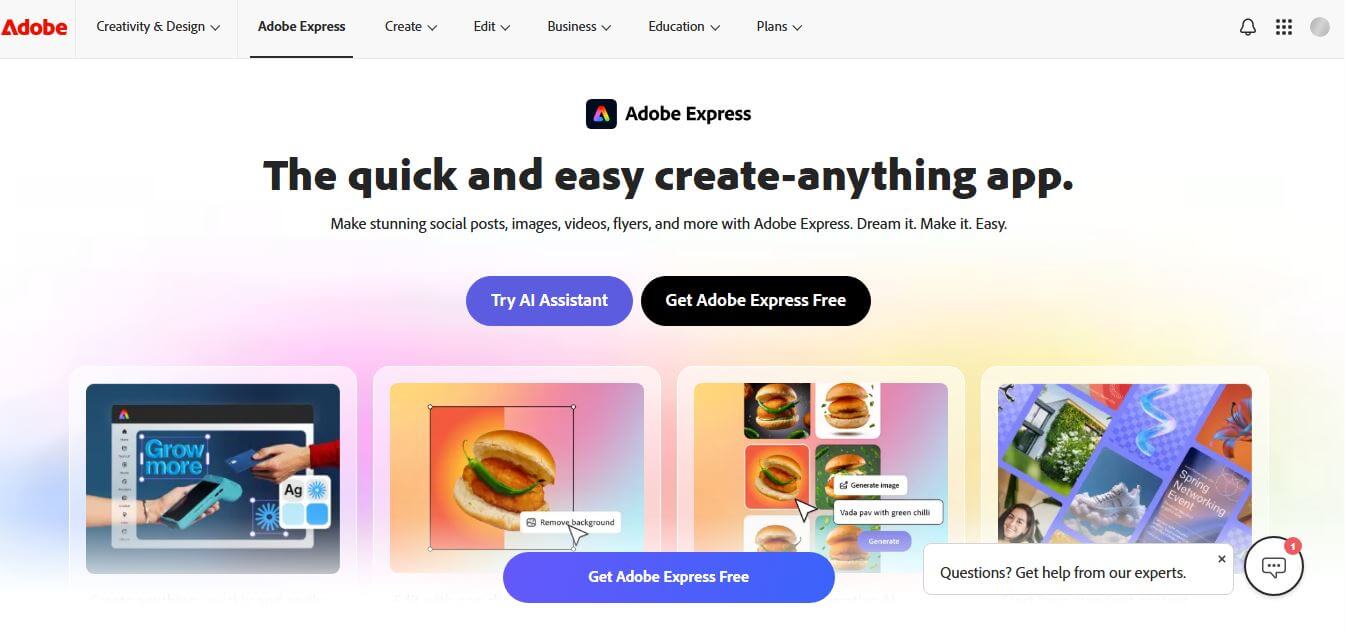
Adobe Express is an all-in-one AI-driven graphic design, video editing, and marketing content creation suite developed by Adobe. It enables users to create social media graphics, TikTok and Instagram Reels, marketing banners, presentations, and PDFs with drag-and-drop ease. Featuring embedded Adobe Firefly generative AI, seamless Photoshop/Illustrator asset linking, one-click quick actions, brand kits, and multi-channel social scheduling, Adobe Express makes commercial-grade design accessible to everyone.
Adobe Express serves millions of creators, educators, and enterprise marketing teams worldwide. The platform features over 100,000 free templates, 4,000+ fonts, and access to over 200 million royalty-free Adobe Stock photos, video clips, and audio tracks on Premium plans. Powered by commercially safe Adobe Firefly generative AI models, users receive monthly generative credits to create text-to-image art, generative fills, and video animations in seconds, reducing routine visual design and social media asset workflows by over 70 percent.
- Founder / Leadership: Developed by Adobe Inc. (Shantanu Narayen, Chairman & CEO, and the Adobe Creative Cloud engineering team)
- Launch Year: 2021 (Evolution of Adobe Spark)
- Use Cases:
- Creating social media graphics, Instagram Reels, TikToks, and YouTube thumbnails
- Designing marketing flyers, business cards, promotional posters, and brochures
- Generating commercial-safe AI imagery, text effects, and generative fills with Firefly
- Editing PDFs, converting file formats, and scheduling social media posts
- Technology:
- Adobe Firefly generative diffusion and multimodal visual synthesis models
- Adobe Sensei computer vision algorithms for subject segmentation and quick actions
- Creative Cloud Library synchronization with linked Photoshop and Illustrator assets
- Target Users:
- Social media managers, digital influencers, and content creators
- Small business owners, retail merchants, and DTC brand marketers
- Corporate marketing departments and brand consistency leads
- Educators, students, freelance designers, and visual communicators
- Acquisition: Operates natively as a core service of Adobe Inc.

Key features of Adobe Express
Adobe Express's key features are
- Adobe Firefly Generative AI: Generate high-resolution images, apply generative fill, and create stylized text effects from simple text descriptions.
- All-in-One Video & Graphic Editor: Combine video clips, audio tracks, animated graphics, and vector stickers on a unified timeline canvas.
- One-Click Quick Actions: Instantly remove image/video backgrounds, convert files to MP4/GIF/SVG, resize images, and trim video clips.
- 200M+ Adobe Stock Asset Library: Access millions of royalty-free stock photos, video loops, background music tracks, and graphic elements.
- Linked Creative Cloud Assets: Directly import, sync, and edit linked Photoshop and Illustrator assets with real-time updates inside Express.
- Dynamic Brand Kits: Maintain brand consistency by storing and applying brand colors, logos, and custom fonts across all marketing materials.
- Social Media Content Scheduler: Plan, preview, and automatically schedule posts directly to Instagram, Facebook, LinkedIn, TikTok, and X (Twitter).
- Full PDF Editing & Conversion: Convert, combine, reorder, export, and edit text inside PDF documents directly in your web browser.
Adobe Express Pricing
Adobe Express operates on a freemium model with free access, individual Premium subscriptions, and team/enterprise tiers.
Free Plan:
- $0/month (Free forever)
- 100,000+ templates, 1M+ free stock photos, 4,000+ fonts, and basic editing tools
- 5 GB cloud storage and 25 monthly Firefly generative AI credits
Premium Plan:
- Starts at $9.99/month or $99.99/year (approx. ₹398.84/month in India with GST)
- Full access to 200M+ Adobe Stock photos, videos, and music tracks
- 250 monthly Firefly AI credits, 100 GB cloud storage, brand kits, and Photoshop/Illustrator linked asset editing
Teams Plan:
- Starts at ~$9.99 – $14.99/seat/month (billed annually)
- Shared brand libraries, Admin Console user controls, collaborative co-editing, and pooled AI credits
Creative Cloud All Apps Bundle:
- Included at no extra charge for all active Adobe Creative Cloud All Apps subscribers
Disclaimer: For the latest regional pricing options and plans, please visit the official Adobe Express website at adobe.com/in/express/.
Who is using Adobe Express?
Adobe Express is designed for a broad range of creative professionals and businesses, including
- Social Media Marketers: Editing vertical reels, carousel graphics, and thumbnail banners
- Small Business Owners: Designing promotional sales flyers, menus, and posters on a budget
- Corporate Marketing Teams: Standardizing brand assets across non-designer team members
- Educators & Students: Creating interactive presentations, infographics, and classroom posters
- Content Creators: Using writing tools to script video reels and pair written content with Firefly-generated graphics
- Freelance Designers: Preparing quick social media collateral for clients with linked Photoshop files
Best Adobe Express Alternatives
Some of the strongest Adobe Express alternatives include
- Canva
- Microsoft Designer
- Fotor
- Visme
- Pixlr
- VistaCreate
Pros and Cons of Adobe Express
Pros
- Native integration with Adobe Firefly provides commercially safe generative AI image and text effects
- Access to over 200 million high-quality royalty-free Adobe Stock assets on Premium
- Direct bi-directional synchronization with Photoshop, Illustrator, and Creative Cloud Libraries
- Generous free tier with 100,000+ templates, basic editing tools, and 25 monthly AI credits
- Built-in multi-platform social media scheduler and visual content calendar
Cons
- Template library size is smaller than Canva’s massive multi-million template ecosystem
- Web app can feel resource-heavy on older hardware during complex video timeline rendering
- Generative video and heavy AI actions consume monthly Firefly credits rapidly
- Advanced typographic controls (like precise kerning/tracking) are simplified compared to InDesign or Illustrator
Why Choose Adobe Express?
Adobe Express is the ideal choice for creators, marketing teams, and businesses that want fast, professional design capabilities backed by Adobe’s industry-leading creative ecosystem.
- Creates graphics, reels, flyers, and PDFs in minutes using drag-and-drop tools
- Features Adobe Firefly AI trained on licensed content for safe commercial use
- Links directly to Photoshop and Illustrator files for unified brand workflows
- Includes access to 200M+ premium Adobe Stock images, videos, and music tracks
- Bundled free with existing Creative Cloud subscriptions
Adobe Express vs. Competitors
The main difference between Adobe Express, Canva, Microsoft Designer, and Visme is that Adobe Express integrates deeply with Adobe's creative ecosystem (Photoshop, Illustrator, Stock, and Firefly), while Canva focuses on broad team collaboration templates, Microsoft Designer leverages DALL-E inside Microsoft 365, and Visme specializes in complex data visualization and corporate presentations. Adobe Express stands out for its commercial-safe Firefly AI and professional asset interoperability.
| Feature / Tool | Adobe Express (adobe.com) | Canva | Microsoft Designer | Visme |
|---|---|---|---|---|
| Core Focus | All-in-One AI Design & Video | Team Graphic & Social Suite | Quick AI Design & DALL-E | Data Visualization & Slides |
| Generative AI Engine | Adobe Firefly (Commercial Safe) | Magic Studio AI | DALL-E 3 & Copilot | Visme AI Designer |
| Creative Cloud Link | Yes (Photoshop & Illustrator Sync) | No | No | No |
| Stock Media Library | 200M+ Adobe Stock (Premium) | 100M+ Elements & Photos | Microsoft Stock | Curated Assets |
| Social Media Scheduler | Yes (Built-In Multi-Platform) | Yes (Content Planner) | Limited | Limited / Zapier |
| Best For | CC Users, Marketers & Creators | Teams & Broad Templates | Microsoft 365 Users | Data Infographics & Slides |
How do we rate Adobe Express?
| Parameter | Rating (out of 5) |
|---|---|
| Generative AI & Firefly Integration | 5.0 |
| Stock Assets & Template Variety | 4.9 |
| Video & Multi-Format Editing | 4.8 |
| Creative Cloud Interoperability | 5.0 |
| Value for Money | 4.8 |
| Overall Score | 4.90 |
Adobe Express Review
Adobe Express successfully bridges the gap between professional design power and intuitive, rapid content creation. By integrating Adobe Firefly directly into an agile drag-and-drop workspace, it provides an unmatched combination of commercial-safe AI generation, rich typography, and stock asset depth. The ability to link Photoshop and Illustrator files directly into Express saves hours of file exporting for marketing teams. For creators, digital marketers, and businesses looking to produce on-brand visual and video content at scale, Adobe Express is a standout platform.
Conclusion
Adobe Express is a powerful all-in-one creative platform that makes designing, editing, and content creation simple for everyone. By combining AI-powered tools, templates, and quick editing features for images, videos, and PDFs, it removes the need for complex software or advanced skills. It allows users to create social posts, videos, logos, and more from a single workspace with speed and ease. Its biggest strength lies in accessibility and efficiency—whether you’re a beginner, marketer, or small business, it helps produce professional-quality content quickly. While advanced designers may still prefer full Creative Cloud apps, Adobe Express excels in everyday creative tasks.
FAQ
What is Adobe Express and how can Adobe Express help me?
Adobe Express is an all-in-one AI-powered content creation platform that helps you design social media posts, videos, flyers, logos, and more. Adobe Express makes it easy to create professional content quickly, even if you don’t have design experience, by combining templates, AI tools, and simple editing features.
How does Adobe Express actually work?
Adobe Express works through a browser or mobile app with a drag-and-drop editor. You can start with templates or upload your own content, then edit images, videos, and text using built-in tools. Adobe Express also offers “Quick Actions” like resizing, background removal, and file conversion to speed up your workflow.
What makes Adobe Express different from other design tools?
Adobe Express stands out because it combines design, video editing, PDF tools, and AI features in one platform. Unlike traditional tools that focus on one area, Adobe Express lets you create everything—from social posts to videos—without switching apps.
What features does Adobe Express offer?
Adobe Express includes features like photo editing, video editing, background removal, text effects, animation, PDF editing, and file conversion. It also provides access to templates, Adobe Fonts, and stock media, making it a complete creative toolkit.
Does Adobe Express use AI?
Yes, Adobe Express uses generative AI powered by Adobe Firefly. You can create images from text, generate text effects, remove objects, and automate design tasks. This helps you turn ideas into visuals much faster.
Can Adobe Express create videos?
Yes, Adobe Express makes video creation easy with drag-and-drop tools. You can combine clips, add music, text, transitions, and even auto-generate captions. It’s designed for social media videos like Reels, TikToks, and YouTube content.
Is Adobe Express free to use?
Yes, Adobe Express offers a free plan with templates, basic editing tools, and limited AI features. Paid plans unlock premium assets, more AI credits, and advanced features like brand kits and high-quality exports.
Who should use Adobe Express?
Adobe Express is ideal for content creators, marketers, students, small businesses, and teams. Anyone who wants to create visuals, videos, or branded content quickly without complex software can benefit from it.
User Reviews
No reviews yet for Adobe Express.
Featured Tools
Featured AI tools from TechShark

Melody Genie
MelodyGenie is an AI-powered music generator that creates original songs from simple text prompts. Users can choose styles, moods, and genres, then instantly generate melodies and full tracks, making it easy for creators, marketers, and hobbyists to produce custom music without musical expertise.
Freemium

Kimi AI
Kimi AI is an advanced AI assistant developed by Moonshot AI that helps you chat, research, write, code, and automate tasks in one place. It supports web search, file analysis, and multimodal inputs, and can even run autonomous “agent” workflows to complete complex tasks end-to-end.
Freemium

Fashion Diffusion AI
Fashion Diffusion is an AI-powered fashion design platform that helps brands and designers create clothing designs, virtual try-ons, AI models, product photos, and marketing visuals faster and cost-effectively.
Paid

Veo 4
Veo 4 AI is an AI video creation platform that generates dramatic videos from text, images, audio, and video prompts using realistic motion and synchronized sound.
Paid
Alternatives
Alternatives to Adobe Express
The best Adobe Express alternatives include Canva, Microsoft Designer, Fotor, Visme, Pixlr, and VistaCreate. These platforms provide online graphic design, social media templates, and generative AI visual tools. While Adobe Express specializes in commercially safe Adobe Firefly AI, 200M+ Adobe Stock assets, and native Creative Cloud synchronization, alternatives like Canva focus on expansive community templates, and Visme emphasizes data visualization. Choosing the right tool depends on whether you require Creative Cloud interoperability, extensive team templates, or specialized infographic design.
 4.7
4.7Flux.ai
Design
Flux AI is an AI-powered electronics design platform that helps engineers create schematics, design printed circuit boards (PCBs), select components, and optimize routing. Its browser-based workspace supports real-time collaboration, design validation, and manufacturing exports, making hardware development more accessible for individuals, startups, and engineering teams.
 4.8
4.8Repaint
Design
Repaint helps entrepreneurs and small businesses build websites, online stores, booking systems, and custom web applications using AI chat. Users can generate designs, edit content, manage customer accounts, accept payments, and organize business data without traditional coding. It offers subscription plans with different usage limits and business management capabilities.
 4.8
4.8SWAPP
Design
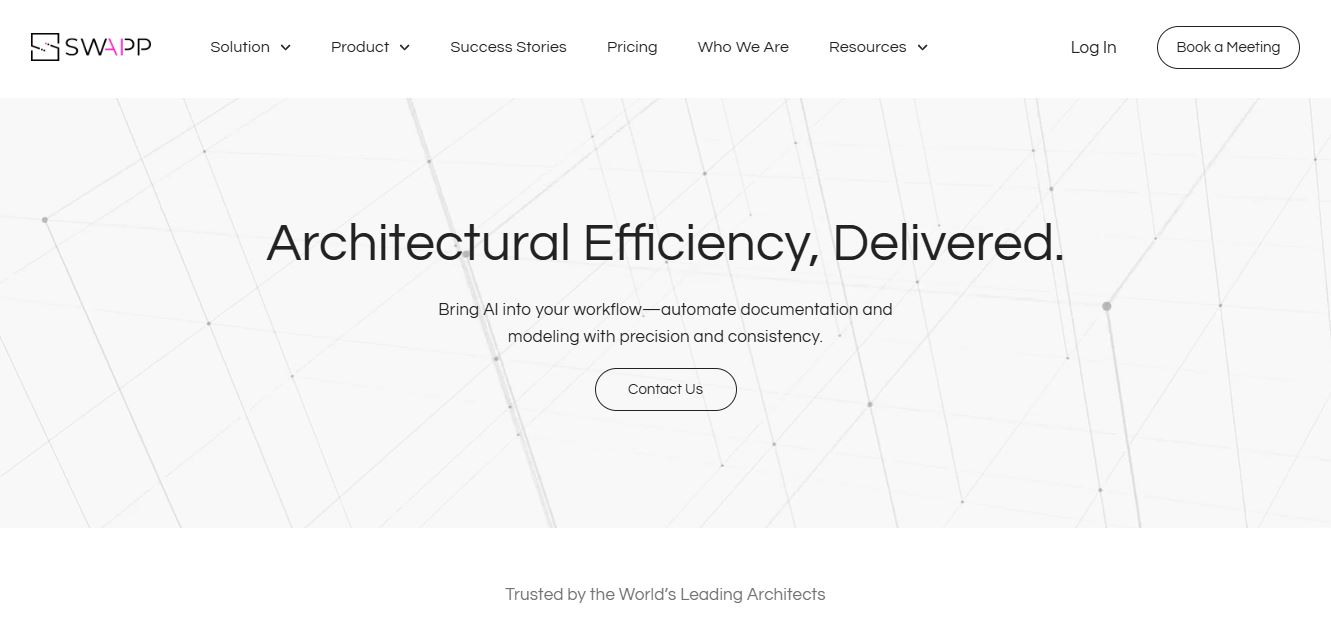
SWAPP helps architecture firms automate construction documentation, BIM modeling, and QA work inside Revit and ArchiCAD. Its Frank agent applies firm-specific standards to repetitive production tasks, while workflow memory preserves organizational knowledge. The platform is suited to teams seeking faster delivery, consistency, and less manual production effort across complex projects.
 4.9
4.9Adobe Stock
Design
Adobe Stock is a creative asset marketplace that helps designers and businesses access millions of royalty-free images, videos, templates, and 3D assets. It integrates with Adobe Creative Cloud, enabling users to search, customize, and license high-quality visuals quickly for marketing, design, and content creation.
 4.9
4.9Yellow Images
Design
Yellow Images is a digital marketplace that helps designers create branding and marketing visuals using high-quality mockups, fonts, PNGs, and graphic assets. It offers a large library of ready-to-use creative resources, enabling faster design workflows for agencies, freelancers, and ecommerce businesses.
 4.9
4.9Placeit
Design
Placeit is a browser-based design platform that helps creators and businesses generate mockups, logos, videos, and marketing visuals using ready-made templates. It allows users to quickly customize designs and download professional assets, making it ideal for ecommerce, social media, and branding without advanced design skills.
 4.8
4.8Figma AI
Design
Figma AI brings generative and assistive tools directly into Figma workflows, helping designers move from ideas to editable designs, visuals, prototypes, and production-ready experiences faster. Users can generate concepts, edit images, search files, automate repetitive work, and collaborate with teammates while keeping creative exploration inside the familiar Figma design environment.
 4.7
4.7PageGPT
Design
PageGPT helps businesses, creators, marketers, and entrepreneurs create customized landing pages and websites with AI. Users can describe their product and preferred style, generate designs with copy and images, then refine the result through chat or drag-and-drop editing. It also supports responsive pages, custom effects, and publishing options.
 4.8
4.8Locofy.ai
Design
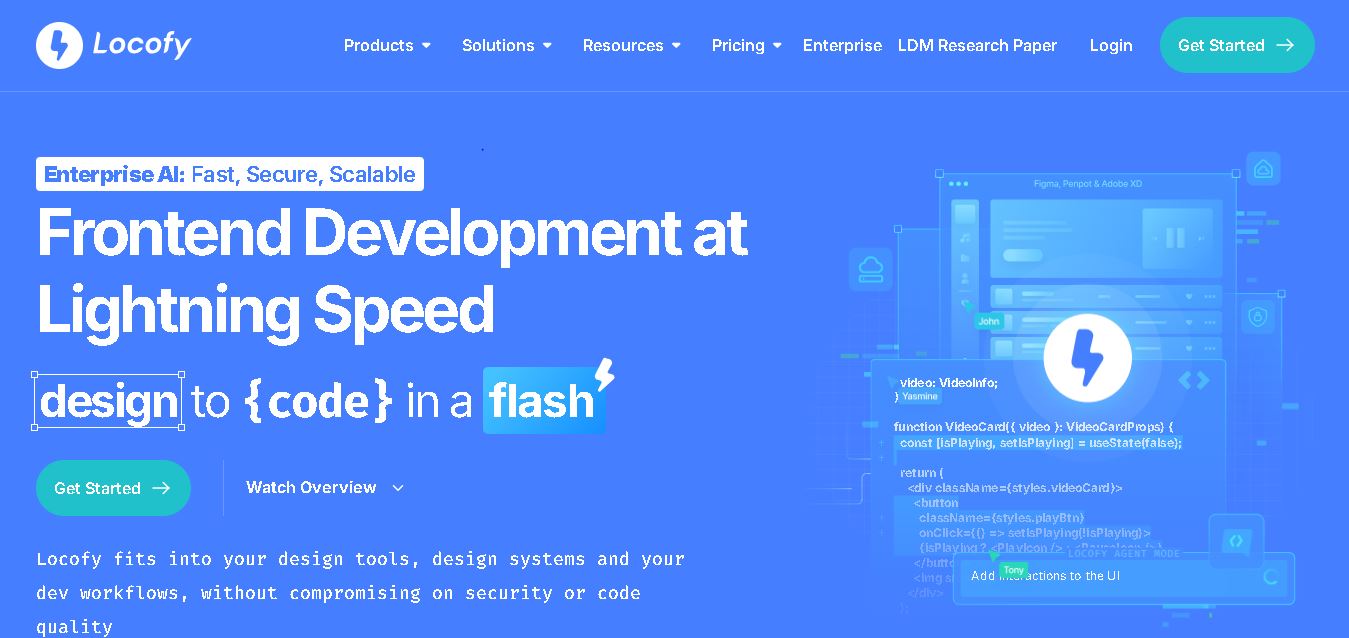
Locofy helps teams transform UI designs into developer-friendly frontend code without rebuilding interfaces manually. It supports popular design tools, web and mobile frameworks, responsive layouts, reusable components, and AI-assisted refinement. Designers can prepare screens while developers customize, export, synchronize, and continue development within familiar workflows and coding environments for teams.