
Adobe Firefly
Adobe Firefly is Adobe's family of creative generative AI models natively embedded across Creative Cloud applications and available as a standalone web app, providing commercially safe text-to-image synthesis, generative fill, vector generation, and video/audio creation tools trained exclusively on licensed Adobe Stock and public domain assets.
What is Adobe Firefly?
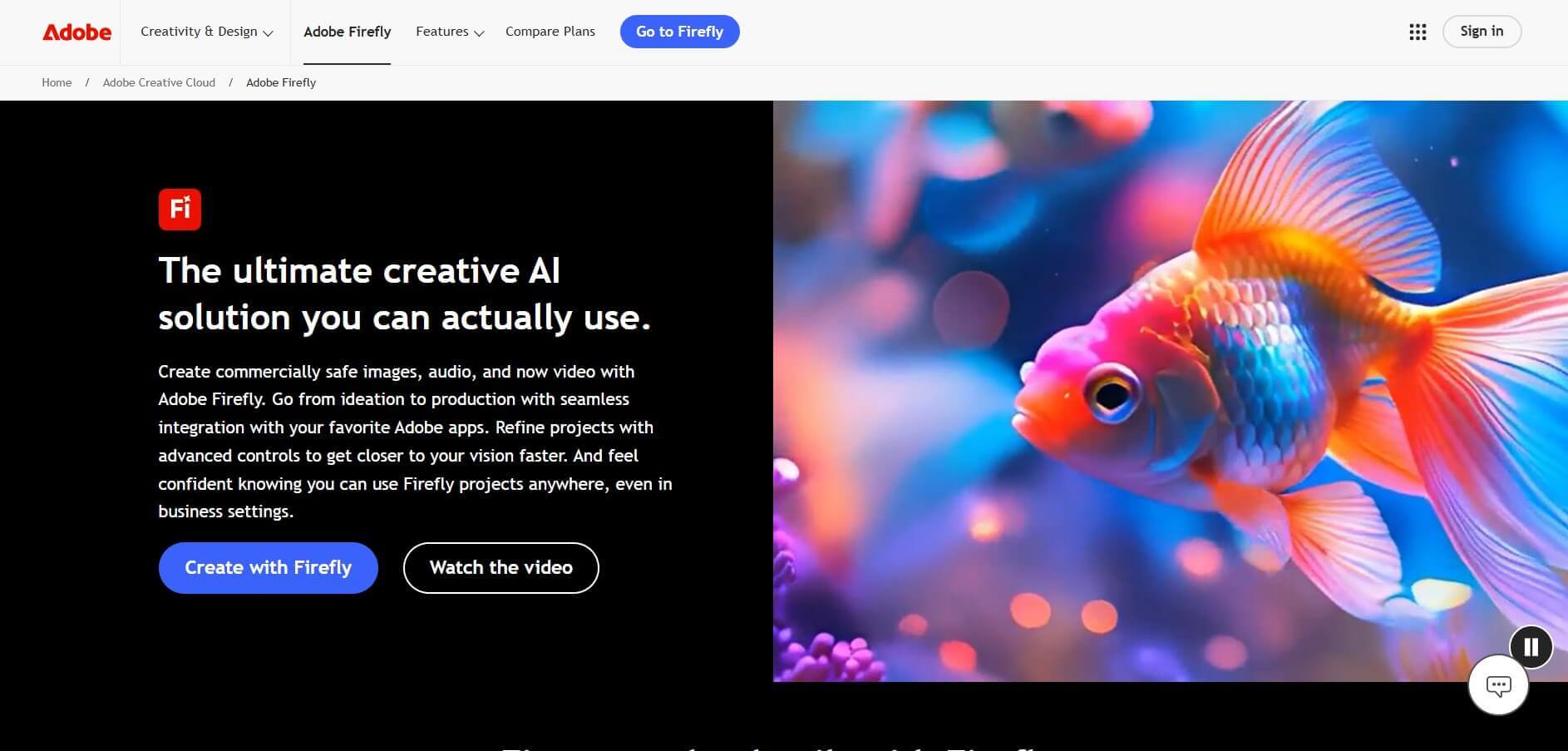
Adobe Firefly is an AI-powered creative platform by Adobe that allows users to generate and edit images, videos, audio, and graphics using simple text prompts. It works as an all-in-one content creation studio, combining multiple AI models to help creators brainstorm ideas, design visuals, and produce complete projects in one place. Firefly supports the full creative workflow—from ideation to final output—while offering tools for editing, collaboration, and integration with apps like Photoshop.
Adobe Firefly has rapidly scaled as a leading generative AI platform, generating over 24 billion assets globally since launch and producing around 1.5 billion creations per month across tools like Photoshop and Illustrator. It reached 1 billion images in just 3 months, with 6 million users in 9 months and engagement from 45% of Creative Cloud subscribers. Firefly also holds about 29% market share, with 82% brand recognition and 89% user satisfaction, highlighting strong adoption and growth.
- Platform Role: Commercial Generative AI Suite, Creative Asset Studio & Enterprise Visual Design Engine
- Founders & Organization: Adobe Inc. (San Jose, California)
- Cross-Platform Compatibility: Web-based app (Chrome, Safari, Edge, Firefox) and native integration across desktop/mobile Adobe Creative Cloud apps (Photoshop, Illustrator, InDesign, Express, Premiere Pro)
Use Cases:
- Generating high-resolution photorealistic imagery, creative concept art, and brand backdrops via descriptive text prompts
- Adding, replacing, or expanding canvas boundaries seamlessly within Photoshop using Generative Fill and Generative Expand
- Synthesizing scalable, fully editable vector patterns, icons, and subject art directly inside Adobe Illustrator
- Creating automated text-to-video clips, generative background audio, and b-roll inserts for Premiere Pro editing timelines
- Training custom generative models on proprietary brand guidelines, product photography, and visual styles for unified enterprise campaigns
Technology:
- Proprietary diffusion and multimodal foundation models trained exclusively on licensed and public domain data
- Content Credentials integration via the Coalition for Content Provenance and Authenticity (C2PA) injecting verifiable cryptographic provenance into outputs
- Native Adobe Sensei orchestration layer powering contextual pixel synthesis and resolution upscaling
- Enterprise APIs enabling scalable server-side asset generation, batch image transformation, and brand model fine-tuning
Target Users:
- Graphic designers, digital illustrators, and creative directors needing copyright-safe visual creation workflows
- Marketing teams and digital agencies building high-volume social media creatives, banner ads, and product mockups
- Enterprise organizations requiring legal compliance, brand safety guarantees, and IP indemnification for AI-generated visual media
- Video editors and motion graphic artists seeking fast generative background extensions and video b-roll automation
Acquisition: Proprietary generative AI platform developed and operated by Adobe Inc.
What are the key features of Adobe Firefly?
Adobe Firefly's key platform features are
- Text to Image Generation: Transforms detailed natural language descriptions into high-fidelity photorealistic or artistic images with extensive camera, lighting, and style controls.
- Generative Fill & Expand: Intelligently adds, removes, or extends elements within existing raster images, matching original shadows, perspective, and lighting profiles.
- Generative Vector & Recolor: Generates fully layered, scalable SVG vectors and instant color palettes directly inside Adobe Illustrator.
- Firefly Video & Audio Models: Generates dynamic video clips, fills video timeline gaps, and creates ambient sound effects and audio tracks from natural prompts.
- Content Credentials (C2PA): Automatically embeds tamper-evident cryptographic metadata certifying AI usage, attribution, and model origins to fight visual misinformation.
- Commercial Safety & IP Indemnification: Built to shield commercial enterprises from copyright infringement claims, accompanied by enterprise indemnification coverage.
- Deep Creative Cloud Integration: Operates natively inside Adobe Photoshop, Illustrator, Premiere Pro, and Adobe Express without third-party plugins.
- Custom Model Training: Allows enterprise teams to train bespoke Firefly models using proprietary brand assets and color guides while retaining complete data isolation.
How much does Adobe Firefly cost?
Adobe Firefly operates on a freemium model governed by monthly generative credits, included across Creative Cloud plans and available as standalone subscriptions.
Individual Plans:
- Free Plan ($0 / month): Free web access; includes 25 monthly generative credits to test standard image, vector, and text effect generation.
- Firefly Premium Plan ($4.99 / month): Includes 100 monthly generative credits, watermark removal from generated assets, and full commercial export rights.
- Creative Cloud All Apps ($59.99 / month): Full suite licensing including Photoshop, Illustrator, Premiere Pro, Express, and 1,000 monthly generative credits shared across applications.
Team & Enterprise Tiers:
- Creative Cloud for Teams ($37.99 to $89.99 / seat / month): Provides centralized admin controls, license management, pooled credit allocation, and commercial indemnification.
- Firefly Services & Enterprise (Custom Pricing): Custom annual enterprise licensing offering high-volume API access, custom model training on proprietary brand assets, single sign-on (SSO), and full IP indemnification protection.
Disclaimer: Generative credits replenish on a monthly billing cycle. Model speeds adjust once standard credit allocations are depleted. Visit adobe.com/products/firefly.html for current subscription and credit details.
Who should use Adobe Firefly?
Adobe Firefly is designed for visual artists, enterprise marketing departments, and production studios, including
- Professional Visual Designers: Creatives who rely daily on Photoshop and Illustrator and prefer generating assets directly within existing non-destructive layer workflows.
- Brand Managers & Marketing Teams: Marketers needing fast, high-volume visual ad variants that match strict brand identity rules and ensure full commercial copyright safety.
- Corporate & Enterprise Organizations: Legal and design divisions requiring contractually guaranteed enterprise IP indemnification against copyright infringement.
- Content Creators & Social Producers: Digital creators building banners, social reels, thumbnails, and quick promotional collateral via Adobe Express.
What are the best alternatives to Adobe Firefly?
Some of the strongest Adobe Firefly alternatives include
- Midjourney
- Stable Diffusion (Stability AI)
- DALL-E 3 (OpenAI)
- Canva Magic Studio
- Krea AI
- Runway Gen-3 Alpha
What are the pros and cons of Adobe Firefly?
What are the pros of Adobe Firefly?
- Commercially safe foundation trained strictly on Adobe Stock and public domain media
- Native seamless integration inside industry-standard tools like Photoshop and Illustrator
- Built-in C2PA Content Credentials provide enterprise-grade asset provenance and transparency
- Enterprise intellectual property indemnification provides legal safety for commercial deployments
- Vector generation outputs layered, clean, and fully editable SVG art inside Illustrator
What are the cons of Adobe Firefly?
- Photorealism and stylistic flexibility in prompt-to-image can lag behind community-driven models like Midjourney
- Strict safety filters and guardrails can occasionally block benign or stylized commercial prompts
- Heavy rendering workflows require an active Creative Cloud subscription and consume monthly generative credits
Why should you choose Adobe Firefly?
While standalone generative AI engines excel at artistic exploration in isolated web dashboards, they often present severe intellectual property risks and disrupt professional workflows. Adobe Firefly embeds generative power straight into industry-standard digital production pipelines, allowing creators to manipulate layers, adjust vector anchor points, and composite visuals inside Photoshop and Illustrator. By pairing copyright-safe training data with enterprise legal indemnity, Firefly provides the ideal solution for commercial design teams.
- Eliminate copyright liability with commercially safe training models and enterprise IP indemnification
- Inpaint, remove objects, and extend canvases without leaving Photoshop via Generative Fill
- Produce production-ready, infinitely scalable vector patterns and illustrations inside Illustrator
- Streamline digital asset provenance using embedded tamper-resistant content credentials
How does Adobe Firefly compare to competitors?
The primary distinctions between Adobe Firefly, Midjourney, Stable Diffusion, and Canva Magic Studio lie in training data provenance, legal commercial safety, and software ecosystem integration. While Midjourney focuses on community-driven artistic fidelity and Stable Diffusion prioritizes open-weights control, Adobe Firefly delivers direct vector and raster integration within Adobe Creative Cloud applications alongside commercial enterprise indemnity.
| Feature / Platform | Adobe Firefly | Midjourney | Stable Diffusion | Canva Magic Studio |
|---|---|---|---|---|
| Core Focus | Commercially Safe Generative Suite & Creative Cloud Integration | Photorealistic & Artistic Image Generation | Open-Weights Diffusion Models & Local Customization | Rapid Marketing & Social Template Automation |
| Environment | Web App & Native Adobe Desktop/Mobile CC Apps | Discord Bot & Web Interface | Local GPU / Cloud APIs / Web GUIs (Automatic1111/ComfyUI) | Web Browser & Canva Desktop/Mobile Apps |
| Vector Output | Yes (Layered, editable SVG inside Illustrator) | No (Raster only) | No (Raster only / Third-party auto-trace) | Limited (Template-based vector recoloring) |
| Commercial Indemnity | Yes (Comprehensive enterprise IP indemnification) | No | No (Dependent on enterprise host agreement) | Enterprise tier shields eligible outputs |
| Pricing Structure | Free tier / Premium $4.99/mo / CC All Apps $59.99/mo | Basic ($10/mo) / Standard ($30/mo) / Pro ($60/mo) | Free open-source / API compute usage pricing | Free tier / Canva Pro ($15/mo) / Teams ($30/mo) |
| Best For | Professional designers and enterprises needing IP safe in-app generation | Concept artists and creators focused on maximum visual aesthetics | Developers and technical artists seeking full model weights control | Marketers, non-designers, and small business creators |
How do we rate Adobe Firefly?
| Parameter | Rating (out of 5) |
|---|---|
| Commercial Safety & IP Provenance | 5.0 |
| Workflow & Creative Cloud Integration | 5.0 |
| Generative Inpainting & Vector Synthesis | 4.8 |
| Artistic Photorealism & Prompt Adherence | 4.6 |
| Value for Money | 4.7 |
| Overall Score | 4.82 |
What is our review and verdict on Adobe Firefly?
Adobe Firefly is the benchmark for commercially safe, workflow-embedded generative artificial intelligence. Rather than forcing designers to juggle external browser prompts and file transfers, Adobe has baked generative synthesis directly into the canvas tools creatives use every day. With verifiable content credentials, native generative fill in Photoshop, vector creation in Illustrator, and corporate indemnification, Firefly is the definitive choice for enterprise creative operations.
Conclusion
Adobe Firefly marks a pivotal evolution in professional creative production. By combining licensed dataset integrity, native integration across Photoshop and Illustrator, vector creation, and strict copyright indemnification, Firefly provides the safest and most practical generative AI ecosystem for commercial visual creators and global enterprises.
FAQ
What is Adobe Firefly?
Adobe Firefly is an AI-powered image platform that allows users to create images, videos, and audio from text prompts, offering creative tools with commercial safety and integration with Adobe applications.
Is Adobe Firefly free to use?
Adobe Firefly offers a free version with limited generative credits. For full access to all features, users can subscribe to one of the paid plans.
Can I purchase additional generative credits?
Yes, users can purchase additional generative credits as needed through Adobe's platform.
How do I get started with Adobe Firefly?
To get started, visit Adobe Firefly's official website, sign in with your Adobe ID or create a free account, and begin exploring the generative AI features.
User Reviews
No reviews yet for Adobe Firefly.
Featured Tools
Featured AI tools from TechShark

Melody Genie
MelodyGenie is an AI-powered music generator that creates original songs from simple text prompts. Users can choose styles, moods, and genres, then instantly generate melodies and full tracks, making it easy for creators, marketers, and hobbyists to produce custom music without musical expertise.
Freemium

Kimi AI
Kimi AI is an advanced AI assistant developed by Moonshot AI that helps you chat, research, write, code, and automate tasks in one place. It supports web search, file analysis, and multimodal inputs, and can even run autonomous “agent” workflows to complete complex tasks end-to-end.
Freemium

Fashion Diffusion AI
Fashion Diffusion is an AI-powered fashion design platform that helps brands and designers create clothing designs, virtual try-ons, AI models, product photos, and marketing visuals faster and cost-effectively.
Paid

Veo 4
Veo 4 AI is an AI video creation platform that generates dramatic videos from text, images, audio, and video prompts using realistic motion and synchronized sound.
Paid
Alternatives
Alternatives to Adobe Firefly
The best Adobe Firefly alternatives include Midjourney, Stable Diffusion, DALL-E 3, Canva Magic Studio, and Krea AI. While Adobe Firefly focuses on commercially safe training, native Photoshop and Illustrator integration, and enterprise IP indemnification, alternatives like Midjourney deliver leading photorealism, Stable Diffusion offers open-weights model fine-tuning, and Canva specializes in rapid drag-and-drop marketing collateral.
 4.7
4.7Kaiber
Video Generator
Kaiber is an AI-powered creative suite for generating videos, images, and audio. It helps musicians, content creators, and marketers turn text prompts, images, and music into engaging visuals. Its tools support image animation, beat-synced video creation, lip-sync, visual restyling, and timeline editing for social media and music videos.
Neural.love
AI Image Enhancer
Neural.love is an AI-powered creative platform for generating images, editing photos, enhancing videos, restoring old media, and animating pictures. It combines multiple AI tools in a browser-based workspace, helping content creators, marketers, photographers, designers, and businesses improve visual content without relying entirely on traditional editing software.
 4.8
4.8Shuffll
Video Editing
Shuffll goes beyond traditional video creation by connecting personalized video directly to enterprise data and workflows. Its API-first infrastructure, 40+ AI models, automated production, and built-in brand governance make it suitable for organizations that need video at scale. For businesses seeking higher engagement without building large production teams, Shuffll offers a practical way to turn existing data into personalized, on-brand video experiences.
 4.8
4.8Opus Clip (Opus Pro)
Video Editing
OpusClip helps creators transform long-form videos into short, social-ready clips. It can identify engaging moments, generate captions, reframe footage, add B-roll, enhance audio, and support publishing across major social platforms. It is designed for creators, marketers, podcasters, businesses, and teams that want to scale video content production.
 4.8
4.8Dubbah
Video Editing
Dubbah helps Mac users translate and dub videos into 14 languages while preserving a familiar speaker voice. The app processes media locally, supports editing translated lines, and works offline after setup. With no account, subscription, or per-minute fee, it offers a simple, straightforward option for creators producing multilingual video content.
 4.9
4.9Clipchamp
Video Generator
Clipchamp is an AI-powered online video editor by Microsoft that helps users record, edit, and share videos directly from the browser. It offers templates, stock media, and AI tools like subtitles, voiceovers, and noise removal, enabling fast, professional video creation without advanced editing skills.
 4.9
4.9CapCut
Video Editing
CapCut is a popular video editing tool that helps creators produce engaging videos with effects, transitions, filters, templates, subtitles, and AI-powered features. Available on multiple platforms, CapCut makes it easy to edit videos for TikTok, Instagram Reels, YouTube Shorts, and other social media channels.
 4.9
4.9Media.io
Video Editing
Media.io is an AI-powered creative platform that helps users generate, edit, and enhance videos, images, audio, and ads from simple prompts or assets. It combines AI generation, editing, and workflows in one place, enabling creators to turn ideas into polished content quickly without switching tools.
 4.9
4.9Video Candy
Video Editing
Video Candy is a free online video editing platform that helps users trim, merge, compress, convert, and enhance videos directly in the browser. It offers 70+ tools with a simple drag-and-drop interface, making video editing fast, accessible, and efficient without installing complex software.