
Klap
Klap is an AI-powered video repurposing and clipping platform that automatically extracts viral, ready-to-publish short clips from long-form videos like YouTube uploads, podcasts, and webinars with intelligent face-reframing and dynamic captions.
What is Klap?
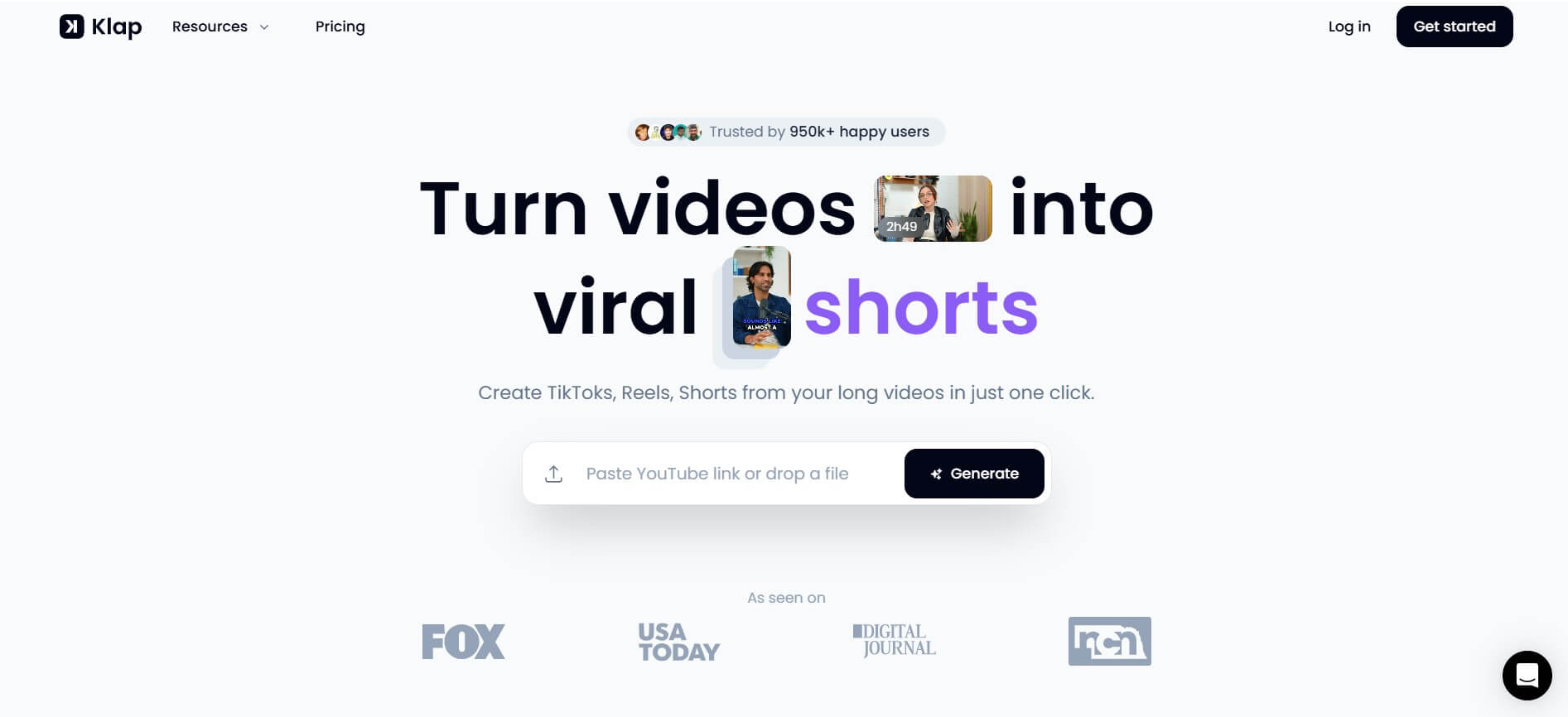
Klap is an AI video editing tool built to turn long videos into short, viral clips for platforms like TikTok, Reels, and YouTube Shorts. You simply upload a video or paste a link, and it automatically finds the best moments, adds captions, and resizes them into vertical format. It’s mainly used by creators, marketers, and podcasters to repurpose content quickly, save editing time, and stay consistent with short-form posting without needing advanced video skills.
Built to maximize content ROI, Klap uses AI highlight detection, facial recognition auto-reframing, and predictive virality scoring to identify the most engaging, high-retention moments from existing videos, reformat them into vertical 9:16 aspect ratios, and generate animated captions automatically.
- Platform Role: AI Video Repurposing Tool, Automated Clip Generator & Social Video Editor
- Core Focus: Converting long-form YouTube videos, podcasts, and talks into viral TikToks, Reels, and Shorts
- Runtime & Infrastructure: Cloud-based AI processing engine, multi-language speech recognition, and browser-based export studio
Use Cases:
- Extracting viral moments and quotable highlights from hour-long podcast episodes in minutes
- Repurposing educational webinars, Zoom recordings, and panel discussions into bite-sized social media clips
- Generating vertical teaser shorts from comprehensive YouTube tutorials and video essays
- Automating social media content calendars with dynamic, high-engagement subtitle styles
- Translating and dubbing clips into international languages to expand global audience reach
Technology:
- AI Highlight Detection pipeline analyzing audio transcriptions, pacing, and sentiment to isolate peak moments
- Dynamic face-tracking and auto-reframing keeping speakers centered in vertical 9:16 viewports
- Automated Whisper-powered speech-to-text generating frame-accurate captions across 50+ languages
- Virality Score algorithm evaluating hooks and topic retention to rank generated clips by performance potential
Target Users:
- Podcasters and interviewers looking to expand social distribution without hiring full-time video editors
- YouTubers wanting to drive top-of-funnel traffic to their main channel using Shorts and Reels
- Marketing teams and digital agencies repurposing client webinars and founder talks into social proof clips
- Educators, coaches, and speakers extracting actionable advice soundbites for personal branding
Acquisition: Cloud-native AI video repurposing platform accessible worldwide
What are the key features of Klap?
Klap's key platform features are
- One-Click Video Import: Paste a YouTube link or upload MP4/MOV files directly to initiate autonomous AI clipping.
- AI Highlight Detection: Identifies narrative hooks, insightful discussions, and emotional peaks to automatically create standalone shorts.
- Intelligent Auto-Reframing: Uses computer vision and face tracking to keep active speakers centered without manual cropping.
- Virality Score Engine: Grades each extracted clip with a virality score and performance explanation to help creators prioritize uploads.
- Dynamic Animated Captions: Generates trendy karaoke-style word-by-word highlighted captions with customizable fonts and colors.
- Multi-Language Support & AI Dubbing: Transcribes and captions content in over 50 languages with optional multi-language dubbing.
- Custom Brand Kits & 4K Exports: Configure brand fonts, colors, and logos, and download finished assets in up to 4K resolution.
How much does Klap cost?
Klap provides a free trial to generate sample clips, alongside tiered subscription options billed monthly or annually.
Free Trial:
- Free Trial ($0): Test the platform workflow by uploading one video and generating trial clips with basic styling.
Basic Plan:
- $14 / month (billed annually) or $29 monthly: 100 clips per month, up to 10 video uploads, AI clipping, Virality Score, dynamic captions, and HD export.
Pro & Pro+ Plans:
- Pro ($39 / month billed annually or $79 monthly): 300 clips per month, 30 video uploads (up to 2 hours each), 4K export quality, AI Dubbing support, brand kits, and priority processing.
- Pro+ ($94 / month billed annually or $189 monthly): 1,000 clips per month, 100 video uploads (up to 3 hours each), multi-seat team management, dedicated queue, and expanded processing capacity.
Disclaimer: Klap offers trial access to evaluate clip output. Higher-volume limits, extended video lengths, and 4K exports require active paid tiers. Review klap.app/pricing for up-to-date plan details.
Who should use Klap?
Klap is designed for creators, digital marketers, and media teams, including
- Podcasters & Show Hosts: Converting lengthy audio/video discussions into 10 to 15 bite-sized clips per episode.
- Solo Creators & YouTubers: Re-distributing long-form library content to TikTok and Instagram without hours of manual cutting.
- B2B Marketers & SaaS Brands: Transforming executive webinars, keynotes, and product demos into punchy LinkedIn and X clips.
- Agencies & Social Managers: Delivering consistent high-volume short-form video deliverables for multiple client accounts.
What are the best alternatives to Klap App?
Some of the strongest Klap alternatives include
What are the pros and cons of Klap?
What are the pros of Klap?
- Automates the entire repurposing pipeline from YouTube URL to ready-to-post short clips
- Accurate face-tracking reframing that keeps subjects centered during single or dual-speaker interviews
- Helpful virality scoring helps users quickly identify which clips have the strongest hook
- Broad multi-language transcription and caption support covering 50+ languages
- Fast cloud-based processing without draining local computer hardware
What are the cons of Klap?
- Does not offer a permanent free tier beyond the initial one-video test
- Occasional context misses where the AI clips cut off before a thought completes, requiring minor manual trimming
- Not designed for creating videos from scratch via text prompts (requires source video footage)
Why should you choose Klap?
Producing long-form video requires significant research, recording, and production effort, yet most viewers consume short-form video on social media. Klap bridges this gap by transforming an hour of raw video into an entire week's worth of short-form content with a single click. Instead of hiring video editors or spending entire afternoons cutting clips in Premiere Pro, Klap delivers polished, reframed, and captioned videos in minutes.
- Transform long recordings into multiple short clips with zero timeline editing
- Maintain audience attention with automated speaker-tracking auto-reframe
- Add retention-optimized animated captions that match modern social media trends
- Identify the best video segments fast using AI-driven virality scoring
How does Klap compare to competitors?
Klap specializes specifically in repurposing existing long-form video content into short-form clips. While tools like CapCut offer manual multi-track timeline editing and InVideo AI generates videos from text prompts, Klap and Opus Clip compete directly on highlight detection, smart reframing, and automated captioning for podcast and interview footage.
| Feature / Platform | Klap | Opus Clip | Submagic | Vizard.ai |
|---|---|---|---|---|
| Core Focus | Long-form video to viral short clips | AI video repurposing & clipping | Short video captioning & dynamic styling | Webinar & video repurposing editor |
| Input Type | YouTube URL & video file upload | YouTube / Zoom / File upload | Short raw video upload | Video upload & cloud storage link |
| Auto Face-Tracking | Yes (AI Reframe 2) | Yes (Active speaker auto-crop) | Limited (Focus on captions & B-roll) | Yes (Auto-reframe layout) |
| Virality Ranking | Yes (Virality Score) | Yes (Virality Score metric) | No (Manual selection focus) | Yes (AI clip scoring) |
| Pricing Structure | Free trial / Basic from $14/mo / Pro $39/mo | Free trial / Starter from $15/mo | Trial / Paid from ~$19/mo | Free tier / Paid from ~$16/mo |
| Best For | Podcasters and creators turning long videos into shorts quickly | High-volume multi-speaker repurposing | Creators wanting heavy caption & emoji customization | Teams needing transcript-based text video editing |
How do we rate Klap?
| Parameter | Rating (out of 5) |
|---|---|
| Highlight Detection & Clip Selection | 4.7 |
| Face Tracking & Auto-Reframing | 4.8 |
| Caption Accuracy & Social Presets | 4.8 |
| Processing Speed & Ease of Use | 4.9 |
| Value for Money | 4.6 |
| Overall Score | 4.76 |
What is our review and verdict on Klap?
Klap delivers on its promise to streamline short-form content production from existing video assets. Its combination of accurate auto-reframing, intelligent highlight detection, and modern animated captions makes it an indispensable tool for podcasters, educators, and social media teams who want to maximize their content output with minimal editing time.
Conclusion
Klap makes it easy to turn long videos into short, engaging clips tailored for social media. Instead of manually editing and searching for highlights, it automatically detects key moments and formats them for platforms like TikTok and Instagram. This saves creators significant time while maintaining content quality and consistency. Overall, Klap streamlines video repurposing, helping individuals and teams maximize reach and get more value from their existing content with minimal effort.
FAQ
What is Klap and what does it actually do?
Klap AI Video Tool is an AI video repurposing platform that turns long videos (like YouTube, podcasts, webinars) into short, ready-to-post clips for TikTok, Instagram Reels, and YouTube Shorts. It automatically finds the best moments, edits them, and formats them for social media in just a few clicks.
How is Klap different from CapCut or traditional video editors?
Klap removes manual editing completely by using AI to identify highlights, cut clips, and format videos automatically. Traditional editors require timeline editing, trimming, and resizing, while Klap handles everything end-to-end with minimal input, making it much faster for content repurposing.
What features does Klap offer?
Klap includes AI clip generation, auto captions, smart reframing (to vertical format), virality scoring, customization (fonts, colors, branding), and direct publishing/scheduling. These features help creators produce engaging short-form content consistently without manual editing.
Can Klap turn long videos into multiple short clips automatically?
Yes, that’s its core use case. You upload or paste a video link, and Klap’s AI scans the content, detects key moments, and generates multiple short clips. For example, a few minutes of video can be turned into several social-ready clips instantly.
Does Klap add captions and resize videos for social media?
Yes, Klap automatically adds dynamic subtitles and reframes videos into vertical formats (9:16) suitable for platforms like TikTok and Instagram. It also keeps the subject in focus using AI-based scene analysis and face tracking.
Is Klap free or paid?
Klap offers a free trial (limited usage) and paid plans starting around $29/month, depending on how many videos and clips you want to generate. Pricing scales based on usage and features like export quality and volume.
Who should use Klap?
Klap is ideal for YouTubers, podcasters, marketers, agencies, and educators who want to repurpose long-form content into short videos. It’s especially useful if your goal is to grow on TikTok, Reels, or Shorts without spending hours editing.
User Reviews
No reviews yet for Klap.
Featured Tools
Featured AI tools from TechShark

Melody Genie
MelodyGenie is an AI-powered music generator that creates original songs from simple text prompts. Users can choose styles, moods, and genres, then instantly generate melodies and full tracks, making it easy for creators, marketers, and hobbyists to produce custom music without musical expertise.
Freemium

Kimi AI
Kimi AI is an advanced AI assistant developed by Moonshot AI that helps you chat, research, write, code, and automate tasks in one place. It supports web search, file analysis, and multimodal inputs, and can even run autonomous “agent” workflows to complete complex tasks end-to-end.
Freemium

Fashion Diffusion AI
Fashion Diffusion is an AI-powered fashion design platform that helps brands and designers create clothing designs, virtual try-ons, AI models, product photos, and marketing visuals faster and cost-effectively.
Paid

Veo 4
Veo 4 AI is an AI video creation platform that generates dramatic videos from text, images, audio, and video prompts using realistic motion and synchronized sound.
Paid
Alternatives
Alternatives to Klap
The best Klap alternatives include Opus Clip, Vizard.ai, Submagic, CapCut, and Munch. While Klap focuses on automatically turning long-form videos and podcasts into social-ready vertical clips with speaker-tracking auto-reframing and virality scores, alternatives like Submagic specialize in heavy caption customization and CapCut offers full manual timeline video editing.
Neural.love
AI Image Enhancer
Neural.love is an AI-powered creative platform for generating images, editing photos, enhancing videos, restoring old media, and animating pictures. It combines multiple AI tools in a browser-based workspace, helping content creators, marketers, photographers, designers, and businesses improve visual content without relying entirely on traditional editing software.
 4.8
4.8Shuffll
Video Editing
Shuffll goes beyond traditional video creation by connecting personalized video directly to enterprise data and workflows. Its API-first infrastructure, 40+ AI models, automated production, and built-in brand governance make it suitable for organizations that need video at scale. For businesses seeking higher engagement without building large production teams, Shuffll offers a practical way to turn existing data into personalized, on-brand video experiences.
 4.8
4.8Opus Clip (Opus Pro)
Video Editing
OpusClip helps creators transform long-form videos into short, social-ready clips. It can identify engaging moments, generate captions, reframe footage, add B-roll, enhance audio, and support publishing across major social platforms. It is designed for creators, marketers, podcasters, businesses, and teams that want to scale video content production.
 4.8
4.8Dubbah
Video Editing
Dubbah helps Mac users translate and dub videos into 14 languages while preserving a familiar speaker voice. The app processes media locally, supports editing translated lines, and works offline after setup. With no account, subscription, or per-minute fee, it offers a simple, straightforward option for creators producing multilingual video content.
 4.9
4.9Clipchamp
Video Generator
Clipchamp is an AI-powered online video editor by Microsoft that helps users record, edit, and share videos directly from the browser. It offers templates, stock media, and AI tools like subtitles, voiceovers, and noise removal, enabling fast, professional video creation without advanced editing skills.
 4.9
4.9CapCut
Video Editing
CapCut is a popular video editing tool that helps creators produce engaging videos with effects, transitions, filters, templates, subtitles, and AI-powered features. Available on multiple platforms, CapCut makes it easy to edit videos for TikTok, Instagram Reels, YouTube Shorts, and other social media channels.
 4.9
4.9Media.io
Video Editing
Media.io is an AI-powered creative platform that helps users generate, edit, and enhance videos, images, audio, and ads from simple prompts or assets. It combines AI generation, editing, and workflows in one place, enabling creators to turn ideas into polished content quickly without switching tools.
 4.9
4.9Video Candy
Video Editing
Video Candy is a free online video editing platform that helps users trim, merge, compress, convert, and enhance videos directly in the browser. It offers 70+ tools with a simple drag-and-drop interface, making video editing fast, accessible, and efficient without installing complex software.
 4.8
4.8Vheer
Image
Vheer is a free AI image and video generator that helps users create visuals from text or photos instantly. It includes tools for image editing, background removal, and image-to-video conversion, offering unlimited generations without signup, making it ideal for quick, creative content production.