10 Best AI Vibe Coding Tools in 2026: Features, Pricing, and Honest Picks
Compare the 10 best AI vibe coding tools in 2026 with features, pricing, best-for picks, use cases, and fresh statistics. Find the right tool for your skill level.
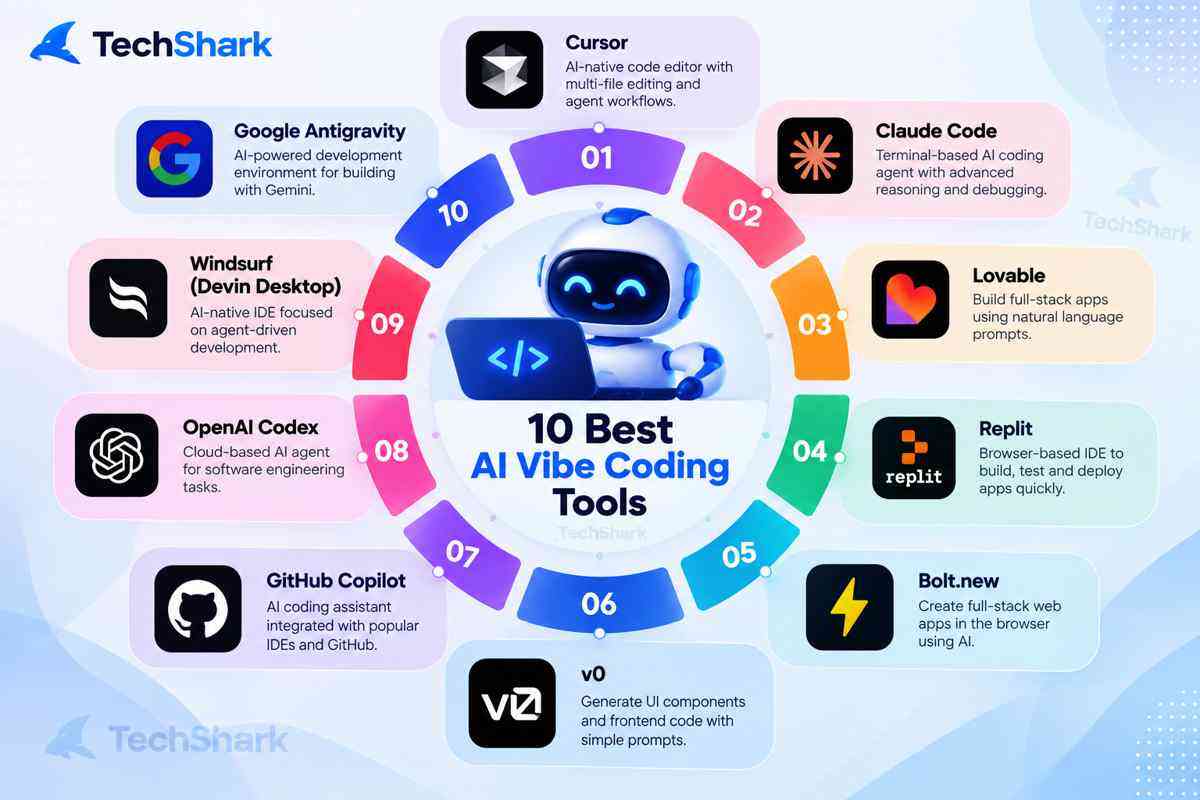
Explore moreThe best AI vibe coding tools in 2026 are Cursor, Claude Code, Lovable, Replit, Bolt.new, v0, GitHub Copilot, OpenAI Codex, Windsurf (now Devin Desktop), and Google Antigravity. If you already write code, start with Cursor or Claude Code. If you don't, start with Lovable, Replit, or Bolt.new.
Building software is changing fast. With AI-powered coding tools, you no longer have to write every line of code yourself to turn an idea into a working website, app, or SaaS product. This shift, often called vibe coding, allows users to describe what they want in natural language and let AI generate, modify, debug, test, and sometimes deploy the code. From AI-first editors like Cursor and Claude Code to prompt-to-app platforms like Lovable, Bolt, Replit, and v0, there are now more options than ever. But which tools are actually worth using? In this guide, we explore the 10 best AI vibe coding tools in 2026, comparing their features, pricing, use cases, strengths, and ideal users so you can find the right fit for your development workflow.
10 Best AI Vibe Coding Tools [Comparison Table]
| Tool | Type | Starting paid price | Best for |
|---|---|---|---|
| Cursor | AI code editor | $20/month (Pro) | Professional developers |
| Claude Code | Terminal agent | $20/month (Pro) | Large, repo-wide tasks |
| Lovable | App builder | $25/month (Pro) | Non-coders and founders |
| Replit | Browser IDE + Agent | $20/month (Core) | Beginners and small teams |
| Bolt.new | App builder | $25/month (Pro) | Fast web app prototypes |
| v0 | UI generator | $30/user/month (Plus) | Polished React interfaces |
| GitHub Copilot | Editor assistant | $10/month (Pro) | Teams on GitHub |
| OpenAI Codex | Coding agent | $20/month (via ChatGPT Plus) | ChatGPT subscribers |
| Windsurf (Devin Desktop) | AI code editor | $20/month (Pro) | Agent-led workflows |
| Google Antigravity | Agent-first IDE | $20/month (AI Pro) | Google ecosystem developers |
What is Vibe Coding?
Vibe coding is a modern approach to software development where users describe what they want in natural language, and AI tools generate, modify, and deploy the code automatically. Instead of writing every line manually, developers focus on ideas and outcomes while AI handles execution. This method speeds up development, lowers technical barriers, and enables both developers and non-technical users to build applications quickly and efficiently.
What Are AI Vibe Coding Tools?
AI vibe coding tools are software development platforms that let users create, modify, debug, and sometimes deploy applications using natural-language instructions instead of writing every line of code manually.
The term "vibe coding" became popular as generative AI made it possible to describe an application in plain English and let an AI model generate the underlying code. Modern tools have moved well beyond simple code completion. Many can now understand an entire repository, edit multiple files, run commands, troubleshoot errors, connect databases, create interfaces, and deploy applications.
That distinction matters.
A traditional AI coding assistant might suggest the next few lines of code. A modern agentic coding platform can take a request such as:
"Build a SaaS dashboard with authentication, Stripe payments, a PostgreSQL database, responsive navigation, and an admin panel."
The tool may then plan the work, generate files, install dependencies, test the application, identify errors, and iterate on the implementation. In other words, vibe coding is increasingly becoming AI-assisted software development rather than simply AI-assisted code writing.
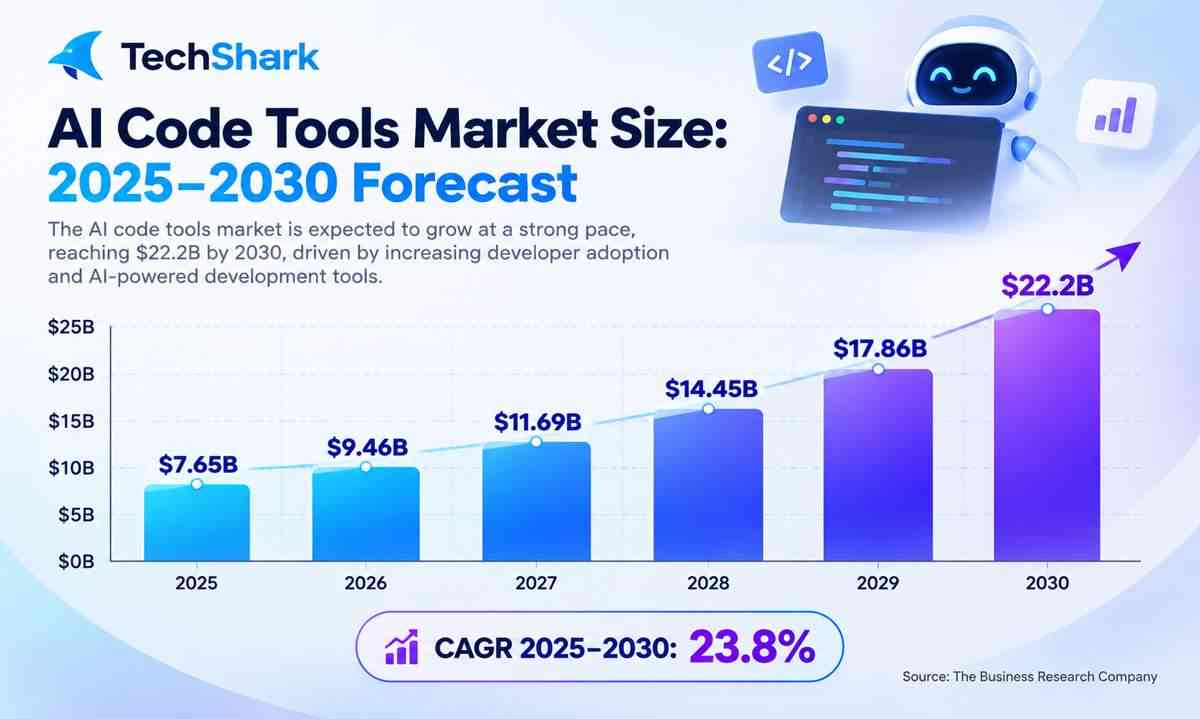
AI Vibe Coding Market: Key Facts and Statistics
The growth of AI-assisted development is no longer hypothetical.
- 84% of developers surveyed by Stack Overflow in 2025 said they were using or planning to use AI tools in their development process. 51% of professional developers reported using AI tools daily.
- In Stack Overflow's 2025 survey, GitHub Copilot was used by 67.9% of respondents using out-of-the-box AI agents, while Claude Code reached 41%, v0.dev 9%, Bolt.new 7%, and Lovable.dev 6%.
- Vercel reported that more than 50% of its deployments were initiated by coding agents as of September 2026, up from more than 30% earlier in the year.
- Vercel says more than 4 million people have used v0 to turn ideas into applications since its general availability.
- Replit reported more than 60 million users worldwide in September 2026, with 85% of Fortune 500 companies using the platform.
- GitHub says Copilot's code-review feature had handled over 60 million code reviews by March 2026, accounting for more than one in five code reviews on GitHub.
These figures also explain why the category has fragmented into several types of products: AI IDEs, autonomous coding agents, prompt-to-app builders, browser-based development environments, and terminal-based coding agents.
Best Vibe Coding Tools
1. Cursor
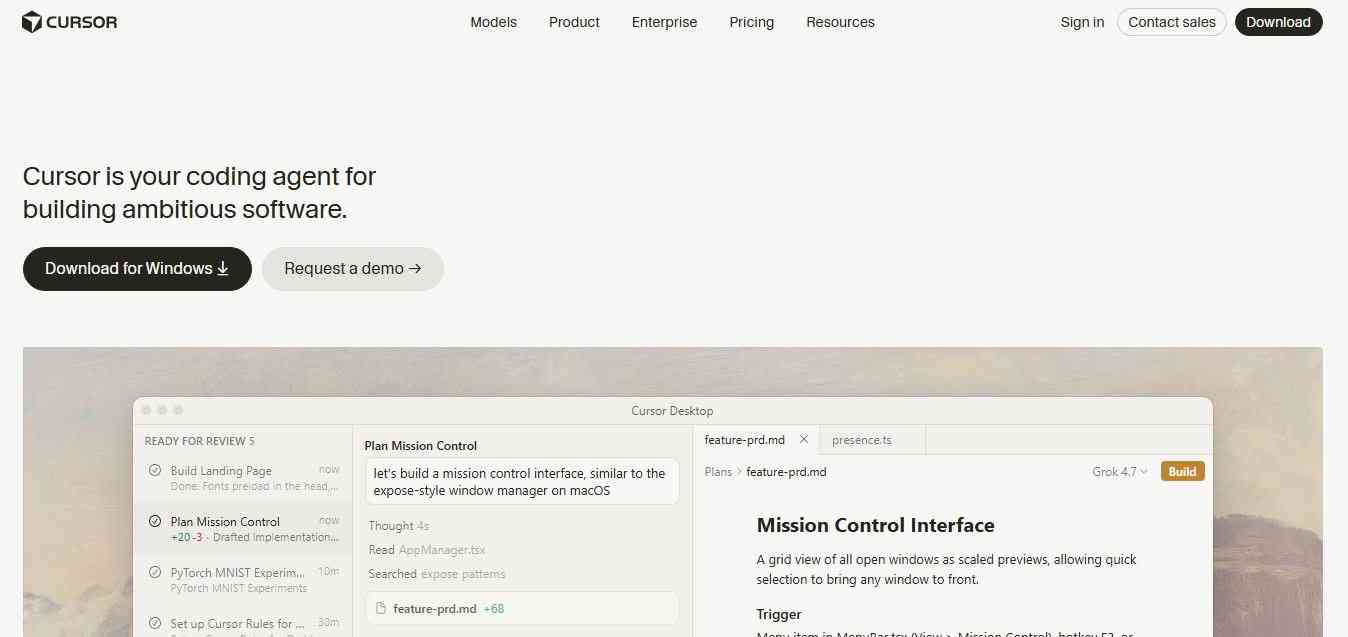
Cursor is an AI-first code editor built on the VS Code foundation, so the interface feels familiar from day one. You describe a change in plain English, and its agent edits files across your project, runs commands, and shows diffs you can accept or reject. That balance of speed and control is why professional developers lean on it for vibe coding. It supports multiple models, so you can pick the one that suits the task, from quick fixes to refactors.
Key features
- Agent mode for multi-file changes, plus fast tab completions
- Cloud and background agents lowcode
- Familiar VS Code-style editing
- Choice of AI models
Pricing: Hobby (free), Pro ($20/month), Pro+ ($60/month), Ultra ($200/month), Teams ($40/user/month), and custom Enterprise. Annual billing saves around 20%. The paid tiers differ mainly in credit pool size, so heavy users should watch their usage
Best for: Solo developers and small teams who want a polished, full-featured AI editor.
Use cases: Building features inside an existing codebase, refactoring, exploring unfamiliar code, and shipping MVPs quickly.
2. Claude Code
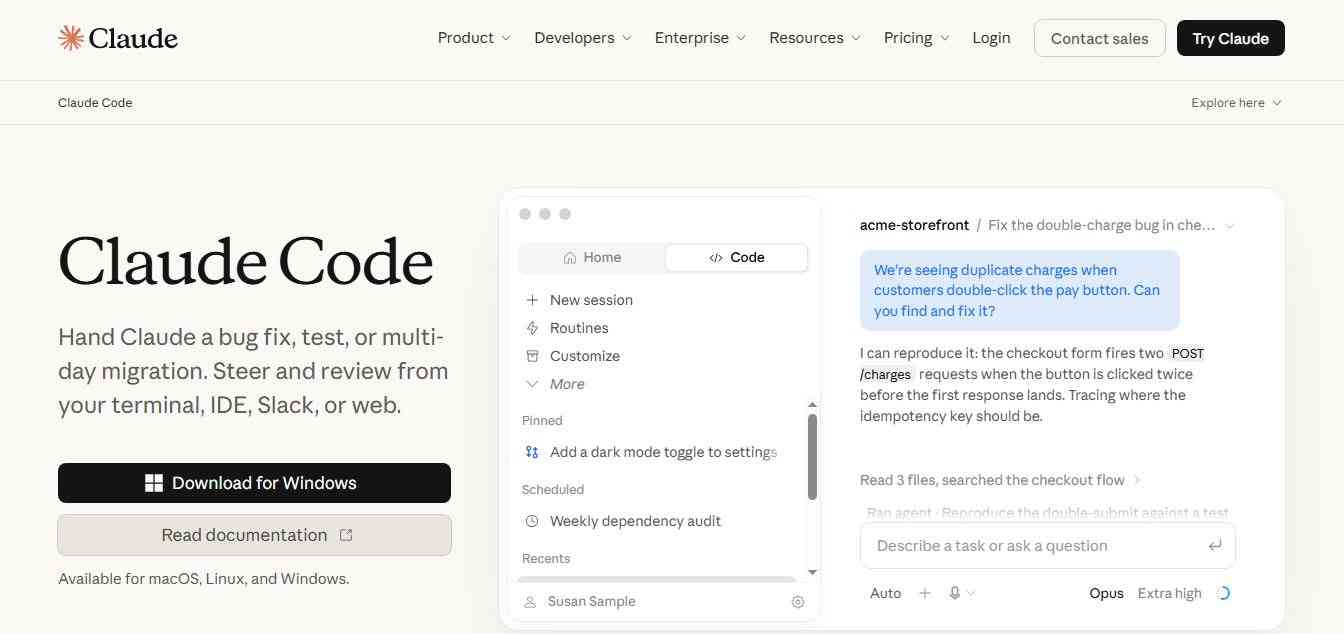
Claude Code is Anthropic's agentic coding tool that lives in your terminal. You give it a goal in natural language, and it reads your codebase, edits multiple files, runs tests and commands, and can prepare commits and pull requests. It supports MCP, so you can connect external tools and data. Because it works across a whole repository rather than a single file, it suits larger tasks where context matters. It is best used with clear instructions and a review step.
Key features
- Understands your codebase, edits files, runs commands, and creates commits and pull requests
- Scriptable, with MCP support
- Strong at multi-step, repo-wide work
Pricing: There is no free plan. Claude Pro is $20/month, Max 5x is $100/month, and Max 20x is $200/month, with Claude Code included, or you can pay API rates by token. Heavy daily users usually need a Max tier or API billing.
Best for: Terminal-comfortable developers who want to delegate big tasks.
Use cases: Large refactors, bug hunting across many files, writing test suites, migrating frameworks, and automating repetitive engineering chores.
3. Lovable
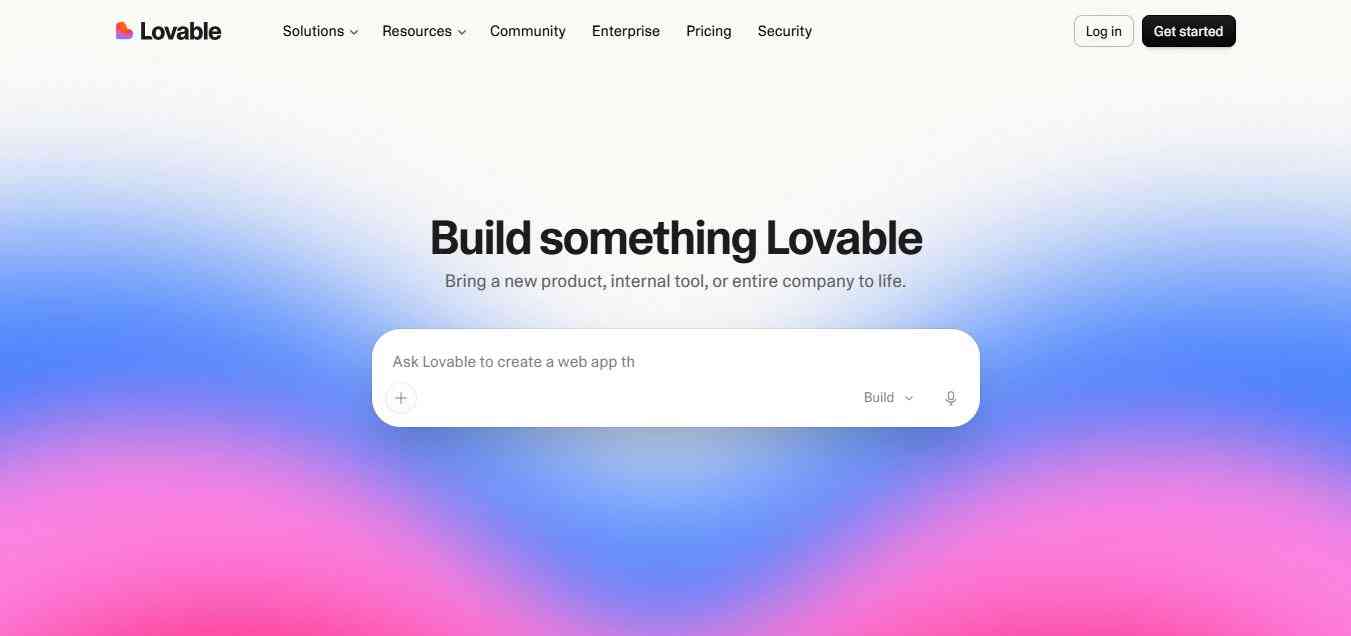
Lovable turns a plain-language idea into a working web app with a database, login, and a live preview. You chat with it, see the result instantly, and keep refining without opening a code editor. That makes it popular with founders, designers, and marketers who have never shipped software. Apps run on Supabase-backed hosting on paid plans, and you can connect a custom domain. It is ideal for MVPs and internal tools, though complex products will eventually need proper engineering review.
Key features
- Prompt-to-app generation with a live preview
- Supabase-backed hosting on paid plans
- Unlimited collaborators on every plan, since it does not charge per seat
- Custom domains on Pro and Business
Pricing: Free (5 daily credits, capped at 30 per month), Pro at $25/month for 100 credits, Business at $50/month with SSO and governance, and custom Enterprise. Annual Pro billing works out to about $21/month. Credits are the real constraint, so budget for top-ups if you iterate a lot.
Best for: Non-coders, founders, and designers who want a working product fast.
Use cases: MVPs, landing pages, client portals, dashboards, and internal business tools.
4. Replit
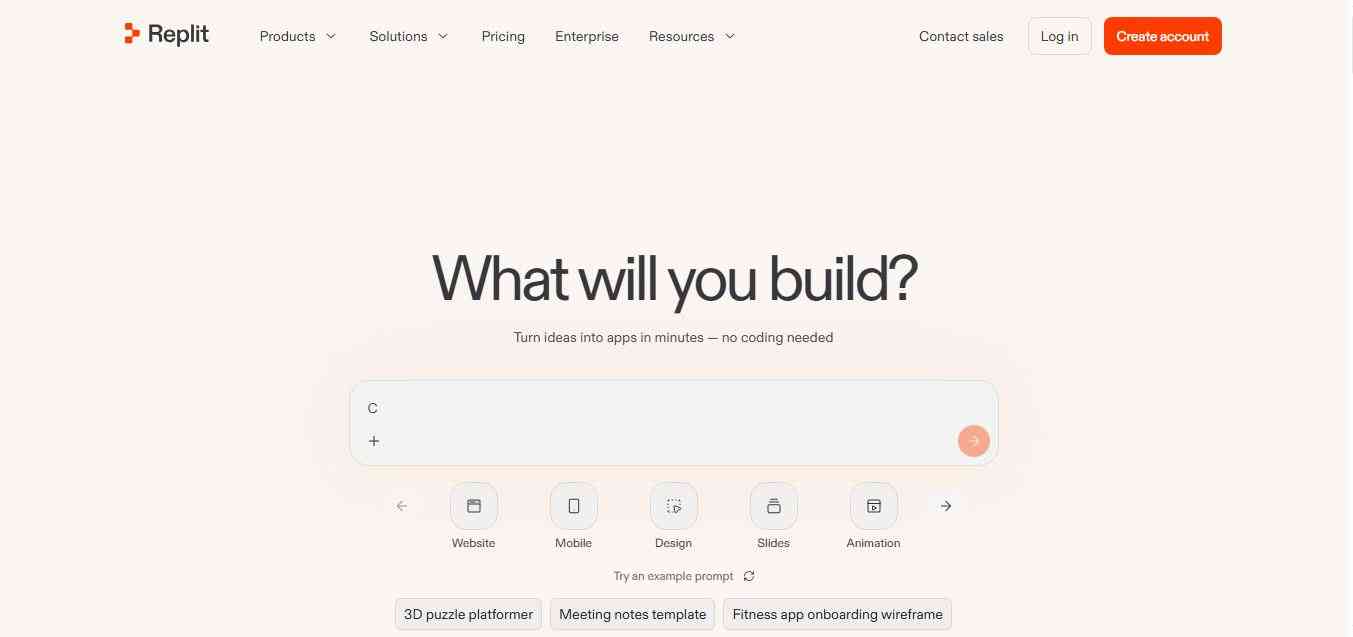
Replit is a browser-based development environment where an AI agent plans, writes, runs, and deploys full-stack apps from your prompts. Everything happens in one place, so there is nothing to install, which lowers the barrier for beginners and students. You get a live preview, built-in databases, real-time collaboration, and one-click deployment. Because the Agent bills by effort, simple requests are inexpensive, while ambitious builds quickly consume credits. It works well for quick prototypes, learning projects, and small internal team tools.
Key features
- Agent that builds and deploys full-stack apps
- Support for over 50 programming languages, with collaboration and hosting built in
- Economy and Power modes on paid plans
- Nothing to install
Pricing: A free Starter plan, Core at $20/month, Pro at $100/month for up to 15 builders, and custom Enterprise. Replit charges are based on how much work the agent does, not a flat rate per message.
Best for: Beginners, students, and small teams who want to build and host in one place.
Use cases: Learning to code with AI, hackathon projects, small web apps, and shared team prototypes.
5. Bolt.new
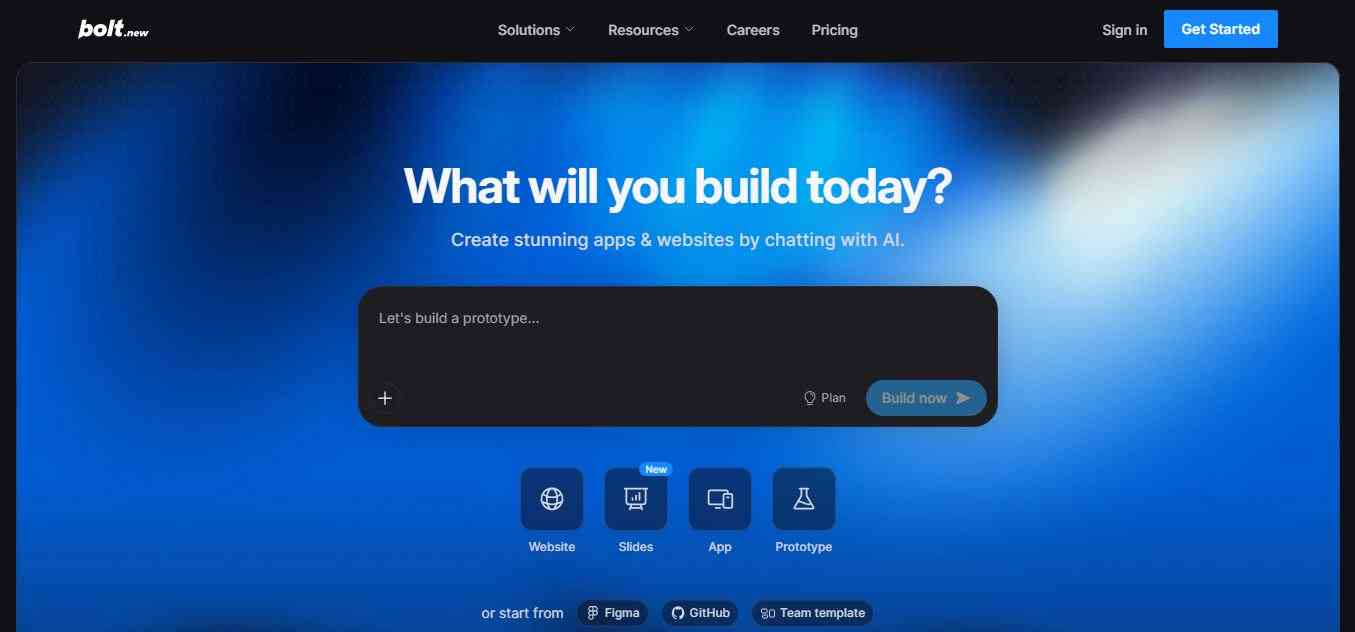
Bolt.new, from StackBlitz, runs a full development environment inside your browser. Describe an app, and it writes the code, installs packages, and shows a running preview within seconds. You can edit files directly, ask for changes in chat, and export the project to GitHub when you want full control. It is fast and flexible for web apps built with popular JavaScript frameworks. Since billing is token-based, long sessions on large projects can burn through your monthly allowance faster than expected.
Key features
- Full in-browser environment with instant preview
- GitHub export, custom domains, and token rollover on Pro
- Chat-based edits plus direct file editing
Pricing: Free (1 million tokens per month with a 300k daily cap), Pro at $25/month for 10 million tokens, Teams at $30 per member, and custom Enterprise. Token use grows with project size, so a large app can drain a plan quickly.
Best for: Builders who want a fast prototype and the option to export their code.
Use cases: Web app prototypes, SaaS front ends, dashboards, and quick proofs of concept.
6. v0 by Vercel
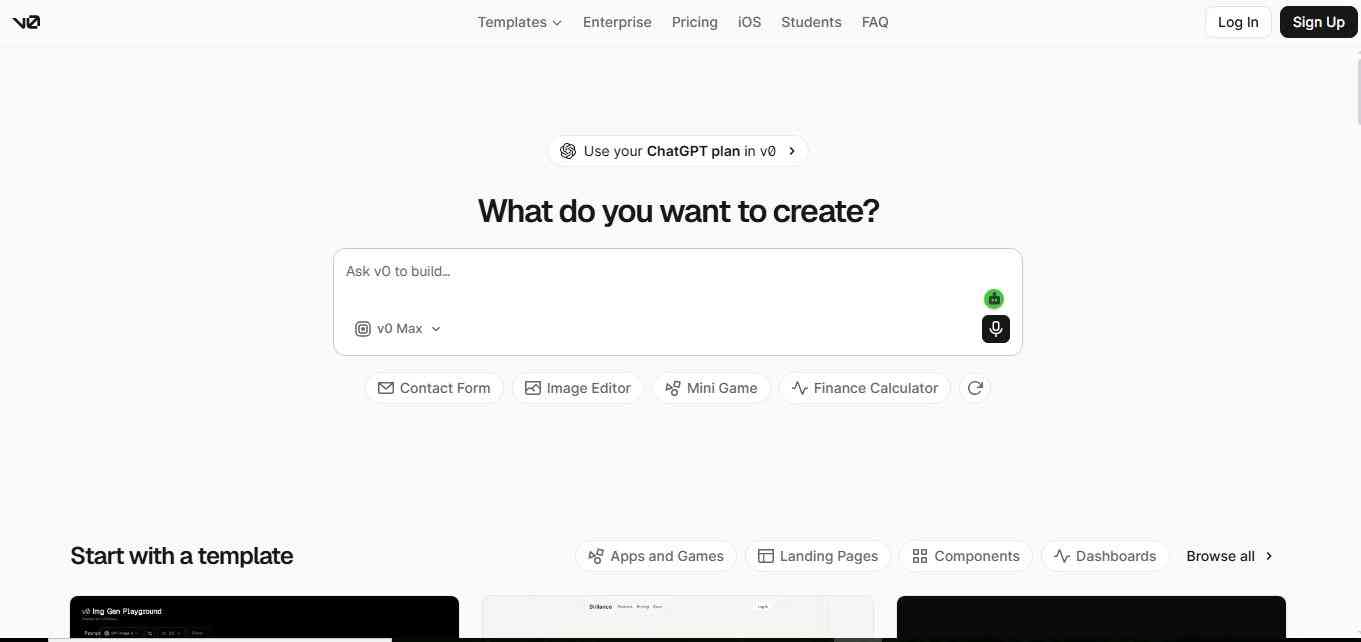
v0 is Vercel's AI builder, best known for generating polished React and Next.js interfaces from a text prompt or an image. It produces clean components using familiar tools, lets you iterate in chat, and deploys to Vercel in a click. Newer versions add a fuller editor, Git integration, and Figma imports, so it now covers more than mockups. It shines when design quality matters. Credits are metered by tokens, so heavy iteration can cost more than the sticker price suggests.
Key features
- Prompt or image to React and Next.js UI
- A full editor and Git integration, added in a February 2026 update
- Figma imports and v0 API access
- Simple deployment to Vercel
Pricing: Free ($5 in monthly credits), plus at $30/user/month (renamed from Team in July 2026), business at $100/user/month, and custom enterprise. The older $20 premium plan is being phased out.
Best for: Frontend developers and designers who care about interface quality.
Use cases: Landing pages, marketing sites, dashboards, component libraries, and design-to-code handoffs.
7. GitHub Copilot
GitHub Copilot is one of the most familiar AI assistants inside editors like VS Code and JetBrains IDEs. Beyond autocomplete, it offers chat, agent mode for multi-file edits, pull request reviews, and a cloud coding agent that turns issues into pull requests. Its biggest advantage is how naturally it fits existing GitHub workflows, plus a low entry price. It feels less like pure vibe coding and more like a dependable pair programmer, which is exactly what many teams actually want.
Key features
- Inline completions, chat, and agent mode
- A cloud agent that opens pull requests and a terminal CLI agent
- Pull request code review
- Multi-vendor model choice
Pricing: Free ($0), Pro ($10/month), Pro+ ($39/month), Business ($19/user/month), and Enterprise ($39/user/month). Students can get Copilot Pro free through the GitHub Student Developer Pack. Billing for agent use has been shifting toward AI credits since June 2026, so check how your plan meters usage. GitHub also paused new Pro, Pro+, and Student sign-ups in April 2026, so confirm availability before you plan around it.
Best for: Teams already living in GitHub who want a low-cost, low-friction assistant.
Use cases: Everyday coding help, pull request reviews, turning issues into draft pull requests, and test generation.
8. OpenAI Codex
OpenAI Codex is a coding agent that works through the ChatGPT web app, a command-line tool, an IDE extension, and iOS. You hand it a task, and it works in a sandbox to write code, run tests, and propose changes you can review. There is no separate Codex subscription, because access comes bundled with ChatGPT plans, which is convenient if you already pay for one. It suits well-scoped tasks you can easily delegate, such as bug fixes and test writing.
Key features
- Available on the web, CLI, IDE extension, and iOS
- Cloud sandbox for running and testing code
- Review-first workflow for proposed changes
Pricing: Codex is included across the Free, Go, Plus, Pro, Business, and Enterprise ChatGPT plans. Plus is $20/month, Pro 5x is $100/month, and Pro 20x is $200/month. Since April 2, 2026, usage is billed against credits and tokens rather than per message.
Best for: Existing ChatGPT subscribers who want an agent without adding another bill.
Use cases: Bug fixes, test writing, small features, and background tasks you review later.
9. Windsurf (now Devin Desktop)

Windsurf, built by Codeium, is now called Devin Desktop after Cognition rebranded it in June 2026. It is a VS Code-style editor whose Cascade agent plans and carries out multi-step coding tasks across your files. The newer version adds an Agent Command Center for managing local and cloud agents, including Devin. Pricing now matches Cursor at the entry level, so the choice mostly comes down to personal feel. It suits developers who like an agent-led workflow with strong context awareness.
Key features
- Cascade, a multi-file agent that plans and executes tasks
- An Agent Command Center for local and cloud agents
- Cloud agent access starting at the $20 Pro plan
Pricing: Free ($0), Pro ($20/month), Max ($200/month), Teams ($80/month base plus $40 per developer seat), and custom Enterprise. Extra usage on Pro bills at API pricing.
Best for: Developers who prefer an agent-driven editor and are comfortable following the Devin roadmap.
Use cases: Multi-file features, codebase exploration, parallel agent sessions, and team projects.
10. Google Antigravity
Google Antigravity is an agent-first IDE launched in November 2025 alongside Gemini 3. Instead of only suggesting code, it lets you direct several agents in parallel from a manager view, while they plan, write, and verify work, including testing in a browser. It also offers models beyond Gemini, including Claude. A free tier exists, but community reports describe tight limits, and heavier use pushes you toward paid plans. It fits developers already in Google's ecosystem who want to supervise agents.
Key features
- A manager-style view for parallel agents, plus native browser control
- Access to Gemini models alongside Claude and GPT-OSS models
- Editor view for hands-on coding with AI
Pricing: A free tier, AI Pro at $20/month, and AI Ultra at about $250/month, with extra credit packs available. Community reports put the free tier at roughly 20 requests per day. Plan details have changed several times, so confirm on Google's site.
Best for: Developers in the Google and Firebase ecosystem who want to manage agents rather than type code.
Use cases: Parallel feature work, browser-verified UI changes, and experimenting with multiple frontier models in one place.
How to choose the right tool?
There is no single AI coding tool that fits every developer. The right choice depends on what you are actually trying to build.
- You write code and want control: Cursor, GitHub Copilot, or Windsurf.
- You want an agent to handle big tasks: Claude Code, OpenAI Codex, or Antigravity.
- You have never coded: Lovable, Replit, or Bolt.new.
- You care most about interface design: v0.
- You want the cheapest serious start: GitHub Copilot Free or Pro, or the free tiers of Lovable, Bolt.new, and v0.
Vibe coding best practices
- Start small. Ask for one feature at a time and test it before moving on.
- Write specific prompts. Say what the screen should do, who uses it, and what must never happen.
- Review anything involving logins, payments, or personal data. Research suggests AI handles well-known vulnerabilities fairly well but struggles with authorization and business logic flaws.
- Use version control from day one so you can undo bad changes.
- Track your credit use early. Usage-based pricing is where most surprise bills come from.
Is Vibe Coding Good for Professional Software Development?
Vibe coding can accelerate software development, but it does not eliminate software engineering. The strongest workflow is usually AI-assisted development rather than AI-only development.
AI can dramatically reduce the time required to:
- Create prototypes
- Generate boilerplate
- Explore unfamiliar APIs
- Write tests
- Refactor code
- Build interfaces
- Debug common problems
- Document software
- Create internal tools
- Experiment with product ideas
But developers still need to validate:
- Security
- Authentication
- Authorization
- Database rules
- API behavior
- Performance
- Accessibility
- Dependencies
- Data privacy
- Infrastructure
- Production reliability
This matters because AI-generated code can still contain errors. Vercel's research into v0 notes that generated code can encounter errors and describes an agentic pipeline designed to detect and fix many of them during generation. The practical lesson is simple: use AI to increase development leverage, not to remove engineering judgment.
Vibe Coding vs Traditional Coding
| Factor | Traditional coding | AI vibe coding |
|---|---|---|
| Initial development | Manual | Prompt-assisted |
| Boilerplate | Developer-written | AI-generated |
| Debugging | Manual investigation | AI-assisted |
| UI creation | Manual implementation | Prompt or visual generation |
| Repository changes | Developer-driven | Agent-assisted |
| Testing | Developer-managed | Increasingly AI-assisted |
| Deployment | Usually configured manually | Often integrated |
| Human expertise | Essential | Still essential |
| Speed | Depends on developer/team | Often faster for prototypes |
| Risk | Familiar engineering risks | Adds AI-generated-code risks |
The biggest change is not that developers disappear. It is that the developer's unit of work becomes larger. Instead of writing one function, a developer can increasingly ask an agent to implement a complete feature, test it, inspect the result, and prepare the changes for review.
Key Trends Shaping AI Vibe Coding in 2026
AI coding is becoming agentic
The industry is moving from autocomplete toward agents capable of planning and executing multi-step tasks. GitHub, Cursor, Devin, Claude Code, Replit, and other platforms increasingly compete around autonomous workflows rather than simple code suggestions.
Prompt-to-app development is becoming mainstream
Platforms such as Lovable, Bolt, Replit, v0, and Google AI Studio make software creation accessible to people who may not identify as traditional programmers.
Browser-based development is growing
Replit, Bolt, Lovable, v0, and Google AI Studio demonstrate that a developer environment no longer has to begin with installing an IDE, runtime, package manager, and database locally.
Model choice is becoming a product feature
Modern coding platforms increasingly combine models from multiple providers. Cursor, GitHub Copilot, Devin, and Cline illustrate how model selection is becoming part of the developer experience.
Security is becoming more important
As the cost of producing software falls, developers create more applications. That creates another problem: more code can also mean more security vulnerabilities, misconfigured permissions, exposed credentials, and poorly tested production systems.
Vercel has described these issues as a major challenge for enterprise adoption of vibe coding, emphasizing the need for security controls and governance around AI-generated software.
Conclusion
AI vibe coding has moved well beyond asking a chatbot to write a function. In 2026, the category includes AI-first editors such as Cursor, autonomous engineering platforms such as Devin, browser-based development environments such as Replit, prompt-to-app builders such as Lovable and Bolt, UI-focused platforms such as v0, terminal agents such as Claude Code, GitHub-native development through Copilot, open-source agents such as Cline, and AI application development through Google AI Studio.
The most important shift is this: AI coding tools are increasingly capable of working on software rather than merely talking about software. For developers, that means less time spent on repetitive implementation and more time spent defining requirements, reviewing architecture, testing results, managing risk, and deciding what should actually be built. That is where the real value of vibe coding lies.
People are also reading:
- AI Deepfake Tools
- Best AI Content Detectors
- Best AI Background Remover Tools
- Best AI Fitness Tools
- Best AI Music Tools
- Best AI Compliance Tools
- Best AI Presentation Tools
- Best AI Cybersecurity Tools
Frequently Asked Questions (FAQs)
Q: What is the best AI vibe coding tool overall?
For most developers, Cursor or Claude Code. For non-coders, Lovable or Replit. No single tool wins for everyone, so match the tool to your skill level and project.
Q: Is there a free vibe coding tool?
Yes. Lovable's free plan gives 5 daily credits, capped at 30 per month. Bolt.new's free plan includes 1 million tokens per month. GitHub Copilot Free offers 2,000 completions and 50 premium requests per month. Free tiers are best for testing, not for sustained building.
Q: Can I vibe code without knowing how to program?
You can build prototypes, yes. Lovable says roughly four in five of its users are non-technical. For anything with real users or sensitive data, get a developer to review it first.
Q: Is vibe-coded software safe for production?
It depends on the stakes. Internal tools and prototypes carry limited risk. Veracode's benchmark found 45% of AI-generated code samples failed security testing, so anything handling payments or personal data needs independent review.
Q: What is the difference between vibe coding and no-code?
No-code tools use visual blocks and templates. Vibe coding generates real source code from your prompts, which you can usually export and edit.
Q: Will vibe coding replace developers?
The evidence points to a shift, not a replacement. Researchers describe the work moving away from writing boilerplate toward specifying constraints and auditing results.