
10 Best AI Background Remover Tools in 2026 – Free & Pro Options
Remove image backgrounds instantly with the best AI tools. Compare free & paid background removers, features, pricing, and use cases for eCommerce, design, and creators.
Explore moreAn AI background remover is a tool that uses machine learning — specifically semantic segmentation and edge-detection models — to automatically separate the main subject of a photo from its background, replacing it with a transparent, white, or custom backdrop in seconds. Unlike manual editing in Photoshop, no selection tools, layers, or masking skills are required. Popular tools include Remove.bg, Adobe Express, Canva, PhotoRoom, and Fotor, with prices ranging from free to roughly $12–$35/month for professional plans.
A few years ago, cutting a person or product out of a photo meant opening Photoshop, zooming in at 400%, and spending twenty minutes fighting with the lasso tool around every strand of hair. Today, that same task takes about three seconds and doesn't require any design skill at all.
That shift is thanks to AI background removers tools powered by deep learning models that can "see" an image the way a human does, instantly recognizing where a subject ends and the background begins. Whether you're an online seller prepping product photos, a marketer creating ads, a student making a resume headshot, or a developer building an app, background removal has become one of the most-used AI image editing features on the internet.
In this guide, we'll break down exactly how AI background removal works, why it matters for your business or workflow, the statistics behind the boom in AI-powered image editing, and an honest, detailed comparison of the best AI background remover tools available in 2026—including pricing, pros, cons, and the best use case for each one.
What Is an AI Background Remover?
An AI background remover is software (web app, desktop app, mobile app, or API) that automatically detects the primary subject in a photo—a person, product, animal, logo, or object—and separates it from everything behind it. The result is usually exported as a PNG with a transparent background, though most tools also let you swap in a solid color, gradient, image, or AI-generated scene.
Unlike traditional background removal, which relied on manual tools like the magic wand, pen tool, or chroma-key (green screen) techniques, AI-based tools use computer vision models trained on millions of images to recognize object boundaries automatically—including tricky details like hair strands, fur, glass, and transparent materials.
Key Statistics on AI Background Removal & Image Editing
Numbers tell the story better than opinions. Here's what the data says about why this technology matters right now:
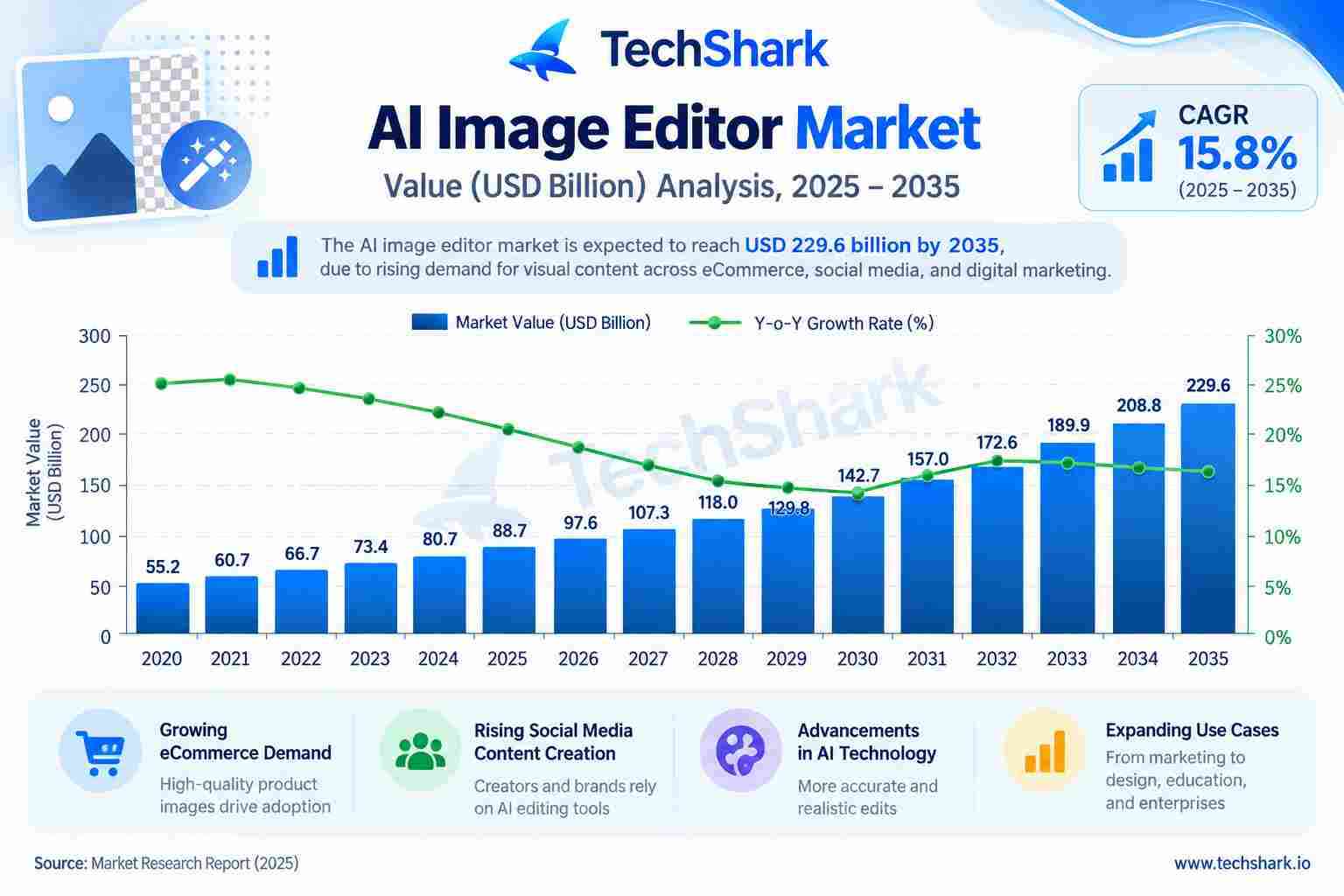
- The global AI image processing market is projected to grow at roughly 17.5% CAGR, with the wider AI image generation and editing space valued between $12–15 billion in 2026 and growing at an estimated 30%+ annually.
- 87% of marketers now report using generative AI tools in their workflow, and roughly 76% of graphic designers use AI-powered image tools regularly.
- 93% of online shoppers say the visual appearance of a product is a primary factor in their purchase decision.
- Products with professional-quality photos see conversion rates that can run 30–94% higher than those using low-quality or cluttered images, depending on the study and category.
- 56% of online shoppers' very first action on a product page is to examine the images—before reading the title or description.
- 77% of shoppers say high-quality images and videos are important to their purchase decisions, according to recent consumer research.
- Poor or mismatched product imagery contributes to a large share of the roughly 17% average e-commerce return rate, representing hundreds of billions of dollars in returned merchandise annually in the US alone.
- The global AI product photography market alone is projected to reach nearly $9 billion by the early 2030s, growing at roughly 15–16% per year, driven largely by background removal, bulk editing, and AI scene generation.
AI Background Remover Tools Comparison at a Glance
| Tool | Starting Price | Best For | Batch Processing |
|---|---|---|---|
| Remove.bg | Free (low-res) / ~$9+/mo | Accuracy + developer API | Yes |
| Adobe Express | Free / ~$10/mo | Quick edits + templates | Limited |
| Canva | Included in Canva Pro (~$12+/mo) | Social media design | Limited |
| PhotoRoom | Free / ~$13+/mo | E-commerce product photos | Yes |
| Fotor | Free / ~$9+/mo | All-in-one photo editing | Yes (paid) |
| Slazzer | Free trial / ~$10+/mo | Developer/API integration | Yes |
| Unscreen | Free preview / ~$10+ per export | Video background removal | N/A (video) |
| Clipping Magic | ~$4–$8+/mo | Manual control on tricky images | Yes |
| VanceAI | Free credits / ~$10+/mo | Bundled AI image tools | Yes |
| Pixlr | Free / ~$8+/mo | Budget all-in-one editing | Limited |
10 Best AI Background Remover Tools in 2026
Below is an in-depth breakdown of the leading AI background remover tools. Each entry covers key features, pricing, pros, cons, and the best use case—so you can pick the right one for your specific workflow.
1. Remove.bg
Remove.bg is the tool that popularized instant AI background removal and remains a benchmark for accuracy on people and products. It offers one-click removal, an API for developers, bulk processing, and edge refinement for hair and fur. Free previews are low-resolution; full-resolution downloads require credits or a subscription.
- Key Features: One-click removal, hi-res export, API/integrations, bulk upload, Photoshop plugin
- Pricing: Free low-res previews; paid credit packs and monthly plans starting around $9–$13/month, scaling up for high-volume/API use
- Pros: Extremely accurate on people and animals; fast processing; strong developer API
- Cons: Free tier is watermark/low-res only; credits can get pricey at scale
- Best For: Designers, developers, and businesses needing a fast, accurate, API-friendly background remover
2. Adobe Express (Background Remover)
Adobe Express brings Adobe's AI image technology into a free, browser-based editor. It's built for people who want quick background removal and basic design tools (templates, text, resizing) without having to open full Photoshop. It integrates well with Adobe's broader Creative Cloud ecosystem.
- Key Features: One-tap background removal, built-in templates, resize for social platforms, Creative Cloud integration
- Pricing: Free tier available with core background removal; premium plan unlocks more assets and storage, typically under $10/month
- Pros: Trusted Adobe engine; free for basic use; doubles as a mini design tool
- Cons: Less powerful than full Photoshop for complex edits; some premium features are gated
- Best For: Casual users, marketers, and social media managers who want quick edits plus templates in one place
3. Canva Background Remover
Canva's Background Remover is built into its wildly popular design platform, making it the go-to choice for people already designing social posts, presentations, or flyers. It's a single click inside the editor—no separate upload required if you're already working in a Canva design.
- Key Features: One-click removal inside the design canvas, works on photos and graphics, combines with Canva's templates and Magic Studio AI tools
- Pricing: Included in Canva Pro (roughly $12–$15/month); limited free trial for the feature
- Pros: Seamless if you already use Canva; great for combining removal with instant design work
- Cons: Locked behind Canva Pro subscription; not ideal as a standalone tool
- Best For: Social media creators, small business owners, and non-designers building full graphics, not just isolated cutouts
4. PhotoRoom

PhotoRoom is purpose-built for e-commerce and product photography. Beyond removing backgrounds, it can generate realistic AI background remover (studio, lifestyle, marble, outdoor) and batch-process entire catalogs, making it a favorite among online sellers on Amazon, Etsy, and Shopify.
- Key Features: AI background generation, batch/bulk export, product staging, mobile app with built-in camera capture, brand kit for consistent style
- Pricing: Free plan with limited exports; paid plans generally range from roughly $13–$35/month depending on volume and AI credits, with higher tiers for teams
- Pros: Excellent for product photography; strong mobile workflow; realistic AI-generated scenes
- Cons: Advanced features and higher export limits require paid tiers; pricing has increased over time
- Best For: E-commerce sellers, resellers, and small businesses needing batch product photo editing
5. Fotor
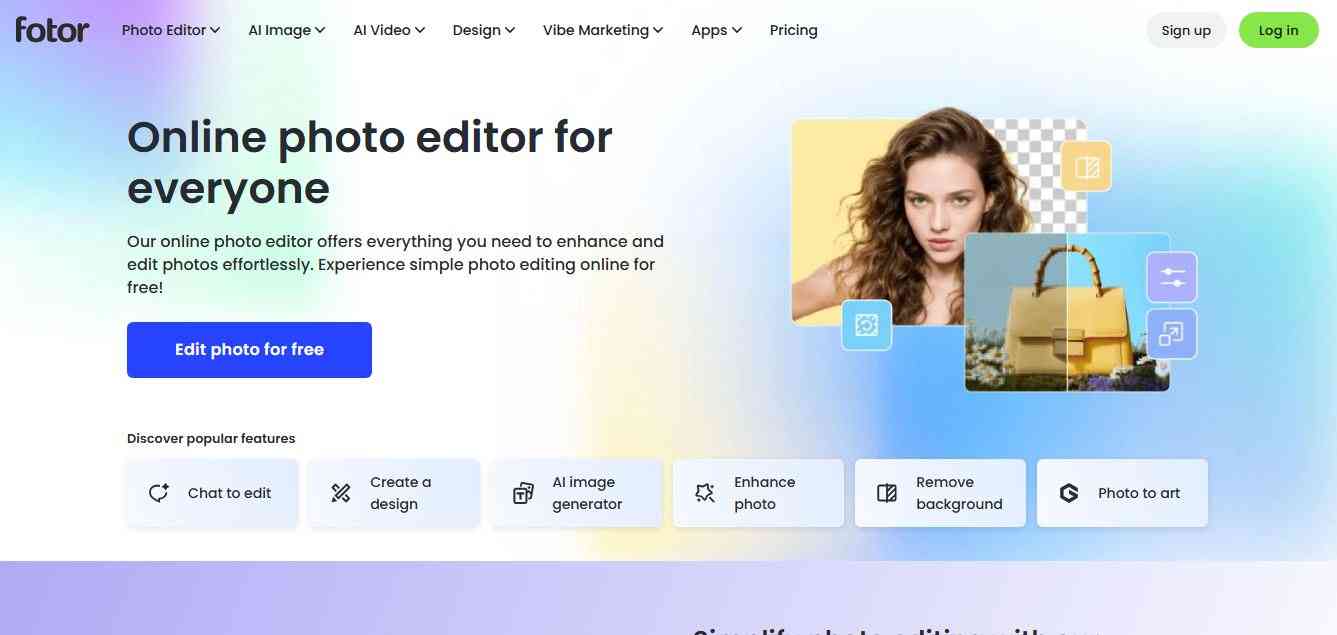
Fotor combines background removal with a broader AI photo editing suite—including AI enhance, retouching, and design templates. It's a good middle-ground tool for people who want more than a one-trick background remover but don't need the depth of Photoshop.
- Key Features: One-click background removal, AI photo enhancer, collage and design tools, batch processing on paid plans
- Pricing: Free tier with watermark/limits; Pro plans typically around $9–$20/month
- Pros: Good all-in-one editor; beginner-friendly interface; decent free tier for testing
- Cons: Accuracy on complex edges (hair, fur) can lag behind specialist tools like Remove.bg
- Best For: Hobbyists and small businesses wanting an affordable all-in-one photo editor with background removal included
6. Slazzer

Slazzer focuses squarely on background removal with an emphasis on speed and API access for developers who need to embed the feature into their apps or websites. It supports bulk processing and offers plugins for popular platforms.
- Key Features: Fast API, bulk background removal, browser extension, plugins for e-commerce platforms
- Pricing: Free trial credits; paid plans generally in the $10–$30/month range depending on image volume
- Pros: Developer-friendly; competitive processing speed; simple integration
- Cons: Fewer creative/design extras compared to PhotoRoom or Canva; interface feels more utilitarian
- Best For: Developers and businesses that need programmatic, high-volume background removal via API
7. Unscreen (by Remove.bg)

Unscreen applies the same AI segmentation technology to video, not just still images—automatically removing backgrounds from video clips and GIFs frame by frame. It's the go-to option when the "background remover" you need isn't for a photo at all.
- Key Features: Frame-by-frame video background removal, GIF support, exports to MP4/WebM/GIF
- Pricing: Free preview with watermark; paid exports priced per video length/resolution, roughly $10–$40 depending on duration
- Pros: One of the few accessible tools built specifically for video background removal
- Cons: Processing can be slow for longer or high-resolution clips; costs add up for frequent video use
- Best For: Content creators, streamers, and marketers needing transparent-background video clips without a green screen
8. Clipping Magic

Clipping Magic is an AI-powered background remover that instantly cuts out subjects from images with high precision. It offers smart edge detection, hair refinement, and manual touch-up tools. Ideal for eCommerce, product photos, and marketing visuals, it delivers clean, professional results quickly without requiring advanced design skills.
- Key Features: AI auto-detection plus manual marker refinement, batch processing, edge smoothing controls
- Pricing: Pay-as-you-go credits or monthly plans, typically starting around $4–$8/month for light use, more for high volume
- Pros: Great balance of automation and manual control; good for complex or low-contrast images
- Cons: Steeper learning curve than fully automatic tools; interface feels dated compared to newer apps
- Best For: Users who need fine control over tricky or complex background removals (jewelry, patterned fabric, translucent objects)
9. VanceAI Background Remover
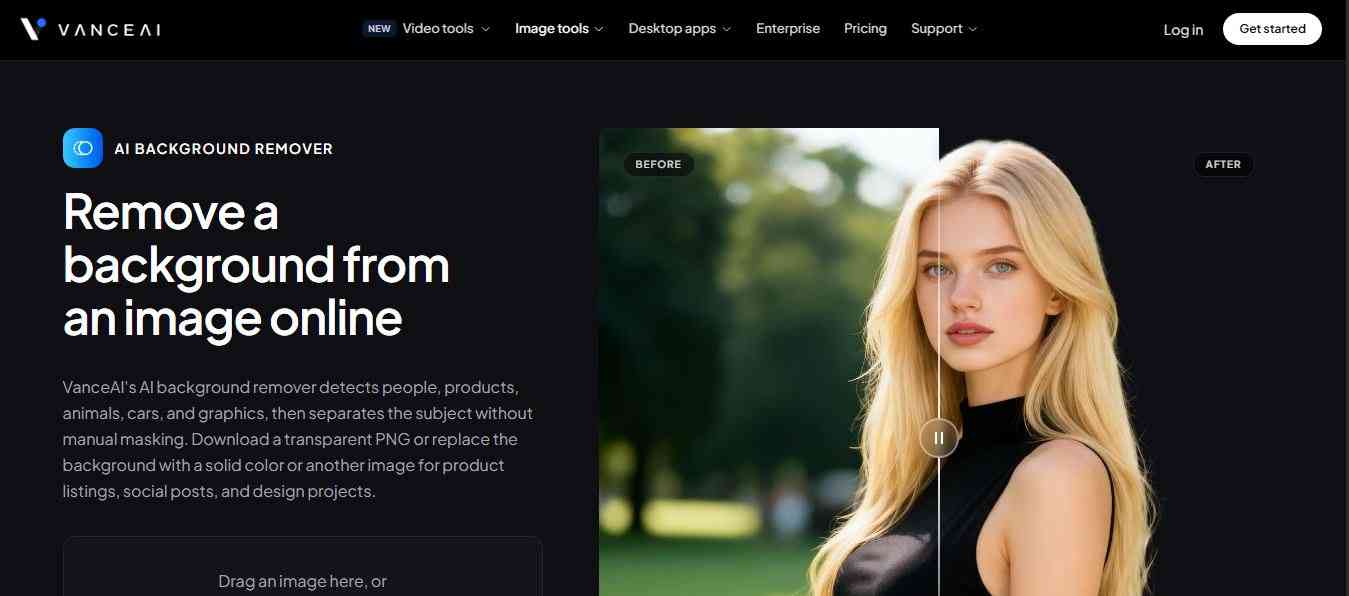
VanceAI offers background removal as part of a broader AI toolkit that includes upscaling, denoising, and photo restoration. It's aimed at users who want a single subscription covering multiple AI image tasks rather than a single-purpose app.
- Key Features: AI background removal, bulk processing, integration with VanceAI's other enhancement tools (upscale, sharpen, denoise)
- Pricing: Free limited credits; subscription plans generally around $10–$20/month, with credit packs available
- Pros: Useful if you also need upscaling/restoration; reasonably priced bundle
- Cons: Background removal accuracy is solid but not best-in-class compared to specialist tools
- Best For: Users who want one subscription for multiple AI photo-repair tasks, not just background removal
10. Pixlr
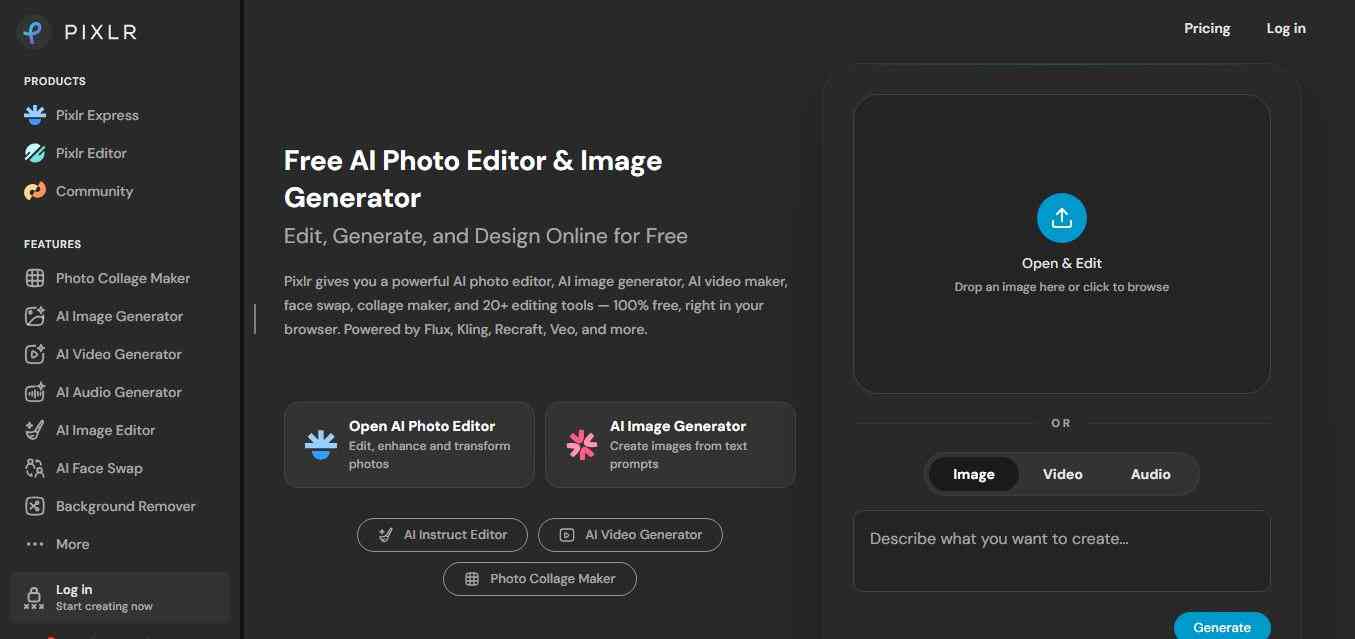
Pixlr is a powerful online AI photo editor with built-in background removal, design tools, and filters. It offers both beginner-friendly and advanced editing features, including layers, effects, and templates. Ideal for social media, marketing, and quick edits, Pixlr works directly in the browser with free and premium plans available.
- Key Features: One-click background removal, layer-based editing, templates, mobile apps
- Pricing: Free tier available; Pro plans typically around $8–$15/month for higher resolution exports and extra tools
- Pros: Generous free tier; combines background removal with a full lightweight editor
- Cons: Accuracy can be inconsistent on complex images; the interface has more of a learning curve than single-purpose tools
- Best For: Budget-conscious users who want background removal plus general photo editing in one free tool
How Does AI Background Removal Work?
You don't need a computer science degree to use these tools, but understanding the mechanics helps you pick the right one and get better results. Here's what happens behind the scenes when you upload a photo:
1. Image Analysis
The tool feeds your photo into a convolutional neural network (CNN) or a vision transformer model that has been trained on massive datasets of labeled images (subject vs. background).
2. Semantic Segmentation
The model classifies every single pixel as either "foreground" (the subject) or "background." This is far more precise than old-school color-based selection because the AI understands context—it knows a person's hair is part of the subject even if a few strands blend into a similar-colored background.
3. Edge Refinement
Advanced tools run a second refinement pass specifically on edges—hair, fur, fabric texture, and semi-transparent objects like veils or glass—to avoid the "cut-out sticker" look that early background removers were known for.
4. Alpha Channel Creation
The tool generates an alpha mask (a grayscale map showing what's fully visible, fully transparent, or partially transparent) and applies it to the image, producing a clean PNG with a see-through background.
5. Background Replacement (Optional)
Many tools also let you add a new background—a solid color, gradient, real photo, or a fully AI-generated scene (like a marble countertop for a product shot or a beach for a portrait).
Why Use an AI Background Remover? Key Benefits
- Speed: What used to take 15–30 minutes per image in Photoshop now takes seconds—a massive time saver for anyone editing more than a handful of photos.
- No skill required: There's no learning curve. You upload an image, and the AI does the segmentation work automatically.
- Consistency at scale: E-commerce brands can process thousands of product photos with identical, uniform backgrounds—critical for marketplaces like Amazon, which require pure white backgrounds on primary listing images.
- Cost savings: Businesses can cut down on studio photography and manual retouching costs by automating a repetitive editing task.
- Better conversions: Clean, professional product photography directly affects buyer trust and purchase decisions (see statistics below).
- Cross-platform flexibility: A transparent PNG can be dropped into presentations, websites, social posts, ads, or print materials without visual clutter.
- API access for automation: Most leading tools offer developer APIs, so background removal can be built directly into an app, CMS, or product catalog pipeline.

Free AI Background Remover vs Paid Background Remover
The choice between free and paid AI background remover tools depends largely on your use case and scale. Free tools are ideal if you’re just starting out or need quick edits for social media, personal branding, or small projects. They offer decent accuracy and are surprisingly capable for simple backgrounds. However, they usually come with limitations like watermarks, lower-resolution exports, and restricted features. If you’re uploading a few images occasionally, free tools are more than enough.
On the other hand, paid AI background removers are built for professional workflows and scalability. They provide high-resolution outputs, better edge detection (especially for hair and complex objects), batch processing, and API integrations. This makes them essential for eCommerce businesses, agencies, and marketers who handle large volumes of images and require consistent quality.
From an ROI perspective, paid tools are not just about features—they save time, manual effort, and operational expenses, especially when dealing with hundreds or thousands of images.
| Feature / Factor | Free AI Background Remover | Paid AI Background Remover |
|---|---|---|
| Cost | Free (no upfront cost) | Subscription or pay-per-image |
| Image Quality | Medium to high (often compressed output) | High-resolution (HD/4K exports) |
| Accuracy | Good for simple images | Excellent (handles hair, edges, and shadows) |
| Watermark | Often present | No watermark |
| Batch Processing | Limited or unavailable | Available (bulk image processing) |
| Speed | Moderate (queue-based in some tools) | Fast and priority processing |
| API Access | Rare or limited | Full API access for automation |
| Editing Features | Basic (background removal only) | Advanced (background replacement, shadows, lighting) |
| Customization | Minimal | High (manual tweaks, templates, branding) |
| Support | Limited or none | Priority support / customer service |
| Best For | Beginners, students, quick edits | Businesses, agencies, eCommerce |
| Use Cases | Social media posts, casual editing | Product photography, ads, bulk workflows |
How to Choose the Right AI Background Remover?
Ask yourself these questions before picking a tool:
- What's the subject? People and simple products can be processed easily with almost any tool. Hair, fur, glass, jewelry, or transparent fabric needs a tool with strong edge refinement (Remove.bg, Clipping Magic).
- How many images do you process regularly? One-off edits favor free tools like Canva or Adobe Express. High-volume catalogs need batch processing and API access (PhotoRoom, Remove.bg, Slazzer).
- Do you need a new background, or just transparency? If you want AI-generated scenes (studio backdrops, lifestyle shots), PhotoRoom leads the pack.
- Is this for video? Standard background removers only handle stills—you'll need a dedicated tool like Unscreen for video.
- Do you need to integrate it into your own app or website? Look for a documented API (Remove.bg, Slazzer, or VanceAI) rather than a purely browser-based tool.
- What's your budget? Casual users can usually get by on free tiers; businesses processing hundreds of images monthly should budget for a paid plan or API credits.
Step-by-Step: How to Remove a Background Using AI
- Choose your tool based on your subject type and volume needs (see comparison above).
- Upload your image — most tools accept JPG, PNG, or WebP files up to a certain size limit.
- Let the AI process it — this typically takes 2–5 seconds.
- Review the edges — zoom in on hair, fur, or fine details to check for accuracy.
- Refine if needed — use manual markers or an eraser/restore brush for any missed spots.
- Choose your output — export as transparent PNG, or swap in a solid color, gradient, or AI-generated background.
- Download or export directly — many tools let you push the final image straight to your e-commerce platform, CMS, or design tool.
Real-World Use Cases
- E-commerce & product listings: Clean, consistent white or transparent backgrounds are often required by marketplaces like Amazon and are proven to boost buyer confidence and conversion rates.
- Real estate & automotive: Removing distracting backgrounds from vehicle or property photos to place them on branded templates.
- Social media & marketing: Isolating subjects for ads, thumbnails, and promotional graphics without a busy backdrop.
- ID photos & headshots: Creating compliant passport, visa, or resume photos with a plain white or blue background.
- Graphic design & presentations: Dropping cut-out subjects into slides, posters, and mockups without visible edges.
- App & game development: Automating asset preparation by stripping backgrounds from user-uploaded or stock images via API.
- Print-on-demand & merchandise: Preparing clean artwork and photos for mugs, shirts, and packaging.
AI Background Remover vs. Manual Editing
| Factor | AI Background Remover | Manual (Photoshop) Editing |
|---|---|---|
| Speed | 2–5 seconds | 10–30+ minutes per image |
| Skill required | None | Moderate to advanced |
| Cost at scale | Low (subscription/credits) | High (designer time/hourly cost) |
| Accuracy on hair/fur | Very good to excellent (varies by tool) | Excellent, but time-intensive |
| Consistency across many images | High | Depends on the operator |
| Best for | High-volume, everyday editing | One-off, highly complex, or artistic edits |
Common Mistakes to Avoid
- Using low-resolution source images — the AI can only work with the detail it's given; blurry inputs produce blurry, jagged cutouts.
- Ignoring edge details — always zoom in on hair, fur, and fine textures before publishing, especially for professional or commercial use.
- Skipping lighting checks — poor contrast between subject and background can confuse even advanced models.
- Forgetting platform requirements — some marketplaces mandate pure white (not transparent) backgrounds for primary product images.
- Overusing AI-generated backgrounds without matching lighting/shadows, which can make the final image look artificial.
Conclusion
AI background removers have gone from a novelty to an essential tool in just a few years—and the data backs it up. With online shoppers making split-second judgments based on image quality, and businesses under constant pressure to produce more visual content faster, automated background removal solves a real, measurable problem.
Whether you need a quick one-off edit (Canva, Adobe Express, or Pixlr), a developer-grade API (Remove.bg or Slazzer), or a full product-photography pipeline (PhotoRoom), there's a tool suited to your exact workflow. Start with a free tier, test it on your actual images—especially anything with hair, fur, or fine detail—and scale up to a paid plan once you know which tool consistently delivers the results you need.
People are also reading:
- AI Browser vs Traditional Browser
- AI Deepfake Tools
- Best AI Content Detectors
- Top AI Trends
- Best AI Fitness Tools
- Best AI Music Tools
Frequently Asked Questions (FAQ)
Q: What is the best free AI background remover?
Canva, Adobe Express, Remove.bg, and Pixlr all offer usable free tiers, though most cap you at lower resolution or add a watermark. For occasional personal use, these free options are usually sufficient.
Q; Can AI background removers handle hair and fur accurately?
Yes — modern tools use edge-refinement models specifically trained to detect fine details like hair strands and fur. Accuracy varies by tool, with Remove.bg and Clipping Magic generally rated among the strongest for complex edges.
Q: Is AI background removal good enough for professional e-commerce photos?
Yes. Tools like PhotoRoom and Remove.bg are widely used by online sellers precisely because they meet marketplace image standards while cutting editing time from minutes to seconds.
Q: Do I need design skills to use an AI background remover?
No. Most tools are one-click: upload your photo, and the AI automatically detects and removes the background. No layers, masking, or selection tools required.
Q: Can I remove backgrounds from videos, not just photos?
Yes, but you'll need a tool built for it, such as Unscreen, which applies the same AI segmentation technology frame by frame to video clips and GIFs.
Q: How much does an AI background remover cost?
Pricing ranges from completely free (with limits) to roughly $9–$35 per month for professional plans, depending on image volume, resolution, and whether you need API access.
Q: Are AI background removers accurate 100% of the time?
No tool is perfect. Complex images — transparent objects, very fine hair, low-contrast backgrounds — may need minor manual touch-ups even with the best AI tools.