
Photopea
Photopea is a powerful online photo and graphics editor that works directly in your browser without requiring traditional desktop software. It supports PSD files, layers, masks, vector graphics, RAW images, filters, Smart Objects, and numerous formats. It is useful for designers, students, marketers, photographers, creators, and businesses needing accessible image-editing capabilities.
What is Photopea?
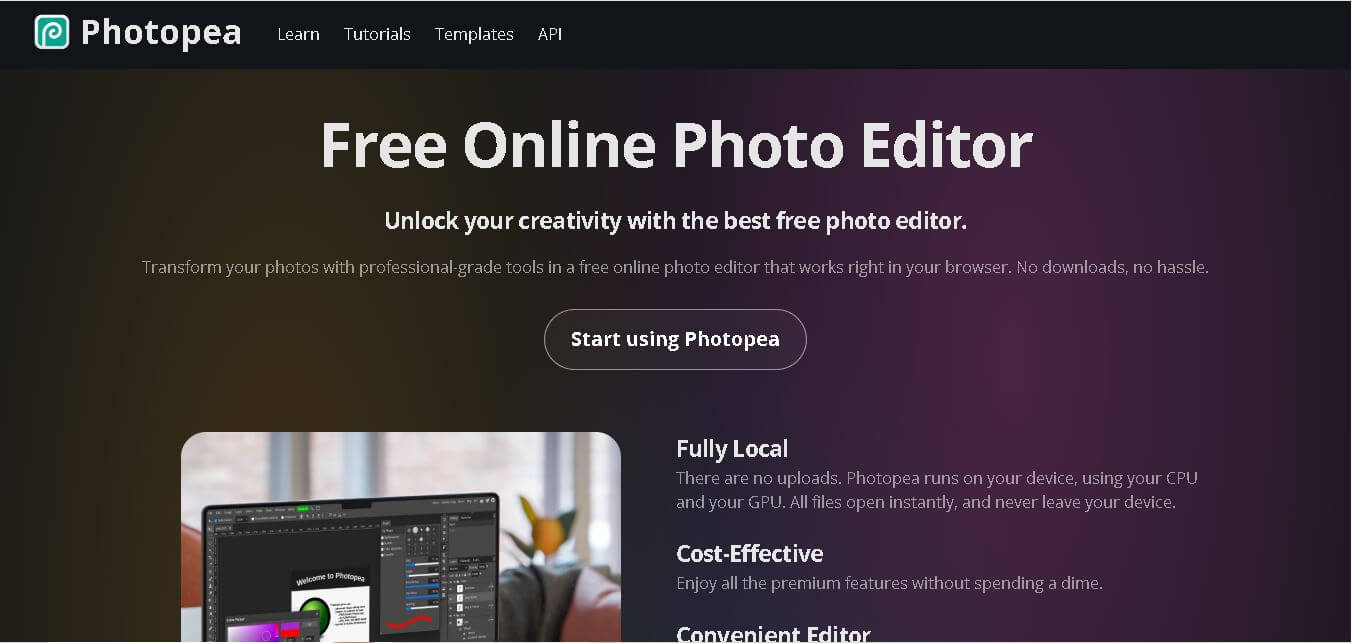
Photopea is a browser-based image editor designed for working with both raster and vector graphics. It supports professional editing tasks such as photo retouching, graphic design, image resizing, layering, masking, blending, vector editing, and more. PSD is its main working format, allowing users to open and save layered Photoshop files. Photopea also supports numerous formats, including PNG, JPG, SVG, PDF, AI, WEBP, TIFF, RAW formats, and others. The editor runs directly on the user’s device, so files opened in Photopea do not leave it.
Photopea is a free online editor that runs directly in a web browser and supports both raster and vector graphics. It supports PSD files as its main format and can open more than 40 additional formats, including PNG, JPG, GIF, WEBP, SVG, PDF, AI, TIFF, and RAW formats. Photopea supports 8, 16, and 32-bit color depth and includes professional tools such as layers, masks, Smart Objects, adjustment layers, channels, paths, filters, and vector graphics.
- Platform Role: Web-Based Image & Vector Editor, Photoshop Alternative & Graphic Design Workspace
- Developer & Organization: Ivan Kutskir / Photopea
- Cross-Platform Access: Web Browser (Chrome, Edge, Safari, Firefox), Web App (PWA installable on Windows, macOS, Linux, ChromeOS, iOS, Android)
Use Cases:
- Editing Adobe Photoshop (PSD), Illustrator (AI), Sketch, and Figma files without active Adobe Creative Cloud subscriptions
- Performing professional photo retouching, background removal, object isolation, color grading, and RAW photo processing
- Designing web banners, social media thumbnails, posters, marketing graphics, and vector iconography
- Converting complex graphic formats (e.g., PSD to SVG, PDF to layers, WEBP to PNG, RAW to JPEG) directly in the browser
- Collaborating on quick edits in educational, corporate, or public computer environments where desktop software installation is restricted
Technology:
- Client-side WebAssembly, WebGL, and JavaScript architecture ensuring 100% local processing on the user's hardware without file server uploads
- Comprehensive layer engine supporting non-destructive adjustment layers, layer masks, smart objects, layer styles (fx), and blending modes
- Integrated AI utilities for one-click background removal, generative fill, object replace, and smart selection tools
- Native file parser supporting over 40 raster, vector, raw, and document formats (PSD, PSB, AI, Sketch, Figma, PDF, RAW, SVG, TIFF)
Target Users:
- Freelance graphic designers and digital artists who need an on-the-go or cost-effective alternative to subscription design suites
- Students, educators, and schools requiring accessible, zero-cost design tools on Chromebooks and low-spec hardware
- Social media managers, content creators, and marketers creating quick web graphics, thumbnails, and promotional collateral
- Web developers and agency teams opening or inspecting PSD/AI assets delivered by external clients without paid software
Acquisition: Independent web software created and operated by Ivan Kutskir (photopea.com)

What are the key features of Photopea?
Photopea's key platform features are
- Full PSD & Vector Format Support: Native opening, editing, and saving of Adobe Photoshop PSD files along with AI, Sketch, Figma, PDF, and SVG files.
- Local Processing & High Security: Operates completely inside the web browser—files remain private on your device without being uploaded to external servers.
- Advanced Layer & Masking Suite: Supports Smart Objects, Layer Masks, Adjustment Layers, Paths, Channels, and customizable Blending Modes.
- Comprehensive Photo Retouching: Features Healing Brush, Clone Stamp, Spot Healing, Content-Aware Fill, Liquify, and Puppet Warp tools.
- RAW Image Converter: Process camera RAW files (DNG, CR2, NEF, ARW) with dedicated exposure, contrast, color balance, and shadow controls.
- AI-Powered Editing: One-click background removal, smart subject isolation, and text-guided generative object replacement.
- Photoshop-Compatible UX & Shortcuts: Layout, toolbars, layer panels, and keyboard shortcuts mirror Photoshop for seamless user migration.
How much does Photopea cost?
Photopea is completely free to use with full features unlocked, supported by unobtrusive sidebar advertisements, alongside optional Premium subscriptions to remove ads and expand cloud storage.
Pricing Overview:
- Free Tier ($0): Access to 100% of editing tools, format support, layer options, and export features. Supported by sidebar advertisements.
- Premium Account ($5 - $8 / month): Removes sidebar ads, doubles undo steps (from 30 to 60), provides 0.5 GB of PeaDrive cloud storage, and supports the developer.
- Teams / Distributor Pricing: Scaled licenses for organizations, schools, and design teams needing ad-free access across multiple seats.
Disclaimer: Unlike traditional freemium tools, Photopea does not lock essential features behind paywalls. The free version grants complete access to all tools, layers, and formats.
Who should use Photopea?
Photopea is designed for web users, creators, and professionals, including
- Chromebook & Low-Spec Hardware Users: Users needing a powerful Photoshop-like editor on light laptops, tablets, or non-Windows/Mac machines.
- Budget-Conscious Creators & Students: Designers looking for a zero-cost alternative to Adobe Creative Cloud subscriptions without losing PSD compatibility.
- Developers & Marketers: Professionals needing to inspect design files, extract asset layers, or resize images on public or client computers quickly.
What are the best alternatives to Photopea?
Some of the strongest Photopea alternatives include
- Adobe Photoshop
- GIMP
- Canva
- Pixlr
- Affinity Photo
- Figma
What are the pros and cons of Photopea?
What are the pros of Photopea?
- 100% free with full editing capabilities and complete PSD/AI format fidelity
- Zero installation required; opens instantly in any web browser on any operating system
- Strict data privacy since all file rendering happens locally on the user's hardware
- Familiar Photoshop layout and hotkeys ensure a zero learning curve for existing designers
What are the cons of Photopea?
- The free version includes sidebar advertisements that slightly reduce workspace screen area
- Browser performance is dependent on local device CPU/GPU and RAM capacity when handling ultra-large files
- Lacks native CMYK color space rendering for physical commercial printing (converts via RGB profile)
Why should you choose Photopea?
Installing expensive, resource-heavy desktop applications just to edit a PSD file or retouch an image is inefficient. Photopea solves this issue by turning any browser tab into a full-featured photo studio. Because it runs locally using WebAssembly and GPU acceleration, your files remain completely private on your device while loading instantly. Whether you are on a Chromebook, a borrowed desktop, or a smartphone, Photopea provides professional editing power wherever you have an internet browser.
How does Photopea compare to competitors?
The primary distinction between Photopea, Adobe Photoshop, GIMP, and Canva lies in installation footprint, licensing model, and workflow style. While Photoshop remains the heavy desktop industry standard and Canva focuses on templated drag-and-drop design, Photopea uniquely provides raw layer-based Photoshop power inside a zero-install browser window for free.
| Feature / Platform | Photopea | Adobe Photoshop | GIMP | Canva |
|---|---|---|---|---|
| Core Focus | Browser-Native Image & Vector Editing | Industry-Standard Desktop Photo Editing | Open-Source Raster Graphics Software | Template-Driven Web Content Creation |
| Installation Required | None (Runs 100% in Browser / PWA) | Yes (Heavy Desktop Client) | Yes (Desktop Software Download) | None (Runs in Browser) |
| PSD & Layer Compatibility | Near-100% Native PSD/AI/Sketch Support | Native Industry Standard | Partial PSD Support (Requires Conversion) | Import Only (Flattened / Vector SVGs) |
| Pricing Model | Free (ad-supported) / $5-$8 Premium | Paid Subscription (~$23+/month) | 100% Free & Open Source | Freemium / Pro Subscription |
| Best For | Fast, zero-install Photoshop edits on any computer | Professional studios requiring native CMYK & high-spec hardware | Open-source desktop users wanting offline editing | Non-designers building fast social graphics with templates |
How do we rate Photopea?
| Parameter | Rating (out of 5) |
|---|---|
| Browser Performance & Local Hardware Speed | 4.9 |
| PSD, AI & File Format Compatibility | 5.0 |
| Tool Set & Layer-Based Editing Depth | 4.8 |
| Accessibility & Privacy Standards | 5.0 |
| Value for Money | 5.0 |
| Overall Score | 4.94 |
What is our review and verdict on Photopea?
Photopea is one of the most remarkable web software achievements in modern web development. By delivering complete layer masks, smart objects, photo retouching tools, and native PSD file handling inside a zero-install browser tab, it removes financial and technical barriers for designers worldwide. It is the premier choice for fast, browser-first image editing.
Conclusion
Photopea combines accessible browser-based editing with features normally associated with professional graphics software. Its PSD compatibility, extensive format support, local processing, layers, masks, Smart Objects, vector tools, RAW support, and AI-assisted features make it useful for a broad range of creative workflows. For students, designers, marketers, photographers, and businesses, Photopea provides a practical way to edit and create graphics without installing traditional desktop software.
FAQ
Is Photopea free to use?
Yes, Photopea can be used for free directly through its website. The editor provides access to professional image-editing capabilities without requiring users to purchase traditional desktop editing software. Photopea also offers a Premium account that removes advertisements and provides additional account-related benefits. The free editor remains available to everyone.
Can Photopea open and edit PSD files?
Yes, PSD is Photopea’s main document format, making it particularly useful when you need to work with layered Photoshop files. You can open PSD documents, edit individual layers, modify text, apply effects, adjust images, and save the finished project back as PSD while preserving the document structure.
Does Photopea work without installing software?
Yes. Photopea runs directly inside a web browser, so you do not need to install traditional desktop editing software. It can also continue working offline after the website has loaded because image processing takes place locally on your device. This makes it convenient for quick editing across different computers and devices.
Does Photopea upload my images?
No. Photopea states that files opened in the editor are processed directly on your device and do not leave your computer. Its official documentation explains that files are not uploaded to the internet during editing. However, users should still save their work because unsaved changes can be lost if the editor is closed.
What image formats does Photopea support?
Photopea supports a broad range of image and design formats. These include PNG, JPG, GIF, BMP, WEBP, SVG, PDF, AI, AVIF, DDS, HEIC, TIFF, MP4, TGA, CDR, PDN, EPS, INDD, Figma, and many others. It also supports RAW formats such as DNG, CR2, CR3, NEF, ARW, and RW2.
Can beginners use Photopea?
Yes. Beginners can use Photopea for straightforward tasks such as cropping, resizing, image adjustments, background editing, and adding text. At the same time, the editor includes advanced capabilities such as masks, Smart Objects, layer styles, channels, paths, and adjustment layers. Photopea also provides official tutorials that progressively explain its tools.
User Reviews
No reviews yet for Photopea.
Featured Tools
Featured AI tools from TechShark

Melody Genie
MelodyGenie is an AI-powered music generator that creates original songs from simple text prompts. Users can choose styles, moods, and genres, then instantly generate melodies and full tracks, making it easy for creators, marketers, and hobbyists to produce custom music without musical expertise.
Freemium

Kimi AI
Kimi AI is an advanced AI assistant developed by Moonshot AI that helps you chat, research, write, code, and automate tasks in one place. It supports web search, file analysis, and multimodal inputs, and can even run autonomous “agent” workflows to complete complex tasks end-to-end.
Freemium

Fashion Diffusion AI
Fashion Diffusion is an AI-powered fashion design platform that helps brands and designers create clothing designs, virtual try-ons, AI models, product photos, and marketing visuals faster and cost-effectively.
Paid

Veo 4
Veo 4 AI is an AI video creation platform that generates dramatic videos from text, images, audio, and video prompts using realistic motion and synchronized sound.
Paid
Alternatives
Alternatives to Photopea
The best Photopea alternatives include Adobe Photoshop, GIMP, Pixlr, and Canva. While Photopea provides a zero-install, free browser-based photo and vector editor with native PSD file support, alternatives like Adobe Photoshop offer advanced CMYK print tools and desktop GPU performance, while Canva caters to quick template-driven content creation.
 4.7
4.7ImgCreator AI
Image
ImgCreator AI is an AI-powered image generation tool that helps users create visuals from text prompts and reference images. It supports creative artwork, realistic portraits, product visuals, and image editing, making it useful for designers, marketers, content creators, and businesses seeking faster visual content production.
Neural.love
AI Image Enhancer
Neural.love is an AI-powered creative platform for generating images, editing photos, enhancing videos, restoring old media, and animating pictures. It combines multiple AI tools in a browser-based workspace, helping content creators, marketers, photographers, designers, and businesses improve visual content without relying entirely on traditional editing software.
 4.8
4.8Prisma AI
Image
Prisma AI turns everyday photos into artistic images with stylized filters and creative effects. It offers hundreds of art and portrait styles inspired by famous artists, allowing beginners to create distinctive visuals quickly. Users can capture or upload photos, apply a chosen style, and save or share the finished result.
 4.9
4.9Bria AI
Image
Bria helps businesses and teams generate and edit visual content using controllable generative AI. Its capabilities cover image generation, product visuals, background editing, video workflows, and developer integrations. With licensed training data, attribution, provenance, and enterprise deployment options, Bria is positioned for businesses that need scalable, commercially focused visual AI.
 4.7
4.7Unwatermark
Image
Unwatermark.ai helps creators, marketers, photographers, and businesses remove watermarks, logos, text, people, and unwanted objects from images and videos. Its automatic detection handles quick edits, while the manual brush provides precise control over difficult areas. With browser-based processing, format support, previews, and free usage, it simplifies everyday visual cleanup.
 4.9
4.9invideo Nano Banana
Image
Nano Banana is an AI image generation and editing model by Google (Gemini family) that helps users create, modify, and refine visuals using natural language prompts. It supports 4K outputs, consistent characters, accurate text rendering, and real-time editing, enabling fast, production-ready creative workflows.
 4.8
4.8Banana Nano
Image
BananaNano (Nano Banana AI) is an AI-powered image generation and editing platform that lets users create visuals from text or edit photos using natural language. It supports multi-image fusion, character consistency, and up to 4K output, enabling fast, flexible visual creation without complex design tools.
 4.8
4.8Vheer
Image
Vheer is a free AI image and video generator that helps users create visuals from text or photos instantly. It includes tools for image editing, background removal, and image-to-video conversion, offering unlimited generations without signup, making it ideal for quick, creative content production.
 4.9
4.9QOVES
Image
QOVES is an AI-powered facial analysis and beauty consulting platform that helps users understand their facial features and improve appearance through personalized, science-backed recommendations. It analyzes hundreds of facial markers and provides a non-surgical transformation plan, enabling informed decisions about aesthetics, skincare, and overall self-improvement.