ImgCreator AI
ImgCreator AI is an AI-powered image generation tool that helps users create visuals from text prompts and reference images. It supports creative artwork, realistic portraits, product visuals, and image editing, making it useful for designers, marketers, content creators, and businesses seeking faster visual content production.

What is ImgCreator AI?
ImgCreator AI is an AI-powered image generation tool that helps users create images, artwork, and creative visuals using text prompts or reference images. It simplifies visual content creation for people who want to turn ideas into images without advanced design skills. Depending on the available features, users can explore different styles and edit existing visuals for specific needs. ImgCreator AI can be useful for designers, marketers, social media creators, and businesses producing digital content.
Positioned as an accessible creative companion for creators and small businesses, ImgCreator AI powers hundreds of thousands of image generations, product cutouts, and creative asset enhancements worldwide. Rather than requiring users to switch between separate software for text-to-image synthesis, upscaling, and background editing, ImgCreator AI bundles text-to-image generation, transparent background isolation, AI car showroom staging, photo restoration, high-fidelity upscaling, and image-to-video animation into a unified workspace.
- Core Focus / Category: AI Image Generation, Creative Visual Transformation, and Automated Photo Editing Suite
- Platform Architecture: Cloud-native web platform utilizing multimodal foundation models, high-speed neural rendering pipelines, and automated image processing workflows
- Key Specialization: Photorealistic visual creation, commercial product staging, automotive showroom background generation, and AI-powered portrait restoration
Use Cases:
- Generating high-converting marketing creatives, hero banners, and social media visuals from text descriptions
- Creating transparent product cutouts and clean white-background listings for online marketplace stores
- Transforming dealership vehicle photos into commercial-grade automotive showroom staging shots with realistic floor reflections
- Upscaling and restoring low-resolution legacy photography and vintage family portraits with automated facial enhancement
Technology:
- Multimodal generative neural networks capable of parsing nuanced artistic, commercial, and photographic style prompts
- Computer vision edge-detection and segmentation models for pixel-precise foreground subject cutouts
- Integrated AI motion engines allowing static images to be animated into dynamic short-form video clips
Target Users:
- E-commerce entrepreneurs and Amazon/Shopify sellers producing clean product listings and promotional creatives
- Social media managers and digital marketers creating visual assets for ad campaigns and blog articles
- Automotive dealerships needing standardized, professional catalog photos without physical studio setups
- Designers and content teams using image tools to streamline commercial visual production
Corporate Entity: Operates as Img Creator AI

Key features of ImgCreator AI
ImgCreator AI's key features are
- Natural Language Text-to-Image Synthesis: Generates photographic, artistic, anime, and 3D imagery from text prompts with prompt guidance.
- Automated Background Remover: Instantly isolates foreground subjects and generates transparent PNGs for product and portrait workflows.
- AI Car Photo Editor: Specialized automotive studio tool that removes cluttered backgrounds and places vehicles on modern showroom floors with realistic reflections.
- High-Resolution AI Upscaler: Enhances image resolution, sharpens textures, and removes compression artifacts without losing visual fidelity.
- Old Photo Restoration & Retouching: Repairs scratches, removes noise, and restores facial details on aged or degraded portrait photographs.
- AI Headshot & Portrait Generator: Creates polished professional headshots and avatar variations from casual uploaded selfies.
- Image-to-Video Animation: Animates static visual creations into cinematic video clips using integrated AI motion generators.
ImgCreator AI Pricing
ImgCreator AI operates on a credit-based model offering monthly and annual subscription tiers alongside standalone pay-as-you-go credit packs for flexible usage.
Free / Trial Tier:
- $0 / Free credits upon signup
- Allows users to test text-to-image generation, background removal, and standard-resolution previews
Monthly & Annual Subscription Plans:
- Starter Plan: Starts from ~$6.66 to $8.00 / month (billed annually at $80/year) — Includes 100 credits per month (~$0.067/credit)
- Growth Plan (Most Popular): Starts from ~$15.00 / month (billed annually at $180/year) — Includes 500 credits per month (~$0.030/credit)
- Pro Plan: Starts from ~$23.00 / month (billed annually at $276/year) — Includes 1,000 credits per month (~$0.023/credit) with priority processing
One-Time Pay-As-You-Go Credit Packs:
- 500 Credits: ~$29.00 one-time (~$0.058/credit)
- 2,500 Credits: ~$89.00 one-time (~$0.036/credit)
- 5,000 Credits: ~$149.00 one-time (~$0.030/credit)
- 10,000 Credits: ~$229.00 one-time (~$0.023/credit)
Disclaimer: Credit consumption rates vary by feature (e.g., standard text generation, upscaling, and video animation require different credit allotments). Visit imgcreatorai.io/pricing for active plans.
Who is using ImgCreator AI?
ImgCreator AI is designed for commercial sellers, visual creators, and marketers, including
- E-Commerce Sellers & Brand Managers: Cleaning catalog photography and generating creative lifestyle backdrops for product marketing
- Automotive Dealerships & Car Flippers: Creating uniform, professional vehicle listings with virtual showroom backgrounds
- Digital Marketers & Social Media Agencies: Producing campaign imagery, blog graphics, and engaging social posts without hiring stock photographers
- Content Creators & Storytellers: Turning visual ideas into stylized concept art, anime illustrations, and animated video snippets
- Everyday Consumers & Genealogists: Restoring degraded family albums and generating studio-grade business headshots
Best ImgCreator AI Alternatives
Some of the strongest ImgCreator AI alternatives include
Pros and Cons of ImgCreator AI
Pros
- All-in-one workspace combining generation, background removal, upscaling, and animation in one place
- Specialized automotive staging module helps dealerships create polished car showroom listings quickly
- Clean, lightweight web interface that requires zero desktop installations or complex hardware setups
- Flexible pricing options with both monthly recurring subscription credits and non-expiring credit packs
- Integrated image-to-video capabilities allow static artwork to be repurposed into engaging motion clips
Cons
- Advanced AI video and high-resolution upscaling tasks consume credits rapidly
- Complex prompt composition for intricate text rendering can require occasional re-rolls
- Free trial credits are limited, requiring paid plans or top-up packs for continuous commercial work
- Lacks deep non-destructive layer editing found in full desktop raster graphic editors like Photoshop
Why Choose ImgCreator AI?
ImgCreator AI is a versatile option for creators and business teams that want a practical generative and editing suite without having to juggle multiple separate subscriptions.
- Generate photorealistic or stylized visual assets from simple natural language prompts
- Remove backgrounds and generate clean transparent PNG cutouts in seconds
- Elevate vehicle listing photos with dedicated virtual car showroom backdrops
- Enhance image resolution and restore vintage photos with built-in AI upscaling
- Repurpose static images into dynamic social video clips using integrated animation tools
ImgCreator AI vs. Competitors
The main difference between ImgCreator AI, Midjourney, PhotoRoom, and Slazzer is that ImgCreator AI provides a balanced all-in-one browser platform combining text-to-image synthesis with utility photo editing (background removal, upscaling, car staging, and video animation). In contrast, Midjourney focuses purely on artistic text-to-image generation through Discord, PhotoRoom focuses primarily on mobile-centric e-commerce templates, and Slazzer specializes strictly in high-volume API and desktop background extraction. ImgCreator AI serves users looking for an accessible, multi-tool AI creative suite.
| Feature / Platform | ImgCreator AI (imgcreatorai.io) | Midjourney | PhotoRoom | Slazzer |
|---|---|---|---|---|
| Primary Focus | Text-to-Image & Utility Photo Editing Suite | Artistic & Photorealistic Image Synthesis | Mobile/Web E-Commerce Product Staging | Automated Background Removal & APIs |
| Text-to-Image Generator | Yes (Multiple artistic & realistic styles) | Yes (Industry-leading aesthetic quality) | Basic generative backdrops | No text-to-image generation |
| Background Remover | Yes (Instant AI cutouts) | No native background remover | Yes (Instant AI cutout & blur) | Yes (High-precision cutout engine) |
| AI Car Photo Editor | Yes (Virtual showroom floor & reflections) | Requires manual prompt engineering | Generic commercial backdrops | Yes (Specialized automotive module) |
| Starting Price | Free trial / Plans from ~$6.66-$15/mo | Basic from $10.00/mo | Free tier / Pro ~$12.99/mo | Free tier / Plans from ~$11.00/mo |
| Best For | Versatile Creators Needing Image Gen + Editing | Digital Artists & Visual Explorers | Social Sellers & Mobile Store Owners | High-Volume Cutouts & API Pipelines |
How do we rate ImgCreator AI?
| Parameter | Rating (out of 5) |
|---|---|
| Image Generation Quality & Styling | 4.7 |
| Utility Tools (Cutout, Upscaler, Restoration) | 4.8 |
| Platform Usability & Workflow Simplicity | 4.8 |
| Automotive Staging Capabilities | 4.7 |
| Value for Money | 4.6 |
| Overall Score | 4.72 |
ImgCreator AI Review
ImgCreator AI brings together practical photo editing utilities and generative AI synthesis into a single web application. Instead of forcing users to configure complex local stable diffusion setups or pay for three separate subscriptions to generate art, remove backgrounds, and upscale files, ImgCreator AI handles these tasks through one unified dashboard. Its automotive showroom tool is particularly useful for car sellers looking to quickly enhance inventory photography, while its natural prompt generator and upscaling utilities make it a reliable Swiss Army knife for day-to-day visual design work.
Conclusion
mgCreator AI offers a convenient way to transform creative ideas into digital visuals using artificial intelligence. Its image generation and editing capabilities can help users experiment with different concepts, produce marketing assets, and create engaging content without relying entirely on manual design. It may be useful for content creators, designers, and businesses looking to speed up their creative workflows. Before using the platform for professional projects, review its image quality, commercial usage rights, available features, and pricing to ensure it meets your requirements.
FAQ
How does ImgCreator AI generate images?
ImgCreator AI uses AI models to transform text prompts into images. Users describe their desired subject, style, composition, and other details, and the platform generates visuals based on those instructions.
Can ImgCreator AI edit existing images?
ImgCreator AI supports AI-powered image creation and editing workflows. Depending on the available model and tool, users can modify visuals, adjust styles, and refine images using text instructions.
What types of images can ImgCreator AI create?
ImgCreator AI can generate a variety of visuals, including photorealistic images, digital artwork, portraits, fantasy illustrations, product visuals, and social media graphics. Results depend on the prompt and selected AI model.
Can I use ImgCreator AI images for commercial purposes?
Commercial usage rights depend on the platform's applicable terms and the content generated. Review the official terms of service before using generated images in advertising, client projects, or commercial products.
How much does ImgCreator AI cost?
ImgCreator AI lists subscription plans starting at $6.66 per month with annual billing, including 100 monthly credits. Higher-tier plans provide more credits, and one-time credit packs are also available. Check the pricing page for current offers
What are the best ImgCreator AI alternatives?
Popular alternatives include ChatGPT image generation, Midjourney, Adobe Firefly, and Leonardo AI. Compare image quality, editing capabilities, available models, commercial usage rights, and pricing to choose the right tool.
User Reviews
No reviews yet for ImgCreator AI.
Featured Tools
Featured AI tools from TechShark

Melody Genie
MelodyGenie is an AI-powered music generator that creates original songs from simple text prompts. Users can choose styles, moods, and genres, then instantly generate melodies and full tracks, making it easy for creators, marketers, and hobbyists to produce custom music without musical expertise.
Freemium

Kimi AI
Kimi AI is an advanced AI assistant developed by Moonshot AI that helps you chat, research, write, code, and automate tasks in one place. It supports web search, file analysis, and multimodal inputs, and can even run autonomous “agent” workflows to complete complex tasks end-to-end.
Freemium

Fashion Diffusion AI
Fashion Diffusion is an AI-powered fashion design platform that helps brands and designers create clothing designs, virtual try-ons, AI models, product photos, and marketing visuals faster and cost-effectively.
Paid

Veo 4
Veo 4 AI is an AI video creation platform that generates dramatic videos from text, images, audio, and video prompts using realistic motion and synchronized sound.
Paid
Alternatives
Alternatives to ImgCreator AI
The best ImgCreator AI alternatives include Midjourney, Canva Magic Studio, PhotoRoom, Slazzer, Getimg.ai, and Cutout.pro. These tools offer generative AI image creation, background removal, and creative photo editing. While ImgCreator AI combines text-to-image synthesis with practical utilities like automotive background replacement, image upscaling, and video animation starting from a free trial up to ~$6.66-$15/month, alternatives like Midjourney focus heavily on fine-tuned aesthetic art generation, PhotoRoom specializes in mobile e-commerce product staging, and Slazzer excels at dedicated high-volume background removal. Selecting the right tool depends on whether you need a versatile all-in-one creative suite, hyper-realistic artistic generation, or specialized catalog clipping.
Neural.love
AI Image Enhancer
Neural.love is an AI-powered creative platform for generating images, editing photos, enhancing videos, restoring old media, and animating pictures. It combines multiple AI tools in a browser-based workspace, helping content creators, marketers, photographers, designers, and businesses improve visual content without relying entirely on traditional editing software.
 4.8
4.8Prisma AI
Image
Prisma AI turns everyday photos into artistic images with stylized filters and creative effects. It offers hundreds of art and portrait styles inspired by famous artists, allowing beginners to create distinctive visuals quickly. Users can capture or upload photos, apply a chosen style, and save or share the finished result.
 4.9
4.9Bria AI
Image
Bria helps businesses and teams generate and edit visual content using controllable generative AI. Its capabilities cover image generation, product visuals, background editing, video workflows, and developer integrations. With licensed training data, attribution, provenance, and enterprise deployment options, Bria is positioned for businesses that need scalable, commercially focused visual AI.
 4.7
4.7Unwatermark
Image
Unwatermark.ai helps creators, marketers, photographers, and businesses remove watermarks, logos, text, people, and unwanted objects from images and videos. Its automatic detection handles quick edits, while the manual brush provides precise control over difficult areas. With browser-based processing, format support, previews, and free usage, it simplifies everyday visual cleanup.
 4.9
4.9invideo Nano Banana
Image
Nano Banana is an AI image generation and editing model by Google (Gemini family) that helps users create, modify, and refine visuals using natural language prompts. It supports 4K outputs, consistent characters, accurate text rendering, and real-time editing, enabling fast, production-ready creative workflows.
 4.8
4.8Banana Nano
Image
BananaNano (Nano Banana AI) is an AI-powered image generation and editing platform that lets users create visuals from text or edit photos using natural language. It supports multi-image fusion, character consistency, and up to 4K output, enabling fast, flexible visual creation without complex design tools.
 4.8
4.8Vheer
Image
Vheer is a free AI image and video generator that helps users create visuals from text or photos instantly. It includes tools for image editing, background removal, and image-to-video conversion, offering unlimited generations without signup, making it ideal for quick, creative content production.
 4.9
4.9QOVES
Image
QOVES is an AI-powered facial analysis and beauty consulting platform that helps users understand their facial features and improve appearance through personalized, science-backed recommendations. It analyzes hundreds of facial markers and provides a non-surgical transformation plan, enabling informed decisions about aesthetics, skincare, and overall self-improvement.
 4.8
4.8Airbrush AI
Image
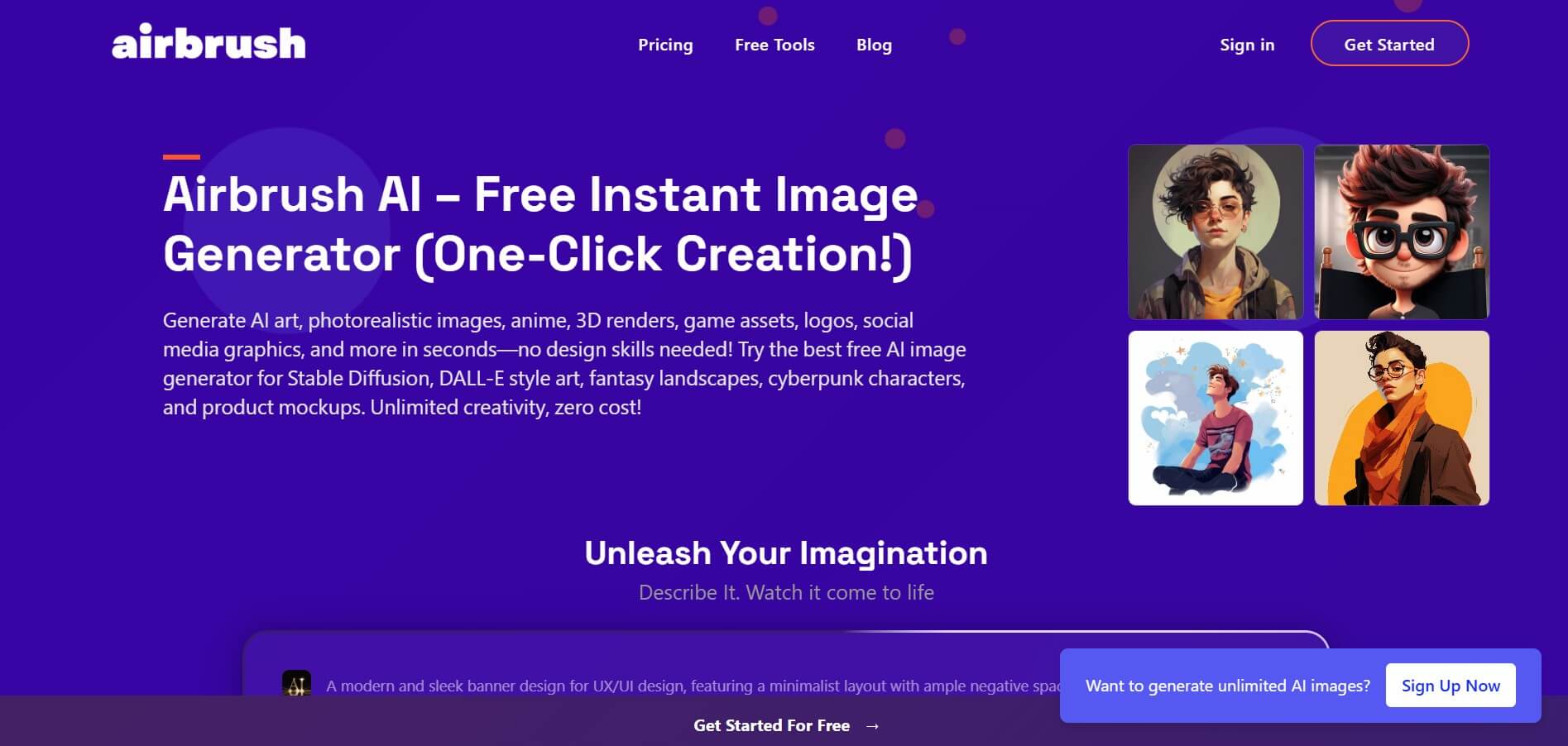
Airbrush is an AI-powered image generation and editing platform that helps users create, enhance, and customize visuals from simple text prompts. It supports multiple AI models and styles, enabling creators to generate artwork, marketing assets, and realistic images quickly without advanced design skills.