
Canva
Canva is a versatile online design and visual communication tool for creating presentations, social media graphics, videos, documents, websites, marketing materials, and more. Its drag-and-drop editor, templates, collaboration features, creative assets, and AI tools make content creation easier for beginners, professionals, teams, educators, marketers, and businesses.
What is Canva?
Canva is an online visual communication and design tool that helps individuals, creators, marketers, educators, and businesses create professional content without advanced design skills. It provides templates and tools for presentations, social media posts, videos, websites, documents, print materials, whiteboards, and more. Canva also integrates AI features through Canva AI and Magic Studio, helping users generate, edit, resize, and improve content within the same workspace. Its collaborative features allow teams to create, review, manage, and publish visual content together.
Canva was launched in 2013 and has grown into a global visual communication platform. According to Canva, it has more than 220 million monthly active users, operates across 190 countries, supports 100+ languages, and has seen more than 30 billion designs created. Its Visual Suite covers formats including documents, presentations, websites, video, social media, print, email, sheets, and whiteboards. Canva also provides access to millions of templates and creative assets, depending on the selected plan.
- Platform Role: Graphic Design Platform, Visual Collaboration Suite & AI Media Creator
- Developer & Organization: Canva Pty Ltd (Sydney, Australia)
- Cross-Platform Access: Web Browser (zero-install on Chrome, Safari, Edge, and Firefox), Desktop Apps (Windows, macOS), and Mobile Applications (iOS, Android)
Use Cases:
- Designing high-engagement social media posts, Instagram Reels, YouTube thumbnails, and marketing banners
- Creating interactive business presentations, digital whiteboards, pitch decks, and corporate reports
- Generating custom brand identity assets, including logos, business cards, letterheads, and brand kits
- Editing and enhancing photos using AI-powered tools such as background removers, Magic Edit, and image upscalers
- Producing merchandise and physical print products like flyers, t-shirts, brochures, stickers, and posters
Technology:
- HTML5 Canvas and WebGL drag-and-drop render engine supporting high-resolution vector and raster export formats
- Canva Magic Studio AI suite incorporating generative AI image and text generators, Magic Write, voiceover synthesis, and video generation
- Real-time multi-user web-socket collaboration architecture for simultaneous co-designing and commenting
- Integrations with major storage and marketing services, including Google Drive, Dropbox, Hubspot, and social publishing APIs
Target Users:
- Social media managers, digital marketers, and content creators looking for fast media turnaround
- Small business owners, entrepreneurs, and startups needing low-cost branding and design collateral
- Teachers, students, and educational institutions utilizing Canva for Education for interactive learning
- Enterprise teams and corporations needing standardized brand kits, asset lock controls, and collaborative workflows
Acquisition: Operating as an independent private global SaaS corporation backed by major global venture firms, headquartered in Sydney, Australia.

What are the key features of Canva?
Canva's key platform features are
- Extensive Template Library: Hundreds of thousands of professionally designed templates spanning social posts, presentations, documents, and videos.
- Magic Studio AI Suite: Generative AI suite featuring Magic Media (text-to-image/video), Magic Edit, Magic Write, Magic Resize, and AI voice generators.
- Brand Hub & Kits: Centralized brand asset management storing custom brand fonts, official color palettes, logos, and locked design templates.
- Built-in Video & Photo Editor: Timeline-based video trimming, audio track sync, object removal, background clearing, and visual filters.
- Real-Time Team Collaboration: Live co-editing, dynamic commenting, approval workflows, and administrative access controls.
- Print & Merchandise Fulfillment: Integrated order-to-door print ordering system for physical merchandise, business cards, and marketing collateral.
How much does Canva cost?
Canva offers a flexible freemium pricing structure alongside premium subscriptions for individual creators, teams, and enterprises, as well as free tiers for qualified educators and non-profits.
Free & Premium Tiers:
- Canva Free ($0 / Free): Standard drag-and-drop editor, over 1 million free templates, basic stock photos and graphics, and 5 GB of cloud storage.
- Canva Pro (Approx. $12.99/month or $119.99/year): Unlocks premium templates, stock audio/video, 1 TB cloud storage, Brand Kits, background remover, and Magic Studio AI tools.
- Canva for Teams (Approx. $14.99/month for up to 5 seats): Shared team asset workspace, design approval workflows, workflow management, and centralized billing.
- Canva Enterprise (Custom Pricing): Advanced security, SSO integration, enterprise-grade brand control, and dedicated support for large organizations.
- Canva for Education & Nonprofits: 100% free access to premium Canva features for eligible K-12 educators, institutions, and registered non-profit organizations.
Disclaimer: Plan pricing varies by region, local currency conversion, and annual vs. monthly billing cycles.
Who should use Canva?
Canva is designed for individuals, marketing teams, and businesses, including
- Content Creators & Marketers: Professionals requiring quick production of social graphics, video reels, ad banners, and email headers.
- Non-Designers & Entrepreneurs: Founders and small business operators who need professional branding without hiring full-time graphic designers.
- Educators & Students: Teachers building visual lesson plans, worksheets, and online presentations for digital classrooms.
What are the best alternatives to Canva?
Some of the strongest Canva alternatives include
- Adobe Express
- Figma
- Visme
- VistaCreate
- PicMonkey
- CapCut
What are the pros and cons of Canva?
What are the pros of Canva?
- Extremely beginner-friendly interface with virtually zero learning curve
- Massive ecosystem of pre-made templates, stock photos, vectors, and font styles
- Seamless cloud accessibility across web browsers, desktop applications, and mobile devices
- Generous free tier along with complimentary premium access for schools and non-profits
What are the cons of Canva?
- Limited precision design capabilities compared to advanced professional software like Adobe Illustrator or Photoshop
- Requires an active internet connection for real-time asset rendering and cloud saving
- Vector file manipulation and export capabilities are basic compared to professional desktop vector suites
Why should you choose Canva?
Creating professional graphics historically required complex professional software, extensive training, and high licensing costs. Canva removes these hurdles by providing intuitive drag-and-drop visual design tools right inside your web browser. Backed by thousands of customizable templates and cutting-edge Magic Studio AI capabilities, Canva streamlines visual content creation for anyone looking to communicate visually.
How does Canva compare to competitors?
The main distinction between Canva, Adobe Express, Figma, and Visme lies in target skill level, technical complexity, and primary output focus. While Figma caters to product designers building software interfaces and Adobe Express targets creative cloud users, Canva delivers the most accessible and comprehensive drag-and-drop platform for everyday visual collateral.
| Feature / Platform | Canva | Adobe Express | Figma | Visme |
|---|---|---|---|---|
| Core Focus | All-in-One Everyday Graphic & Visual Design | Quick Content Creation & Adobe Ecosystem | UI/UX Interface Design & Vector Prototyping | Data Visualization & Corporate Infographics |
| Learning Curve | Very Low (Beginner-friendly) | Low (Beginner-friendly) | Medium to High (Professional Tools) | Low to Medium |
| AI Copilot Suite | Canva Magic Studio | Adobe Firefly AI | Figma AI / Plugins | Visme AI Designer |
| Best For | Marketers, small businesses, and non-designers needing fast graphics | Users already relying on Adobe Creative Cloud assets | UI/UX design teams building web/mobile app interfaces | Businesses creating data-heavy reports, charts, and presentations |
How do we rate Canva?
| Parameter | Rating (out of 5) |
|---|---|
| Ease of Use & Accessibility | 5.0 |
| Template Variety & Asset Library | 4.9 |
| AI Capabilities (Magic Studio) | 4.8 |
| Collaboration & Brand Management | 4.8 |
| Value for Money | 4.9 |
| Overall Score | 4.88 |
What is our review and verdict on Canva?
Canva has transformed how individuals and organizations approach visual design. By offering an accessible drag-and-drop workflow packed with high-quality templates, collaboration features, and AI-driven Magic Studio extensions, Canva provides one of the most efficient design environments available today.
Conclusion
Canva has evolved from a simple design tool into a broad visual communication workspace covering design, documents, presentations, video, websites, social media, collaboration, and AI-assisted creation. Its combination of templates, accessible editing tools, creative assets, and team features makes it useful for individuals and organizations alike. With more than 220 million monthly active users across 190 countries, Canva remains a major choice for creating and managing visual content online.
FAQ
What is Canva used for?
Canva is used to create and edit many types of visual content, including presentations, social media graphics, videos, websites, documents, posters, presentations, whiteboards, and marketing materials. You can start with a template or create designs from scratch. For teams, Canva also supports collaboration, brand management, content planning, and publishing workflows.
Is Canva suitable for beginners?
Yes, Canva is particularly suitable for beginners because its editor uses a straightforward drag-and-drop workflow. You can choose a ready-made template, replace text and visuals, adjust layouts, and customize designs without extensive graphic-design knowledge. Canva also provides templates and guided creative tools that help users produce polished content more quickly.
Does Canva have AI tools?
Yes, Canva includes AI capabilities through Canva AI and Magic Studio. Depending on the feature and plan, users can generate or modify content, create images and graphics, write copy, animate designs, edit images, and enhance creative workflows. Canva describes AI as being integrated throughout its Visual Suite rather than isolated in one tool.
Can I use Canva for social media marketing?
Yes, Canva can support social media marketing by providing customizable templates and tools for creating posts, videos, graphics, and other social content. Canva Business also includes Content Planner functionality for scheduling posts and content insights for understanding performance. This makes Canva useful for marketers managing recurring visual content across multiple social channels.
Is Canva free to use?
Canva offers a free plan alongside paid options such as Pro, Business, and Enterprise. The free plan provides access to a selection of templates, creative assets, design features, and publishing capabilities, while paid plans provide additional premium content, brand tools, AI capabilities, storage, collaboration, and other advanced features. Availability can vary by plan.
What can I create with Canva?
You can create a wide variety of content with Canva, including presentations, social media posts, videos, websites, documents, whiteboards, emails, print designs, and spreadsheets. Canva’s Visual Suite is designed to connect different content formats within one workflow, allowing users to move from an idea to finished visual communication without switching between multiple applications.
Can teams collaborate in Canva?
Yes, Canva supports team collaboration by allowing members to work together on designs, add comments, assign tasks, manage brand assets, and maintain shared workflows. Business-focused features are designed to help organizations create and manage visual content consistently. This can be particularly useful when marketers, designers, content teams, and other stakeholders need to work together.
User Reviews
No reviews yet for Canva.
Featured Tools
Featured AI tools from TechShark

Melody Genie
MelodyGenie is an AI-powered music generator that creates original songs from simple text prompts. Users can choose styles, moods, and genres, then instantly generate melodies and full tracks, making it easy for creators, marketers, and hobbyists to produce custom music without musical expertise.
Freemium

Kimi AI
Kimi AI is an advanced AI assistant developed by Moonshot AI that helps you chat, research, write, code, and automate tasks in one place. It supports web search, file analysis, and multimodal inputs, and can even run autonomous “agent” workflows to complete complex tasks end-to-end.
Freemium

Fashion Diffusion AI
Fashion Diffusion is an AI-powered fashion design platform that helps brands and designers create clothing designs, virtual try-ons, AI models, product photos, and marketing visuals faster and cost-effectively.
Paid

Veo 4
Veo 4 AI is an AI video creation platform that generates dramatic videos from text, images, audio, and video prompts using realistic motion and synchronized sound.
Paid
Alternatives
Alternatives to Canva
The best Canva alternatives include Adobe Express, Figma, Visme, VistaCreate, and CapCut. While Canva provides an intuitive, all-in-one graphic and visual presentation platform powered by Magic Studio AI, alternatives like Adobe Express integrate directly with Adobe Creative Cloud assets and Figma specializes in professional UI/UX interface prototyping.
 4.7
4.7Flux.ai
Design
Flux AI is an AI-powered electronics design platform that helps engineers create schematics, design printed circuit boards (PCBs), select components, and optimize routing. Its browser-based workspace supports real-time collaboration, design validation, and manufacturing exports, making hardware development more accessible for individuals, startups, and engineering teams.
 4.8
4.8Repaint
Design
Repaint helps entrepreneurs and small businesses build websites, online stores, booking systems, and custom web applications using AI chat. Users can generate designs, edit content, manage customer accounts, accept payments, and organize business data without traditional coding. It offers subscription plans with different usage limits and business management capabilities.
 4.8
4.8SWAPP
Design
SWAPP helps architecture firms automate construction documentation, BIM modeling, and QA work inside Revit and ArchiCAD. Its Frank agent applies firm-specific standards to repetitive production tasks, while workflow memory preserves organizational knowledge. The platform is suited to teams seeking faster delivery, consistency, and less manual production effort across complex projects.
 4.9
4.9Adobe Stock
Design
Adobe Stock is a creative asset marketplace that helps designers and businesses access millions of royalty-free images, videos, templates, and 3D assets. It integrates with Adobe Creative Cloud, enabling users to search, customize, and license high-quality visuals quickly for marketing, design, and content creation.
 4.9
4.9Yellow Images
Design
Yellow Images is a digital marketplace that helps designers create branding and marketing visuals using high-quality mockups, fonts, PNGs, and graphic assets. It offers a large library of ready-to-use creative resources, enabling faster design workflows for agencies, freelancers, and ecommerce businesses.
 4.9
4.9Placeit
Design
Placeit is a browser-based design platform that helps creators and businesses generate mockups, logos, videos, and marketing visuals using ready-made templates. It allows users to quickly customize designs and download professional assets, making it ideal for ecommerce, social media, and branding without advanced design skills.
 4.8
4.8Figma AI
Design
Figma AI brings generative and assistive tools directly into Figma workflows, helping designers move from ideas to editable designs, visuals, prototypes, and production-ready experiences faster. Users can generate concepts, edit images, search files, automate repetitive work, and collaborate with teammates while keeping creative exploration inside the familiar Figma design environment.
 4.7
4.7PageGPT
Design
PageGPT helps businesses, creators, marketers, and entrepreneurs create customized landing pages and websites with AI. Users can describe their product and preferred style, generate designs with copy and images, then refine the result through chat or drag-and-drop editing. It also supports responsive pages, custom effects, and publishing options.
 4.8
4.8Locofy.ai
Design
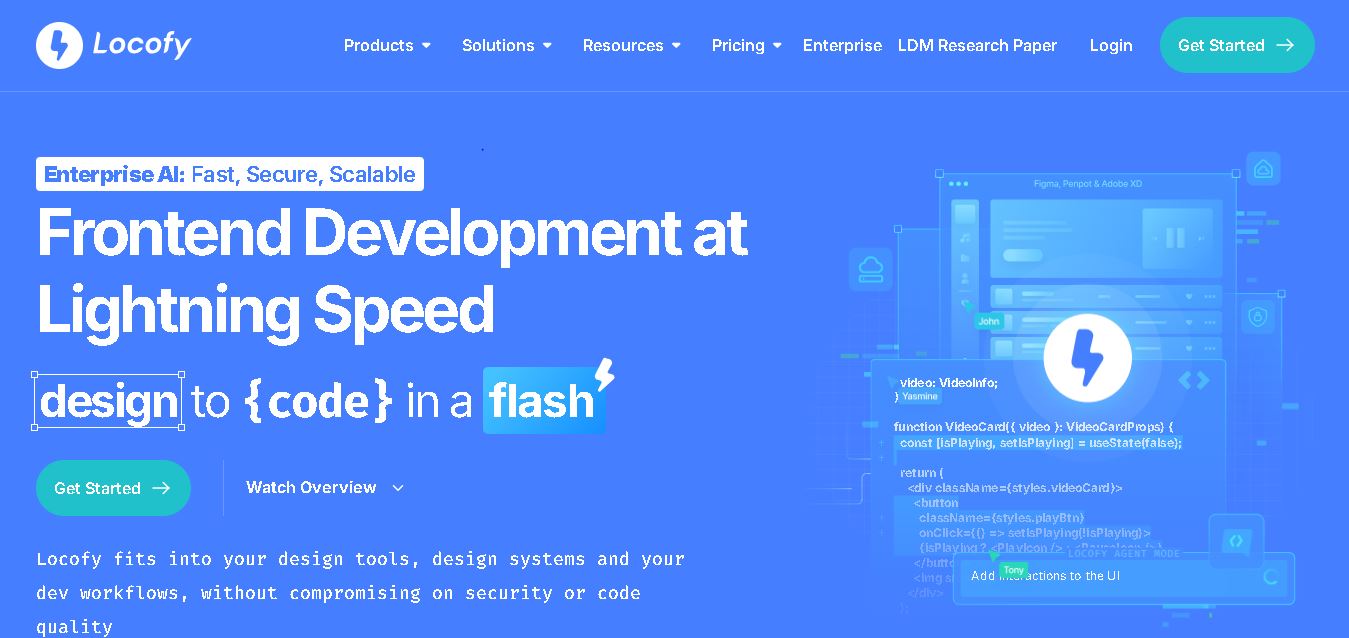
Locofy helps teams transform UI designs into developer-friendly frontend code without rebuilding interfaces manually. It supports popular design tools, web and mobile frameworks, responsive layouts, reusable components, and AI-assisted refinement. Designers can prepare screens while developers customize, export, synchronize, and continue development within familiar workflows and coding environments for teams.