
Jamie AI
Jamie AI is an AI-powered meeting assistant and automated note-taker that captures action items, creates executive summaries, and transcribes meetings natively across video conferencing platforms.
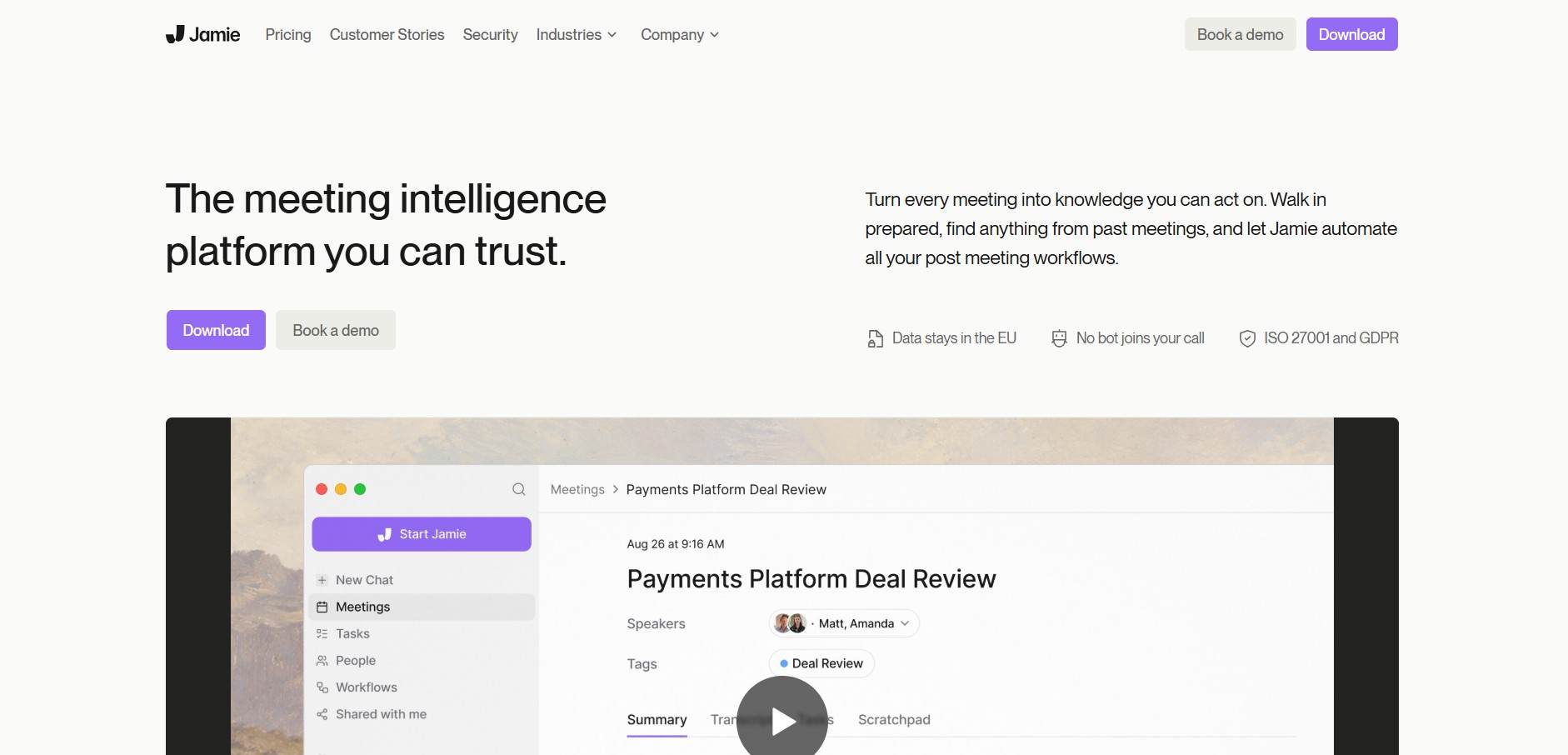
What is Jamie AI?
Jamie AI is an executive-level AI meeting assistant designed to automatically summarize meetings, generate action items, and craft transcriptions. Unlike traditional meeting bots that join calls as visible virtual guests, Jamie operates natively on your operating system, capturing audio directly without interfering with caller dynamics.
Engineered with a bot-free architecture, multi-language support, and native desktop integration, Jamie AI delivers concise meeting notes without requiring a virtual bot to enter Zoom, Microsoft Teams, or Google Meet calls. It focuses on turning live discussions into structured executive summaries and clear task assignments.
- Platform Role: AI Meeting Assistant, Automated Note-Taker & Audio Transcription Tool
- Core Architecture: Native Desktop System Audio Capture Engine, LLM Meeting Summarizer and Action Item Extractor
- Deployment: Native Desktop Application (macOS and Windows)
Use Cases:
- Generating clean meeting summaries for executive leadership without inviting third-party bot accounts into confidential calls
- Automatically detecting and extracting key action items, owners, and decisions from client syncs
- Capturing transcriptions across both online video platforms (Zoom, Teams, and Meet) and in-person meetings
- Drafting follow-up emails and summaries directly from recorded meeting content
- Asking natural language questions about past discussions using an interactive meeting chat assistant
Technology:
- Bot-free audio capturing technology operating at the desktop system level to protect call privacy
- Multilingual natural language processing supporting auto-detection for over 100 languages
- Custom summary templates that tailor meeting output formats for sales calls, 1:1s, board meetings, or technical syncs
- Strict security framework with EU-hosted servers, GDPR compliance, and end-to-end data encryption
Target Users:
- Executives and founders who need privacy-first, bot-free meeting documentation
- Sales reps and account executives who want automatic CRM notes and instant follow-up drafts
- Product managers coordinating multi-stakeholder feature discussions across distributed teams
- Consultants and agencies holding frequent client discovery and feedback sessions
Acquisition: Native desktop application for macOS and Windows
What are the key features of Jamie AI?
Jamie AI's key platform features are
- Bot-Free Recording: Captures clear meeting audio directly from your computer without placing an external bot in the attendee list.
- Automated Action Item Extraction: Identifies assigned tasks, owners, and commitments automatically during calls.
- Custom Summary Templates: Allows users to customize meeting notes according to specific department needs or meeting types.
- Executive Summaries: Synthesizes lengthy discussions into concise, high-level executive overviews.
- Ask Jamie (Interactive Assistant): An AI chat interface that lets you query details from your meeting history.
- In-Person & Offline Notes: Functions seamlessly for face-to-face meetings using your device microphone.
How much does Jamie AI cost?
Jamie AI offers flexible pricing tiers based on monthly credit allocations for recorded meeting credits.
Pricing Overview:
- Free Plan: Includes basic monthly meeting credits to test core transcription and summarization capabilities.
- Standard / Pro Plans: Paid individual tiers offering higher monthly meeting limits, priority processing, and extended history.
- Business / Team Plans: Scaled subscriptions providing custom templates, workspace sharing, and team collaboration features.
Disclaimer: Tier structures and pricing details are subject to update. Visit meetjamie.ai for current pricing details.
Who should use Jamie AI?
Jamie AI is designed for business professionals requiring frictionless meeting notes, including
- Executives & C-Suite: Managing high-volume back-to-back meetings without public bot presence.
- Sales Professionals: Accelerating post-meeting CRM logging and client follow-up sequences.
- Project Leads: Documenting cross-functional alignment and tracking clear owner commitments.
- Agencies & Consultants: Capturing billable client discussions accurately across offline and online environments.
What are the best alternatives to Jamie AI?
Some of the strongest Jamie AI alternatives include
- Otter.ai
- Fireflies.ai
- Fathom
- Krisp
- Granola
- Supernormal
What are the pros and cons of Jamie AI?
What are the pros of Jamie AI?
- No intrusive meeting bots joining or disturbing meeting calls
- High-quality executive summaries tailored via custom output templates
- Works universally across Zoom, Teams, Meet, and offline face-to-face conversations
- Strong data privacy focus backed by European data protection standards
- Support for over 100 languages with accurate automatic language detection
What are the cons of Jamie AI?
- Requires installing a native desktop application rather than running strictly as a browser extension
- Does not record full video playback (focuses purely on audio, transcripts, and notes)
Why should you choose Jamie AI?
While many AI meeting assistants rely on bot accounts that join call rooms and cause awkward privacy concerns, Jamie AI runs quietly in the background on your desktop. It delivers accurate action items, executive summaries, and search capabilities while maintaining a professional meeting environment.
- Eliminate manual meeting note-taking without introducing visible meeting bots
- Maintain total focus during conversations while Jamie captures decisions and follow-ups
- Summarize both virtual video calls and face-to-face in-person meetings
- Quickly query past conversations using the interactive Ask Jamie chat interface
How does Jamie AI compare to competitors?
While Otter.ai and Fireflies.ai rely heavily on virtual bot accounts that join call invites, Jamie AI operates as a native desktop application without public bot presence. Granola offers lightweight note enhancement, but Jamie focuses on fully automated, template-driven executive summaries and multilingual support.
| Feature / Platform | Jamie AI | Otter.ai | Fireflies.ai | Fathom |
|---|---|---|---|---|
| Bot Requirement | No bot (Native desktop audio capture) | Yes (Virtual meeting bot) | Yes (Virtual meeting bot) | Yes (Virtual meeting bot) |
| In-Person Meeting Support | Yes (Desktop mic capture) | Yes (Mobile app mic capture) | Limited mobile support | Primary focus on virtual calls |
| Custom Summary Templates | Advanced customizable templates | Standard summary formats | Customizable app filters | Standard summary formats |
| Multilingual Support | 100+ languages supported | English focus (expanding) | Multiple languages supported | Multiple languages supported |
| Target Focus | Bot-free executive & team meeting summaries | Live transcription & collaboration | Sales & automated CRM intelligence | Free individual Zoom/Teams notes |
How do we rate Jamie AI?
| Parameter | Rating (out of 5) |
|---|---|
| Summary & Extraction Quality | 4.8 |
| Privacy & Bot-Free Design | 4.9 |
| Ease of Use | 4.7 |
| Multilingual Capabilities | 4.8 |
| Value for Money | 4.6 |
| Overall Score | 4.76 |
What is our review and verdict on Jamie AI?
Jamie AI solves one of the biggest friction points in modern AI note-taking: intrusive virtual meeting bots. By recording directly from system audio, it provides clean transcripts, sharp executive summaries, and clear action items without distracting call participants. It is an ideal assistant for privacy-focused executives and fast-paced teams.
Conclusion
Jamie AI delivers a seamless, privacy-centric approach to automated meeting documentation. Its combination of bot-free desktop recording, customizable summary templates, and broad multi-language support makes it a standout choice for professionals looking to automate post-meeting workflows effortlessly.
FAQ
What is Jamie AI?
Jamie AI is an AI-powered meeting assistant that automatically turns online and in-person conversations into structured notes, transcripts, decisions, and action items. Unlike meeting assistants that join calls as visible bots, Jamie runs on the user's device and works across different meeting platforms.
How does Jamie AI work without joining a meeting?
Jamie captures meeting audio directly from the user's computer or mobile device rather than entering the meeting as a virtual participant. After the meeting, its AI processes the conversation to create a transcript, speaker-labeled notes, summaries, and action items.
Can Jamie AI automatically create meeting summaries and action items?
Yes. Jamie identifies important discussion points, decisions, and tasks from a conversation and organizes them into structured meeting notes. Action items can include the responsible person, while users can edit the generated notes and transcripts before sharing them
Does Jamie AI support Zoom, Microsoft Teams, and Google Meet?
Yes. Jamie is designed to work across online meeting platforms, including Zoom, Microsoft Teams, and Google Meet, without requiring a meeting bot to join the call. It can also capture in-person meetings through its desktop or iOS applications.
Can Jamie AI understand different languages?
Yes. Jamie supports meeting transcription and notes in 99+ languages, making it suitable for multilingual meetings and international teams. Its language capabilities are available alongside features such as speaker recognition, transcripts, and AI-generated summaries.
Can I ask Jamie AI questions about previous meetings?
Yes. Ask Jamie allows users to search and interact with their meeting history using natural-language questions. For example, users can look for a previous decision, action item, client discussion, or information mentioned across multiple meetings without manually reading every transcript.
Is Jamie AI free to use?
Yes. Jamie offers a free plan that includes up to 10 meetings per month, with a 30-minute maximum meeting duration. Paid plans increase meeting limits and add capabilities such as longer meetings, unlimited meetings on Pro, advanced integrations, team collaboration, and enterprise security features
User Reviews
No reviews yet for Jamie AI.
Featured Tools
Featured AI tools from TechShark

Melody Genie
MelodyGenie is an AI-powered music generator that creates original songs from simple text prompts. Users can choose styles, moods, and genres, then instantly generate melodies and full tracks, making it easy for creators, marketers, and hobbyists to produce custom music without musical expertise.
Freemium

Kimi AI
Kimi AI is an advanced AI assistant developed by Moonshot AI that helps you chat, research, write, code, and automate tasks in one place. It supports web search, file analysis, and multimodal inputs, and can even run autonomous “agent” workflows to complete complex tasks end-to-end.
Freemium

Fashion Diffusion AI
Fashion Diffusion is an AI-powered fashion design platform that helps brands and designers create clothing designs, virtual try-ons, AI models, product photos, and marketing visuals faster and cost-effectively.
Paid

Veo 4
Veo 4 AI is an AI video creation platform that generates dramatic videos from text, images, audio, and video prompts using realistic motion and synchronized sound.
Paid
Alternatives
Alternatives to Jamie AI
The best Jamie AI alternatives include Otter.ai, Fireflies.ai, Fathom, and Granola. While Jamie AI stands out for its bot-free native desktop audio recording and custom executive templates, alternatives like Otter.ai and Fireflies.ai rely on virtual meeting bots that join online calls directly.
 4.7
4.7Quinvio AI
Productivity
Quinvio AI helps you turn ideas, scripts, blogs, or web content into polished video presentations. You can refine messaging, choose branded templates, add AI avatars and voiceovers, and produce shareable visual content without traditional recording or editing workflows. It is especially useful for marketers, educators, trainers, creators, and business teams.
 4.9
4.9HubSpot
Marketing
HubSpot is an AI-powered customer platform that helps businesses manage marketing, sales, customer service, and content in one place. It offers a free CRM, automation tools, analytics, and AI features, enabling teams to attract leads, close deals, and deliver better customer experiences at scale.
 4.9
4.9TestSprite
Testing
TestSprite is an AI-powered software testing agent that helps developers automatically generate, run, and fix end-to-end tests for web apps. It simulates real user behavior, detects issues, and provides root-cause insights with suggested fixes, enabling faster releases and more reliable software without manual QA effort.
 4.8
4.8Microsoft Copilot
Productivity
Microsoft Copilot is an AI-powered assistant that helps users write, research, analyze data, and automate tasks across apps like Word, Excel, Outlook, and Teams. It combines large language models with real-time data to generate content, answer questions, and improve productivity across personal and professional workflows.
 4.9
4.9Casablanca AI
Productivity
Casablanca AI is an AI-powered virtual camera that corrects your gaze in real time during video calls, making it appear like you’re maintaining natural eye contact. It works with tools like Zoom and Teams, improving trust, engagement, and communication without needing extra hardware.
 4.9
4.9Granola
Productivity
Granola is an AI-powered meeting assistant that helps you capture, organize, and act on conversations without losing focus. It listens to meetings, turns notes into structured summaries, and generates action items and follow-ups automatically—so you stay present while everything important is documented and ready to use.
 4.8
4.8AI Submit
Productivity
AI Submit is an automated directory submission and SEO distribution platform that allows AI startup founders and developers to submit their artificial intelligence tools to dozens of top AI directories simultaneously for backlink building and traffic growth.
 4.8
4.8AI Perfect Assistant
Productivity
AI Perfect Assistant brings AI assistance directly into everyday work applications. It helps users write emails, improve documents, summarize content, translate text, create presentations, generate SEO content, explain Excel formulas, and handle repetitive tasks through 60+ specialized tools and multiple integrations for everyday professional and business workflows with less effort.
 4.9
4.9Kroolo
Project Management
Kroolo is an AI-powered productivity and project management platform that helps teams plan tasks, track progress, and collaborate in one place. It combines project tracking, document management, and AI assistance to streamline workflows, automate routine work, and improve team efficiency across projects.