
Quinvio AI
Quinvio AI helps you turn ideas, scripts, blogs, or web content into polished video presentations. You can refine messaging, choose branded templates, add AI avatars and voiceovers, and produce shareable visual content without traditional recording or editing workflows. It is especially useful for marketers, educators, trainers, creators, and business teams.

What is Quinvio AI?
Quinvio AI is a presentation creation tool that turns scripts, written content, or web pages into engaging video presentations. It combines AI brainstorming, copywriting, branded templates, avatars, and voiceovers in one workflow. Users can create narrated visual content without recording equipment, making it useful for marketing, training, education, product communication, and internal business presentations.
Quinvio AI launched around 2021 and focuses on AI-assisted video presentation creation. Its features include brainstorming, script refinement, templates, AI avatars, voiceovers, and website-to-video workflows. Public listings report a freemium model, with a paid plan around $29.99, although pricing can change. Listings mention 100 avatars, 200 voice styles, 1,000 AI prompts, and 10 minutes of monthly video credits on Pro. No official current pricing details were accessible from the main page during this research.
- Platform Role: AI Video Generator, Scriptwriting Assistant & Virtual Spokesperson Platform
- Developer & Organization: Quinvio
- Cross-Platform Access: Web Application (Cloud SaaS)
Use Cases:
- Creating bite-sized microlearning videos and educational materials for online courses
- Automating HR employee onboarding videos and internal training presentations
- Building marketing product pitches, promotional video clips, and social media campaigns
- Converting written articles, documentation, or briefs into video scripts using AI suggestions
- Generating multi-language video presentations with synthetic AI voiceovers
Technology:
- AI scriptwriting assistant that generates structured video outlines and suggests phrasing improvements
- Virtual AI spokesperson engine providing realistic facial animation and lip-syncing
- Natural Language Processing (NLP) text editor designed for quick script revisions
- Cloud-based video rendering engine supporting seamless downloads, direct embeds, and easy sharing
Target Users:
- Educators, instructional designers, and course creators building microlearning content
- HR teams and corporate trainers developing employee onboarding modules
- Marketers and business leaders producing promotional videos and pitch decks
Acquisition: Direct SaaS account creation and instant video production access at quinv.io/ai.

What are the key features of Quinvio AI?
Quinvio AI's key platform features are
- AI Script Outliner: Generate structured video outlines and initial drafts directly from simple prompts or topic notes.
- Intuitive Script Editor: Rephrase, polish, and structure your video copy section-by-section with AI assistance.
- Virtual AI Spokespersons: Select from a diverse library of realistic AI avatars to present your script naturally.
- Custom Voiceovers: Choose from high-quality synthetic text-to-speech voice options across multiple languages and tones.
- Flexible Video Exporting: Download, share, or embed generated videos directly into websites and learning systems.
- Template Library: Access pre-designed layouts optimized for presentations, onboarding, and marketing videos.
How much does Quinvio AI cost?
Quinvio AI offers flexible subscription plans designed for individual creators, teams, and growing enterprises.
Subscription Tier:
- Starter / Paid Subscription (Starts at $29.99 / month): Unlocks core scriptwriting tools, AI avatars, video exports, and standard presentation templates.
Disclaimer: Pricing plans, video credit allowances, and subscription terms are subject to updates. Check quinv.io/ai for current plan pricing.
Who should use Quinvio AI?
Quinvio AI is designed for content creators and business teams, including
- Corporate Trainers & HR Teams: Professionals needing consistent video content for employee onboarding and skill training.
- Educators & Course Creators: Teachers converting text lectures into engaging video modules.
- Growth Marketers: Teams producing fast video presentations and product explanations for digital channels.
What are the best alternatives to Quinvio AI?
Some of the strongest Quinvio AI alternatives include
What are the pros and cons of Quinvio AI?
What are the pros of Quinvio AI?
- Combines script generation and video presentation editing in one interface
- Eliminates camera setup, studio recording, and hiring on-camera talent
- Ideal for producing rapid microlearning and corporate training videos
- Simple in-browser editor makes video production accessible to non-video editors
What are the cons of Quinvio AI?
- Avatar movement options are less customizable compared to complex high-end studio tools
- Higher subscription tier required for heavy video rendering volumes
- Script edits require manual reviewing to ensure natural cadence before rendering
Why should you choose Quinvio AI?
Creating video presentations traditionally requires writing scripts, filming with real presenters, and spending hours in complex video editing software. Quinvio AI streamlines this entire pipeline into a simple browser workflow. By combining AI-assisted script generation with automated virtual presenters, Quinvio AI allows creators to turn ideas into video presentations in minutes.
How does Quinvio AI compare to competitors?
While heavy tools like Synthesia or HeyGen focus heavily on high-end enterprise avatars, Quinvio AI provides a balanced, user-friendly combination of AI script generation, intuitive text editing, and presenter video creation.
| Feature / Platform | Quinvio AI | Synthesia | HeyGen | Elai.io |
|---|---|---|---|---|
| Primary Focus | Script Outlining & Video Presentations | Enterprise Avatar Video Creation | AI Spokesperson & Translation | L&D & Training Video Generation |
| Built-in AI Script Editor | Yes (Outliner & Rephraser) | Yes (AI Assistant) | Yes (Script Generator) | Yes (URL to Video Script) |
| Target Applications | Microlearning, HR, Marketing | Enterprise Onboarding & Support | Sales & Social Marketing | Corporate Training & Education |
| Ease of Use | Very High (Guided Workflow) | High (Studio Interface) | High (SaaS Studio) | High (Template Driven) |
How do we rate Quinvio AI?
| Parameter | Rating (out of 5) |
|---|---|
| Ease of Use & Script Generation | 4.8 |
| AI Avatar & Voice Quality | 4.6 |
| Video Rendering & Export Speed | 4.7 |
| Versatility for Training & Marketing | 4.8 |
| Value for Money | 4.6 |
| Overall Score | 4.70 |
What is our review and verdict on Quinvio AI?
Quinvio AI is a practical, efficient AI tool for anyone looking to produce video presentations quickly. Its integrated approach—guiding users from script outlining to avatar selection and final rendering—makes it an excellent productivity asset for educators, HR managers, and digital marketers.
Conclusion
Quinvio AI is a practical choice when you want to transform written ideas into polished video presentations without managing cameras, recording sessions, or complex editing. Its combination of script assistance, templates, avatars, and voiceovers can speed up content production for marketing, training, education, and business communication. If your priority is efficient presentation creation with AI assistance, Quinvio AI is worth evaluating.
FAQ
What is Quinvio AI?
Quinvio AI is a presentation creation tool that helps you turn scripts, written content, or web pages into engaging video presentations. It combines AI brainstorming, copywriting, branded templates, avatars, and voiceovers. You can create narrated visual content without recording equipment, making it useful for marketing, training, education, and business communication.
How does Quinvio AI work?
Quinvio AI starts with your idea, script, or existing content and helps shape it into a presentation. You can refine the wording, select templates, apply branding, and add an avatar or voiceover. The workflow reduces manual production steps, helping you move from written material to a polished video presentation faster.
What can I create with Quinvio AI?
You can use Quinvio AI to create product presentations, marketing videos, training materials, educational explainers, onboarding content, and internal business communications. It can also repurpose existing website or blog content into video presentations. This makes it particularly useful when you already have written information but need a more engaging video format.
Does Quinvio AI support AI avatars?
Yes, Quinvio AI includes AI avatar options for presenting your script visually. Depending on the available plan and library, users can choose different avatar styles and presentation options. This is useful when you want a presenter-style video without appearing on camera or arranging a separate recording session for every presentation.
Can Quinvio AI generate voiceovers?
Yes, Quinvio AI provides AI voiceover capabilities that let you add narration to presentations. Available voice styles and language options can vary by plan and product updates. For marketers, trainers, and educators, voice generation can remove the need for recording equipment while helping create consistent narrated content for different audiences.
Is Quinvio AI good for marketers?
Quinvio AI can be useful for marketers who need to turn campaigns, product information, blog posts, or website content into presentation-style videos. Its templates, branding controls, script assistance, avatars, and voiceovers can shorten production time. It helps teams create content without maintaining a video production workflow for campaigns and communications.
User Reviews
No reviews yet for Quinvio AI.
Featured Tools
Featured AI tools from TechShark

Melody Genie
MelodyGenie is an AI-powered music generator that creates original songs from simple text prompts. Users can choose styles, moods, and genres, then instantly generate melodies and full tracks, making it easy for creators, marketers, and hobbyists to produce custom music without musical expertise.
Freemium

Kimi AI
Kimi AI is an advanced AI assistant developed by Moonshot AI that helps you chat, research, write, code, and automate tasks in one place. It supports web search, file analysis, and multimodal inputs, and can even run autonomous “agent” workflows to complete complex tasks end-to-end.
Freemium

Fashion Diffusion AI
Fashion Diffusion is an AI-powered fashion design platform that helps brands and designers create clothing designs, virtual try-ons, AI models, product photos, and marketing visuals faster and cost-effectively.
Paid

Veo 4
Veo 4 AI is an AI video creation platform that generates dramatic videos from text, images, audio, and video prompts using realistic motion and synchronized sound.
Paid
Alternatives
Alternatives to Quinvio AI
The best Quinvio AI alternatives include Synthesia, HeyGen, Elai.io, and Colossyan. While Synthesia focuses on heavy enterprise avatars, Quinvio AI combines scriptwriting assistance with virtual spokesperson videos for microlearning and presentations.
 4.9
4.9HubSpot
Marketing
HubSpot is an AI-powered customer platform that helps businesses manage marketing, sales, customer service, and content in one place. It offers a free CRM, automation tools, analytics, and AI features, enabling teams to attract leads, close deals, and deliver better customer experiences at scale.
 4.9
4.9TestSprite
Testing
TestSprite is an AI-powered software testing agent that helps developers automatically generate, run, and fix end-to-end tests for web apps. It simulates real user behavior, detects issues, and provides root-cause insights with suggested fixes, enabling faster releases and more reliable software without manual QA effort.
 4.8
4.8Microsoft Copilot
Productivity
Microsoft Copilot is an AI-powered assistant that helps users write, research, analyze data, and automate tasks across apps like Word, Excel, Outlook, and Teams. It combines large language models with real-time data to generate content, answer questions, and improve productivity across personal and professional workflows.
 4.9
4.9Casablanca AI
Productivity
Casablanca AI is an AI-powered virtual camera that corrects your gaze in real time during video calls, making it appear like you’re maintaining natural eye contact. It works with tools like Zoom and Teams, improving trust, engagement, and communication without needing extra hardware.
 4.9
4.9Granola
Productivity
Granola is an AI-powered meeting assistant that helps you capture, organize, and act on conversations without losing focus. It listens to meetings, turns notes into structured summaries, and generates action items and follow-ups automatically—so you stay present while everything important is documented and ready to use.
 4.8
4.8AI Perfect Assistant
Productivity
AI Perfect Assistant brings AI assistance directly into everyday work applications. It helps users write emails, improve documents, summarize content, translate text, create presentations, generate SEO content, explain Excel formulas, and handle repetitive tasks through 60+ specialized tools and multiple integrations for everyday professional and business workflows with less effort.
 4.8
4.8AI Submit
Productivity
AI Submit is an automated directory submission and SEO distribution platform that allows AI startup founders and developers to submit their artificial intelligence tools to dozens of top AI directories simultaneously for backlink building and traffic growth.
 4.9
4.9Kroolo
Project Management
Kroolo is an AI-powered productivity and project management platform that helps teams plan tasks, track progress, and collaborate in one place. It combines project tracking, document management, and AI assistance to streamline workflows, automate routine work, and improve team efficiency across projects.
 4.8
4.8Abacus AI
Productivity
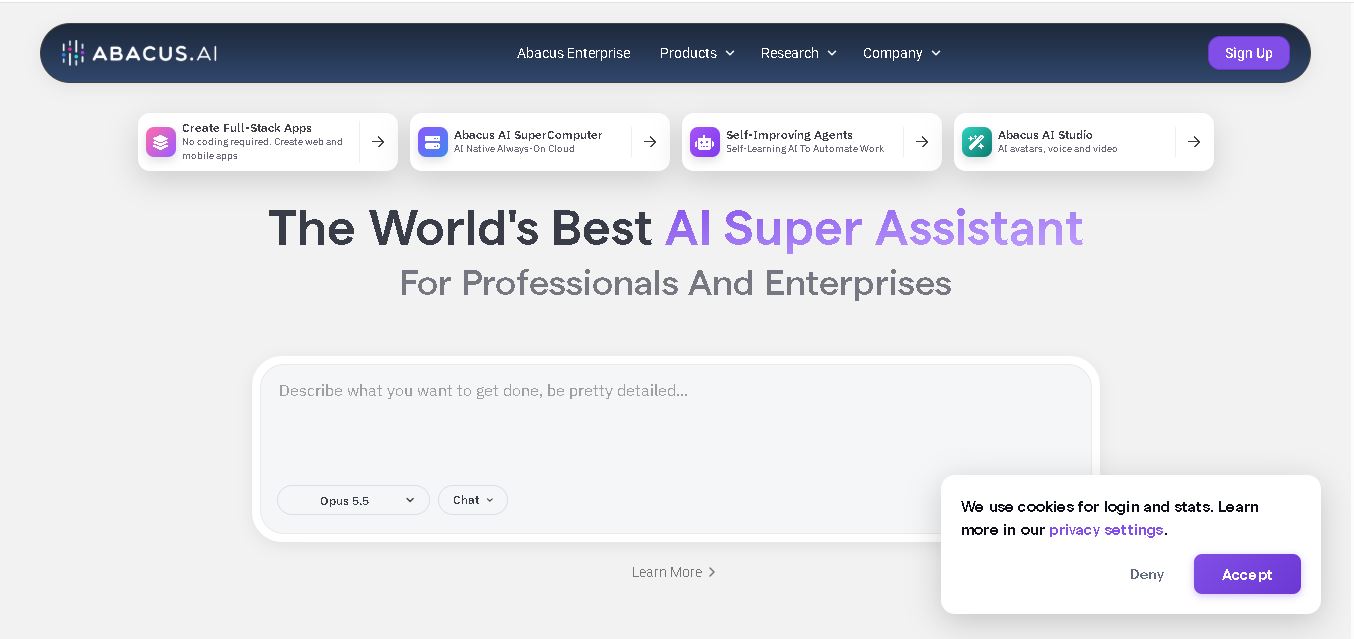
Abacus.AI is an AI-powered platform that helps users automate workflows, build web and mobile apps, analyze data, generate content, and create intelligent AI agents. It combines multiple AI models and productivity tools in one workspace, serving professionals, developers, small businesses, and enterprise teams across industries.