
Google Meet
Google Meet is a secure, browser-first video conferencing and collaboration platform natively integrated into Google Workspace, featuring AI-powered noise cancellation, live translated captions, studio lighting, and Gemini note-taking assistance.
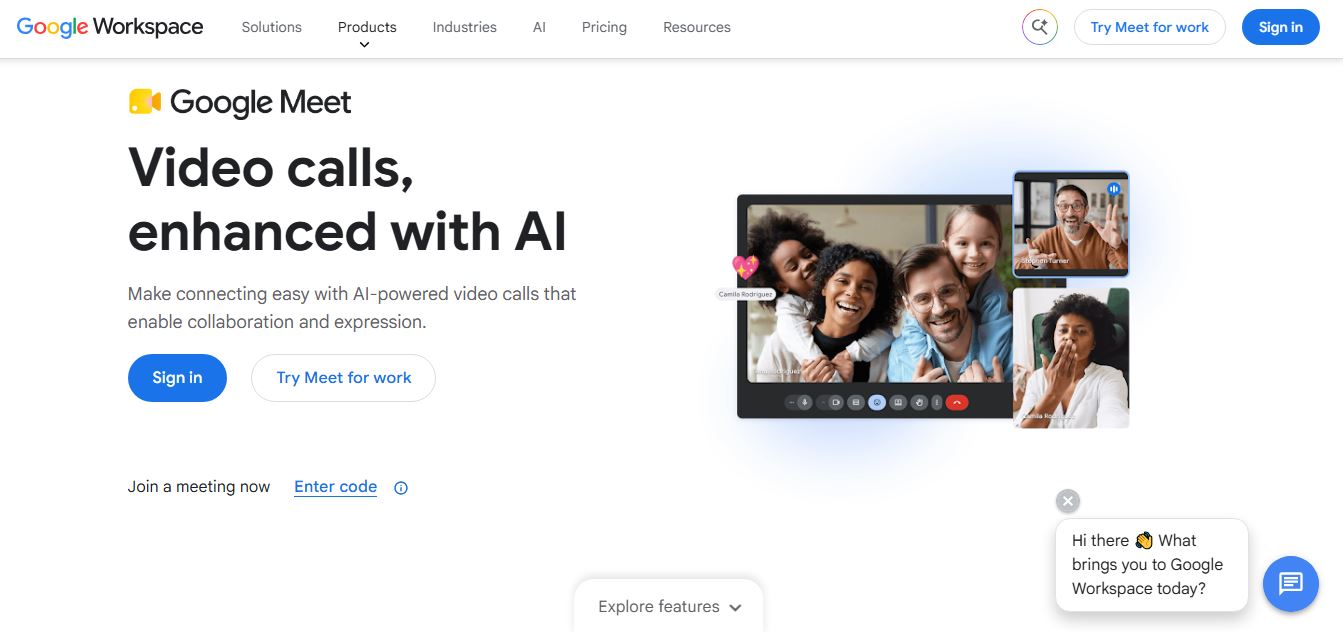
What is Google Meet?
Google Meet is an enterprise-grade, browser-first video communication and virtual collaboration service developed by Google. Engineered as a core pillar of Google Workspace, Google Meet allows individuals, schools, and multinational corporations to host friction-free video calls, webinars, and collaborative sessions directly from any modern web browser or mobile application without requiring cumbersome desktop software downloads.
Built around the mission to deliver “Secure, lightweight, and frictionless real-time video collaboration for everyone,” Google Meet combines Google's planetary server infrastructure with cutting-edge artificial intelligence. Powered natively by Google Gemini, Meet automates meeting notes, delivers real-time speech translation across dozens of languages, enhances video and audio quality with studio-grade computational algorithms, and connects seamlessly with Google Calendar, Docs, Gmail, and Google Drive.
- Platform Role: Cloud Video Conferencing Service, Virtual Classroom Tool & Workspace Collaboration Hub
- Developer & Organization: Google / Alphabet Inc.
- Cross-Platform Access: Web Browser (Zero-install on Chrome, Edge, Safari, Firefox), Android (Google Play), iOS (App Store), and dedicated Google Meet Series One hardware
Use Cases:
- Hosting secure virtual team meetings, 1-on-1 catch-ups, and corporate town halls directly from Google Calendar or Gmail links
- Automating live meeting transcription, structured action item extraction, and recap generation with Gemini for Google Workspace
- Conducting international presentations with real-time speech-to-text captions translated across global languages
- Co-editing and presenting Google Docs, Sheets, and Slides directly within the active video call window
- Facilitating remote learning, tutoring sessions, and interactive workshops with digital whiteboarding (Miro/Jamboard integration), polls, and breakout rooms
Technology:
- Modern WebRTC architecture enabling zero-install, high-fidelity audio and video streaming inside modern web browsers
- Gemini generative AI models powering automated meeting notes (“Take notes for me”), summary emails, and smart attendee recaps
- On-device machine learning algorithms for cloud noise cancellation, studio lighting simulation, and dynamic low-light correction
- Enterprise security backbone featuring default encryption in transit and at rest, anti-hijacking protections, and IETF compliance
Target Users:
- Organizations and remote teams operating on Google Workspace (Gmail, Drive, Docs, Calendar)
- Educators, universities, and students utilizing Google Workspace for Education for online classrooms and lectures
- Freelancers, consultants, and business owners needing instant, reliable video meetings without client software friction
- Enterprise teams running hybrid conference rooms using dedicated Google Meet hardware systems
Acquisition: Native cloud service developed and operated by Google LLC, Mountain View, California

What are the key features of Google Meet?
Google Meet's key platform features are
- Zero-Install Browser Experience: Launch or join high-definition calls directly within your web browser with a single click—no software downloads or plugins required.
- Gemini “Take Notes for Me”: Automatically captures transcriptions, organizes executive meeting summaries, and logs action items straight into a Google Doc.
- Live Translated Captions: Automatically translates spoken dialogue into multi-language subtitles in real time, breaking down international communication barriers.
- Intelligent Cloud Noise Cancellation: Filters out background barking, keystrokes, air conditioning hums, and construction noises without distorting voice clarity.
- Studio Look & Lighting Enhancements: AI-powered portrait touch-ups, virtual lighting adjustments, and framing to ensure polished video appearance even on basic webcams.
- Direct Google Workspace Integration: Present and collaborate on Docs, Sheets, and Slides directly within the Meet window, or launch calls straight out of Gmail.
- Interactive Engagement Tools: Includes breakout rooms, live multi-choice polling, Q&A curation, hand raising, and custom background generation.
- Enterprise Administrative Controls: Host controls to lock meetings, restrict screen sharing, manage co-hosts, and enforce organizational domain security.
How much does Google Meet cost?
Google Meet is free for anyone with a Google Account, while extended call durations, larger participant limits, and advanced AI features scale through Google Workspace subscription tiers.
Free Consumer Tier:
- $0 / Free Plan: Up to 100 participants, 60-minute limit on group meetings (up to 24 hours for 1-on-1 calls), standard screen sharing, and live captions.
Google Workspace Commercial Tiers:
- Business Starter ($6 - $7.20/user/month): 24-hour meeting duration, up to 100 participants, 30 GB cloud storage per user, and custom business email.
- Business Standard ($12 - $14.40/user/month): Up to 150 participants, cloud recording directly to Google Drive, noise cancellation, and breakout rooms.
- Business Plus ($18 - $21.60/user/month): Up to 500 participants, attendance tracking, advanced security controls, and 5 TB pooled storage per user.
- Gemini for Workspace Add-On: Unlocks advanced Gemini AI note-taking, generative studio backgrounds, and automated multi-language translation recaps.
Disclaimer: Free personal meetings support up to 60 minutes for groups. Cloud recording, advanced participant thresholds, and enterprise Gemini intelligence require a Google Workspace subscription.
Who should use Google Meet?
Google Meet is designed for businesses, schools, and everyday users, including
- Google Workspace Organizations: Companies already using Gmail, Google Calendar, and Drive looking for native video conferencing without third-party vendor bloat.
- Client-Facing Consultants & Agencies: Professionals needing external clients and partners to join calls instantly without forcing them to download dedicated desktop apps.
- Schools & Academic Institutions: Teachers and students managing digital classrooms, interactive student group work, and lectures safely.
- Global Distributed Teams: International workforces relying on live translated captions and automated Gemini meeting recaps across different time zones.
What are the best alternatives to Google Meet?
Some of the strongest Google Meet alternatives include
- Zoom Workplace
- Microsoft Teams
- Cisco Webex
- Slack (Huddles)
- Jitsi Meet (Open Source)
- Around (by Miro)
What are the pros and cons of Google Meet?
What are the pros of Google Meet?
- Completely browser-based with zero client download friction for hosts and external guests
- Flawless native synchronization with Google Calendar, Gmail, and Google Docs
- Industry-leading computational noise cancellation and low-light video enhancement
- Robust Google infrastructure guarantees high uptime, end-to-end security, and enterprise compliance
- Generous free tier offering 60-minute group calls (20 minutes longer than Zoom's 40-minute free limit)
What are the cons of Google Meet?
- Cloud meeting recording is not available on the free tier or the entry-level Business Starter plan
- Advanced generative AI note-taking (“Take notes for me”) requires a paid Gemini Workspace license
- Fewer deep third-party standalone app integrations compared to the massive Zoom App Marketplace
Why should you choose Google Meet?
Downloading desktop clients and waiting through mandatory app updates often derails the first five minutes of important virtual meetings. Google Meet eliminates this delay entirely by running smoothly inside your existing web browser. Built on Google's global cloud network and integrated directly into Google Calendar and Gmail, Meet offers dependable, secure video conferencing backed by cutting-edge Gemini AI assistance.
- Join meetings immediately from any browser tab with zero software installation
- Enjoy longer free group meetings with a 60-minute threshold compared to competitor caps
- Let Gemini handle meeting notes, summaries, and action item logs automatically in Google Docs
- Collaborate on live Docs, Sheets, and Slides directly within your video call
How does Google Meet compare to competitors?
The primary distinction between Google Meet, Zoom Workplace, Microsoft Teams, and Cisco Webex lies in client footprint, ecosystem bundling, and guest accessibility. While Zoom excels in dedicated desktop performance and Microsoft Teams serves as a hub for Office 365, Google Meet delivers the most friction-free, browser-native experience on the market, backed by deep Google Workspace integration.
| Feature / Platform | Google Meet | Zoom Workplace | Microsoft Teams | Cisco Webex |
|---|---|---|---|---|
| Core Focus | Browser-First Video & Google Workspace | Dedicated UCaaS & Video Ecosystem | Microsoft 365 Team Chat & Calls | Enterprise Video & Boardroom Hardware |
| Installation Barrier | None (100% native in browser) | Prefers desktop client app | Prefers desktop client app | Desktop app / browser option |
| Free Meeting Limit | 60 Minutes (Up to 100 participants) | 40 Minutes (Up to 100 participants) | 60 Minutes (Up to 100 participants) | 40 Minutes (Up to 100 participants) |
| AI Copilot Integration | Google Gemini (Workspace / Add-on) | Zoom AI Companion (Included in paid) | Microsoft Copilot ($30/user/mo add-on) | Cisco AI Assistant |
| Cloud Storage Recording | Saved directly to Google Drive | Zoom Cloud / Local Drive | Saved to OneDrive / SharePoint | Webex Cloud storage |
| Best For | Google Workspace users wanting fast, zero-install browser calls | Dedicated video stability and extensive app integrations | Enterprises standardizing on Microsoft 365 and SharePoint | Large corporations with dedicated boardroom telepresence |
How do we rate Google Meet?
| Parameter | Rating (out of 5) |
|---|---|
| Ease of Access & Browser Performance | 5.0 |
| Google Workspace Ecosystem Integration | 5.0 |
| Audio & Video Clarity (AI Enhancements) | 4.8 |
| Security, Privacy & Uptime | 4.9 |
| Value for Money | 4.8 |
| Overall Score | 4.90 |
What is our review and verdict on Google Meet?
Google Meet sets the standard for frictionless virtual meetings. By removing the need for software downloads and running seamlessly inside the web browser, it provides the fastest, least intimidating conferencing experience for team members and external guests alike. Combined with deep Google Calendar integration, dependable noise cancellation, and automated Gemini AI summaries, Google Meet remains an indispensable tool for modern collaboration.
Conclusion
Google Meet demonstrates that enterprise-grade video conferencing can be fast, secure, and completely frictionless. With its zero-install browser accessibility, tight Google Workspace connectivity, live translated captions, and smart Gemini features, Google Meet is a premier choice for distributed teams, schools, and businesses worldwide.
FAQ
What is Google Meet and what does it actually do?
Google Meet is a video conferencing platform by Google that allows users to host online meetings, video calls, and virtual collaboration sessions. It works directly in your browser or app, letting you connect with teams, clients, or friends using secure, high-quality audio and video.
How is Google Meet different from Zoom or Microsoft Teams?
Google Meet is deeply integrated with Google Workspace tools like Gmail, Docs, Sheets, and Calendar, making it ideal for users already in the Google ecosystem. Unlike standalone tools, it allows you to join meetings directly from documents or email, streamlining workflows without switching apps.
What features does Google Meet offer for meetings?
Google Meet includes HD video calls, screen sharing, in-meeting chat, live captions, virtual backgrounds, reactions, and breakout rooms. It also supports collaboration features like polls, Q&A, and whiteboarding, making meetings more interactive and engaging.
Does Google Meet include AI features?
Yes, Google Meet includes AI-powered features like automatic note-taking, real-time translation, and meeting summaries through Gemini. These tools help teams capture key insights, reduce manual note-taking, and improve communication across languages.
Is Google Meet free to use?
Google Meet offers a free version where users can host meetings with up to 100 participants and time limits for group calls. Paid Google Workspace plans unlock advanced features like longer meetings, recordings, larger participant limits, and enhanced AI capabilities.
Who should use Google Meet?
Google Meet is ideal for businesses, remote teams, educators, students, and freelancers who need reliable video communication. It’s especially useful for people already using Google services, as it integrates seamlessly into daily workflows and collaboration tools.
User Reviews
No reviews yet for Google Meet.
Featured Tools
Featured AI tools from TechShark

Melody Genie
MelodyGenie is an AI-powered music generator that creates original songs from simple text prompts. Users can choose styles, moods, and genres, then instantly generate melodies and full tracks, making it easy for creators, marketers, and hobbyists to produce custom music without musical expertise.
Freemium

Kimi AI
Kimi AI is an advanced AI assistant developed by Moonshot AI that helps you chat, research, write, code, and automate tasks in one place. It supports web search, file analysis, and multimodal inputs, and can even run autonomous “agent” workflows to complete complex tasks end-to-end.
Freemium

Fashion Diffusion AI
Fashion Diffusion is an AI-powered fashion design platform that helps brands and designers create clothing designs, virtual try-ons, AI models, product photos, and marketing visuals faster and cost-effectively.
Paid

Veo 4
Veo 4 AI is an AI video creation platform that generates dramatic videos from text, images, audio, and video prompts using realistic motion and synchronized sound.
Paid
Alternatives
Alternatives to Google Meet
The best Google Meet alternatives include Zoom Workplace, Microsoft Teams, Cisco Webex, and Slack Huddles. While Google Meet provides a frictionless, zero-install browser video conferencing experience deeply integrated with Google Calendar, Gmail, and Google Drive, alternatives like Zoom Workplace offer broader standalone app marketplaces and Microsoft Teams integrates deeply with Office 365 environments.
 4.7
4.7Quinvio AI
Productivity
Quinvio AI helps you turn ideas, scripts, blogs, or web content into polished video presentations. You can refine messaging, choose branded templates, add AI avatars and voiceovers, and produce shareable visual content without traditional recording or editing workflows. It is especially useful for marketers, educators, trainers, creators, and business teams.
 4.9
4.9HubSpot
Marketing
HubSpot is an AI-powered customer platform that helps businesses manage marketing, sales, customer service, and content in one place. It offers a free CRM, automation tools, analytics, and AI features, enabling teams to attract leads, close deals, and deliver better customer experiences at scale.
 4.9
4.9TestSprite
Testing
TestSprite is an AI-powered software testing agent that helps developers automatically generate, run, and fix end-to-end tests for web apps. It simulates real user behavior, detects issues, and provides root-cause insights with suggested fixes, enabling faster releases and more reliable software without manual QA effort.
 4.8
4.8Microsoft Copilot
Productivity
Microsoft Copilot is an AI-powered assistant that helps users write, research, analyze data, and automate tasks across apps like Word, Excel, Outlook, and Teams. It combines large language models with real-time data to generate content, answer questions, and improve productivity across personal and professional workflows.
 4.9
4.9Casablanca AI
Productivity
Casablanca AI is an AI-powered virtual camera that corrects your gaze in real time during video calls, making it appear like you’re maintaining natural eye contact. It works with tools like Zoom and Teams, improving trust, engagement, and communication without needing extra hardware.
 4.9
4.9Granola
Productivity
Granola is an AI-powered meeting assistant that helps you capture, organize, and act on conversations without losing focus. It listens to meetings, turns notes into structured summaries, and generates action items and follow-ups automatically—so you stay present while everything important is documented and ready to use.
 4.8
4.8AI Submit
Productivity
AI Submit is an automated directory submission and SEO distribution platform that allows AI startup founders and developers to submit their artificial intelligence tools to dozens of top AI directories simultaneously for backlink building and traffic growth.
 4.8
4.8AI Perfect Assistant
Productivity
AI Perfect Assistant brings AI assistance directly into everyday work applications. It helps users write emails, improve documents, summarize content, translate text, create presentations, generate SEO content, explain Excel formulas, and handle repetitive tasks through 60+ specialized tools and multiple integrations for everyday professional and business workflows with less effort.
 4.9
4.9Kroolo
Project Management
Kroolo is an AI-powered productivity and project management platform that helps teams plan tasks, track progress, and collaborate in one place. It combines project tracking, document management, and AI assistance to streamline workflows, automate routine work, and improve team efficiency across projects.