
Clickup
FeaturedClickUp is an all-in-one productivity platform for managing tasks, docs, goals, and workflows with powerful customization and integrations.
What is ClickUp?
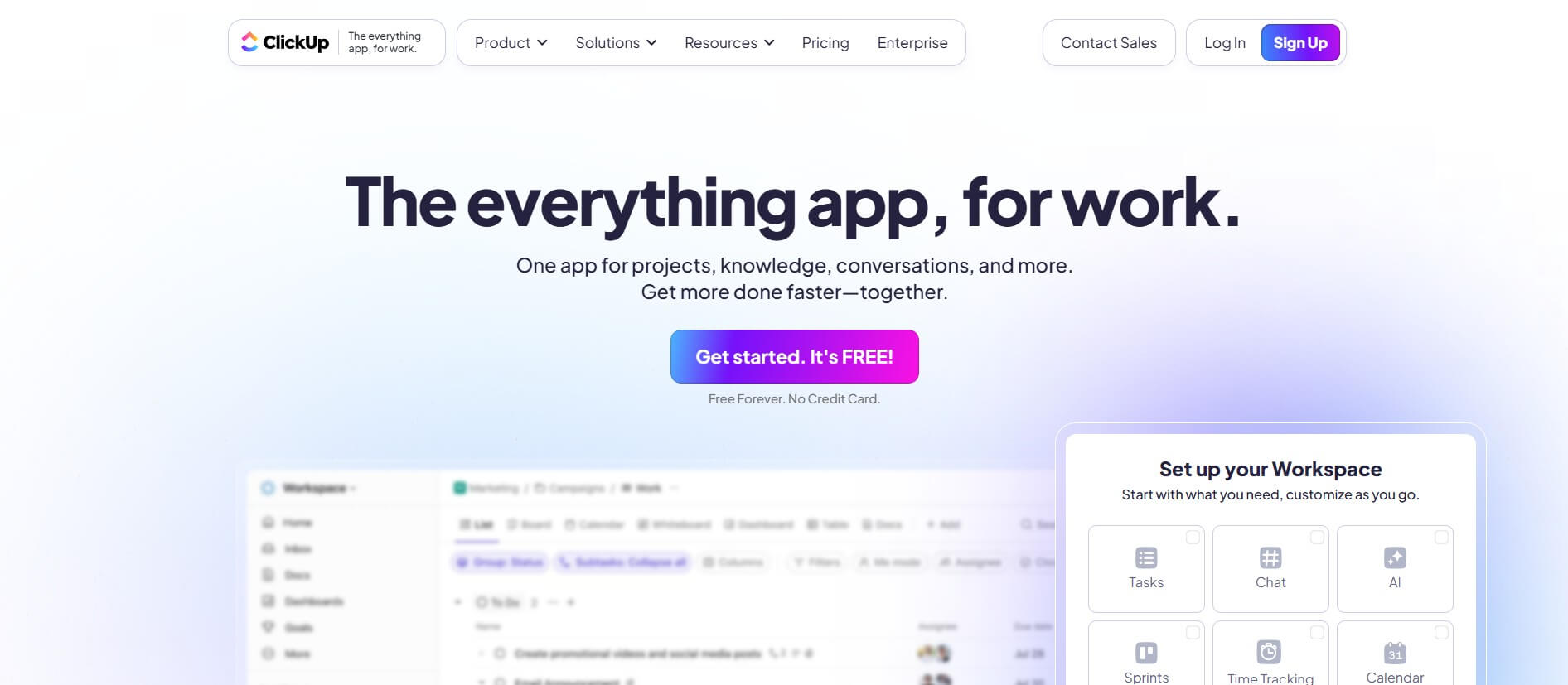
ClickUp is a cloud-based platform that allows users to manage their work from one place. It integrates tasks, documents, discussions, goals, whiteboards, reports, time tracking, and other features into a unified, user-friendly interface. You can view your work in a range of ways, including lists, boards, calendars, and Gantt charts. It also allows you to modify workflows with templates, automation, and custom fields. ClickUp integrates with over 1,000 different apps and features an artificial intelligence assistant for content creation and analysis. It offers both free and paid plans, making it suitable for freelancers, small businesses, and large teams. Today, ClickUp is a popular choice for increasing teamwork and production in a range of industries.
ClickUp is an all-in-one productivity platform developed in 2017 and headquartered in San Diego, California, USA. It serves more than ten million users and two million teams globally. ClickUp integrates task management, documents, objectives, automation, and AI solutions in a single workplace. It is valued at $4 billion following key fundraising rounds and assists organizations in improving productivity, collaboration, and workflow efficiency among remote and in-office personnel.
- Founded: 2017
- Founders: Zeb Evans (CEO) and Alex Yurkowski (CTO)
- Headquarters: San Diego, California
- Platform: Web, desktop (Windows/macOS), iOS, Android
- Core Components: Tasks, Docs, Whiteboards, Chats, Dashboards, Goals, Time Tracking, Automations, AI (Brain & Chat)
- AI Features: ClickUp Brain (summaries, insights), ClickUp Chat (text/chat interface)
ClickUp Video/Demo
Key Features
ClickUp's key features are
- Task Management: Allows the creation, assignment, and tracking of tasks with deadlines, priorities, and statuses
- Multiple Views: Offers users the ability to switch between List, Board (Kanban), Gantt, Calendar, and Timeline views.
- Docs & Wikis: Offers to create and collaborate on documents directly within ClickUp.
- Goals & Milestones: ClickUp allows you to set and track progress toward personal or team goals.
- AI Assistant: ClickUp allows you to create content, summarize docs, or analyze text using ClickUp AI.
- Integrations: Offers to connect with 1,000+ tools like Slack, Google Drive, Zoom, and more.
- Dashboards & Reporting: Offers easy tracking of performance and metrics using customizable reports.
Pricing
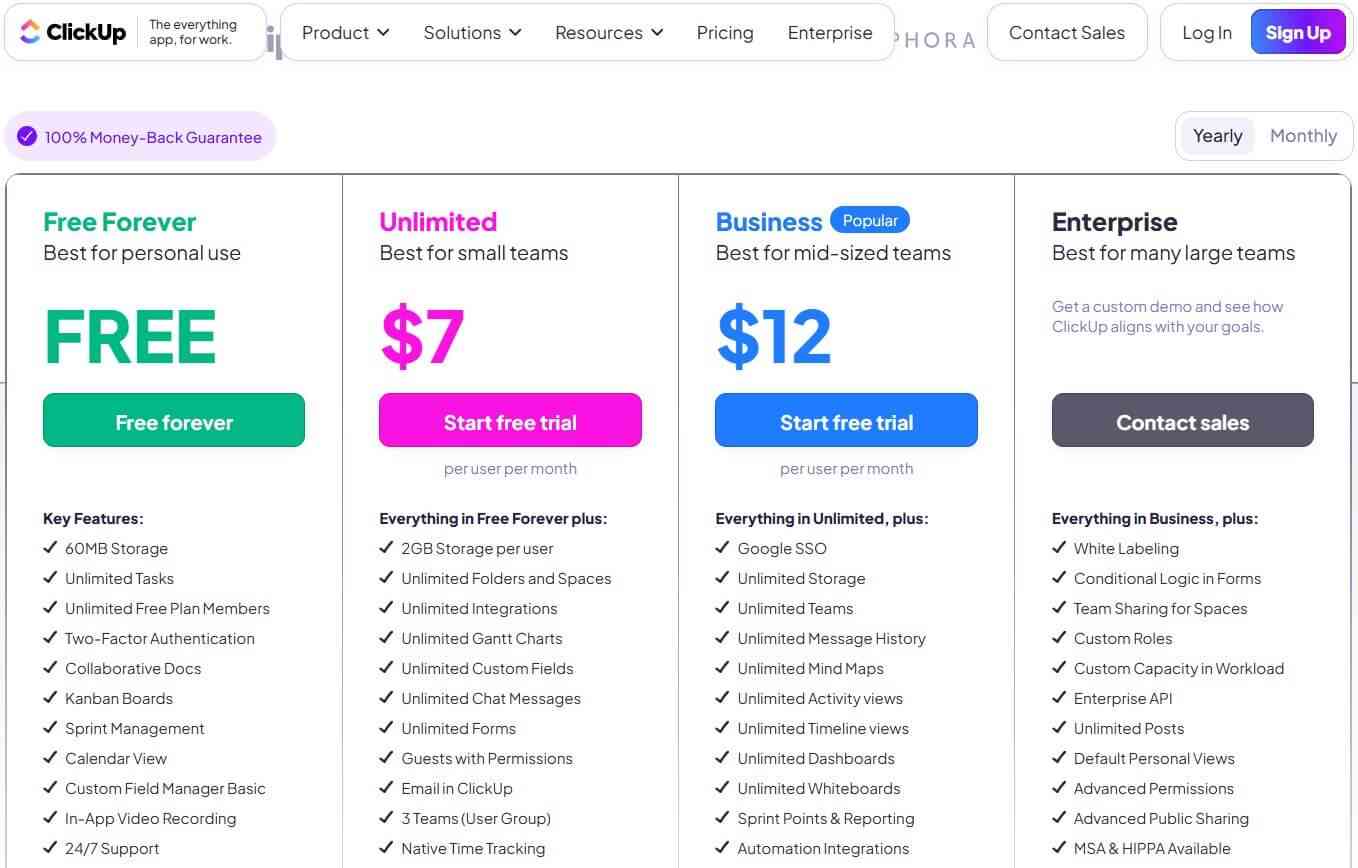
Clickup offers both free and paid plans
Free Plan:
- Offers 60 MB storage
- Allows the creation of unlimited tasks
- Offers two-factor authentication
- Offers kanban boards
- Offers calendar view
- Offers a custom field manager basic
- Offers in-app video recording
Unlimited Plan:
- The plan starts at $7 per month
- Offers 2 GB of storage per user
- Offers unlimited folders and spaces
- Offers unlimited Gantt charts
- Offers unlimited chat messages
Business Plan:
- The plan starts at $12 per month
- Offers Google SSO
- Offers unlimited storage
- Offers unlimited message history
- Offers unlimited activity views
- Offers unlimited timeline views
- Offers SMS 2-Factor authentication
Disclaimer: For the latest and most accurate pricing information, please visit the official Clickup website.
Who Is Using ClickUp?
A diverse range of users and organizations utilize ClickUp
- Individuals
- Freelancers
- Developers
- Small Businesses
- Mid-sized teams
- Enterprises
- Remote & Hybrid Teams
Clickup Alternatives
Some Clickup alternatives are
Conclusion
ClickUp is a powerful and customizable productivity platform for people, teams, and enterprises of any size. With its wide range of features—like task management, custom workflows, time tracking, document collaboration, and AI-powered assistance—it helps streamline work and boost efficiency. Its user-friendly interface, multiple view options, and strong integration capabilities make it easy to centralize all your work in one place. Whether you're a freelancer or a large enterprise, ClickUp simplifies project management and drives results.
FAQ
Who created ClickUp?
ClickUp was founded by Zeb Evans in 2017 and is developed by Mango Technologies Inc.
What is ClickUp used for?
ClickUp can be used for task management, project tracking, goal setting, time tracking, team collaboration, documentation, and workflow automation — all within one platform.
Is ClickUp free to use?
Yes. ClickUp offers a free forever plan with essential features. Paid plans offers advanced tools like automations, integrations, unlimited dashboards, and advanced reporting.
Does ClickUp integrate with other apps?
Yes, ClickUp integrates with over 1,000+ tools like Slack, Google Drive, Zoom, GitHub, and Zapier, allowing teams to connect all their work in one place.
What are the best alternatives to ClickUp?
Popular alternatives include Asana, Trello, Monday.com, Notion, and Wrike — all offering powerful task management and collaboration features for teams.
User Reviews
No reviews yet for Clickup.
Featured Tools
Featured AI tools from TechShark

Melody Genie
MelodyGenie is an AI-powered music generator that creates original songs from simple text prompts. Users can choose styles, moods, and genres, then instantly generate melodies and full tracks, making it easy for creators, marketers, and hobbyists to produce custom music without musical expertise.
Freemium

Kimi AI
Kimi AI is an advanced AI assistant developed by Moonshot AI that helps you chat, research, write, code, and automate tasks in one place. It supports web search, file analysis, and multimodal inputs, and can even run autonomous “agent” workflows to complete complex tasks end-to-end.
Freemium

Fashion Diffusion AI
Fashion Diffusion is an AI-powered fashion design platform that helps brands and designers create clothing designs, virtual try-ons, AI models, product photos, and marketing visuals faster and cost-effectively.
Paid

Veo 4
Veo 4 AI is an AI video creation platform that generates dramatic videos from text, images, audio, and video prompts using realistic motion and synchronized sound.
Paid
Alternatives
Alternatives to Clickup
Top ClickUp alternatives include Asana, Trello, Monday.com, Notion, and Wrike — each offering powerful task and workflow management features. ClickUp is an AI-powered productivity and project management platform designed to help teams plan, track, and collaborate on tasks efficiently. It combines docs, goals, chat, and automation in one place.
 4.7
4.7Quinvio AI
Productivity
Quinvio AI helps you turn ideas, scripts, blogs, or web content into polished video presentations. You can refine messaging, choose branded templates, add AI avatars and voiceovers, and produce shareable visual content without traditional recording or editing workflows. It is especially useful for marketers, educators, trainers, creators, and business teams.
 4.9
4.9HubSpot
Marketing
HubSpot is an AI-powered customer platform that helps businesses manage marketing, sales, customer service, and content in one place. It offers a free CRM, automation tools, analytics, and AI features, enabling teams to attract leads, close deals, and deliver better customer experiences at scale.
 4.9
4.9TestSprite
Testing
TestSprite is an AI-powered software testing agent that helps developers automatically generate, run, and fix end-to-end tests for web apps. It simulates real user behavior, detects issues, and provides root-cause insights with suggested fixes, enabling faster releases and more reliable software without manual QA effort.
 4.8
4.8Microsoft Copilot
Productivity
Microsoft Copilot is an AI-powered assistant that helps users write, research, analyze data, and automate tasks across apps like Word, Excel, Outlook, and Teams. It combines large language models with real-time data to generate content, answer questions, and improve productivity across personal and professional workflows.
 4.9
4.9Casablanca AI
Productivity
Casablanca AI is an AI-powered virtual camera that corrects your gaze in real time during video calls, making it appear like you’re maintaining natural eye contact. It works with tools like Zoom and Teams, improving trust, engagement, and communication without needing extra hardware.
 4.9
4.9Granola
Productivity
Granola is an AI-powered meeting assistant that helps you capture, organize, and act on conversations without losing focus. It listens to meetings, turns notes into structured summaries, and generates action items and follow-ups automatically—so you stay present while everything important is documented and ready to use.
 4.8
4.8AI Perfect Assistant
Productivity
AI Perfect Assistant brings AI assistance directly into everyday work applications. It helps users write emails, improve documents, summarize content, translate text, create presentations, generate SEO content, explain Excel formulas, and handle repetitive tasks through 60+ specialized tools and multiple integrations for everyday professional and business workflows with less effort.
 4.8
4.8AI Submit
Productivity
AI Submit is an automated directory submission and SEO distribution platform that allows AI startup founders and developers to submit their artificial intelligence tools to dozens of top AI directories simultaneously for backlink building and traffic growth.
 4.9
4.9Kroolo
Project Management
Kroolo is an AI-powered productivity and project management platform that helps teams plan tasks, track progress, and collaborate in one place. It combines project tracking, document management, and AI assistance to streamline workflows, automate routine work, and improve team efficiency across projects.