
Magic Studio
Magic Studio is an AI-powered image editing and generation platform that lets users create, enhance, and edit photos using tools like background removal, object erasing, and text-to-image generation.
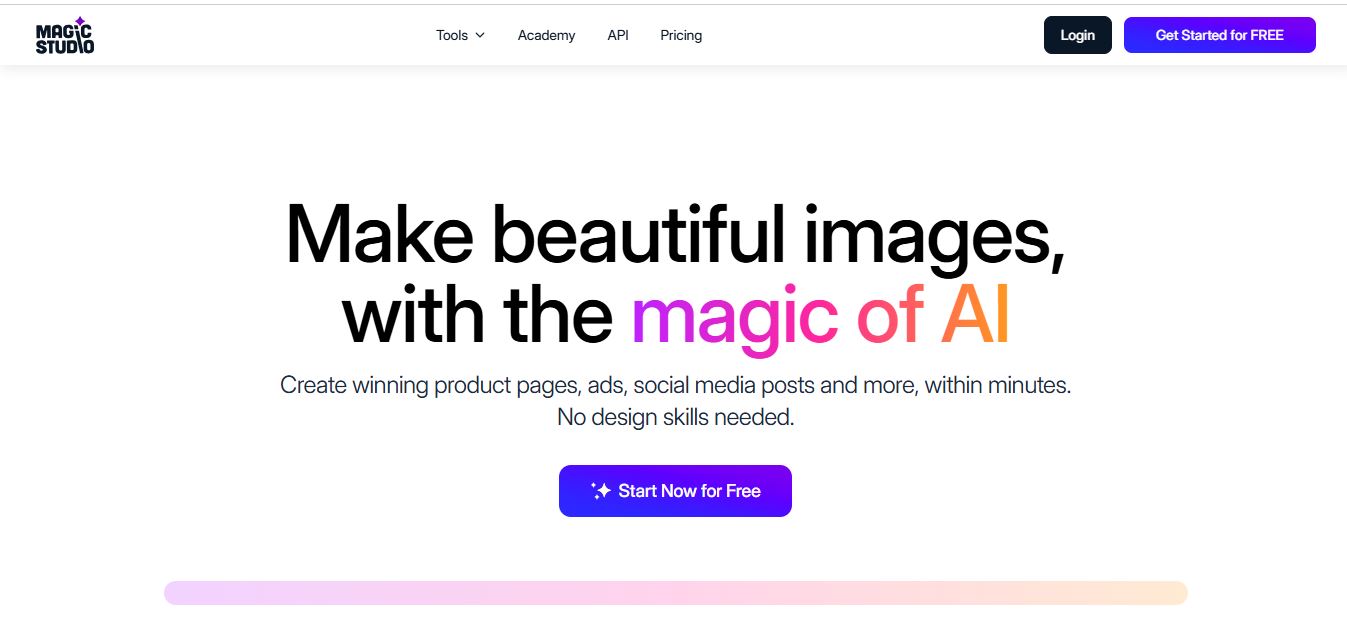
What is Magic Studio?
Magic Studio is an AI-powered image editing and content creation platform that helps users create, enhance, and modify visuals quickly without advanced design skills. It combines tools like background blur, photo eraser, AI eraser, object remover from photo, and AI photo generator into a single workspace, making it ideal for fast and automated image editing.
With Magic Studio AI, users can remove backgrounds, erase unwanted objects, generate images from text prompts, and enhance image quality in seconds. Marketers, designers, businesses, and content creators widely use the platform to produce high-quality visuals for social media, ads, e-commerce, and branding.
- Founders: Vivek Sharma, Vinod Bollini, Akhilesh Bussa, and Bharat Prabhakar
- Launch: Founded in 2020, based in Claymont, Delaware
- Use Cases: Creating product visuals, social media graphics, ads, professional headshots, AI-generated art, image enhancements, background editing, and bulk processing
- Technology: AI-driven tools powered by advanced neural networks for text-to-image generation, background/object removal, upscaling, blur effects, and format conversion
Magic Studio is a web-based image editing and creation platform used by over 20 million users worldwide, with more than 150 million images processed. It offers tools like background removal, object erasing, image generation, and upscaling, making it useful for marketing, social media, and creative projects. The platform provides a free plan with limited features and a Pro plan with advanced capabilities. It is available on both web and mobile, supports multiple languages, and is widely used by designers, marketers, businesses, and content creators.

What Can You Do With Magic Studio AI?
Magic Studio AI simplifies complex editing tasks into one-click actions. It works as an AI eraser, magic eraser online, and AI photo generator, allowing users to create and edit images without manual design work.
You can use Magic Studio for:
- Removing backgrounds and applying background blur
- Using a photo eraser to remove unwanted objects
- Generating AI-generated images from text prompts
- Enhancing low-quality images with AI upscaling
- Creating product images for e-commerce
- Designing ads and social media creatives
- Editing bulk images using automation
Magic Studio Key Features
Magic Studio key features are
- Background Remover & Background Blur: Magic Studio allows users to instantly remove backgrounds and apply background blur effects. This is useful for product photography, profile images, and professional visuals.
- AI Eraser (Magic Eraser Online): The Magic Studio eraser serves as an advanced AI eraser and online magic eraser tool. It can remove objects, people, text, or distractions from images seamlessly.
- Object Eraser: Allows users to remove unwanted objects, people, or text from images seamlessly.
- AI Photo Generator: Magic Studio includes an AI photo generator that creates visuals from text prompts. Users can generate product images, artwork, social media visuals, and marketing graphics.
- Image Upscaler: Enhances image quality and resolution for sharper, high-definition outputs.
- Photo Editor: Provides basic editing tools like cropping, resizing, and adjustments for quick improvements.
- Batch Editing: Supports bulk image processing to save time on repetitive tasks.
- Templates & Presets: Offers ready-to-use styles and layouts for faster design workflows.
- User-Friendly Interface: Simple and intuitive design suitable for beginners and professionals.
- Cross-Platform Access: Available on web and mobile devices for flexible usage.
- Automation Tools: Speeds up image editing and content creation with automated processes.
Magic Studio Pricing
Magic Studio offers both free and paid plans to suit different user needs:
- Free Plan: $0/month—Includes basic features with limited usage and a watermark on downloads.
- Pro Plan: Starts at around $9.99/month—Provides unlimited image editing, high-resolution downloads, faster processing, and no watermark.
- Business / Team Plans: Custom pricing—Designed for teams and businesses requiring bulk editing, collaboration, and advanced usage.
Note: Pricing may vary based on region and updates. It’s best to check the official Magic Studio website for the latest plans and features.
Who Is Using Magic Studio?
A wide range of individuals and professionals use Magic Studio for quick and efficient image editing and content creation:
- Content Creators – Create social media visuals, thumbnails, and creative graphics
- Digital Marketers – Design ads, campaign creatives, and promotional images
- E-commerce Sellers – Edit product photos, remove backgrounds, and enhance listings
- Graphic Designers – Speed up workflows for editing and concept creation
- Small Business Owners – Create marketing materials without hiring designers
- Photographers – Retouch and enhance images quickly
- Social Media Managers – Produce consistent and engaging visual content
- Agencies – Manage bulk image editing for multiple clients
- Students & Educators – Create presentations and visual projects
- Freelancers – Deliver quick design and editing work for clients
Magic Studio Alternatives
Here are the best Magic Studio alternative:
- Canva
- Remove.bg
- Adobe Express
- PhotoRoom
- Fotor
- Pixlr
- Runway
- Leonardo AI
- Midjourney
Pros and Cons of Magic Studio
Pros
- Beginner-friendly interface
- Fast AI eraser and object remover from photo
- Supports AI-generated images
- One-click automation tools
- Works on web and mobile
- Saves time on editing tasks
Cons
- Limited features in the free plan
- Watermark on free downloads
- Advanced features require a paid subscription
- Not suitable for high-end professional design workflows
- Limited customization compared to advanced editing tools
- Requires internet connection for most features
Why Choose Magic Studio?
Magic Studio is a great choice for users who want a fast, simple, and efficient way to create and edit images without complex design tools. It combines multiple image editing features in one platform, helping users save time and streamline their workflow.
- Beginner-friendly and easy to use
- All-in-one image editing and creation platform
- Fast background removal and object editing
- Helps create visuals quickly for social media and marketing
- No need for advanced design skills
- Supports bulk and automated editing workflows
- Accessible on web and mobile devices
- Affordable compared to professional design software
- Ideal for individuals, businesses, and content creators
Magic Studio Video/Demo
Magic Studio vs Competitors
Magic Studio focuses on quick, automated image editing and generation, making it ideal for beginners and fast workflows. In contrast, Canva and Adobe Express offer broader design ecosystems with templates, while PhotoRoom excels in product image editing, and Pixlr provides more advanced manual editing capabilities.
| Feature | Magic Studio | Canva | Adobe Express | PhotoRoom | Pixlr |
|---|---|---|---|---|---|
| Ease of Use | Very Easy | Easy | Easy | Very Easy | Moderate |
| Background Removal | Yes | Yes | Yes | Yes (Strong) | Yes |
| Object Eraser | Yes | Limited | Limited | Yes | Yes |
| Image Generation | Yes | Yes | Yes | Limited | Yes |
| Templates | Limited | Extensive | Extensive | Moderate | Limited |
| Advanced Editing | Basic | Moderate | Moderate | Basic | Advanced |
| Best For | Quick editing & automation | Design & templates | Brand content | Product photos | Advanced editing |
How We Rate Magic Studio
| Category | Rating (Out of 5) |
|---|---|
| Ease of Use | 4.8/5 |
| Features | 4.6/5 |
| Image Quality | 4.5/5 |
| Speed & Performance | 4.7/5 |
| User Interface | 4.8/5 |
| Automation | 4.6/5 |
| Value for Money | 4.5/5 |
| Overall Rating | 4.6/5 |
Magic Studio Review
Magic Studio stands out as a fast and efficient AI image editing tool for users who want quick results without complexity. Its AI eraser, background blur, and AI photo generator features make it highly useful for marketers, creators, and businesses.
While it may not replace advanced tools like Photoshop, it excels in speed, simplicity, and automation. For everyday image editing, it offers strong value and significant time savings.
Conclusion
Magic Studio is a simple and efficient image editing platform designed for users who want quick results without complex design tools. It combines essential features like background removal, object editing, and image generation into one easy-to-use workspace, making it ideal for content creators, marketers, and businesses.
While it may not replace advanced professional design software, it delivers strong value for everyday image editing needs. If your goal is to create high-quality visuals quickly and streamline your workflow, Magic Studio is a practical and reliable choice.
People are also reading
FAQ
Is Magic Studio free to use?
Yes, it offers a free tier with limited AI generations and watermark downloads. PRO provides advanced features, unlimited editing, and high-resolution outputs.
Can I use Magic Studio for commercial projects?
Yes, the platform supports both personal and commercial projects, making it suitable for businesses, marketers, and content creators.
How safe is my data with Magic Studio?
Magic Studio prioritizes user privacy and ensures that data security is built into its tools and services.
What image formats does Magic Studio support?
It supports popular formats like JPG, JPEG, PNG, HEIC, and WEBP, depending on the tool you choose.
What tools are included in Magic Studio?
The platform includes Magic Eraser, Background Remover, AI Image Generator, AI Art Generator, Image Upscaler, Background Blur, and format converters.
User Reviews
No reviews yet for Magic Studio.
Featured Tools
Featured AI tools from TechShark

Melody Genie
MelodyGenie is an AI-powered music generator that creates original songs from simple text prompts. Users can choose styles, moods, and genres, then instantly generate melodies and full tracks, making it easy for creators, marketers, and hobbyists to produce custom music without musical expertise.
Freemium

Kimi AI
Kimi AI is an advanced AI assistant developed by Moonshot AI that helps you chat, research, write, code, and automate tasks in one place. It supports web search, file analysis, and multimodal inputs, and can even run autonomous “agent” workflows to complete complex tasks end-to-end.
Freemium

Fashion Diffusion AI
Fashion Diffusion is an AI-powered fashion design platform that helps brands and designers create clothing designs, virtual try-ons, AI models, product photos, and marketing visuals faster and cost-effectively.
Paid

Veo 4
Veo 4 AI is an AI video creation platform that generates dramatic videos from text, images, audio, and video prompts using realistic motion and synchronized sound.
Paid
Alternatives
Alternatives to Magic Studio
Magic Studio has several strong alternatives depending on your needs. Popular options include Canva, Pixlr, Picsart, and Adobe Photoshop for easy design and editing, while Midjourney and DALL·E offer advanced AI image generation. Tools like Simplified and Microsoft Designer also provide all-in-one creative workflows with AI features.
 4.7
4.7ImgCreator AI
Image
ImgCreator AI is an AI-powered image generation tool that helps users create visuals from text prompts and reference images. It supports creative artwork, realistic portraits, product visuals, and image editing, making it useful for designers, marketers, content creators, and businesses seeking faster visual content production.
Neural.love
AI Image Enhancer
Neural.love is an AI-powered creative platform for generating images, editing photos, enhancing videos, restoring old media, and animating pictures. It combines multiple AI tools in a browser-based workspace, helping content creators, marketers, photographers, designers, and businesses improve visual content without relying entirely on traditional editing software.
 4.8
4.8Prisma AI
Image
Prisma AI turns everyday photos into artistic images with stylized filters and creative effects. It offers hundreds of art and portrait styles inspired by famous artists, allowing beginners to create distinctive visuals quickly. Users can capture or upload photos, apply a chosen style, and save or share the finished result.
 4.9
4.9Bria AI
Image
Bria helps businesses and teams generate and edit visual content using controllable generative AI. Its capabilities cover image generation, product visuals, background editing, video workflows, and developer integrations. With licensed training data, attribution, provenance, and enterprise deployment options, Bria is positioned for businesses that need scalable, commercially focused visual AI.
 4.7
4.7Unwatermark
Image
Unwatermark.ai helps creators, marketers, photographers, and businesses remove watermarks, logos, text, people, and unwanted objects from images and videos. Its automatic detection handles quick edits, while the manual brush provides precise control over difficult areas. With browser-based processing, format support, previews, and free usage, it simplifies everyday visual cleanup.
 4.9
4.9invideo Nano Banana
Image
Nano Banana is an AI image generation and editing model by Google (Gemini family) that helps users create, modify, and refine visuals using natural language prompts. It supports 4K outputs, consistent characters, accurate text rendering, and real-time editing, enabling fast, production-ready creative workflows.
 4.8
4.8Banana Nano
Image
BananaNano (Nano Banana AI) is an AI-powered image generation and editing platform that lets users create visuals from text or edit photos using natural language. It supports multi-image fusion, character consistency, and up to 4K output, enabling fast, flexible visual creation without complex design tools.
 4.8
4.8Vheer
Image
Vheer is a free AI image and video generator that helps users create visuals from text or photos instantly. It includes tools for image editing, background removal, and image-to-video conversion, offering unlimited generations without signup, making it ideal for quick, creative content production.
 4.9
4.9QOVES
Image
QOVES is an AI-powered facial analysis and beauty consulting platform that helps users understand their facial features and improve appearance through personalized, science-backed recommendations. It analyzes hundreds of facial markers and provides a non-surgical transformation plan, enabling informed decisions about aesthetics, skincare, and overall self-improvement.