
Canva Video Background Remover
Canva Video Background Remover is an AI-powered video editing feature in Canva Magic Studio that automatically detects, isolates, and removes backgrounds from video clips with one click, eliminating the need for green screens, chroma keying, or complex masking.
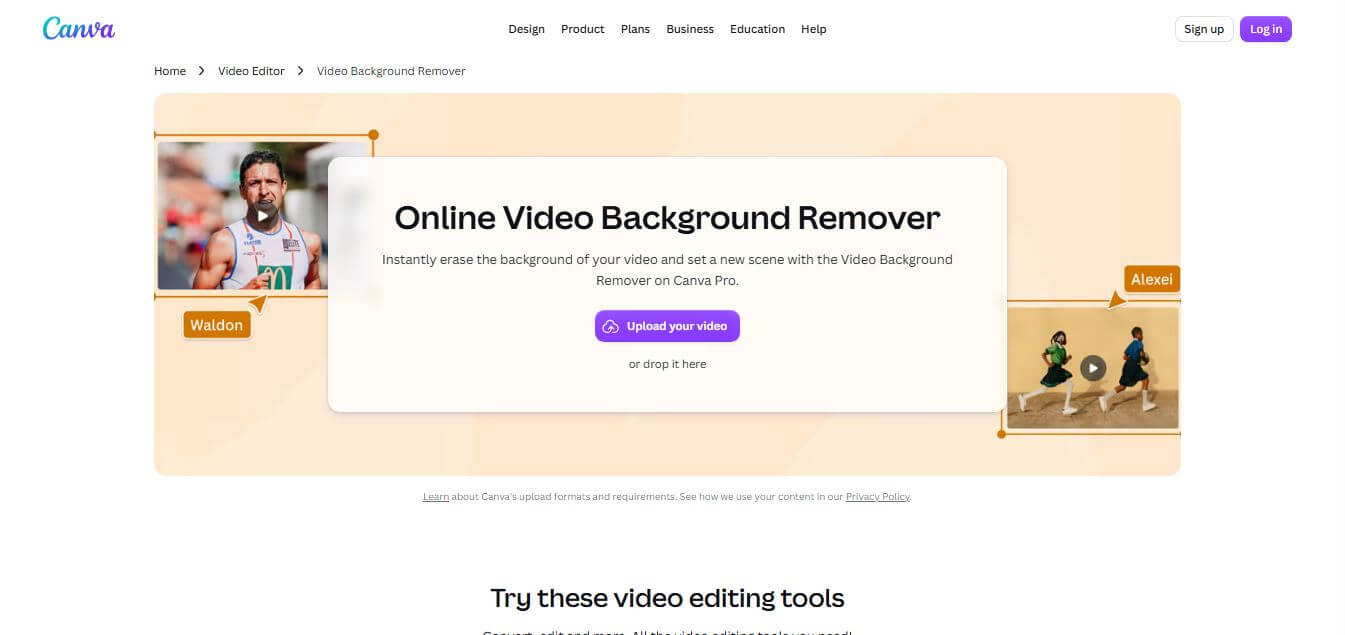
What is Canva Video Background Remover?
Canva Video Background Remover is an AI-driven tool for removing video backgrounds, integrated into Canva’s Magic Studio and video editing suite. It automatically isolates human subjects, products, or animated elements from uploaded video clips and Canva stock footage without requiring green screens. Equipped with one-click background replacement, MP4 and GIF exports, canvas animation controls, and mobile support, Canva Video Background Remover simplifies video compositing for creators and businesses.
Canva Video Background Remover is available to over 190 million monthly active Canva users worldwide as part of Canva Pro, Teams, and Enterprise plans. The AI segmentation engine processes short-form video clips (up to 90 seconds to 5 minutes per clip) in seconds directly in the cloud. By eliminating physical green screen setups and manual video masking, creators and design teams using Canva report cutting video production workflows by over 70 percent while accessing a library of over 100 million stock photos, graphics, and video backdrops.
- Founder / Leadership: Melanie Perkins (CEO & Co-founder), Cliff Obrecht (COO & Co-founder), and Cameron Adams (Chief Product Officer & Co-founder)
- Launch Year: 2022 (Part of Canva Magic Studio / Video Suite)
- Use Cases:
- Creating cutout presenter overlays for webinars, tutorials, and business slide presentations
- Removing distracting background clutter from TikToks, YouTube Shorts, and Instagram Reels
- Compositing product videos against solid brand colors, animated gradients, and studio backdrops
- Designing dynamic social media advertisements with multi-layer text and graphic elements
- Technology:
- Deep Convolutional Neural Networks (CNNs) for semantic video subject segmentation
- Real-time optical flow motion tracking and automatic foreground-background isolation
- Cloud-accelerated GPU video rendering and multi-layer web canvas compositing
- Target Users:
- Social media managers, content creators, and digital video influencers
- Small business owners, eCommerce merchants, and DTC brand marketers
- Corporate trainers, educators, and presentation designers
- Digital marketing agencies and graphic designers producing agile video assets
- Acquisition: Operates natively as a premium feature of Canva Pty Ltd

Key features of Canva Video Background Remover
Canva Video Background Remover's key features are
- One-Click Background Isolation: Automatically identifies and cuts out the main subject of your video clip with a single click.
- Green-Screen-Free Video Keying: Removes complex backgrounds without requiring physical green screens, studio lighting, or chroma key hardware.
- Stock Video & Upload Support: Works seamlessly on personal uploaded videos (MP4, MOV) as well as clips selected from Canva’s media library.
- Drag-and-Drop Background Replacement: Place your isolated subject onto solid colors, gradients, custom brand graphics, or secondary video backdrops.
- Multi-Layer Canvas Compositing: Overlay text titles, brand logos, animated stickers, and dynamic auto-captions around the isolated subject.
- Cross-Platform Web & Mobile Editing: Access the video background remover via web browsers on desktop or through the Canva mobile app for iOS and Android.
- Export in High Definition (1080p MP4 & GIF): Export composite video projects in HD MP4 or looping animated GIF formats ready for publishing.
- Integrated Brand Kit Synchronization: Apply consistent brand colors, fonts, and assets behind cutout videos instantly for marketing cohesion.
Canva Video Background Remover Pricing
Canva Video Background Remover is a premium AI feature included in Canva Pro, Canva for Teams, and Canva Enterprise subscriptions, with free trial access available.
Canva Free Plan:
- $0/month
- Standard video trimming, filters, and free templates (Video Background Remover is a locked Pro feature)
Canva Pro Plan:
- Starts at approximately $12.99 – $14.99/month (or ~$119.99 – $144/year)
- Full access to Video Background Remover and Image Background Remover
- Access to 100M+ premium stock assets, 1TB cloud storage, and Magic Studio AI tools
Canva for Teams:
- Starts at ~$14.99/user/month (for minimum 3 users)
- Team brand kits, centralized asset controls, collaborative workflows, and pooled AI credits
Canva Enterprise / Education:
- Custom pricing for enterprise organizations with dedicated account support and SSO; 100% free for verified K-12 educators and non-profits
Disclaimer: For the latest feature rollouts and pricing options, please visit the official Canva website at canva.com.
Who is using Canva Video Background Remover?
Canva Video Background Remover is designed for a broad range of visual creators and businesses, including
- Social Media Creators: Producing vertical TikToks, Instagram Reels, and YouTube Shorts with custom graphic overlays
- eCommerce Brands: Creating polished product demonstration videos against branded color backdrops
- Corporate Educators: Placing presenter cutouts over slide decks and instructional video tutorials
- Digital Marketing Agencies: Designing high-converting video advertisements for multi-channel campaigns
- Content Creators: Using writing tools to script video hooks and pair spoken audio with animated backdrop designs
- Small Businesses: Creating professional promotional clips from standard smartphone footage without studio equipment
Best Canva Video Background Remover Alternatives
Some of the strongest Canva Video Background Remover alternatives include
- Unscreen
- CapCut
- Runway
- Adobe Premiere Pro (Roto Brush)
- Descript
- Wondershare Filmora
Pros and Cons of Canva Video Background Remover
Pros
- True one-click automated video background removal with zero manual masking required
- Deep integration with Canva’s massive library of graphics, stock videos, and templates
- Works on both desktop browsers and Canva mobile apps
- Replaces complex green screen setups for home and office video creators
- Bundled into Canva Pro without requiring separate third-party credit subscriptions
Cons
- Requires a paid Canva Pro, Teams, or Enterprise subscription (locked on free accounts)
- May produce edge artifacts or softening on subjects with fast motion, fine hair, or poor lighting
- Video length is limited to shorter clips (typically up to 5 minutes per video element)
- Does not export raw alpha-channel transparent video files directly without canvas backgrounds
Why Choose Canva Video Background Remover?
Canva Video Background Remover is the ideal choice for marketers, social media creators, and businesses that want to create professional cutout videos without mastering complex video editing software.
- Removes video backgrounds in seconds with a single click
- Eliminates the need for expensive green screen backdrops and studio lighting
- Plugs directly into millions of stock assets, animations, and templates
- Enables instant background replacement with branded colors or dynamic video loops
- Included in Canva Pro alongside image background removal and AI Magic Studio tools
Canva Video Background Remover vs. Competitors
The main difference between Canva Video Background Remover, CapCut, Unscreen, and Adobe Premiere Pro is that Canva combines one-click video removal directly with a full graphic design canvas and template suite, whereas CapCut is tailored for mobile social video editing, Unscreen is a standalone web video background remover, and Premiere Pro offers frame-accurate professional rotoscoping for advanced filmmakers. Canva stands out for its all-in-one graphic design and marketing compositing workflow.
| Feature / Tool | Canva (canva.com) | CapCut | Unscreen | Adobe Premiere Pro |
|---|---|---|---|---|
| Core Focus | All-in-One Design & Video AI | Social Video & Mobile Editing | Standalone Video BG Removal | Professional NLE Video Suite |
| One-Click AI Removal | Yes (One-Click) | Yes (Auto Cutout) | Yes (Auto Removal) | Manual / Roto Brush 3 |
| Design & Template Library | 100M+ Assets & Templates | Social Video Templates | Minimal / Background Only | Creative Cloud Ecosystem |
| Transparent Video Export | Canvas Composited / GIF | MP4 Canvas Only | Transparent GIF / WebM / ZIP | ProRes 4444 Alpha Channel |
| Pricing Model | Pro ($12.99–$14.99/mo) | Free / CapCut Pro | Pay-Per-Minute / Sub | Subscription (~$22.99/mo) |
| Best For | Marketers, Teams & Presenters | TikTok & Reels Creators | Quick Web Video Keying | Professional Video Editors |
How do we rate Canva Video Background Remover?
| Parameter | Rating (out of 5) |
|---|---|
| Background Removal Quality & Speed | 4.8 |
| Design Ecosystem Integration | 5.0 |
| Ease of Use & Workflow Simplicity | 5.0 |
| Mobile & Cross-Platform Access | 4.8 |
| Value for Money | 4.9 |
| Overall Score | 4.90 |
Canva Video Background Remover Review
Canva Video Background Remover delivers one of the most practical and accessible AI video enhancements on the market. By removing the steep learning curve associated with traditional video rotoscoping and chroma key compositing, it allows everyday creators and marketers to produce studio-grade visuals in minutes. The ability to isolate a speaker or product and immediately composite them into Canva’s immense library of animated backgrounds, slide decks, and social templates turns video editing into a seamless extension of graphic design. For businesses and content creators already leveraging Canva Pro, this feature provides tremendous ongoing creative value.
Conclusion
Canva’s Video Background Remover is a simple yet powerful tool that makes professional video editing accessible to everyone. With its one-click AI processing, users can remove backgrounds instantly without needing technical skills or green screens, saving both time and effort. Its seamless integration with Canva’s broader video editor allows users to replace backgrounds, add effects, and enhance videos in a single workflow. While it may have some limitations depending on video length or complexity, its ease of use and speed make it highly practical. It’s an excellent solution for creators, marketers, and beginners looking to produce clean, engaging videos quickly.
FAQ
What is Canva Video Background Remover and how can Canva Video Background Remover help me?
Canva Video Background Remover is an AI-powered tool that lets you remove or replace the background from your videos without using a green screen. Canva Video Background Remover helps creators, marketers, and businesses produce clean, professional videos quickly by isolating the subject and allowing you to add new backgrounds or effects.
How does Canva Video Background Remover actually work?
Canva Video Background Remover works by using AI to detect the subject in your video and separate it from the background frame by frame. Once the background is removed, Canva Video Background Remover lets you replace it with images, videos, or custom designs directly inside the Canva editor.
What makes Canva Video Background Remover different from other tools?
Canva Video Background Remover stands out because it’s integrated into Canva’s all-in-one design platform. This means you can remove backgrounds and instantly edit your video, add text, animations, or graphics—without switching between multiple tools.
Do I need a green screen to use Canva Video Background Remover?
No, Canva Video Background Remover does not require a green screen. It uses AI to automatically detect and separate the subject, making it easy to edit videos even if they were recorded in normal environments.
Can Canva Video Background Remover be used for professional videos?
Yes, Canva Video Background Remover is suitable for professional content such as marketing videos, social media posts, presentations, and online courses. While it may not replace advanced editing software for complex projects, it’s highly effective for most everyday needs.
Does Canva Video Background Remover work on all videos?
Canva Video Background Remover works best when the subject is clearly visible and separated from the background. Videos with complex movement, poor lighting, or overlapping elements may require adjustments for better results.
Is Canva Video Background Remover free to use?
Canva Video Background Remover is typically available as part of Canva Pro. While Canva offers some free features, advanced tools like background removal may require a paid subscription.
Can I edit my video after removing the background?
Yes, once the background is removed, Canva Video Background Remover allows full editing within Canva. You can add text, transitions, music, animations, and other elements to enhance your video.
Who should use Canva Video Background Remover?
Canva Video Background Remover is ideal for content creators, marketers, educators, and businesses. Anyone who wants to create engaging videos quickly without complex editing tools can benefit from it.
User Reviews
No reviews yet for Canva Video Background Remover.
Featured Tools
Featured AI tools from TechShark

Melody Genie
MelodyGenie is an AI-powered music generator that creates original songs from simple text prompts. Users can choose styles, moods, and genres, then instantly generate melodies and full tracks, making it easy for creators, marketers, and hobbyists to produce custom music without musical expertise.
Freemium

Kimi AI
Kimi AI is an advanced AI assistant developed by Moonshot AI that helps you chat, research, write, code, and automate tasks in one place. It supports web search, file analysis, and multimodal inputs, and can even run autonomous “agent” workflows to complete complex tasks end-to-end.
Freemium

Fashion Diffusion AI
Fashion Diffusion is an AI-powered fashion design platform that helps brands and designers create clothing designs, virtual try-ons, AI models, product photos, and marketing visuals faster and cost-effectively.
Paid

Veo 4
Veo 4 AI is an AI video creation platform that generates dramatic videos from text, images, audio, and video prompts using realistic motion and synchronized sound.
Paid
Alternatives
Alternatives to Canva Video Background Remover
The best Canva Video Background Remover alternatives include Unscreen, CapCut, Runway, Adobe Premiere Pro (Roto Brush), Descript, and Wondershare Filmora. These platforms provide AI video cutout, chroma keying, and video background replacement tools. While Canva specializes in one-click removal embedded inside a comprehensive graphic design and marketing template suite, alternatives like CapCut focus on fast mobile social edits, and Premiere Pro offers frame-by-frame rotoscoping for professional film production. Choosing the right tool depends on whether you need quick graphic compositing, mobile social tools, or advanced post-production software.
Neural.love
AI Image Enhancer
Neural.love is an AI-powered creative platform for generating images, editing photos, enhancing videos, restoring old media, and animating pictures. It combines multiple AI tools in a browser-based workspace, helping content creators, marketers, photographers, designers, and businesses improve visual content without relying entirely on traditional editing software.
 4.8
4.8Shuffll
Video Editing
Shuffll goes beyond traditional video creation by connecting personalized video directly to enterprise data and workflows. Its API-first infrastructure, 40+ AI models, automated production, and built-in brand governance make it suitable for organizations that need video at scale. For businesses seeking higher engagement without building large production teams, Shuffll offers a practical way to turn existing data into personalized, on-brand video experiences.
 4.8
4.8Opus Clip (Opus Pro)
Video Editing
OpusClip helps creators transform long-form videos into short, social-ready clips. It can identify engaging moments, generate captions, reframe footage, add B-roll, enhance audio, and support publishing across major social platforms. It is designed for creators, marketers, podcasters, businesses, and teams that want to scale video content production.
 4.8
4.8Dubbah
Video Editing
Dubbah helps Mac users translate and dub videos into 14 languages while preserving a familiar speaker voice. The app processes media locally, supports editing translated lines, and works offline after setup. With no account, subscription, or per-minute fee, it offers a simple, straightforward option for creators producing multilingual video content.
 4.9
4.9Clipchamp
Video Generator
Clipchamp is an AI-powered online video editor by Microsoft that helps users record, edit, and share videos directly from the browser. It offers templates, stock media, and AI tools like subtitles, voiceovers, and noise removal, enabling fast, professional video creation without advanced editing skills.
 4.9
4.9CapCut
Video Editing
CapCut is a popular video editing tool that helps creators produce engaging videos with effects, transitions, filters, templates, subtitles, and AI-powered features. Available on multiple platforms, CapCut makes it easy to edit videos for TikTok, Instagram Reels, YouTube Shorts, and other social media channels.
 4.9
4.9Media.io
Video Editing
Media.io is an AI-powered creative platform that helps users generate, edit, and enhance videos, images, audio, and ads from simple prompts or assets. It combines AI generation, editing, and workflows in one place, enabling creators to turn ideas into polished content quickly without switching tools.
 4.9
4.9Video Candy
Video Editing
Video Candy is a free online video editing platform that helps users trim, merge, compress, convert, and enhance videos directly in the browser. It offers 70+ tools with a simple drag-and-drop interface, making video editing fast, accessible, and efficient without installing complex software.
 4.8
4.8Vheer
Image
Vheer is a free AI image and video generator that helps users create visuals from text or photos instantly. It includes tools for image editing, background removal, and image-to-video conversion, offering unlimited generations without signup, making it ideal for quick, creative content production.