
HeyGen
HeyGen is an AI video generation platform that lets users create professional videos using realistic avatars and voiceovers. It supports multiple languages, requires no filming or editing skills, and helps businesses produce scalable, high-quality video content quickly
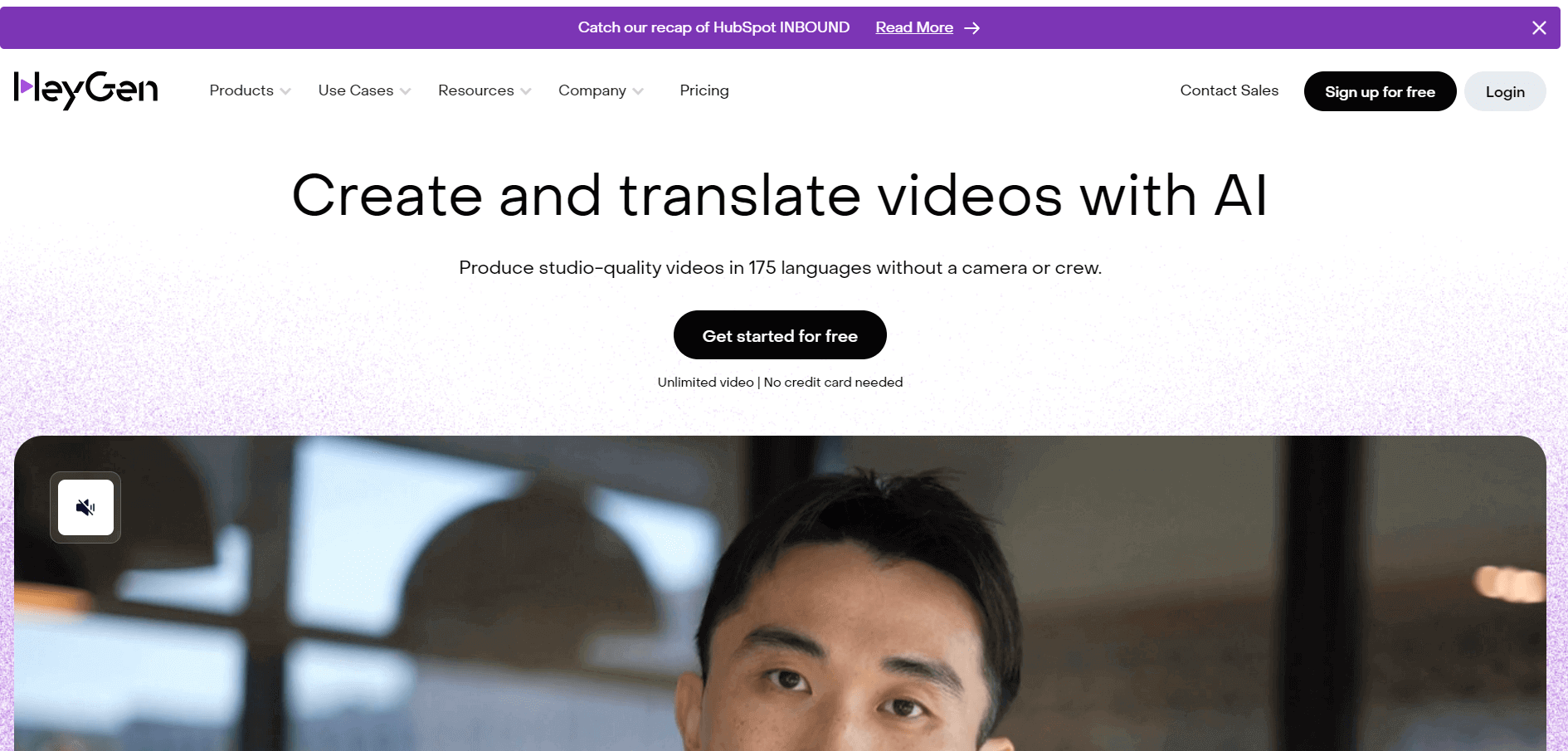
What is HeyGen?
HeyGen is an AI-powered video creation platform that allows users to generate professional videos using avatars and text-to-speech technology. Instead of traditional filming, users can create videos by simply typing scripts. It offers realistic AI avatars, voice cloning, multilingual support, and customizable templates. Marketers, educators, and businesses widely use HeyGen to create explainer videos, training content, and social media clips. With its no-camera approach, it reduces production time and cost significantly while maintaining high-quality output. It’s especially popular for scalable video content creation.
HeyGen supports over 40+ languages and offers 100+ AI avatars, making it a powerful global video solution. The platform reduces video production time by up to 80% and cost by nearly 70%. It serves thousands of businesses worldwide, including startups and enterprises. With growing demand for AI video tools, HeyGen has seen rapid adoption, particularly in marketing and e-learning industries. Its cloud-based system ensures fast rendering, allowing users to create videos in minutes instead of hours or days.
- Founder: Joshua Xu
- Launch: Year: 2020
- Use Cases: Marketing videos, training modules, YouTube content, product demos
- Technology: AI avatars, deep learning, text-to-speech, voice cloning
- Target Users: Marketers, educators, content creators, enterprises
- Acquisition: Not publicly acquired (independent AI company)
HeyGen Key Features
HeyGen's key features are:
- AI Avatars: Create realistic human-like presenters without the need for filming
- Text-to-Video: Convert scripts into professional-quality videos instantly
- Voice Cloning: Generate personalized and natural-sounding voiceovers with AI
- Multilingual Support: Produce videos in 40+ languages for global audiences
- Templates Library: Access ready-to-use templates for faster video production
- Custom Avatars: Create personalized, branded avatars for unique content
- Video Editing Tools: Use built-in editing features for quick and easy adjustments
HeyGen Pricing
HeyGen offers various pricing plans:
Free Plan:
- Users can create 3 videos per month
- Video length up to 3 minutes
- Users can export videos up to 720 px.
Creator Plan:
- The plan starts at $24 per month
- Users can create unlimited videos
- Video length up to 5 minutes
- Users can export videos up to 1080p
Team Plan:
- The plan starts at $69 per month
- Users can create unlimited videos
- Video length up to 5 minutes
- Users can export videos up to 1080p
Is HeyGen Worth It?
HeyGen is worth it if your goal is to create professional videos quickly without filming or complex editing. It is especially useful for marketers, businesses, educators, and content creators who need to produce videos at scale using AI avatars and multilingual voiceovers. The platform saves significant time by converting scripts into ready-to-use videos in minutes, making it a strong choice for training content, ads, and social media.
However, it may not be the best option for users who require advanced video editing like cinematic production or full creative control. Pricing can also be a concern for beginners or individuals with limited budgets. Overall, HeyGen delivers high value for those focused on speed, automation, and scalable video creation, but it is less suitable for traditional video creators who prefer hands-on editing and storytelling control.
Disclaimer: For the latest and most accurate pricing information, please visit the official HeyGen website.
Who is using HeyGen?
HeyGen is used by a diverse range of users, from large enterprises to individual creators, because it simplifies video production and enables scalable content creation without the need for filming. It is especially popular among teams and professionals who want to create high-quality videos quickly, automate workflows, and reach global audiences through multilingual content.
- Enterprises & Corporations: Companies like HubSpot, Salesforce, and Accenture use HeyGen for marketing, internal training, and global communication.
- Marketing Teams & Agencies: Digital marketers and agencies use it to create ads, product demos, and personalized video campaigns at scale.
- Educators & E-learning Platforms: Trainers and platforms use HeyGen to develop online courses, tutorials, and multilingual educational content.
- Content Creators & Freelancers: YouTubers, solopreneurs, and freelancers use it to produce videos without appearing on camera and to grow their personal brand.
- Sales Teams: Sales professionals leverage HeyGen to create personalized outreach videos and improve engagement with prospects.
- Media & News Organizations: Media teams use AI avatars for quick content production, explainer videos, and even anonymous presentations.

What are the best HeyGen alternatives?
If you’re exploring alternatives to HeyGen, there are several strong AI video tools available depending on your use case—whether it’s avatars, text-to-video, or full video editing. Many users switch due to pricing, advanced features, or different creative needs.
- Synthesia – Best direct alternative for AI avatars and corporate training videos with strong multilingual support
- D-ID – Ideal for turning images into talking videos and API-based automation
- Colossyan – Great for workplace training and scenario-based videos
- Elai.io – Best for converting articles and presentations into videos
- Fliki – Strong for voiceovers, blog-to-video, and explainer content
- VEED.io – Combines AI avatars with full video editing tools
- InVideo AI – Best for social media and marketing videos with stock footage
- Runway – Advanced text-to-video for cinematic and creative content
- Pika – Popular for short-form AI-generated video clips
- Luma AI – Great for 3D and realistic video generation
How Does HeyGen Work?
HeyGen works by using artificial intelligence to turn your text or script into a fully produced video with a digital avatar and voiceover. Instead of filming, recording, or editing manually, the platform automates the entire video creation process—from script input to final output—making it fast and beginner-friendly.
- Step 1: Enter Your Script: Start by typing or pasting your script, or generate one using AI inside the platform.
- Step 2: Choose an AI Avatar: Select from a library of realistic avatars or use a custom avatar that represents your brand.
- Step 3: Select Voice & Language: Pick a voice, tone, and language. You can also use voice cloning for a personalized touch.
- Step 4: Customize Video: Add backgrounds, text, branding, and animations, and adjust scenes using built-in editing tools.
- Step 5: Generate Video: HeyGen’s AI processes your input and creates a complete video with synced voice and avatar.
- Step 6: Export & Share: Download the video or publish it directly for platforms like YouTube, social media, or websites.
Why Did HeyGen Become Popular?
HeyGen became popular because it made video creation simple for everyone. Earlier, creating a professional video meant hiring a team, using expensive equipment, and spending hours on editing. HeyGen changed that by letting users create videos just by typing a script. This ease of use attracted businesses, marketers, educators, and creators who wanted quick results without technical complexity.
- Super easy to use: You don’t need editing skills or a camera—just write your script and generate a video
- Realistic AI avatars: The avatars look natural and make videos feel more human and engaging
- Saves time: What used to take hours or days can now be done in minutes
- Cost-effective: No need to hire actors, studios, or editors
- Multilingual reach: You can create videos in multiple languages and reach a global audience
- All-in-one tool: Everything—avatar, voice, editing—is available in one platform
- Scalable content: Perfect for businesses that need to create many videos quickly.
HeyGen Real-World Use Cases
HeyGen serves different industries by making video creation fast, scalable, and cost-effective. Instead of spending time on filming and editing, users can create professional videos in minutes using AI avatars and voiceovers. This makes it especially useful for businesses, educators, and creators who need consistent video content.
- Marketing & Advertising: Brands use HeyGen to create product promos, social media ads, and personalized video campaigns quickly without hiring production teams.
- Sales Outreach: Sales teams send personalized video messages to prospects, improving engagement and conversion rates.
- Corporate Training: Companies create onboarding and training videos for employees, saving time and ensuring consistency.
- E-learning & Education: Educators and platforms develop online courses, tutorials, and explainer videos in multiple languages.
- Content Creation: YouTubers and creators use it to produce videos without appearing on camera, helping them scale content easily.
- Customer Support: Businesses create help videos, FAQs, and product guides to improve user experience.
- Internal Communication: Teams use HeyGen for company updates, announcements, and presentations in a more engaging format.
- Localization: Companies translate and adapt videos into different languages to reach global audiences without re-recording.
HeyGen Pros and Cons
HeyGen is a powerful AI video creation tool, but like any platform, it has its strengths and limitations. Understanding both sides will help you decide if it fits your needs.
Pros
- Easy to Use: No technical skills, filming, or editing required
- Realistic AI Avatars: High-quality avatars with natural lip-sync and expressions
- Fast Video Creation: Generate videos in minutes instead of hours
- Multilingual Support: Create videos in multiple languages for global reach
- Cost-Effective: Reduces the need for actors, studios, and production teams
- Voice Cloning: Personalized and natural-sounding AI voiceovers
- Scalable Content: Ideal for bulk video creation (marketing, training, sales)
- All-in-One Platform: Combines scripting, avatars, voice, and editing in one tool
Cons
- Limited Creative Control: Not suitable for advanced or cinematic video editing
- Pricing Can Be High: Premium features may feel expensive for beginners
- Avatar Limitations: Some avatars can still feel slightly robotic
- Internet Dependency: Requires a stable connection for rendering videos
- Customization Limits: Less flexibility compared to professional editing tools
- Rendering Time for Large Projects: Longer videos may take more time to process.
Why Choose HeyGen?
HeyGen is a strong choice for anyone who wants to create professional videos quickly without dealing with cameras, editing software, or production teams. It simplifies the entire process by turning simple text into ready-to-use videos, making it ideal for businesses, marketers, educators, and creators who need consistent video content.
- Saves Time & Effort: Create videos in minutes instead of hours or days
- No Technical Skills Needed: Beginner-friendly platform with simple workflow
- Professional Output: High-quality videos with realistic AI avatars and voiceovers
- Scalable Content Creation: Easily produce multiple videos for campaigns, training, or outreach
- Global Reach: Create multilingual videos without re-recording
- Cost-Effective Solution: Eliminates the need for actors, studios, and editing teams
- All-in-One Platform: Everything from script to final video is handled in one place
HeyGen vs Competitors
When comparing HeyGen with its competitors, it clearly stands out for its AI avatar-based video creation and ease of use. Tools like Synthesia offer similar capabilities but focus more on enterprise training, while D-ID better suits developers and API-based use cases. On the other hand, platforms like InVideo AI and VEED.io provide stronger editing features and are more suitable for social media content and creative video production. Overall, HeyGen is the best choice for users who want quick, professional talking-head videos at scale, whereas competitors are better if you need advanced editing, automation, or creative flexibility.
| Feature / Tool | HeyGen | Synthesia | D-ID | InVideo AI | VEED.io |
|---|---|---|---|---|---|
| Core Focus | AI avatar video creation | Corporate AI videos | Talking avatars (API-based) | AI video + stock footage | Video editing + AI tools |
| Keyword Research | Not available | Not available | Not available | Basic | Basic |
| Content Optimization | Moderate | Moderate | Basic | Strong | Strong |
| AI Features | Advanced | Advanced | Strong | Strong | Strong |
| Competitor Analysis | Limited | Limited | Limited | Moderate | Moderate |
How We Rate HeyGen?
We evaluate HeyGen based on key factors that matter most to users, including performance, usability, and overall value. Our rating system focuses on real-world usage to ensure a fair and practical assessment.
| Parameter | Rating (Out of 5) |
|---|---|
| Ease of Use | 4.8 |
| AI Avatar Quality | 4.7 |
| Features & Capabilities | 4.6 |
| Speed & Efficiency | 4.7 |
| Customization | 4.3 |
| Pricing Value | 4.2 |
| Overall Rating | 4.6 |
HeyGen Review
HeyGen is one of those tools that feels surprisingly simple the first time you use it. You don’t need any video editing skills or fancy setup—just write a script, choose an avatar, and the platform handles the rest. For marketers, educators, or anyone creating regular video content, this can save a huge amount of time.
What really stands out is how quickly you can go from idea to finished video. The AI avatars look quite realistic, and the voiceovers are natural enough for most business and content use cases. It’s especially useful if you want to create videos in different languages without recording multiple times. That alone makes it a strong choice for global content.
That said, it’s not perfect. If you’re someone who wants full creative control like in traditional video editing tools, you might find it a bit limiting. The avatars, while good, can still feel slightly artificial in certain situations. Pricing is another factor—while it delivers value, it may feel expensive if you’re just starting out or using it occasionally.
Conclusion
HeyGen is a powerful AI video creation platform that helps users produce professional content quickly and efficiently. Its combination of AI avatars, voice cloning, and multilingual support makes it ideal for modern content needs. Whether you are a marketer, educator, or business owner, HeyGen can significantly reduce production costs and time. While it may not fully replace traditional video production, it offers a scalable and practical solution for most use cases in today’s digital landscape.
People are also reading:
FAQ
Is HeyGen good for beginners?
Yes, if you’re just starting out, HeyGen is actually one of the easiest platforms to use. You don’t need any video editing experience—just write your script, pick an avatar, and your video is ready. If you’ve never created videos before, you’ll find it very straightforward.
Can I use HeyGen without showing my face?
Absolutely. That’s one of the main reasons people use HeyGen. Instead of recording yourself, you can use AI avatars or even create your own digital version. It’s perfect if you’re camera-shy or want to stay anonymous.
Is HeyGen worth the price?
If you’re creating videos regularly—for marketing, training, or content—it’s worth it because it saves time and production costs. But if you only need videos occasionally, the pricing might feel a bit high.
Can I create videos in different languages?
Yes, and this is where HeyGen really shines. You can create videos in multiple languages without re-recording. If you’re targeting a global audience, this feature can save you a lot of effort.
Is HeyGen better than other tools like Synthesia or D-ID?
It depends on your use case. HeyGen is great for ease of use and flexibility. Synthesia is more enterprise-focused, and D-ID is better for API and automation. If you want quick and simple video creation, HeyGen is a strong choice.
What kind of videos can I create with HeyGen?
You can create marketing videos, training content, social media clips, product demos, and even personalized sales videos. Basically, any talking-head style video can be created easily.
Does HeyGen replace video editors like Premiere Pro?
Not really. HeyGen is designed for speed and automation, not deep editing. If you need advanced effects, transitions, or storytelling control, traditional tools are still better.
User Reviews
No reviews yet for HeyGen.
Featured Tools
Featured AI tools from TechShark

Melody Genie
MelodyGenie is an AI-powered music generator that creates original songs from simple text prompts. Users can choose styles, moods, and genres, then instantly generate melodies and full tracks, making it easy for creators, marketers, and hobbyists to produce custom music without musical expertise.
Freemium

Kimi AI
Kimi AI is an advanced AI assistant developed by Moonshot AI that helps you chat, research, write, code, and automate tasks in one place. It supports web search, file analysis, and multimodal inputs, and can even run autonomous “agent” workflows to complete complex tasks end-to-end.
Freemium

Fashion Diffusion AI
Fashion Diffusion is an AI-powered fashion design platform that helps brands and designers create clothing designs, virtual try-ons, AI models, product photos, and marketing visuals faster and cost-effectively.
Paid

Veo 4
Veo 4 AI is an AI video creation platform that generates dramatic videos from text, images, audio, and video prompts using realistic motion and synchronized sound.
Paid
Alternatives
Alternatives to HeyGen
HeyGen alternatives include platforms like Synthesia, D-ID, Colossyan, and Elai.io for AI avatar videos. Tools like InVideo AI and VEED.io are better for editing and social media content, while Runway and Pika focus on creative AI video generation. Each offers unique features depending on whether you need automation, customization, or advanced video production capabilities.
Neural.love
AI Image Enhancer
Neural.love is an AI-powered creative platform for generating images, editing photos, enhancing videos, restoring old media, and animating pictures. It combines multiple AI tools in a browser-based workspace, helping content creators, marketers, photographers, designers, and businesses improve visual content without relying entirely on traditional editing software.
 4.8
4.8Shuffll
Video Editing
Shuffll goes beyond traditional video creation by connecting personalized video directly to enterprise data and workflows. Its API-first infrastructure, 40+ AI models, automated production, and built-in brand governance make it suitable for organizations that need video at scale. For businesses seeking higher engagement without building large production teams, Shuffll offers a practical way to turn existing data into personalized, on-brand video experiences.
 4.8
4.8Opus Clip (Opus Pro)
Video Editing
OpusClip helps creators transform long-form videos into short, social-ready clips. It can identify engaging moments, generate captions, reframe footage, add B-roll, enhance audio, and support publishing across major social platforms. It is designed for creators, marketers, podcasters, businesses, and teams that want to scale video content production.
 4.8
4.8Dubbah
Video Editing
Dubbah helps Mac users translate and dub videos into 14 languages while preserving a familiar speaker voice. The app processes media locally, supports editing translated lines, and works offline after setup. With no account, subscription, or per-minute fee, it offers a simple, straightforward option for creators producing multilingual video content.
 4.9
4.9Clipchamp
Video Generator
Clipchamp is an AI-powered online video editor by Microsoft that helps users record, edit, and share videos directly from the browser. It offers templates, stock media, and AI tools like subtitles, voiceovers, and noise removal, enabling fast, professional video creation without advanced editing skills.
 4.9
4.9CapCut
Video Editing
CapCut is a popular video editing tool that helps creators produce engaging videos with effects, transitions, filters, templates, subtitles, and AI-powered features. Available on multiple platforms, CapCut makes it easy to edit videos for TikTok, Instagram Reels, YouTube Shorts, and other social media channels.
 4.9
4.9Media.io
Video Editing
Media.io is an AI-powered creative platform that helps users generate, edit, and enhance videos, images, audio, and ads from simple prompts or assets. It combines AI generation, editing, and workflows in one place, enabling creators to turn ideas into polished content quickly without switching tools.
 4.9
4.9Video Candy
Video Editing
Video Candy is a free online video editing platform that helps users trim, merge, compress, convert, and enhance videos directly in the browser. It offers 70+ tools with a simple drag-and-drop interface, making video editing fast, accessible, and efficient without installing complex software.
 4.8
4.8Vheer
Image
Vheer is a free AI image and video generator that helps users create visuals from text or photos instantly. It includes tools for image editing, background removal, and image-to-video conversion, offering unlimited generations without signup, making it ideal for quick, creative content production.