
Row Zero
Row Zero is an AI-powered cloud spreadsheet platform that helps teams analyze massive datasets using familiar spreadsheet workflows. It connects directly to data warehouses, auto-updates live data, and scales to billions of rows, enabling fast, secure, and collaborative data analysis without traditional spreadsheet limitations.
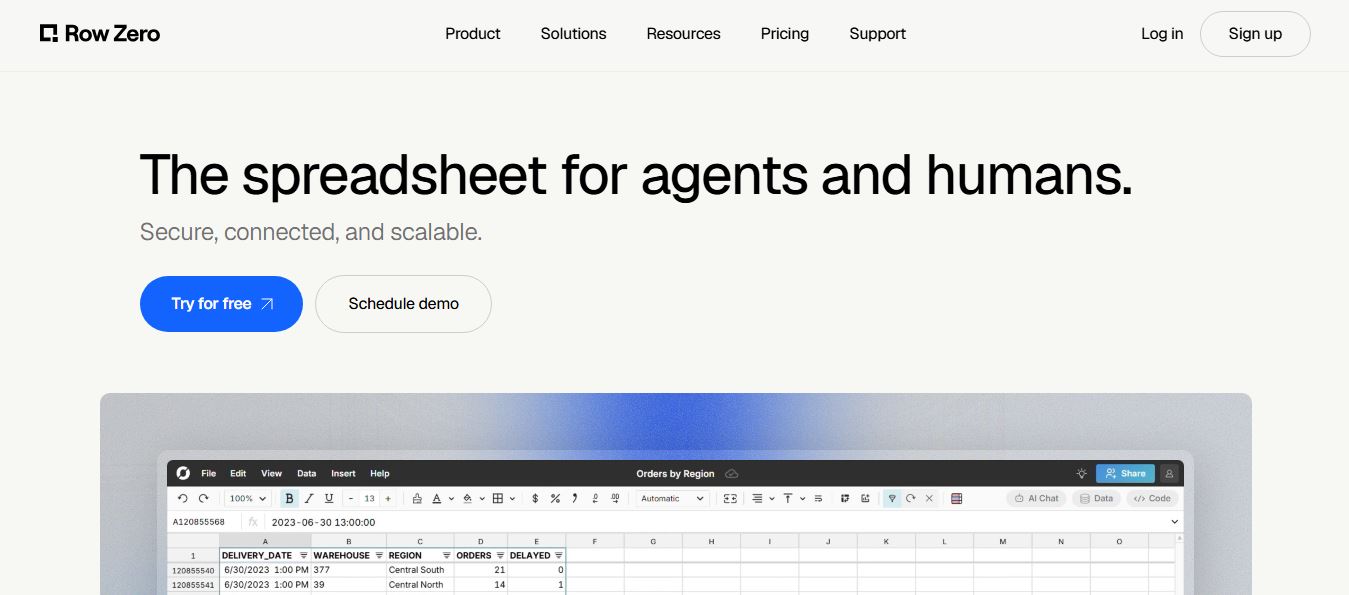
What is Row Zero?
Row Zero is a cloud-based spreadsheet platform designed to handle large datasets efficiently while maintaining the simplicity of a traditional spreadsheet. It allows users to work with millions of rows in real time, connect data from sources like databases, APIs, and cloud storage, and collaborate with teams seamlessly. The platform also supports SQL queries, data transformations, and integrations, making it suitable for analysts and data teams. By combining scalability with a familiar interface, Row Zero helps users analyze big data faster without the limitations of traditional spreadsheets.
Founded by former AWS and Tableau engineers Breck Yunits and team in Seattle, Row Zero emerged as the fastest spreadsheet in the modern data stack. Built on a high-performance columnar computing engine written in Rust and rendered via WebGL, it enables users to execute complex aggregations (SUM, COUNTIF, pivot tables, and dynamic charts) across 30+ million rows in under half a second. Acquired in 2026 by lakehouse data leader Databricks to provide a governed spreadsheet interface for its AI coworker Genie, Row Zero combines live bi-directional warehouse connections (Snowflake, Databricks, BigQuery, Redshift, PostgreSQL, S3), native Python (Pandas/NumPy) execution, and auditable AI agent assistants under strict SOC 2 Type II, HIPAA, and GDPR compliance.
- Origin / Leadership: Founded in Seattle, WA by former cloud and BI engineers; acquired in 2026 by Databricks (San Francisco, CA) to serve as the governed spreadsheet layer for Databricks Genie and Unity Catalog
- Evolution / Launch: Scaled through 2024–2026 with billion-row capacity, native Python dataframe manipulation, two-way warehouse writebacks, Pivot 2.0 architectures, and enterprise AI chat integrations
Use Cases:
- Opening, exploring, and pivoting massive multi-gigabyte datasets (such as 30M+ row transaction files, telematics logs, and AWS Cost & Usage Reports) without crashing
- Connecting live to enterprise data warehouses (Snowflake, Databricks, BigQuery) to build self-updating executive dashboards and board financial models
- Writing native Python scripts and Pandas transformations directly inside spreadsheet cells alongside 400+ Excel-compatible formulas
- Editing operational records inside the grid and writing updates directly back to cloud databases using two-way reverse-ETL sync
Technology:
- High-performance columnar calculation engine programmed in Rust, distributing workloads across scalable cloud compute nodes
- In-grid Python execution environment supporting Pandas dataframes, NumPy, and scientific computing packages natively in cells
- Native bi-directional warehouse connectors with SQL query builders, automatic background refreshes, and Unity Catalog data governance
Target Users:
- Financial analysts, FP&A directors, and FinOps leads modeling giant transaction logs and multi-million-row cloud billing tables
- Data analysts and BI engineers seeking a governed spreadsheet interface for Snowflake and Databricks instead of static BI dashboards
- Data scientists and engineers manipulating large Parquet and JSONL files using familiar spreadsheet formulas and Python syntax
- Content creators using writing tools to draft business briefs, KPI reporting presentations, and executive board summaries
Corporate Entity: Operates as Row Zero, Inc. / Databricks (Seattle, WA & San Francisco, CA, USA)

Key features of Row Zero
Row Zero's key features are
- Extreme Scale (10M to 1B+ Rows): Handles datasets 1,000x larger than standard spreadsheets, effortlessly crunching millions of rows without browser latency or memory crashes.
- Rust-Powered Columnar Engine: Evaluates pivot tables, lookups, and multi-conditional formulas across tens of millions of rows in fractions of a second.
- Native In-Cell Python Execution: Call Python scripts that return Pandas dataframes and manipulate data directly in the grid alongside standard formulas.
- Direct Data Warehouse Connections: Connect live to Snowflake, Databricks, BigQuery, Redshift, PostgreSQL, and AWS S3 without fragile CSV export pipelines.
- Two-Way Warehouse Writebacks: Edit records and operational fields inside the spreadsheet and write changes back to the production data warehouse securely.
- 400+ Excel-Compatible Functions: Full compatibility with familiar spreadsheet formulas (XLOOKUP, SUMIFS, INDEX/MATCH) and traditional multi-tab navigation.
- Integrated AI Copilot & Agent: Conversational AI assistant that writes formulas, interprets massive datasets, and generates query logic using spreadsheet syntax.
- Enterprise Data Governance & Security: Fully compliant with SOC 2 Type II, HIPAA, and GDPR, featuring SSO/SCIM, Private Link, role-based access control, and Databricks Unity Catalog integration.
Row Zero Pricing
Row Zero operates on a transparent freemium SaaS model, providing individual access alongside scalable commercial and enterprise plans based on workbook volume and governance controls.
Free Plan:
- $0 / Free forever for individuals
- Includes 1 workbook, up to 5GB dataset size per workbook (10M+ rows), 400+ Excel-compatible functions, AI chat with weekly limits, pivot tables & charts, standard file imports (XLSX, CSV, Parquet, JSONL), real-time collaboration, and SOC 2/HIPAA compliance
Pro Plan:
- $12.00 / user / month
- Includes unlimited workbooks, 5GB per workbook (10M+ rows), full data connector access, version history, export options, and email support
Business Plan:
- $20.00 / user / month
- Includes everything in Pro plus automated scheduled data refreshes, two-way writeback to data warehouses, shared team data sources, consolidated billing, and phone/email support
Enterprise Tier:
- Custom quote pricing for large corporate and data engineering deployments
- Scales to 1 billion+ rows, "Bring Your Own Key" (BYOK) AI with no rate limits, SSO & SCIM, export restrictions, Private Link, GovCloud, on-prem/private hosting, custom connectors, and dedicated data planes
Disclaimer: Prices are listed in USD. Free tier accounts include 1 active workbook handling 10M+ rows. Upgrades to Pro ($12/mo) or Business ($20/mo) unlock unlimited workbooks and automated warehouse writebacks. Visit rowzero.com/pricing for active plans.
Who is using Row Zero?
Row Zero is designed for data teams, finance professionals, and operations leaders, including
- Financial Analysts & FinOps Leads: Analyzing multi-gigabyte AWS Cost and Usage Reports (CUR), Stripe transaction feeds, and high-frequency app store logs
- Data Engineers & BI Teams: Replacing ungoverned CSV email attachments with live-connected, auto-updating spreadsheet models linked to Snowflake or Databricks
- Quantitative Analysts & Data Scientists: Executing native Python and Pandas operations on telemetry and sensor datasets without spinning up separate notebooks
- Revenue Operations (RevOps) Directors: Consolidating millions of customer touchpoints and attribution records for accurate revenue forecasting
- Content Creators: Using writing tools to draft business briefs, KPI reporting presentations, and executive board summaries
- Healthcare & Bio-Tech Analysts: Analyzing massive clinical datasets and patient metrics within a HIPAA-compliant cloud spreadsheet
Best Row Zero Alternatives
Some of the strongest Row Zero alternatives include
- Quadratic
- Coefficient
- Equals (Next-gen Cloud Spreadsheet)
- Microsoft Copilot in Excel
- Hex (Hex Technologies)
- Mito (Spreadsheet for Python)
Pros and Cons of Row Zero
Pros
- Handles tens of millions to over 1 billion rows without freezing or crashing, far surpassing Excel's 1-million-row limit
- Powered by a Rust columnar backend and WebGL rendering, enabling sub-second pivots and calculation updates
- Native in-cell Python execution with pre-installed Pandas and NumPy libraries for advanced computational modeling
- Live two-way data warehouse connectivity (Snowflake, Databricks, BigQuery) with automated writebacks and scheduled refreshes
- Strong enterprise security foundation certified under SOC 2 Type II, HIPAA, and GDPR standards
Cons
- The free tier is limited to 1 active workbook, requiring an upgrade to Pro ($12/user/mo) for managing multiple projects
- Billion-row scalability and Bring Your Own Key (BYOK) AI are reserved for custom Enterprise subscriptions
- Lacks offline desktop software; requires an active internet connection to run against cloud compute nodes
- Does not focus on in-cell marketing text generation or sentiment tagging formulas found in add-ins like Numerous.ai
Why Choose Row Zero?
Row Zero is the premier choice for organizations and data professionals who want a spreadsheet that doesn't crash when analyzing big data, combining billion-row capacity, Rust-speed calculations, native Python, and live data warehouse writebacks.
- Analyze datasets with 10M to 1B+ rows with interactive, sub-second response times
- Write native Python code and manipulate Pandas dataframes directly inside cells
- Eliminate risky CSV exports with live Snowflake, Databricks, and SQL warehouse connections
- Edit data and write changes back to your warehouse using two-way sync
- Work in a familiar interface supporting 400+ Excel-compatible formulas and charts
Row Zero vs. Competitors
The main difference between Row Zero, Quadratic, Coefficient, and Microsoft Excel is that Row Zero is a cloud-native spreadsheet built on a Rust columnar engine that scales past 1 billion rows with live two-way warehouse sync and Databricks Genie integration, whereas Quadratic uses an infinite-canvas layout for Python/SQL modeling, Coefficient functions as a third-party add-in syncing CRM/warehouse data into existing Excel/Sheets files, and Microsoft Excel has a hard limit of 1,048,576 rows. Row Zero stands out for its extreme big-data scale, calculation speed, and native warehouse writeback capabilities.
| Feature / Tool | Row Zero (rowzero.com) | Quadratic | Coefficient | Microsoft Excel |
|---|---|---|---|---|
| Core Focus | Billion-Row Cloud Big Data Spreadsheet | Infinite Canvas Python & SQL Sheet | 2-Way Live SaaS & Warehouse Add-in | Traditional Desktop/Web Spreadsheet |
| Maximum Capacity | 10M+ rows (Free) up to 1B+ rows | Millions of cells (WebGL Canvas) | Bounded by Sheets/Excel limits | 1,048,576 rows hard limit |
| Computational Engine | Columnar Rust & WebGL Backend | Rust & WebGL Canvas Engine | Standard Sheets/Excel calculation | Legacy Excel Calculation Engine |
| Warehouse 2-Way Writeback | Yes (Native writeback to cloud DW) | Read/Query SQL focused | Yes (2-way CRM & warehouse sync) | Requires external third-party add-ins |
| Starting Price | Free tier / Pro $12.00/user/mo | Free open-source / Pro ~$15–$20/mo | Free tier / Starter $39.00/mo | M365 from $6.99/mo to $22/user/mo |
| Best For | Massive Datasets, Rust Speed & Warehouses | Data Scientists Needing Infinite Canvases | RevOps Teams Syncing CRMs to Sheets | Everyday Desktop Financial Modeling |
How do we rate Row Zero?
| Parameter | Rating (out of 5) |
|---|---|
| Big Data Scalability (10M to 1B+ Rows) | 5.0 |
| Rust Columnar Performance & Pivot Speed | 5.0 |
| Native In-Grid Python & Formula Breadth | 4.9 |
| Warehouse Connectivity & Two-Way Writeback | 4.9 |
| Value for Money | 4.9 |
| Overall Score | 4.94 |
Row Zero Review
Row Zero solves one of the oldest and most frustrating limitations in data analysis: spreadsheets choking on large datasets. For decades, business analysts who hit Excel's 1-million-row limit had to ask data engineers for custom SQL extracts, rely on rigid BI dashboards, or endure sluggish load times. Row Zero changes this paradigm by combining a cloud-native columnar engine written in Rust with the familiar UX of a traditional spreadsheet. It can load 25 million rows from a Snowflake warehouse or a large Parquet file in seconds, let users pivot and write standard SUMIFS formulas without lag, and execute native Python scripts inside cells. Following its acquisition by Databricks to power the Genie AI spreadsheet experience, Row Zero has solidified its position as a high-performance spreadsheet for modern data platforms.
Conclusion
Row Zero is an enterprise-grade cloud spreadsheet and modern data platform that breaks through traditional spreadsheet performance limits. By pairing billion-row computational capacity, a Rust columnar engine, native in-cell Python execution, and live two-way warehouse sync with 400+ Excel-compatible functions, it bridges the gap between big data warehouses and business analysts. While individual marketers seeking lightweight text-generation formulas may use tools like Numerous.ai or SheetGPT, Row Zero’s speed, big-data scalability, and Databricks governance make it an essential tool for enterprise data teams.
FAQ
What is Row Zero and how does Row Zero work?
Row Zero is a cloud-based AI spreadsheet designed for analyzing massive datasets with the simplicity of traditional spreadsheets. It works by connecting directly to data warehouses or files, allowing users to query, analyze, and visualize data using formulas, SQL, or natural language prompts. The built-in AI assistant can generate formulas, pivot tables, charts, and summaries directly inside the spreadsheet, making data analysis faster and more accessible.
What problem does Row Zero solve for users?
Row Zero solves the limitations of traditional spreadsheets like Excel and Google Sheets when handling large datasets. It removes the need for exporting CSV files or switching between BI tools by enabling real-time data connections and scalable analysis in one place. This reduces manual work, improves accuracy, and allows teams to work with live data instead of outdated snapshots.
What are the key features of Row Zero?
Row Zero includes features like AI-powered data analysis, natural language queries, real-time data connections, pivot tables, chart generation, and Excel-compatible formulas. It also supports Python, SQL queries, automated workflows, and collaboration, making it a full data platform rather than just a spreadsheet.
How does Row Zero handle large datasets?
Row Zero is built for big data and can scale to billions of rows, making it significantly more powerful than traditional spreadsheets. It maintains high performance even with large datasets, allowing users to filter, sort, and analyze data quickly without slowdowns.
Does Row Zero support AI-driven data analysis?
Yes, Row Zero includes an AI assistant that can analyze data, generate formulas, create pivot tables, and build visualizations based on natural language prompts. The AI works directly within the spreadsheet and produces outputs that are fully editable and auditable, ensuring transparency and control.
Does Row Zero require coding or technical skills?
Row Zero does not require coding for basic use, as users can interact with data using familiar spreadsheet functions or natural language prompts. However, advanced users can leverage SQL and Python for deeper analysis and customization, making it flexible for both beginners and technical teams.
Who should use Row Zero?
Row Zero is ideal for data analysts, finance teams, marketers, developers, and enterprises that work with large datasets. It is especially useful for organizations that need scalable data analysis, real-time reporting, and collaboration without relying on multiple tools.
How is Row Zero different from Excel or Google Sheets?
Row Zero stands out because it combines spreadsheet usability with enterprise-scale data processing and AI. Unlike traditional tools that struggle with large datasets, Row Zero supports billions of rows, live data connections, and built-in AI analysis, making it a more powerful solution for modern data workflows.
User Reviews
No reviews yet for Row Zero.
Featured Tools
Featured AI tools from TechShark

Melody Genie
MelodyGenie is an AI-powered music generator that creates original songs from simple text prompts. Users can choose styles, moods, and genres, then instantly generate melodies and full tracks, making it easy for creators, marketers, and hobbyists to produce custom music without musical expertise.
Freemium

Kimi AI
Kimi AI is an advanced AI assistant developed by Moonshot AI that helps you chat, research, write, code, and automate tasks in one place. It supports web search, file analysis, and multimodal inputs, and can even run autonomous “agent” workflows to complete complex tasks end-to-end.
Freemium

Fashion Diffusion AI
Fashion Diffusion is an AI-powered fashion design platform that helps brands and designers create clothing designs, virtual try-ons, AI models, product photos, and marketing visuals faster and cost-effectively.
Paid

Veo 4
Veo 4 AI is an AI video creation platform that generates dramatic videos from text, images, audio, and video prompts using realistic motion and synchronized sound.
Paid
Alternatives
Alternatives to Row Zero
The best Row Zero alternatives include Quadratic, Coefficient, Equals (Next-gen Cloud Spreadsheet), Microsoft Copilot in Excel, Hex (Hex Technologies), and Mito. These platforms provide computational spreadsheet workflows, big data querying, and warehouse synchronization. While Row Zero specializes in a high-performance Rust columnar engine scaling past 1 billion rows with native in-cell Python, two-way warehouse writebacks, and Databricks Genie AI integration starting at $12/user/month, alternatives like Quadratic utilize an open-source infinite 2D canvas for data science modeling, and Coefficient connects live two-way SaaS and CRM data into existing Google Sheets and Excel workbooks. Choosing the right tool depends on whether you require massive multi-million-row warehouse scale, an infinite data science canvas, or live CRM reporting add-ins.
 4.9
4.9Equals
Spreadsheets
Equals is an AI-powered spreadsheet and GTM analytics platform that helps teams connect live data, build dashboards, and answer business questions using natural language. It combines a managed data warehouse, spreadsheet, and AI analyst, enabling faster, reliable insights without SQL or complex data tools.
 4.9
4.9Google Sheets
Spreadsheets
Google Sheets is a cloud-based spreadsheet tool that helps users create, edit, and collaborate on data in real time. It supports formulas, charts, automation, and integrations with Google Workspace, enabling teams to manage data, analyze information, and build workflows from anywhere with shared access.
 4.9
4.9Grist AI Spreadsheet Generator
Spreadsheets
Grist AI Spreadsheet Generator (getgrist.com/ai/spreadsheet-generator/) is an open-source, relational AI spreadsheet and custom application builder that turns text prompts into structured relational databases, Python formulas, dashboards, and access rules via an in-product AI Assistant and Model Context Protocol (MCP).
 4.9
4.9Shortcut AI
Spreadsheets
Shortcut AI is an AI-powered Excel agent that helps finance teams build financial models, analyze data, and automate complex spreadsheet workflows using natural language. It generates formulas, structures reports, and processes data with high accuracy, enabling faster decision-making and reducing manual analysis work.
 4.9
4.9Microsoft Excel
Spreadsheets
Microsoft Excel AI (Copilot for Excel) is an AI-powered assistant that helps users analyze data, write formulas, create charts, and generate insights using natural language. It automates complex tasks, highlights trends, and builds reports, enabling faster, data-driven decisions directly within Excel workflows.
 4.9
4.9Coefficient
Spreadsheets
Coefficient is an AI-powered spreadsheet automation platform that connects live data from tools like Salesforce, HubSpot, and databases directly into Google Sheets and Excel. It enables real-time reporting, automated refreshes, and AI-driven analysis, helping teams build dashboards and workflows without manual exports or coding.
 4.9
4.9SheetGPT
Spreadsheets
SheetGPT is an AI-powered Google Sheets add-on that helps users generate content, analyze data, and automate tasks using simple formulas like =GPT(). It integrates models like ChatGPT, Claude, and Gemini, enabling faster workflows for summarization, translation, classification, and large-scale spreadsheet operations.
 4.9
4.9GPT for Work
Spreadsheets
GPT for Work is an AI-powered spreadsheet assistant that helps users automate tasks in Excel and Google Sheets using natural language. It writes formulas, cleans data, generates content, and processes thousands of rows in bulk, enabling faster analysis, workflow automation, and data-driven decision-making.
 4.9
4.9Numerous AI
Spreadsheets
Numerous.ai is an AI-powered spreadsheet automation tool that helps users generate content, write formulas, clean data, and analyze information directly in Google Sheets and Excel. It uses simple functions like =AI() to automate repetitive tasks, enabling faster workflows, bulk processing, and data-driven decision-making.