
Kapwing
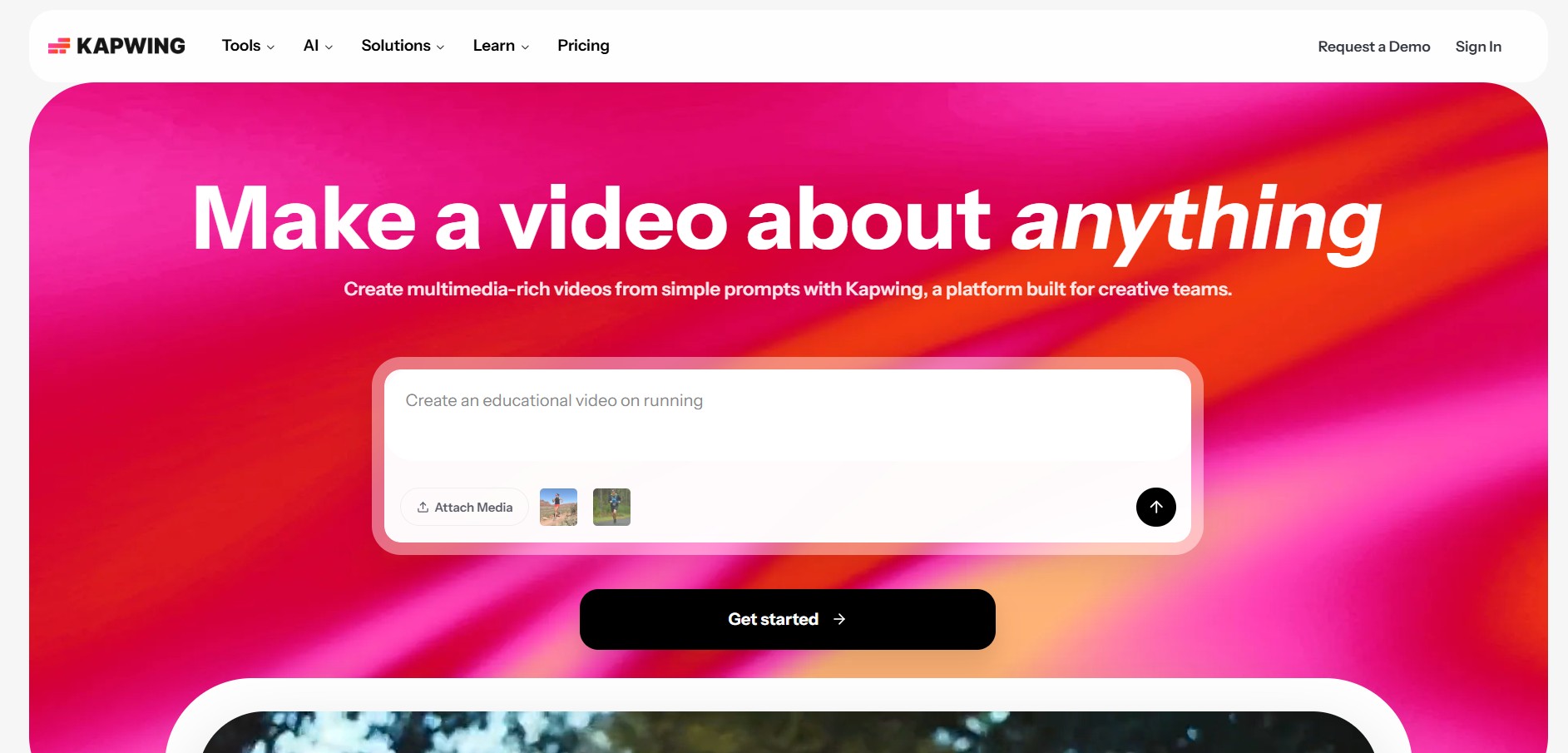
Kapwing is an online, AI-powered content creation platform that lets you create, edit, and repurpose videos, images, audio, and GIFs directly in your browser. It combines AI tools with a full editor for subtitles, resizing, voiceovers, and collaboration, helping creators produce content faster without downloads.
What is Kapwing?
Kapwing is an AI-powered online video editing platform that lets you create, edit, and publish videos directly from your browser without needing any software download. It combines a full drag-and-drop editor with built-in AI tools like auto-subtitles, text-to-video, dubbing, voiceovers, background removal, and clip generation, so you can go from a simple idea or script to a polished video in minutes. It also supports real-time collaboration, allowing teams to edit, comment, and manage projects together in one shared workspace. Designed for creators, marketers, and businesses, Kapwing simplifies the entire content workflow—helping you produce high-quality videos faster and at scale.
Built around the mission to “Make video creation fast, collaborative, and accessible to everyone,” Kapwing unifies non-linear timeline editing with intelligent automation. Users can import local video and audio files, record screencasts directly, or paste cloud URLs to assemble multi-layer video projects. The studio features advanced AI capabilities—including automated subtitle and caption generation with animated styles, Smart Cut silence removal, Clean Audio background noise elimination, script-to-video drafting, text-based video trimming, and multilingual dubbing across 40+ languages. With real-time multiplayer co-editing, shared cloud brand kits, and instant multi-platform aspect ratio resizing (16:9, 9:16, 1:1, 4:5), Kapwing offers a Free plan (with export limits and watermarks) alongside paid subscription plans starting from $16 per month (billed annually) or $24 month-to-month.
- Platform Role: Browser-Native Video Editor, AI Content Repurposer & Collaborative Media Studio
- Supported Media Inputs: Video (MP4, MOV, WebM, AVI), Audio (MP3, WAV), Images, GIFs, Screencasts, and Web Links
- Ecosystem Accessibility: Web Browser (Google Chrome, Microsoft Edge, Safari) with cloud media synchronization
Use Cases:
- Repurposing long-form podcasts, Zoom webinars, and YouTube videos into short, caption-rich vertical clips for TikTok, Reels, and Shorts
- Generating synchronized, animated open captions and subtitles automatically to increase silent-viewing engagement across social feeds
- Removing awkward pauses, verbal hesitations, and silence gaps from interview recordings in a single click using Smart Cut
- Collaborating asynchronously with marketing teammates to review video drafts, leave timestamped comments, and implement edits concurrently
- Translating and dubbing dialogue into multiple global languages with automated lip-sync alignment for international audience reach
Technology:
- Cloud-accelerated media rendering engine processing timeline exports and video transformations without straining local device CPU/GPU
- Automatic speech recognition (ASR) neural models generating frame-accurate subtitle timestamps and transcripts
- Audio enhancement and stem processing algorithms filtering ambient noise, room echo, and vocal imperfections
Target Users:
- Social media managers and digital agencies producing recurring batches of branded promotional video content
- YouTubers, podcasters, and vloggers cutting highlights, polishing sound, and formatting clips for social channels
- Corporate communication and HR teams creating internal instructional guides, onboarding videos, and announcements
- Educators and students building multimedia presentations, digital storytelling assignments, and video tutorials
Acquisition: Operates as an independent private creative media technology company

What are the key features of Kapwing?
Kapwing's key platform features are
- Browser-Based Multi-Track Timeline: Edit video, audio, text layers, visual overlays, animations, and transitions directly inside your browser without installing software.
- Magic Auto-Subtitles: Automatically generate, stylize, and animate captions with high accuracy, supporting dynamic word highlighting and custom brand fonts.
- Smart Cut (Silence Removal): Scan footage and delete dead air, silent pauses, and filler gaps across speaking videos with a single click.
- Clean Audio Enhancement: Remove background hums, traffic noise, and room reverb to produce studio-grade vocal recordings automatically.
- Text-Based Video Editing: Edit video footage by reading and manipulating the auto-generated text transcript; deleting sentences in text trims the timeline video.
- One-Click Multi-Platform Resizing: Convert horizontal 16:9 widescreen videos into 9:16 vertical reels, 1:1 squares, or custom aspect ratios with automated speaker tracking.
- AI Video & B-Roll Generation: Convert text prompts or articles into multi-scene video sequences populated with relevant stock media, images, and AI voiceovers.
- Real-Time Multiplayer Collaboration: Share project workspace links to co-edit timelines, organize brand folders, and review cuts together simultaneously.
How much does Kapwing cost?
Kapwing operates on a freemium model with watermark-supported free trials, complemented by tiered annual and monthly subscription packages.
Free Plan:
- $0 / month: Exports include a Kapwing watermark | Videos up to 4 minutes long, 720p maximum export resolution, 10 minutes/month of auto-subtitles, basic cloud storage, and access to standard video editing tools (no credit card required)
Standard Subscription Plans:
- Pro Plan: $16.00 / user / month (billed annually at $192/year) or $24.00 month-to-month | No watermarks, up to 4K export resolution, video lengths up to 120 minutes, unlimited auto-subtitling, Smart Cut, Clean Audio, custom brand fonts, and priority cloud rendering
- Business Plan: Starting from ~$50.00 / user / month (billed annually) or $64.00 month-to-month | Expanded AI generation credits, higher file upload ceilings, shared brand assets, centralized team billing, shared project folders, and dedicated priority support
- Enterprise Plan: Custom annual contracts | Custom AI quotas, single sign-on (SSO), role-based permissions, custom invoicing, dedicated customer success manager, and enterprise SLAs
Disclaimer: Subscriptions can be canceled at any time. Features and AI credit allowances vary by tier. For current educational discounts and team pricing, visit kapwing.com/pricing.
Who should use Kapwing?
Kapwing is designed for content creators, agencies, and distributed teams, including
- Social Media Content Creators: Crafting eye-catching clips, adding animated captions, and tailoring aspect ratios for Instagram, TikTok, and YouTube Shorts
- Growth Marketing Agencies: Rapidly producing video advertisement variations, client promotional reels, and branded multimedia campaigns
- Podcasters & Webinar Hosts: Trimming silence gaps, cleaning background audio, and repurposing long discussions into bite-sized audiograms
- Corporate Educators & L&D Teams: Producing instructional screencasts, onboarding tutorials, and localized multilingual training assets
What are the best alternatives to Kapwing?
Some of the strongest Kapwing alternatives include
- Veed.io
- Descript
- Clipchamp
- CapCut
- InVideo
- Adobe Express
What are the pros and cons of Kapwing?
What are the pros of Kapwing?
- Completely browser-based, eliminating heavy desktop downloads and operating smoothly on Chromebooks, Macs, and PCs
- Magic Subtitler produces animated, highly customizable captions with great word-level timing
- Smart Cut and Clean Audio save hours of tedious manual trimming and noise filtering
- Enables true real-time multiplayer collaboration inside video timelines similar to Google Docs
- Rich built-in library of stock media, motion graphics, audio tracks, and customizable templates
What are the cons of Kapwing?
- The free tier places a watermark on video exports and caps rendering quality at 720p
- Requires a fast, stable internet connection to edit and stream large 4K source video files smoothly
- Lacks specialized node-based compositing, advanced color grading wheels, and 3D camera tracking found in professional DAWs/NLEs
Why should you choose Kapwing?
Traditional desktop video editing software creates friction when non-technical teams need to produce quick video content or collaborate across distributed locations. Passing huge video files back and forth leads to version confusion and lost time. Kapwing solves this by placing the entire studio in the cloud.
- Open any project instantly in a browser without waiting for local software updates or renders
- Speed up dialogue editing using Smart Cut to strip silence and text-based editing to cut clips via transcripts
- Add readable, animated captions to maximize viewing retention on mobile feeds
- Work together with teammates inside the same project timeline in real time
How does Kapwing compare to competitors?
The main difference between Kapwing, Veed.io, Descript, and CapCut lies in collaboration capabilities and workflow flexibility. While Descript is centered heavily on podcasting and transcript-first editing, and CapCut focuses primarily on mobile-first consumer effects, Kapwing provides a balanced, browser-native multi-track timeline that combines real-time team collaboration, automated AI tools, and versatile social repurposing templates.
| Feature / Platform | Kapwing | Veed.io | Descript | CapCut |
|---|---|---|---|---|
| Core Focus | Browser AI Video Studio & Team Collaboration | Online Subtitling & Video Recording | Transcript-Driven Audio & Video Editing | Short-Form Viral Video Editing & Effects |
| Environment | 100% Web Browser | Web Browser | Desktop App (Windows/Mac) & Web | Mobile, Desktop & Web |
| Real-Time Team Co-Editing | Yes (Multiplayer canvas) | Workspace sharing & reviews | Project commenting & syncing | Cloud space asset sharing |
| Smart Silence Removal | Yes (Smart Cut) | Yes (Clean audio / silence cut) | Yes (Filler word & gap removal) | Basic split controls |
| Starting Price | Free (watermarked) / Pro from $16/mo | Free tier / Basic from $12–$18/mo | Free tier / Creator from $12/mo | Free / Pro from $9.99/mo |
| Best For | Collaborative marketing teams & social creators | Quick subtitling and screen recorded demos | Podcasters & narrative spoken-word creators | Individual mobile creators seeking viral trending filters |
How do we rate Kapwing?
| Parameter | Rating (out of 5) |
|---|---|
| Browser Performance & Timeline Editing UX | 4.8 |
| Subtitling & Automated AI Tools (Smart Cut, Audio) | 4.9 |
| Team Collaboration & Brand Asset Sharing | 4.9 |
| Format Versatility & Multi-Platform Resizing | 4.9 |
| Value for Money | 4.8 |
| Overall Score | 4.86 |
What is our review and verdict on Kapwing?
Kapwing is still one of the easiest and most flexible browser-based video editing suites for modern creators and marketing teams. By integrating essential AI automations—such as automatic animated subtitling, one-click silence removal, and background noise cleanup—it simplifies the tedious parts of post-production. Its real-time multiplayer collaboration model makes it practical for distributed teams who need to iterate on marketing content without juggling heavy local project files. While high-volume creators working with massive 4K footage will need an unmetered internet connection and a Pro subscription to remove watermarks, Kapwing delivers a dependable, high-utility cloud editing experience.
Conclusion
Kapwing makes rapid, modern video creation straightforward and collaborative. With its multi-track browser timeline, automated subtitle generator, Smart Cut silence trimmer, Clean Audio enhancement, and multiplayer team workspaces, Kapwing provides marketing teams, creators, and educators with an intuitive platform to produce polished video content from anywhere.
FAQ
What is Kapwing and what can you do with it?
Kapwing is a browser-based content creation platform that lets you create, edit, and repurpose videos, images, GIFs, and audio without installing any software. It combines an AI toolkit with a full editing studio, so you can generate videos, add subtitles, resize content, and collaborate with teams—all in one place.
How is Kapwing different from traditional video editing software?
Unlike traditional tools like Premiere Pro or Final Cut, Kapwing runs entirely in your browser and integrates AI features directly into the workflow. This means you can automate tasks like subtitle generation, dubbing, and content repurposing, while also editing manually when needed, making it faster and more beginner-friendly.
What AI features does Kapwing offer?
Kapwing includes a wide range of AI tools such as auto-subtitles, video generation, voiceovers, dubbing, lip sync, background removal, and content summarization. These tools are designed to replace time-consuming manual editing steps and help creators produce videos, social clips, and ads much faster.
Is Kapwing free to use?
Yes, Kapwing offers a free plan that allows users to access most tools, but it comes with limitations like watermarked exports, shorter video durations, and lower resolution output. Paid plans unlock features like 4K exports, longer videos, more AI credits, and watermark removal.
What kind of content can I create with Kapwing?
You can create a wide variety of content including YouTube videos, TikTok clips, ads, memes, presentations, podcasts, and social media posts. Kapwing also supports workflows like turning articles into videos, extracting highlights from long videos, and resizing content for different platforms.
How does Kapwing pricing work?
Kapwing uses a subscription-based model with Free, Pro, Business, and Enterprise plans. Paid plans provide higher limits on video length, file size, resolution (up to 4K), AI credits, and storage, along with advanced features like brand kits, collaboration tools, and watermark-free exports.
User Reviews
No reviews yet for Kapwing.
Featured Tools
Featured AI tools from TechShark

Melody Genie
MelodyGenie is an AI-powered music generator that creates original songs from simple text prompts. Users can choose styles, moods, and genres, then instantly generate melodies and full tracks, making it easy for creators, marketers, and hobbyists to produce custom music without musical expertise.
Freemium

Kimi AI
Kimi AI is an advanced AI assistant developed by Moonshot AI that helps you chat, research, write, code, and automate tasks in one place. It supports web search, file analysis, and multimodal inputs, and can even run autonomous “agent” workflows to complete complex tasks end-to-end.
Freemium

Fashion Diffusion AI
Fashion Diffusion is an AI-powered fashion design platform that helps brands and designers create clothing designs, virtual try-ons, AI models, product photos, and marketing visuals faster and cost-effectively.
Paid

Veo 4
Veo 4 AI is an AI video creation platform that generates dramatic videos from text, images, audio, and video prompts using realistic motion and synchronized sound.
Paid
Alternatives
Alternatives to Kapwing
The best Kapwing alternatives include Veed.io, Descript, Clipchamp, CapCut, InVideo, and Adobe Express.
Neural.love
AI Image Enhancer
Neural.love is an AI-powered creative platform for generating images, editing photos, enhancing videos, restoring old media, and animating pictures. It combines multiple AI tools in a browser-based workspace, helping content creators, marketers, photographers, designers, and businesses improve visual content without relying entirely on traditional editing software.
 4.8
4.8Shuffll
Video Editing
Shuffll goes beyond traditional video creation by connecting personalized video directly to enterprise data and workflows. Its API-first infrastructure, 40+ AI models, automated production, and built-in brand governance make it suitable for organizations that need video at scale. For businesses seeking higher engagement without building large production teams, Shuffll offers a practical way to turn existing data into personalized, on-brand video experiences.
 4.8
4.8Opus Clip (Opus Pro)
Video Editing
OpusClip helps creators transform long-form videos into short, social-ready clips. It can identify engaging moments, generate captions, reframe footage, add B-roll, enhance audio, and support publishing across major social platforms. It is designed for creators, marketers, podcasters, businesses, and teams that want to scale video content production.
 4.8
4.8Dubbah
Video Editing
Dubbah helps Mac users translate and dub videos into 14 languages while preserving a familiar speaker voice. The app processes media locally, supports editing translated lines, and works offline after setup. With no account, subscription, or per-minute fee, it offers a simple, straightforward option for creators producing multilingual video content.
 4.9
4.9Clipchamp
Video Generator
Clipchamp is an AI-powered online video editor by Microsoft that helps users record, edit, and share videos directly from the browser. It offers templates, stock media, and AI tools like subtitles, voiceovers, and noise removal, enabling fast, professional video creation without advanced editing skills.
 4.9
4.9CapCut
Video Editing
CapCut is a popular video editing tool that helps creators produce engaging videos with effects, transitions, filters, templates, subtitles, and AI-powered features. Available on multiple platforms, CapCut makes it easy to edit videos for TikTok, Instagram Reels, YouTube Shorts, and other social media channels.
 4.9
4.9Media.io
Video Editing
Media.io is an AI-powered creative platform that helps users generate, edit, and enhance videos, images, audio, and ads from simple prompts or assets. It combines AI generation, editing, and workflows in one place, enabling creators to turn ideas into polished content quickly without switching tools.
 4.9
4.9Video Candy
Video Editing
Video Candy is a free online video editing platform that helps users trim, merge, compress, convert, and enhance videos directly in the browser. It offers 70+ tools with a simple drag-and-drop interface, making video editing fast, accessible, and efficient without installing complex software.
 4.8
4.8Vheer
Image
Vheer is a free AI image and video generator that helps users create visuals from text or photos instantly. It includes tools for image editing, background removal, and image-to-video conversion, offering unlimited generations without signup, making it ideal for quick, creative content production.