
Jovita
Jovita is an AI-powered personal assistant and workspace platform designed to unify multiple third-party services, manage files, automate recurring tasks, and reduce context-switching across apps.
What is Jovita?
Jovita is an AI-powered platform designed to help users manage tasks, organize workflows, and improve productivity with ease. It brings together smart automation and intuitive tools to simplify everyday work, whether you're planning projects, handling information, or streamlining processes. With a clean interface and flexible features, Jovita helps individuals and teams stay focused, work faster, and keep everything organized in one place.
Built around the core mission to help users “Stop paying for different tools to get one job done,” Jovita allows individuals to connect their favorite apps, type “@” to select specific built-in tools, and let the AI handle multi-step actions. The platform features connected service actions, automated file organization, recurring task scheduling, and free custom tool requests. Jovita offers a flexible pricing model with a Starter plan at $20 per month and a Pro plan at $50 per month (including 30,000 monthly credits and team sharing capabilities).
- Platform Role: Personal AI Assistant, Unified Workspace & Multi-App Workflow Automation Agent
- Core Capabilities: @-Command Tool Selection, Connected Service Actions, File Management, and Scheduled Tasks
- Ecosystem Accessibility: Web Platform, iOS App Store, and Google Play Mobile Applications
Use Cases:
- Consolidating scattered subscriptions and stopping the time lost switching between separate software tabs
- Creating, organizing, and finding files without digging through isolated storage silos
- Scheduling recurring tasks and letting the agent handle automated follow-through
- Executing actions across connected external services like Google Workspace, Telegram, and WhatsApp directly from chat
- Requesting custom tool integrations for free if a specific workflow capability is missing
Technology:
- Conversational agent orchestration layer supporting contextual memory retention across chats
- Secure third-party API connector framework enabling user-approved actions across connected apps
- Human-in-the-loop authorization requiring user review and approval before sensitive tasks execute
Target Users:
- Knowledge workers, founders, and professionals juggling multiple SaaS tools daily
- Individuals looking for an easy-to-setup personal AI assistant without complex engineering configuration
- Power users wanting to hand off repetitive daily busywork and schedule recurring tasks
Acquisition: Independent AI productivity platform

What are the key features of Jovita?
Jovita's key platform features are
- @-Command Tool Selection: Easily invoke specific tools during chat by typing “@” and choosing your desired action.
- Connected Service Actions: Execute tasks directly inside third-party apps like Google Workspace, Telegram, and WhatsApp.
- File Organization: Create, find, and keep work files neatly structured in one centralized place.
- Scheduled & Recurring Tasks: Set up routines once and let Jovita manage the ongoing execution.
- Context Retention: Past conversation history and personal preferences carry forward naturally to future chats.
- Human-in-the-Loop Controls: Review and approve sensitive actions before the assistant performs them.
- Free Custom Tool Requests: Request missing tools, and the team builds the workflow at no extra charge.
How much does Jovita cost?
Jovita operates on a straightforward subscription model tailored for regular users and power users.
Pricing Plans:
- Starter Plan ($20 / month): Built for individuals integrating Jovita into their daily workflow routines.
- Pro Plan ($50 / month): Designed for power users delegating heavier day-to-day work, including 30,000 monthly credits (with unused credits never expiring), custom integrations, and team sharing features.
Disclaimer: Subscription tiers and credit inclusions are subject to change. For complete account options, visit usejovita.com.
Who should use Jovita?
Jovita is designed for multi-app users and professionals, including
- Busy operators drowning in too many SaaS subscriptions and tab-switching friction
- Founders and creators who want an easy-to-use personal AI assistant for task and file management
- Teams seeking a unified chat workspace with custom tool integrations
What are the best alternatives to Jovita?
Some of the strongest Jovita alternatives include
What are the pros and cons of Jovita?
What are the pros of Jovita?
- Eliminates constant tab-switching and app fragmentation by unifying work into one chat
- Offers free custom tool development if a requested integration is missing
- Keeps users in control with explicit review steps for sensitive actions
- Available across web, iOS, and Android mobile applications
What are the cons of Jovita?
- Requires connecting external service accounts to unlock full multi-app workflow capabilities
- Credit limits on the Pro plan require monitoring during high-volume automated runs
Why should you choose Jovita?
Managing files, schedules, and workflows across dozens of isolated apps drains hours of productivity each week. Jovita solves this by serving as a unified personal AI assistant that coordinates your tools, organizes your documents, and automates recurring tasks from a single conversation.
- Reduce monthly software sprawl and reclaim lost hours spent switching tabs
- Automate recurring follow-throughs without manual oversight
- Enjoy seamless mobile and web accessibility
- Request custom integrations tailored to your specific workflows for free
How does Jovita compare to competitors?
The main difference between Jovita and other AI agents lies in its easy guided setup, ready-to-use connected tools, and unique offer to build custom tool integrations for free. While advanced agent frameworks like OpenClaw and Manus often require complex manual configuration, technical assembly, or custom coding, Jovita provides an intuitive, ready-to-deploy workspace that connects your apps out of the box.
| Feature / Platform | Jovita | OpenClaw | Manus | Hermes Agent |
|---|---|---|---|---|
| Core Focus | Personal AI Workspace & Connected Multi-App Agent | Autonomous Open-Source Agent Infrastructure | Advanced General AI Task Agent | Developer AI Agent Framework |
| Setup & Usability | Easy guided setup & ready-to-use tools | Complex technical setup | Advanced configuration | Developer deployment |
| Scheduled Work | Yes (Native recurring task automation) | Requires custom setup | Agent managed | Requires custom setup |
| Custom Tool Requests | Yes (Free custom workflow builds) | Self-coded tools | Standard integrations | Self-coded tools |
| Pricing | Starter ($20/mo) / Pro ($50/mo) | Open source | Platform pricing | Open source |
| Best For | Users wanting a ready-made AI assistant across apps | Developers building custom agent backends | Complex multi-step web research & tasks | Technical multi-agent experimentation |
How do we rate Jovita?
| Parameter | Rating (out of 5) |
|---|---|
| Multi-App Workflow Integration | 4.8 |
| Ease of Setup & @-Command Usability | 4.9 |
| Scheduled Tasks & File Organization | 4.8 |
| User Security & Approval Controls | 4.9 |
| Value for Money | 4.7 |
| Overall Score | 4.82 |
What is our review and verdict on Jovita?
Jovita provides a highly practical solution for professionals overwhelmed by app overload and tab-switching friction. By centralizing third-party services into an intuitive chat interface with @-commands, scheduled automation, and secure human-in-the-loop approvals, it streamlines daily busywork. Backed by unique perks like free custom tool requests, Jovita is a standout personal AI workspace.
Conclusion
Jovita turns fragmented software routines into a unified, conversational workflow. With its robust integrations, scheduled task execution, and user-centric design, Jovita equips modern professionals to reclaim hours of lost time every week.
FAQ
What is Jovita and what does it actually do?
Jovita is an “app store for AI agents” that brings multiple specialized AI tools into one place so you can complete real tasks in a single conversation. Instead of using different apps for writing, research, design, or planning, you can pick an agent inside Jovita and get the work done end-to-end without switching tools.
How is Jovita different from ChatGPT or other AI assistants?
Most AI assistants focus on answering questions, but Jovita is designed to help you complete specific jobs using purpose-built agents. Each agent is trained for a task like content creation, customer research, or business planning, so instead of generic outputs, you get more structured, action-ready results.
What kind of tasks can you do with Jovita?
Jovita supports a wide range of tasks including writing content, finding customers, building a brand, planning business strategies, and even managing personal tasks like travel or meal planning. It acts as a central hub where different agents handle different workflows depending on your goal.
Do you need technical skills or prompts to use Jovita?
No, Jovita is built for non-technical users, so you don’t need to understand prompts, APIs, or coding. You simply describe what you want in natural language, and Jovita handles selecting the right agent and setting everything up behind the scenes.
How does Jovita handle multiple AI tools in one place?
Jovita integrates multiple agents and services into a single interface, allowing you to discover, add, and use them without separate logins or setups. It manages the complexity of connecting tools, so you can focus only on the outcome instead of configuring each AI individually.
Is Jovita free or does it require payment?
Jovita uses a flexible pricing model where you can either pay as you go with credits or subscribe to monthly plans for regular usage. This allows users to scale their usage depending on how often they rely on AI agents for work or personal tasks.
User Reviews
No reviews yet for Jovita.
Featured Tools
Featured AI tools from TechShark

Melody Genie
MelodyGenie is an AI-powered music generator that creates original songs from simple text prompts. Users can choose styles, moods, and genres, then instantly generate melodies and full tracks, making it easy for creators, marketers, and hobbyists to produce custom music without musical expertise.
Freemium

Kimi AI
Kimi AI is an advanced AI assistant developed by Moonshot AI that helps you chat, research, write, code, and automate tasks in one place. It supports web search, file analysis, and multimodal inputs, and can even run autonomous “agent” workflows to complete complex tasks end-to-end.
Freemium

Fashion Diffusion AI
Fashion Diffusion is an AI-powered fashion design platform that helps brands and designers create clothing designs, virtual try-ons, AI models, product photos, and marketing visuals faster and cost-effectively.
Paid

Veo 4
Veo 4 AI is an AI video creation platform that generates dramatic videos from text, images, audio, and video prompts using realistic motion and synchronized sound.
Paid
Alternatives
Alternatives to Jovita
The best Jovita alternatives include OpenClaw, Manus, Hermes Agent, Taskade AI, and AI Toolbox. These platforms provide AI agent capabilities and workspace task automation. While Jovita specializes in an easy-to-setup personal AI assistant that connects your apps via @-commands, automates scheduled workflows, and offers free custom tool integration builds, advanced agent alternatives often require complex developer configuration.
 4.7
4.7Flux.ai
Design
Flux AI is an AI-powered electronics design platform that helps engineers create schematics, design printed circuit boards (PCBs), select components, and optimize routing. Its browser-based workspace supports real-time collaboration, design validation, and manufacturing exports, making hardware development more accessible for individuals, startups, and engineering teams.
 4.8
4.8Repaint
Design
Repaint helps entrepreneurs and small businesses build websites, online stores, booking systems, and custom web applications using AI chat. Users can generate designs, edit content, manage customer accounts, accept payments, and organize business data without traditional coding. It offers subscription plans with different usage limits and business management capabilities.
 4.8
4.8SWAPP
Design
SWAPP helps architecture firms automate construction documentation, BIM modeling, and QA work inside Revit and ArchiCAD. Its Frank agent applies firm-specific standards to repetitive production tasks, while workflow memory preserves organizational knowledge. The platform is suited to teams seeking faster delivery, consistency, and less manual production effort across complex projects.
 4.9
4.9Adobe Stock
Design
Adobe Stock is a creative asset marketplace that helps designers and businesses access millions of royalty-free images, videos, templates, and 3D assets. It integrates with Adobe Creative Cloud, enabling users to search, customize, and license high-quality visuals quickly for marketing, design, and content creation.
 4.9
4.9Yellow Images
Design
Yellow Images is a digital marketplace that helps designers create branding and marketing visuals using high-quality mockups, fonts, PNGs, and graphic assets. It offers a large library of ready-to-use creative resources, enabling faster design workflows for agencies, freelancers, and ecommerce businesses.
 4.9
4.9Placeit
Design
Placeit is a browser-based design platform that helps creators and businesses generate mockups, logos, videos, and marketing visuals using ready-made templates. It allows users to quickly customize designs and download professional assets, making it ideal for ecommerce, social media, and branding without advanced design skills.
 4.8
4.8Figma AI
Design
Figma AI brings generative and assistive tools directly into Figma workflows, helping designers move from ideas to editable designs, visuals, prototypes, and production-ready experiences faster. Users can generate concepts, edit images, search files, automate repetitive work, and collaborate with teammates while keeping creative exploration inside the familiar Figma design environment.
 4.7
4.7PageGPT
Design
PageGPT helps businesses, creators, marketers, and entrepreneurs create customized landing pages and websites with AI. Users can describe their product and preferred style, generate designs with copy and images, then refine the result through chat or drag-and-drop editing. It also supports responsive pages, custom effects, and publishing options.
 4.8
4.8Locofy.ai
Design
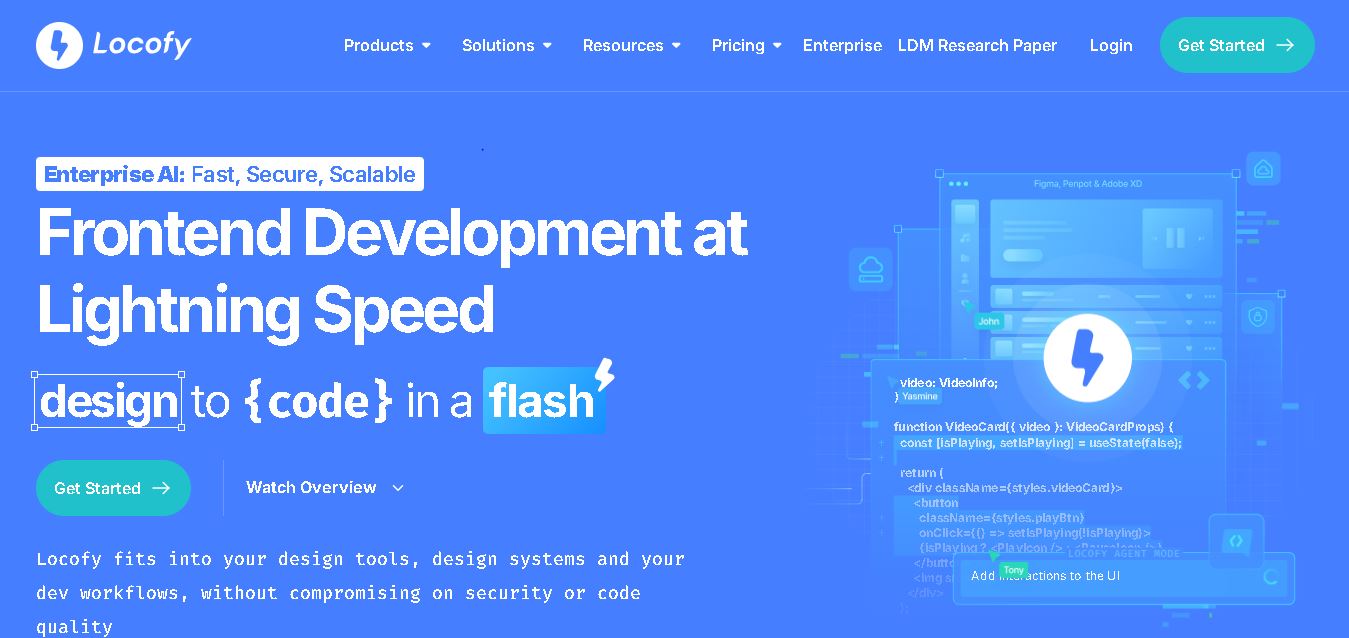
Locofy helps teams transform UI designs into developer-friendly frontend code without rebuilding interfaces manually. It supports popular design tools, web and mobile frameworks, responsive layouts, reusable components, and AI-assisted refinement. Designers can prepare screens while developers customize, export, synchronize, and continue development within familiar workflows and coding environments for teams.