
OpenClaw
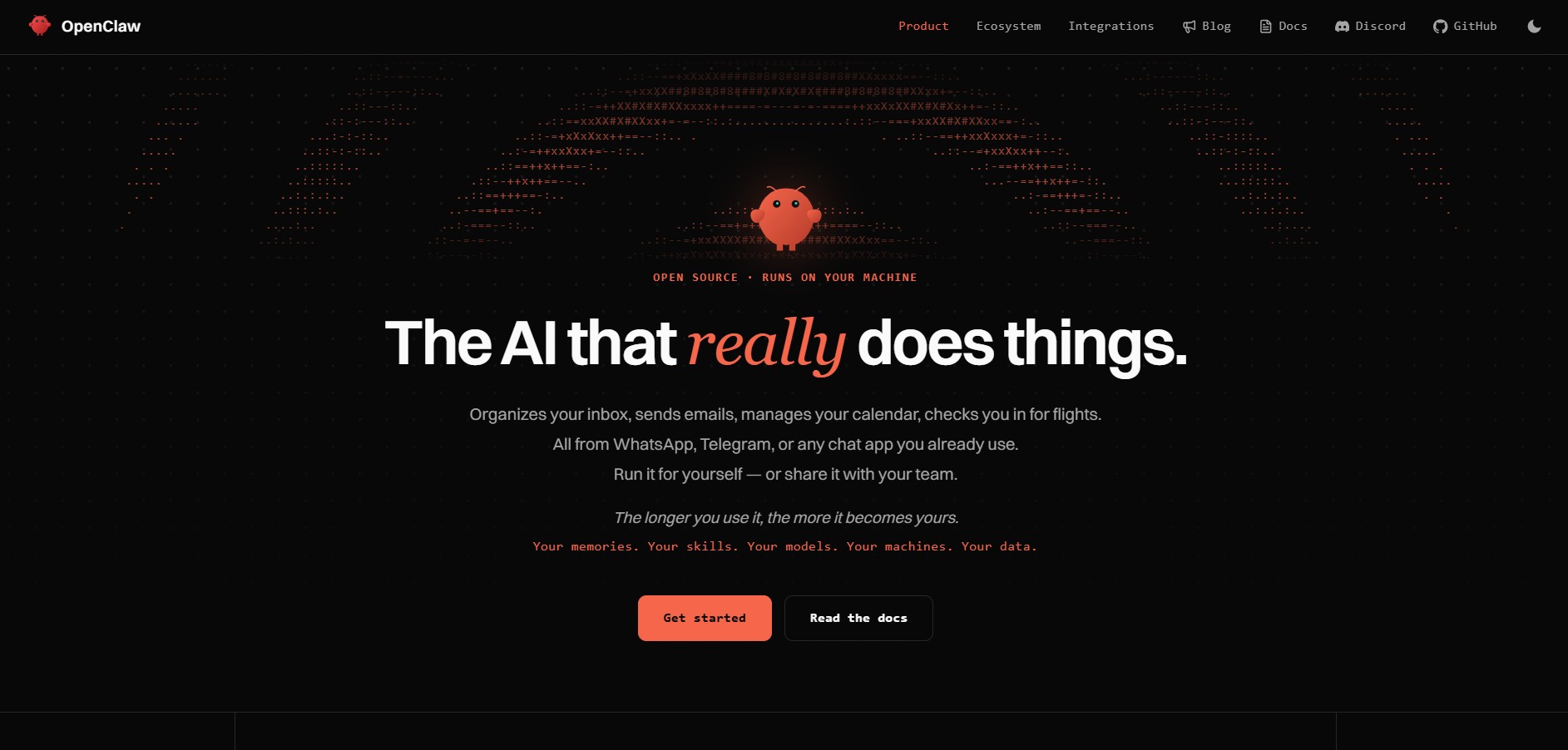
OpenClaw is an open-source, self-hosted AI assistant that runs on your own device and works through apps like WhatsApp, Telegram, and Slack. It connects to models like GPT or Claude, remembers context over time, and can automate real tasks like emails, scheduling, coding, and workflows.
What is OpenClaw?
OpenClaw is an open-source, self-hosted AI assistant that runs on your own device and integrates with tools like WhatsApp, Telegram, Slack, and more to automate real-world tasks. It goes beyond simple chat by acting as a digital operator—able to read emails, manage calendars, browse the web, and execute workflows from one interface. Built with a local-first, agent-based approach, it keeps your data private while using external AI models for reasoning. With support for plugins, memory, and multi-agent workflows, OpenClaw functions like a personal AI operating system.
Created in late 2025 by Austrian engineer Peter Steinberger (originally released as Warelay, CLAWDIS, Clawdbot, and Moltbot), OpenClaw became one of the fastest-growing software repositories in open-source history with hundreds of thousands of GitHub stars. Governed by the OpenClaw Foundation under the MIT License, OpenClaw operates on a 100% local-first architecture where personal data, system access rules, and memory graphs stay on your hardware, offering full self-hosting free forever alongside managed community cloud hosting options.
- Creator / Founder: Peter Steinberger
- Governance: OpenClaw Foundation
- License: MIT License (Free & Open Source)
Use Cases:
- Triage and respond to emails, organize Gmail inboxes, and manage Google/Apple calendar appointments via WhatsApp or Telegram voice/text notes
- Control local computer files, trigger terminal bash scripts, and automate local desktop workflows remotely from mobile chat apps
- Automate lead generation research, prospect verification, website scraping, and CRM synchronization hands-free
- Deploy autonomous multi-agent task execution inside team Discord or Slack channels with persistent memory
- Execute browser navigation, complete web checkout forms, and pull live flight or travel updates automatically
Technology:
- Local-first Node.js/TypeScript and Swift architecture running locally on macOS, Windows, or Linux (including Mac mini homelabs)
- Model-agnostic routing engine supporting Anthropic Claude, OpenAI GPT models, Google Gemini, DeepSeek, and local Ollama runtimes
- Extensible directory-based skill system powered by
SKILL.mddefinitions, shell tool calls, and local vector memory persistence
Target Users:
- Developers, power users, and homelab enthusiasts looking for an autonomous assistant that executes real computer actions
- Busy professionals and entrepreneurs seeking an executive assistant accessible directly over WhatsApp or Telegram
- Privacy-conscious individuals demanding 100% local data sovereignty with zero third-party conversation logging
- Freelancers and small agency owners automating client research, outbound scheduling, and repetitive admin tasks
Acquisition: Independent open-source project stewarded by the non-profit OpenClaw Foundation

Key features of OpenClaw
OpenClaw's key features are
- Multi-Channel Chat Interfaces: Converse with your AI agent naturally across WhatsApp, Telegram, Discord, Slack, Signal, and iMessage without custom client apps.
- Model-Agnostic Engine: Seamlessly connect your own API keys for Claude, OpenAI GPT, DeepSeek, Google Gemini, or run entirely offline with local LLMs via Ollama.
- Native System & Terminal Execution: Safely execute shell commands, manage local files, parse codebases, and trigger automated scripts via conversational commands.
- Extensible Skills System: Add new capabilities effortlessly using structured
SKILL.mdfolders, pre-built community packages, or self-authored custom workflow tools. - Persistent Local Memory: Retains context, user preferences, past instructions, and personal project states permanently on your local disk.
- Automated Browser Actuation: Dispatches headless browser agents to navigate web portals, extract table data, fill out forms, and monitor flight changes.
- Desktop Apps & One-Line Setup: Simple setup via native desktop builds (macOS Universal, Windows x64/ARM64, Linux AppImage/deb) or a single terminal installer command.
- 100% Data Sovereignty: All credentials, chat histories, configuration files, and memory embeddings reside strictly on your own hardware.
OpenClaw Pricing
OpenClaw is free and open-source software under the MIT license, with optional paid managed cloud hosting provided by community partners.
Self-Hosted (100% Free Forever):
- $0 / Free (MIT License): Unlimited access to all desktop apps, terminal CLI, skills framework, and messaging connectors
- Bring Your Own Key (BYOK) for LLM APIs (OpenAI, Anthropic, Gemini, DeepSeek) or $0 cost when running local models (Ollama)
- Zero subscription fees, no seat restrictions, and complete offline operational capabilities
Managed Cloud Hosting (Optional Partner Tier):
- ~$39.99 / month: Fully managed cloud deployment for non-technical users who want an always-online assistant without keeping a home computer or Mac mini powered on 24/7
Disclaimer: When using external frontier LLM APIs (OpenAI, Anthropic, DeepSeek), standard API token fees apply from respective providers. For download links, source code, and documentation, visit the official website at openclaw.ai or github.com/openclaw/openclaw.
Who is using OpenClaw?
OpenClaw is used by developers, professionals, and creators worldwide, including
- Homelab & Mac Mini Owners: Running an always-on personal digital butler that responds to WhatsApp requests from anywhere in the world
- Software Engineers: Checking server health, pulling GitHub notifications, and running diagnostic scripts straight from Telegram
- Freelancers & Agency Owners: Automating client onboarding, meeting scheduling, and email inbox zero triage
- Team Leads & Community Managers: Deploying collaborative assistant bots inside Discord and Slack channels to manage operational workflows
Best OpenClaw Alternatives
Some of the strongest OpenClaw alternatives include
- AutoGPT
- Memmy (memmy.bot)
- Claude Code (Anthropic)
- OpenAI Codex
- BabyAGI
- SuperAGI
Pros and Cons of OpenClaw
Pros
- Uses existing chat apps (WhatsApp, Telegram, Slack) rather than forcing you to open a dedicated browser app
- Executes real-world operating system tasks, browser interactions, and terminal commands autonomously
- Completely free and open-source under the MIT license with one of the most active developer communities on GitHub
- 100% data sovereignty keeps sensitive emails, files, and personal credentials locked to your local hardware
- Model-agnostic flexibility allows swapping between Claude, OpenAI, DeepSeek, and local Ollama weights anytime
Cons
- Self-hosting requires an always-on computer (such as a Mac mini, desktop, or cloud VPS) to respond 24/7
- Initial setup of messaging bot tokens (Telegram bot keys, WhatsApp Web sessions) requires basic technical comfort
- Granting full system access privileges requires careful sandboxing to avoid accidental file modifications
Why Choose OpenClaw?
While standard AI chatbots are passive text generators trapped inside browser tabs, OpenClaw is an active agent that takes real action in your digital life.
- Lets you manage your entire digital workday directly from WhatsApp or Telegram voice notes and messages
- Keeps all your personal data, chat history, and system files securely on your own hardware
- Provides a modular, community-driven skill architecture that constantly gains new capabilities
- Frees you from vendor lock-in with total freedom to choose your preferred AI models and hosting environments
OpenClaw vs. Competitors
The main difference between OpenClaw, AutoGPT, Claude Code, and Memmy lies in user interface and workflow delivery. While AutoGPT focuses primarily on autonomous task loops inside a browser or terminal, and Claude Code is an engineering CLI tool, OpenClaw connects local autonomous agent execution directly into consumer messaging apps (WhatsApp, Telegram, Discord), allowing users to control their computers and daily workflows from their phones.
| Feature / Tool | OpenClaw (openclaw.ai) | AutoGPT | Claude Code | Memmy |
|---|---|---|---|---|
| Primary Interface | Chat Apps (WhatsApp, Telegram, Slack) | Web UI & Terminal CLI | Terminal CLI | Desktop App, TUI & CLI |
| License & Hosting | MIT Open-Source / Local-First | MIT Open-Source / Cloud | Proprietary CLI (Anthropic) | Open Source / Local-First |
| System & Shell Access | Yes (Controlled terminal execution) | Docker / Sandbox execution | Yes (Direct shell execution) | Yes (Agent runtime) |
| Skill / Plugin System | Directory-based SKILL.md |
Plugin ecosystem & Blocks | Tool bindings | Crystallized Skills |
| Starting Price | 100% Free / Open Source (BYOK) | Free OSS / Paid Cloud | API Token Usage | Free / Open Source |
| Best For | Everyday personal tasks via mobile chat apps | Chained autonomous research pipelines | Interactive software coding in the terminal | Cross-agent persistent long-term memory |
How do we rate OpenClaw?
| Parameter | Rating (out of 5) |
|---|---|
| Messaging Integration & Accessibility | 5.0 |
| Autonomous Action Execution & Skills | 4.9 |
| Local-First Privacy & Data Sovereignty | 5.0 |
| Model Agnostic Flexibility (Claude/GPT/Ollama) | 4.9 |
| Value for Money (Free Open Source) | 5.0 |
| Overall Score | 4.96 |
OpenClaw Review
OpenClaw represents a paradigm shift in how people interact with autonomous AI agents. By recognizing that the best user interface for an assistant is the messaging app already in your pocket, Peter Steinberger and the open-source community have turned artificial intelligence into a genuine personal coworker. With local-first privacy, support for any frontier or local model, and an intuitive skills framework that executes real computer tasks, OpenClaw is easily one of the most powerful and transformative open-source AI projects available today.
Conclusion
OpenClaw is a powerful open-source AI agent that transforms how people interact with software by turning everyday chat apps into a control layer for real-world task execution. Instead of just answering questions, it connects large language models to your files, tools, and systems through a self-hosted gateway, allowing it to send emails, manage calendars, run code, browse the web, and automate workflows directly from platforms like WhatsApp, Slack, or Telegram. Its biggest strength lies in ownership and persistence—it runs on your own machine, keeps memory locally, and continuously improves based on your usage, giving you full control over data and behavior. While setup can be technical and requires careful security handling, the potential is massive.
FAQ
What is OpenClaw?
OpenClaw is an open-source personal AI assistant that runs on your own device and can perform real tasks like managing emails, scheduling, coding, and automating workflows. Unlike typical chatbots, it acts more like a full-time digital assistant.
How does OpenClaw work?
OpenClaw connects AI models (like GPT or Claude) with your tools, files, and apps through a central “gateway.” You interact with it via chat apps like WhatsApp, Telegram, or Slack, and it executes tasks in the background.
What can you do with OpenClaw?
You can automate emails, manage calendars, run code, browse the web, control apps, and even build workflows that run automatically (like reminders or scheduled tasks). It can also read/write files and execute commands on your system.
Which platforms and apps does OpenClaw support?
It integrates with messaging platforms like WhatsApp, Telegram, Discord, Slack, and iMessage, along with tools like Gmail, GitHub, browsers, and more through plugins and extensions.
Can OpenClaw run tasks automatically?
Yes, it supports background jobs, reminders, and scheduled workflows (like cron jobs). This means it can proactively complete tasks without needing constant input.
Is OpenClaw free to use?
Yes, OpenClaw is free and open-source under the MIT license. However, you may need to pay for the AI models or APIs (like OpenAI or Anthropic) that it connects to.
Do you need coding skills to use OpenClaw?
Basic technical knowledge helps, especially during setup (like installing Node.js and configuring APIs). However, once set up, you can interact with it using simple chat commands.
What makes OpenClaw different from tools like ChatGPT?
Tools like ChatGPT mainly respond to prompts, while OpenClaw can take actions—like sending emails, running code, or automating workflows—making it more like an AI “operator” than just a chatbot.
Who should use OpenClaw?
OpenClaw is ideal for developers, founders, AI power users, and teams who want a customizable, autonomous AI assistant that can automate real work across multiple tools and systems.
User Reviews
No reviews yet for OpenClaw.
Featured Tools
Featured AI tools from TechShark

Melody Genie
MelodyGenie is an AI-powered music generator that creates original songs from simple text prompts. Users can choose styles, moods, and genres, then instantly generate melodies and full tracks, making it easy for creators, marketers, and hobbyists to produce custom music without musical expertise.
Freemium

Kimi AI
Kimi AI is an advanced AI assistant developed by Moonshot AI that helps you chat, research, write, code, and automate tasks in one place. It supports web search, file analysis, and multimodal inputs, and can even run autonomous “agent” workflows to complete complex tasks end-to-end.
Freemium

Fashion Diffusion AI
Fashion Diffusion is an AI-powered fashion design platform that helps brands and designers create clothing designs, virtual try-ons, AI models, product photos, and marketing visuals faster and cost-effectively.
Paid

Veo 4
Veo 4 AI is an AI video creation platform that generates dramatic videos from text, images, audio, and video prompts using realistic motion and synchronized sound.
Paid
Alternatives
Alternatives to OpenClaw
The best OpenClaw alternatives include AutoGPT, Memmy (memmy.bot), Claude Code, OpenAI Codex, BabyAGI, and SuperAGI. These platforms provide autonomous AI agent frameworks and execution runtimes. While OpenClaw specializes in connecting local-first autonomous agents to everyday messaging platforms (WhatsApp, Telegram, Discord, Slack) with full computer system access under the MIT license, alternatives like Claude Code focus specifically on terminal-first software engineering, and AutoGPT operates primarily through web or containerized environments.
 4.7
4.7Spark Hire
AI Agent
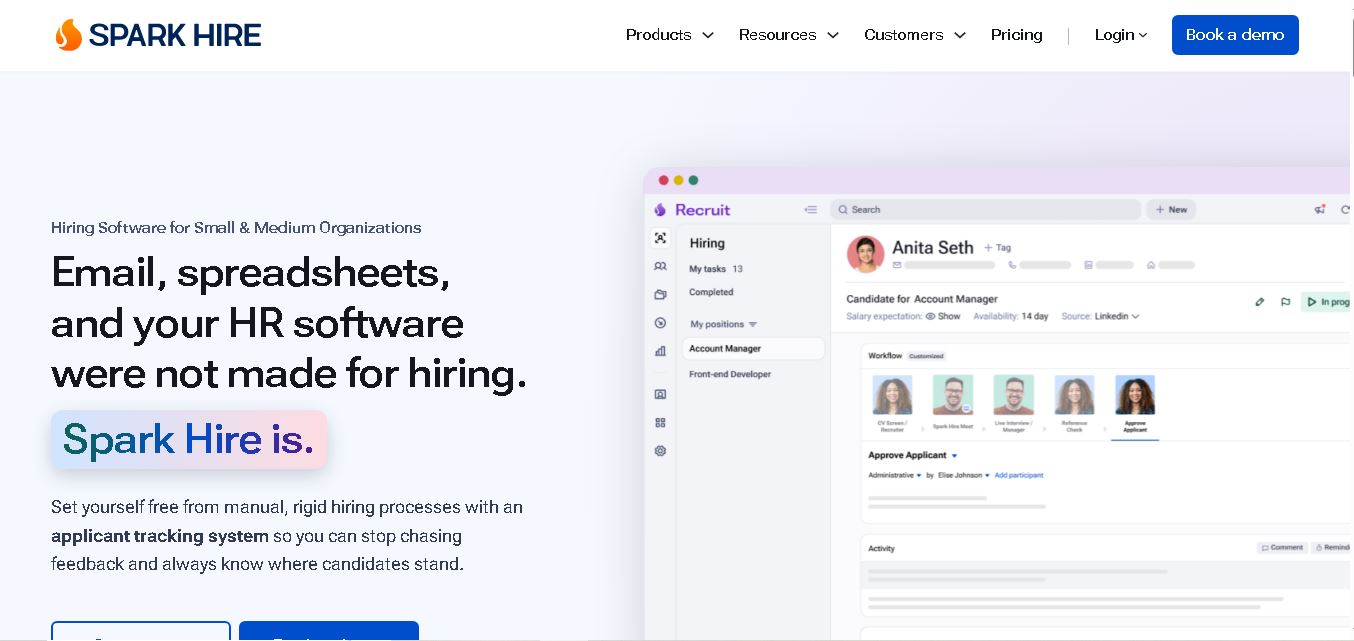
Spark Hire helps recruitment teams simplify hiring through one-way video interviews, live interviews, applicant tracking, and candidate evaluations. It enables employers to screen applicants remotely, collaborate with hiring managers, and organize recruitment workflows. Its AI-assisted features support interview transcription, summaries, and candidate review while maintaining human involvement in hiring decisions.
 4.9
4.9Materiom
AI Agent
Materiom helps researchers, designers, and businesses discover and develop sustainable materials using renewable ingredients. Its resources include biomaterial recipes, material datasets, ingredient information, and AI-assisted research. By supporting experimentation and knowledge sharing, Materiom encourages innovation in bio-based packaging, textiles, and other products while helping users explore alternatives to conventional plastic materials.
 4.9
4.9Talkwalker
AI Agent
Talkwalker is a consumer intelligence and social listening solution that helps brands track online mentions, analyze audience sentiment, monitor competitors, and discover emerging trends. It combines social media analytics, media monitoring, customer feedback, and AI-powered insights to support marketing, public relations, reputation management, and data-driven business decisions across global markets.
 5.0
5.0AI4K12
AI Agent
AI4K12 is an educational initiative focused on bringing artificial intelligence into K–12 classrooms. It provides grade-level learning guidelines, curated teaching resources, and the Five Big Ideas framework. Designed for educators and curriculum developers, AI4K12 supports age-appropriate AI instruction and helps students understand how intelligent technologies work and affect society.
Kommunicate
AI Agent
Kommunicate (kommunicate.io) is an AI-powered customer service automation and live chat platform that unites no-code generative AI agents, Kompose chatbot builder, seamless human escalation, voice AI, and omnichannel messaging across WhatsApp, web, and mobile apps.
Text
AI Agent
Text is an AI-powered customer service platform that combines live chat, help desk ticketing, AI agents, and workflow automation. It helps businesses manage customer conversations, automate repetitive support tasks, answer questions, engage website visitors, and turn customer interactions into sales opportunities through a unified communication workspace.
DocsBot AI
AI Agent
DocsBot AI is an AI chatbot and agent platform that turns websites, documents, knowledge bases, and support tickets into conversational assistants. Businesses can use it to automate customer support, answer questions, share internal knowledge, connect workflows, and provide information through website widgets and supported integrations.
SiteGPT AI
AI Agent
SiteGPT is an AI chatbot platform that helps businesses automate customer support using their website content, documents, and knowledge sources. It answers visitor questions, supports lead generation, and integrates into websites, allowing teams to handle repetitive inquiries, improve customer experiences, and provide assistance around the clock.
 4.7
4.7Halcyon
AI Agent
Halcyon is an AI energy intelligence platform that helps professionals search regulatory filings, analyze energy-market information, monitor developments, and access structured datasets. It combines document search, natural-language queries, AI-powered alerts, and specialized data subscriptions to turn fragmented energy information into actionable intelligence for research, monitoring, planning, and faster decision-making.