
Casablanca AI
Casablanca AI is an AI-powered virtual camera that corrects your gaze in real time during video calls, making it appear like you’re maintaining natural eye contact. It works with tools like Zoom and Teams, improving trust, engagement, and communication without needing extra hardware.

What is Casablanca AI?
Casablanca AI is an AI-powered virtual camera software that improves video calls by creating natural, real-time eye contact. It adjusts your gaze and head position so it looks like you’re looking directly at the other person, even if your camera is off-center. This makes conversations feel more personal and engaging, helping build trust and attention during meetings, presentations, or interviews. It works with tools like Zoom, Microsoft Teams, and Google Meet, runs locally for privacy, and doesn’t require any extra hardware.
Founded in 2020 by German AI entrepreneur and angel investor Carsten Kraus in Pforzheim, Germany, Casablanca AI was developed to restore human empathy and authentic non-verbal body language to virtual meetings. Unlike simple synthetic eye filters that produce an uncanny, robotic stare, Casablanca frontalizes head orientation while maintaining micro-expressions, blinks, and natural glances away from the screen. Engineered with strict European privacy principles, Casablanca runs 100% of video frame processing locally on the user's computer, ensuring private video streams never leave the device or touch external cloud servers.
- Founder / Leadership: Carsten Kraus (Founder & CEO)
- Launch Year: 2020 (Commercial European & global expansion through 2024–2026)
Use Cases:
- Maintaining natural, engaging eye contact during client sales demos, contract pitches, and partner meetings
- Conducting executive recruiting interviews and hiring screens where personal rapport and trust are vital
- Delivering telemedicine patient consultations and remote therapy sessions with authentic eye gaze connection
- Presenting live webinars, online lectures, and keynote addresses while reading notes on multi-monitor setups
Technology:
- Real-time neural head-pose frontalization and gaze alignment rendering pipeline with sub-second latency
- 100% on-device local inference engine taking advantage of Apple Silicon Neural Engine (M1/M2/M3/M4) and dedicated PC GPUs (Nvidia/AMD)
- Universal virtual camera driver layer compatible with Zoom, Microsoft Teams, Google Meet, Cisco Webex, and OBS Studio
Target Users:
- B2B sales closers, account executives, and business development leads seeking higher conversion rates on video
- Executive recruiters, HR directors, and interviewers looking to assess candidate chemistry and non-verbal cues
- Remote team managers and C-suite leaders running company all-hands and board meetings from home offices
- Content creators using writing tools to draft webinar presentation scripts, sales call battlecards, and video meeting agendas
Corporate Entity: Operates as Casablanca.AI GmbH (Pforzheim, Baden-Württemberg, Germany)

Key features of Casablanca AI
Casablanca AI's key features are
- Genuine Digital Eye Contact: Digitally shifts your gaze toward meeting participants in real time, recreating direct face-to-face interaction as if your webcam were embedded in the center of your screen.
- Head-Pose Frontalization: Realistically aligns your head angle toward the viewer, correcting for off-center multi-monitor setups and angled laptop desk positions.
- Natural Non-Permanent Staring: Unlike robotic eye-contact filters that fixate permanently, Casablanca detects when you deliberately look away, maintaining natural conversational rhythm and blinking.
- 100% On-Device Video Processing: Complete privacy protection: every video frame is calculated locally on your device's hardware, meaning no meeting video or biometric data is ever uploaded to the cloud.
- Universal Virtual Camera Driver: Works effortlessly across macOS and Windows with all major video conferencing applications, including Zoom, Microsoft Teams, Google Meet, Cisco Webex, and OBS Studio.
- Keyboard Shortcuts & Dual Modes: Quickly toggle eye-contact enhancement on or off with customizable hotkeys and switch between subtle natural correction and focused presentation modes.
- Zero Dedicated Hardware Requirements: Delivers eye contact corrections using your computer's existing built-in webcam or USB camera without needing expensive teleprompters or mirrors.
- Scientific Perception Impact: Backed by independent perception studies from institutions like Humboldt University demonstrating measurable increases in perceived competence, empathy, and likability.
Casablanca AI Pricing
Casablanca AI operates on a freemium model, offering a free trial/starter tier alongside flexible personal subscriptions, a one-time lifetime license, and custom enterprise licensing.
Free Starter / Trial:
- $0 / Free trial
- Includes full access to the virtual camera, core eye contact and head frontalization features, and compatibility with Zoom, Teams, and Google Meet for trial testing
Pro Subscription (Monthly / Annual):
- Monthly Plan: Starts from approximately €7.00 to €9.00/month (around $7.50 to $9.50/month)
- Annual Plan: Approximately €20.00 to €50.00/year (significant discount for annual commitments)
- Includes unlimited virtual camera usage, regular software and neural model updates, and priority customer support
Lifetime License Option:
- One-time payment of approximately €199 to €200
- Provides a permanent perpetual license for users who want to avoid recurring subscription billing entirely
Enterprise Tier:
- Custom quote based on team seats, organization-wide volume deployment, central administration, and custom SLA support
Disclaimer: Minimum hardware requirements apply (Apple M1 chip or later on macOS; Intel Core i5/i7 with Iris Xe, AMD Ryzen 7000-series, or dedicated Nvidia GTX 1650 / AMD RX 5600m on Windows). For current local pricing and hardware compatibility checks, visit casablanca.ai/en/pricing.
Who is using Casablanca AI?
Casablanca AI is designed for a broad range of customer-facing professionals and remote workers, including
- B2B Account Executives & Closers: Maintaining direct visual rapport with decision-makers while looking down at product slides, CRM notes, or battlecards
- Executive Recruiters & Talent Scouts: Conducting video interviews with authentic eye contact to evaluate candidate fit without impersonal webcam angles
- Telehealth Therapists & Medical Providers: Fostering trust and empathetic patient-provider relationships during remote telemedicine consultations
- Remote Team Leaders & Executives: Looking directly at team members during virtual syncs even when using ultrawide multi-monitor desk setups
- Content Creators: Using writing tools to draft webinar presentation scripts, sales call battlecards, and video meeting agendas
- Online Educators & Lecturers: Connecting with students on digital video courses while reviewing lesson notes and interactive slides
Best Casablanca AI Alternatives
Some of the strongest Casablanca AI alternatives include
- NVIDIA Broadcast
- Apple FaceTime Eye Contact
- Captions AI
- Xpression Camera
- Elgato Prompter
- Camo
Pros and Cons of Casablanca AI
Pros
- Frontalizes both gaze and head angle simultaneously, producing far more natural results than simple eyeball-pupil filters
- 100% on-device processing guarantees zero video or biometric data is ever transmitted to cloud servers
- Avoids the unnatural 'robotic death stare' by allowing users to blink, glance away, and move naturally
- Universal compatibility with Zoom, Microsoft Teams, Google Meet, and Webex via a simple virtual camera select
- Flexible pricing includes an affordable monthly subscription and a rare one-time perpetual lifetime license option
Cons
- Requires relatively modern PC or Mac hardware (Apple Silicon M1+ or dedicated GPU on Windows) to process frames in real time
- Available only on desktop operating systems (macOS and Windows); does not support smartphones or tablets
- Visual fidelity can decrease in poor or dim lighting environments with low-quality webcams
- Focused strictly on real-time gaze and head alignment rather than broad digital avatar or background generation
Why Choose Casablanca AI?
Casablanca AI is the premier choice for professionals who want to make video calls feel like true in-person meetings without investing in expensive hardware teleprompters.
- Solves the fundamental eye-contact barrier of video conferencing using pure software
- Keeps video calls completely private with 100% on-device neural processing
- Corrects both head posture and eye gaze together for authentic non-verbal body language
- Works right out of the box with your favorite video conferencing and streaming tools
- Provides high-ROI communication enhancement at an accessible price point
Casablanca AI vs. Competitors
The main difference between Casablanca AI, NVIDIA Broadcast, Apple FaceTime Eye Contact, and Captions AI is that Casablanca AI frontalizes both eye gaze and full head orientation in real time across any video conferencing app on both macOS and Windows, whereas NVIDIA Broadcast requires a dedicated RTX GPU and adjusts only the eyes, Apple's Eye Contact is locked to FaceTime, and Captions AI operates primarily as a post-recording mobile video editor. Casablanca stands out for its head-pose correction, multi-platform virtual camera support, and local data privacy.
| Feature / Tool | Casablanca AI (casablanca.ai) | NVIDIA Broadcast | Apple FaceTime Eye Contact | Captions AI |
|---|---|---|---|---|
| Core Focus | Live Head & Eye Real-Time Alignment | GPU Audio & Video Effects | Native iOS/macOS FaceTime Filter | Post-Production Video Creator AI |
| Correction Scope | Head Pose + Eye Gaze Alignment | Eye Gaze Only (Pupil Tracking) | Subtle Eye Shift | Post-Record Eye Correction |
| Platform Support | macOS (M1+) & Windows | Windows (Requires Nvidia RTX GPU) | Apple FaceTime Only | iOS, Android & Web Desktop |
| Privacy Architecture | 100% On-Device Local Computing | Local On-Device GPU | On-Device Apple Silicon | Cloud Video Processing |
| Starting Paid Price | From ~$7.50/mo (€199 lifetime) | Free (Requires $300+ RTX GPU) | Free (Built into iOS/macOS) | $9.99–$14.99/month |
| Best For | Sales Calls & Multi-Screen Video Meetings | PC Gamers & Streamers with RTX Cards | Casual FaceTime Video Chats | Social Creators Recording Reels |
How do we rate Casablanca AI?
| Parameter | Rating (out of 5) |
|---|---|
| Gaze & Head-Pose Realism | 4.9 |
| Data Privacy & 100% Local Processing | 5.0 |
| Virtual Camera Compatibility & Setup UX | 4.8 |
| Real-Time Performance & Latency | 4.8 |
| Value for Money | 4.8 |
| Overall Score | 4.86 |
Casablanca AI Review
Casablanca AI solves one of the most frustrating compromises of digital work: the inability to look someone in the eye while reading their reactions on your screen. While early gaze-correction filters created an eerie, glassy-eyed stare that felt unsettling to meeting participants, Casablanca took a significantly more sophisticated technical route. By modeling head angle, micro-expressions, and natural eye movement together, it creates an experience that feels remarkably human and authentic. The decision to process all video locally on the device eliminates enterprise security and privacy concerns entirely. For sales closers, remote managers, and professionals who spend their workdays on video calls, Casablanca AI is an outstanding platform.
Conclusion
Casablanca AI is an innovative virtual camera and real-time video communication software that redefines virtual presence and non-verbal engagement. By combining real-time eye gaze correction, head-pose frontalization, natural non-permanent staring detection, and 100% on-device processing into an easy-to-use virtual camera for macOS and Windows, it restores authentic human connection to remote meetings. While users must ensure their computer meets modern hardware specifications, Casablanca AI’s visual fidelity, local privacy protection, and accessible pricing make it an indispensable video meeting tool.
FAQ
What is Casablanca AI and how does it work?
Casablanca AI is an AI-powered virtual webcam tool that creates natural eye contact during video calls. It works by adjusting your gaze and head position in real time, making it appear as if you’re looking directly at the person—even when you’re actually looking at your screen.
Why is eye contact important in video calls?
Eye contact plays a major role in building trust, attention, and engagement during conversations. In video calls, people usually look at the screen instead of the camera, which breaks connection. Casablanca AI fixes this gap by simulating direct eye contact, making conversations feel more natural and personal.
What features does Casablanca AI offer?
Casablanca AI includes features like real-time gaze correction, head alignment, natural facial expression preservation, and virtual camera integration. It also offers different modes like natural eye contact and presentation mode, depending on whether you're in a meeting or presenting.
Does Casablanca AI work with Zoom, Teams, or Google Meet?
Yes, Casablanca AI works with all major video conferencing tools like Zoom, Microsoft Teams, Google Meet, and Webex. You simply select “Casablanca Virtual Camera” in your meeting app to use it.
Is Casablanca AI safe and private?
Yes, Casablanca AI is privacy-focused. All image processing happens locally on your device, meaning your video data is not sent to external servers or stored in the cloud.
Does Casablanca AI work in real time?
Yes, the AI runs in real time with no noticeable delay, so you can use it live during meetings, interviews, webinars, or presentations without affecting call quality.
Who should use Casablanca AI?
Casablanca AI is ideal for remote teams, sales professionals, educators, recruiters, and content creators who rely on video calls. It’s especially valuable for anyone who wants to improve communication, build trust, and appear more confident on camera.
Does Casablanca AI work in real time?
Yes, the AI runs in real time with no noticeable delay, so you can use it live during meetings, interviews, webinars, or presentations without affecting call quality.
Who should use Casablanca AI?
Casablanca AI is ideal for remote teams, sales professionals, educators, recruiters, and content creators who rely on video calls. It’s especially valuable for anyone who wants to improve communication, build trust, and appear more confident on camera.
User Reviews
No reviews yet for Casablanca AI.
Featured Tools
Featured AI tools from TechShark

Melody Genie
MelodyGenie is an AI-powered music generator that creates original songs from simple text prompts. Users can choose styles, moods, and genres, then instantly generate melodies and full tracks, making it easy for creators, marketers, and hobbyists to produce custom music without musical expertise.
Freemium

Kimi AI
Kimi AI is an advanced AI assistant developed by Moonshot AI that helps you chat, research, write, code, and automate tasks in one place. It supports web search, file analysis, and multimodal inputs, and can even run autonomous “agent” workflows to complete complex tasks end-to-end.
Freemium

Fashion Diffusion AI
Fashion Diffusion is an AI-powered fashion design platform that helps brands and designers create clothing designs, virtual try-ons, AI models, product photos, and marketing visuals faster and cost-effectively.
Paid

Veo 4
Veo 4 AI is an AI video creation platform that generates dramatic videos from text, images, audio, and video prompts using realistic motion and synchronized sound.
Paid
Alternatives
Alternatives to Casablanca AI
The best Casablanca AI alternatives include NVIDIA Broadcast, Apple FaceTime Eye Contact, Captions AI, Xpression Camera, Elgato Prompter, and Camo. These tools provide eye contact correction, camera enhancement, and streaming video features. While Casablanca AI specializes in a software-based virtual camera that frontalizes both head posture and eye gaze in real time with 100% on-device local processing across Zoom, Teams, and Google Meet, alternatives like NVIDIA Broadcast require dedicated RTX PC hardware, and Apple's Eye Contact is restricted strictly to FaceTime. Choosing the right tool depends on whether you require multi-platform live video meeting correction, dedicated hardware teleprompters, or post-production video editing.
 4.7
4.7Quinvio AI
Productivity
Quinvio AI helps you turn ideas, scripts, blogs, or web content into polished video presentations. You can refine messaging, choose branded templates, add AI avatars and voiceovers, and produce shareable visual content without traditional recording or editing workflows. It is especially useful for marketers, educators, trainers, creators, and business teams.
 4.9
4.9HubSpot
Marketing
HubSpot is an AI-powered customer platform that helps businesses manage marketing, sales, customer service, and content in one place. It offers a free CRM, automation tools, analytics, and AI features, enabling teams to attract leads, close deals, and deliver better customer experiences at scale.
 4.9
4.9TestSprite
Testing
TestSprite is an AI-powered software testing agent that helps developers automatically generate, run, and fix end-to-end tests for web apps. It simulates real user behavior, detects issues, and provides root-cause insights with suggested fixes, enabling faster releases and more reliable software without manual QA effort.
 4.8
4.8Microsoft Copilot
Productivity
Microsoft Copilot is an AI-powered assistant that helps users write, research, analyze data, and automate tasks across apps like Word, Excel, Outlook, and Teams. It combines large language models with real-time data to generate content, answer questions, and improve productivity across personal and professional workflows.
 4.9
4.9Granola
Productivity
Granola is an AI-powered meeting assistant that helps you capture, organize, and act on conversations without losing focus. It listens to meetings, turns notes into structured summaries, and generates action items and follow-ups automatically—so you stay present while everything important is documented and ready to use.
 4.8
4.8AI Perfect Assistant
Productivity
AI Perfect Assistant brings AI assistance directly into everyday work applications. It helps users write emails, improve documents, summarize content, translate text, create presentations, generate SEO content, explain Excel formulas, and handle repetitive tasks through 60+ specialized tools and multiple integrations for everyday professional and business workflows with less effort.
 4.8
4.8AI Submit
Productivity
AI Submit is an automated directory submission and SEO distribution platform that allows AI startup founders and developers to submit their artificial intelligence tools to dozens of top AI directories simultaneously for backlink building and traffic growth.
 4.9
4.9Kroolo
Project Management
Kroolo is an AI-powered productivity and project management platform that helps teams plan tasks, track progress, and collaborate in one place. It combines project tracking, document management, and AI assistance to streamline workflows, automate routine work, and improve team efficiency across projects.
 4.8
4.8Abacus AI
Productivity
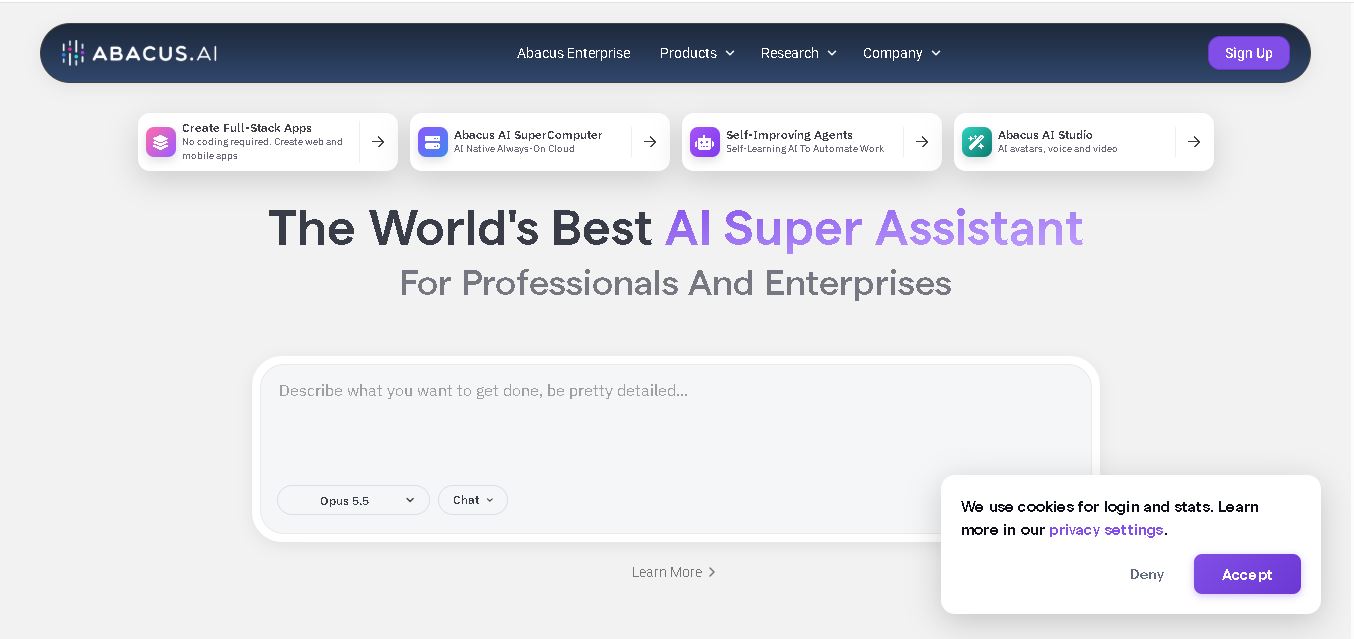
Abacus.AI is an AI-powered platform that helps users automate workflows, build web and mobile apps, analyze data, generate content, and create intelligent AI agents. It combines multiple AI models and productivity tools in one workspace, serving professionals, developers, small businesses, and enterprise teams across industries.