
Fontjoy
Fontjoy is a font pairing generator that helps designers discover complementary typefaces quickly. Its deep-learning approach recommends combinations based on visual compatibility, while generation, locking, editing, and text-preview options make it easier to experiment with typography for websites, branding, marketing materials, presentations, and other creative projects.
What is Fontjoy?
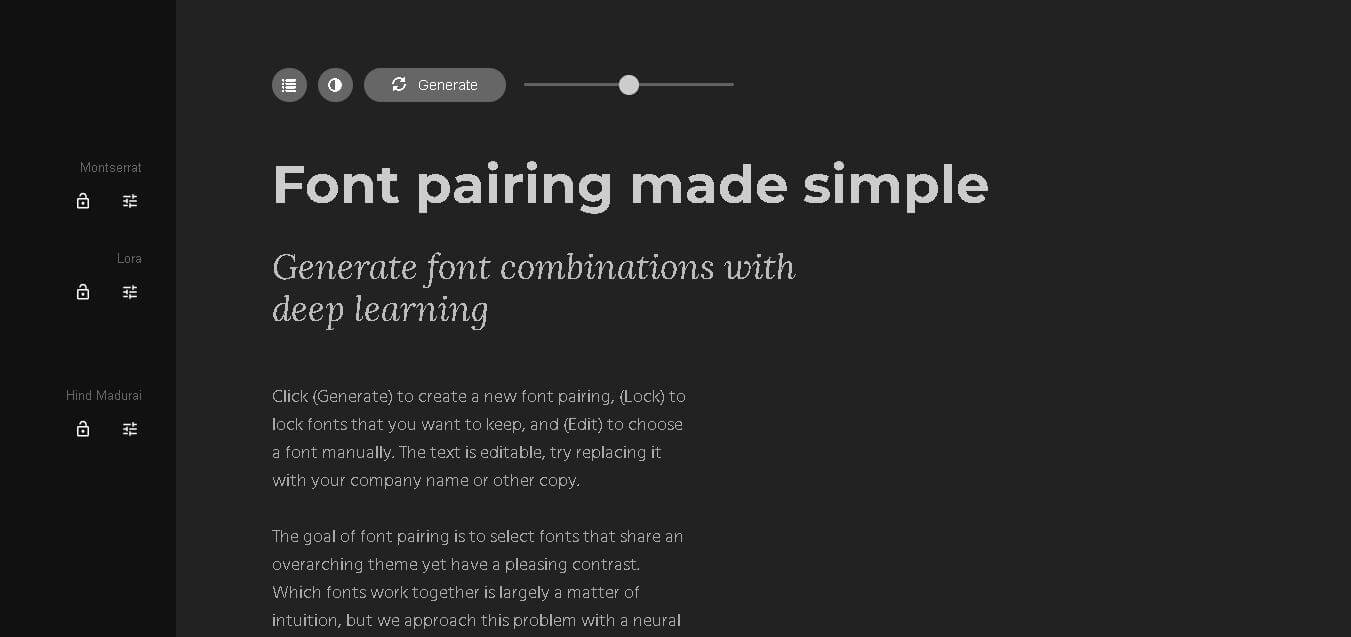
Fontjoy is a font pairing generator designed to help users discover visually compatible typefaces for websites, branding, presentations, and creative projects. It uses a neural network approach to suggest font combinations that balance a shared visual theme with pleasing contrast. Users can generate new combinations, lock fonts they want to keep, manually select fonts, and edit sample text to preview how a pairing works with their content.
Fontjoy focuses on simplifying font pairing through deep learning and neural-network technology. The website provides 3 core interaction options: Generate, Lock, and Edit. Users can generate new font combinations, preserve selected fonts, or manually choose alternatives. The interface also supports editable preview text, allowing users to test combinations with brand names or actual copy. Fontjoy additionally provides 4 visible resource links, including its How It Works page, GitHub, font visualizer, and logo maker.
- Platform Role: AI Font Pairing Generator, Typographic Visualizer & Design Workspace
- Developer & Organization: Jack Qiao (Open-Source AI / Web Project)
- Cross-Platform Access: Web Browser (zero-install on Chrome, Edge, Safari, and Firefox)
Use Cases:
- Generating visually balanced header, subheader, and body text typography combinations for websites and landing pages
- Locking preferred brand fonts and allowing deep learning algorithms to suggest complementary pairing alternatives
- Adjusting typography contrast sliders to experiment with high-contrast editorial layouts versus subtle sans-serif pairings
- Testing live copy, company names, and paragraph text directly inside an interactive typographer preview canvas
- Extracting Google Font CSS and font family names instantly for frontend web development integration
Technology:
- Deep learning neural networks mapping font feature vectors to quantify structural similarity, weight, and visual contrast
- Direct integration with Google Fonts API for open-source typographic licensing and zero-latency rendering
- Interactive browser UI with real-time vector distance calculation for immediate font pairing generation
- Open-source neural net architecture hosted on GitHub for developer contribution and algorithmic experimentation
Target Users:
- UI/UX designers and web developers establishing visual brand systems and design tokens
- Digital marketers, content creators, and bloggers setting up readable editorial hierarchy
- Brand agencies and graphic designers needing rapid font combination ideas during creative ideation
- Typography enthusiasts interested in deep learning applications within creative design workflows
Acquisition: Independent open-source web application created and maintained by Jack Qiao (fontjoy.com)

What are the key features of Fontjoy?
Fontjoy's key platform features are
- One-Click AI Pairing Generation: Instantly generates harmonized font pairings for title, subtitle, and body text utilizing neural net embeddings.
- Granular Contrast Control Slider: Adjust the pairing variance from high contrast (distinct font families) to subtle contrast (similar geometric proportions).
- Selective Element Locking: Lock specific heading or body fonts you want to keep while regenerating complementary matches for unlocked sections.
- Live Editable Preview Canvas: Replace dummy text with actual project copy, headers, and brand slogans to evaluate real-world legibility.
- Direct Google Fonts Linkage: One-click navigation to inspect, download, or embed paired typefaces straight from the Google Fonts directory.
- Manual Font Selection & Override: Choose specific Google Fonts manually from a searchable dropdown menu to test custom pairing hypotheses.
How much does Fontjoy cost?
Fontjoy is a 100% free, open-source web application accessible directly in any browser without account registration or subscription tiers.
Pricing Tiers:
- $0 / Free Web Tool: Unlimited font pairing generations, full access to contrast controls, live editable preview text, and direct Google Fonts export links.
Disclaimer: Fontjoy is completely free to use. All generated typefaces are open-source Google Fonts subject to their respective SIL Open Font or Apache licenses.
Who should use Fontjoy?
Fontjoy is designed for creatives, developers, and writers, including
- Web Designers & UI Developers: Professionals looking to quickly discover harmonized web-safe Google Font combinations for client projects.
- Startups & Founders: Entrepreneurs establishing clean, readable web aesthetics without hiring an agency typographer.
- Graphic Designers: Creatives seeking deep learning-backed inspiration for editorial layouts, posters, and pitch decks.
What are the best alternatives to Fontjoy?
Some of the strongest Fontjoy alternatives include
- Typescale
- Typewolf
- FontPair
- Google Fonts Knowledge
- Adobe Fonts
- Canva Font Combination Generator
What are the pros and cons of Fontjoy?
What are the pros of Fontjoy?
- Completely free and open-source with zero login or paywall barriers
- Powered by genuine deep learning vector mapping rather than simple randomized font lists
- Intuitive, clutter-free user interface with interactive contrast tuning
- Exclusively uses free Google Fonts, ensuring seamless implementation on any web platform
What are the cons of Fontjoy?
- Restricted to open-source Google Fonts; does not index commercial foundries (Adobe, Monotype, etc.)
- Lacks advanced typographical hierarchy tools like baseline grid specs or modular scaling calculators
- Does not export pre-packaged CSS stylesheets or Tailwind configuration tokens directly
Why should you choose Fontjoy?
Selecting font combinations that balance harmony and contrast usually requires years of typographical training or tedious trial-and-error testing. Fontjoy solves this problem by using neural networks to mathematically analyze typography feature vectors. By providing real-time controls, element locking, and direct Google Fonts export, Fontjoy allows web designers and developers to create elegant typographic hierarchies in seconds.
How does Fontjoy compare to competitors?
The primary distinction between Fontjoy, FontPair, Typewolf, and Typescale lies in generation methodology and core focus. While Typewolf provides expert manual editorial curation and Typescale focuses on mathematical font size scaling, Fontjoy leverages deep learning neural networks to dynamically generate infinite algorithmic pairings from open-source font libraries.
| Feature / Platform | Fontjoy | FontPair | Typewolf | Typescale |
|---|---|---|---|---|
| Core Focus | AI/Neural Net Font Pairing | Categorized Google Font Pairs | Editorial Web Typography & Trends | Typographic Scale & Sizing Calculator |
| Pairing Method | Deep Learning Vector Analysis | Static Curated Lists | Manual Expert Curation | Modular Scale Math Ratios |
| Contrast Adjustment | Interactive Slider (Similar to High Contrast) | None (Fixed Categorical Filtering) | None (Static Critique Reviews) | None (Focuses on Size Ratios) |
| Font Library Scope | Google Fonts Open Source Library | Google Fonts Open Source Library | Commercial & Open Source Fonts | Custom Local & Google Fonts |
| Pricing Model | 100% Free / Open Source | 100% Free | Free Site / Paid Guides | Free Web App / Paid Pro Features |
| Best For | Designers wanting algorithmic, one-click Google Font combinations | Browsing pre-filtered serif/sans-serif pair lists | Designers seeking real-world site inspiration and trendy commercial fonts | Developers calculating responsive font size hierarchies |
How do we rate Fontjoy?
| Parameter | Rating (out of 5) |
|---|---|
| Ease of Use & UI Simplicity | 5.0 |
| Algorithmic Quality & Pairing Balance | 4.8 |
| Live Customization & Editing Capabilities | 4.7 |
| Value for Money (100% Free) | 5.0 |
| Advanced Export & Code Options | 4.0 |
| Overall Score | 4.70 |
What is our review and verdict on Fontjoy?
Fontjoy is one of the most effective lightweight design utilities available on the web. By applying deep learning vector math to font relationships, it converts an abstract creative choice into an effortless, interactive process. Fontjoy delivers accurate, web-ready Google Font recommendations in seconds, whether you need a high-contrast serif/sans-serif pair or a subtle geometric layout.
Conclusion
Fontjoy offers a practical way to explore font combinations without relying entirely on trial and error. Its deep-learning approach, generation controls, font locking, manual editing, and customizable text preview make typography experimentation faster and more accessible. Whether you are designing a website, developing a brand identity, or creating marketing materials, Fontjoy can provide useful starting points for selecting complementary typefaces.
FAQ
What is Fontjoy used for?
Fontjoy is useful when you need to find fonts that work well together without testing hundreds of combinations manually. You can generate different pairings, lock a font you like, and continue exploring alternatives. It is particularly helpful for designers, marketers, developers, bloggers, and business owners creating websites, branding materials, presentations, or marketing content.
How does Fontjoy generate font pairings?
Fontjoy approaches font pairing as a compatibility problem and uses a neural network to recommend combinations. Instead of relying entirely on manual intuition, the tool analyzes relationships between typefaces and generates combinations designed to create both consistency and contrast. This speeds up experimentation when you are unsure which fonts naturally complement each other.
Can I lock a font in Fontjoy?
Yes. Fontjoy includes a Lock option that allows you to keep a font you already like while generating different combinations for the remaining fonts. This is especially useful when you have selected a primary brand or heading typeface but want to explore several complementary choices before deciding on the final typography system.
Can I manually choose fonts in Fontjoy?
Yes. Fontjoy provides an Edit option that lets you choose a font manually. This gives you more control when you already have a particular typeface in mind. You can combine your preferred selection with generated recommendations, making the tool useful for both entirely new typography ideas and projects with existing brand guidelines.
Can I preview my own text in Fontjoy?
Yes. Fontjoy allows the displayed text to be edited, so you can replace the sample copy with your company name, headline, or other content. This is useful because a font pairing can look different depending on the actual words, letter shapes, and visual length used in your design.
Who should use Fontjoy?
Fontjoy can be useful for anyone who needs complementary fonts but does not want to spend excessive time researching typography combinations. Web designers, graphic designers, developers, marketers, entrepreneurs, content creators, and students can use it to explore type combinations for websites, logos, presentations, social graphics, and other visual projects.
Is Fontjoy useful for website design?
Yes. Fontjoy can help website creators experiment with typography for headings, body copy, and other interface elements. By generating contrasting but related combinations, it can provide a starting point for a website's typographic hierarchy. Designers can then preview their own text and decide whether the selected combination fits the site's visual identity.
User Reviews
No reviews yet for Fontjoy.
Featured Tools
Featured AI tools from TechShark

Melody Genie
MelodyGenie is an AI-powered music generator that creates original songs from simple text prompts. Users can choose styles, moods, and genres, then instantly generate melodies and full tracks, making it easy for creators, marketers, and hobbyists to produce custom music without musical expertise.
Freemium

Kimi AI
Kimi AI is an advanced AI assistant developed by Moonshot AI that helps you chat, research, write, code, and automate tasks in one place. It supports web search, file analysis, and multimodal inputs, and can even run autonomous “agent” workflows to complete complex tasks end-to-end.
Freemium

Fashion Diffusion AI
Fashion Diffusion is an AI-powered fashion design platform that helps brands and designers create clothing designs, virtual try-ons, AI models, product photos, and marketing visuals faster and cost-effectively.
Paid

Veo 4
Veo 4 AI is an AI video creation platform that generates dramatic videos from text, images, audio, and video prompts using realistic motion and synchronized sound.
Paid
Alternatives
Alternatives to Fontjoy
The best Fontjoy alternatives include Typescale, FontPair, Typewolf, and Google Fonts Knowledge. While Fontjoy provides dynamic, AI-powered deep learning font pairings with contrast controls for Google Fonts, alternatives like Typewolf offer expert manual reviews of commercial fonts, and Typescale helps calculate responsive modular font size ratios.
 4.7
4.7Flux.ai
Design
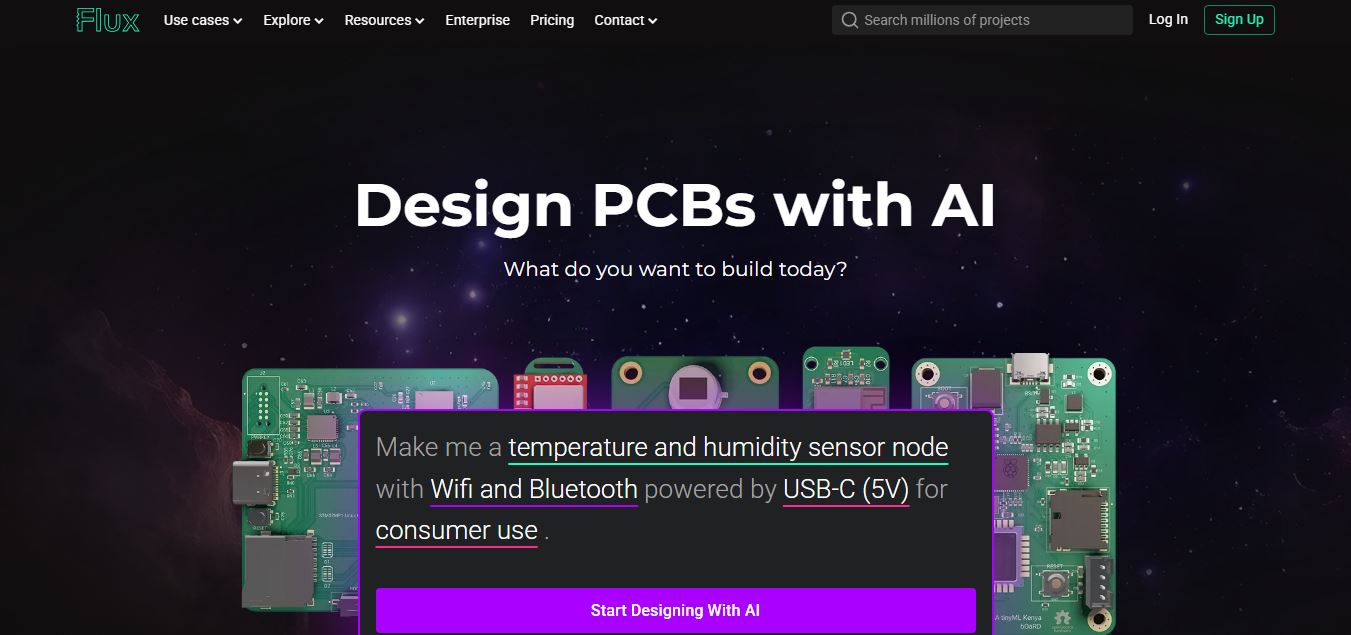
Flux AI is an AI-powered electronics design platform that helps engineers create schematics, design printed circuit boards (PCBs), select components, and optimize routing. Its browser-based workspace supports real-time collaboration, design validation, and manufacturing exports, making hardware development more accessible for individuals, startups, and engineering teams.
 4.8
4.8Repaint
Design
Repaint helps entrepreneurs and small businesses build websites, online stores, booking systems, and custom web applications using AI chat. Users can generate designs, edit content, manage customer accounts, accept payments, and organize business data without traditional coding. It offers subscription plans with different usage limits and business management capabilities.
 4.8
4.8SWAPP
Design
SWAPP helps architecture firms automate construction documentation, BIM modeling, and QA work inside Revit and ArchiCAD. Its Frank agent applies firm-specific standards to repetitive production tasks, while workflow memory preserves organizational knowledge. The platform is suited to teams seeking faster delivery, consistency, and less manual production effort across complex projects.
 4.9
4.9Adobe Stock
Design
Adobe Stock is a creative asset marketplace that helps designers and businesses access millions of royalty-free images, videos, templates, and 3D assets. It integrates with Adobe Creative Cloud, enabling users to search, customize, and license high-quality visuals quickly for marketing, design, and content creation.
 4.9
4.9Yellow Images
Design
Yellow Images is a digital marketplace that helps designers create branding and marketing visuals using high-quality mockups, fonts, PNGs, and graphic assets. It offers a large library of ready-to-use creative resources, enabling faster design workflows for agencies, freelancers, and ecommerce businesses.
 4.9
4.9Placeit
Design
Placeit is a browser-based design platform that helps creators and businesses generate mockups, logos, videos, and marketing visuals using ready-made templates. It allows users to quickly customize designs and download professional assets, making it ideal for ecommerce, social media, and branding without advanced design skills.
 4.8
4.8Figma AI
Design
Figma AI brings generative and assistive tools directly into Figma workflows, helping designers move from ideas to editable designs, visuals, prototypes, and production-ready experiences faster. Users can generate concepts, edit images, search files, automate repetitive work, and collaborate with teammates while keeping creative exploration inside the familiar Figma design environment.
 4.7
4.7PageGPT
Design
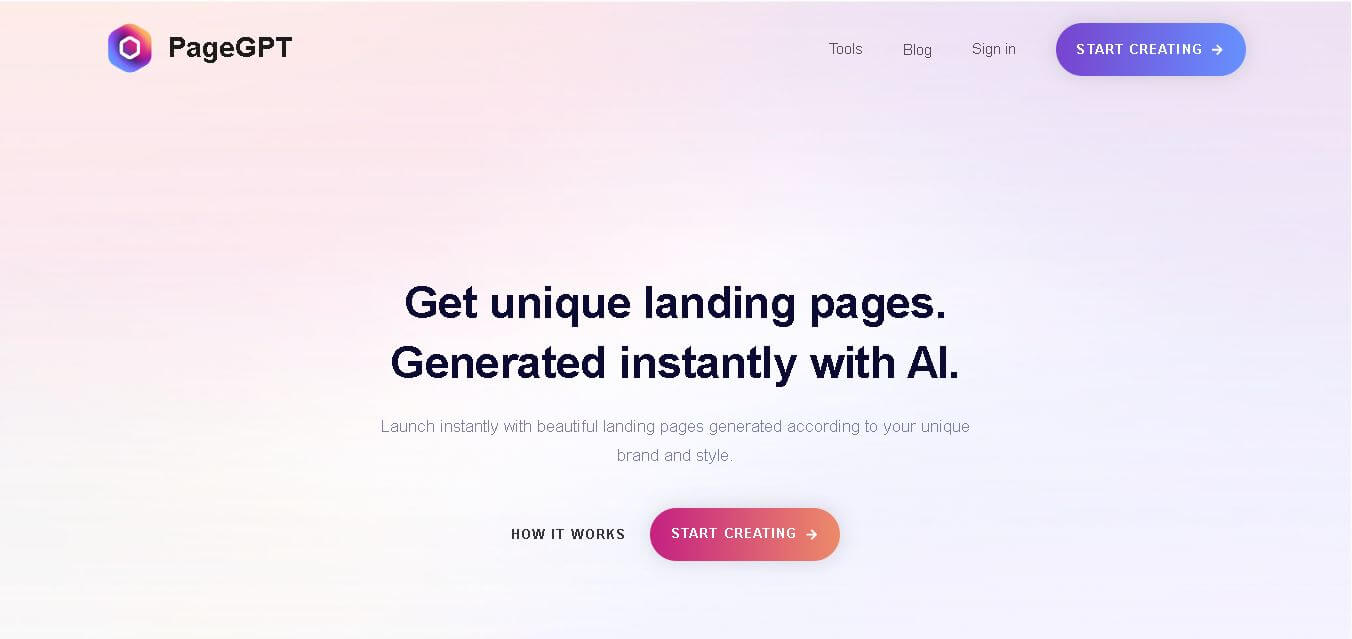
PageGPT helps businesses, creators, marketers, and entrepreneurs create customized landing pages and websites with AI. Users can describe their product and preferred style, generate designs with copy and images, then refine the result through chat or drag-and-drop editing. It also supports responsive pages, custom effects, and publishing options.
 4.8
4.8Locofy.ai
Design
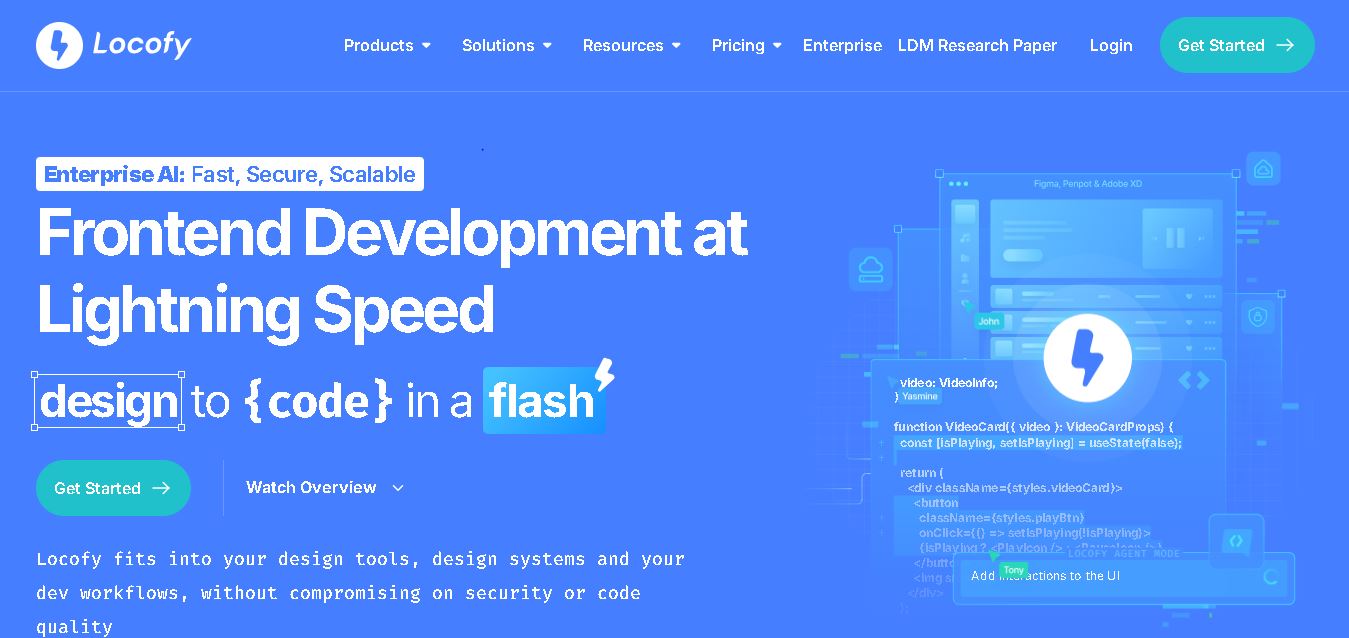
Locofy helps teams transform UI designs into developer-friendly frontend code without rebuilding interfaces manually. It supports popular design tools, web and mobile frameworks, responsive layouts, reusable components, and AI-assisted refinement. Designers can prepare screens while developers customize, export, synchronize, and continue development within familiar workflows and coding environments for teams.