
Enhancor AI Watermark Remover
Enhancor AI is an AI-powered image enhancement platform that helps users improve image quality, remove unwanted elements, and enhance visual details.
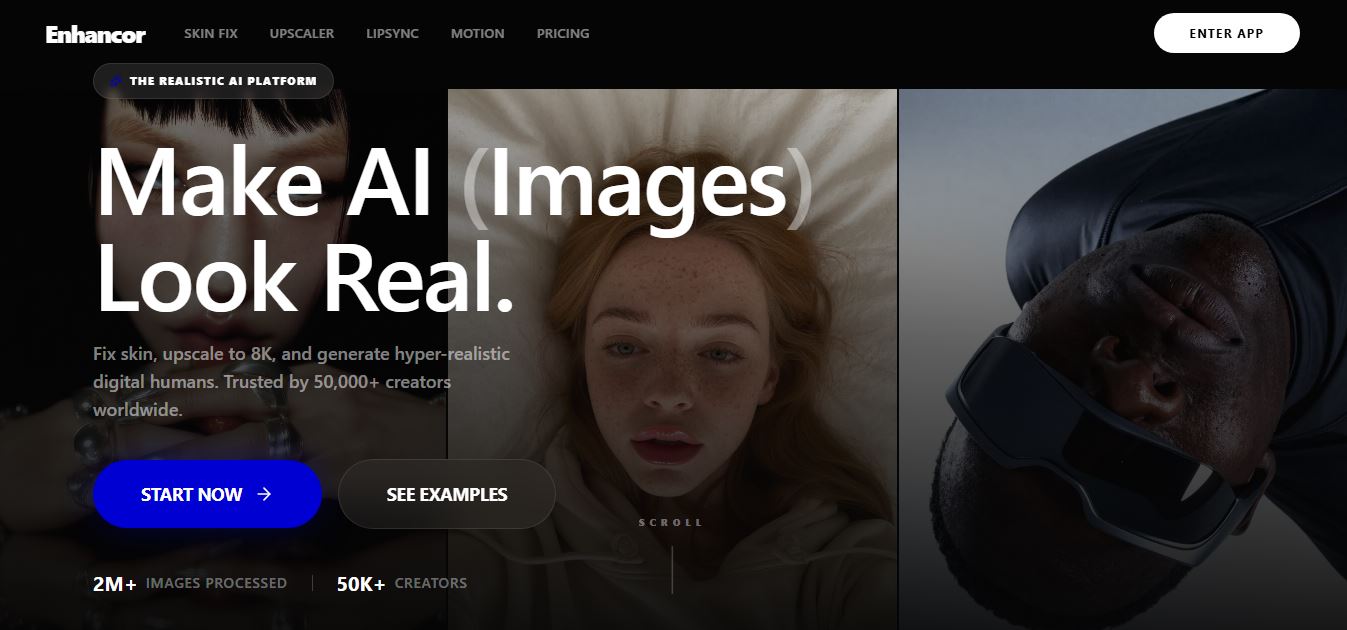
What Is Enhancor AI Watermark Remover?
Enhancor AI is an AI-powered image enhancement platform designed to improve image quality and modify visual content using artificial intelligence. Its tools can help users enhance details, improve resolution, restore images, and remove certain unwanted elements from pictures. The platform is useful for photographers, designers, content creators, marketers, e-commerce businesses, and other users working with digital images. Rather than relying entirely on traditional image-editing software, users can use AI-based processing to make visual improvements more quickly. When removing watermarks, users should only do so on images they own or have permission to edit. Enhancor AI is particularly useful for users who want a simpler alternative to complex professional image-editing workflows.
Enhancor is an AI-powered image enhancement platform designed to create realistic, high-quality portraits with advanced skin texture enhancement and identity preservation. It supports images up to 4K resolution, offers face-only selective enhancement, and includes 20+ AI workflow nodes with 6 pre-built templates for visual AI automation. Users can build and deploy AI workflows as live APIs with 1-click deployment, while the platform starts at $12/month with usage-based pricing for advanced AI features
- Founder: Enhancor AI was developed by a team focused on AI-powered image enhancement and generative visual technology.
- Launch: Enhancor AI was launched as an online AI image enhancement and editing platform.
- Use Cases: Image enhancement, image upscaling, restoration, quality improvement, creative editing, unwanted-object removal, and visual content optimization.
- Technology: AI image processing, machine learning, computer vision, image enhancement models, and generative AI techniques.
- Target Users: Photographers, graphic designers, social media creators, marketers, e-commerce sellers, agencies, and businesses.
- Acquisition: No major acquisition of Enhancor AI has been publicly reported.

Enhancor AI Key Features
Enhancor AI key features are
- AI Image Enhancement: Enhancor AI uses artificial intelligence to improve image quality and make visual details clearer.
- Image Upscaling: Users can increase the resolution of images while attempting to preserve important visual details.
- Image Restoration: AI can help restore older, damaged, blurry, or low-quality images.
- Detail Enhancement: The platform can improve visual details and make images appear sharper.
- Unwanted Element Removal: AI-powered editing can help remove unwanted elements from images. Users should only remove watermarks or copyright markings when they own the image or have permission to modify it.
- AI-Powered Editing: Users can apply AI-based modifications without relying entirely on complex manual editing tools.
- Photo Enhancement: The platform can improve photographs for digital publishing and other creative uses.
- Image Quality Improvement: Low-quality images can be processed to create a cleaner and more usable result.
- Creative Image Processing: AI tools can assist users with different image-editing requirements.
- Web-Based Workflow: Users can access the platform online without needing a traditional desktop image-editing application.
- Creator-Friendly Tools: The platform is designed to simplify image editing for creators and other users who may not have advanced editing skills.
Enhancor AI Watermark Remover Pricing
Enhancor AI offers various pricing plans
Basic Plan
- The plan starts at $12/month
- Offers 12,000 credits per month
- Offers Skin Texture Control
- Allows motion control
- Allows nano banana edits
Creator Plan
- The plan starts at $45/month
- Offers 45,000 credits per month
- Allows image editing
- Offers API access
Disclaimer: For the latest and most accurate pricing information, please visit the official Enhancor AI Watermark Remover website.
Who Is Using Enhancor AI?
A diverse range of users and organizations utilize Enhancor AI Watermark Remover
- Photographers.
- Graphic designers.
- Social media creators.
- YouTube creators.
- Digital marketers.
- E-commerce sellers.
- Online businesses.
- Advertising agencies.
- Creative agencies.
- Website owners.
- Real estate marketers.
- Content creators.
- Users restoring old photographs.
- Users improving low-resolution images.
What Are the Best Enhancor AI Watermark Remover Alternatives?
Some Enhancor AI Watermark Remover alternatives are
- Dewatermark.AI
- WatermarkRemover.io
- Cleanup.pictures
- HitPaw Watermark Remover
- Fotor AI Watermark Remover
- Pixlr
- Inpaint
- Adobe Photoshop
- Picsart
- Magnific AI
- AniEraser
- Aiseesoft Free Watermark Remover
- Media.io Watermark Remover
- Apowersoft Watermark Remover
- PhotoRoom
- SnapEdit
- AI Ease Watermark Remover
- Canva Magic Eraser
- insMind
- Clipdrop Cleanup
Pros and Cons
Pros
- AI-powered image enhancement.
- Easy online workflow.
- Useful for improving low-quality images.
- Image enhancement capabilities.
- Image restoration features.
- AI-assisted editing.
- Useful for photographers.
- Useful for social media creators.
- Helpful for e-commerce images.
- Can reduce manual editing work.
- Suitable for users without advanced editing skills.
- Web-based access.
- Multiple image-processing use cases.
Cons
- AI results may vary depending on the original image.
- Extremely low-quality images may not be restored perfectly.
- Complex professional editing may still require Photoshop.
- AI-generated details may not always be accurate.
- Pricing and credits may change.
- Some advanced features may require paid access.
- Processing time can depend on image size and complexity.
- Watermark removal should only be performed on images users own or are authorized to edit.
Why Choose Enhancor AI?
Enhancor AI is a great option for creators looking to turn AI-generated portraits into realistic, quality images. It uses advanced AI models to improve facial details, skin texture, and overall image quality while protecting the subject's identity. Whether you're a digital artist, photographer, marketer, or content creator, Enhancor AI provides an effective approach to create professional-looking visuals with minimal tweaking. Its workflow automation, API support, and high-resolution output make it ideal for both people and businesses.
- Choose Enhancor AI if you want quick AI-powered image enhancement.
- Use it to improve low-quality photographs.
- Choose it for image restoration.
- Use AI to enhance visual details.
- Choose it when you want a simpler alternative to complex editing software.
- Use it for social media images.
- Choose it for e-commerce product images.
- Use it to improve images before publishing them online.
- Choose it if you regularly work with low-resolution images.
- Use it to reduce repetitive image-editing work.
- Choose it when you want browser-based AI image tools.
- Use unwanted-element removal only on content you own or are authorized to modify.
Enhancor AI vs. Competitors
The main difference between Enhancor AI, Photoshop, Adobe Firefly, Cleanup. pictures, Fotor, Picsart, Canva, and Pixelcut is that Enhancor AI focuses strongly on AI-powered image enhancement and restoration. Photoshop offers much deeper professional editing control, while Firefly specializes in generative AI workflows. Cleanup.pictures focuses on removing unwanted objects, Canva emphasizes design simplicity, and Pixelcut targets product and e-commerce images. Enhancor AI provides a more focused AI image-enhancement experience.
| Tool | Best For | AI Enhancement | Object Removal | Upscaling | Professional Editing |
| Enhancor AI | AI image enhancement | Excellent | Good | Excellent | Good |
| Photoshop | Professional editing | Excellent | Excellent | Excellent | Excellent |
| Adobe Firefly | Generative editing | Excellent | Excellent | Good | Good |
| Cleanup.pictures | Object removal | Good | Excellent | Good | Limited |
| Fotor | AI photo editing | Excellent | Good | Good | Good |
| Picsart | Creative editing | Excellent | Excellent | Good | Good |
| Canva | Design + editing | Good | Good | Good | Good |
| Pixelcut | Product images | Excellent | Good | Excellent | Good |
How Do We Rate Enhancor AI?
| Category | Rating |
| Features | 4.5/5 |
| Ease of Use | 4.7/5 |
| AI Enhancement | 4.7/5 |
| Image Quality | 4.6/5 |
| Upscaling | 4.6/5 |
| Restoration | 4.5/5 |
| Editing | 4.4/5 |
| Processing Speed | 4.4/5 |
| Pricing | 4.2/5 |
| Overall | 4.5/5 |
Enhancor AI Watermark Remover Review
Enhancor AI Watermark Remover is a reliable tool for those who want to remove watermarks without compromising image quality. Its AI-powered technology accurately identifies and restores covered areas, producing clean and natural-looking results with minimal operator intervention. The platform is simple to use, making it ideal for both beginners and pros. Apart from watermark removal, it also includes image enhancing and upscaling features, making it an adaptable option for photographers, designers, marketers, and content makers. While the quality of the output is determined by the complexity and size of the watermark, Enhancor AI excels at most typical image altering jobs and produces quick, high-quality outputs.
Conclusion
Enhancor AI is an AI-powered image enhancement platform that enables users to improve, recover, upscale, and edit digital photographs. Its automated technique can save time for photographers, creators, marketers, e-commerce companies, and designers that frequently work with visual content. The platform is easier to use than many traditional professional editing programs, yet skilled users may prefer Photoshop for more exact control. AI outcomes can also differ based on the original image quality. To remove watermarks, users should only change photos that they own or have authority to modify. Overall, Enhancor AI is a useful AI image editing tool. solution.
People are also reading
FAQ
What is Enhancor AI?
Enhancor AI is an AI-powered image enhancement and editing platform designed to improve image quality, restore images, upscale content, and assist with visual editing.
Is Enhancor AI a watermark remover?
Enhancor AI can assist with removing unwanted elements from images, but its broader purpose is AI-powered image enhancement and editing rather than being solely a watermark-removal tool.
Can Enhancor AI remove watermarks?
It may be able to remove certain unwanted visual elements depending on the image and available editing functionality. Users should only remove watermarks from images they own or are authorized to edit.
Is Enhancor AI free?
Enhancor AI may offer free or limited access depending on the current product and pricing structure. Users should check the official website for the latest plans
Can Enhancor AI upscale images?
Yes. Image enhancement and upscaling are among the key use cases for AI image-processing platforms such as Enhancor AI.
Can Enhancor AI restore old photos?
Yes. AI image restoration can be used to improve old, blurry, damaged, or low-quality photographs.
Is Enhancor AI good for photographers?
Yes. Photographers can use it to improve image quality, restore photographs, enhance details, and prepare images for digital publishing.
Is Enhancor AI good for e-commerce?
Yes. E-commerce businesses can use AI image enhancement to improve product photographs and prepare higher-quality images for websites and online listings.
Can Enhancor AI improve low-resolution images?
Yes. Its AI enhancement capabilities are designed to improve image quality and increase usable visual detail.
Does Enhancor AI work online?
Yes. Enhancor AI is designed as an online image-processing platform.
Is Enhancor AI better than Photoshop?
It depends on the user's needs. Enhancor AI is simpler and more focused on automated AI enhancement, while Photoshop provides much greater manual control and professional editing capabilities.
Is Enhancor AI better than Cleanup.pictures?
Cleanup.pictures is strongly focused on removing unwanted objects and elements, while Enhancor AI provides a broader image-enhancement and restoration workflow.
Is Enhancor AI safe to use?
Users should review the platform's current privacy and data-handling policies before uploading sensitive images. Avoid uploading confidential images unless you understand how they are processed and stored.
Can AI watermark removal damage an image?
Yes. AI removal can sometimes create artifacts, distort nearby details, or generate inaccurate visual information, particularly when the watermark covers important parts of the image.
Can I remove a copyright watermark from any image?
No. You should only remove a watermark or copyright mark from an image you own or have explicit permission to modify.
Who should use Enhancor AI?
Photographers, designers, marketers, content creators, e-commerce sellers, agencies, and website owners can use Enhancor AI for image enhancement and editing.
What are the best Enhancor AI alternatives?
The best alternatives include Adobe Photoshop, Adobe Firefly, Cleanup.pictures, Fotor, Picsart, Canva, Pixelcut, and HitPaw Watermark Remover.
What are the main benefits of Enhancor AI?
The main benefits include AI image enhancement, upscaling, restoration, automated editing, improved visual details, and a simpler workflow than traditional image-editing software.
User Reviews
No reviews yet for Enhancor AI Watermark Remover.
Featured Tools
Featured AI tools from TechShark

Melody Genie
MelodyGenie is an AI-powered music generator that creates original songs from simple text prompts. Users can choose styles, moods, and genres, then instantly generate melodies and full tracks, making it easy for creators, marketers, and hobbyists to produce custom music without musical expertise.
Freemium

Kimi AI
Kimi AI is an advanced AI assistant developed by Moonshot AI that helps you chat, research, write, code, and automate tasks in one place. It supports web search, file analysis, and multimodal inputs, and can even run autonomous “agent” workflows to complete complex tasks end-to-end.
Freemium

Fashion Diffusion AI
Fashion Diffusion is an AI-powered fashion design platform that helps brands and designers create clothing designs, virtual try-ons, AI models, product photos, and marketing visuals faster and cost-effectively.
Paid

Veo 4
Veo 4 AI is an AI video creation platform that generates dramatic videos from text, images, audio, and video prompts using realistic motion and synchronized sound.
Paid
Alternatives
Alternatives to Enhancor AI Watermark Remover
The best Enhancor AI watermark remover alternatives include Adobe Photoshop, Adobe Firefly, Cleanup.pictures, Fotor, Picsart, Canva, Pixelcut, and HitPaw Watermark Remover. Photoshop is ideal for professional editing and precise control, while Firefly provides generative AI editing. Cleanup.pictures specializes in removing unwanted elements, while Fotor and Picsart provide broader AI photo-editing tools. Canva is useful for simple design workflows, and Pixelcut is particularly useful for product photography. Users should only remove watermarks from images they own or are authorized to modify.
 4.7
4.7ImgCreator AI
Image
ImgCreator AI is an AI-powered image generation tool that helps users create visuals from text prompts and reference images. It supports creative artwork, realistic portraits, product visuals, and image editing, making it useful for designers, marketers, content creators, and businesses seeking faster visual content production.
Neural.love
AI Image Enhancer
Neural.love is an AI-powered creative platform for generating images, editing photos, enhancing videos, restoring old media, and animating pictures. It combines multiple AI tools in a browser-based workspace, helping content creators, marketers, photographers, designers, and businesses improve visual content without relying entirely on traditional editing software.
 4.8
4.8Prisma AI
Image
Prisma AI turns everyday photos into artistic images with stylized filters and creative effects. It offers hundreds of art and portrait styles inspired by famous artists, allowing beginners to create distinctive visuals quickly. Users can capture or upload photos, apply a chosen style, and save or share the finished result.
 4.9
4.9Bria AI
Image
Bria helps businesses and teams generate and edit visual content using controllable generative AI. Its capabilities cover image generation, product visuals, background editing, video workflows, and developer integrations. With licensed training data, attribution, provenance, and enterprise deployment options, Bria is positioned for businesses that need scalable, commercially focused visual AI.
 4.7
4.7Unwatermark
Image
Unwatermark.ai helps creators, marketers, photographers, and businesses remove watermarks, logos, text, people, and unwanted objects from images and videos. Its automatic detection handles quick edits, while the manual brush provides precise control over difficult areas. With browser-based processing, format support, previews, and free usage, it simplifies everyday visual cleanup.
 4.9
4.9invideo Nano Banana
Image
Nano Banana is an AI image generation and editing model by Google (Gemini family) that helps users create, modify, and refine visuals using natural language prompts. It supports 4K outputs, consistent characters, accurate text rendering, and real-time editing, enabling fast, production-ready creative workflows.
 4.8
4.8Banana Nano
Image
BananaNano (Nano Banana AI) is an AI-powered image generation and editing platform that lets users create visuals from text or edit photos using natural language. It supports multi-image fusion, character consistency, and up to 4K output, enabling fast, flexible visual creation without complex design tools.
 4.8
4.8Vheer
Image
Vheer is a free AI image and video generator that helps users create visuals from text or photos instantly. It includes tools for image editing, background removal, and image-to-video conversion, offering unlimited generations without signup, making it ideal for quick, creative content production.
 4.9
4.9QOVES
Image
QOVES is an AI-powered facial analysis and beauty consulting platform that helps users understand their facial features and improve appearance through personalized, science-backed recommendations. It analyzes hundreds of facial markers and provides a non-surgical transformation plan, enabling informed decisions about aesthetics, skincare, and overall self-improvement.