
EzRemove AI
EzRemove AI is an AI-powered image editing tool that removes backgrounds, objects, and unwanted elements from photos quickly, helping creators, businesses, and marketers produce professional-quality visuals effortlessly.
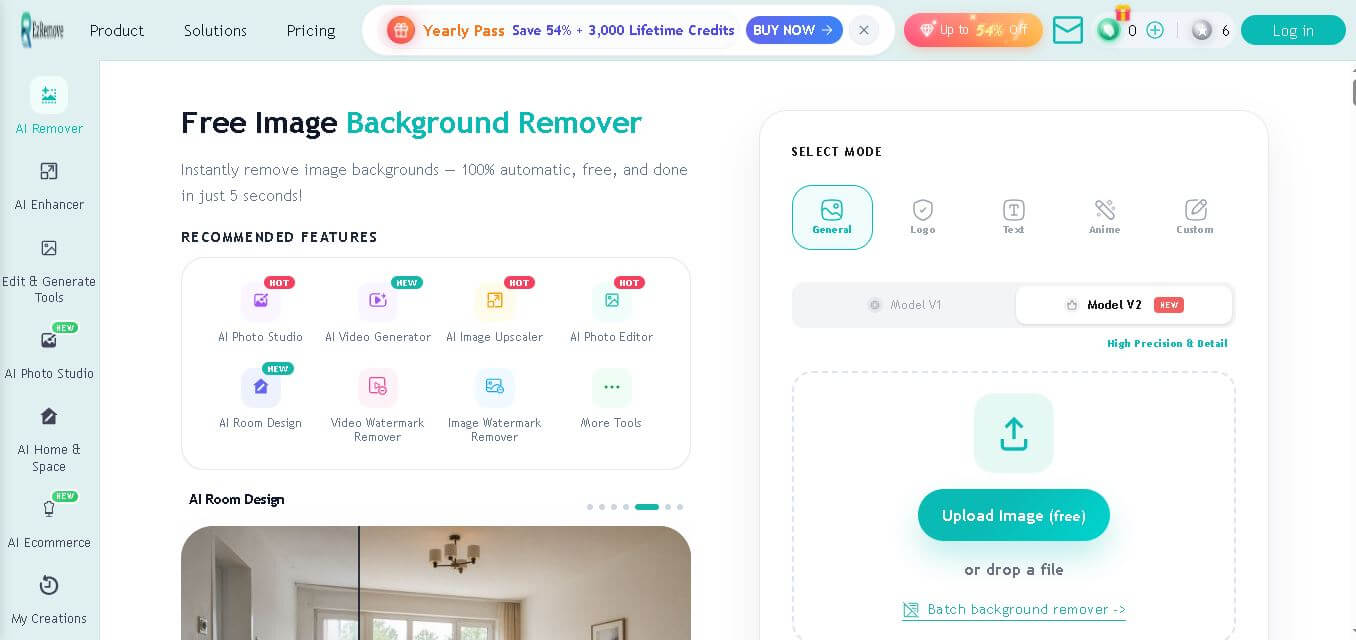
What is EzRemove AI?
EzRemove AI is an AI-powered image editing platform that helps users remove backgrounds, get rid of pesky objects, swap backgrounds, and give photos a more polished look in seconds, kind of like that. It’s built for speed and ease, and the platform relies on advanced computer vision plus deep learning models to spot the main subject with high accuracy. This usually means clean results that look professional, not some rough cut. Whether you’re making product shots for an online store, putting together social media graphics, or just tweaking a personal image, EzRemove AI cuts down on the tedious manual work a lot. And because it runs right in a web browser, you can edit images without installing any software, so it feels convenient for beginners but also works for professionals who don’t want to fuss around.
EzRemove AI offers 5+ AI-powered image editing solutions, including background removal, object removal, watermark removal, image enhancement, and batch processing. The platform processes images in seconds, helping users significantly reduce manual editing time. It supports multiple popular image formats, including JPG, JPEG, PNG, and WebP. Designed for 24/7 browser-based access, EzRemove AI serves photographers, eCommerce businesses, marketers, designers, and content creators worldwide. Its AI automation enables users to create professional-quality visuals faster while improving overall editing efficiency and productivity.
- Founder Name: Not publicly disclosed.
- Launch Date: September 2025.
Use Cases
- Remove image backgrounds instantly
- Create transparent PNG images
- Product photography for eCommerce
- Social media content creation
- Marketing creatives
- Logo isolation
- Watermark removal
- Object removal
- Portrait enhancement
- Graphic design projects
Technology
- Artificial Intelligence
- Deep Learning
- Computer Vision
- Semantic Image Segmentation
- AI Image Inpainting
- Neural Networks
- Cloud-Based Image Processing

Key Features
EzRemove AI's key features are
- Instant AI Background Removal – Automatically removes image backgrounds with precise subject detection, creating clean, professional, and transparent images in seconds.
- Smart Object Eraser – Easily remove unwanted people, objects, logos, text, or distractions from photos while maintaining a natural-looking background.
- AI Background Replacement – Replace existing backgrounds with solid colors, custom images, or creative scenes to match your project requirements.
- High-Quality Image Output – Produces sharp, high-resolution images that are suitable for websites, online stores, social media, and print materials.
- One-Click Editing – Edit photos with minimal effort using an intuitive interface that requires no advanced design or photo editing skills.
- Fast Cloud-Based Processing – Images are processed online in seconds, so you don't need to download or install any desktop software.
- Supports Multiple Image Types – Works with common image formats, making it easy to upload, edit, and export photos for various purposes.
- Batch Image Processing – Save time by editing multiple images at once, making it ideal for businesses and eCommerce sellers managing large image libraries.
- Transparent PNG Downloads – Export images with transparent backgrounds, perfect for product listings, presentations, and graphic design projects.
- Beginner-Friendly Interface—Designed with a simple and clean dashboard, allowing anyone to create professional-quality edits without prior experience.
EzRemove AI Pricing
- Free plan available
- Free image background removal with limitations
- Premium credits or subscription available
- Paid plans unlock HD downloads
- Batch processing included in premium plans
- Priority processing for paid users
Disclaimer: For the latest and most accurate pricing information, please visit the official EzRemove AI website.
Who is using it?
A wide range of users and organizations are using EzRemove AI
- eCommerce businesses
- Online marketplace sellers
- Graphic designers
- Digital marketers
- Social media managers
- Photographers
- Content creators
- Small businesses
- Advertising agencies
- Freelancers
EzRemove AI Alternatives
Some EzRemove AI alternatives are
EzRemove AI Vs. Competitors
The main difference between EzRemove AI and its competitors is its combination of rapid AI-powered editing, browser-based accessibility, and multiple image editing tools in one platform. While Remove.bg primarily focuses on background removal and PhotoRoom emphasizes product photography, EzRemove AI also includes object removal, watermark removal, background replacement, and AI enhancement features. Compared with Canva, EzRemove AI specializes in automated image editing instead of full graphic design. It provides an intuitive workflow for users who need quick, professional image editing.
| Tool Name | Primary Focus | Best For | Free Plan | Batch Processing | Browser-Based |
|---|---|---|---|---|---|
| EzRemove AI | Background removal and object removal | Fast AI image editing | Yes | Yes | Yes |
| Remove.bg | Background removal | Professional cutouts | Yes | Yes | Yes |
| PhotoRoom | Product photography | eCommerce sellers | Yes | Yes | Yes |
| Canva | Graphic design | Marketing and presentations | Yes | Limited | Yes |
| Removal.AI | Background removal | Businesses | Yes | Yes | Yes |
| Adobe Express | Graphic design | Creative professionals | Yes | Limited | Yes |
How Did We Rate EzRemove AI?
| Category | Rating out of 5 |
|---|---|
| Creative Accuracy | 4.7 |
| User Experience | 4.8 |
| Tools and Capabilities | 4.7 |
| Speed and Efficiency | 4.9 |
| Creative Freedom | 4.5 |
| Trust and Transparency | 4.3 |
| Help and Community | 4.2 |
| Value for Money | 4.7 |
| Ecosystem Fit | 4.5 |
| Overall Score |
4.6 |
Conclusion
EzRemove AI is a reliable AI image editing solution that makes background removal, object erasing, and image enhancement feel a lot simpler, even for folks with different skill levels. It has this browser-based interface, it runs fast, and the AI models are pretty accurate, so it becomes a practical pick for e-commerce sellers, marketers, designers, and content creators. Honestly, the platform removes the need for complicated editing software while still giving professional-quality results in seconds. Sure, advanced users might still want dedicated photo editing software when they need deeper retouching or that extra level of control, but EzRemove AI is still excellent value for everyday edits. So it ends up being one of the most efficient AI image editing tools that are available right now.
People are also reading
FAQ
What is EzRemove AI?
EzRemove AI is an AI-powered image editing tool for removing backgrounds, objects, watermarks, and enhancing photos automatically.
Is EzRemove AI free?
Yes. It offers a free version, while premium features and HD downloads require paid credits or subscriptions.
Does EzRemove AI require software installation?
No. It works directly from a web browser.
Can EzRemove AI remove unwanted objects?
Yes. It includes AI-powered object removal and image inpainting features.
Who should use EzRemove AI?
It is suitable for eCommerce sellers, designers, photographers, marketers, businesses, and content creators.
User Reviews
No reviews yet for EzRemove AI.
Featured Tools
Featured AI tools from TechShark

Melody Genie
MelodyGenie is an AI-powered music generator that creates original songs from simple text prompts. Users can choose styles, moods, and genres, then instantly generate melodies and full tracks, making it easy for creators, marketers, and hobbyists to produce custom music without musical expertise.
Freemium

Kimi AI
Kimi AI is an advanced AI assistant developed by Moonshot AI that helps you chat, research, write, code, and automate tasks in one place. It supports web search, file analysis, and multimodal inputs, and can even run autonomous “agent” workflows to complete complex tasks end-to-end.
Freemium

Fashion Diffusion AI
Fashion Diffusion is an AI-powered fashion design platform that helps brands and designers create clothing designs, virtual try-ons, AI models, product photos, and marketing visuals faster and cost-effectively.
Paid

Veo 4
Veo 4 AI is an AI video creation platform that generates dramatic videos from text, images, audio, and video prompts using realistic motion and synchronized sound.
Paid
Alternatives
Alternatives to EzRemove AI
EzRemove AI alternatives include Verisl, Cytora, Shift Technology, Socotra, Earnix, and Guidewire. EzRemove AI is an AI-powered background remover and photo editing platform designed to simplify image editing. It automatically removes backgrounds, erases unwanted objects, and enhances images in seconds, making it ideal for eCommerce sellers, designers, photographers, content creators, and digital marketers seeking rapid, professional-quality results.
 4.7
4.7ImgCreator AI
Image
ImgCreator AI is an AI-powered image generation tool that helps users create visuals from text prompts and reference images. It supports creative artwork, realistic portraits, product visuals, and image editing, making it useful for designers, marketers, content creators, and businesses seeking faster visual content production.
Neural.love
AI Image Enhancer
Neural.love is an AI-powered creative platform for generating images, editing photos, enhancing videos, restoring old media, and animating pictures. It combines multiple AI tools in a browser-based workspace, helping content creators, marketers, photographers, designers, and businesses improve visual content without relying entirely on traditional editing software.
 4.8
4.8Prisma AI
Image
Prisma AI turns everyday photos into artistic images with stylized filters and creative effects. It offers hundreds of art and portrait styles inspired by famous artists, allowing beginners to create distinctive visuals quickly. Users can capture or upload photos, apply a chosen style, and save or share the finished result.
 4.9
4.9Bria AI
Image
Bria helps businesses and teams generate and edit visual content using controllable generative AI. Its capabilities cover image generation, product visuals, background editing, video workflows, and developer integrations. With licensed training data, attribution, provenance, and enterprise deployment options, Bria is positioned for businesses that need scalable, commercially focused visual AI.
 4.7
4.7Unwatermark
Image
Unwatermark.ai helps creators, marketers, photographers, and businesses remove watermarks, logos, text, people, and unwanted objects from images and videos. Its automatic detection handles quick edits, while the manual brush provides precise control over difficult areas. With browser-based processing, format support, previews, and free usage, it simplifies everyday visual cleanup.
 4.9
4.9invideo Nano Banana
Image
Nano Banana is an AI image generation and editing model by Google (Gemini family) that helps users create, modify, and refine visuals using natural language prompts. It supports 4K outputs, consistent characters, accurate text rendering, and real-time editing, enabling fast, production-ready creative workflows.
 4.8
4.8Banana Nano
Image
BananaNano (Nano Banana AI) is an AI-powered image generation and editing platform that lets users create visuals from text or edit photos using natural language. It supports multi-image fusion, character consistency, and up to 4K output, enabling fast, flexible visual creation without complex design tools.
 4.8
4.8Vheer
Image
Vheer is a free AI image and video generator that helps users create visuals from text or photos instantly. It includes tools for image editing, background removal, and image-to-video conversion, offering unlimited generations without signup, making it ideal for quick, creative content production.
 4.9
4.9QOVES
Image
QOVES is an AI-powered facial analysis and beauty consulting platform that helps users understand their facial features and improve appearance through personalized, science-backed recommendations. It analyzes hundreds of facial markers and provides a non-surgical transformation plan, enabling informed decisions about aesthetics, skincare, and overall self-improvement.