
TinyWow
TinyWow is a free AI-powered productivity platform offering PDF, image, video, writing, and file conversion tools. It helps users complete everyday digital tasks quickly without complicated software.
What is TinyWow AI?
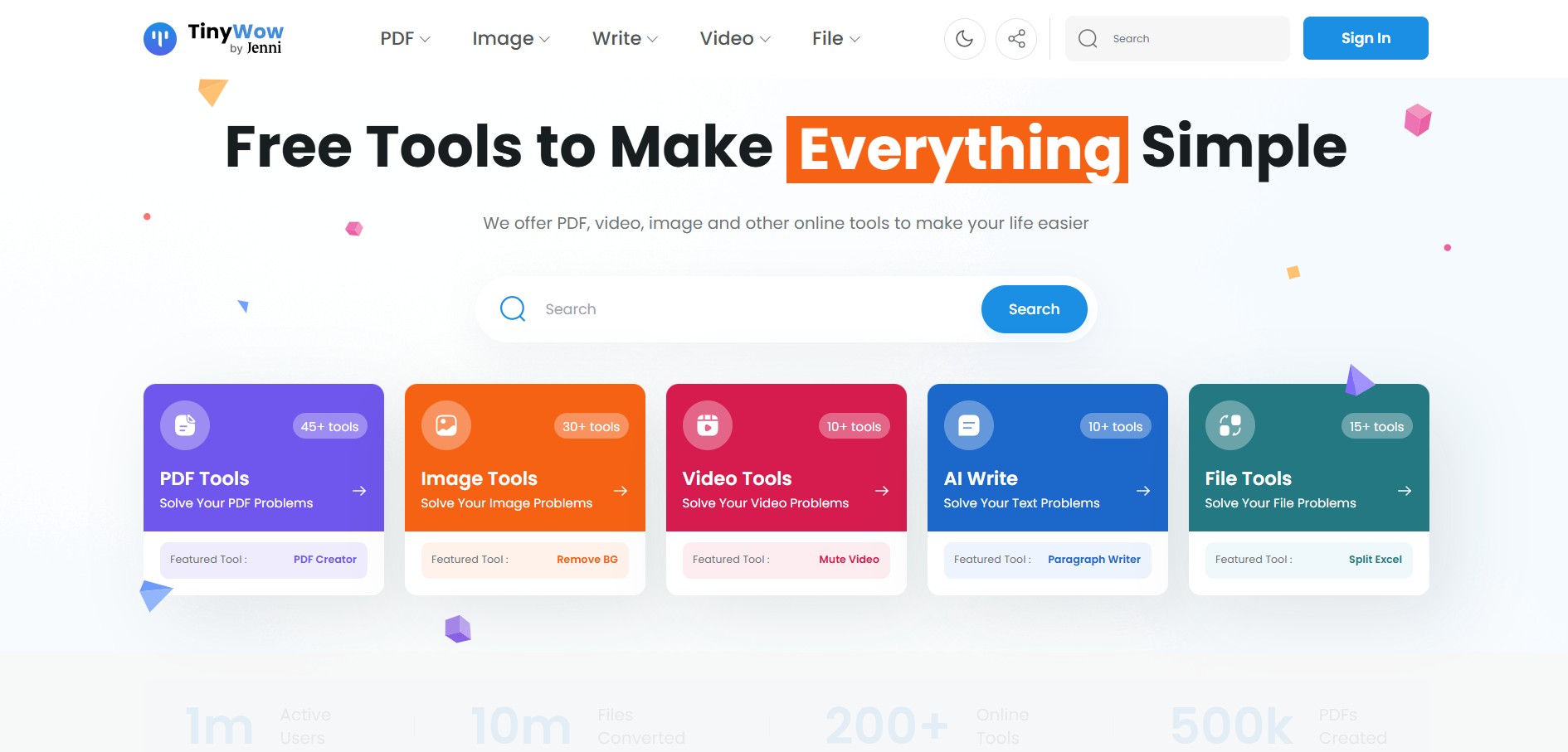
TinyWow is an all-in-one online productivity platform that offers a wide range of free tools for working with PDFs, images, videos, and AI-powered content. Whether you need to convert files, edit documents, remove image backgrounds, summarize text, or generate AI content, TinyWow provides a simple browser-based solution without requiring complex software. Its clean interface, generous free access, and no-sign-up approach make it a popular choice for students, professionals, freelancers, and anyone looking to complete everyday digital tasks quickly and efficiently.
TinyWow is a free online productivity platform launched in 2019 that brings together 250+ tools for PDF editing, AI writing, image editing, video processing, and file conversion. It serves 1+ million monthly users across 190+ countries, has processed 10+ million files, and offers 100% privacy protection by automatically deleting uploaded files after 1 hour. With no sign-up required for most features, TinyWow makes everyday digital tasks fast, simple, and accessible for everyone.
- Founder Name: Kevin Burger
- Launch Date: 2021
- Use Cases:
- Edit PDF documents
- Merge and split PDF files
- Convert PDF to Word and Word to PDF
- Compress PDF files
- Remove image backgrounds
- Enhance and upscale images
- Convert video formats
- Compress videos
- AI writing assistance
- Summarize documents
- Generate social media content
- Convert files between multiple formats
- OCR text extraction
- Image format conversion
- Resume creation
- Technology:
- Artificial Intelligence
- Optical Character Recognition OCR
- Machine Learning
- Computer Vision
- Natural Language Processing
- Cloud Computing
- Browser-Based Processing
- Image Processing Algorithms
- PDF Processing Engine
- File Compression Technology

Key Features
TinyWoW AI key features are
- Completely Free Access – Most tools are available for free, allowing users to complete everyday tasks without expensive software or subscriptions.
- AI Writing Tools – Create, rewrite, summarize, expand, and improve articles, emails, blogs, and other written content with AI assistance.
- Comprehensive PDF Toolkit – Merge, split, compress, convert, edit, unlock, protect, and organize PDF documents in just a few clicks.
- Image Editing and Enhancement – Remove backgrounds, sharpen images, upscale photos, convert image formats, crop, resize, and optimize pictures online.
- Video Processing Tools – Convert video formats, compress large files, trim clips, extract audio, and perform basic video editing directly from a browser.
- File Conversion – Convert documents, images, audio, videos, and PDFs between multiple popular formats quickly and accurately.
- OCR Text Extraction – Extract editable text from scanned PDFs and images using Optical Character Recognition technology.
- Browser-Based Platform – No software installation is required. All tools work directly in modern web browsers on desktop and mobile devices.
- No Mandatory Registration—Most features can be used instantly without creating an account, making workflows faster and more convenient.
- Privacy-Focused Processing – Uploaded files are automatically removed after processing to help protect user privacy.
TinyWow AI Pricing
TinyWoW offers various pricing plans
- Free plan available
- Most tools available without registration
- Premium plan available for ad-free experience and additional benefits
- Monthly subscription option
- Annual subscription option
Disclaimer: For the latest and most accurate pricing information, please visit the official TinyWoW website.
Who Is Using TinyWow AI?
A wide range of users and organizations are using TinyWoW AI
- Students
- Teachers
- Freelance writers
- Digital marketers
- Bloggers
- Content creators
- Graphic designers
- Small businesses
- Corporate professionals
- HR teams
- Researchers
- Administrative staff
TinyWow AI Alternatives
Some TinyWoW AI alternatives are
- Adobe Acrobat Online
- Smallpdf
- iLovePDF
- Canva
- PDF24 Tools
- Sejda PDF
- LightPDF
- Zamzar
- PDF Candy
- ImageCandy
TinyWow vs Competitors
The main difference between TinyWow and its competitors is that TinyWow provides a significantly larger collection of free productivity tools with minimal registration requirements. Unlike Adobe Acrobat Online, it extends beyond PDF editing into AI writing, image enhancement, video conversion, OCR, and file utilities. Compared with Smallpdf and iLovePDF, TinyWow combines multiple productivity categories within one platform, making it suitable for users seeking an all-in-one browser-based workspace instead of relying on separate specialized applications.
| Tool Name | Primary Focus | Free Plan | AI Features | Best For |
|---|---|---|---|---|
| TinyWow | PDF Image Video Writing File Tools | Yes | Extensive | Complete productivity |
| Adobe Acrobat Online | PDF Management | Limited | Moderate | Professional PDF editing |
| Smallpdf | PDF Tools | Limited | Basic | PDF workflows |
| iLovePDF | PDF Editing | Yes | Basic | PDF management |
| Canva | Graphic Design | Yes | Extensive | Visual content creation |
| PDF24 Tools | PDF Utilities | Yes | Limited | Free PDF editing |
How Did We Rate TinyWow?
| Category | Rating |
|---|---|
| Creative Accuracy | 4.6 |
| User Experience | 4.8 |
| Tools and Capabilities | 4.9 |
| Speed and Efficiency | 4.7 |
| Creative Freedom | 4.6 |
| Trust and Transparency | 4.7 |
| Help and Community | 4.5 |
| Value for Money | 5.0 |
| Ecosystem Fit | 4.6 |
| Overall Score | 4.7 |
Conclusion
TinyWow has shown up as one of the most comprehensive free online productivity platforms by mixing AI-powered writing, PDF management, image editing, video conversion, OCR, and several file utilities inside one browser-based workspace. The free access is generous, and the interface feels intuitive, so it ends up being useful for students, professionals, marketers, educators, freelancers, and even businesses. People can finish multiple digital tasks without installing any software or buying those expensive licenses. As the features continue to be refined and the AI capabilities expand, TinyWow remains a strong choice for anyone looking for an affordable, reliable, and versatile productivity solution for everyday digital workflows.
People are also reading
FAQ
What is TinyWow?
TinyWow is an AI-powered online productivity platform offering free tools for PDF editing, image enhancement, AI writing, video conversion, and file management.
Is TinyWow free?
Yes. Most TinyWow tools are free to use, with optional premium plans for an ad-free experience and extra benefits.
Does TinyWow require registration?
Most tools can be used without creating an account, making the platform quick and convenient.
Can TinyWow edit PDF files?
Yes. TinyWow allows users to merge, split, compress, convert, and edit PDF documents online.
Does TinyWow offer AI writing tools?
Yes. It includes AI-powered writing tools for generating, rewriting, summarizing, and improving text.
User Reviews
No reviews yet for TinyWow.
Featured Tools
Featured AI tools from TechShark

Melody Genie
MelodyGenie is an AI-powered music generator that creates original songs from simple text prompts. Users can choose styles, moods, and genres, then instantly generate melodies and full tracks, making it easy for creators, marketers, and hobbyists to produce custom music without musical expertise.
Freemium

Kimi AI
Kimi AI is an advanced AI assistant developed by Moonshot AI that helps you chat, research, write, code, and automate tasks in one place. It supports web search, file analysis, and multimodal inputs, and can even run autonomous “agent” workflows to complete complex tasks end-to-end.
Freemium

Fashion Diffusion AI
Fashion Diffusion is an AI-powered fashion design platform that helps brands and designers create clothing designs, virtual try-ons, AI models, product photos, and marketing visuals faster and cost-effectively.
Paid

Veo 4
Veo 4 AI is an AI video creation platform that generates dramatic videos from text, images, audio, and video prompts using realistic motion and synchronized sound.
Paid
Alternatives
Alternatives to TinyWow
The best TinyWow AI alternatives include Adobe Acrobat, Smallpdf, iLovePDF, Canva, PDFgear, Sejda PDF, ILoveIMG, Pixelcut, ChatGPT, and UPDF. These platforms offer powerful tools for PDF editing, file conversion, AI writing, image enhancement, background removal, and document management, making them excellent choices for students, professionals, businesses, and content creators seeking more advanced or specialized features.
 4.7
4.7ImgCreator AI
Image
ImgCreator AI is an AI-powered image generation tool that helps users create visuals from text prompts and reference images. It supports creative artwork, realistic portraits, product visuals, and image editing, making it useful for designers, marketers, content creators, and businesses seeking faster visual content production.
Neural.love
AI Image Enhancer
Neural.love is an AI-powered creative platform for generating images, editing photos, enhancing videos, restoring old media, and animating pictures. It combines multiple AI tools in a browser-based workspace, helping content creators, marketers, photographers, designers, and businesses improve visual content without relying entirely on traditional editing software.
 4.8
4.8Prisma AI
Image
Prisma AI turns everyday photos into artistic images with stylized filters and creative effects. It offers hundreds of art and portrait styles inspired by famous artists, allowing beginners to create distinctive visuals quickly. Users can capture or upload photos, apply a chosen style, and save or share the finished result.
 4.9
4.9Bria AI
Image
Bria helps businesses and teams generate and edit visual content using controllable generative AI. Its capabilities cover image generation, product visuals, background editing, video workflows, and developer integrations. With licensed training data, attribution, provenance, and enterprise deployment options, Bria is positioned for businesses that need scalable, commercially focused visual AI.
 4.7
4.7Unwatermark
Image
Unwatermark.ai helps creators, marketers, photographers, and businesses remove watermarks, logos, text, people, and unwanted objects from images and videos. Its automatic detection handles quick edits, while the manual brush provides precise control over difficult areas. With browser-based processing, format support, previews, and free usage, it simplifies everyday visual cleanup.
 4.9
4.9invideo Nano Banana
Image
Nano Banana is an AI image generation and editing model by Google (Gemini family) that helps users create, modify, and refine visuals using natural language prompts. It supports 4K outputs, consistent characters, accurate text rendering, and real-time editing, enabling fast, production-ready creative workflows.
 4.8
4.8Banana Nano
Image
BananaNano (Nano Banana AI) is an AI-powered image generation and editing platform that lets users create visuals from text or edit photos using natural language. It supports multi-image fusion, character consistency, and up to 4K output, enabling fast, flexible visual creation without complex design tools.
 4.8
4.8Vheer
Image
Vheer is a free AI image and video generator that helps users create visuals from text or photos instantly. It includes tools for image editing, background removal, and image-to-video conversion, offering unlimited generations without signup, making it ideal for quick, creative content production.
 4.9
4.9QOVES
Image
QOVES is an AI-powered facial analysis and beauty consulting platform that helps users understand their facial features and improve appearance through personalized, science-backed recommendations. It analyzes hundreds of facial markers and provides a non-surgical transformation plan, enabling informed decisions about aesthetics, skincare, and overall self-improvement.