
SnapEdit
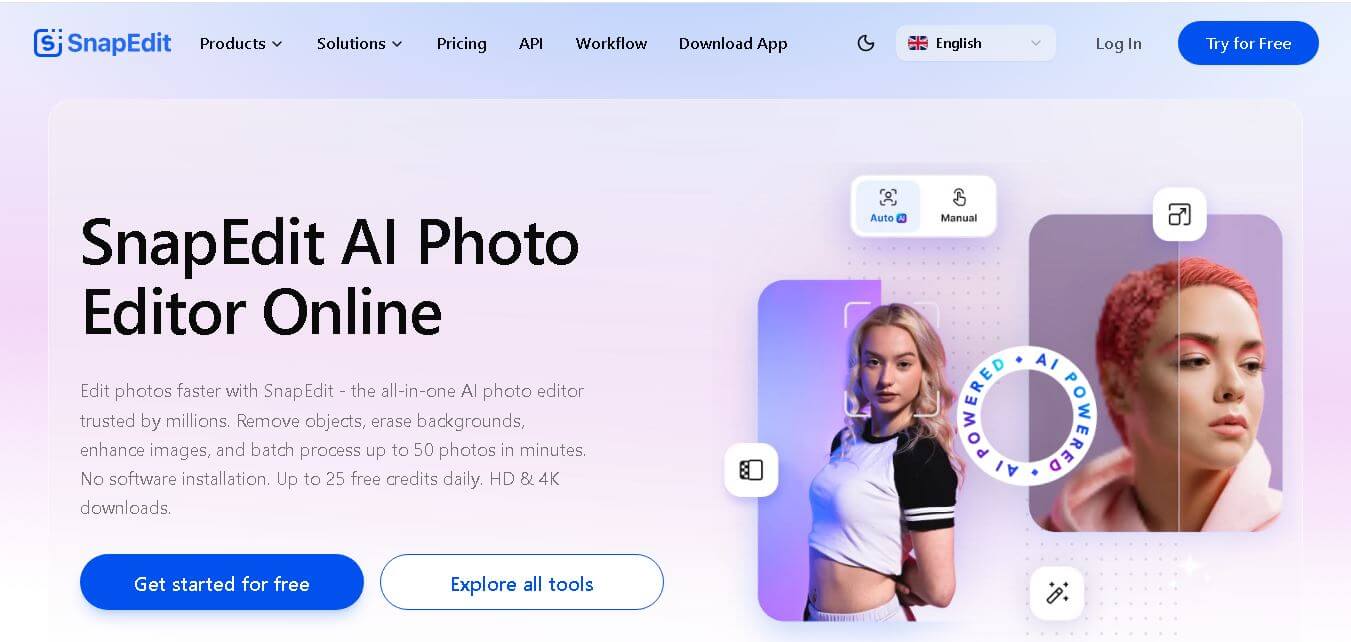
SnapEdit is an easy-to-use online photo editor that helps you quickly remove unwanted objects, enhance image quality, erase backgrounds, change skies, restore photos, and create polished visuals. With AI and non-AI editing tools, SnapEdit serves creators, photographers, ecommerce businesses, designers, and everyday users looking for faster photo editing.
What is SnapEdit?
SnapEdit is an online photo editing tool that simplifies common image-editing tasks with automated tools. It helps users remove unwanted objects, erase backgrounds, enhance image quality, remove text, change skies, restore old photos, and make other visual adjustments with minimal manual work. SnapEdit also supports batch processing and mobile use, making it suitable for individuals, creators, photographers, e-commerce teams, and businesses that need faster image editing. The service was founded by Nam Le and developed under SilverAI in 2022.
SnapEdit has processed more than 300 million photos and reached 20 million+ users worldwide, according to its website. Its platform provides 25+ AI and non-AI tools, while batch processing supports up to 50 photos at once. SnapEdit also reports a 4.8/5 App Store rating. The company was established in 2022 by Nam Le under SilverAI. Its paid plans currently include Standard at $6/month and PRO at $12/month.
- Platform Role: AI Photo Editor, Object & Background Remover, Image Upscaler & REST API Platform
- Developer & Organization: SilverAI / SnapEdit Team
- Cross-Platform Access: Web Browser (Zero-install web editor), iOS (App Store), Android (Google Play), and Developer REST API
Use Cases:
- Removing photobombers, power lines, watermarks, text, and unwanted objects from personal photos
- Isolating product subjects and creating transparent or solid-color backgrounds for e-commerce listings
- Upscaling low-resolution, blurry, or pixelated images up to 8X resolution with AI detail enhancement
- Restoring, colorizing, and sharpening vintage or damaged family photographs
- Transforming personal portraits into stylized anime, chibi, or AI avatar artworks
Technology:
- Proprietary object detection and generative AI inpainting algorithms for seamless surface filling
- AI Super Remove and Magic Enhance models running on high-throughput GPU server networks
- Automatic subject segmentation engine (AI Cutout) for precision background separation
- Developer REST API infrastructure providing bulk batch processing with sub-5-second completion times
Target Users:
- Social media content creators and travel vloggers needing fast mobile photo cleanup
- E-commerce sellers and small business owners creating professional product catalog imagery
- Casual photography enthusiasts looking to enhance old or blurry family snapshots
- Software developers requiring API access for scalable image processing pipelines
Acquisition: Proprietary SaaS product and app operated by SilverAI (snapedit.app)

What are the key features of SnapEdit?
SnapEdit's key platform features are
- AI Object & People Remover: Automatically identifies unwanted people or objects in the background, allowing instant one-tap removal.
- AI Photo Enhancer: Sharpens blurry photos, reduces grain, enhances lighting, and upscales resolution up to 8X.
- Background Remover & Sky Replacement: Instant background removal for transparent PNG exports or replacing dull skies with vibrant outdoor backdrops.
- Old Photo Restoration & Colorization: Repairs scratches, removes noise, and adds realistic colors to black-and-white historical images.
- AI Anime & Avatar Generator: Converts portrait photos into creative anime, fantasy, or PopMart digital art styles.
- Batch Processing Capabilities: Allows users and enterprise teams to upload and process up to 50 images simultaneously.
- Developer REST API: High-speed API infrastructure enabling third-party apps to call object detection and background removal models programmatically.
How much does SnapEdit cost?
SnapEdit operates on a freemium pricing structure offering free daily usage with ads, as well as monthly/yearly subscription plans and credit packs for premium features.
Free & Subscription Tiers:
- Free Tier ($0/month): Includes 10 free credits per month, standard quality export (max 1600px), basic background tools, and ad-supported exports with watermarks.
- Standard Plan ($6/month billed annually): Provides 4,800 credits per year, 8X photo upscaling, FHD video enhancer, batch processing, watermark removal, and ad-free usage.
- PRO Plan ($12/month billed annually): Provides 18,000 credits per year, full access to AI Super Remove, AI Magic Enhance, 2K video enhancer, full mobile app PRO access, and maximum resolution exports (up to 5600 px).
- Developer API Pricing: Pay-as-you-go API calls starting from $0.002 to $0.004 per image run with volume discounts for high-volume pipelines.
Disclaimer: Free users can access basic editing features by viewing ads, but high-resolution 4K/8K exports, batch processing, and advanced AI Super Remove require a paid Standard or PRO subscription.
Who should use SnapEdit?
SnapEdit is designed for creators, online sellers, and everyday photo editors, including
- E-Commerce Retailers: Sellers needing clean, isolated product shots on white or custom backgrounds for Amazon, Shopify, or eBay.
- Travelers & Social Media Users: Anyone looking to remove crowds, clutter, or power lines from outdoor photos before posting.
- Genealogists & Family Archivists: Individuals digitizing, repairing, and colorizing vintage family photograph albums.
What are the best alternatives to SnapEdit?
Some of the strongest SnapEdit alternatives include
- Photoroom
- PicWish
- Remini
- Cleanup.pictures
- Canva Magic Eraser
- Erase.bg
What are the pros and cons of SnapEdit?
What are the pros of SnapEdit?
- Highly intuitive interface across web and mobile apps with quick automatic object detection
- Comprehensive feature set combining object removal, upscaling, restoration, and background editing in one tool
- Generous free trial options and ad-supported free exports for casual users
- Fast API processing options for business developers and e-commerce platforms
What are the cons of SnapEdit?
- The free version includes ads and limits high-resolution image downloads
- Complex backgrounds can occasionally produce subtle visual artifacts during AI object inpainting
- The credit consumption system requires users to track usage on advanced AI features
Why should you choose SnapEdit?
Removing unwanted background objects or enhancing grainy images used to require specialized photo editing skills and expensive software packages. SnapEdit simplifies this entire process into a web browser or mobile tap. By combining auto-detection AI with versatile enhancement tools, SnapEdit gives users professional-quality photo retouching and background control in seconds.
How does SnapEdit compare to competitors?
The primary distinction between SnapEdit, Photoroom, Remini, and Cleanup.pictures lies in functional breadth and platform accessibility. While Remini focuses primarily on face enhancement and Photoroom prioritizes e-commerce product staging, SnapEdit offers a balanced, all-in-one suite covering object removal, image restoration, background replacement, and developer API access.
| Feature / Platform | SnapEdit | Photoroom | Remini | Cleanup.pictures |
|---|---|---|---|---|
| Core Focus | All-in-One AI Photo Editing & Object Removal | E-Commerce Product Photography & Backgrounds | AI Facial Detail Enhancement & Restoration | Dedicated Object & Watermark Removal |
| Object Removal Precision | High (Auto-detect + Manual Brush) | Moderate (focus on background cutouts) | Low (Focused on enhancement) | High (manual brush inpainting) |
| Photo Upscaling & Restoration | Yes (up to 8X & old photo repair) | Basic image adjustments | Industry-leading facial restoration | No native upscaler |
| Developer API Support | Yes (Pay-as-you-go REST API) | Yes (Enterprise API available) | Yes (API access for enterprise) | Yes (Clipdrop API integration) |
| Best For | Everyday creators wanting object removal, repair, and enhancement in one app | Online store owners creating commercial product showcases | Users restoring old, blurry, or low-quality face portraits | Users needing quick, single-purpose object erasing |
How do we rate SnapEdit?
| Parameter | Rating (out of 5) |
|---|---|
| Object & Background Removal Performance | 4.8 |
| Ease of Use & UI Accessibility | 4.7 |
| AI Photo Enhancement Quality | 4.6 |
| Feature Variety & Tools | 4.8 |
| Value for Money & Free Tier | 4.5 |
| Overall Score | 4.68 |
What is our review and verdict on SnapEdit?
SnapEdit provides an impressive, accessible AI photo editing suite for both mobile and desktop users. Its combination of automatic object detection, background clearing, photo restoration, and upscaling makes it a powerful asset for content creators and online merchants alike. While advanced features require subscription credits, the overall performance and speed make SnapEdit a top choice for quick photo cleanup.
Conclusion
SnapEdit is a practical choice for users who want faster photo editing without managing complicated editing workflows. Its combination of object removal, background editing, enhancement, restoration, creative tools, batch processing, mobile access, and API capabilities makes it useful across personal and professional projects. With a free entry-level option and paid plans for heavier usage, SnapEdit can accommodate beginners, creators, photographers, e-commerce teams, and businesses with different editing requirements.
FAQ
What can I use SnapEdit for?
You can use SnapEdit for everyday photo editing, social media content, e-commerce images, photography, and creative projects. Its tools let you remove unwanted objects, erase backgrounds, enhance images, remove text, change skies, restore old photos, adjust lighting, and more. This makes it useful when you want professional-looking results without complicated editing software.
Is SnapEdit free to use?
Yes, SnapEdit offers a free plan that lets you start editing without paying. The current free plan includes 10 credits each month, standard-quality exports up to 1600 px, unlimited non-AI features, and limited AI features. Paid plans provide substantially more credits, additional AI services, higher-quality exports, and other premium capabilities.
Which photo editing tools does SnapEdit offer?
SnapEdit provides a broad collection of editing tools, including object removal, background removal, photo enhancement, text removal, wireline removal, AI skin retouching, sky replacement, AI expansion, old-photo restoration, colorization, lighting adjustments, background generation, and more. It also includes creative features like AI Hair, AI Portrait, and AI Looks.
Can SnapEdit remove unwanted objects from photos?
Yes, object removal is one of SnapEdit's main editing capabilities. Its One-Touch AI detects unwanted elements and removes them from an image, attempting to reconstruct the surrounding area naturally. You can use it for removing people, distractions, objects, and other unwanted details without manually performing complex selections or traditional retouching work.
Can SnapEdit remove backgrounds?
Yes. SnapEdit includes a background-removal tool that automatically separates the main subject from its background. You can then work with the isolated subject or use background-editing options and templates. This can be particularly useful for product photography, e-commerce listings, profile images, marketing materials, social media graphics, and other visual content.
Can SnapEdit improve blurry or low-quality photos?
Yes, SnapEdit provides photo enhancement features designed to improve image resolution, sharpness, clarity, and overall quality. Depending on your subscription, enhancement options include 2X, 4X, and 8X upscaling. The platform also provides additional enhancement tools for different image-editing needs, helping users improve photos without manually adjusting numerous settings.
User Reviews
No reviews yet for SnapEdit.
Featured Tools
Featured AI tools from TechShark

Melody Genie
MelodyGenie is an AI-powered music generator that creates original songs from simple text prompts. Users can choose styles, moods, and genres, then instantly generate melodies and full tracks, making it easy for creators, marketers, and hobbyists to produce custom music without musical expertise.
Freemium

Kimi AI
Kimi AI is an advanced AI assistant developed by Moonshot AI that helps you chat, research, write, code, and automate tasks in one place. It supports web search, file analysis, and multimodal inputs, and can even run autonomous “agent” workflows to complete complex tasks end-to-end.
Freemium

Fashion Diffusion AI
Fashion Diffusion is an AI-powered fashion design platform that helps brands and designers create clothing designs, virtual try-ons, AI models, product photos, and marketing visuals faster and cost-effectively.
Paid

Veo 4
Veo 4 AI is an AI video creation platform that generates dramatic videos from text, images, audio, and video prompts using realistic motion and synchronized sound.
Paid
Alternatives
Alternatives to SnapEdit
The best SnapEdit alternatives include Photoroom, PicWish, Remini, and Cleanup.pictures. While SnapEdit offers an all-in-one AI editing solution for object removal, background changes, and photo upscaling, alternatives like Photoroom specialize heavily in e-commerce product staging and Remini focuses specifically on facial photo restoration.
 4.7
4.7ImgCreator AI
Image
ImgCreator AI is an AI-powered image generation tool that helps users create visuals from text prompts and reference images. It supports creative artwork, realistic portraits, product visuals, and image editing, making it useful for designers, marketers, content creators, and businesses seeking faster visual content production.
Neural.love
AI Image Enhancer
Neural.love is an AI-powered creative platform for generating images, editing photos, enhancing videos, restoring old media, and animating pictures. It combines multiple AI tools in a browser-based workspace, helping content creators, marketers, photographers, designers, and businesses improve visual content without relying entirely on traditional editing software.
 4.8
4.8Prisma AI
Image
Prisma AI turns everyday photos into artistic images with stylized filters and creative effects. It offers hundreds of art and portrait styles inspired by famous artists, allowing beginners to create distinctive visuals quickly. Users can capture or upload photos, apply a chosen style, and save or share the finished result.
 4.9
4.9Bria AI
Image
Bria helps businesses and teams generate and edit visual content using controllable generative AI. Its capabilities cover image generation, product visuals, background editing, video workflows, and developer integrations. With licensed training data, attribution, provenance, and enterprise deployment options, Bria is positioned for businesses that need scalable, commercially focused visual AI.
 4.7
4.7Unwatermark
Image
Unwatermark.ai helps creators, marketers, photographers, and businesses remove watermarks, logos, text, people, and unwanted objects from images and videos. Its automatic detection handles quick edits, while the manual brush provides precise control over difficult areas. With browser-based processing, format support, previews, and free usage, it simplifies everyday visual cleanup.
 4.9
4.9invideo Nano Banana
Image
Nano Banana is an AI image generation and editing model by Google (Gemini family) that helps users create, modify, and refine visuals using natural language prompts. It supports 4K outputs, consistent characters, accurate text rendering, and real-time editing, enabling fast, production-ready creative workflows.
 4.8
4.8Banana Nano
Image
BananaNano (Nano Banana AI) is an AI-powered image generation and editing platform that lets users create visuals from text or edit photos using natural language. It supports multi-image fusion, character consistency, and up to 4K output, enabling fast, flexible visual creation without complex design tools.
 4.8
4.8Vheer
Image
Vheer is a free AI image and video generator that helps users create visuals from text or photos instantly. It includes tools for image editing, background removal, and image-to-video conversion, offering unlimited generations without signup, making it ideal for quick, creative content production.
 4.9
4.9QOVES
Image
QOVES is an AI-powered facial analysis and beauty consulting platform that helps users understand their facial features and improve appearance through personalized, science-backed recommendations. It analyzes hundreds of facial markers and provides a non-surgical transformation plan, enabling informed decisions about aesthetics, skincare, and overall self-improvement.