
Cleanup.pictures
Cleanup.pictures makes photo cleanup simple by letting you brush over unwanted people, objects, text, logos, watermarks, blemishes, and other distractions. Its inpainting technology reconstructs selected areas automatically, helping users create cleaner visuals quickly. A free plan supports unlimited images, while Pro adds unlimited-resolution exports and higher-quality processing for demanding workflows.
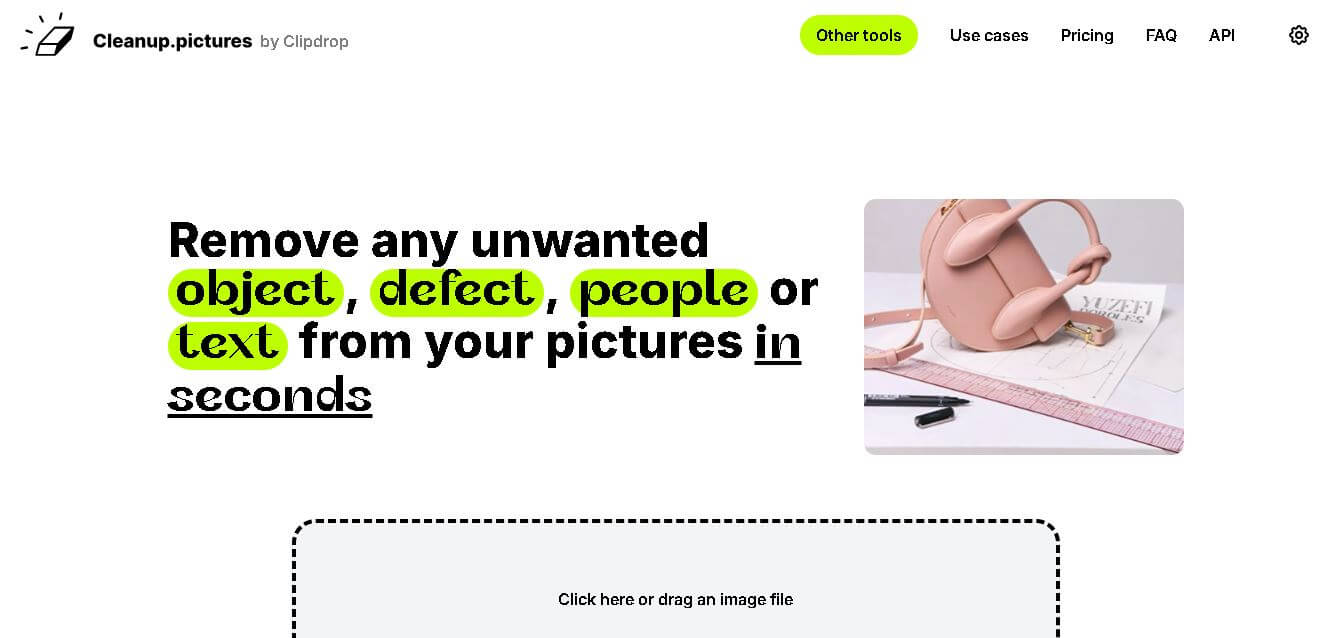
What is Cleanup.pictures?
Cleanup.pictures is a web-based image cleanup tool for removing unwanted elements from photos. It uses inpainting to reconstruct areas after you brush over people, objects, text, logos, watermarks, blemishes, or other distractions. The tool is useful for photographers, creators, real estate professionals, e-commerce teams, and anyone who wants cleaner images without complicated editing software. It also offers a developer API for integrating image inpainting into applications and workflows.
Cleanup.pictures focuses on fast photo retouching through browser-based inpainting. The free plan supports unlimited images but limits exports to 720p. Pro provides unlimited resolution and a high-quality refiner, with pricing shown from $3 per month when billed annually, while the site also states $5 monthly. Key numbers include 720p free exports, $5 monthly pricing, $36 yearly pricing, and 1 user per subscription. Use cases include photography, agencies, real estate, e-commerce, watermark cleanup, and API development for integrated product workflows online.
- Platform Role: AI Photo Editor, Object Removal Tool & Inpainting Web App
- Developer & Organization: ClipDrop / Init ML (Jasper)
- Cross-Platform Access: Web Browser (zero-install on Chrome, Edge, Safari, and Firefox), iOS app, Android app, and developer API
Use Cases:
- Removing photobombers, tourists, powerlines, trash cans, and unwanted background objects from travel photos
- Cleaning up product photography for e-commerce by erasing dust, reflections, logos, and price tags
- Depersonalizing real estate photos by removing personal photographs, clutter, and family items
- Retouching portrait photographs by removing facial blemishes, skin defects, and temporary marks
- Erasing unwanted text overlays, watermarks, and timestamps from digital visual assets
Technology:
- Advanced machine learning inpainting models trained to reconstruct background textures and lighting seamlessly
- Client-side browser processing allowing fast preview renders and interactive brush selections
- REST API endpoints for developers to integrate automated image inpainting into custom software pipelines
- High-resolution export engine maintaining original file dimensions and image fidelity (Pro tier)
Target Users:
- E-commerce store owners and sellers needing quick product photo touch-ups
- Real estate agents looking to present clean, clutter-free property listings
- Photographers and social media content creators seeking rapid object removal without complex desktop software
- Developers requiring reliable image inpainting via API integration
Acquisition: Native web tool developed by Init ML (ClipDrop suite), meetable via browser (cleanup.pictures)

What are the key features of Cleanup.pictures?
Cleanup.pictures's key platform features are
- Zero-Install Web Eraser: Drag and drop any image into the browser and begin removing elements instantly without creating an account.
- Smart Brush Selection: Customizable brush size controls allowing precise masking over small details or broad background regions.
- AI Background Inpainting: Automatically analyzes lighting, patterns, and surrounding pixel data to fill in erased areas naturally.
- Text & Watermark Removal: Designed to clean typography, logos, timestamps, and graphic overlays off photos seamlessly.
- High-Resolution Export (Pro): Retains original image dimensions and full resolution without downscaling quality.
- Developer API Access: Integration capabilities for applications needing automated bulk photo cleaning and object removal.
How much does Cleanup.pictures cost?
Cleanup.pictures is free for unlimited standard-resolution edits, with affordable Pro subscription plans unlocking full original resolution exports.
Pricing Tiers:
- Free Plan ($0): Unlimited edits with export resolution capped at 720p.
- Pro Plan ($3 - $5 / month): Unlimited high-resolution exports, advanced refiner quality, and full access to ClipDrop web tools.
- API Tier (Usage-Based): Custom pay-per-image pricing for enterprise software developers.
Disclaimer: Free personal usage is limited to 720p resolution exports. High-definition full-resolution downloads and API usage require a paid Pro subscription.
Who should use Cleanup.pictures?
Cleanup.pictures is designed for creators, marketers, and everyday users, including
- E-Commerce Merchants: Online sellers needing clean product listings free of distracting tags, dust, or background flaws.
- Casual Photographers: Anyone wanting to quickly remove tourists or unwanted objects from vacation snapshots.
- Real Estate Agents: Professionals presenting staged home photos without personal clutter or background distractions.
What are the best alternatives to Cleanup.pictures?
Some of the strongest Cleanup.pictures alternatives include
- Photoroom
- Magic Studio (Magic Eraser)
- SnapEdit
- Canva (Magic Eraser)
- TouchRetouch
- Adobe Photoshop
What are the pros and cons of Cleanup.pictures?
What are the pros of Cleanup.pictures?
- Extremely fast, zero-install browser experience with intuitive brush controls
- Generous free tier allowing unlimited edits without forcing upfront account registration
- Highly natural inpainting output that matches background textures and lighting accurately
- Affordable Pro subscription tier compared to traditional professional editing suites
What are the cons of Cleanup.pictures?
- The free version downscales exported images to 720p maximum resolution
- Lacks full photo editing features like color correction, filters, or layers
- Complex overlapping subjects or intricate patterns can occasionally require multiple brush strokes
Why should you choose Cleanup.pictures?
Opening heavy desktop editors just to erase a small background distraction or photobomber is tedious. Cleanup.pictures solves this by offering a single-purpose, blazing-fast web tool. With its powerful AI inpainting, clean user interface, and accessible free tier, it provides the quickest way to turn messy photos into polished visual assets.
How does Cleanup.pictures compare to competitors?
The main difference between Cleanup.pictures, Photoroom, Magic Studio, and Adobe Photoshop lies in focus and workflow simplicity. While Photoshop and Photoroom offer comprehensive graphic design and background replacement suites, Cleanup.pictures focuses purely on fast, high-quality object removal and inpainting with zero software bloat.
| Feature / Platform | Cleanup.pictures | Photoroom | Magic Studio | Adobe Photoshop |
|---|---|---|---|---|
| Core Focus | Fast AI Object & Text Removal | E-commerce Photo Editing & Backgrounds | AI Image Editing & Graphics | Professional Desktop Image Manipulation |
| Installation Barrier | None (100% web browser) | Web app & Mobile app | None (Web browser) | Desktop software installation |
| Free Resolution Limit | 720p export cap | Standard resolution with watermark | Standard web resolution | Paid subscription only |
| Workflow Speed | Instant brush-and-erase | Template-driven studio workflow | Instant web editing | Manual tool selection & layers |
| Best For | Users wanting rapid, hassle-free object removal in a web browser | Sellers creating batch product shots and background swaps | Quick web-based content creation and social edits | Professional retouchers needing full layer control and composition |
How do we rate Cleanup.pictures?
| Parameter | Rating (out of 5) |
|---|---|
| Object Removal & Inpainting Quality | 4.8 |
| Ease of Use & Interface Simplicity | 5.0 |
| Processing Speed & Performance | 4.9 |
| Export Options & Resolution | 4.3 |
| Value for Money | 4.7 |
| Overall Score | 4.74 |
What is our review and verdict on Cleanup.pictures?
Cleanup.pictures is one of the most efficient micro-tools available for image retouching. Its ability to cleanly erase unwanted objects and text in seconds makes it an essential bookmark for marketers, real estate agents, and casual photographers. While high-resolution downloads require a paid plan, its speed and accuracy make it worth every penny.
ConclusionCleanup.pictures is a practical choice when you need to remove unwanted elements from images without learning complex editing software. Its simple brush-based workflow, inpainting technology, broad use cases, and free unlimited-image plan make it accessible for everyday users. Professionals can upgrade for unlimited resolution and higher-quality processing. Overall, it works well for photographers, creators, real estate teams, e-commerce businesses, and developers seeking faster image cleanup.
FAQ
What is Cleanup.pictures?
Cleanup.pictures is an online photo retouching tool designed to remove unwanted objects, people, text, logos, watermarks, timestamps, blemishes, and other distractions. It uses inpainting technology to reconstruct the selected area naturally. You can upload an image, brush over the unwanted element, and create a cleaner version without complex editing software.
Is Cleanup.pictures free to use?
Yes, Cleanup.pictures offers a free plan with unlimited images, making it useful for casual editing and quick photo cleanup. The free version limits exported images to 720p resolution. If you need unlimited resolution and higher-quality processing, the Pro plan adds those capabilities. A free trial is also available online.
What can I remove with Cleanup.pictures?
You can use Cleanup. pictures to remove people, unwanted objects, text, logos, timestamps, watermarks, cracks, blemishes, wrinkles, and other distracting elements. It is especially useful for travel photos, portraits, property images, product photography, and social media visuals. The brush-based workflow lets you select the area you want reconstructed online.
How does Cleanup.pictures remove unwanted objects?
Cleanup.pictures uses inpainting technology to reconstruct areas that are covered by unwanted elements. You simply upload an image and brush over the person, object, text, or defect you want removed. The system analyzes the surrounding image and generates replacement content. For better results, the website recommends covering more than the target area.
Is Cleanup.pictures suitable for professional use?
Yes, Cleanup.pictures supports professional workflows for photographers, creative agencies, real estate teams, and e-commerce businesses. It can help prepare portraits, property photos, product images, and marketing visuals faster. However, professionals needing high-resolution exports should consider Pro, because the free plan limits output to 720p resolution today.
Does Cleanup.pictures have an API?
Yes, Cleanup.pictures provides an inpainting API for developers who want to integrate image cleanup into their products or workflows. The official site says you can use the API in environments including Node.js, SwiftUI, and Kotlin. It includes documentation, a live demo, and samples to help developers get started quickly and efficiently.
User Reviews
No reviews yet for Cleanup.pictures.
Featured Tools
Featured AI tools from TechShark

Melody Genie
MelodyGenie is an AI-powered music generator that creates original songs from simple text prompts. Users can choose styles, moods, and genres, then instantly generate melodies and full tracks, making it easy for creators, marketers, and hobbyists to produce custom music without musical expertise.
Freemium

Kimi AI
Kimi AI is an advanced AI assistant developed by Moonshot AI that helps you chat, research, write, code, and automate tasks in one place. It supports web search, file analysis, and multimodal inputs, and can even run autonomous “agent” workflows to complete complex tasks end-to-end.
Freemium

Fashion Diffusion AI
Fashion Diffusion is an AI-powered fashion design platform that helps brands and designers create clothing designs, virtual try-ons, AI models, product photos, and marketing visuals faster and cost-effectively.
Paid

Veo 4
Veo 4 AI is an AI video creation platform that generates dramatic videos from text, images, audio, and video prompts using realistic motion and synchronized sound.
Paid
Alternatives
Alternatives to Cleanup.pictures
The best Cleanup.pictures alternatives include Photoroom, Magic Studio, SnapEdit, and TouchRetouch. While Cleanup.pictures focuses specifically on ultra-fast browser-based object removal and AI inpainting, alternatives like Photoroom offer comprehensive e-commerce background replacement and batch editing tools.
 4.7
4.7ImgCreator AI
Image
ImgCreator AI is an AI-powered image generation tool that helps users create visuals from text prompts and reference images. It supports creative artwork, realistic portraits, product visuals, and image editing, making it useful for designers, marketers, content creators, and businesses seeking faster visual content production.
Neural.love
AI Image Enhancer
Neural.love is an AI-powered creative platform for generating images, editing photos, enhancing videos, restoring old media, and animating pictures. It combines multiple AI tools in a browser-based workspace, helping content creators, marketers, photographers, designers, and businesses improve visual content without relying entirely on traditional editing software.
 4.8
4.8Prisma AI
Image
Prisma AI turns everyday photos into artistic images with stylized filters and creative effects. It offers hundreds of art and portrait styles inspired by famous artists, allowing beginners to create distinctive visuals quickly. Users can capture or upload photos, apply a chosen style, and save or share the finished result.
 4.9
4.9Bria AI
Image
Bria helps businesses and teams generate and edit visual content using controllable generative AI. Its capabilities cover image generation, product visuals, background editing, video workflows, and developer integrations. With licensed training data, attribution, provenance, and enterprise deployment options, Bria is positioned for businesses that need scalable, commercially focused visual AI.
 4.7
4.7Unwatermark
Image
Unwatermark.ai helps creators, marketers, photographers, and businesses remove watermarks, logos, text, people, and unwanted objects from images and videos. Its automatic detection handles quick edits, while the manual brush provides precise control over difficult areas. With browser-based processing, format support, previews, and free usage, it simplifies everyday visual cleanup.
 4.9
4.9invideo Nano Banana
Image
Nano Banana is an AI image generation and editing model by Google (Gemini family) that helps users create, modify, and refine visuals using natural language prompts. It supports 4K outputs, consistent characters, accurate text rendering, and real-time editing, enabling fast, production-ready creative workflows.
 4.8
4.8Banana Nano
Image
BananaNano (Nano Banana AI) is an AI-powered image generation and editing platform that lets users create visuals from text or edit photos using natural language. It supports multi-image fusion, character consistency, and up to 4K output, enabling fast, flexible visual creation without complex design tools.
 4.8
4.8Vheer
Image
Vheer is a free AI image and video generator that helps users create visuals from text or photos instantly. It includes tools for image editing, background removal, and image-to-video conversion, offering unlimited generations without signup, making it ideal for quick, creative content production.
 4.9
4.9QOVES
Image
QOVES is an AI-powered facial analysis and beauty consulting platform that helps users understand their facial features and improve appearance through personalized, science-backed recommendations. It analyzes hundreds of facial markers and provides a non-surgical transformation plan, enabling informed decisions about aesthetics, skincare, and overall self-improvement.