
Saner.AI
Saner.AI is a personal AI assistant for managing notes, tasks, research, emails, calendars, and other information. It helps users capture ideas, search their knowledge, connect related information, organize tasks, and receive reminders. Its Skai assistant is designed to reduce information overload while keeping research, planning, and productivity workflows within one workspace.
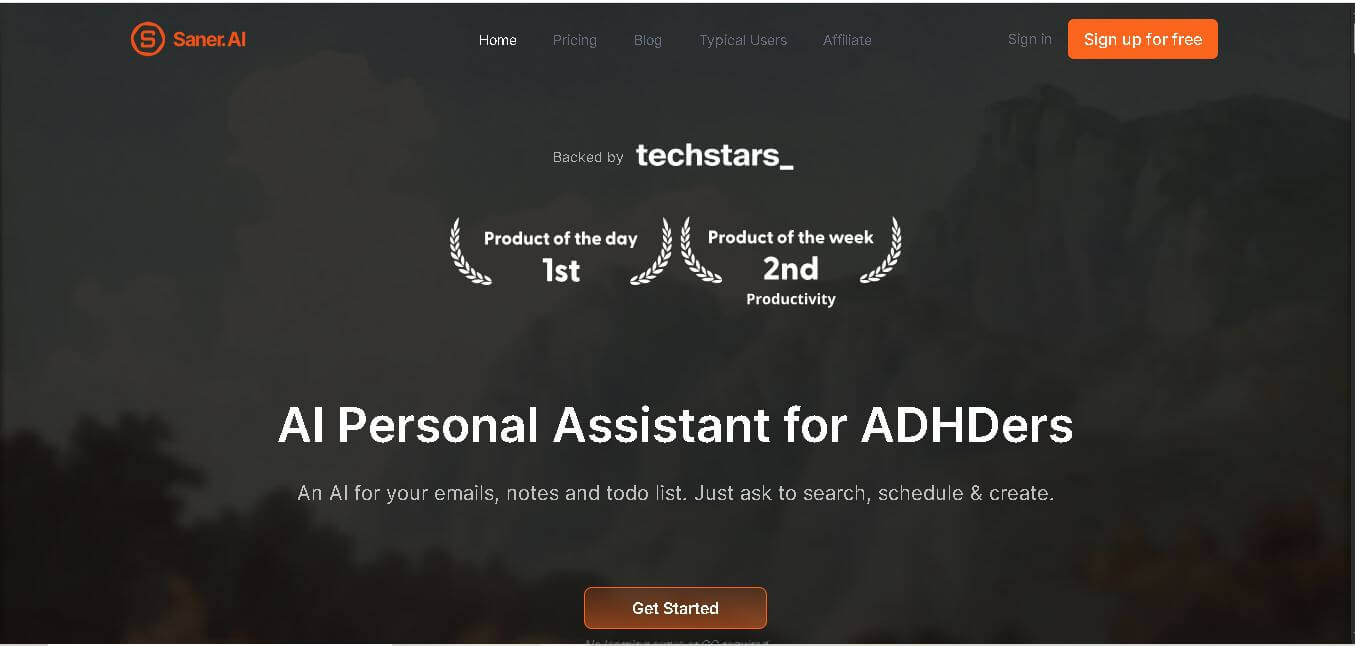
What is Saner.AI?
Saner. AI is a personal knowledge and productivity assistant designed to help users capture, organize, search, and act on information from one workspace. It connects notes, tasks, emails, calendars, files, and research so users can retrieve information through natural-language questions. Its Skai assistant can organize thoughts, suggest tasks, provide reminders, and help users plan their work. Saner. AI is particularly designed for people who manage large amounts of information, including professionals, researchers, creators, entrepreneurs, and users seeking ADHD-friendly productivity support.
Saner.AI reports serving 100,000+ professionals and provides tools for notes, tasks, research, and information management. Its free plan includes 30 AI messages/month, 100 notes, 100MB storage, and 30 AI requests/month. The Starter plan costs $8/month, while Standard costs $16/month. The standard includes 100 GB of storage, unlimited notes, and up to 100 AI requests/day. Saner.AI also supports integrations with Gmail, Slack, Google Calendar, and Google Drive, alongside OCR, multilingual support, Chrome extensions, and mobile access.
- Core Concept: Low-friction, AI-driven Personal Knowledge Management (PKM) and Task Assistant designed to minimize context switching and mental overload .
- Key Features: Distraction-free capture, natural language search across notes and connected platforms, AI auto-tagging, voice-to-text, and the "Skai" AI personal task assistant
- Integrations: Google Workspace (Gmail, Google Calendar, Google Drive), Slack, Chrome Extension, and mobile applications
Use Cases:
- Quickly capturing thoughts via voice notes or web clipping without losing focus or manually filing them into folders
- Searching across all stored notes, research PDFs, emails, and calendar events using natural conversation queries
- Turning chaotic brain dumps and long email threads into structured, prioritized task lists and schedule recommendations
- Synthesizing insights and connecting related concepts across thousands of uploaded documents
Technology:
- Hybrid AI retrieval pipeline indexing personal notes, documents, and external search
- Speech-to-text processing for quick voice capture
- Support for external LLM models (OpenAI GPT, Anthropic Claude, Google Gemini) via custom API key bring-your-own-key (BYOK) or pay-as-you-go integration.
Target Users:
- ADHD professionals, entrepreneurs, managers, researchers, content creators, and knowledge workers seeking an intuitive digital personal assistant.
Acquisition: Self-serve web app available directly at saner.ai [cite: 1].
What are the key features of Saner.AI?
Saner.AI includes a comprehensive set of productivity and knowledge management capabilities:
- Skai Personal Task Assistant: Converts brain dumps and incoming emails into structured plans, prioritized tasks, and calendar events
- Unified Capture: Fast capture via web extension, voice recordings, file imports (PDFs/Docs), and inbox email forwarding
- Semantic Search & Synthesis: Query across your personal notes, PDFs, and web search simultaneously without relying on exact keywords
- Auto-Organization: Smart auto-tagging, folder suggestions, and automatic linking of relevant historical notes
- Integrations Hub: Syncs data across Google Calendar, Gmail, Slack, and Google Drive
- External AI Model Support: Option to run tasks against leading foundation models (GPT-4, Claude, Gemini) alongside native AI capabilities
How much does Saner.AI cost?
Saner.AI provides a tiered subscription model ranging from a free tier to standard paid plans
Pricing Plans:
- Free Plan ($0/mo): Includes 30 AI messages/month, 100 notes limit, 100MB storage (1MB PDF limit), 30 AI requests/month, and access to Chrome extension and mobile apps
- Starter Plan ($8/mo): Includes 30 AI messages/day, 1,000 note limit, 5GB storage (5MB PDF limit), 30 AI requests/day, and integration access
- Standard Plan ($16/mo): Includes unlimited AI messages, unlimited notes, 100GB storage (10MB PDF limit), 100 AI requests/day, extended reasoning mode access, and priority support
Who should use Saner.AI?
Saner.AI is built for professionals who experience overwhelm from fragmented tools and information overload
- Individuals with ADHD or High Cognitive Load: Who need a minimalist, non-distracting assistant to handle task triage and memory recall.
- Founders & Managers: Who need to aggregate meeting notes, emails, and action items in one place.
- Researchers & Writers: Who need to store and cross-examine thousands of articles, PDFs, and personal drafts effortlessly.
What are the best alternatives to Saner.AI?
Top competitive alternatives to Saner.AI includes:
What are the pros and cons of Saner.AI?
What are the pros of Saner.AI?
- ADHD-friendly design that prioritizes fast capture and low friction over complex manual setups
- Combines note-taking, semantic search, AI writing, and proactive task scheduling in a single workspace
- Seamless integration with Gmail, Slack, and Google Calendar
- Flexibility to use native AI or bring third-party LLM keys (Claude, GPT, Gemini)
What are the cons of Saner.AI?
- The free tier has strict limit caps (100 notes and 30 AI requests per month)
- External AI model usage (e.g., custom GPT/Claude calls) requires separate token/API costs.
Why should you choose Saner.AI?
Most knowledge base tools force users to maintain rigid folder hierarchies or learn complex markdown databases. Saner.AI acts as an active assistant rather than a passive storehouse: it organizes notes automatically, surfaces buried context when needed, and transforms thoughts into scheduled tasks without cognitive strain.
How does Saner.AI compare to competitors?
Unlike traditional note apps like Notion or Obsidian, which require heavy manual configuration, Saner.AI does not. AI relies on automated tagging and natural language chat. Compared to Motion or Mem, Saner. AI places explicit focus on ADHD-friendly workflows and flexible multi-model selection
| Feature / Platform | Saner.AI | Mem.ai | Motion | NotebookLM |
|---|---|---|---|---|
| Focus Area | ADHD-Friendly Knowledge & Tasks | AI Personal Knowledge Base | Automated Calendar & Tasks | Document Synthesis & Research |
| Task & Email Auto-Scheduling | Yes (via Skai) | Limited | Yes | No |
| Multi-Model Support (Claude/GPT/Gemini) | Yes | No | No | Gemini Only |
| Free Tier Available | Yes | No | No | Yes |
How do we rate Saner.AI?
| Parameter | Rating (out of 5) |
|---|---|
| UX & Low-Friction Design | 4.9 |
| AI Assistant & Task Automation | 4.8 |
| Search & Knowledge Synthesis | 4.8 |
| Value for Money | 4.7 |
| Overall Score | 4.8 |
What is our review and verdict on Saner.AI?
Saner.AI is a thoughtfully crafted AI personal assistant. By prioritizing seamless note capture, proactive task recommendations, and distraction-free design, it successfully reduces mental fatigue for knowledge workers and individuals with ADHD.
Conclusion
Saner.AI brings note-taking, research, task management, information retrieval, and connected productivity workflows into one workspace. Its Skai assistant can help users organize scattered information, find relevant knowledge, create tasks, and manage reminders. With a free plan and paid options starting at $8/month, it offers different levels of access depending on usage needs. Its integrations with Gmail, Slack, Google Calendar, and Google Drive also make it relevant for users who want a more connected approach to managing work and personal information.
FAQ
What can you use Saner.AI for?
You can use Saner.AI to manage notes, research, tasks, emails, calendars, documents, and ideas from one workspace. Instead of manually searching across different applications, you can ask questions about your stored information. Saner. AI can also help organize thoughts, break tasks into smaller steps, capture voice notes, and surface relevant information when needed.
Is Saner.AI suitable for people with ADHD?
Yes. Saner.AI is specifically designed with ADHD-friendly productivity in mind. It focuses on reducing information overload, minimizing context switching, and helping users organize scattered thoughts and tasks. The company says that people with ADHD built the product. However, you do not need ADHD to use Saner. AI for research, planning, organization, or productivity.
Can Saner.AI organize your notes automatically?
Saner.AI can help organize your information using AI-generated tags, folders, relevant-note suggestions, and its Smart Inbox. You can capture information without manually building a complex organizational system. The platform can also connect related information and make previously saved knowledge easier to retrieve through natural-language searches and conversations with its assistant, Skai.
Does Saner.AI support AI-powered research?
Yes. Saner.AI includes research-focused capabilities that let you search the internet alongside your notes and work with information without constantly switching applications. It can help capture ideas, summarize research materials, and turn collected information into structured content. This makes it useful for researchers, students, writers, marketers, and knowledge workers.
Can Saner.AI manage tasks and reminders?
Yes. Saner.AI includes a task system supported by its Skai assistant. You can create tasks through notes or conversation, organize your workload, and use reminders to stay aware of important activities. Its official website also highlights the ability to turn emails into tasks and use connected information when planning what to work on.
Which apps can Saner.AI connect with?
Saner.AI currently lists integrations for services including Gmail, Slack, Google Calendar, and Google Drive. These connections allow relevant information to be brought into the Saner.AI workflow, helping users work with emails, schedules, files, and notes together. The pricing page also lists synchronization with email, calendar, Slack, and Google Drive.
User Reviews
No reviews yet for Saner.AI.
Featured Tools
Featured AI tools from TechShark

Melody Genie
MelodyGenie is an AI-powered music generator that creates original songs from simple text prompts. Users can choose styles, moods, and genres, then instantly generate melodies and full tracks, making it easy for creators, marketers, and hobbyists to produce custom music without musical expertise.
Freemium

Kimi AI
Kimi AI is an advanced AI assistant developed by Moonshot AI that helps you chat, research, write, code, and automate tasks in one place. It supports web search, file analysis, and multimodal inputs, and can even run autonomous “agent” workflows to complete complex tasks end-to-end.
Freemium

Fashion Diffusion AI
Fashion Diffusion is an AI-powered fashion design platform that helps brands and designers create clothing designs, virtual try-ons, AI models, product photos, and marketing visuals faster and cost-effectively.
Paid

Veo 4
Veo 4 AI is an AI video creation platform that generates dramatic videos from text, images, audio, and video prompts using realistic motion and synchronized sound.
Paid
Alternatives
Alternatives to Saner.AI
Top alternatives to Saner.AI include Mem.ai, Motion, Google NotebookLM, Reflect Notes, Taskade, and Routine.
 4.7
4.7Quinvio AI
Productivity
Quinvio AI helps you turn ideas, scripts, blogs, or web content into polished video presentations. You can refine messaging, choose branded templates, add AI avatars and voiceovers, and produce shareable visual content without traditional recording or editing workflows. It is especially useful for marketers, educators, trainers, creators, and business teams.
 4.9
4.9HubSpot
Marketing
HubSpot is an AI-powered customer platform that helps businesses manage marketing, sales, customer service, and content in one place. It offers a free CRM, automation tools, analytics, and AI features, enabling teams to attract leads, close deals, and deliver better customer experiences at scale.
 4.9
4.9TestSprite
Testing
TestSprite is an AI-powered software testing agent that helps developers automatically generate, run, and fix end-to-end tests for web apps. It simulates real user behavior, detects issues, and provides root-cause insights with suggested fixes, enabling faster releases and more reliable software without manual QA effort.
 4.8
4.8Microsoft Copilot
Productivity
Microsoft Copilot is an AI-powered assistant that helps users write, research, analyze data, and automate tasks across apps like Word, Excel, Outlook, and Teams. It combines large language models with real-time data to generate content, answer questions, and improve productivity across personal and professional workflows.
 4.9
4.9Casablanca AI
Productivity
Casablanca AI is an AI-powered virtual camera that corrects your gaze in real time during video calls, making it appear like you’re maintaining natural eye contact. It works with tools like Zoom and Teams, improving trust, engagement, and communication without needing extra hardware.
 4.9
4.9Granola
Productivity
Granola is an AI-powered meeting assistant that helps you capture, organize, and act on conversations without losing focus. It listens to meetings, turns notes into structured summaries, and generates action items and follow-ups automatically—so you stay present while everything important is documented and ready to use.
 4.8
4.8AI Perfect Assistant
Productivity
AI Perfect Assistant brings AI assistance directly into everyday work applications. It helps users write emails, improve documents, summarize content, translate text, create presentations, generate SEO content, explain Excel formulas, and handle repetitive tasks through 60+ specialized tools and multiple integrations for everyday professional and business workflows with less effort.
 4.8
4.8AI Submit
Productivity
AI Submit is an automated directory submission and SEO distribution platform that allows AI startup founders and developers to submit their artificial intelligence tools to dozens of top AI directories simultaneously for backlink building and traffic growth.
 4.9
4.9Kroolo
Project Management
Kroolo is an AI-powered productivity and project management platform that helps teams plan tasks, track progress, and collaborate in one place. It combines project tracking, document management, and AI assistance to streamline workflows, automate routine work, and improve team efficiency across projects.