
Mem.ai
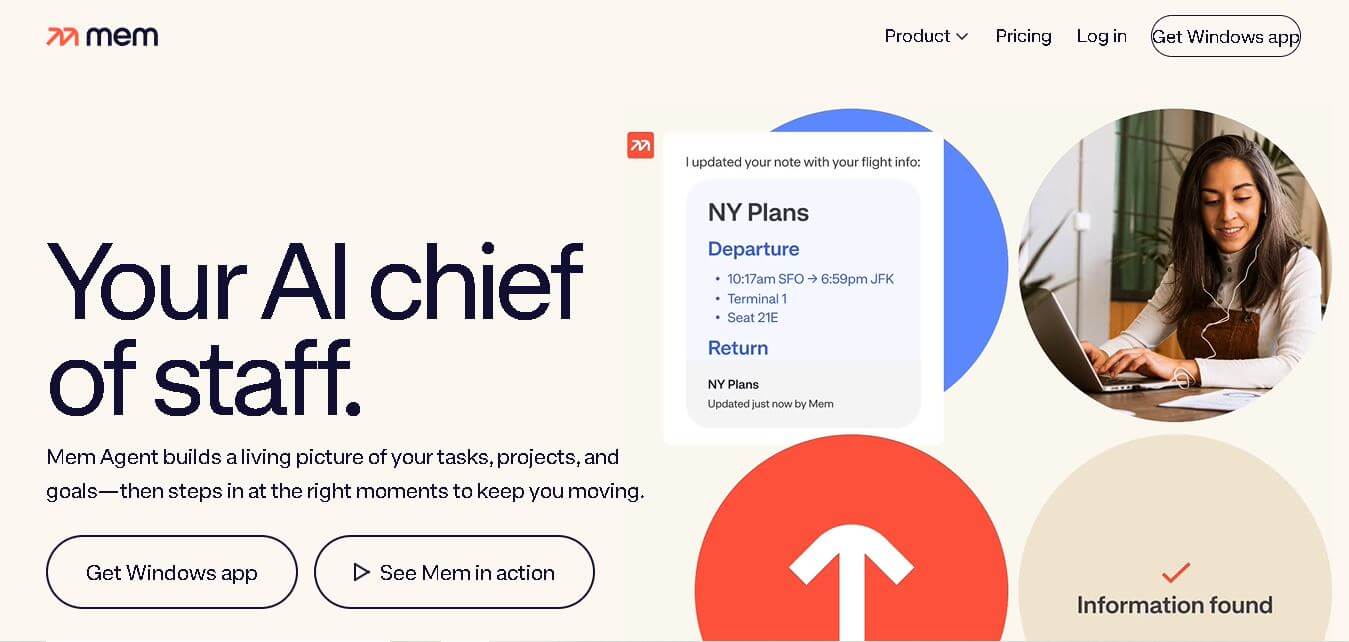
Mem is an AI-powered workspace designed to help you capture, organize, search, and use information without constantly managing folders or tags. It connects notes, meetings, ideas, research, PDFs, and web content, while features such as Deep Search, Chat, Voice Mode, and Heads Up help you retrieve useful context when needed.
What is Mem.ai?
Mem.ai is an intelligent note-taking and knowledge management platform designed to eliminate the friction of manual folder organization. Operating on a "folderless philosophy," Mem uses advanced generative AI models and semantic search to connect related ideas, summarize complex documents, and automatically organize notes as you capture them. Positioned as an AI chief of staff and personal second brain, Mem surfaces relevant notes, past decisions, and meeting key points in real time based on what you are currently working on.
Mem combines AI-powered note-taking, search, organization, and personal knowledge management in one workspace. Its free plan includes 25 notes per month, 25 Mem Agent messages, and 25 PDF pages monthly, while Mem Pro costs $12 per month and provides unlimited notes, Collections, templates, and PDF understanding. Mem Proactive includes a 7-day trial before $99 per month. Mem supports Mac, Windows, iOS, and Web, while Android is not officially supported.
- Founders: Kevin Moody & Dennis Xu
- Launch Year: 2019
Use Cases:
- Self-organizing personal knowledge base ("Second Brain")
- Hands-free voice note capture during commutes or walking meetings
- Automated meeting notes, action item tracking, and decision history
- AI-assisted content creation, drafting, and research synthesis
Technology:
- Proactive context engine (Mem Agent) that tracks active tasks and goals
- Semantic vector search allowing deep retrieval via natural language queries
- Voice Mode speech-to-text processing for instant structured note capture
Target Users:
- Founders, solopreneurs, and executive leaders managing multi-project workflows
- Researchers, consultants, and writers handling large volumes of reference notes
- Knowledge workers looking for an effortless alternative to rigid folder systems
Ecosystem: Cross-platform support for Mac, Windows, iOS, and Web, with email forwarding, web clipping, and calendar integrations.

Key features of Mem.ai
Mem.ai's key features are
- Folderless AI Organization: Automatically categorizes and links related notes without forcing users to construct rigid folder structures or manually tag files.
- Mem Agent & Conversational Chat: An interactive AI assistant that queries your entire knowledge base, answers complex questions, synthesizes research, and drafts documents.
- Push-to-Remember Voice Mode: Converts spoken brain dumps into structured, formatted notes while preserving original audio recordings.
- Heads Up Context Panel: A real-time contextual sidebar that proactively displays relevant past notes and collections alongside your active document.
- Deep Semantic Search: Finds notes through natural language intent and vague descriptions rather than requiring exact keyword matches.
- Smart Collections: Flexible groupings where notes can dynamically belong to multiple categories simultaneously based on AI suggestions.
Mem.ai Pricing
Mem.ai operates on a freemium model with affordable monthly plans for power users and custom packages for teams.
Free Plan:
- $0/month
- Basic note capture, limited AI chat queries per month, and standard search capabilities
Mem Pro:
- $12 per month (or billed annually)
- Includes unlimited AI notes, unlimited Mem Chat & Agent interactions, unlimited deep searches, custom templates, and connected email integrations
Mem Teams:
- Custom pricing
- Includes all Pro features plus shared team collections, group billing, centralized admin controls, and dedicated support
Disclaimer: For the latest and most accurate pricing information, please visit the official Mem AI website.
Is Mem.ai Worth It?
Mem.ai is well worth the $12/month Pro cost for busy professionals and knowledge workers who waste significant time searching for lost notes or setting up elaborate file hierarchies. Its ability to automatically resurface relevant past knowledge while you write makes it a powerful productivity multiplier.
Real-World Use Cases
- Executive Chief of Staff: Founders use Mem Chat to ask questions like "What were our key takeaways from last month's product sync?" and receive instant synthesized answers.
- Hands-Free On-the-Go Capture: Creators capture stray thoughts via Voice Mode during commutes, allowing Mem to transcribe and link them to existing project notes.
- Research & Article Drafting: Writers clip web research and use Mem's context panel to automatically surface related background reference material while outlining articles.
- Client Meeting Follow-Ups: Consultants record meeting notes and prompt Mem to draft formal follow-up emails based on agreed action items.
Who is using Mem.ai?
Mem.ai is designed for individuals and teams focused on high-volume knowledge management, including
- Solopreneurs & Founders: Creators balancing strategy, client projects, and operations without administrative support
- Writers & Content Creators: Authors seeking continuous creative inspiration from past ideas and research
- Management Consultants: Advisors maintaining detailed meeting logs across dozens of client accounts
- Product Managers & Researchers: Tech professionals gathering feedback and feature requests into a unified repository
Best Mem.ai Alternatives
Some of the strongest Mem.ai alternatives include
Pros and Cons of Mem.ai
Pros
- Eliminates manual folder creation and tagging through automatic AI linking
- Proactive context panel surfaces related notes before you even search for them
- High-quality Voice Mode allows fast hands-free note capture and accurate transcription
- Natural language deep search retrieves notes based on meaning rather than exact keywords
- Fair Pro pricing ($12/mo) with a functional free entry-level tier
Cons
- Lacks complex database and project management capabilities found in tools like Notion
- Requires an active internet connection for real-time AI contextual processing
- Takes time to build up enough notes for the AI graph to show its full potential
Why Choose Mem.ai?
Mem.ai stands out by shifting the burden of note organization from the user to artificial intelligence. Instead of making you decide where every piece of information belongs, Mem builds a dynamic knowledge network in the background and brings relevant thoughts back to you when you need them most.
- Saves hours of weekly administrative overhead spent organizing digital files
- Functions as an active thought partner that synthesizes complex information instantly
- Combines voice transcription, web clipping, and email capture into one unified second brain
- Helps prevent lost ideas and overcomes writer's block through contextual suggestions
How Mem.ai Works
- 1. Capture Anything: Add notes by typing, speaking into Voice Mode, forwarding emails, or using the web clipper.
- 2. AI Automatic Linking: Mem analyzes the context of your input and automatically links it to related topics, people, and projects.
- 3. Proactive Context: As you work, Mem's Heads Up panel surfaces relevant historical notes and research automatically.
- 4. Query & Synthesize: Use Mem Chat to ask questions, request summaries, or generate new drafts using your accumulated knowledge base.
Mem.ai vs. Competitors
The primary difference between Mem.ai, Notion, and Obsidian lies in how notes are organized. Notion relies on structured relational databases and manual page hierarchies, while Obsidian uses local Markdown files connected via manual backlinks. Mem.ai uses generative AI to handle organization automatically, serving as a self-structuring workspace that synthesizes content through natural language interaction.
| Feature | Mem.ai | Notion | Obsidian |
|---|---|---|---|
| Primary Focus | AI Self-Organizing Workspace | Modular Workspaces & Databases | Local-First Knowledge Graph |
| Organization Style | Folderless (AI Automatic) | Hierarchical Folders & Tables | Vault Folders & Backlinks |
| Proactive Context Panel | Yes (Heads Up Panel) | No | No (Graph View only) |
| Native Voice Capture | Yes (Voice Mode) | Third-party integrations | Plugin dependent |
| Starting Price | Free / $12 per month | Free / $10 per month | Free / $4 per month (Sync) |
How do we rate Mem.ai?
| Parameter | Rating (out of 5) |
|---|---|
| Ease of Use | 4.8 |
| AI Organization & Search | 4.9 |
| Feature Set | 4.5 |
| Value for Money | 4.7 |
| Mobile & Cross-Platform | 4.6 |
| Overall Score | 4.7 |
Mem.ai Review
Mem.ai is an innovative personal knowledge management app that delivers on the promise of AI-driven organization. By focusing on effortless capture and semantic retrieval, it removes the cognitive burden of deciding where notes belong. The addition of Mem Agent and Voice Mode transforms scattered notes into an active, intelligent chief of staff ready to assist with daily workflows.
Conclusion
Mem takes a different approach to personal knowledge management by focusing on context rather than manual organization. Instead of simply storing notes, it connects ideas, meetings, research, documents, and conversations so you can retrieve and use information more naturally. Features such as Deep Search, Chat, Voice Mode, Heads Up, and Mem Agent make it useful for professionals who manage large amounts of information every day. Its free plan provides an accessible starting point, while Pro and Proactive offer more advanced capabilities. For users who want an AI-powered workspace that remembers context and reduces organizational overhead, Mem is a compelling option.
FAQ
What is Mem AI used for?
Mem AI is designed for capturing, organizing, finding, and using information across notes, meetings, ideas, research, and saved content. You can use it as a personal knowledge workspace, meeting assistant, research tool, or AI thought partner. Its Chat and Deep Search features help you retrieve and synthesize information without manually navigating folders.
How does Mem AI organize notes?
Mem reduces the need for manual organization by allowing AI to organize notes and suggest relevant collections. Instead of relying heavily on folders and tags, you can capture information naturally and ask Mem to structure it later. Its contextual features also connect related people, projects, topics, and notes automatically.
Can Mem AI search across all my notes?
Yes. Mem can search across your workspace and retrieve information based on meaning, not only exact keywords. Its Deep Search feature is particularly useful when you remember an idea or situation but cannot recall the exact words used in the original note. You can also use Chat to synthesize information across multiple notes.
Can Mem AI summarize meeting notes?
Yes. Mem can use Voice Mode to record and transcribe meetings and turn the conversation into structured meeting notes. It can also help you work with existing meeting information through Chat, including summarizing discussions, identifying relevant context, and creating follow-up material from information already stored in your workspace.
Does Mem AI support PDFs and images?
Yes. Mem can understand PDFs and images, making their contents searchable and available for AI conversations. PDFs can contain up to 100 indexed pages per document, while the free plan provides 25 understood PDF pages per month. Images can also be analyzed for text, handwriting, tables, objects, and other visual information.
How much does Mem AI cost?
Mem offers a free plan with limits on notes, Mem Agent messages, and PDF understanding. Mem Pro costs $12 per month and adds unlimited notes, collections, templates, and PDF understanding. Mem Proactive includes Mem Agent features, starts with a 7-day free trial, and is currently priced at $99 per month.
User Reviews
No reviews yet for Mem.ai.
Featured Tools
Featured AI tools from TechShark

Melody Genie
MelodyGenie is an AI-powered music generator that creates original songs from simple text prompts. Users can choose styles, moods, and genres, then instantly generate melodies and full tracks, making it easy for creators, marketers, and hobbyists to produce custom music without musical expertise.
Freemium

Kimi AI
Kimi AI is an advanced AI assistant developed by Moonshot AI that helps you chat, research, write, code, and automate tasks in one place. It supports web search, file analysis, and multimodal inputs, and can even run autonomous “agent” workflows to complete complex tasks end-to-end.
Freemium

Fashion Diffusion AI
Fashion Diffusion is an AI-powered fashion design platform that helps brands and designers create clothing designs, virtual try-ons, AI models, product photos, and marketing visuals faster and cost-effectively.
Paid

Veo 4
Veo 4 AI is an AI video creation platform that generates dramatic videos from text, images, audio, and video prompts using realistic motion and synchronized sound.
Paid
Alternatives
Alternatives to Mem.ai
The best Mem.ai alternatives include Notion, Obsidian, Reflect, Craft, and Capacities. Notion offers an all-in-one workspace for team project management and database creation. Obsidian provides an offline-first markdown knowledge graph for local storage. Reflect specializes in fast, end-to-end encrypted AI note-taking, while Capacities focuses on object-based personal knowledge management.
 4.7
4.7Quinvio AI
Productivity
Quinvio AI helps you turn ideas, scripts, blogs, or web content into polished video presentations. You can refine messaging, choose branded templates, add AI avatars and voiceovers, and produce shareable visual content without traditional recording or editing workflows. It is especially useful for marketers, educators, trainers, creators, and business teams.
 4.9
4.9HubSpot
Marketing
HubSpot is an AI-powered customer platform that helps businesses manage marketing, sales, customer service, and content in one place. It offers a free CRM, automation tools, analytics, and AI features, enabling teams to attract leads, close deals, and deliver better customer experiences at scale.
 4.9
4.9TestSprite
Testing
TestSprite is an AI-powered software testing agent that helps developers automatically generate, run, and fix end-to-end tests for web apps. It simulates real user behavior, detects issues, and provides root-cause insights with suggested fixes, enabling faster releases and more reliable software without manual QA effort.
 4.8
4.8Microsoft Copilot
Productivity
Microsoft Copilot is an AI-powered assistant that helps users write, research, analyze data, and automate tasks across apps like Word, Excel, Outlook, and Teams. It combines large language models with real-time data to generate content, answer questions, and improve productivity across personal and professional workflows.
 4.9
4.9Casablanca AI
Productivity
Casablanca AI is an AI-powered virtual camera that corrects your gaze in real time during video calls, making it appear like you’re maintaining natural eye contact. It works with tools like Zoom and Teams, improving trust, engagement, and communication without needing extra hardware.
 4.9
4.9Granola
Productivity
Granola is an AI-powered meeting assistant that helps you capture, organize, and act on conversations without losing focus. It listens to meetings, turns notes into structured summaries, and generates action items and follow-ups automatically—so you stay present while everything important is documented and ready to use.
 4.8
4.8AI Perfect Assistant
Productivity
AI Perfect Assistant brings AI assistance directly into everyday work applications. It helps users write emails, improve documents, summarize content, translate text, create presentations, generate SEO content, explain Excel formulas, and handle repetitive tasks through 60+ specialized tools and multiple integrations for everyday professional and business workflows with less effort.
 4.8
4.8AI Submit
Productivity
AI Submit is an automated directory submission and SEO distribution platform that allows AI startup founders and developers to submit their artificial intelligence tools to dozens of top AI directories simultaneously for backlink building and traffic growth.
 4.9
4.9Kroolo
Project Management
Kroolo is an AI-powered productivity and project management platform that helps teams plan tasks, track progress, and collaborate in one place. It combines project tracking, document management, and AI assistance to streamline workflows, automate routine work, and improve team efficiency across projects.