
RecCloud
RecCloud is a versatile video and audio toolkit for recording, editing, transcribing, translating, summarizing, and generating media. It helps creators, educators, marketers, students, and businesses handle multiple content tasks from one workspace. With multilingual transcription, subtitles, voice generation, video tools, and screen recording, RecCloud can simplify everyday media production workflows.
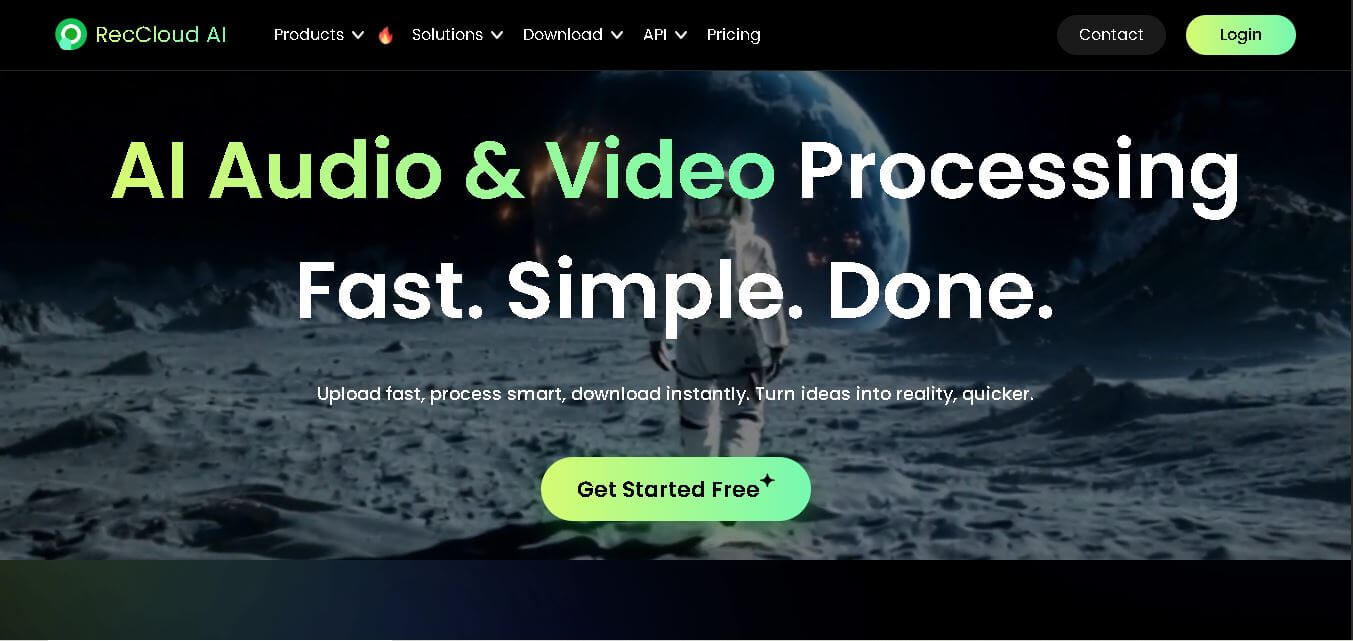
What is RecCloud?
RecCloud is a multimedia creation and processing service designed for recording, editing, transcribing, translating, summarizing, and generating video and audio content. It brings together tools such as AI speech-to-text, subtitle generation, voice generation, video translation, video generation, vocal removal, screen recording, and video editing. RecCloud supports creators, educators, marketers, students, and businesses that need to transform or repurpose digital media efficiently. Its workflow covers both AI-assisted processing and traditional tasks such as trimming, cropping, merging, and recording videos.
RecCloud offers 10+ major media capabilities, including speech-to-text, video translation, subtitle generation, text-to-speech, video generation, summarization, and screen recording. Its voice transcription service supports 90+ languages, while supported uploads can reach 4 GB for video, 500 MB for audio, and 5 hours in the voice transcription workflow. The service also provides ISO/IEC 27001, ISO/IEC 27701, and GDPR compliance. AI speech-to-text can provide approximately 95% accuracy, according to RecCloud.
- Platform Role: AI Video Translation, Screen Recording & Cloud Multimedia Suite
- Developer & Organization: Wangxu Technology Co., Ltd. (Guangzhou / Hong Kong)
- Cross-Platform Access: Web Browsers, Desktop Apps (Windows, macOS), Mobile Apps (iOS, Android), and Microsoft Store integration
Use Cases:
- Translating video dubbing and subtitles into 70+ target languages with AI voice cloning and lip synchronization
- Generating instant multilingual video subtitles (SRT/VTT) and automated captions across 99+ languages
- Converting long-form meetings, lectures, and webinars into concise text summaries and short social media clips
- Capturing HD screen recordings, video tutorials, and product walkthroughs with cloud link sharing and password protection
- Generating realistic AI voiceovers and text-to-video scripts for marketing reels, audiobooks, and e-learning courses
Technology:
- Generative AI video and script pipelines supporting prompt-to-video, image-to-video, and character consistency models
- Neural AI speech recognition and OCR screen text extraction for high-precision video transcription
- Acoustic voice cloning and lip-sync synchronization algorithms preserving speaker voice characteristics across translated dubbed audio
- Cloud video hosting infrastructure supporting instant stream sharing, QR code embedding, and online editing tools
Target Users:
- Content creators & YouTubers adapting channel videos for international, multilingual audiences
- Educators & Course Instructors recording online lessons, generating lecture subtitles, and creating quick summary notes
- Marketing & Sales Teams converting promotional copy into social video ads and product walkthroughs
- Corporate teams seeking lightweight meeting recording, automatic transcription, and shareable cloud video hosting
Acquisition: Operates as a freemium SaaS platform hosted at reccloud.com with cross-platform native client apps

What are the key features of RecCloud?
RecCloud's key platform features are
- AI Video Translator & Voice Cloning: Automatically dub videos into over 70 languages while matching original speaker pitch, vocal tone, and timing.
- AI Subtitle Generator & OCR: Produce single or dual-language subtitles with customizable font styles, OCR screen text extraction, and SRT file exports.
- AI Speech-to-Text & Meeting Summarizer: Transcribe audio or video recordings with multi-speaker detection, automated summary notes, and searchable transcript indexes.
- AI Text-to-Video Generator Agent: Convert scripts and topic ideas into fully rendered scenes complete with background music and voiceover narration.
- HD Cloud Screen Recorder: Capture browser tabs, desktop displays, webcams, and system audio directly into private cloud storage for instant link sharing.
- Essential Video Utilities: Built-in web tools for vocal removal, video trimming, format conversion, watermark removal, and audio extraction.
How much does RecCloud cost?
RecCloud operates on a freemium credit model, providing a free evaluation tier alongside paid weekly/monthly subscriber credit packages for high-resolution video export and advanced AI tasks.
Pricing Tiers:
- Free Plan ($0 / Free): Basic access with limited weekly credits, standard cloud storage, and watermarked exports on advanced AI generations.
- Paid VIP Subscriptions (From $4 to $15/month): Tiered credit subscriptions offering up to 6,000 credits/week, 10GB cloud storage, unwatermarked HD video exports, priority task queuing, and full access to voice cloning and translation agents.
Disclaimer: Credit allocations, plan thresholds, and promotional pricing options are subject to change. Visit reccloud.com for current subscription tiers.
Who should use RecCloud?
RecCloud is designed for digital creators, educators, and businesses, including
- Multilingual Content Creators: Creators scaling YouTube channels and TikTok reels across global territories using automated dubbing and subtitle translations.
- Online Instructors & Trainers: Teachers turning video lectures into readable study guides, closed-captioned tutorials, and audio modules.
- Remote Teams: Professionals needing quick screen recording, asynchronous video message links, and meeting summaries.
What are the best alternatives to RecCloud?
Some of the strongest RecCloud alternatives include
What are the pros and cons of RecCloud?
What are the pros of RecCloud?
- Comprehensive all-in-one suite covering screen recording, AI dubbing, subtitle generation, and video hosting
- Impressive AI video translation featuring voice cloning across 70+ languages
- Browser-based workspace requires zero heavy desktop software downloads
- Competitive tier pricing compared to purchasing separate transcription, hosting, and dubbing tools
What are the cons of RecCloud?
- The credit-based consumption model requires careful monitoring during large video rendering tasks
- Free tier features watermarked video exports and limited processing quotas
- Advanced manual timeline video editing controls are limited compared to dedicated non-linear editors
Why should you choose RecCloud?
Managing separate tools for screen recording, video translation, subtitle generation, and cloud hosting adds cost and complexity to content production. RecCloud solves this by consolidating the entire AI audio and video production stack into a single, browser-accessible workspace. Its voice cloning translation and automated captioning engines make localizing content for global audiences fast, affordable, and accessible without specialized video editing expertise.
How does RecCloud compare to competitors?
The primary distinction between RecCloud, Descript, HeyGen, and Loom lies in platform scope, localization focus, and pricing structure. While Loom focuses strictly on screen recording messages and HeyGen targets AI avatar generation, RecCloud provides a balanced hybrid tool combining HD screen recording with powerful AI video translation, voice cloning, and text-to-speech tools at a lower cost entry point.
| Feature / Platform | RecCloud | Descript | HeyGen | Loom |
|---|---|---|---|---|
| Core Focus | AI Video Translation, Subtitles & Recording | Text-Based Audio/Video Editing Suite | AI Avatar & Video Translation Platform | Asynchronous Screen & Cam Recording |
| Video Translation & Voice Clone | Yes (70+ Languages with Voice Cloning) | Yes (overdub voice cloning) | Advanced (Avatar lip-sync & translation) | Basic AI transcripts & summaries |
| Screen Recording & Hosting | Built-in HD recorder & cloud links | Built-in recorder | No native screen recorder | Core primary feature |
| Ease of Use | High (simple web apps & tool modules) | Medium (Learning curve for document editing) | High (studio editor workflow) | High (one-click instant capture) |
| Best For | Creators needing quick video translation, dubbing, and cloud tools | Podcasters and editors editing video via text transcripts | Enterprise teams creating AI avatar presenter videos | Corporate teams sharing quick screen recording updates |
How do we rate RecCloud?
| Parameter | Rating (out of 5) |
|---|---|
| AI Video Translation & Subtitles | 4.8 |
| Screen Recording & Cloud Hosting | 4.6 |
| Ease of Use & Browser UX | 4.7 |
| Feature Variety & AI Tools | 4.8 |
| Value for Money & Pricing Tiers | 4.6 |
| Overall Score | 4.70 |
What is our review and verdict on RecCloud?
RecCloud is an exceptionally versatile and cost-effective multimedia platform. By folding video translation, voice cloning, automatic subtitling, screen recording, and cloud hosting into one unified workspace, it eliminates the need for expensive multi-app video stacks. For creators, educators, and teams looking to streamline video editing and localization, RecCloud offers outstanding value.
Conclusion
RecCloud brings recording, transcription, subtitles, translation, summarization, voice generation, video generation, and basic editing into a single media-focused ecosystem. Its support for 90+ languages, large file limits, multilingual workflows, and cross-device membership makes it practical for creators, educators, students, and businesses. While specific AI features use different credit rules, RecCloud provides a broad collection of tools for simplifying everyday audio and video production, repurposing content, and making digital media more accessible.
FAQ
What can RecCloud be used for?
RecCloud can be used for recording screens, creating subtitles, transcribing audio and video, translating videos, generating voices, summarizing lengthy media, removing vocals, and creating videos. If you regularly work with lectures, meetings, tutorials, podcasts, social media videos, or marketing content, RecCloud can bring several common media tasks together in one workflow.
Does RecCloud support audio and video transcription?
Yes. RecCloud provides AI speech-to-text capabilities for converting spoken content into editable text. You can upload supported audio or video files, record directly, or use supported URLs depending on the workflow. Its voice transcription tool supports more than 90 languages and can automatically identify different speakers in conversations.
How accurate is RecCloud transcription?
RecCloud states that its voice recorder and transcription service can achieve approximately 95% transcription accuracy. Actual results can vary depending on factors such as audio quality, background noise, accents, speakers, and language. For meetings, interviews, lectures, and recordings, reviewing the generated transcript before publishing or sharing is still recommended.
Can RecCloud generate subtitles automatically?
Yes. RecCloud includes an AI Subtitle Generator that can automatically create subtitles from video content. The generated subtitles can also be translated into multiple languages. This can be particularly useful when you publish videos for international audiences, improve accessibility, or want searchable text and captions for social media and educational content.
Can RecCloud translate videos into other languages?
Yes. RecCloud provides AI video translation capabilities for translating video content into multiple languages. Its platform also includes subtitle and audio translation workflows. This makes it useful for creators, educators, marketers, and businesses that want to adapt existing videos for audiences who speak different languages without rebuilding the entire production from scratch.
Does RecCloud offer text-to-speech?
Yes. RecCloud includes an AI Voice Generator that converts written text into spoken audio. The service supports different voice types and multiple languages, and its website also describes cross-language text-to-speech functionality. This can help creators and marketers produce narration, voiceovers, presentations, educational materials, and other audio-based content.
User Reviews
No reviews yet for RecCloud.
Featured Tools
Featured AI tools from TechShark

Melody Genie
MelodyGenie is an AI-powered music generator that creates original songs from simple text prompts. Users can choose styles, moods, and genres, then instantly generate melodies and full tracks, making it easy for creators, marketers, and hobbyists to produce custom music without musical expertise.
Freemium

Kimi AI
Kimi AI is an advanced AI assistant developed by Moonshot AI that helps you chat, research, write, code, and automate tasks in one place. It supports web search, file analysis, and multimodal inputs, and can even run autonomous “agent” workflows to complete complex tasks end-to-end.
Freemium

Fashion Diffusion AI
Fashion Diffusion is an AI-powered fashion design platform that helps brands and designers create clothing designs, virtual try-ons, AI models, product photos, and marketing visuals faster and cost-effectively.
Paid

Veo 4
Veo 4 AI is an AI video creation platform that generates dramatic videos from text, images, audio, and video prompts using realistic motion and synchronized sound.
Paid
Alternatives
Alternatives to RecCloud
The best RecCloud alternatives include HeyGen, Descript, Rask AI, Loom, CapCut, and ElevenLabs. While RecCloud offers an all-in-one solution with screen recording, AI dubbing, voice cloning, and subtitles, tools like Descript excel in text-based video editing and Loom specializes in team messaging.
Neural.love
AI Image Enhancer
Neural.love is an AI-powered creative platform for generating images, editing photos, enhancing videos, restoring old media, and animating pictures. It combines multiple AI tools in a browser-based workspace, helping content creators, marketers, photographers, designers, and businesses improve visual content without relying entirely on traditional editing software.
 4.8
4.8Shuffll
Video Editing
Shuffll goes beyond traditional video creation by connecting personalized video directly to enterprise data and workflows. Its API-first infrastructure, 40+ AI models, automated production, and built-in brand governance make it suitable for organizations that need video at scale. For businesses seeking higher engagement without building large production teams, Shuffll offers a practical way to turn existing data into personalized, on-brand video experiences.
 4.8
4.8Opus Clip (Opus Pro)
Video Editing
OpusClip helps creators transform long-form videos into short, social-ready clips. It can identify engaging moments, generate captions, reframe footage, add B-roll, enhance audio, and support publishing across major social platforms. It is designed for creators, marketers, podcasters, businesses, and teams that want to scale video content production.
 4.8
4.8Dubbah
Video Editing
Dubbah helps Mac users translate and dub videos into 14 languages while preserving a familiar speaker voice. The app processes media locally, supports editing translated lines, and works offline after setup. With no account, subscription, or per-minute fee, it offers a simple, straightforward option for creators producing multilingual video content.
 4.9
4.9Clipchamp
Video Generator
Clipchamp is an AI-powered online video editor by Microsoft that helps users record, edit, and share videos directly from the browser. It offers templates, stock media, and AI tools like subtitles, voiceovers, and noise removal, enabling fast, professional video creation without advanced editing skills.
 4.9
4.9CapCut
Video Editing
CapCut is a popular video editing tool that helps creators produce engaging videos with effects, transitions, filters, templates, subtitles, and AI-powered features. Available on multiple platforms, CapCut makes it easy to edit videos for TikTok, Instagram Reels, YouTube Shorts, and other social media channels.
 4.9
4.9Media.io
Video Editing
Media.io is an AI-powered creative platform that helps users generate, edit, and enhance videos, images, audio, and ads from simple prompts or assets. It combines AI generation, editing, and workflows in one place, enabling creators to turn ideas into polished content quickly without switching tools.
 4.9
4.9Video Candy
Video Editing
Video Candy is a free online video editing platform that helps users trim, merge, compress, convert, and enhance videos directly in the browser. It offers 70+ tools with a simple drag-and-drop interface, making video editing fast, accessible, and efficient without installing complex software.
 4.8
4.8Vheer
Image
Vheer is a free AI image and video generator that helps users create visuals from text or photos instantly. It includes tools for image editing, background removal, and image-to-video conversion, offering unlimited generations without signup, making it ideal for quick, creative content production.