
Let's Enhance
Let’s Enhance is an AI-powered image platform that upscales, enhances, and restores images, removes backgrounds, and generates AI art, helping photographers, designers, and content creators produce professional visuals effortlessly.
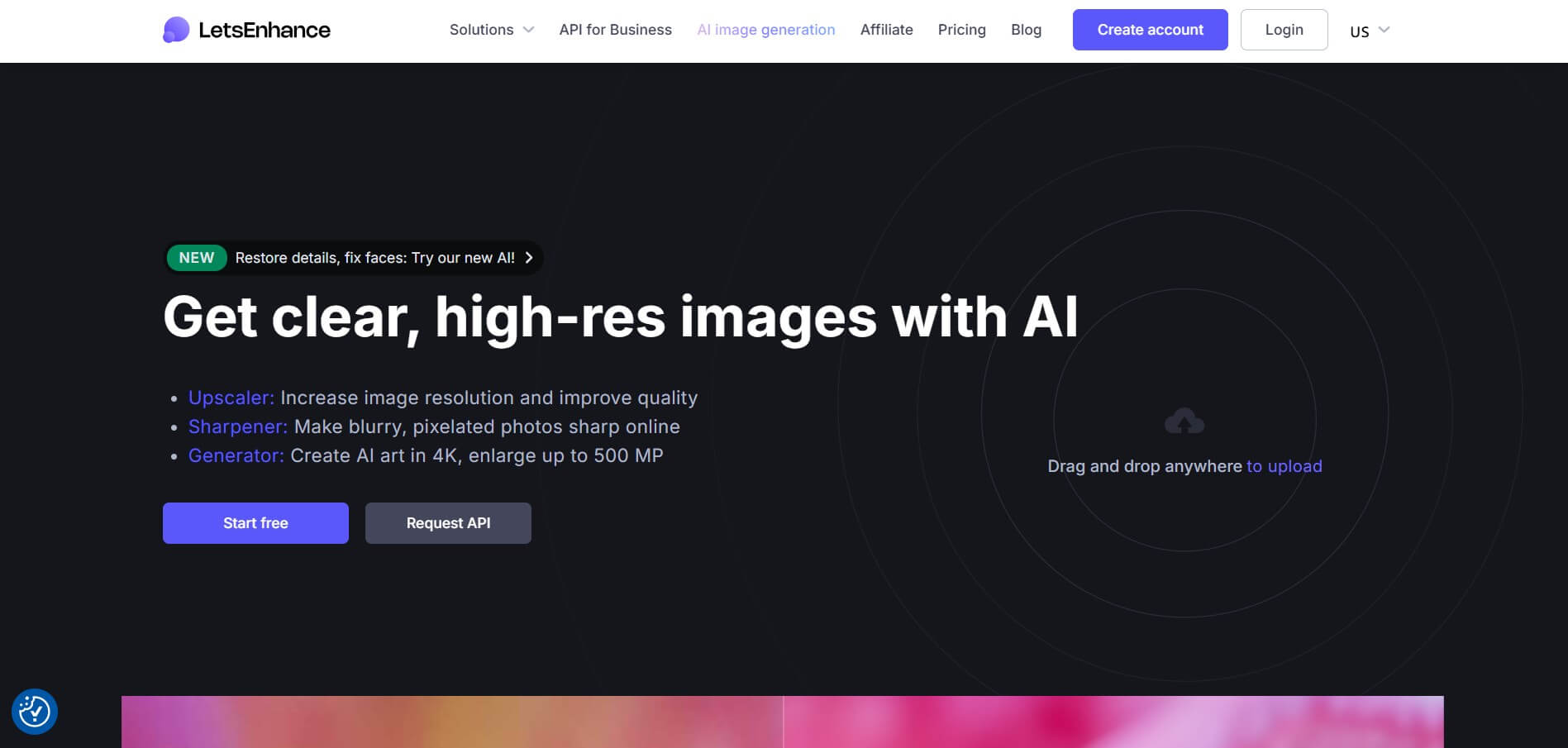
What is Lets Enhance
- Founders: Andrii, Vadym, Taras
- Launch Date: 2017
- Use Cases:
- Image upscaling and super-resolution
- Old photo restoration
- Noise removal and deblurring
- AI-generated art from text
- E-commerce product image enhancement
- Print-ready image preparation
- Background removal and batch editing
- Technology:
- AI & machine learning
- Deep convolutional neural networks
- Super-resolution algorithms
- HDR color correction
- Cloud-based image processing
Lets Enhance is designed to make professional image enhancement accessible to everyone. Whether you are a beginner content creator or a professional designer, the platform automatically analyzes images and enhances them using AI-driven models trained on millions of photos. Unlike traditional editing tools, Lets Enhance requires no manual tweaking—users simply upload an image, select an enhancement mode, and receive high-quality results instantly. Its ability to upscale images to extremely high resolutions without losing clarity makes it especially valuable for printing, marketing campaigns, and digital publishing. With flexible pricing and scalable plans, it serves both individual users and large businesses effectively.
Key Features
AI Image Upscaling
- Upscale images up to 16×
- Supports outputs up to 256MP (personal plans) and 500MP (business plans)
- Maintains texture, sharpness, and fine details
Noise Removal & Clarity Enhancement
- Removes grain, blur, and compression artifacts
- Ideal for low-light or old images
Multiple Enhancement Modes
- Gentle Mode – preserves original details
- Balanced Mode – best for everyday images
- Strong Mode – aggressive enhancement
- Ultra Mode – maximum resolution and sharpness
- Old Photo Mode – restores faded or damaged images
AI Art & Image Generation
- Create unique visuals using text prompts
- Useful for marketing creatives and concept art
Background Removal
- Automatically isolates subjects
- Ideal for product images and profile photos
Batch Processing
- Enhance multiple images at once
- Saves time for agencies and businesses
API Access
- Automate image enhancement workflows
- Suitable for SaaS platforms and marketplaces
Pricing
Free Plan
- 10 free credits on sign-up
- Watermarked images
Paid Plans (Monthly – Annual Billing)
- Starter:
- 100 credits
- $9 per month
- Pro:
- 300 credits
- $24 per month
- Max:
- 500 credits
- $34 per month
Business & Enterprise Plans
- Higher credit limits
- Larger output sizes
- Priority processing
- Custom pricing
Credits generally roll over depending on the plan, and one-time credit packs are also available.
User Reviews & Ratings
Lets Enhance has received strong positive feedback across creative and professional communities.
What Users Like Most
- High-quality upscaling with minimal distortion
- Easy-to-use interface
- Fast processing speed
- Excellent results for print and e-commerce images
- No advanced editing skills required
Common Praise
- Photographers appreciate the realistic texture retention
- Designers love the batch processing feature
- E-commerce sellers report better product image clarity
Common Complaints
- Credits can be consumed quickly for large images
- Free version includes watermarks
- Limited manual control for advanced editors
Overall Rating (Average)
4.5 / 5 based on user feedback across AI tool directories and review platforms
Who Is Using Lets Enhance?
- Photographers: Portfolio enhancement and print preparation
- Designers: Posters, banners, and marketing visuals
- E-commerce Businesses: Product images and catalogs
- Social Media Creators: Instagram, YouTube, and ads
- Real Estate Professionals: Property images
- Developers & Enterprises: Automated image workflows
Best Alternatives to Lets Enhance
If Lets Enhance doesn’t fit your needs, consider these options:
- Upscayl: Free, open-source desktop image upscaler
- Topaz Gigapixel AI: Advanced desktop AI upscaling software
- Canva: Design platform with basic image enhancement
- Pixelcut AI: Focused on background removal and product photos
- PicsArt: Creative editing and AI effects
Each alternative varies in pricing, features, and ease of use.
Conclusion
Lets Enhance is one of the most reliable AI image enhancement tools available today. Its combination of powerful upscaling, intelligent noise reduction, and user-friendly design makes it ideal for both individuals and businesses. While the credit system may require careful usage, the overall quality of results justifies the cost. If you need fast, professional-grade image enhancement without complex editing, Lets Enhance is a strong choice for 2026 and beyond.
Also Check:
FAQ
What is Let’s Enhance?
Let’s Enhance is an AI-powered image platform for image upscaling, enhancement, background removal, and AI-generated art.
Is Let’s Enhance free?
Yes, it offers limited free credits, but full functionality requires a paid plan.
How much does Let’s Enhance cost?
Plans start at $9/month for 100 credits, with higher tiers available for professionals and businesses.
What formats are supported?
JPG, PNG, and WebP formats are supported, with batch processing available.
What is the maximum resolution?
Images can be upscaled up to 500 megapixels.
User Reviews
No reviews yet for Let's Enhance.
Featured Tools
Featured AI tools from TechShark

Melody Genie
MelodyGenie is an AI-powered music generator that creates original songs from simple text prompts. Users can choose styles, moods, and genres, then instantly generate melodies and full tracks, making it easy for creators, marketers, and hobbyists to produce custom music without musical expertise.
Freemium

Kimi AI
Kimi AI is an advanced AI assistant developed by Moonshot AI that helps you chat, research, write, code, and automate tasks in one place. It supports web search, file analysis, and multimodal inputs, and can even run autonomous “agent” workflows to complete complex tasks end-to-end.
Freemium

Fashion Diffusion AI
Fashion Diffusion is an AI-powered fashion design platform that helps brands and designers create clothing designs, virtual try-ons, AI models, product photos, and marketing visuals faster and cost-effectively.
Paid

Veo 4
Veo 4 AI is an AI video creation platform that generates dramatic videos from text, images, audio, and video prompts using realistic motion and synchronized sound.
Paid
Alternatives
Alternatives to Let's Enhance
Let’s Enhance is an AI-powered image platform that enhances image quality, upscales photos up to 500MP, removes backgrounds, and generates AI art, enabling photographers, designers, and marketers to create professional-grade visuals with ease.
 4.7
4.7ImgCreator AI
Image
ImgCreator AI is an AI-powered image generation tool that helps users create visuals from text prompts and reference images. It supports creative artwork, realistic portraits, product visuals, and image editing, making it useful for designers, marketers, content creators, and businesses seeking faster visual content production.
Neural.love
AI Image Enhancer
Neural.love is an AI-powered creative platform for generating images, editing photos, enhancing videos, restoring old media, and animating pictures. It combines multiple AI tools in a browser-based workspace, helping content creators, marketers, photographers, designers, and businesses improve visual content without relying entirely on traditional editing software.
 4.8
4.8Prisma AI
Image
Prisma AI turns everyday photos into artistic images with stylized filters and creative effects. It offers hundreds of art and portrait styles inspired by famous artists, allowing beginners to create distinctive visuals quickly. Users can capture or upload photos, apply a chosen style, and save or share the finished result.
 4.9
4.9Bria AI
Image
Bria helps businesses and teams generate and edit visual content using controllable generative AI. Its capabilities cover image generation, product visuals, background editing, video workflows, and developer integrations. With licensed training data, attribution, provenance, and enterprise deployment options, Bria is positioned for businesses that need scalable, commercially focused visual AI.
 4.7
4.7Unwatermark
Image
Unwatermark.ai helps creators, marketers, photographers, and businesses remove watermarks, logos, text, people, and unwanted objects from images and videos. Its automatic detection handles quick edits, while the manual brush provides precise control over difficult areas. With browser-based processing, format support, previews, and free usage, it simplifies everyday visual cleanup.
 4.9
4.9invideo Nano Banana
Image
Nano Banana is an AI image generation and editing model by Google (Gemini family) that helps users create, modify, and refine visuals using natural language prompts. It supports 4K outputs, consistent characters, accurate text rendering, and real-time editing, enabling fast, production-ready creative workflows.
 4.8
4.8Banana Nano
Image
BananaNano (Nano Banana AI) is an AI-powered image generation and editing platform that lets users create visuals from text or edit photos using natural language. It supports multi-image fusion, character consistency, and up to 4K output, enabling fast, flexible visual creation without complex design tools.
 4.8
4.8Vheer
Image
Vheer is a free AI image and video generator that helps users create visuals from text or photos instantly. It includes tools for image editing, background removal, and image-to-video conversion, offering unlimited generations without signup, making it ideal for quick, creative content production.
 4.9
4.9QOVES
Image
QOVES is an AI-powered facial analysis and beauty consulting platform that helps users understand their facial features and improve appearance through personalized, science-backed recommendations. It analyzes hundreds of facial markers and provides a non-surgical transformation plan, enabling informed decisions about aesthetics, skincare, and overall self-improvement.