
Appaca AI
Appaca AI is an AI-powered product design and rapid prototyping platform that converts natural language prompts, sketches, and user stories into interactive mobile and web application screens, user flows, and exportable design components in seconds.
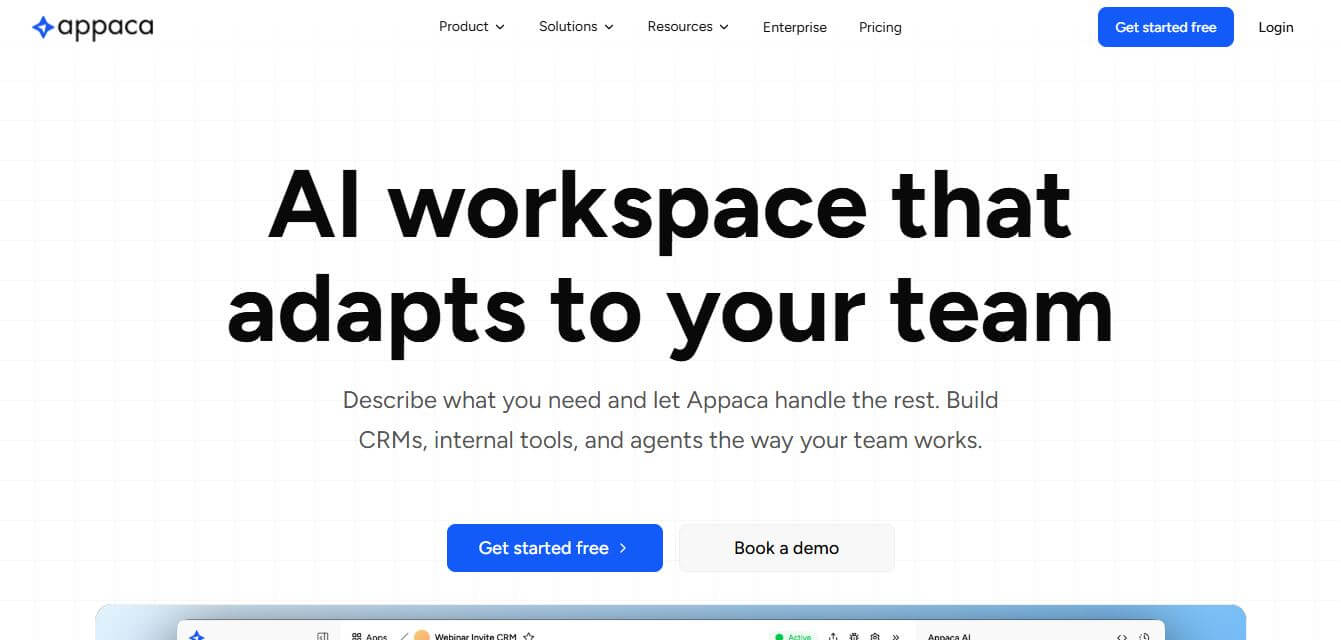
What is Appaca AI?
Appaca AI is an AI-driven mobile and web app prototyping platform designed for startup founders, product managers, and UI/UX designers. It transforms text prompts, user stories, and hand-drawn wireframes into interactive multi-screen app designs and user journeys. Featuring modular component editing, theme customization, clickable flow simulations, and frontend code export capabilities, Appaca AI allows teams to create and validate functional application prototypes in minutes without manual design drafting.
Appaca AI generates complete, multi-screen application prototypes in under 30 seconds from natural language descriptions. The platform helps early-stage startups and product teams reduce design ideation and wireframing timelines by up to 80 percent. Supporting both iOS mobile patterns and responsive web layouts, users can explore dozens of UX workflow variations per project, cutting pre-development validation costs by over 70 percent compared to traditional agency design sprints.
- Founder: Developed by the Appaca AI product engineering and design team
- Launch Year: 2024
- Use Cases:
- Rapid mobile and web app MVP prototyping and wireframing
- Interactive user journey simulation and UX logic testing
- Converting hand-drawn whiteboard sketches into digital UI screens
- Investor pitch deck mockups and client design sprint presentations
- Technology:
- Generative UI synthesis and layout parsing engines
- Computer vision sketch-to-vector component recognition models
- Design system token mapping and frontend code generation pipelines
- Target Users:
- Startup founders, indie hackers, and entrepreneurs
- Product managers, technical product owners, and business analysts
- UI/UX designers, design leads, and digital product agencies
- Frontend web and mobile software engineers
- Acquisition: Operates as an independent product design technology company

Key features of Appaca AI
Appaca AI's key features are
- Prompt-to-App Generation: Converts natural language descriptions and user stories into structured, multi-screen UI layouts instantly.
- Sketch & Wireframe Ingestion: Upload rough whiteboard sketches or napkin drawings to guide screen layouts, navigation bars, and component placement.
- Interactive User Flow Simulator: Links generated screens into clickable, testable prototypes to evaluate user navigation and interaction logic.
- Modular Component Editing: Easily tweak, rearrange, and customize buttons, input fields, cards, and navigation bars within an intuitive visual canvas.
- Design System & Theme Customizer: Applies unified brand colors, typography rules, and corner radiuses across all generated screens automatically.
- Realistic Content Generation: Automatically populates screens with context-aware microcopy, placeholder data, and relevant imagery rather than generic lorem ipsum.
- Multi-Platform Layouts: Generates responsive designs tailored specifically for iOS, Android, and desktop web application viewports.
- Code & Design Handoff: Exports clean design files and frontend UI code snippets (including React and Tailwind CSS) for direct developer implementation.
Appaca AI Pricing
Appaca AI operates on a freemium model with flexible monthly subscription tiers for creators, startups, and design teams.
Free Plan:
- $0/month
- Initial prototype generation credits
- Access to standard UI components and basic clickable preview links
Starter / Pro Plan:
- Starts at approximately $59/month
- Unlimited screen generations and custom theme saving
- High-resolution exports and interactive flow sharing
Team / Agency Plan:
- Approximately $129/month
- Multi-user team workspaces, shared design systems, and frontend code export
- Priority rendering queues and dedicated support
Enterprise Tier:
- Custom pricing
- Custom design system training, advanced enterprise security governance, and dedicated account management
Disclaimer: For the latest and most accurate pricing information, please visit the official Appaca AI website.
Who is using Appaca AI?
Appaca AI is designed for a broad range of product development and design specialists, including
- Startup Founders & Indie Hackers: Building interactive prototypes for investor pitches and early user validation
- Product Managers: Mapping out feature flows, user journeys, and PRD visual references before sprint planning
- UI/UX Designers: Accelerating low-fidelity wireframing and exploring multiple layout concepts in minutes
- Digital Product Agencies: Presenting rapid concept variations and interactive mockups to prospective clients
- Frontend Developers: Generating structural UI layouts and component boilerplate for rapid MVP development
Best Appaca AI Alternatives
Some of the strongest Appaca AI alternatives include
Pros and Cons of Appaca AI
Pros
- Transforms plain text prompts and rough sketches into interactive, multi-screen prototypes in seconds
- Generates modular, editable vector components rather than static, unalterable images
- Includes clickable user flows to test UX navigation logic immediately
- Populates mockups with realistic, contextually relevant microcopy and data
- Clean, beginner-friendly interface that requires no advanced Figma skills
Cons
- Highly complex, custom micro-animations still require dedicated prototyping suites
- Free tier has limited monthly generation credits and export permissions
- Deeply specialized enterprise backend workflows require custom developer code integration
- Mobile-specific native gesture customization is currently limited
Why Choose Appaca AI?
Appaca AI is the ideal choice for founders, product managers, and designers who need to validate app ideas and build clickable prototypes without spending weeks in design software.
- Generates publish-ready, interactive prototypes from simple prompts in under a minute
- Preserves clean design system hierarchies and responsive layout structures
- Replaces tedious manual wireframing with automated, editable component blocks
- Enables fast client and stakeholder sign-offs through sharable preview links
- Exports clean frontend code and design assets to accelerate developer handoff
Appaca AI vs. Competitors
The main difference between Appaca AI, Uizard, Galileo AI, and v0 by Vercel is that Appaca AI focuses on end-to-end interactive mobile and web user flows with sketch-to-app conversion, while Uizard emphasizes non-designer wireframe collaboration, Galileo AI specializes in high-fidelity Figma screen generation, and v0 focuses strictly on React and Tailwind UI component code generation. Appaca AI stands out for its balance of clickable workflow simulation and visual design flexibility.
| Feature / Tool | Appaca AI | Uizard | Galileo AI | v0 by Vercel |
|---|---|---|---|---|
| Core Focus | AI App Prototyping & Flows | Wireframing & Mockups | High-Fidelity UI Screens | Frontend React Code |
| Text-to-App Generation | Yes (Multi-Screen) | Yes | Yes | Yes (Single Component) |
| Sketch-to-Prototype | Yes | Yes | No | No |
| Clickable Flow Simulation | Yes (Interactive) | Yes | Limited | No (Live Code Only) |
| Code & Handoff Export | Yes (React/Tailwind) | Limited | Figma Export | Pure Code (React/Tailwind) |
| Best For | Founders & Fast MVP Flows | Non-Designers & Teams | UI Designers (Figma) | Frontend Web Developers |
How do we rate Appaca AI?
| Parameter | Rating (out of 5) |
|---|---|
| Prototyping & Flow Generation | 4.9 |
| Component Quality & Customization | 4.8 |
| Sketch-to-UI Recognition | 4.7 |
| Ease of Use & UI Design | 4.9 |
| Value for Money | 4.8 |
| Overall Score | 4.82 |
Appaca AI Review
Appaca AI provides an efficient and highly intuitive platform for early-stage software design. By bridging the gap between text-based ideation and structured UI components, it removes the friction of building initial product mockups from scratch. Its ability to generate complete multi-screen user journeys with clickable navigation allows teams to test usability concepts before writing a single line of production code. For startup founders, product managers, and design agencies looking to increase validation speed and cut design costs, Appaca AI is a standout productivity tool.
Conclusion
Appaca AI is a powerful and flexible platform that reimagines how teams build and use software in their daily operations. By allowing users to create custom apps, workflows, and AI agents simply by describing their needs, it removes the dependency on coding and complex infrastructure. Its ability to combine automation, data management, and AI-driven assistance in one unified workspace makes it especially valuable for growing teams and businesses. While it may require some initial learning to fully utilize its capabilities, the long-term benefits in productivity and efficiency are significant. Appaca stands out as a modern solution for building tailored tools, streamlining workflows, and enabling teams to work smarter with AI.
FAQ
What is Appaca and how can Appaca help me?
Appaca is an AI-powered workspace that helps you build custom apps, internal tools, and workflows just by describing what you need. Instead of relying on multiple SaaS tools, Appaca lets you create software tailored to your exact business process. Appaca is especially useful for teams that want to automate tasks, organize operations, and improve productivity without needing developers.
How does Appaca actually work?
Appaca works like a smart AI builder inside a workspace. You simply describe a tool or workflow in plain language, and Appaca automatically creates a functional app with a database, automation, and team access. Appaca also allows you to chat with AI, connect your data, and turn repeated tasks into automated workflows or apps.
What makes Appaca different from other AI tools?
Appaca is not just a chatbot or content generator—it’s a full AI workspace + app builder. Appaca focuses on building internal tools like CRMs, dashboards, and workflows, rather than generating standalone apps or content. Unlike many tools, Appaca also handles hosting, database setup, and automation inside one platform, so you don’t need to manage infrastructure.
Can Appaca build apps without coding?
Yes, Appaca is completely no-code. You don’t need programming skills or technical knowledge. Appaca allows you to describe what you want, and the platform builds the app automatically with features like forms, dashboards, and workflows ready to use.
What kind of apps can I build with Appaca?
Appaca can build a wide range of internal tools such as CRMs, approval workflows, dashboards, onboarding systems, lead trackers, finance tools, and more. If you can describe a workflow or process, Appaca can usually turn it into a working app tailored to your needs.
Does Appaca include AI agents or automation features?
Yes, Appaca allows you to create AI “co-workers” that can handle tasks like drafting content, analyzing data, generating reports, or managing workflows automatically. Appaca also includes scheduling and automation features so tasks can run without manual input.
Can Appaca connect with other tools?
Yes, Appaca supports integrations with tools like Google Sheets, Slack, Notion, and other services through APIs. This allows Appaca to work alongside your existing tech stack instead of replacing everything completely.
Is Appaca free to use?
Appaca typically offers a free trial (around 7 days) so you can test the platform before committing. After that, Appaca uses a paid plan with AI credits based on usage, depending on how many tasks or automations you run.
User Reviews
No reviews yet for Appaca AI.
Featured Tools
Featured AI tools from TechShark

Melody Genie
MelodyGenie is an AI-powered music generator that creates original songs from simple text prompts. Users can choose styles, moods, and genres, then instantly generate melodies and full tracks, making it easy for creators, marketers, and hobbyists to produce custom music without musical expertise.
Freemium

Kimi AI
Kimi AI is an advanced AI assistant developed by Moonshot AI that helps you chat, research, write, code, and automate tasks in one place. It supports web search, file analysis, and multimodal inputs, and can even run autonomous “agent” workflows to complete complex tasks end-to-end.
Freemium

Fashion Diffusion AI
Fashion Diffusion is an AI-powered fashion design platform that helps brands and designers create clothing designs, virtual try-ons, AI models, product photos, and marketing visuals faster and cost-effectively.
Paid

Veo 4
Veo 4 AI is an AI video creation platform that generates dramatic videos from text, images, audio, and video prompts using realistic motion and synchronized sound.
Paid
Alternatives
Alternatives to Appaca AI
The best Appaca AI alternatives includes Uizard, Galileo AI, Visily, Framer, Illustrae, and v0 by Vercel. These platforms provide AI-powered UI design, wireframing, and frontend code generation. While Appaca AI specializes in prompt-to-prototype workflows, sketch conversion, and interactive flow simulation, alternatives like Galileo AI focus on high-fidelity Figma screens, and v0 specializes in React component code. Choosing the ideal tool depends on whether you require clickable multi-screen app flows, Figma design systems, or frontend code generation.
 4.7
4.7Quinvio AI
Productivity
Quinvio AI helps you turn ideas, scripts, blogs, or web content into polished video presentations. You can refine messaging, choose branded templates, add AI avatars and voiceovers, and produce shareable visual content without traditional recording or editing workflows. It is especially useful for marketers, educators, trainers, creators, and business teams.
 4.9
4.9HubSpot
Marketing
HubSpot is an AI-powered customer platform that helps businesses manage marketing, sales, customer service, and content in one place. It offers a free CRM, automation tools, analytics, and AI features, enabling teams to attract leads, close deals, and deliver better customer experiences at scale.
 4.9
4.9TestSprite
Testing
TestSprite is an AI-powered software testing agent that helps developers automatically generate, run, and fix end-to-end tests for web apps. It simulates real user behavior, detects issues, and provides root-cause insights with suggested fixes, enabling faster releases and more reliable software without manual QA effort.
 4.8
4.8Microsoft Copilot
Productivity
Microsoft Copilot is an AI-powered assistant that helps users write, research, analyze data, and automate tasks across apps like Word, Excel, Outlook, and Teams. It combines large language models with real-time data to generate content, answer questions, and improve productivity across personal and professional workflows.
 4.9
4.9Casablanca AI
Productivity
Casablanca AI is an AI-powered virtual camera that corrects your gaze in real time during video calls, making it appear like you’re maintaining natural eye contact. It works with tools like Zoom and Teams, improving trust, engagement, and communication without needing extra hardware.
 4.9
4.9Granola
Productivity
Granola is an AI-powered meeting assistant that helps you capture, organize, and act on conversations without losing focus. It listens to meetings, turns notes into structured summaries, and generates action items and follow-ups automatically—so you stay present while everything important is documented and ready to use.
 4.8
4.8AI Perfect Assistant
Productivity
AI Perfect Assistant brings AI assistance directly into everyday work applications. It helps users write emails, improve documents, summarize content, translate text, create presentations, generate SEO content, explain Excel formulas, and handle repetitive tasks through 60+ specialized tools and multiple integrations for everyday professional and business workflows with less effort.
 4.8
4.8AI Submit
Productivity
AI Submit is an automated directory submission and SEO distribution platform that allows AI startup founders and developers to submit their artificial intelligence tools to dozens of top AI directories simultaneously for backlink building and traffic growth.
 4.9
4.9Kroolo
Project Management
Kroolo is an AI-powered productivity and project management platform that helps teams plan tasks, track progress, and collaborate in one place. It combines project tracking, document management, and AI assistance to streamline workflows, automate routine work, and improve team efficiency across projects.