ABrush AI
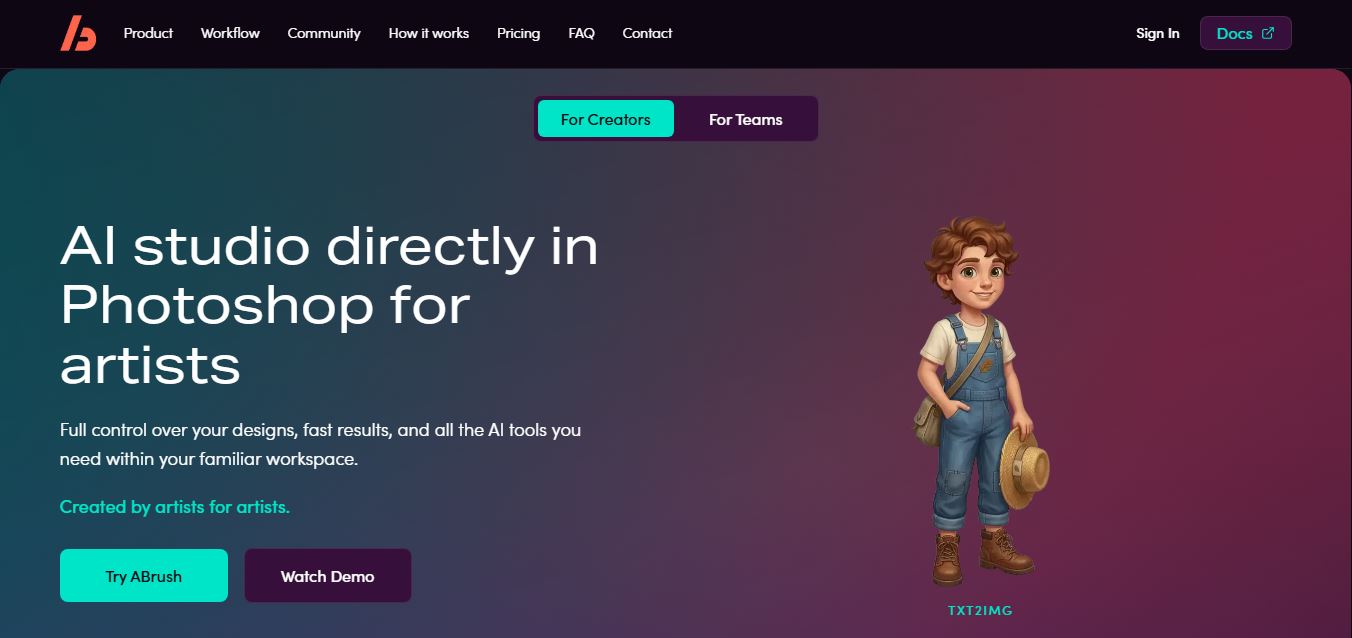
ABrush brings generative image creation and editing directly into Adobe Photoshop, helping artists generate, transform, upscale, and refine visuals without constantly changing applications. Its integrated workflow includes multiple AI models, reference controls, LoRA styles, presets, generation history, and automated Actions, giving creators greater flexibility while retaining hands-on creative control overall.
What is ABrush AI?
ABrush is a Photoshop plugin designed for artists, designers, and creative professionals who want generative image tools inside their existing editing workflow. It supports text-to-image generation, image-to-image transformation, instruction-based editing, upscaling, and automated actions. Users can work with multiple AI models, references, ControlNet, LoRA styles, presets, and generation history while keeping generated results within Photoshop for further manual refinement.
ABrush combines 5 AI working modes—Edit, Txt2Img, Img2Img, Upscale, and Actions—inside Photoshop. Its official site highlights 23+ supported models, while documentation allows users to queue up to 4 generation requests simultaneously. The Character Sheet can create 3 rotations: front, side, and back views, while the Emotions Sheet produces 9 facial expressions. The service uses token-based generation and offers 4 subscription plan categories: Lite, Pro, Premium, and Teams, with Teams requiring at least 3 seats for active subscriptions.
- Platform Role: AI Photo Editor, Generative Brush & Image Transformation Suite
- Developer & Organization: ABrush AI Team
- Cross-Platform Access: Web Application
Use Cases:
- Selectively editing and replacing elements within existing photos using text prompts and brush masks
- Removing unwanted background objects, clutter, watermarks, or passersby from images cleanly
- Expanding image canvas boundaries (outpainting) to adjust aspect ratios for social media channels
- Upscaling low-resolution digital graphics, product photos, and artwork to print-ready HD resolutions
- Generating high-converting product photography backgrounds for e-commerce stores and marketing collateral
Technology:
- Region-aware generative diffusion models optimized for realistic lighting and texture integration
- Interactive mask brush algorithms for real-time edge detection and precise visual selection
- Smart background removal and foreground isolation neural network pipelines
- High-fidelity AI resolution enhancement and super-resolution upscaling engines
Target Users: E-commerce store owners, social media managers, graphic designers, digital artists, and casual photographers.
Acquisition: Direct online access at abrush.ai/en with free generation trial credits and premium subscription options.
What are the key features of ABrush AI?
ABrush AI's core generative photo features include
- Generative Brush Inpainting: Highlight any region of a photo with a brush and describe what to add, modify, or swap in natural language.
- Smart Object & Text Removal: Instantly wipe away unwanted artifacts, background people, or unwanted logos with realistic content fill.
- Canvas Expansion (Outpainting): Seamlessly expand pictures beyond their original borders to fit 16:9, 9:16, or square formats.
- E-Commerce Background Studio: Replace plain backgrounds with professional studio environments or natural outdoor settings.
- AI Image Upscaler: Enhance low-res images into sharp, high-definition visuals without losing subtle details.
How much does ABrush AI cost?
ABrush AI provides a freemium pricing structure with credit packages for high-frequency workflows.
Pricing Overview:
- Free Plan: Includes daily starter credits to test brush inpainting, object removal, and basic upscaling tools.
- Pro Subscription (~$10 - $20/month): Unlocks higher monthly credit quotas, fast priority processing queues, maximum resolution exports, and commercial usage rights.
- Credit Refill Packs: Flexible pay-as-you-go credit top-ups for non-recurring usage.
Disclaimer: Pricing tiers, credit structures, and feature availability are subject to change. Visit ABrush AI's official website for current details.
Who should use ABrush AI?
ABrush AI is ideal for creative professionals, including
- E-Commerce Sellers: Clean up product photography and replace plain studio backdrops with engaging commercial lifestyle scenes.
- Social Media Content Creators: Easily re-frame pictures for mobile feeds and touch up casual photos in seconds.
- Digital Designers: Accelerate asset editing and composite creation without multi-layer manual masking in traditional software.
What are the best alternatives to ABrush AI?
Top alternatives to ABrush AI include
- Clipdrop by Stability AI
- Canva Magic Studio
- Photoroom
- Photoshop Generative Fill
- Magnific AI
- CleanUp.pictures
What are the pros and cons of ABrush AI?
What are the pros of ABrush AI?
- User-friendly brush interface makes complex generative editing accessible to beginners
- Clean blend quality when replacing objects or expanding canvas borders
- Fast web-based workflow eliminates the need for heavy desktop graphic software
- Consolidates multiple photo tools (removal, inpainting, upscaling) in a single app
What are the cons of ABrush AI?
- Heavy image editing requires continuous credit usage
- Highly complex fine-grain text edits inside images may require multiple attempts
- Requires an active internet connection for web browser rendering
Why should you choose ABrush AI?
Rather than requiring complex layer masks or deep knowledge of photo editing software, ABrush AI lets users paint directly over what they want to change. Combined with advanced AI diffusion models, it turns hours of manual photo retouching into quick, conversational brush edits.
How does ABrush AI compare to competitors?
ABrush AI stands out by focusing specifically on intuitive region-brush selection combined with versatile generative tools like inpainting, outpainting, and background replacement in an easy web interface.
| Feature / Platform | ABrush AI | Clipdrop | Photoroom | Photoshop Generative Fill |
|---|---|---|---|---|
| Primary Focus | Generative Brush Photo Editing | AI Visual Utility Suite | Mobile & Web Product Photography | Professional Desktop Editing DAW |
| Ease of Use | Very High (Brush & Prompt) | High | Extremely High (Template Driven) | Moderate (Pro Software) |
| Outpainting & Expansion | Supported | Uncrop Feature | Limited | Industry Standard Pro Outpainting |
| Inpainting Precision | High (Localized Brush Control) | High | High for Backgrounds | Exceptional |
| Best For | Fast brush-based photo touch-ups and generative modifications | General AI image utility tasks and relighting | E-commerce product catalog creation | Professional graphic designers and agency retouchers |
How do we rate ABrush AI?
| Parameter | Rating (out of 5) |
|---|---|
| Inpainting & Editing Quality | 4.7 |
| Interface & Brush Usability | 4.8 |
| Feature Variety | 4.6 |
| Generation Speed | 4.7 |
| Value for Money | 4.6 |
| Overall Score | 4.7 |
What is our review and verdict on ABrush AI?
ABrush AI is a practical, user-friendly AI image editor that makes localized photo retouching, background removal, and object replacement intuitive through brush-based control. Its clean interface and reliable generation quality make it a solid choice for digital creators and e-commerce marketers.
Conclusion
ABrush is a practical option for Photoshop users who want generative workflows integrated with familiar editing tools. Its 5 modes cover creation, transformation, editing, upscaling, and automated tasks, while model choice, LoRA support, references, presets, and history provide deeper control. Because results return to Photoshop for refinement, ABrush is especially relevant to artists and designers who prefer AI assistance without separating generation from their established creative process.
FAQ
What does ABrush actually do?
ABrush is an AI plugin for Adobe Photoshop that lets you generate and edit images directly inside your design workspace. Instead of switching between external AI tools and Photoshop, it brings everything—image generation, editing, and refinement—into one place, helping artists speed up their workflow without breaking it.
How is ABrush different from other AI image tools?
Most AI image generators run in browsers or separate apps, which forces you to export and re-import files. ABrush removes that friction by working directly inside Photoshop layers, so you can generate, edit, retouch, and refine visuals without leaving your project. This makes it much more practical for real production workflows.
How does ABrush work in practice?
You install ABrush as a plugin and use it inside Photoshop as a panel. From there, you can select an area, enter a prompt, choose a model, and generate multiple image variations instantly. The results appear directly in your document, allowing you to edit, mask, or refine them just like any other layer.
What features does ABrush offer?
ABrush includes features like text-to-image generation, image-to-image transformation, AI editing with prompts, upscaling, background removal, and automated actions. It also supports advanced controls like ControlNet, LoRA styles, and reference images, giving artists more precision and creative control.
Can ABrush turn sketches into finished artwork?
Yes, this is one of its strongest use cases. ABrush can take a rough sketch and convert it into a fully rendered image with color, lighting, and detail, while keeping the original composition intact. This significantly reduces the time required to move from concept to final artwork.
Is ABrush free or paid?
ABrush works on a subscription and token-based model, where usage (like generating images) consumes tokens. Different plans offer varying limits and features, making it scalable for freelancers, teams, and studios depending on their needs.
Who should use ABrush?
ABrush is best suited for digital artists, designers, illustrators, photographers, and game studios who work heavily in Photoshop. It’s especially valuable for people who want to speed up asset creation, concept art, and image editing without changing their existing workflow.
User Reviews
No reviews yet for ABrush AI.
Featured Tools
Featured AI tools from TechShark

Melody Genie
MelodyGenie is an AI-powered music generator that creates original songs from simple text prompts. Users can choose styles, moods, and genres, then instantly generate melodies and full tracks, making it easy for creators, marketers, and hobbyists to produce custom music without musical expertise.
Freemium

Kimi AI
Kimi AI is an advanced AI assistant developed by Moonshot AI that helps you chat, research, write, code, and automate tasks in one place. It supports web search, file analysis, and multimodal inputs, and can even run autonomous “agent” workflows to complete complex tasks end-to-end.
Freemium

Fashion Diffusion AI
Fashion Diffusion is an AI-powered fashion design platform that helps brands and designers create clothing designs, virtual try-ons, AI models, product photos, and marketing visuals faster and cost-effectively.
Paid

Veo 4
Veo 4 AI is an AI video creation platform that generates dramatic videos from text, images, audio, and video prompts using realistic motion and synchronized sound.
Paid
Alternatives
Alternatives to ABrush AI
Top ABrush AI alternatives include Clipdrop, Canva Magic Studio, Photoroom, and Photoshop Generative Fill. While ABrush AI emphasizes simple brush-driven localized inpainting and image expansion, tools like Photoroom focus heavily on template-driven product photography and Photoshop on pro multi-layer editing.
 4.7
4.7ImgCreator AI
Image
ImgCreator AI is an AI-powered image generation tool that helps users create visuals from text prompts and reference images. It supports creative artwork, realistic portraits, product visuals, and image editing, making it useful for designers, marketers, content creators, and businesses seeking faster visual content production.
Neural.love
AI Image Enhancer
Neural.love is an AI-powered creative platform for generating images, editing photos, enhancing videos, restoring old media, and animating pictures. It combines multiple AI tools in a browser-based workspace, helping content creators, marketers, photographers, designers, and businesses improve visual content without relying entirely on traditional editing software.
 4.8
4.8Prisma AI
Image
Prisma AI turns everyday photos into artistic images with stylized filters and creative effects. It offers hundreds of art and portrait styles inspired by famous artists, allowing beginners to create distinctive visuals quickly. Users can capture or upload photos, apply a chosen style, and save or share the finished result.
 4.9
4.9Bria AI
Image
Bria helps businesses and teams generate and edit visual content using controllable generative AI. Its capabilities cover image generation, product visuals, background editing, video workflows, and developer integrations. With licensed training data, attribution, provenance, and enterprise deployment options, Bria is positioned for businesses that need scalable, commercially focused visual AI.
 4.7
4.7Unwatermark
Image
Unwatermark.ai helps creators, marketers, photographers, and businesses remove watermarks, logos, text, people, and unwanted objects from images and videos. Its automatic detection handles quick edits, while the manual brush provides precise control over difficult areas. With browser-based processing, format support, previews, and free usage, it simplifies everyday visual cleanup.
 4.9
4.9invideo Nano Banana
Image
Nano Banana is an AI image generation and editing model by Google (Gemini family) that helps users create, modify, and refine visuals using natural language prompts. It supports 4K outputs, consistent characters, accurate text rendering, and real-time editing, enabling fast, production-ready creative workflows.
 4.8
4.8Banana Nano
Image
BananaNano (Nano Banana AI) is an AI-powered image generation and editing platform that lets users create visuals from text or edit photos using natural language. It supports multi-image fusion, character consistency, and up to 4K output, enabling fast, flexible visual creation without complex design tools.
 4.8
4.8Vheer
Image
Vheer is a free AI image and video generator that helps users create visuals from text or photos instantly. It includes tools for image editing, background removal, and image-to-video conversion, offering unlimited generations without signup, making it ideal for quick, creative content production.
 4.9
4.9QOVES
Image
QOVES is an AI-powered facial analysis and beauty consulting platform that helps users understand their facial features and improve appearance through personalized, science-backed recommendations. It analyzes hundreds of facial markers and provides a non-surgical transformation plan, enabling informed decisions about aesthetics, skincare, and overall self-improvement.