
Magnific AI
Magnific AI is an advanced generative AI image upscaler and visual enhancer that adds ultra-realistic micro-details, skin textures, and lighting adjustments to upscale images up to 16x resolution.
What is Magnific AI?
Magnific AI is a high-precision generative AI image upscaler and visual detail enhancer designed for photographers, digital artists, print producers, and marketing teams. Unlike conventional upscaling software that uses interpolation to stretch existing pixels, Magnific AI utilizes modern generative AI models to synthesize new high-resolution micro-textures, skin pores, fabric details, and crisp geometry.
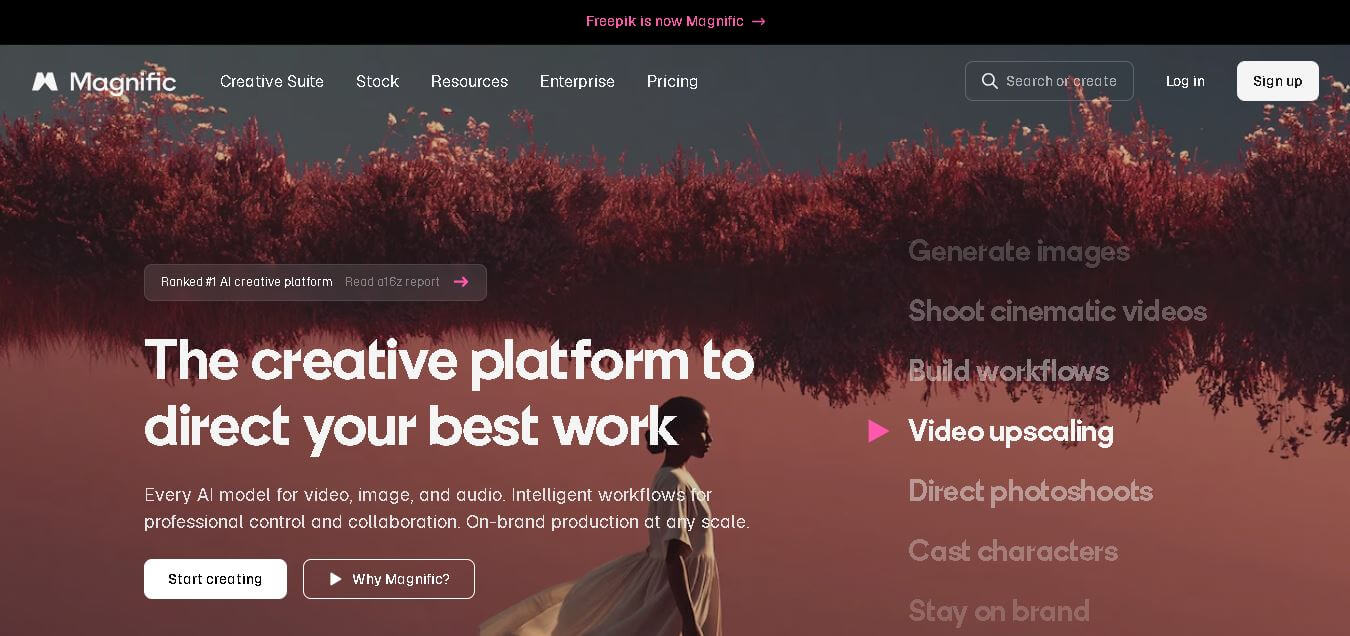
Magnific AI is an all-in-one creative platform offering 30+ AI image models, 10+ AI video models, and access to 250 million+ stock assets. Individual plans provide between 8,000 and 300,000 AI credits per month, while the highest annual plan includes up to 4,000,000 AI credits. Business plans support teams of 2–100 users, and enterprise plans offer unlimited seats with advanced security, including GDPR, ISO/IEC 27001, and SOC 2 Type I compliance.
- Developer: Magnific AI
- Launch Year: 2023
Use Cases:
- Upscaling generative AI graphics from Midjourney, Stable Diffusion, and Flux into 4K/8K resolution
- Enhancing portrait skin textures, eyes, and hair details for commercial photography
- Preparing digital visual assets for large-format print production, billboards, and posters
- Relighting digital scenes and adding procedural micro-details via custom text prompts
Technology:
- Generative diffusion-based detail synthesis engine
- Prompt-guided visual enhancement and texture generation pipeline
- Specialized AI presets optimized for portraits, illustrations, landscapes, and CGI
- Cloud-based high-performance GPU processing infrastructure
Target Users:
- Commercial photographers, visual retouching artists, and portrait studios
- Generative AI artists, 3D concept designers, and game asset creators
- Marketing agencies, e-commerce brand managers, and print media publishers
- Graphic designers creating high-resolution digital and print assets
Ecosystem: Web application accessible via browser with interactive side-by-side preview controls, prompt guidance inputs, and batch processing capabilities.

Key features of Magnific AI
Magnific AI's key features are
- Generative Micro-Detail Synthesis: Hallucinates hyper-realistic details (pores, fabric weave, reflections) rather than simply sharpening existing pixels.
- Creativity & Resemblance Sliders: Fine-tune the exact balance between strict source preservation and creative detail generation.
- Prompt-Guided Enhancement: Use text inputs to direct specific visual attributes, such as cinematic lighting, freckles, or metallic surfaces.
- Specialized AI Presets: Pre-configured modes optimized for portraits, standard photos, art & illustration, 3D renderings, and landscapes.
- Relighting & Style Transfer: Adjust lighting direction, color temperature, and mood across subjects dynamically without quality degradation.
- Extreme 16x Upscaling: Scale low-res graphics up to 10,000+ pixel dimensions for large-format printing.
Magnific AI Pricing
Magnific AI operates on a subscription model with tiered credit allowances for web app upscaling.
Free Plan:
- $0
- Light testing mode with daily limited watermarked preview outputs
Pro Plan:
- $20/month ($14.50/month billed annually)
- Includes ~240,000 yearly credits (approx. 3,200 standard upscales)
Premium Plan:
- $45/month ($33.75/month billed annually)
- Includes ~600,000 yearly credits (approx. 8,000 standard upscales) and full commercial usage rights
Business / Enterprise Plan:
- $280/month ($210/month billed annually)
- Includes ~4,000,000 yearly credits (approx. 53,000 upscales), a priority rendering queue, and API access
Disclaimer: For the latest and most accurate pricing information, please visit the official Magnific website.
Is Magnific AI Worth It?
Magnific AI is exceptionally worth it for creative professionals, print studios, and AI visual artists who require production-grade 4K/8K images. Its ability to generate convincing fine details makes it far superior to traditional upscaling algorithms.
Real-World Use Cases
- High-Resolution Print Production: Converting lower-res artwork into crisp files suitable for gallery prints, billboards, and trade show displays.
- Post-Processing AI Renders: Enhancing raw Midjourney or Stable Diffusion images into photorealistic master files.
- Fashion & E-Commerce Retouching: Restoring fine fabric textures, clothing stitching, and high-definition skin details.
- CGI & 3D Visual Effects: Upscaling low-resolution 3D viewports and render passes into high-fidelity portfolio assets.
Who is using Magnific AI?
Magnific AI is designed for high-end visual creators and organizations, including
- Digital Artists & Illustrators: Designers enhancing texture depth and line crispness
- Photographers & Retouchers: Studios refining portrait skin details and restoration projects
- AI Content Creators: Visual creators transforming raw AI generations into high-res commercial art
- Print & Packaging Teams: Production specialists requiring ultra-high DPI image files
Best Magnific AI Alternatives
Some of the strongest Magnific AI alternatives include
- Topaz Gigapixel AI
- Krea AI
- Upscayl
- VanceAI
- Midjourney Upscaler
Pros and Cons of Magnific AI
Pros
- Industry-leading generative detail creation that adds realistic micro-textures
- Custom prompt guidance for directional control over generated features
- Flexible creativity and resemblance controls prevent unwanted distortion
- Supports massive resolution scaling up to 16x for large-format printing
- Clean, intuitive web interface with interactive split-screen comparison tools
Cons
- Requires a paid subscription for high-volume commercial file downloads
- High creativity settings can occasionally hallucinate unwanted facial features or artifacts
- Cloud-only processing requires a stable, high-speed internet connection
Why Choose Magnific AI?
Magnific AI stands out by moving past standard pixel interpolation. Rather than simply blurring or stretching pixels, it intelligently infuses context-aware detail into every photo, making low-resolution images look as if they were captured on professional medium-format camera hardware.
- Generates photorealistic textures like skin pores, hair strands, and fabric weave
- Allows prompt-guided relighting and detail customization
- Scales images up to 16x without traditional edge artifacts
- Fast cloud-based GPU processing with specialized engine presets
How Magnific AI Works
- 1. Upload Image: Drag and drop any JPG, PNG, or WEBP image into the web dashboard.
- 2. Select Preset & Settings: Choose a preset (e.g., Portrait, Standard, CGI) and adjust the Creativity slider.
- 3. Add Optional Prompt: Type descriptive keywords to guide specific detail additions or lighting adjustments.
- 4. Enhance & Download: Process the image and inspect the high-resolution output using the side-by-side viewer.
Magnific AI vs. Competitors
The main difference between Magnific AI, Topaz Gigapixel AI, and Upscayl lies in the upscaling approach and architecture. While Topaz Gigapixel AI relies on traditional desktop AI sharpening and Upscayl provides an open-source local converter, Magnific AI uses generative cloud diffusion models to synthesize brand-new micro-details based on user prompts.
| Feature | Magnific AI | Topaz Gigapixel AI | Upscayl |
|---|---|---|---|
| Platform | Cloud / Browser | Desktop (Mac & Windows) | Desktop (Open-Source) |
| Upscaling Engine | Generative Detail Synthesis | Traditional AI Sharpening | Real-ESRGAN Model Tracing |
| Prompt Guidance | Yes (Text Prompting) | No | No |
| Offline Use | No | Yes | Yes |
| Pricing Model | From $20/mo | $99.99 One-time License | 100% Free |
How do we rate Magnific AI?
| Parameter | Rating (out of 5) |
|---|---|
| Upscaling Quality & Detail | 4.9 |
| Ease of Use | 4.8 |
| Feature Versatility | 4.7 |
| Processing Speed | 4.6 |
| Value for Money | 4.5 |
| Overall Score | 4.8 |
Magnific AI Review
Magnific AI is a benchmark-setting AI upscaler that redefines image enhancement. By using generative AI to hallucinate micro-textures rather than simply sharpening edges, it produces unmatched visual fidelity for low-res photos and AI artwork alike. For creative professionals requiring pristine 4K and 8K outputs, it is an indispensable post-production tool.
Conclusion
Magnific AI has evolved into a comprehensive creative platform that combines AI-powered image generation, editing, video creation, audio production, workflow automation, and premium stock resources in one ecosystem. Its flexible plans, commercial licensing, collaborative features, and extensive AI capabilities make it valuable for freelancers, creative agencies, marketing teams, and enterprises alike. Whether you need to produce high-quality visuals, automate repetitive creative tasks, or collaborate with a growing team, Magnific AI provides a scalable solution. With powerful AI models, millions of creative assets, and enterprise-grade security, it is well suited for modern content production.
FAQ
What makes Magnific AI different from other AI image generators?
Magnific AI goes beyond simple image generation by combining AI-powered image creation, video generation, editing, upscaling, audio tools, workflows, and premium stock assets within one platform. Instead of switching between multiple applications, you can create, refine, organize, and collaborate on creative projects in a single workspace, making the entire content creation process faster, easier, and more efficient for professionals and businesses.
Is Magnific AI suitable for beginners?
Yes. Magnific AI is designed for beginners as well as experienced creators. New users can start with a free plan, explore AI tools, and learn through simple workflows before upgrading. The platform provides an intuitive interface, guided documentation, and organized projects that help users quickly understand image generation, editing, and enhancement without requiring advanced design skills.
Can I use Magnific AI for commercial projects?
Yes. Paid plans include commercial licensing, allowing you to create content for business, marketing, client work, advertising, and other professional purposes. Higher-tier plans also provide additional benefits, including increased AI credits, premium content access, and, for Pro users, a merchandise license for creating and selling physical products featuring generated content.
What types of content can I create with Magnific AI?
Magnific AI supports much more than image generation. You can create AI images, videos, voiceovers, music, sound effects, mockups, icons, 3D assets, branded visuals, and automated creative workflows. It also offers advanced editing tools such as background removal, image enhancement, retouching, upscaling, style transfer, and collaborative project management for teams.
Who should use Magnific AI?
Magnific AI is ideal for graphic designers, marketers, photographers, digital artists, agencies, eCommerce businesses, content creators, architects, and enterprise teams. Whether you need marketing visuals, social media content, product mockups, creative assets, or collaborative design workflows, the platform provides scalable AI tools that fit both individual creators and large organizations.
User Reviews
No reviews yet for Magnific AI.
Featured Tools
Featured AI tools from TechShark

Melody Genie
MelodyGenie is an AI-powered music generator that creates original songs from simple text prompts. Users can choose styles, moods, and genres, then instantly generate melodies and full tracks, making it easy for creators, marketers, and hobbyists to produce custom music without musical expertise.
Freemium

Kimi AI
Kimi AI is an advanced AI assistant developed by Moonshot AI that helps you chat, research, write, code, and automate tasks in one place. It supports web search, file analysis, and multimodal inputs, and can even run autonomous “agent” workflows to complete complex tasks end-to-end.
Freemium

Fashion Diffusion AI
Fashion Diffusion is an AI-powered fashion design platform that helps brands and designers create clothing designs, virtual try-ons, AI models, product photos, and marketing visuals faster and cost-effectively.
Paid

Veo 4
Veo 4 AI is an AI video creation platform that generates dramatic videos from text, images, audio, and video prompts using realistic motion and synchronized sound.
Paid
Alternatives
Alternatives to Magnific AI
The best Magnific AI alternatives include Topaz Gigapixel AI, Krea AI, Upscayl, VanceAI, and Midjourney Upscaler. Topaz Gigapixel AI offers offline desktop upscaling. Upscayl is an open-source free alternative, while Krea AI delivers real-time enhancement tools.
 4.7
4.7ImgCreator AI
Image
ImgCreator AI is an AI-powered image generation tool that helps users create visuals from text prompts and reference images. It supports creative artwork, realistic portraits, product visuals, and image editing, making it useful for designers, marketers, content creators, and businesses seeking faster visual content production.
Neural.love
AI Image Enhancer
Neural.love is an AI-powered creative platform for generating images, editing photos, enhancing videos, restoring old media, and animating pictures. It combines multiple AI tools in a browser-based workspace, helping content creators, marketers, photographers, designers, and businesses improve visual content without relying entirely on traditional editing software.
 4.8
4.8Prisma AI
Image
Prisma AI turns everyday photos into artistic images with stylized filters and creative effects. It offers hundreds of art and portrait styles inspired by famous artists, allowing beginners to create distinctive visuals quickly. Users can capture or upload photos, apply a chosen style, and save or share the finished result.
 4.9
4.9Bria AI
Image
Bria helps businesses and teams generate and edit visual content using controllable generative AI. Its capabilities cover image generation, product visuals, background editing, video workflows, and developer integrations. With licensed training data, attribution, provenance, and enterprise deployment options, Bria is positioned for businesses that need scalable, commercially focused visual AI.
 4.7
4.7Unwatermark
Image
Unwatermark.ai helps creators, marketers, photographers, and businesses remove watermarks, logos, text, people, and unwanted objects from images and videos. Its automatic detection handles quick edits, while the manual brush provides precise control over difficult areas. With browser-based processing, format support, previews, and free usage, it simplifies everyday visual cleanup.
 4.9
4.9invideo Nano Banana
Image
Nano Banana is an AI image generation and editing model by Google (Gemini family) that helps users create, modify, and refine visuals using natural language prompts. It supports 4K outputs, consistent characters, accurate text rendering, and real-time editing, enabling fast, production-ready creative workflows.
 4.8
4.8Banana Nano
Image
BananaNano (Nano Banana AI) is an AI-powered image generation and editing platform that lets users create visuals from text or edit photos using natural language. It supports multi-image fusion, character consistency, and up to 4K output, enabling fast, flexible visual creation without complex design tools.
 4.8
4.8Vheer
Image
Vheer is a free AI image and video generator that helps users create visuals from text or photos instantly. It includes tools for image editing, background removal, and image-to-video conversion, offering unlimited generations without signup, making it ideal for quick, creative content production.
 4.9
4.9QOVES
Image
QOVES is an AI-powered facial analysis and beauty consulting platform that helps users understand their facial features and improve appearance through personalized, science-backed recommendations. It analyzes hundreds of facial markers and provides a non-surgical transformation plan, enabling informed decisions about aesthetics, skincare, and overall self-improvement.