
Work Life Panda
Work Life Panda is a private, cross-platform task manager and unified calendar application featuring on-device local AI capture, dedicated chat threads and file histories for every task and event, and shared workspaces for family, friends, and small teams.
What is Work Life Panda?
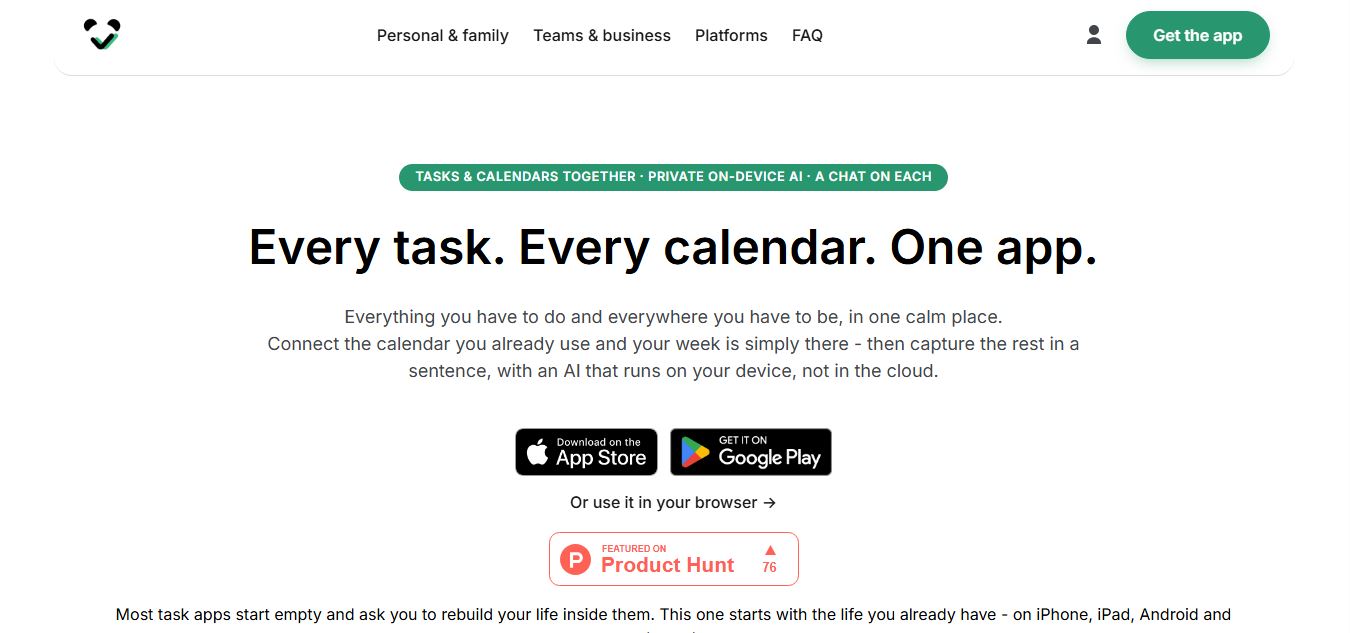
Work Life Panda is an AI-powered productivity app that brings your tasks, calendar, notes, and conversations into one place so you don’t have to switch between multiple tools. You can connect your existing calendars, capture tasks using simple sentences or voice, and manage everything in a shared workspace for personal life or teams. Each task or event has its own chat, so discussions stay linked to the work itself, and its AI runs on your device, keeping your data private while helping you stay organized and efficient.
Engineered around on-device local AI processing and conversation-on-the-task collaboration, Work Life Panda eliminates the need to cross-reference multiple disjointed productivity apps. Instead of letting planning decisions get lost in noisy chat feeds or sending sensitive personal data to external cloud servers, Work Life Panda runs lightweight local AI models on your device to parse natural language and voice input into categorized tasks, while attaching an independent discussion thread, file storage, and audit history to every single task and calendar event.
- Platform Role: Unified Task Manager, Integrated Calendar & Private Collaborative Organizer
- Founder & Maker: Andrea Agnoletto (Work Life Panda LLC)
- Platform Availability: Native mobile apps for iOS (iPhone, iPad) and Android, alongside desktop web access (app.worklifepanda.com)
Use Cases:
- Consolidating personal schedules and daily to-do lists into one unified, two-way synchronized calendar view
- Eliminating group chat chaos by having dedicated discussion threads, photos, and files attached directly to specific tasks or events
- Capturing quick to-dos and scheduling reminders by speaking or typing everyday sentences parsed privately by on-device AI
- Managing shared family chores, household planning, roommate expenses, or small team project hand-offs with clear ownership
- Automatically detecting flight bookings, hotel confirmations, and doctor appointments from connected mailboxes to populate your calendar
Technology:
- Small, on-device local language models providing fast natural-language voice and text parsing without cloud round-trips
- Two-way synchronization engine linking directly with external calendar services (Google Calendar, Apple, Outlook) without duplicating data
- Automated mailbox intelligence scanning connected email accounts (Apple, Microsoft, Google) to extract events and confirmations
- Offline-first local database architecture ensuring uninterrupted task planning and seamless background syncing when reconnected
Target Users:
- Busy individuals and working professionals managing demanding schedules alongside personal life tasks
- Families, partners, and roommates coordinating shared household chores, appointments, and shared grocery lists
- Privacy-conscious users who prefer local, on-device AI processing over cloud-hosted telemetry
- Small project teams and freelancers seeking lightweight task hand-offs with attached discussion histories
Acquisition: Mobile app stores and web workspace
What are the key features of Work Life Panda?
Work Life Panda's key platform features are
- Real Calendar & Task Merger: View tasks and calendar events in one unified schedule where updates in one place reflect across both.
- A Chat on Everything: Every task and calendar event carries its own dedicated messaging thread, file attachments, and decision history.
- Private On-Device AI: Capture to-dos using voice or typing with lightweight local AI models that keep your personal notes on your hardware.
- Shared Living Spaces: Set up private shared spaces for Family, Roommates, Couples, or Work to assign tasks, track hand-offs, and manage RSVPs.
- Two-Way Calendar Sync: Synchronize bidirectionally with Google Calendar, Google Tasks, Outlook, and Apple calendars without stranded entries.
- Automated Mailbox Parsing: Connect your email to automatically convert incoming flight itineraries, hotel bookings, and doctor appointments into calendar events.
- Offline-First Synchronization: Create, edit, and organize schedules without an active internet connection, syncing seamlessly once online.
How much does Work Life Panda cost?
Work Life Panda is currently completely free during its public early access rollout, with all upcoming Pro features unlocked for early adopters.
Pricing Plans:
- Early Access Free ($0): 100% free access to all platform capabilities, including on-device AI capture, unlimited task chats, shared family spaces, two-way Google Calendar sync, and offline mode with zero ads.
- Pro / Premium (Upcoming): Future premium tiers for advanced organizational spaces and extended team features, with grandfathered preferential pricing promised for early access members.
Disclaimer: Work Life Panda is free during early access with no in-app purchases or paywalls. Review worklifepanda.com and mobile app store listings for active tier announcements.
Who should use Work Life Panda?
Work Life Panda is designed for organized individuals, families, and teams, including
- Families & Households: Replacing cluttered WhatsApp or iMessage family groups with a dedicated, organized schedule for appointments and chores.
- Privacy Advocates: Using conversational AI capture without exposing personal schedules, reminders, or notes to external cloud providers.
- Solopreneurs & Freelancers: Keeping client commitments and personal errands organized in a single unified calendar.
- Frequent Travelers: Automatically collecting flight and hotel reservation dates into an offline-ready itinerary.
What are the best alternatives to Work Life Panda?
Some of the strongest Work Life Panda alternatives include
- Todoist
- Cron (Notion Calendar)
- BeforeSunset AI
- Fantastical
- TickTick
- AmpleNote
What are the pros and cons of Work Life Panda?
What are the pros of Work Life Panda?
- Combines a true task manager with a full two-way calendar in a single calm interface
- On-device local AI parses natural language prompts and voice without uploading personal data to the cloud
- Contextual chat on every task ensures discussions and files live directly where decisions are executed
- Completely free during early access without advertising banners or artificial feature paywalls
- Offline-first design ensures full usability when traveling or disconnected from networks
What are the cons of Work Life Panda?
- Currently in early access with ongoing feature polish and beta mailbox integration
- Advanced project management tools (like Gantt charts or complex Kanban swimlanes) are outside its core scope
- Third-party integrations are primarily focused on calendars and mailboxes rather than enterprise developer tools
Why should you choose Work Life Panda?
Most productivity systems force users to balance three separate tools: an isolated to-do list, a calendar app, and messy messaging threads where actual plans are discussed. Work Life Panda brings all three together. By merging real calendar events with structured tasks, anchoring dedicated chat threads to each item, and executing natural-language AI locally on your device, Work Life Panda creates a calm, private hub for your daily commitments.
- Keep your calendar, to-do list, and planning discussions inside one app
- Discuss tasks directly on dedicated threads instead of losing context in group chats
- Protect personal privacy with on-device local AI voice and text recognition
- Access your complete schedule anywhere with offline-first mobile and web apps
How does Work Life Panda compare to competitors?
While Todoist excels at fast checklist entry and Notion Calendar focuses on scheduling meetings across work calendars, Work Life Panda stands out by putting a dedicated chat thread on every task and running privacy-preserving AI locally on client hardware.
| Feature / Platform | Work Life Panda | Todoist | Notion Calendar (Cron) | BeforeSunset AI |
|---|---|---|---|---|
| Core Focus | Tasks + calendar with chat on each item | Pure task management & checklists | Professional team scheduling & calendar | AI daily time-blocking & planning |
| AI Processing | Private on-device local models | Cloud AI text assistant (Pro) | Notion AI integrations (Cloud) | Cloud-based planning AI |
| Per-Item Discussion Chat | Yes (Dedicated chat thread & files) | Task comments (Basic) | No | No |
| Shared Family / Work Spaces | Yes (Household, Friends, Work) | Shared projects & workspaces | Shared team calendars | Team workspaces |
| Pricing Structure | 100% Free during Early Access | Free tier / Pro from $4/month | Free with Notion account | Free tier / Pro from $12.99/mo |
| Best For | Private personal & family planning with chat | GTD power users & structured lists | Meeting scheduling & work calendar sync | AI daily plan generation & focus blocks |
How do we rate Work Life Panda?
| Parameter | Rating (out of 5) |
|---|---|
| Task & Calendar Integration | 4.9 |
| Contextual Task Chat & Files | 4.9 |
| On-Device AI Privacy & Speed | 4.8 |
| Cross-Platform & Offline Sync | 4.8 |
| Value for Money (Early Access Free) | 5.0 |
| Overall Score | 4.88 |
What is our review and verdict on Work Life Panda?
Work Life Panda introduces a well-considered perspective to personal and collaborative productivity. Rather than forcing users into high-maintenance productivity methodologies, it solves the real-world friction of scheduling: unifying tasks and calendar dates while keeping the conversation attached to the item itself. Backed by privacy-first, on-device AI processing and an offline-first architecture, Work Life Panda is a refreshing, intuitive tool for anyone looking to organize their schedule without sacrificing privacy.
Conclusion
WorkLifePanda helps users bring structure to their daily routines by combining productivity tools with a focus on work-life balance. Instead of just tracking tasks, it encourages better planning, prioritization, and consistency. This makes it useful for individuals looking to stay organized without feeling overwhelmed. Overall, WorkLifePanda supports a more balanced and sustainable approach to productivity, helping users manage their time effectively while maintaining focus and well-being.
FAQ
What does Work Life Panda actually do?
Work Life Panda is an all-in-one productivity app that combines tasks, calendar, notes, and team collaboration into a single workspace. Instead of juggling multiple apps, it brings everything into one place where your to-dos, events, and conversations live together, helping you manage both personal and work life more efficiently.
How is Work Life Panda different from tools like Notion or Todoist?
Most tools focus on one area—like tasks (Todoist) or flexible workspaces (Notion)—but Work Life Panda is designed as a connected system. It starts with your existing calendar and adds tasks, notes, and chat on top, so everything stays linked instead of scattered across apps. It also includes built-in collaboration on each task or event, which reduces the need for separate chat tools.
What makes Work Life Panda unique?
The standout feature is that every task and event has its own chat thread, so conversations, files, and decisions stay attached to the actual work. It also uses on-device AI to turn simple sentences or voice input into structured tasks, meaning your data stays private and doesn’t rely on cloud-based AI processing.
Does Work Life Panda work with my existing calendar?
Yes, it integrates with major calendar providers like Google, Apple iCloud, and Microsoft Outlook with two-way sync. This means your events automatically appear inside the app, and any changes you make are reflected across both platforms without needing manual updates.
Can I use Work Life Panda for teams or family planning?
Yes, the app supports shared spaces where you can collaborate with family members, friends, or small teams. You can assign tasks, share events, and communicate directly within each item, making it useful for everything from household planning to small business coordination.
Is Work Life Panda free or paid?
Work Life Panda is currently free during early access, including all premium features. The company plans to introduce paid plans later, but early users are expected to receive better pricing when that happens.
Is my data safe on Work Life Panda?
Yes, privacy is a core focus. The AI features run locally on your device, meaning your tasks, notes, and personal data are not sent to external AI services. The platform also states it does not sell user data or use it for advertising, giving users more control over their information.
User Reviews
No reviews yet for Work Life Panda.
Featured Tools
Featured AI tools from TechShark

Melody Genie
MelodyGenie is an AI-powered music generator that creates original songs from simple text prompts. Users can choose styles, moods, and genres, then instantly generate melodies and full tracks, making it easy for creators, marketers, and hobbyists to produce custom music without musical expertise.
Freemium

Kimi AI
Kimi AI is an advanced AI assistant developed by Moonshot AI that helps you chat, research, write, code, and automate tasks in one place. It supports web search, file analysis, and multimodal inputs, and can even run autonomous “agent” workflows to complete complex tasks end-to-end.
Freemium

Fashion Diffusion AI
Fashion Diffusion is an AI-powered fashion design platform that helps brands and designers create clothing designs, virtual try-ons, AI models, product photos, and marketing visuals faster and cost-effectively.
Paid

Veo 4
Veo 4 AI is an AI video creation platform that generates dramatic videos from text, images, audio, and video prompts using realistic motion and synchronized sound.
Paid
Alternatives
Alternatives to Work Life Panda
The best Work Life Panda alternatives include Todoist, Notion Calendar (Cron), BeforeSunset AI, and Fantastical. While Work Life Panda merges a real task manager and two-way calendar with dedicated chat threads on every item and on-device private AI capture for free during early access, alternatives like Todoist focus on traditional task checklists and BeforeSunset AI relies on cloud-based time blocking.
 4.7
4.7Quinvio AI
Productivity
Quinvio AI helps you turn ideas, scripts, blogs, or web content into polished video presentations. You can refine messaging, choose branded templates, add AI avatars and voiceovers, and produce shareable visual content without traditional recording or editing workflows. It is especially useful for marketers, educators, trainers, creators, and business teams.
 4.9
4.9HubSpot
Marketing
HubSpot is an AI-powered customer platform that helps businesses manage marketing, sales, customer service, and content in one place. It offers a free CRM, automation tools, analytics, and AI features, enabling teams to attract leads, close deals, and deliver better customer experiences at scale.
 4.9
4.9TestSprite
Testing
TestSprite is an AI-powered software testing agent that helps developers automatically generate, run, and fix end-to-end tests for web apps. It simulates real user behavior, detects issues, and provides root-cause insights with suggested fixes, enabling faster releases and more reliable software without manual QA effort.
 4.8
4.8Microsoft Copilot
Productivity
Microsoft Copilot is an AI-powered assistant that helps users write, research, analyze data, and automate tasks across apps like Word, Excel, Outlook, and Teams. It combines large language models with real-time data to generate content, answer questions, and improve productivity across personal and professional workflows.
 4.9
4.9Casablanca AI
Productivity
Casablanca AI is an AI-powered virtual camera that corrects your gaze in real time during video calls, making it appear like you’re maintaining natural eye contact. It works with tools like Zoom and Teams, improving trust, engagement, and communication without needing extra hardware.
 4.9
4.9Granola
Productivity
Granola is an AI-powered meeting assistant that helps you capture, organize, and act on conversations without losing focus. It listens to meetings, turns notes into structured summaries, and generates action items and follow-ups automatically—so you stay present while everything important is documented and ready to use.
 4.8
4.8AI Submit
Productivity
AI Submit is an automated directory submission and SEO distribution platform that allows AI startup founders and developers to submit their artificial intelligence tools to dozens of top AI directories simultaneously for backlink building and traffic growth.
 4.8
4.8AI Perfect Assistant
Productivity
AI Perfect Assistant brings AI assistance directly into everyday work applications. It helps users write emails, improve documents, summarize content, translate text, create presentations, generate SEO content, explain Excel formulas, and handle repetitive tasks through 60+ specialized tools and multiple integrations for everyday professional and business workflows with less effort.
 4.9
4.9Kroolo
Project Management
Kroolo is an AI-powered productivity and project management platform that helps teams plan tasks, track progress, and collaborate in one place. It combines project tracking, document management, and AI assistance to streamline workflows, automate routine work, and improve team efficiency across projects.