
Rokoko
Rokoko is a motion capture and animation platform that helps creators turn real-world movement into 3D animations using suits, gloves, and AI tools. It enables fast, camera-free capture and seamless integration with tools like Blender and Unreal, making professional animation more accessible.
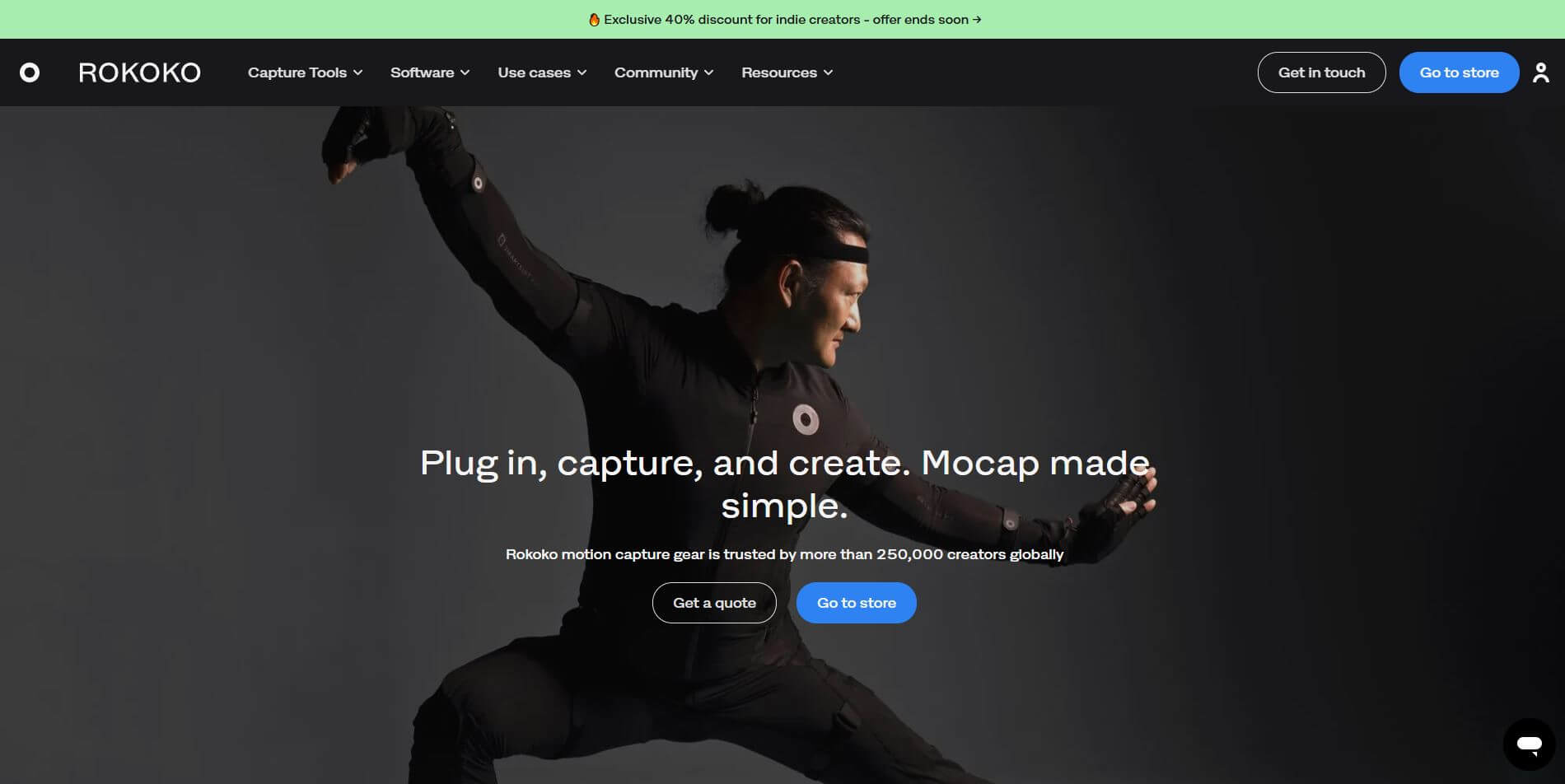
What is Rokoko?
Rokoko is a motion capture and animation platform designed to help creators bring 3D characters to life quickly and affordably. Instead of relying on expensive studio setups, it offers a mix of hardware (like motion capture suits and gloves) and AI-powered tools that can capture full-body, hand, and facial movements in real time. The platform is built for animators, game developers, filmmakers, and creators who want a faster, more flexible workflow. You can record motion anywhere—without cameras or complex setups—and then edit, refine, and export animations directly into tools like Blender, Unity, or Unreal Engine.
Rokoko also includes AI features that turn simple videos or even text prompts into animation, making it accessible for beginners while still powerful enough for professional production. Rokoko focuses on making high-quality motion capture simple, portable, and scalable, so creators can spend less time on technical setup and more time on creating realistic animations.
Founded in 2014 in Copenhagen, Denmark by Jakob Balslev, Matias Søndergaard, and Anders Klok, Rokoko transformed the motion capture landscape by replacing multi-million-dollar studio rigs with wearable smart hardware and AI software. Trusted by creative teams at Sony, Netflix, Disney, and thousands of indie game developers, Rokoko provides dual paths to mocap—via Rokoko Vision AI software starting with a free tier and hardware setups like the Smartsuit Pro II and Smartgloves for professional real-time pipelines.
- Founder / Leadership: Jakob Balslev (Founder & CEO) and Matias Søndergaard (Co-Founder & VP of Product)
- Launch Year: 2014
- Use Cases:
- Recording full-body character locomotion, combat choreography, and athletic actions for video games and 3D film
- Live-streaming real-time actor performances directly into Unreal Engine, Unity, Blender, and Maya
- Extracting markerless full-body motion capture from standard single-camera or dual-camera webcam/phone videos using Rokoko Vision
- Capturing intricate hand gestures and finger articulation using inertial Smartgloves
- Animating virtual influencers and VTubers with real-time face, hand, and body tracking in live broadcasts
- Technology:
- Inertial Measurement Unit (IMU) sensor hardware network with built-in magnetic immunity and sub-millimeter tracking algorithms
- Computer vision and deep learning markerless AI motion capture pipeline (Rokoko Vision) for dual-camera spatial reconstruction
- Real-time animation streaming engine (Rokoko Studio) with native live retargeting and automated foot-locking filters
- Target Users:
- Indie game development teams and solo game creators building gameplay and cutscene animations
- VFX artists, previs supervisors, and commercial animation studios
- VTubers, digital human creators, and virtual production broadcast directors
- Universities, film schools, and animation academies teaching modern digital mocap workflows
- Acquisition: Operates as an independent consumer and enterprise motion capture company (Rokoko Electronics ApS)

Key features of Rokoko
Rokoko's key features are
- Smartsuit Pro II: An all-in-one wireless wearable suit featuring 19 embedded 9-DoF IMU sensors that captures full-body human motion anywhere without external cameras.
- Smartgloves (Hand & Finger Tracking): High-precision capture gloves equipped with 14 IMU sensors to record fine expressive finger curls, pointing, and grip motions.
- Rokoko Vision (AI Video Mocap): Markerless AI capture software that transforms standard phone or webcam footage into clean 3D motion files directly in your web browser.
- Rokoko Studio (Hub & Retargeting): Powerful centralized software for recording, editing, applying locomotion filters, and retargeting animations directly onto custom 3D character rigs.
- Real-Time DCC Live Streaming: Stream performance capture live into Unreal Engine, Maya, Blender, Unity, and MotionBuilder with zero export lag.
- Rokoko Face Capture: Free mobile iOS face-tracking integration that utilizes TrueDepth camera technology to stream expressive facial blendshapes in sync with body movement.
- Text-to-Motion Generation: Integrated generative AI tool that converts text prompts into editable 3D character animations for rapid previsualization.
- Locomotion & Treadmill Filters: Built-in automated post-processing filters that fix foot sliding, correct knee popping, and enable stationary treadmill capture for seamless walk cycles.
Rokoko Pricing
Rokoko offers a flexible combination of free/subscription-based software plans (Rokoko Vision & Studio) alongside physical hardware packages.
Software Plans (Rokoko Vision & Studio):
- Starter / Free Plan: $0/month (free browser-based AI video capture with monthly processing limits, community support, and basic export)
- Basic / Creator Plan: Starts around $12 to $20/month billed annually (expanded AI video processing seconds, custom skeleton presets, and unlimited text-to-motion drafts)
- Plus / Pro Plan: Starts around $50 to $100/month (high-volume AI video rendering, live streaming to DCC tools, team collaboration, and priority support)
- Enterprise: Custom pricing for game studios and universities requiring custom SLAs, dedicated onboarding, and offline licenses
Hardware Products (One-time purchases):
- Smartsuit Pro II: Starts around $2,495 to $2,745 for the standalone full-body capture suit
- Smartgloves: Precision finger-tracking pairs starting from ~$695 to $1,745 (depending on hardware generation and bundle)
- Full Performance Capture Bundle: Discounted complete kits uniting Smartsuit Pro II, Smartgloves, and facial capture mounts
Disclaimer: For the latest hardware bundle deals, regional software pricing, and educational discounts, please visit the official Rokoko website at rokoko.com.
Who is using Rokoko?
Rokoko is trusted by over 50,000 creators, indie teams, and major entertainment brands, including
- Indie Game Studios: Rapidly producing combat moves, cutscenes, and NPC behaviors without paying $1,000/hour for optical mocap stages
- Solo 3D Animators & Filmmakers: Recording realistic body and hand performances directly in their living rooms for Blender and Maya projects
- Virtual YouTubers & Streamers: Driving 3D anime avatars in real time during live Twitch and YouTube broadcasts
- Hollywood VFX Previs Teams: Blocking out scene choreography and camera movements quickly during film pre-production
- Academic & Research Labs: Teaching motion analysis, biomechanics, and interactive media in university classrooms
Best Rokoko Alternatives
Some of the strongest Rokoko alternatives include
- Xsens (Movella)
- Move.ai
- DeepMotion
- Noitom (Perception Neuron)
- QuickMagic
- OptiTrack
Pros and Cons of Rokoko
Pros
- Comprehensive hybrid ecosystem offering both low-cost markerless AI video capture and high-precision sensor hardware
- Direct real-time live streaming plugins for Unreal Engine, Blender, Maya, and Unity
- Capture full performances (body, hands, face) anywhere without needing specialized camera tracking markers
- Rokoko Studio includes essential clean-up tools like foot-locking and knee-pop reduction filters out of the box
- Active global creator community with extensive video tutorials and documentation
Cons
- Hardware suits require occasional magnetic calibration when operating near heavy metal structures
- Full hardware bundles represent a serious financial investment compared to purely browser-based AI video apps
- Fast acrobatic contact actions (like ground wrestling or tumbling) may require post-capture curve refinement in DCC software
Why Choose Rokoko?
Traditional motion capture once required dedicated soundstages and tens of thousands of dollars in optical cameras. Rokoko brings that entire production pipeline directly to your workspace.
- Start instantly for free using Rokoko Vision AI with any standard webcam or smartphone
- Upgrade seamlessly to professional wearable suits and gloves as your project scale and fidelity requirements grow
- Stream full character movement directly into your favorite 3D software in real time
- Saves weeks of tedious manual keyframing on game characters and cinematic sequences
Rokoko vs. Competitors
The main difference between Rokoko, Xsens, Move.ai, and DeepMotion is ecosystem versatility. While Xsens specializes strictly in high-end enterprise inertial hardware at a premium price point, and Move.ai and DeepMotion focus purely on markerless video capture algorithms, Rokoko bridges both worlds—providing accessible free AI video capture alongside professional IMU suits, gloves, and real-time live streaming tools.
| Feature / Tool | Rokoko (rokoko.com) | Xsens (Movella) | Move.ai | DeepMotion |
|---|---|---|---|---|
| Core Offerings | Hybrid Hardware (Suits/Gloves) + AI Video | High-End Inertial Hardware | Markerless AI Video Mocap | Browser AI Video & Physics Mocap |
| Markerless Video Mocap | Yes (Rokoko Vision AI) | No | Yes (Move One / Multi-cam) | Yes (Animate 3D) |
| Dedicated Finger Gloves | Yes (Smartgloves) | Yes (Manus integration / Xsens Gloves) | Video-based finger estimation | Video-based hand tracking |
| Real-Time DCC Live Streaming | Yes (Unreal, Unity, Blender, Maya) | Yes (Studio quality) | Yes (Move Live plugin) | No (Export-first workflow) |
| Best For | Indie game devs, creators & hybrid pipelines | Enterprise VFX & clinical biomechanics | High-fidelity optical video setups | Fast browser-based keyframe drafting |
How do we rate Rokoko?
| Parameter | Rating (out of 5) |
|---|---|
| Mocap Accuracy & Hardware Quality | 4.8 |
| Software Ecosystem (Vision & Studio) | 4.9 |
| Live Streaming & DCC Integrations | 4.9 |
| Ease of Setup & Calibration | 4.7 |
| Value for Money | 4.8 |
| Overall Score | 4.82 |
Rokoko Review
Rokoko remains a trailblazer in democratizing motion capture for the global creator economy. By uniting physical wearable hardware (Smartsuit Pro II, Smartgloves) with modern browser-based AI video tracking (Rokoko Vision) and real-time live streaming plugins, it provides an end-to-end solution that scales from solo bedroom animators to mid-sized game studios. The ability to capture body, hands, and face in synchronization and stream the result directly into game engines like Unreal and Blender makes Rokoko one of the most practical and respected mocap platforms available.
Conclusion
Rokoko is one of the most complete and accessible motion capture ecosystems available today, combining AI-powered tools with professional-grade hardware to simplify animation workflows. From turning simple videos or text prompts into 3D motion to capturing full-body, face, and finger movements with dedicated gear, it covers every stage of motion creation in one unified platform. Its biggest strength lies in flexibility—beginners can start with AI motion capture using just a camera, while professionals can scale up to high-precision suits and real-time tracking when needed.
While advanced projects may still require hardware for maximum accuracy, Rokoko dramatically lowers the barrier to entry. Rokoko a powerful solution for creators, game developers, and studios looking to produce high-quality animations faster, cheaper, and with far more creative freedom.
FAQ
Can I use Rokoko Vision without hardware?
Yes, it works directly in your browser using a webcam or uploaded video.
Yes, it works directly in your browser using a webcam or uploaded video.
Single-cam is free for short clips, while dual-cam improves depth and tracking accuracy for more detailed animation.
How do I import animations into Blender or Unity?
Export your files as .FBX or .BVH, then import them directly into your preferred 3D software.
How long does video processing take?
Typically, every 10 seconds of footage takes around 30–40 seconds to process into animation.
How is Rokoko Vision different from Rokoko’s sensor-based mocap suits?
Vision is fast, browser-based, and low-cost, while sensor-based suits deliver real-time, high-fidelity, multi-performer motion capture.
User Reviews
No reviews yet for Rokoko.
Featured Tools
Featured AI tools from TechShark

Melody Genie
MelodyGenie is an AI-powered music generator that creates original songs from simple text prompts. Users can choose styles, moods, and genres, then instantly generate melodies and full tracks, making it easy for creators, marketers, and hobbyists to produce custom music without musical expertise.
Freemium

Kimi AI
Kimi AI is an advanced AI assistant developed by Moonshot AI that helps you chat, research, write, code, and automate tasks in one place. It supports web search, file analysis, and multimodal inputs, and can even run autonomous “agent” workflows to complete complex tasks end-to-end.
Freemium

Fashion Diffusion AI
Fashion Diffusion is an AI-powered fashion design platform that helps brands and designers create clothing designs, virtual try-ons, AI models, product photos, and marketing visuals faster and cost-effectively.
Paid

Veo 4
Veo 4 AI is an AI video creation platform that generates dramatic videos from text, images, audio, and video prompts using realistic motion and synchronized sound.
Paid
Alternatives
Alternatives to Rokoko
The best Rokoko alternatives include Xsens (Movella), Move.ai, DeepMotion, Noitom Perception Neuron, QuickMagic, and OptiTrack. These platforms provide motion capture hardware and AI markerless video animation tools. While Rokoko excels with its hybrid ecosystem combining wearable IMU hardware (Smartsuit Pro II, Smartgloves) with free/affordable AI video capture (Rokoko Vision) and live streaming plugins for Unreal, Unity, and Blender, alternatives like Xsens focus strictly on high-end enterprise inertial hardware, and Move.ai specializes in multi-camera markerless optical AI capture.
 4.8
4.8ClickUp
Productivity
ClickUp is an all-in-one work management platform that helps teams manage projects, tasks, documents, goals, and collaboration in one workspace. Its AI features assist with task creation, meeting summaries, content generation, and workflow automation, while customizable dashboards, multiple project views, and integrations help teams improve productivity and track progress.
 4.9
4.9Notion
Productivity
Notion is an all-in-one productivity and AI workspace that helps individuals and teams manage documents, notes, projects, databases, and company knowledge. Its AI features support writing, research, meeting summaries, enterprise search, and workflow automation, while customizable templates and integrations keep everyday work organized in one place.
 4.7
4.7Quinvio AI
Productivity
Quinvio AI helps you turn ideas, scripts, blogs, or web content into polished video presentations. You can refine messaging, choose branded templates, add AI avatars and voiceovers, and produce shareable visual content without traditional recording or editing workflows. It is especially useful for marketers, educators, trainers, creators, and business teams.
 4.9
4.9HubSpot
Marketing
HubSpot is an AI-powered customer platform that helps businesses manage marketing, sales, customer service, and content in one place. It offers a free CRM, automation tools, analytics, and AI features, enabling teams to attract leads, close deals, and deliver better customer experiences at scale.
 4.9
4.9TestSprite
Testing
TestSprite is an AI-powered software testing agent that helps developers automatically generate, run, and fix end-to-end tests for web apps. It simulates real user behavior, detects issues, and provides root-cause insights with suggested fixes, enabling faster releases and more reliable software without manual QA effort.
 4.8
4.8Microsoft Copilot
Productivity
Microsoft Copilot is an AI-powered assistant that helps users write, research, analyze data, and automate tasks across apps like Word, Excel, Outlook, and Teams. It combines large language models with real-time data to generate content, answer questions, and improve productivity across personal and professional workflows.
 4.9
4.9Casablanca AI
Productivity
Casablanca AI is an AI-powered virtual camera that corrects your gaze in real time during video calls, making it appear like you’re maintaining natural eye contact. It works with tools like Zoom and Teams, improving trust, engagement, and communication without needing extra hardware.
 4.9
4.9Granola
Productivity
Granola is an AI-powered meeting assistant that helps you capture, organize, and act on conversations without losing focus. It listens to meetings, turns notes into structured summaries, and generates action items and follow-ups automatically—so you stay present while everything important is documented and ready to use.
 4.8
4.8AI Submit
Productivity
AI Submit is an automated directory submission and SEO distribution platform that allows AI startup founders and developers to submit their artificial intelligence tools to dozens of top AI directories simultaneously for backlink building and traffic growth.