
Remind
Remind is a native macOS meeting reminder and executive briefing app that takes over your displays at meeting time, delivering full-screen alerts, AI-generated context briefs synthesized from Slack, Notion, and email via BYOK, and one-click meeting joins.
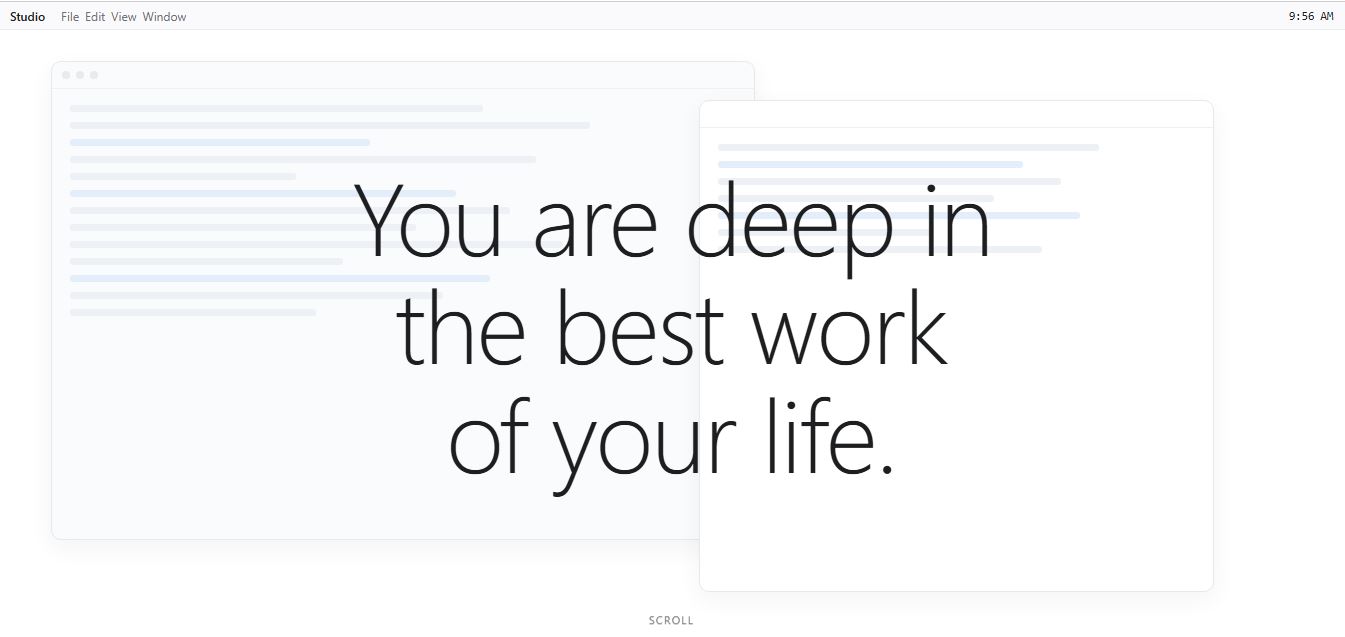
What is Remind?
Remind is a native macOS meeting reminder and intelligence application engineered specifically for founders, executives, and focused knowledge workers. Built to eliminate the common problem of missing important virtual calls while immersed in deep work, Remind replaces easily missed, passive banner notifications with unavoidable full-screen alerts paired with AI-powered meeting context.
Built around the principle of “Never miss a meeting, and never walk into one unprepared,” Remind takes over all connected Mac displays the exact second a scheduled meeting begins. Rather than simply displaying a generic calendar title, Remind pre-researches the upcoming session an hour in advance using the user's personal AI key (OpenAI, Claude, Gemini, or Grok). By synthesizing recent email exchanges, Slack messages, and Notion workspaces, it compiles an actionable, context-rich executive brief alongside a one-click video conference join button.
- Platform Role: Full-Screen Meeting Reminder, AI Context Synthesizer & Video Call Launchpad
- Developer & Platform: Remind (Native macOS application distributed via the Mac App Store)
- Supported Video Platforms: One-click launch for Zoom, Microsoft Teams, Google Meet, and Cisco Webex
Use Cases:
- Preventing accidental missed meetings during deep work sessions through unmissable full-screen takeover alerts across all monitors
- Reviewing automated pre-meeting intelligence briefs summarizing previous action items, deal statuses, and recent email or Slack threads
- Joining virtual video calls on Zoom, Google Meet, Microsoft Teams, or Webex instantly with a single click directly from the alert screen
- Understanding attendee roles, objections, and negotiation histories before jumping into client reviews or sales calls
- Snoozing or dismissing alerts with minimal friction without losing track of essential schedule commitments
Technology:
- Native Swift macOS desktop architecture with multi-display takeover and zero battery background overhead
- Bring-Your-Own-Key (BYOK) AI architecture connecting to Anthropic Claude, OpenAI, Google Gemini, or xAI Grok
- Workspace integration pipeline pulling contextual data from email inboxes, Slack conversations, and Notion workspaces
- Automated pre-meeting research scheduler executing background intelligence synthesis 60 minutes before call start time
Target Users:
- Startup founders, executives, and venture capitalists managing tight back-to-back schedules with minimal prep time
- Account executives, sales leaders, and client managers needing immediate context on client history and negotiation stakes
- Software engineers, product designers, and creators who engage in intense deep work and routinely ignore passive notifications
- Remote and hybrid knowledge workers seeking a frictionless way to manage virtual meetings across multiple video platforms
Acquisition: Native macOS desktop application available via the Mac App Store

What are the key features of Remind?
Remind's key platform features are
- Full-Screen Takeover Alerts: Fills all connected Mac monitors at the precise meeting start time so you never miss a call while focused on other tasks.
- AI-Generated Meeting Briefs: Analyzes email threads, Slack discussions, and Notion pages to construct an executive summary of key discussion points and outstanding deliverables.
- One-Click Meeting Join: Directly launches virtual meeting links across Zoom, Google Meet, Microsoft Teams, and Webex with one tap.
- Bring-Your-Own-Key (BYOK) Model: Connects securely to your own AI API keys (OpenAI, Claude, Gemini, or Grok) with zero intermediate token markup or server retention.
- Attendee Intelligence Profiles: Outlines participant roles, priorities, and past commitments so you enter conversations fully prepared.
- Automated 60-Minute Pre-Research: Runs synthesis in the background an hour ahead of the meeting, ensuring summaries are ready when the prompt appears.
- Multi-Display Synchronization: Ensures takeover cards display harmoniously across all active screens in multi-monitor desk setups.
How much does Remind cost?
Remind operates on an annual subscription model with a risk-free trial available through the Mac App Store, accompanied by organizational deployment options.
Individual Subscription:
- 7-Day Free Trial: Full access to all Mac full-screen alert features, multi-display support, and AI briefing tools.
- $19.99 / year: Complete Mac application license, recurring updates, calendar integrations, and BYOK AI briefing synthesis.
Enterprise & Organizations:
- Remind for Organizations: Tailored team deployment with centralized billing, shared calendar policies, and administrative licensing options.
Disclaimer: Remind offers a 7-day free trial on the Mac App Store. Continued usage requires an annual license of $19.99/year. AI intelligence briefs utilize personal API keys from supported model providers.
Who should use Remind?
Remind is designed for high-focus professionals, operators, and executives, including
- Deep-Work Specialists: Developers, researchers, and writers who get deeply absorbed in flow and miss standard system notification banners.
- Senior Executives & Managers: Leaders moving between diverse client, investor, and operational meetings who need instant contextual recaps.
- Account Managers & Consultants: Client-facing professionals needing quick visibility into contract deliverables, Slack alerts, and pending action items.
- Remote Team Members: Individuals attending frequent Zoom and Google Meet calls who want a clean, one-click joining mechanism.
What are the best alternatives to Remind?
Some of the strongest Remind alternatives include
- In Your Face
- Meeter
- Granola
- Fellow.app
- Dato
- Rise Calendar
What are the pros and cons of Remind?
What are the pros of Remind?
- Full-screen takeover guarantees you will never unintentionally overlook a scheduled meeting
- Automated AI briefing combines context from Slack, Notion, and email into an executive digest
- Supports Bring-Your-Own-Key (BYOK) across major frontier models (Claude, OpenAI, Gemini, Grok)
- One-click join functionality removes the friction of digging through calendar invites for video links
- Affordable pricing model ($19.99/year) compared to expensive monthly enterprise SaaS assistants
What are the cons of Remind?
- Exclusively available for macOS, with no native Windows, Linux, or mobile counterpart
- AI briefings require users to provide their own third-party API key for model processing
- Full-screen interruption style may feel intrusive for users who prefer minimal background pings
Why should you choose Remind?
Standard macOS calendar banners are designed to be polite, sliding in subtly from the corner of your screen before quietly fading away into the Notification Center. When you are deeply focused, they are almost impossible to catch in time. Remind solves this problem by seizing your screen the moment your meeting starts. Paired with a personalized, multi-source AI briefing that tells you exactly who is attending and what was previously promised, Remind ensures you show up on time and completely prepared.
- Eliminate late arrivals with unmissable full-screen takeover alerts across every monitor
- Walk into meetings fully prepared with synthesized briefs pulled from Slack, Notion, and email
- Join Zoom, Teams, Google Meet, or Webex calls instantly with a single click
- Maintain total control of your AI costs and data privacy using your own provider API keys
How does Remind compare to competitors?
The primary difference between Remind, In Your Face, Meeter, and Granola lies in the combination of full-screen urgency and multi-source AI intelligence. While traditional reminder apps like In Your Face provide simple full-screen alert banners, Remind takes the concept further by actively synthesizing multi-tool context (Notion, Slack, emails) with your chosen LLM, ensuring you never enter a conversation blind.
| Feature / Platform | Remind | In Your Face | Meeter | Granola |
|---|---|---|---|---|
| Core Focus | Full-Screen Takeover & AI Pre-Meeting Briefs | Full-Screen Calendar Meeting Reminders | Menu Bar Call Launcher | AI Notepad & Post-Meeting Summaries |
| Full-Screen Alerts | Yes (Multi-display takeover) | Yes (Full-screen overlay) | No (Menu bar / banner only) | No (Floating window) |
| Pre-Meeting AI Synthesis | Yes (Slack, Notion, Email context via BYOK) | No | No | Pre-meeting template generation |
| One-Click Join | Yes (Zoom, Meet, Teams, Webex) | Yes | Yes | No (Meeting transcription companion) |
| Pricing Structure | $19.99 / year (7-day free trial) | Freemium / Paid upgrade | Freemium / Paid upgrade | Free tier / $10/mo |
| Best For | Mac power users wanting zero missed calls and instant executive briefs | Simple full-screen alerts without AI summarization | Lightweight menu bar navigation and call launching | Taking AI-assisted notes during and after video calls |
How do we rate Remind?
| Parameter | Rating (out of 5) |
|---|---|
| Alert Reliability & Deep-Work Protection | 5.0 |
| AI Briefing Quality & Context Synthesis | 4.8 |
| One-Click Video Launcher UX | 4.9 |
| macOS Native Performance & Integration | 4.8 |
| Value for Money | 4.8 |
| Overall Score | 4.86 |
What is our review and verdict on Remind?
Remind delivers an indispensable utility for knowledge workers who suffer from notification fatigue and packed calendars. By adopting an assertive, full-screen approach across all connected displays, it completely removes the risk of inadvertently blowing past scheduled calls. Adding an automated, pre-meeting AI briefing layer that synthesizes real-world context from Slack, Notion, and email makes Remind far more than an alert utility—it is an executive preparatory assistant.
Conclusion
Remind successfully bridges the gap between deep focus and calendar accountability. With its full-screen takeover technology, seamless video conference integrations, and intelligent multi-source context summaries, Remind is an essential desktop investment for any Mac professional determined to stay on time and on point.
FAQ
What is Remind.ing and what does it actually do?
Remind.ing appears to be a reminder or notification-based tool designed to help users keep track of tasks, events, or important actions. Tools in this category typically focus on sending timely alerts so users don’t forget deadlines, meetings, or follow-ups, aligning with the core concept of “reminding” users about things they might otherwise overlook.
How is Remind.ing different from basic reminder apps?
While traditional reminder apps only notify you at a set time, modern reminder platforms like Remind.ing usually aim to add smarter scheduling, automation, or integrations with workflows. This can include recurring reminders, contextual triggers, or syncing with other tools so reminders are more relevant and actionable instead of just time-based alerts.
What kind of tasks can you manage with Remind.ing?
Remind.ing can typically be used for managing daily tasks, meeting alerts, project deadlines, follow-ups, and personal goals. It helps ensure that important actions—whether personal or professional—are completed on time by providing consistent prompts and notifications.
Does Remind.ing support automation or smart reminders?
Most modern reminder tools include automation features such as recurring reminders, conditional triggers, or integration with apps like calendars or task managers. This allows reminders to be generated automatically based on behavior, schedules, or workflows instead of being manually created each time.
Can Remind.ing be used for team or business workflows?
Yes, reminder tools like Remind.ing can be useful for teams by helping coordinate tasks, deadlines, and communication. In a business context, reminders can ensure follow-ups, client communication, and internal processes happen on time, reducing missed actions and improving accountability.
Is Remind.ing available across devices?
Most reminder platforms are designed to work across multiple devices such as mobile phones, desktops, and web apps. This ensures users receive notifications wherever they are, making reminders more effective and accessible throughout the day.
Most reminder platforms are designed to work across multiple devices such as mobile phones, desktops, and web apps. This ensures users receive notifications wherever they are, making reminders more ef
Remind.ing is ideal for individuals, professionals, students, and teams who struggle with task tracking or want to stay organized. It’s especially useful for people managing multiple responsibilities, deadlines, or workflows where missing a task can lead to lost productivity or opportunities.
User Reviews
No reviews yet for Remind.
Featured Tools
Featured AI tools from TechShark

Melody Genie
MelodyGenie is an AI-powered music generator that creates original songs from simple text prompts. Users can choose styles, moods, and genres, then instantly generate melodies and full tracks, making it easy for creators, marketers, and hobbyists to produce custom music without musical expertise.
Freemium

Kimi AI
Kimi AI is an advanced AI assistant developed by Moonshot AI that helps you chat, research, write, code, and automate tasks in one place. It supports web search, file analysis, and multimodal inputs, and can even run autonomous “agent” workflows to complete complex tasks end-to-end.
Freemium

Fashion Diffusion AI
Fashion Diffusion is an AI-powered fashion design platform that helps brands and designers create clothing designs, virtual try-ons, AI models, product photos, and marketing visuals faster and cost-effectively.
Paid

Veo 4
Veo 4 AI is an AI video creation platform that generates dramatic videos from text, images, audio, and video prompts using realistic motion and synchronized sound.
Paid
Alternatives
Alternatives to Remind
The best Remind alternatives include In Your Face, Meeter, Granola, Fellow.app, and Dato. While Remind provides unavoidable full-screen multi-monitor takeovers paired with pre-meeting AI intelligence briefs synthesized from Slack, Notion, and email via Bring-Your-Own-Key LLMs, alternatives like In Your Face focus purely on visual alert popups and Granola concentrates on in-meeting transcription.
 4.7
4.7Quinvio AI
Productivity
Quinvio AI helps you turn ideas, scripts, blogs, or web content into polished video presentations. You can refine messaging, choose branded templates, add AI avatars and voiceovers, and produce shareable visual content without traditional recording or editing workflows. It is especially useful for marketers, educators, trainers, creators, and business teams.
 4.9
4.9HubSpot
Marketing
HubSpot is an AI-powered customer platform that helps businesses manage marketing, sales, customer service, and content in one place. It offers a free CRM, automation tools, analytics, and AI features, enabling teams to attract leads, close deals, and deliver better customer experiences at scale.
 4.9
4.9TestSprite
Testing
TestSprite is an AI-powered software testing agent that helps developers automatically generate, run, and fix end-to-end tests for web apps. It simulates real user behavior, detects issues, and provides root-cause insights with suggested fixes, enabling faster releases and more reliable software without manual QA effort.
 4.8
4.8Microsoft Copilot
Productivity
Microsoft Copilot is an AI-powered assistant that helps users write, research, analyze data, and automate tasks across apps like Word, Excel, Outlook, and Teams. It combines large language models with real-time data to generate content, answer questions, and improve productivity across personal and professional workflows.
 4.9
4.9Casablanca AI
Productivity
Casablanca AI is an AI-powered virtual camera that corrects your gaze in real time during video calls, making it appear like you’re maintaining natural eye contact. It works with tools like Zoom and Teams, improving trust, engagement, and communication without needing extra hardware.
 4.9
4.9Granola
Productivity
Granola is an AI-powered meeting assistant that helps you capture, organize, and act on conversations without losing focus. It listens to meetings, turns notes into structured summaries, and generates action items and follow-ups automatically—so you stay present while everything important is documented and ready to use.
 4.8
4.8AI Submit
Productivity
AI Submit is an automated directory submission and SEO distribution platform that allows AI startup founders and developers to submit their artificial intelligence tools to dozens of top AI directories simultaneously for backlink building and traffic growth.
 4.8
4.8AI Perfect Assistant
Productivity
AI Perfect Assistant brings AI assistance directly into everyday work applications. It helps users write emails, improve documents, summarize content, translate text, create presentations, generate SEO content, explain Excel formulas, and handle repetitive tasks through 60+ specialized tools and multiple integrations for everyday professional and business workflows with less effort.
 4.9
4.9Kroolo
Project Management
Kroolo is an AI-powered productivity and project management platform that helps teams plan tasks, track progress, and collaborate in one place. It combines project tracking, document management, and AI assistance to streamline workflows, automate routine work, and improve team efficiency across projects.