Recraft V3
Recraft is an AI image generation and editing platform for creating professional visuals, vector graphics, illustrations, logos, mockups, and design assets from prompts.
What is Recraft AI?
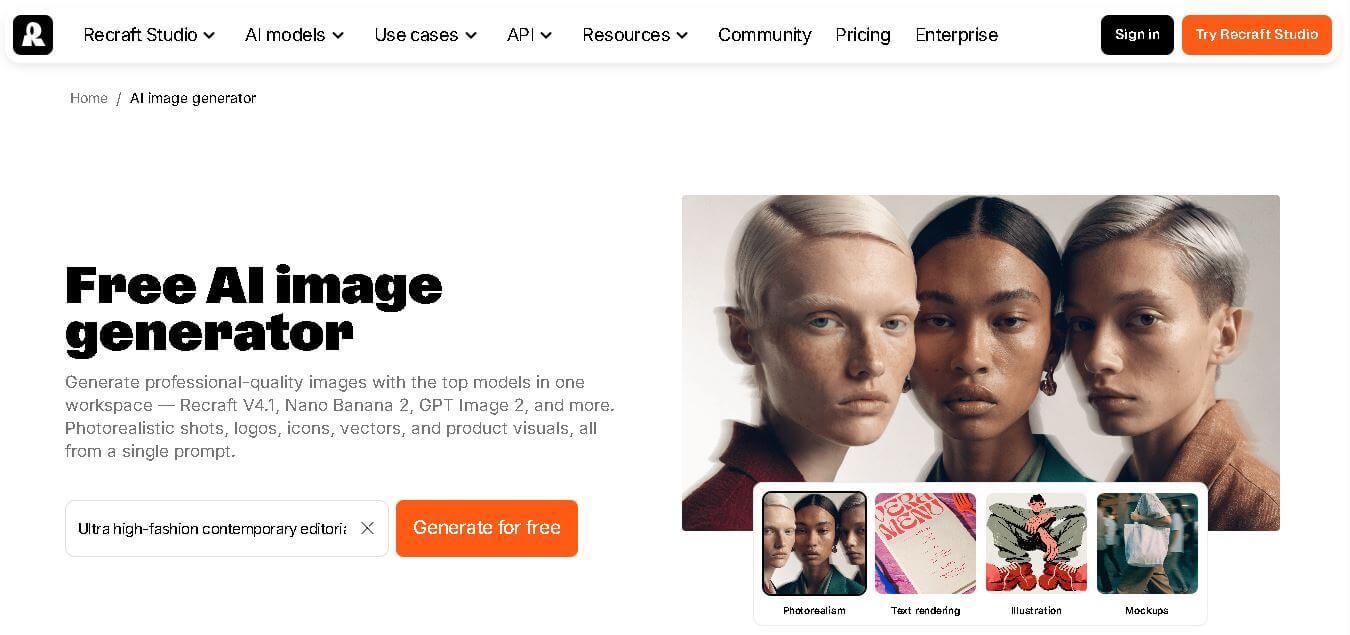
Recraft is a professional AI image generation and editing tool designed for creators, designers, illustrators, and marketers. Founded in the US in 2022 and headquartered in London, Recraft helps users generate and refine original images, vector art, illustrations, icons, and 3D graphics. Its current image-generation workspace brings multiple models together, including Recraft V4.1, Nano Banana 2, and GPT Image 2. Recraft also focuses strongly on design workflows, offering editable vectors, image editing, mockups, typography, background removal, upscaling, and other creative tools.
Recraft was founded in 2022 and says it has well over 3 million users across 200 countries. The company also states that creators have generated well over 350 million images using Recraft. Its AI image generator provides up to 30 free image generations per day, while its style library contains 1,000+ AI-generated art styles. Recraft V4 has four model versions covering raster and vector generation, with paid plans providing commercial rights.
- Founder: Recraft's official About page does not identify an individual founder, so a founder name is not included here.
- Launch: Recraft says it was founded in the US in 2022 and is headquartered in London, UK.
- Use Cases: AI-generated art, logos, icons, illustrations, advertisements, posters, stock images, food images, YouTube thumbnails, T-shirts, and game assets.
- Technology: Recraft develops its own image-generation model family, including Recraft V4 and V4.1, alongside access to additional models within Recraft Studio.
- Target Users: Professional designers, illustrators, marketers, creators, artists, graphic designers, print-on-demand sellers, and teams.
- Acquisition: Recraft's official website does not state that the company has been acquired. Recraft, Inc. is presented as the company behind the product.

What Are the Key Features of Recraft AI?
Recraft AI key features are
- AI Image Generator: Generate professional-quality images from a single prompt, including photorealistic images, logos, icons, vectors, illustrations, and product visuals.
- Recraft V4: Generate raster images with sharper detail, realistic lighting, depth, reflections, materials, and improved visual coherence.
- Recraft V4 Pro: Create higher-resolution images with finer detail, lifelike lighting, improved anatomy, and realism for complex compositions.
- AI Vector Generator: Generate editable SVG vector files directly from prompts, with smooth paths and organized layers suitable for logos, icons, illustrations, and brand assets.
- Vector Pro Generation: Recraft V4 Pro Vector produces production-grade vector illustrations with smooth paths and accurate geometry for print and detailed design work.
- Exploration Mode: Generate multiple high-quality visual directions from one text description while keeping the results aligned with the original concept.
- AI Image Editor: Edit existing or generated images using tools for background removal, upscaling, vectorization, retouching, and prompt-based transformations.
- Mockup Generator: Place generated images onto realistic apparel, packaging, advertisements, signage, and device mockups to preview designs in real-world contexts.
- Typography and Text Rendering: Recraft V4 can generate formatted text for packaging, menus, posters, and book covers, with attention to spacing, alignment, and typography.
- Style Library: Explore 1,000+ AI-generated art styles, including photorealism, illustration, vector art, icons, 3D, typographic logos, studio photography, hand-drawn styles, and more.
Recraft AI Pricing
Recraft provides a free plan alongside paid subscriptions. The official pricing documentation states that the Basic plan starts at $12 per month when billed monthly or $10 per month when billed annually for 1,000 credits. Pro plans start at $20 per month for 2,000 credits on monthly billing or $16 per month when billed annually.
| Plan | Monthly Starting Price | Annual Starting Price | Credits |
|---|---|---|---|
| Free | $0 | $0 | 30 credits per day |
| Basic | $12/month | $10/month | 1,000/month |
| Pro | $20/month | $16/month | 2,000/month |
| Teams | $22/month | $18/month | 2,000/month |
Disclaimer: For the latest and most accurate pricing information, please visit the official DRecraft AI website.
Who is using Recraft?
Recraft AI is designed for a broad range of presentation-heavy users, including
- Graphic designers
- Professional illustrators
- Digital artists
- Marketers
- Print-on-demand sellers
- Content creators
- Brand designers
- Teams working on visual projects
- Users creating YouTube thumbnails
- Users creating logos and icons
- Game-asset creators
- Users creating T-shirt designs
What Are the Best Recraft AI Alternatives?
Some of the strongest Recraft AI alternatives include
- Midjourney
- DALL·E / GPT Image
- Stable Diffusion
- Adobe Firefly
- Canva AI
- Figma AI
- Ideogram
- Leonardo AI
- Kittl
- Flux / OpenArt AI
- WaveSpeed
- Simplified
Recraft AI Pros and Cons
Pros
- Supports both raster and vector image generation.
- Generates editable SVG files.
- Includes multiple AI image models in one workspace.
- Offers Recraft V4 and V4.1 models.
- Supports detailed text-to-image prompts.
- Provides 1,000+ AI-generated styles.
- Includes image editing tools.
- Provides mockup generation.
- Supports logos, icons, illustrations, advertisements, and product visuals.
- Offers up to 30 free image generations per day.
- Paid plans provide commercial rights.
- Provides API access for its models.
Cons
- Commercial rights differ between free and paid plans.
- Free generations have usage limits.
- Credit consumption varies depending on the operation.
- Some professional workflows require paid credits.
- Users seeking unlimited generation may need to consider credit consumption carefully.
Why Choose Recraft AI?
Recraft stands out when image generation needs to connect directly with professional design work.
- Generate both raster images and editable vectors.
- Create logos and brand assets from prompts.
- Generate realistic product visuals and mockups.
- Produce illustrations across different visual styles.
- Create typography-heavy designs.
- Edit generated images in the same workspace.
- Explore multiple visual directions from one prompt.
- Use a large library of AI-generated styles.
- Access Recraft models through an API.
- Generate visuals for print, branding, marketing, and digital products.
Recraft AI vs. Competitors
The main difference between Recraft and Adobe Firefly is that Recraft positions itself around professional design workflows with raster and editable vector generation, while Recraft's own website specifically highlights its ability to generate editable SVGs, logos, illustrations, typography, and brand assets. Recraft also brings multiple AI image models into one workspace, giving users access to different models within a single creative environment.
| Feature | Recraft | Adobe Firefly |
|---|---|---|
| AI image generation | Yes | Recraft references it as a comparison. |
| Vector generation | Yes | Not evaluated here |
| Editable SVG generation | Yes | Not evaluated here |
| AI image editing | Yes | Not evaluated here |
| Mockup generation | Yes | Not evaluated here |
| Logo generation | Yes | Not evaluated here |
| Illustration generation | Yes | Not evaluated here |
| Style library | 1,000+ styles | Not evaluated here |
| API | Yes | Not evaluated here |
| Free plan | Yes | Not evaluated here |
How Do We Rate Recraft AI?
| Rating Factor | Score |
|---|---|
| Image Generation | 4.8/5 |
| Image Quality | 4.8/5 |
| Vector Generation | 5/5 |
| Text Rendering | 4.8/5 |
| Editing Tools | 4.7/5 |
| Style Variety | 4.8/5 |
| Ease of Use | 4.6/5 |
| Design Workflow | 4.9/5 |
| Professional Use | 4.8/5 |
| Overall | 4.8/5 |
Recraft AI Review
Recraft is particularly compelling for users who need more than basic text-to-image generation. Its focus on design makes it useful for creating logos, icons, illustrations, advertisements, product visuals, posters, and other branded assets. The standout capability is vector generation. Recraft says its vector generator produces real editable SVGs with smooth paths and organized layers, which can reduce the cleanup normally associated with converting raster AI images into usable vector graphics.
Its V4 family also gives users dedicated raster and vector options, while Recraft Studio provides access to additional image models. The combination makes Recraft suitable for both visual exploration and production-oriented design workflows. The main consideration is licensing. Recraft owns free-plan images, which are publicly visible, while paid plans grant ownership and commercial rights. Users creating client or commercial work should therefore understand the plan and licensing terms before publishing generated assets.
Conclusion
Recraft is a strong AI image generator for creators who need professional visuals and design-focused controls rather than simple image generation alone. It combines AI image creation, editable vector generation, image editing, mockups, typography, and a large style library in one workspace. Recraft says it has well over 3 million users across 200 countries and more than 350 million images generated. With a free plan and paid options starting at $12 monthly, it offers workflows for both experimentation and professional design.
FAQ
What is Recraft AI?
Recraft is an AI image generation and editing tool designed for professional designers, illustrators, marketers, creators, and other visual professionals. It can generate images, vector art, illustrations, icons, and 3D graphics.
Is Recraft AI free?
Yes. Recraft offers a free plan with 30 credits per day. Paid plans provide higher credit limits and additional capabilities.
How many free images can I generate with Recraft?
Recraft's AI image generator currently advertises up to 30 free image generations per day.
Can Recraft generate vector images?
Yes. Recraft can generate editable SVG vector files directly from your prompts. Its vector generator produces smooth paths and organized layers for logos, icons, illustrations, and brand assets.
Can Recraft generate logos?
Yes. Recraft supports logo generation and allows users to create original logo concepts or refine brand marks with vector precision.
User Reviews
No reviews yet for Recraft V3.
Featured Tools
Featured AI tools from TechShark

Melody Genie
MelodyGenie is an AI-powered music generator that creates original songs from simple text prompts. Users can choose styles, moods, and genres, then instantly generate melodies and full tracks, making it easy for creators, marketers, and hobbyists to produce custom music without musical expertise.
Freemium

Kimi AI
Kimi AI is an advanced AI assistant developed by Moonshot AI that helps you chat, research, write, code, and automate tasks in one place. It supports web search, file analysis, and multimodal inputs, and can even run autonomous “agent” workflows to complete complex tasks end-to-end.
Freemium

Fashion Diffusion AI
Fashion Diffusion is an AI-powered fashion design platform that helps brands and designers create clothing designs, virtual try-ons, AI models, product photos, and marketing visuals faster and cost-effectively.
Paid

Veo 4
Veo 4 AI is an AI video creation platform that generates dramatic videos from text, images, audio, and video prompts using realistic motion and synchronized sound.
Paid
Alternatives
Alternatives to Recraft V3
The best Recraft alternative directly referenced by Recraft's own website is Adobe Firefly, which appears in Recraft's published comparison content. Recraft itself also provides access to multiple image models, including Nano Banana, Flux, Ideogram, GPT Image, HiDream, Imagen, Qwen Image, Seedream, and Grok Image. This makes Recraft Studio useful for users who want to explore different image-generation models without leaving one design workspace.
 4.7
4.7ImgCreator AI
Image
ImgCreator AI is an AI-powered image generation tool that helps users create visuals from text prompts and reference images. It supports creative artwork, realistic portraits, product visuals, and image editing, making it useful for designers, marketers, content creators, and businesses seeking faster visual content production.
Neural.love
AI Image Enhancer
Neural.love is an AI-powered creative platform for generating images, editing photos, enhancing videos, restoring old media, and animating pictures. It combines multiple AI tools in a browser-based workspace, helping content creators, marketers, photographers, designers, and businesses improve visual content without relying entirely on traditional editing software.
 4.8
4.8Prisma AI
Image
Prisma AI turns everyday photos into artistic images with stylized filters and creative effects. It offers hundreds of art and portrait styles inspired by famous artists, allowing beginners to create distinctive visuals quickly. Users can capture or upload photos, apply a chosen style, and save or share the finished result.
 4.9
4.9Bria AI
Image
Bria helps businesses and teams generate and edit visual content using controllable generative AI. Its capabilities cover image generation, product visuals, background editing, video workflows, and developer integrations. With licensed training data, attribution, provenance, and enterprise deployment options, Bria is positioned for businesses that need scalable, commercially focused visual AI.
 4.7
4.7Unwatermark
Image
Unwatermark.ai helps creators, marketers, photographers, and businesses remove watermarks, logos, text, people, and unwanted objects from images and videos. Its automatic detection handles quick edits, while the manual brush provides precise control over difficult areas. With browser-based processing, format support, previews, and free usage, it simplifies everyday visual cleanup.
 4.9
4.9invideo Nano Banana
Image
Nano Banana is an AI image generation and editing model by Google (Gemini family) that helps users create, modify, and refine visuals using natural language prompts. It supports 4K outputs, consistent characters, accurate text rendering, and real-time editing, enabling fast, production-ready creative workflows.
 4.8
4.8Banana Nano
Image
BananaNano (Nano Banana AI) is an AI-powered image generation and editing platform that lets users create visuals from text or edit photos using natural language. It supports multi-image fusion, character consistency, and up to 4K output, enabling fast, flexible visual creation without complex design tools.
 4.8
4.8Vheer
Image
Vheer is a free AI image and video generator that helps users create visuals from text or photos instantly. It includes tools for image editing, background removal, and image-to-video conversion, offering unlimited generations without signup, making it ideal for quick, creative content production.
 4.9
4.9QOVES
Image
QOVES is an AI-powered facial analysis and beauty consulting platform that helps users understand their facial features and improve appearance through personalized, science-backed recommendations. It analyzes hundreds of facial markers and provides a non-surgical transformation plan, enabling informed decisions about aesthetics, skincare, and overall self-improvement.