Plexigen AI
Plexigen AI is a creative platform for generating videos, images, and audio using advanced AI models through simple text and image prompts.
What is Plexigen AI?
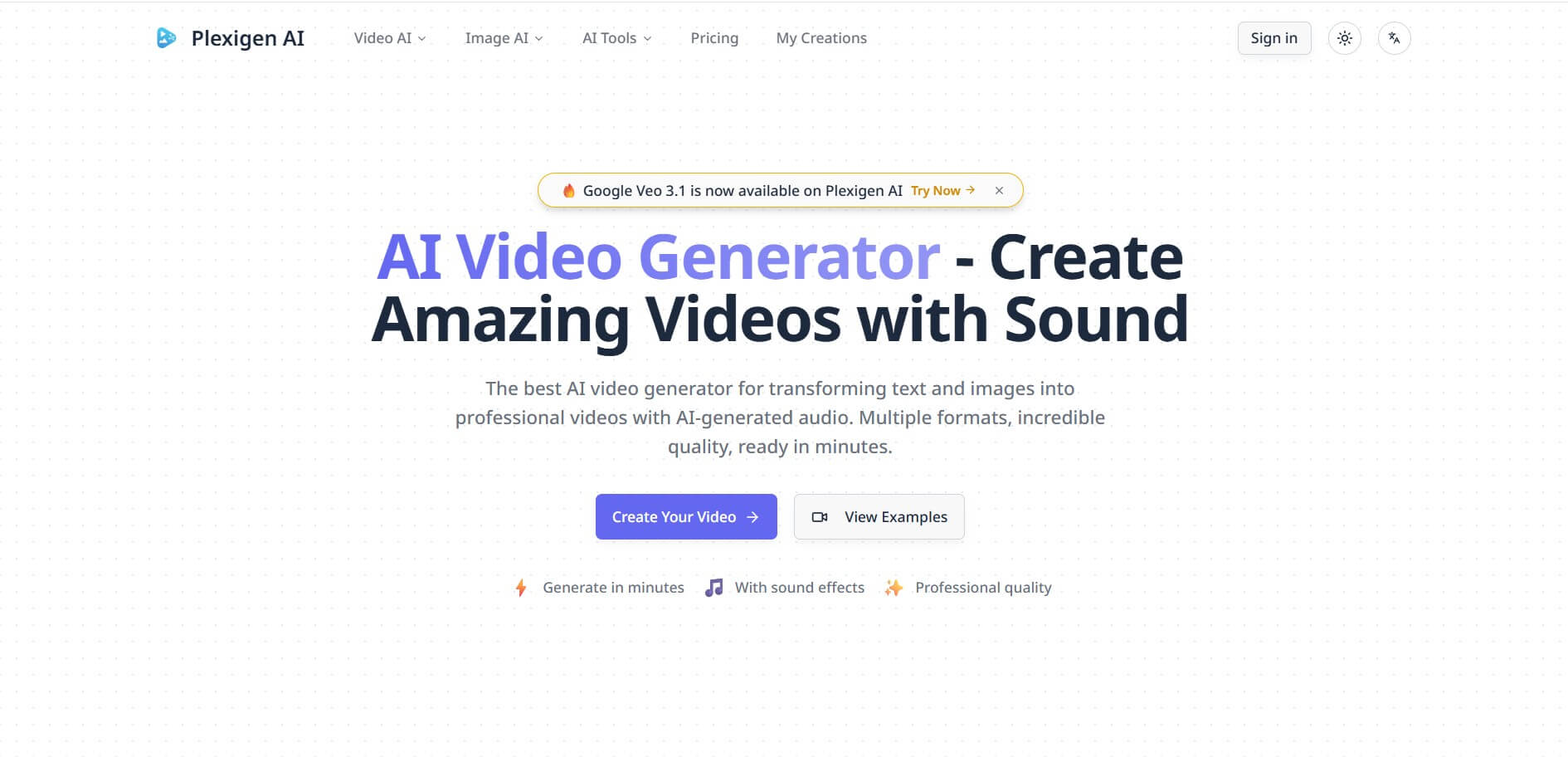
Plexigen AI is an AI-powered creative platform focused on video and image generation. It allows users to turn text prompts and images into professional-quality videos, including videos with synchronized audio. The platform supports models such as Google Veo 3.1, Runway, and Nano Banana, giving creators multiple generation options from one interface. Plexigen also provides AI image generation, image-to-image editing, video enhancement, video upscaling, and video resizing tools. Its interface is designed for creators who want to generate social media content, advertisements, product visuals, educational videos, and other creative assets without advanced video-editing skills.
Instead of manually handling repetitive tasks, users can design automated processes where AI agents perform actions like:
- Data processing
- Content generation
- Workflow execution
- System integrations
The platform focuses on making automation accessible, even for non-technical users, while still offering flexibility for developers.
Plexigen AI offers 3 main paid plans: Creator, Pro, and Enterprise. The plans provide 1,500, 4,000, and 7,500 monthly credits respectively. Creator includes up to 15 Veo 3.1 videos per month, Pro includes up to 40, and Enterprise includes up to 75. The current monthly prices are $15, $29, and $49, while annual billing reduces them to $10, $20, and $35 per month. Plexigen also supports AI image generation, video generation, upscaling, reframing, and commercial usage rights on paid plans.
- Founder: Plexigen AI's current public website and legal pages do not clearly identify an individual founder.
- Launch: Plexigen AI's Terms of Service are dated July 18, 2025, providing a public reference point for its service documentation.
- Use Cases: Social media videos, YouTube Shorts, TikTok content, advertisements, product demonstrations, educational videos, story videos, marketing campaigns, image creation, video enhancement, and creative experimentation.
- Technology: Plexigen integrates generative AI models, including Google Veo 3.1, Runway, and Google's Nano Banana image model, along with AI-powered enhancement and editing tools.
- Target Users: Content creators, marketers, social media managers, designers, businesses, advertisers, educators, filmmakers, and AI enthusiasts.
- Acquisition: No verified acquisition of Plexigen AI was identified in the available public information.
Why Plexigen AI Is Gaining Popularity
Automation is no longer optional for modern businesses. Teams need tools that reduce manual work and improve productivity.
Plexigen AI is gaining attention because it combines:
- AI-powered automation
- Workflow orchestration
- Integration capabilities
- Scalable systems for businesses
This allows companies to save time, reduce costs, and focus on high-value work instead of repetitive tasks.

Key Features of Plexigen AI
Key features are;
- AI Video Generator: Creates professional videos from text and image prompts, with multiple AI models available for different creative requirements.
- Google Veo 3.1: Provides cinematic video generation with synchronized audio, sound effects, voice, and lip-sync capabilities.
- Text-to-Video: Converts written descriptions into videos and supports models including Google Veo 3.1 and Runway.
- Image-to-Video: Allows users to upload an image and turn it into an animated video sequence.
- AI Image Generation: Generates images from text prompts using models such as Nano Banana.
- Image-to-Image Editing: Users can upload images and use natural-language prompts to transform their style, appearance, composition, or other visual elements. Up to 10 images can be uploaded as references.
- Nano Banana: Provides AI image generation and editing with character consistency, multi-image blending, and natural-language editing.
- AI Video Enhancer: Improves video clarity, sharpness, noise levels, and detail, with support for enhancement up to 4K.
- Video Upscaling: Users can upscale videos to HD, Full HD, or 4K depending on the selected settings.
- Video Resizer: Supports popular aspect ratios such as 16:9, 9:16, 1:1, 4:3, 3:4, 21:9, and 9:21 for different platforms.
- Video Reframing: Helps adapt generated videos for different screen formats and social media platforms.
- AI Audio Generation: Veo 3.1 workflows can generate synchronized dialogue, ambient sounds, and sound effects with the video.
- Lip Sync: Pro and higher plans include lip-sync support, while advanced lip-sync capabilities are available on Enterprise.
- No Watermark: Paid plans provide generated videos without watermarks and include commercial usage rights.
- Multiple AI Models: Plexigen brings together several generative models in one platform, allowing users to choose different models based on their content requirements.
- Creation History: The My Creations area automatically stores generated videos so users can manage previous outputs.
Plexigen AI Pricing
Plexigen AI currently offers Creator, Pro, and Enterprise plans. Monthly pricing is $15, $29, and $49, respectively. Annual billing reduces the effective monthly price to $10, $20, and $35. Each plan includes a different monthly credit allowance and different access to video-generation capabilities.
| Plan | Monthly Price | Credits | Main Features |
|---|---|---|---|
| Creator | $15/month | 1,500 | Text-to-video, image-to-video, 15 Veo 3.1 videos/month |
| Pro | $29/month | 4,000 | Video-to-video, 40 Veo 3.1 videos/month, lip sync |
| Enterprise | $49/month | 7,500 | All video modes, 75 Veo 3.1 videos/month, API coming soon |
Annual billing currently offers approximately 30% savings, bringing the effective prices to $10, $20, and $35 per month respectively. Plexigen also states that paid plans include commercial usage rights.
How Plexigen AI Works
Plexigen AI provides a structured workflow builder where users can connect different actions and AI capabilities.
A typical workflow looks like this:
- Define a task or process
- Add triggers (events or inputs)
- Connect AI actions (generation, analysis, automation)
- Integrate with external tools
- Execute and monitor workflows
This makes it easy to build automation pipelines without deep technical knowledge.
Who is Using Plexigen AI?
- Content creators
- YouTubers
- TikTok creators
- Instagram creators
- Social media managers
- Marketing teams
- Advertising agencies
- Small businesses
- Product marketers
- Designers
- Filmmakers
- Educators
- Course creators
- AI video enthusiasts
- Creative professionals
Plexigen positions its tools for social media, marketing, presentations, educational content, advertisements, and creative projects.
What are the Best Plexigen AI Alternatives?
- Runway
- Kling AI
- Google Veo
- Pika
- Luma AI
- Hailuo AI
- Adobe Firefly
- Leonardo AI
- Midjourney
- Freepik AI
Pros and Cons of Plexigen AI
Pros
- Text-to-video generation
- Image-to-video generation
- AI image generation
- Image-to-image editing
- Google Veo 3.1 support
- Runway support
- Nano Banana support
- AI-generated audio
- Synchronized sound
- Lip-sync support
- Video enhancement
- 4K upscaling
- Video resizing
- Multiple aspect ratios
- No watermark on paid plans
- Commercial usage rights
- Simple interface
- Multiple AI models in one platform
- Affordable entry-level paid plan
- Annual billing discount
Cons
- Credit-based system can become expensive for heavy users
- Exact generation cost varies by model and settings
- The free access is limited
- Advanced features require higher-tier plans
- Enterprise pricing is relatively high compared with basic AI video tools
- API access is currently listed as coming soon
- Video generation can take several minutes
- AI-generated results may require multiple attempts to achieve the desired output
- Some features depend on the selected AI model
Why Choose Plexigen AI?
- Plexigen combines multiple AI video and image models in one platform.
- Users can create videos from either text prompts or images.
- Google Veo 3.1 adds native audio, sound effects, and lip-sync capabilities.
- Nano Banana provides advanced AI image creation and editing.
- The platform includes dedicated video enhancement and 4K upscaling tools.
- Creators can resize videos for different social media formats.
- Paid plans do not add watermarks to generated content.
- Commercial usage rights are included with paid plans.
- The interface is designed for creators without advanced technical knowledge.
- Users can manage previously generated videos through My Creations.
- The Creator plan provides an affordable entry point for regular AI video generation.
- Pro and Enterprise plans offer higher credit limits and additional professional features.
Real-World Use Cases
Plexigen AI can be applied in many real-world scenarios.
For example:
- Automating marketing campaigns
- Managing business workflows
- Generating AI content automatically
- Processing and analyzing data
- Building internal automation systems
- Integrating multiple tools into one workflow
This flexibility makes it valuable across industries.
Plexigen AI vs Competitors
The main difference between Plexigen AI, Runway, Kling AI, Pika, Luma AI, and Adobe Firefly is that Plexigen focuses on providing access to multiple generation models and additional enhancement tools from one interface. Runway offers a broader creative video ecosystem; Kling is known for AI video generation, Pika focuses on accessible creative effects, Luma specializes in generative video and visual content, while Adobe Firefly integrates tightly with Adobe's creative software.
| Tool | Main Focus | Best For |
| Plexigen AI | Multi-model AI video and image generation | Social media and creative content |
| Runway | AI video creation | Professional video creators |
| Kling AI | AI video generation | Cinematic AI videos |
| Pika | AI video effects | Social content creators |
| Luma AI | Generative video and 3D | Creative professionals |
| Adobe Firefly | Generative creative tools | Adobe users |
| Google Veo | AI video generation | High-quality cinematic videos |
| Leonardo AI | Image and creative generation | Digital artists |
How Do We Rate Plexigen AI?
| Category | Rating Out of 5 |
| Features | 4.7 |
| Video Generation | 4.8 |
| Image Generation | 4.6 |
| Audio Generation | 4.7 |
| Model Variety | 4.8 |
| Video Quality | 4.8 |
| Ease of Use | 4.7 |
| Enhancement Tools | 4.7 |
| Pricing Value | 4.6 |
| Overall Performance | 4.7 |
Plexigen AI Review
From a practical standpoint, Plexigen AI addresses one of the biggest challenges in modern work—manual inefficiency. Many businesses still rely on repetitive processes that consume time and resources. Plexigen AI replaces these with intelligent automation. The biggest advantage is flexibility. Users can design workflows tailored to their needs.
However, beginners may need time to understand how to structure workflows effectively. Still, once set up, the platform can significantly improve productivity.
Conclusion
Plexigen AI is a versatile generative media platform that combines AI video, image, audio, editing, enhancement, and resizing tools in one workspace. Its support for Google Veo 3.1, Runway, and Nano Banana gives creators access to multiple AI models for different projects. The platform is especially useful for social media creators, marketers, businesses, and designers who need fast visual content. While the credit-based system requires careful usage management, Plexigen's affordable plans and broad feature set make it a strong AI content creation option.
FAQ
What is Plexigen AI?
Plexigen AI is a generative media platform for creating AI videos, images, and audio, as well as enhancing and resizing existing videos.
What can Plexigen AI do?
Plexigen can generate videos from text and images, create AI images, edit images, generate synchronized audio, enhance videos, upscale videos to 4K, and resize videos for different platforms.
Is Plexigen AI free?
Plexigen provides initial credits for users to try its tools, while regular paid usage is available through Creator, Pro, and Enterprise plans.
How much does Plexigen AI cost?
The current monthly prices are $15 for Creator, $29 for Pro, and $49 for Enterprise. Annual billing reduces the effective monthly prices to $10, $20, and $35.
Does Plexigen AI support Google Veo 3.1?
Yes. Plexigen supports Google Veo 3.1 for video generation with synchronized audio, sound effects, voice, and lip-sync.
Can Plexigen AI generate videos from text?
Yes. Plexigen's text-to-video tool converts written prompts into AI-generated videos using models such as Google Veo 3.1 and Runway.
User Reviews
No reviews yet for Plexigen AI.
Featured Tools
Featured AI tools from TechShark

Melody Genie
MelodyGenie is an AI-powered music generator that creates original songs from simple text prompts. Users can choose styles, moods, and genres, then instantly generate melodies and full tracks, making it easy for creators, marketers, and hobbyists to produce custom music without musical expertise.
Freemium

Kimi AI
Kimi AI is an advanced AI assistant developed by Moonshot AI that helps you chat, research, write, code, and automate tasks in one place. It supports web search, file analysis, and multimodal inputs, and can even run autonomous “agent” workflows to complete complex tasks end-to-end.
Freemium

Fashion Diffusion AI
Fashion Diffusion is an AI-powered fashion design platform that helps brands and designers create clothing designs, virtual try-ons, AI models, product photos, and marketing visuals faster and cost-effectively.
Paid

Veo 4
Veo 4 AI is an AI video creation platform that generates dramatic videos from text, images, audio, and video prompts using realistic motion and synchronized sound.
Paid
Alternatives
Alternatives to Plexigen AI
The best Plexigen AI alternatives include Runway, Kling AI, Pika, Luma AI, Adobe Firefly, Google Veo, Leonardo AI, and Hailuo AI. Runway is a strong choice for professional AI video workflows, while Kling focuses on cinematic video generation. Pika is useful for creative social-media effects, and Luma AI offers advanced generative video capabilities. Adobe Firefly works especially well for Adobe users. Plexigen stands out by bringing multiple AI models together with image generation, video enhancement, upscaling, and resizing tools.
Neural.love
AI Image Enhancer
Neural.love is an AI-powered creative platform for generating images, editing photos, enhancing videos, restoring old media, and animating pictures. It combines multiple AI tools in a browser-based workspace, helping content creators, marketers, photographers, designers, and businesses improve visual content without relying entirely on traditional editing software.
 4.8
4.8Shuffll
Video Editing
Shuffll goes beyond traditional video creation by connecting personalized video directly to enterprise data and workflows. Its API-first infrastructure, 40+ AI models, automated production, and built-in brand governance make it suitable for organizations that need video at scale. For businesses seeking higher engagement without building large production teams, Shuffll offers a practical way to turn existing data into personalized, on-brand video experiences.
 4.8
4.8Opus Clip (Opus Pro)
Video Editing
OpusClip helps creators transform long-form videos into short, social-ready clips. It can identify engaging moments, generate captions, reframe footage, add B-roll, enhance audio, and support publishing across major social platforms. It is designed for creators, marketers, podcasters, businesses, and teams that want to scale video content production.
 4.8
4.8Dubbah
Video Editing
Dubbah helps Mac users translate and dub videos into 14 languages while preserving a familiar speaker voice. The app processes media locally, supports editing translated lines, and works offline after setup. With no account, subscription, or per-minute fee, it offers a simple, straightforward option for creators producing multilingual video content.
 4.9
4.9Clipchamp
Video Generator
Clipchamp is an AI-powered online video editor by Microsoft that helps users record, edit, and share videos directly from the browser. It offers templates, stock media, and AI tools like subtitles, voiceovers, and noise removal, enabling fast, professional video creation without advanced editing skills.
 4.9
4.9CapCut
Video Editing
CapCut is a popular video editing tool that helps creators produce engaging videos with effects, transitions, filters, templates, subtitles, and AI-powered features. Available on multiple platforms, CapCut makes it easy to edit videos for TikTok, Instagram Reels, YouTube Shorts, and other social media channels.
 4.9
4.9Media.io
Video Editing
Media.io is an AI-powered creative platform that helps users generate, edit, and enhance videos, images, audio, and ads from simple prompts or assets. It combines AI generation, editing, and workflows in one place, enabling creators to turn ideas into polished content quickly without switching tools.
 4.9
4.9Video Candy
Video Editing
Video Candy is a free online video editing platform that helps users trim, merge, compress, convert, and enhance videos directly in the browser. It offers 70+ tools with a simple drag-and-drop interface, making video editing fast, accessible, and efficient without installing complex software.
 4.8
4.8Vheer
Image
Vheer is a free AI image and video generator that helps users create visuals from text or photos instantly. It includes tools for image editing, background removal, and image-to-video conversion, offering unlimited generations without signup, making it ideal for quick, creative content production.