
Harbor
Harbor is a private second-brain notes app and native Evernote alternative founded by Spicer Matthews (Cloudmanic Labs) that features whole-library OCR handwriting search, offline-first native clients (Mac, Windows, iOS, Android, CLI), per-note zero-knowledge encryption, and Bring-Your-Own-AI (BYOAI via API and MCP).
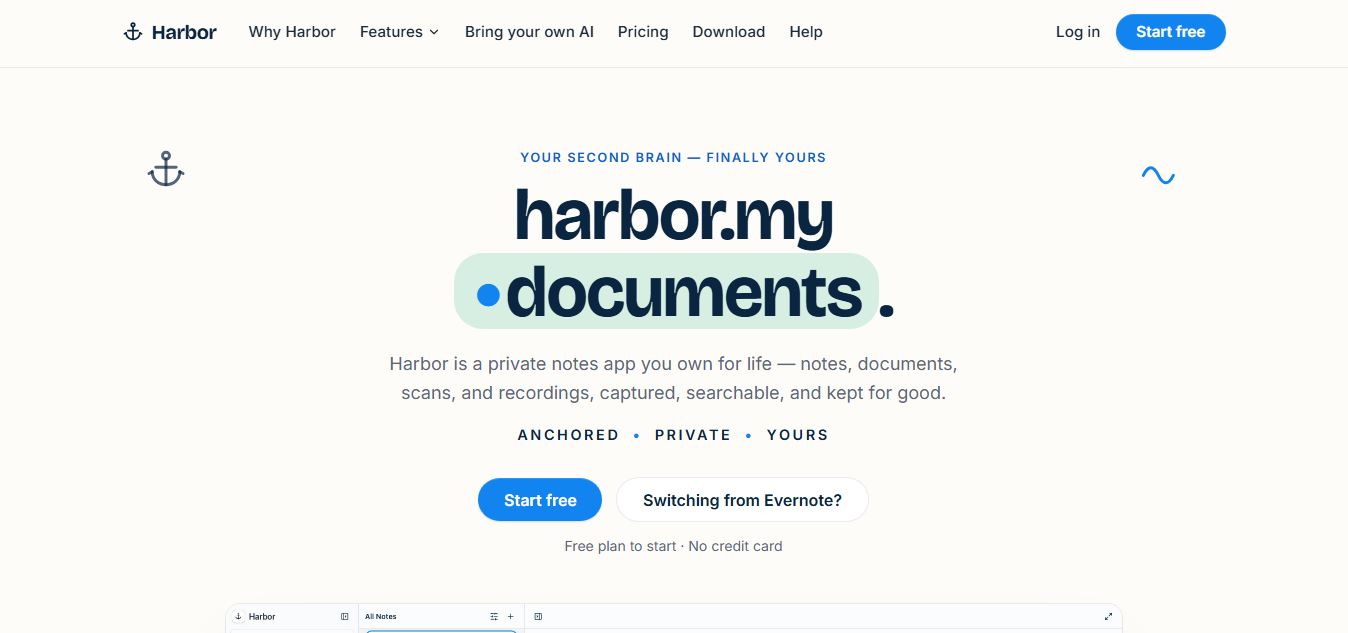
What is Harbor?
Harbor is a privacy-focused, AI-ready note-taking and “second brain” app designed to store and organize your personal knowledge in one place. It lets you create notes, manage tasks, save web clips, and store files across devices, even offline. A key highlight is that you fully own your data, with export options and optional zero-knowledge encryption for sensitive content. It also includes OCR search for images and PDFs, so you can quickly find information in your notes.
Harbor is a privacy-focused “second brain” note-taking app that combines notes, tasks, reminders, and files into one offline-first system accessible across Mac, Windows, Android, iOS, and web. It allows users to capture content like text, images, PDFs, audio, and web clips, with built-in OCR to search inside files, while offering optional zero-knowledge encryption so even the company cannot read sensitive data. The platform follows a simple pricing model ($9.99/month or $99/year) with a free tier, ensures full data ownership with easy export options, and avoids ads, tracking, or built-in AI—letting users connect their own tools instead.
- Platform Role: Private Second Brain, Native Note-Taking Suite & Modern Evernote Alternative
- Founders & Organization: Spicer Matthews (Cloudmanic Labs)
- Cross-Platform Compatibility: Native desktop clients for macOS (Apple Silicon & Intel) and Windows (x64 & ARM64), native mobile apps for iOS and Android, Progressive Web App (PWA) with client-side database storage, and a Command-Line Interface (CLI)
Use Cases:
- Migrating complete legacy archives seamlessly from Evernote with 1-click import of notebooks, tags, checklists, and attachments
- Searching inside scanned receipts, invoices, tax documents, and handwritten journals using deep OCR indexing
- Saving clean, ad-free web articles, full pages, screenshots, and bookmarks directly into notebooks via browser Web Clippers
- Recording voice memos and meetings with automatic transcription and searchable text timestamps
- Securing sensitive medical records or financial files using client-side, zero-knowledge encryption keys
- Connecting personal AI assistants (ChatGPT, Claude, Cursor) via MCP and REST APIs to query personal notes without recurring AI platform fees
Technology:
- Genuinely native client architecture built with SwiftUI on Apple systems and native code on Android, avoiding sluggish Electron runtimes
- Local-first database synchronization ensuring uninterrupted offline creation and conflict-copy version control
- High-performance OCR pipeline parsing typography, printed PDFs, and cursive handwriting
- Zero-knowledge cryptographic layers enabling optional per-note or per-notebook encryption where only the user holds the key
- Open developer ecosystem featuring full REST API access, developer CLI, and native Model Context Protocol (MCP) server support
Target Users:
- Longtime Evernote users looking for an escape from aggressive price hikes, paywalled archives, and slow web wrappers
- Knowledge workers, researchers, and writers needing a dependable, lightning-fast second brain across all their personal devices
- Privacy-conscious individuals demanding zero-knowledge encryption and permanent data exportability
- Developers and power users who prefer CLI tooling, terminal note workflows, and Bring-Your-Own-AI autonomy
Acquisition: Independent software product developed and operated by Cloudmanic Labs
What are the key features of Harbor?
Harbor's key platform features are
- Native Performance & Offline First: Built natively for Mac, Windows, iOS, and Android without Electron bloat, allowing full note reading, editing, and search without an internet connection.
- Full OCR & Handwriting Recognition: Automatically scans and indexes words inside photos, scanned multi-page PDFs, and handwritten notes for instant keyword discovery.
- Bring Your Own AI (BYOAI): Integrates directly with your existing ChatGPT, Claude, or Cursor subscriptions using open APIs and MCP servers rather than charging an artificial AI markup.
- 1-Step Evernote Importer: Smoothly imports existing Evernote ENEX files, retaining notebook structures, tags, checklists, embedded images, and attachments without data loss.
- Zero-Knowledge Note Encryption: Gives users the granular choice to apply client-side encryption to specific sensitive notes or entire notebooks.
- Versatile Web Clipper: Cleanly clips simplified articles, full web pages, screenshots, and visual bookmarks from Chrome, Firefox, and Safari straight into assigned notebooks.
- Permanent Data Ownership: Full export support across open standard formats (HTML, Markdown, ENEX) with a contractual promise that cancelled accounts revert to free read-only access rather than locking notes behind a paywall.
- Price Lock Guarantee in Writing: Subscriptions feature a binding commitment of zero price increases for the first three years, capped at no more than 10% annually thereafter.
How much does Harbor cost?
Harbor operates on a transparent, consumer-friendly freemium model, with pricing that is published and guaranteed in writing.
Available Plans:
- Free Plan ($0 / month): Generous free starter tier supporting unlimited notes, notebook creation, full cross-platform access, and basic storage to explore the platform.
- Harbor Pro Monthly ($9.99 / month): Full access to whole-library OCR and handwriting search, unlimited document scanning, full Web Clipper capabilities, unlimited device syncing, and complete API/CLI/MCP access.
- Harbor Pro Annual ($99.00 / year — approx. $8.25/mo): Best value tier, including all Pro capabilities with two months free and a written 3-year price freeze guarantee.
Disclaimer: Harbor commits in writing never to delete or hold your notes hostage. If you cancel your subscription, your account remains accessible in free read-only mode with full export rights. Visit harbor.my for current subscription details.
Who should use Harbor?
Harbor is designed for personal knowledge management, long-term archiving, and independent productivity, including
- Frustrated Evernote Refugees: Users seeking the classic, dependable feel of traditional note archiving without unpredictable $130-$250/year subscription renewals.
- Personal Archivists & Researchers: Individuals storing decades of paperwork, receipts, handwritten notes, and PDF manuals who rely heavily on accurate OCR search.
- Frequent Travelers: Professionals needing reliable offline notes on planes, subways, and remote locations with instant synchronization upon reconnection.
- Security-Conscious Individuals: Users wanting client-side encryption options so sensitive personal records remain unreadable even to company servers.
What are the best alternatives to Harbor?
Some of the strongest Harbor alternatives include
- Evernote
- Obsidian
- Notion
- Apple Notes
- Bear
- Joplin
What are the pros and cons of Harbor?
What are the pros of Harbor?
- Genuinely native, ultra-fast applications on Apple, Windows, and Android that run smoothly without heavy memory consumption
- Complete OCR search capability that reliably finds text inside scanned PDFs, snapshots, and cursive handwriting
- Contractually guaranteed price lock for three years, preventing unexpected post-acquisition fee spikes
- Never locks users out of their archives; unpaid accounts switch to permanent read-only status with open exports
- Supports Bring-Your-Own-AI via Model Context Protocol (MCP) and CLI without forced AI subscription markups
What are the cons of Harbor?
- Strictly designed for individual users; does not offer multi-seat enterprise collaboration or shared team workspaces
- Zero-knowledge encrypted notes cannot be OCR indexed or scanned by server search due to encryption privacy
- Relatively new market entrant compared to decade-old platforms like Evernote and OneNote
Why should you choose Harbor?
For years, note-taking apps have abandoned user trust—turning simple software into sluggish web containers, forcing expensive AI add-ons, and dramatically raising renewal prices while locking candidate notes behind paywalls. Harbor returns to the core promise of a true second brain. With native apps for every device, lightning-fast offline operation, deep handwriting OCR, and open export standards, Harbor provides a private, reliable repository you can confidently use for the next twenty years.
- Experience lightning-fast native note taking built for your specific operating system
- Find any document, receipt, or handwritten scrap instantly with integrated OCR indexing
- Retain permanent data sovereignty with open Markdown, HTML, and ENEX export options
- Enjoy honest, predictable pricing backed by a written 3-year price-freeze guarantee
How does Harbor compare to competitors?
The primary distinctions between Harbor, Evernote, Obsidian, and Notion lie in app architecture, pricing stability, and data privacy. While Evernote relies on high subscription tiers and Notion requires an always-online cloud workspace, Harbor delivers native offline client speed, robust OCR, and written price-lock guarantees.
| Feature / Platform | Harbor | Evernote | Obsidian | Notion |
|---|---|---|---|---|
| Core Focus | Private Second Brain & Native Lifelong Archive | Cloud Document Hub & Web Note Capture | Local Markdown Graph & Knowledge Base | All-in-One Team Workspace & Databases |
| App Architecture | Native (SwiftUI / Native Android / C++ Desktop) | Electron Web Wrapper | Electron Desktop / Local Plaintext | Web Application & Electron Desktop |
| OCR & Handwriting | Yes (Full image, PDF, and cursive handwriting OCR) | Yes (Included in paid tiers) | No (Requires community plugins) | No |
| Data Lockout Policy | Permanent read-only access & free exports if unpaid | Paywalls and tight note caps on expired plans | Local files owned forever by user | Read/write workspace subject to plan limits |
| Pricing Structure | Free tier / Pro at $9.99/mo ($99/yr locked) | Restricted Free / Personal from ~$129 to $249/yr | Free for personal / Sync from $4-$8/mo | Free tier / Plus $10/mo / Business $15/mo |
| Best For | Evernote switchers wanting OCR, native apps, and price stability | Users committed to legacy enterprise workflows | Power users wanting local markdown and linked graphs | Collaborative teams managing relational databases |
How do we rate Harbor?
| Parameter | Rating (out of 5) |
|---|---|
| Native Performance & Offline Speed | 5.0 |
| OCR & Document Search Accuracy | 4.9 |
| Data Sovereignty & Privacy Architecture | 5.0 |
| Evernote Migration & Web Clipper | 4.8 |
| Value for Money & Price Guarantee | 5.0 |
| Overall Score | 4.94 |
What is our review and verdict on Harbor?
Harbor is precisely the breath of fresh air the personal knowledge management space has needed. By addressing the primary complaints that drove users away from legacy solutions—sluggish web wrappers, runaway pricing, and data lock-in—Harbor establishes a new benchmark for personal digital archives. Its swift native clients, accurate handwriting OCR, open API and MCP options, and legally binding pricing commitments make it an exceptional second brain.
Conclusion
Harbor offers a streamlined approach to managing finances by bringing transactions, insights, and financial tools into one place. Instead of juggling multiple apps, users can track activity, understand spending, and stay organized through a single interface. This makes it easier to maintain clarity and control over finances. Overall, Harbor simplifies financial management, helping users make better decisions, stay on top of their money, and manage everyday finances more efficiently.
FAQ
What is Harbor and how does it work?
Harbor is a private “second brain” notes app that lets you capture, organize, and search everything in one place—notes, documents, scans, audio, and more. It works across devices (desktop, mobile, and web) and syncs automatically, even supporting offline usage.
How is Harbor different from Evernote or Notion?
Harbor focuses on privacy, simplicity, and ownership. Unlike many tools, it offers optional zero-knowledge encryption, no ads, no data selling, and full export anytime. It’s built as a personal tool (not for teams) and emphasizes speed with native apps instead of heavy web-based systems.
Can Harbor search text inside images and PDFs?
Yes, Harbor uses OCR (optical character recognition) to read text inside images, scanned documents, and PDFs. This means you can search for keywords and instantly find content even if it’s inside files or photos.
Is Harbor free or paid?
Harbor offers a free plan to get started. Its paid plan (Harbor Unlimited) costs around $9.99/month or $99/year and includes unlimited notes, devices, OCR search, and full features with a price-lock guarantee.
Does Harbor use AI or connect with AI tools?
Harbor does not include a built-in AI assistant by default. Instead, it allows you to connect your own AI tools (like ChatGPT or Claude) via API, CLI, or integrations—giving you more control over how AI interacts with your data.
Is Harbor secure and private?
Yes, Harbor is designed with strong privacy principles. It does not sell user data, show ads, or use your content to train AI models. You can enable zero-knowledge encryption for sensitive notes, meaning even Harbor cannot read them.
Who should use Harbor?
Harbor is ideal for individuals who want a secure, distraction-free note-taking system—such as students, professionals, creators, and researchers. It’s especially useful for users looking for a long-term “second brain” with full ownership and privacy.
User Reviews
No reviews yet for Harbor.
Featured Tools
Featured AI tools from TechShark

Melody Genie
MelodyGenie is an AI-powered music generator that creates original songs from simple text prompts. Users can choose styles, moods, and genres, then instantly generate melodies and full tracks, making it easy for creators, marketers, and hobbyists to produce custom music without musical expertise.
Freemium

Kimi AI
Kimi AI is an advanced AI assistant developed by Moonshot AI that helps you chat, research, write, code, and automate tasks in one place. It supports web search, file analysis, and multimodal inputs, and can even run autonomous “agent” workflows to complete complex tasks end-to-end.
Freemium

Fashion Diffusion AI
Fashion Diffusion is an AI-powered fashion design platform that helps brands and designers create clothing designs, virtual try-ons, AI models, product photos, and marketing visuals faster and cost-effectively.
Paid

Veo 4
Veo 4 AI is an AI video creation platform that generates dramatic videos from text, images, audio, and video prompts using realistic motion and synchronized sound.
Paid
Alternatives
Alternatives to Harbor
The best Harbor alternatives include Evernote, Obsidian, Notion, Apple Notes, and Bear. While Harbor distinguishes itself with native non-Electron clients, accurate handwriting OCR search, zero-knowledge encryption, and a written 3-year price freeze, alternatives like Obsidian emphasize local linked Markdown graphs, and Notion focuses on collaborative workspace databases.
 4.7
4.7Quinvio AI
Productivity
Quinvio AI helps you turn ideas, scripts, blogs, or web content into polished video presentations. You can refine messaging, choose branded templates, add AI avatars and voiceovers, and produce shareable visual content without traditional recording or editing workflows. It is especially useful for marketers, educators, trainers, creators, and business teams.
 4.9
4.9HubSpot
Marketing
HubSpot is an AI-powered customer platform that helps businesses manage marketing, sales, customer service, and content in one place. It offers a free CRM, automation tools, analytics, and AI features, enabling teams to attract leads, close deals, and deliver better customer experiences at scale.
 4.9
4.9TestSprite
Testing
TestSprite is an AI-powered software testing agent that helps developers automatically generate, run, and fix end-to-end tests for web apps. It simulates real user behavior, detects issues, and provides root-cause insights with suggested fixes, enabling faster releases and more reliable software without manual QA effort.
 4.8
4.8Microsoft Copilot
Productivity
Microsoft Copilot is an AI-powered assistant that helps users write, research, analyze data, and automate tasks across apps like Word, Excel, Outlook, and Teams. It combines large language models with real-time data to generate content, answer questions, and improve productivity across personal and professional workflows.
 4.9
4.9Casablanca AI
Productivity
Casablanca AI is an AI-powered virtual camera that corrects your gaze in real time during video calls, making it appear like you’re maintaining natural eye contact. It works with tools like Zoom and Teams, improving trust, engagement, and communication without needing extra hardware.
 4.9
4.9Granola
Productivity
Granola is an AI-powered meeting assistant that helps you capture, organize, and act on conversations without losing focus. It listens to meetings, turns notes into structured summaries, and generates action items and follow-ups automatically—so you stay present while everything important is documented and ready to use.
 4.8
4.8AI Perfect Assistant
Productivity
AI Perfect Assistant brings AI assistance directly into everyday work applications. It helps users write emails, improve documents, summarize content, translate text, create presentations, generate SEO content, explain Excel formulas, and handle repetitive tasks through 60+ specialized tools and multiple integrations for everyday professional and business workflows with less effort.
 4.8
4.8AI Submit
Productivity
AI Submit is an automated directory submission and SEO distribution platform that allows AI startup founders and developers to submit their artificial intelligence tools to dozens of top AI directories simultaneously for backlink building and traffic growth.
 4.9
4.9Kroolo
Project Management
Kroolo is an AI-powered productivity and project management platform that helps teams plan tasks, track progress, and collaborate in one place. It combines project tracking, document management, and AI assistance to streamline workflows, automate routine work, and improve team efficiency across projects.