
Grug Notes
Grug Notes is an AI-powered note-taking app that organizes information, remembers context, transcribes audio, plans tasks, and connects notes with AI.
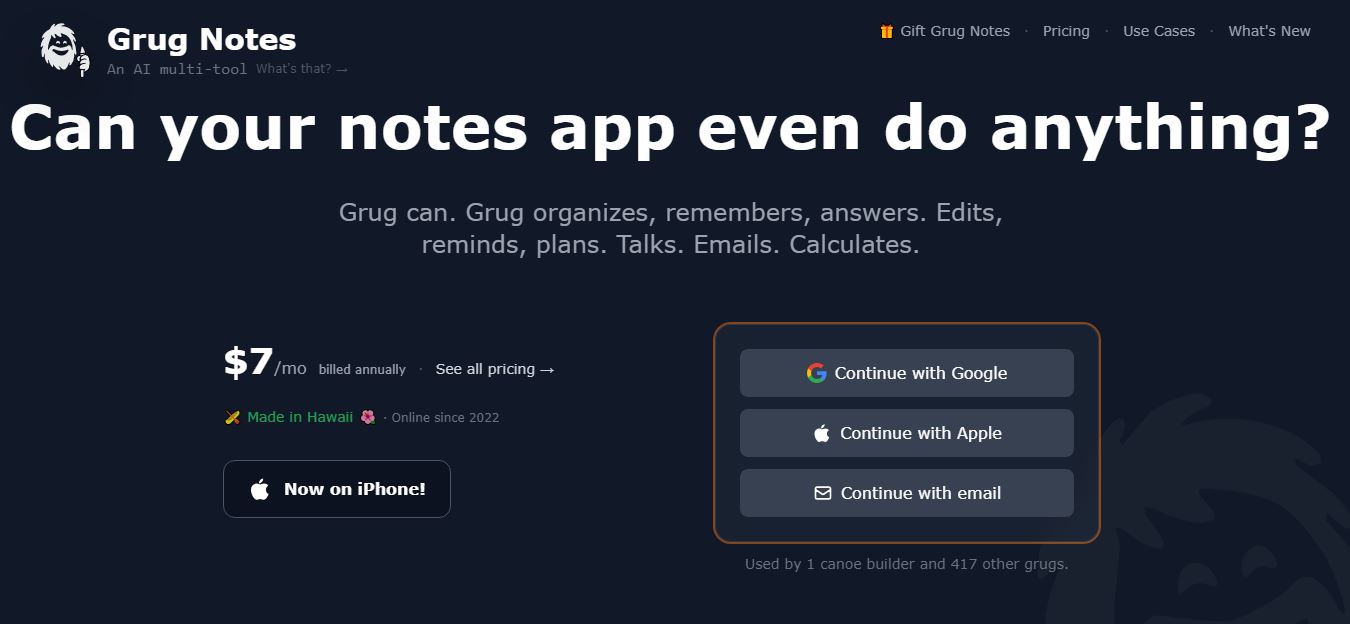
What Is Grug Notes?
Grug Notes is an AI-powered note-taking and personal knowledge-management platform designed to make storing, organizing, searching, and working with information easier. Instead of requiring users to manually create folders and categories, Grug Notes automatically organizes information and connects people, companies, dates, and conversations. It can record and transcribe meetings, summarize discussions, edit notes using voice, create reminders, plan projects, and answer questions using notes as context. Grug Notes also combines multiple AI models, including models from OpenAI, Google, and Anthropic, inside one application. The platform is designed around a simple text-first experience and works as a personal knowledge base or “second brain.”
Grug Notes was launched in October 2022 and was created by Kamanu Composites in Hawaii. The platform currently offers a 30-credit free trial and supports an iPhone app alongside its web application. Its technology stack includes Django, MySQL, Google Cloud Run, HTMX, vector embeddings, named-entity recognition, and AI language models. Grug Notes combines multiple AI providers in one application and supports features such as meeting transcription, semantic search, AI editing, reminders, planning, email, and Telegram interactions. The company says it operates without VC funding and focuses on sustainable growth.
- Founder: Grug Notes was developed by Kamanu Composites, a Hawaii-based canoe manufacturer that also develops its own software.
- Launch: Grug Notes began in October 2022 when the team initially put a simple text box on a website.
- Use Cases: Personal notes, meeting notes, brainstorming, travel planning, training plans, task management, reminders, knowledge management, AI-assisted planning, and developer or AI-agent memory.
- Technology: Django, MySQL, Google Cloud Run, HTMX, vector embeddings, semantic search, named-entity recognition, AI language models, and speech-to-text technology.
- Target Users: Professionals, entrepreneurs, developers, creators, students, teams, planners, and anyone looking for an AI-powered second brain.
- Acquisition: No major acquisition of Grug Notes has been publicly reported. The product is operated by Kamanu Composites.

Grug Notes Key Features
Some Grug Notes alternatives are
- AI-Powered Note Organization: Grug Notes automatically organizes information so users do not need to manually create complicated folder structures.
- Meeting Transcription: Users can record multi-speaker meetings and automatically turn conversations into searchable notes.
- Voice Notes: Users can speak naturally to capture ideas, memories, and information without typing.
- AI Note Editing: Users can tell Grug what they want changed, and the AI can edit notes directly.
- Semantic Search: Vector embeddings help Grug Notes understand the meaning of information instead of relying only on exact keyword matches.
- Personal Wiki: People, companies, dates, phone numbers, email addresses, and conversations can automatically become connected information within the user's knowledge base.
- AI Chat: Users can chat with their notes as context and ask questions about stored information.
- Multiple AI Models: Grug Notes brings models from OpenAI, Google, Anthropic, and other providers into one application.
- Second Opinion: Users can ask different AI models for alternative perspectives on important decisions and ideas.
- Smart Diff: AI changes can be reviewed using before-and-after comparisons, allowing users to accept or reject individual edits.
- Apply AI Responses: Users can add useful AI-generated content directly into their notes.
- Big Brain Planning Agent: Grug's planning agent can create detailed plans such as training schedules, meal plans, and quarterly goals.
- Reminders: Grug Notes can create reminders and scheduled check-ins based on information stored in notes.
- Daily Briefs: Users can schedule AI-generated daily updates and summaries.
- Email Integration: Users can interact with Grug through email and have the AI read or add information to notes.
- Telegram Integration: Grug can also be contacted through Telegram for note-related tasks and assistance.
- Travel Planning: Users can create travel itineraries that can adapt as plans change.
- Training Plans: Grug Notes can help create structured plans for activities such as marathon, cycling, and paddling training.
- Developer and AI-Agent Memory: The platform can act as a knowledge and memory layer for developers and AI agents.
- Markdown Export: Users can export their notes and data to Markdown, reducing the risk of vendor lock-in.
- iPhone App: Grug Notes is available on iPhone in addition to its web application.
- Offline-Oriented Alternative: Grug Notes itself states that users who require offline-only use or end-to-end encryption may be better served by alternatives such as Obsidian.
Grug Notes Pricing
Grug Notes offers various pricing plans
| Plan | Price | Main Details |
|---|---|---|
| Free Trial | $0 | 30 free credits to test Grug Notes |
| Core | From $12/month | Core AI note-taking and productivity features |
| Plus | $16/month | 2,000 credits/month according to the April 2026 pricing update |
| Pro | $24/month | Higher usage and advanced capabilities |
| Annual / Promotional | From $7/month | The current homepage advertises annual access from $7/month. |
Disclaimer: For the latest and most accurate pricing information, please visit the official Grug Notes website.
Who Is Using Grug Notes?
A diverse range of users and organizations utilize Grug Notes
- Professionals.
- Entrepreneurs.
- Developers.
- AI enthusiasts.
- Content creators.
- Students.
- Researchers.
- Project planners.
- Business owners.
- Meeting-heavy professionals.
- Coaches.
- Athletes and training planners.
- Travelers.
- Small teams.
- People building a personal knowledge base.
- Users who want an AI-powered second brain.
What Are the Best Grug Notes Alternatives?
Some Grug Notes alternatives are
- Notion AI
- Obsidian
- Evernote
- Microsoft OneNote
- Google Keep
- Apple Notes
- Mem AI
- Reflect Notes
- Capacities
- Tana
- Logseq
- Workflowy
- Roam Research
- Bear
- UpNote
- Anytype
- NotePlan
- Supernotes
- Craft
- Slite
Pros and Cons
Pros
- AI-powered note organization.
- Automatic information linking.
- Semantic search.
- AI chat with notes as context.
- Multiple AI models in one application.
- Meeting recording and transcription.
- Voice-based note editing.
- AI planning agent.
- Smart reminders.
- Daily briefings.
- Email integration.
- Telegram integration.
- Travel planning.
- Training-plan creation.
- Developer and AI-agent memory.
- Markdown export.
- iPhone app.
- Free credits for testing.
- Simple text-first interface.
- No complicated folder structure required.
Cons
- Not ideal for users who require offline-only access.
- Does not target end-to-end encrypted workflows.
- Some advanced AI usage depends on credits.
- Pricing structure can change.
- AI-generated information still requires human verification.
- This option is less suitable for users who want extensive visual page customization.
- Users who prefer traditional folders may need time to adjust.
- Heavy AI users may need a higher-tier subscription.
- The platform is less established than major note-taking applications.
Why Choose Grug Notes?
Grug Notes is a lightweight AI-powered note-taking app that prioritizes simplicity, speed, and distraction-free organizing. It allows you to write down ideas, combine information, and organize notes without the complexities of standard productivity programs. Whether you're a student, professional, developer, or creator, Grug Notes' AI-assisted writing and organizing help you manage knowledge, access information fast, and stay productive.
- Choose Grug Notes if you want your notes to be organized automatically.
- Use it when you do not want to manage complex folders.
- Choose it for AI-powered personal knowledge management.
- Use multiple AI models from one application.
- Choose it for meeting transcription.
- Use voice to capture ideas quickly.
- Choose it if you want AI to remember information across your notes.
- Use semantic search to find information by meaning.
- Choose it for planning projects and personal goals.
- Use Big Brain for detailed plans.
- Choose it for reminders and daily briefs.
- Use email or Telegram to interact with your notes.
- Choose it for travel planning.
- Use it as a personal second brain.
- Choose it if exporting your notes to Markdown is important.
Grug Notes vs. Competitors
The main difference between Grug Notes, Notion, Obsidian, Evernote, Capacities, Reflect, Mem, and OneNote is that Grug Notes focuses on automatically organizing information and combining notes with multiple AI models, voice, reminders, planning, and personal memory. Notion emphasizes structured workspaces and collaboration, Obsidian focuses on local knowledge graphs, while Evernote and OneNote provide traditional note-taking. Grug Notes is more AI-first and automation-focused than many conventional note applications.
| Tool | Best For | AI Features | Automatic Organization | Semantic Search | Voice Notes | Collaboration |
| Grug Notes | AI second brain | Excellent | Excellent | Excellent | Excellent | Good |
| Notion | Workspaces | Excellent | Good | Good | Good | Excellent |
| Obsidian | Knowledge management | Excellent | Good | Excellent | Good | Good |
| Evernote | Traditional notes | Good | Good | Good | Good | Good |
| Capacities | Connected knowledge | Excellent | Excellent | Excellent | Good | Good |
| Reflect | AI note-taking | Excellent | Good | Excellent | Excellent | Good |
| Microsoft OneNote | General note-taking | Good | Good | Good | Good | Excellent |
How Do We Rate Grug Notes?
| Category | Rating |
| AI Features | 4.8/5 |
| Note Organization | 4.8/5 |
| Semantic Search | 4.7/5 |
| Voice Features | 4.6/5 |
| Meeting Transcription | 4.6/5 |
| AI Models | 4.8/5 |
| Planning | 4.7/5 |
| Ease of Use | 4.6/5 |
| Pricing | 4.4/5 |
| Overall | 4.7/5 |
Grug Notes Review
Grug Notes is a simple yet efficient AI-powered note-taking app designed for those who seek a quick, distraction-free writing experience. It combines a clean design with AI features that help you capture ideas, organize notes, and summarize information quickly. The platform is ideal for students, professionals, developers, and anyone who manages everyday activities or does research. While it lacks the full collaboration and project management tools seen in larger productivity suites, its minimalist design makes it simple to use and extremely effective for personal knowledge management. If you're searching for a lightweight AI note-taking application that values speed, organization, and usability, Grug Notes is a good choice.
Conclusion
Grug Notes is a modern AI-powered note-taking and personal information management platform that prioritizes automatic organization, memory, semantic search, and AI-assisted productivity. Its use of several AI models, meeting transcription, voice editing, reminders, planning, email, Telegram, and personal wiki capabilities distinguishes it from a typical notes app. The platform is especially handy for those who desire a second brain without having to manually manage files and categories. However, those who require offline access or end-to-end encryption may prefer alternatives. Overall, Grug Notes is a powerful AI-driven productivity tool.
People are also reading
FAQ
What is Grug Notes?
Grug Notes is an AI-powered note-taking and personal knowledge-management application that automatically organizes information and lets users interact with their notes using AI
What does Grug Notes do?
Grug Notes organizes notes, remembers information, answers questions, edits notes, creates reminders, records meetings, transcribes audio, and creates plans.
Is Grug Notes an AI note-taking app?
Yes. AI is a core part of Grug Notes, including organization, search, editing, transcription, planning, and chat.
When was Grug Notes launched?
Grug Notes began in October 2022 when Kamanu Composites created a simple text box on a website as the starting point for the product.
Who created Grug Notes?
Grug Notes was created by Kamanu Composites, a Hawaii-based company known for designing and manufacturing canoes.
Is Grug Notes free?
Grug Notes provides 30 free credits so users can test the platform before upgrading.
How much does Grug Notes cost?
The platform's current homepage advertises access starting at $7 per month when billed annually. The April 2026 changelog also listed Core at $12 per month, Plus at $16 per month, and Pro at $24 per month, so users should check current pricing before subscribing.
Does Grug Notes have an iPhone app?
Yes. Grug Notes is available on iPhone as well as through its website.
Can Grug Notes transcribe meetings?
Yes. Grug Notes can record multi-speaker meetings and transcribe and summarize the Can Grug Notes record voice notes?ulting audio.
Can Grug Notes record voice notes?
Yes. Users can record voice notes and capture ideas by speaking naturally.
Does Grug Notes have AI search?
Yes. Grug Notes uses semantic search and vector embeddings to help users find information based on meaning.
Can Grug Notes organize notes automatically?
Yes. Automatic organization is one of the platform's core features. Users can write information without manually deciding where it should be stored.
Does Grug Notes have AI chat?
Yes. Users can chat with their notes as context and ask questions about stored information.
Which AI models does Grug Notes support?
Grug Notes supports multiple AI models from providers including OpenAI, Google, and Anthropic, along with other models available through its model picker.
Can Grug Notes edit notes using AI?
Yes. Users can ask Grug to change notes, and Smart Diff or Compare features allow users to review AI changes before accepting them.
What is Big Brain in Grug Notes?
Big Brain is Grug's complex planning agent. It can create detailed plans for activities such as training schedules, meal preparation, and quarterly goals.
Can Grug Notes create reminders?
Yes. Grug can schedule reminders and check-ins based on information stored in notes
Can Grug Notes send daily briefs?
Yes. Users can schedule Grug to send daily briefs and updates.
Can I use Grug Notes through email?
Yes. Grug can interact with users through email and can work with notes through email-based workflows.
Does Grug Notes support Telegram?
Yes. Users can message Grug through Telegram for note-related tasks and assistance.
Can Grug Notes create travel plans?
Yes. Travel planning is one of the use cases promoted by Grug Notes, including itineraries that can adapt to changes.
Can Grug Notes create training plans?
Yes. Grug can create plans for activities such as marathon, cycling, and paddling training.
Can Grug Notes be used by developers?
Yes. Grug Notes specifically promotes developer and AI-agent memory as one of its use cases.
Can I export my Grug Notes data?
Yes. Users can export their notes and data to Markdown.
Is Grug Notes private?
Grug Notes says that users' notes are theirs and that the company does not read or sell them or train AI on them. However, users who require offline-only operation or end-to-end encryption are advised to consider alternatives.
Is Grug Notes better than Notion?
It depends on the use case. Grug Notes is more AI-first and focuses on automatic organization, memory, AI models, and personal productivity, while Notion is stronger for structured workspaces, databases, collaboration, and visual customization.
Is Grug Notes better than Obsidian?
Grug Notes is better suited to users who want built-in AI, automatic organization, and managed cloud functionality. Obsidian is a stronger option for users who prioritize local files, offline access, and extensive customization.
Is Grug Notes good for students?
Yes. Students can use it for lecture notes, research, brainstorming, planning, reminders, and organizing information.
Is Grug Notes good for meetings?
Yes. Meeting recording, transcription, summaries, and AI-assisted organization make it useful for meeting-heavy users.
Is Grug Notes good for productivity?
Yes. Its combination of notes, reminders, planning, AI chat, voice input, and automated organization makes it useful for personal productivity.
What are the main benefits of Grug Notes?
The main benefits include automatic organization, semantic search, AI chat, multiple AI models, voice notes, meeting transcription, AI editing, reminders, planning, and personal knowledge management.
What are the disadvantages of Grug Notes?
The main disadvantages are limited suitability for offline-only workflows, lack of end-to-end encryption, credit-based AI usage, and fewer visual customization options than some established note-taking platforms.
What are the best Grug Notes alternatives?
The best Grug Notes alternatives include Notion, Obsidian, Evernote, Capacities, Reflect, Mem, and Microsoft OneNote.
User Reviews
No reviews yet for Grug Notes.
Featured Tools
Featured AI tools from TechShark

Melody Genie
MelodyGenie is an AI-powered music generator that creates original songs from simple text prompts. Users can choose styles, moods, and genres, then instantly generate melodies and full tracks, making it easy for creators, marketers, and hobbyists to produce custom music without musical expertise.
Freemium

Kimi AI
Kimi AI is an advanced AI assistant developed by Moonshot AI that helps you chat, research, write, code, and automate tasks in one place. It supports web search, file analysis, and multimodal inputs, and can even run autonomous “agent” workflows to complete complex tasks end-to-end.
Freemium

Fashion Diffusion AI
Fashion Diffusion is an AI-powered fashion design platform that helps brands and designers create clothing designs, virtual try-ons, AI models, product photos, and marketing visuals faster and cost-effectively.
Paid

Veo 4
Veo 4 AI is an AI video creation platform that generates dramatic videos from text, images, audio, and video prompts using realistic motion and synchronized sound.
Paid
Alternatives
Alternatives to Grug Notes
The best Grug Notes alternatives include Notion, Obsidian, Evernote, Capacities, Reflect, Mem, and Microsoft OneNote. Notion is excellent for structured workspaces and collaboration, while Obsidian is ideal for local knowledge management. Evernote works well for traditional note-taking, and Capacities focuses on connected information. Reflect and Mem provide strong AI-assisted knowledge management. OneNote is useful for Microsoft users. Grug Notes stands out with automatic organization, multiple AI models, semantic search, voice features, reminders, planning, and personal memory.
 4.7
4.7Quinvio AI
Productivity
Quinvio AI helps you turn ideas, scripts, blogs, or web content into polished video presentations. You can refine messaging, choose branded templates, add AI avatars and voiceovers, and produce shareable visual content without traditional recording or editing workflows. It is especially useful for marketers, educators, trainers, creators, and business teams.
 4.9
4.9HubSpot
Marketing
HubSpot is an AI-powered customer platform that helps businesses manage marketing, sales, customer service, and content in one place. It offers a free CRM, automation tools, analytics, and AI features, enabling teams to attract leads, close deals, and deliver better customer experiences at scale.
 4.9
4.9TestSprite
Testing
TestSprite is an AI-powered software testing agent that helps developers automatically generate, run, and fix end-to-end tests for web apps. It simulates real user behavior, detects issues, and provides root-cause insights with suggested fixes, enabling faster releases and more reliable software without manual QA effort.
 4.8
4.8Microsoft Copilot
Productivity
Microsoft Copilot is an AI-powered assistant that helps users write, research, analyze data, and automate tasks across apps like Word, Excel, Outlook, and Teams. It combines large language models with real-time data to generate content, answer questions, and improve productivity across personal and professional workflows.
 4.9
4.9Casablanca AI
Productivity
Casablanca AI is an AI-powered virtual camera that corrects your gaze in real time during video calls, making it appear like you’re maintaining natural eye contact. It works with tools like Zoom and Teams, improving trust, engagement, and communication without needing extra hardware.
 4.9
4.9Granola
Productivity
Granola is an AI-powered meeting assistant that helps you capture, organize, and act on conversations without losing focus. It listens to meetings, turns notes into structured summaries, and generates action items and follow-ups automatically—so you stay present while everything important is documented and ready to use.
 4.8
4.8AI Perfect Assistant
Productivity
AI Perfect Assistant brings AI assistance directly into everyday work applications. It helps users write emails, improve documents, summarize content, translate text, create presentations, generate SEO content, explain Excel formulas, and handle repetitive tasks through 60+ specialized tools and multiple integrations for everyday professional and business workflows with less effort.
 4.8
4.8AI Submit
Productivity
AI Submit is an automated directory submission and SEO distribution platform that allows AI startup founders and developers to submit their artificial intelligence tools to dozens of top AI directories simultaneously for backlink building and traffic growth.
 4.9
4.9Kroolo
Project Management
Kroolo is an AI-powered productivity and project management platform that helps teams plan tasks, track progress, and collaborate in one place. It combines project tracking, document management, and AI assistance to streamline workflows, automate routine work, and improve team efficiency across projects.