Yepic Studio
Yepic Studio is an AI-powered video creation platform that enables users to generate professional training, marketing, and explainer videos quickly with realistic avatars and voiceovers.
What is Yepic Studio?
- Founder: Aaron Jones
- Launch: 2021
- Use Cases: E-learning, onboarding, marketing, personalized communication, video chatbots, and virtual receptionists
- Technology: Generative AI, machine learning, text-to-speech, real-time lip syncing, multilingual voice synthesis, cloud-based video rendering
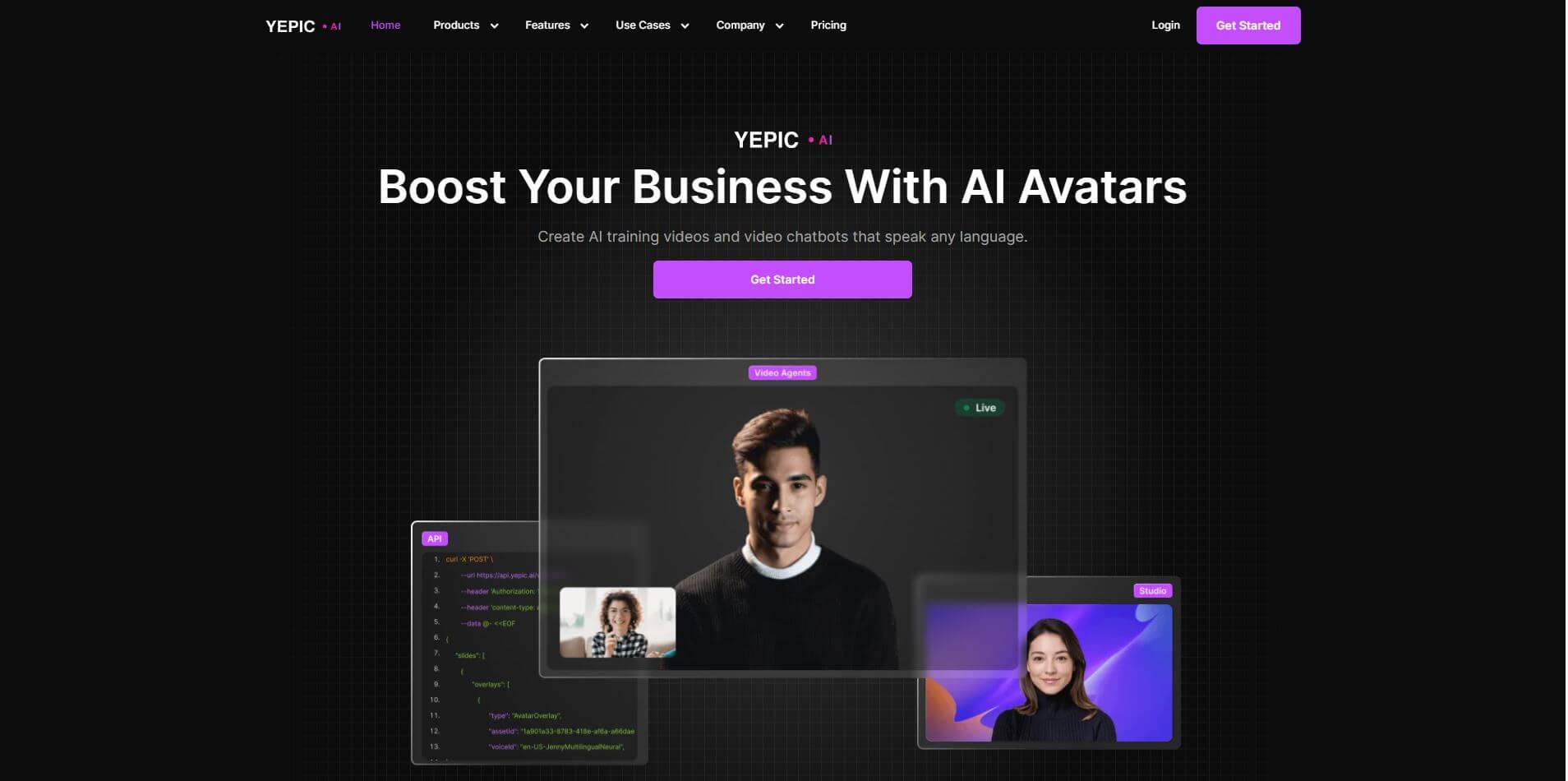
Yepic Studio is a cutting-edge AI-powered video generator where you can create professional videos quickly, simply, and affordably using photorealistic AI avatars and voiceovers that sound natural in many languages. Yepic Studio is ideal for businesses, educators, marketers, and content creators to generate attractive videos in this proportion of agenda complexity. It utilizes a super intuitive interface to provide a user experience like no other! With Yepic Studio, you can produce high-fidelity explainer videos, training modules, product demos, and marketing campaigns, all without hiring actors, making a big investment in equipment, or having any video editing expertise. it provides users with the ability to quickly generate high-quality video from text that can be paired with voice-overs in as little as a couple of minutes. Yepic Studio is a content production powerhouse that allows for customization, including branded voice styles, backdrops, and a variety of design elements, so every video you create can have a subtle or dramatic feel to match your objectives. Whether you're defining a content scaling strategy, creating personalized customer communication videos, or developing comprehensive e-learning experiences, Yepic Studio makes video easy and cost-effective while providing a scalable solution. The video automation and AI capabilities are perfect for organizations striving to increase productivity while keeping a high-quality professional outcome.
Yepic Studio Video/Demo
People are also reading
FAQ
Can I create videos in multiple languages?
Yes, Yepic Studio supports more than 110 languages and a wide variety of voices for global communication.
How fast can a video be generated?
Yepic Studio generated and rendered videos in just a few minutes after entering your text and customizing settings.
Does Yepic Studio offer an API for automation?
Yes, the platform includes a powerful API for automating and scaling video creation across different applications.
What types of videos can I produce?
You can create training videos, marketing campaigns, onboarding guides, social content, chatbots, and personalized customer engagement videos.
Do I need technical expertise or special hardware for Yepic Studio??
No, everything runs in the cloud. Users only need to input text and customize features—no filming or editing experience required.
User Reviews
No reviews yet for Yepic Studio.
Featured Tools
Featured AI tools from TechShark

Melody Genie
MelodyGenie is an AI-powered music generator that creates original songs from simple text prompts. Users can choose styles, moods, and genres, then instantly generate melodies and full tracks, making it easy for creators, marketers, and hobbyists to produce custom music without musical expertise.
Freemium

Kimi AI
Kimi AI is an advanced AI assistant developed by Moonshot AI that helps you chat, research, write, code, and automate tasks in one place. It supports web search, file analysis, and multimodal inputs, and can even run autonomous “agent” workflows to complete complex tasks end-to-end.
Freemium

Fashion Diffusion AI
Fashion Diffusion is an AI-powered fashion design platform that helps brands and designers create clothing designs, virtual try-ons, AI models, product photos, and marketing visuals faster and cost-effectively.
Paid

Veo 4
Veo 4 AI is an AI video creation platform that generates dramatic videos from text, images, audio, and video prompts using realistic motion and synchronized sound.
Paid
Alternatives
Alternatives to Yepic Studio
Yepic Studio is an AI-powered video creation tool that helps businesses, educators, and marketers produce professional videos with avatars, voiceovers, and branding—making video production simple, fast, and cost-effective.
Neural.love
AI Image Enhancer
Neural.love is an AI-powered creative platform for generating images, editing photos, enhancing videos, restoring old media, and animating pictures. It combines multiple AI tools in a browser-based workspace, helping content creators, marketers, photographers, designers, and businesses improve visual content without relying entirely on traditional editing software.
 4.8
4.8Shuffll
Video Editing
Shuffll goes beyond traditional video creation by connecting personalized video directly to enterprise data and workflows. Its API-first infrastructure, 40+ AI models, automated production, and built-in brand governance make it suitable for organizations that need video at scale. For businesses seeking higher engagement without building large production teams, Shuffll offers a practical way to turn existing data into personalized, on-brand video experiences.
 4.8
4.8Opus Clip (Opus Pro)
Video Editing
OpusClip helps creators transform long-form videos into short, social-ready clips. It can identify engaging moments, generate captions, reframe footage, add B-roll, enhance audio, and support publishing across major social platforms. It is designed for creators, marketers, podcasters, businesses, and teams that want to scale video content production.
 4.8
4.8Dubbah
Video Editing
Dubbah helps Mac users translate and dub videos into 14 languages while preserving a familiar speaker voice. The app processes media locally, supports editing translated lines, and works offline after setup. With no account, subscription, or per-minute fee, it offers a simple, straightforward option for creators producing multilingual video content.
 4.9
4.9Clipchamp
Video Generator
Clipchamp is an AI-powered online video editor by Microsoft that helps users record, edit, and share videos directly from the browser. It offers templates, stock media, and AI tools like subtitles, voiceovers, and noise removal, enabling fast, professional video creation without advanced editing skills.
 4.9
4.9CapCut
Video Editing
CapCut is a popular video editing tool that helps creators produce engaging videos with effects, transitions, filters, templates, subtitles, and AI-powered features. Available on multiple platforms, CapCut makes it easy to edit videos for TikTok, Instagram Reels, YouTube Shorts, and other social media channels.
 4.9
4.9Media.io
Video Editing
Media.io is an AI-powered creative platform that helps users generate, edit, and enhance videos, images, audio, and ads from simple prompts or assets. It combines AI generation, editing, and workflows in one place, enabling creators to turn ideas into polished content quickly without switching tools.
 4.9
4.9Video Candy
Video Editing
Video Candy is a free online video editing platform that helps users trim, merge, compress, convert, and enhance videos directly in the browser. It offers 70+ tools with a simple drag-and-drop interface, making video editing fast, accessible, and efficient without installing complex software.
 4.8
4.8Vheer
Image
Vheer is a free AI image and video generator that helps users create visuals from text or photos instantly. It includes tools for image editing, background removal, and image-to-video conversion, offering unlimited generations without signup, making it ideal for quick, creative content production.