
Uncensored AI
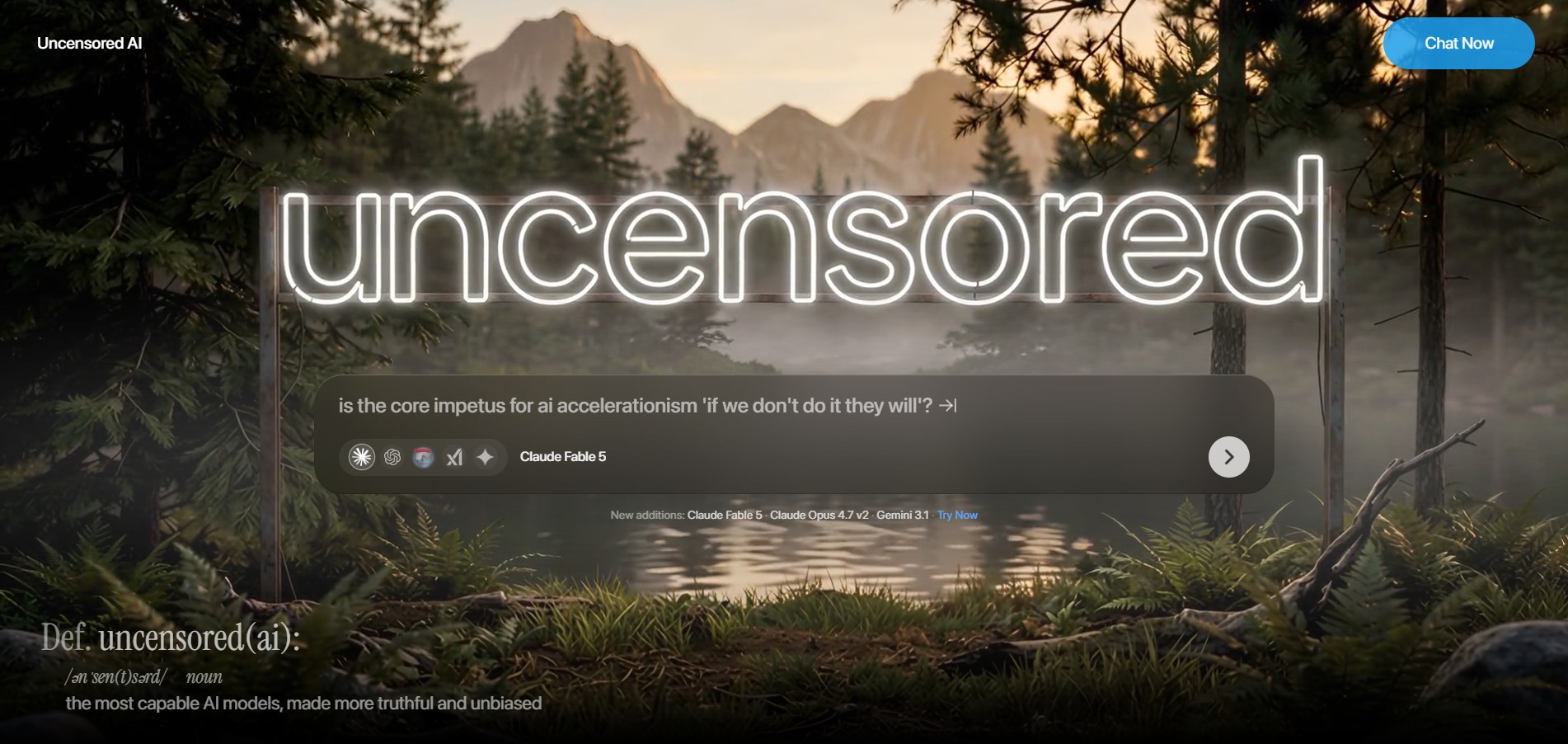
Uncensored AI is a multi-modal artificial intelligence platform designed to deliver unrestricted chat, media generation, code execution, and voice interaction by giving users access to minimally moderated and taste-filtered AI models.
What is Uncensored AI?
Uncensored AI (uncensored.com) is a specialized AI platform built for users, developers, and creators who require raw, unbiased, and unrestricted model outputs. Unlike mainstream AI products that enforce strict corporate content guardrails, refusal triggers, and heavily aligned responses, Uncensored AI provides access to state-of-the-art open and fine-tuned models engineered to process queries without refusal. The platform offers multi-modal functionality across text generation, code scripting, image creation, video processing, and voice interaction—all designed to operate with minimal system boundaries.
Engineered for high-autonomy creative and technical research, Uncensored AI serves over 10 million users seeking unfiltered AI interactions. By removing corporate censorship, automated refusals, and moralizing system prompts, the platform allows researchers, writers, and developers to explore complex topics, generate creative media, and write code without hitting refusal walls. Users report accelerating raw content generation workflows while maintaining private, low-friction interactions across both web and API interfaces.
- Founder: Developed by the Uncensored AI engineering team
- Launch Year: 2024
Use Cases:
- Conducting unrestricted academic, historical, and technical research without safety filters
- Generating creative fiction, roleplay, and uncensored digital media artwork
- Penetration testing code analysis, cybersecurity research, and complex scripting
- Building custom applications using raw, unfiltered LLM endpoints via API access
Technology:
- Fine-tuned open-weights Large Language Models (LLMs) stripped of refusal vectors
- Multi-modal image, video, and speech synthesis generation pipeline
- Real-time web search integration without editorialized content filtering
- Privacy-first data retention architecture ensuring user conversation privacy
Target Users:
- Cybersecurity Researchers and Software Developers needing unaligned outputs
- Creative Writers, Novelists, and Digital Media Artists seeking unrestricted ideation
- Journalists and Academic Researchers investigating sensitive or controversial topics
- AI Power Users and Privacy Advocates seeking freedom from mainstream guardrails
Acquisition: Operates as an independent platform

Key features of Uncensored AI
Uncensored AI's key features are
- Refusal-Free Model Access: Leverages specialized LLMs fine-tuned to process sensitive, complex, or taboo queries without returning canned safety refusals.
- Multi-Modal Suite: Integrates chat generation, image synthesis, video rendering, and natural voice interaction into a unified workspace.
- Real-Time Unfiltered Web Search: Accesses live internet data to ground responses without applying search engine moderation filters.
- Developer API Endpoints: Offers programmatic API keys to integrate uncensored model pipelines directly into custom software and tools.
- Privacy-Centric Architecture: Enforces strong data privacy protocols to ensure prompt histories and outputs remain fully private to the user.
- Custom System Prompt Customization: Allows users to define raw system prompts without background overriding policies.
Uncensored AI Pricing
Uncensored AI operates on a Freemium SaaS subscription model offering basic trial access along with premium paid tiers for heavy generation and API usage.
Free Plan:
- $0 / month
- Limited daily message allocations and basic model access
- Standard speed processing and basic media generation credits
Pro Plan:
- ~$15 - $25 / month
- Unlimited chat generations and priority access to high-capacity uncensored models
- Expanded image, video, and voice generation generation credits
- Faster processing speeds and advanced feature access
API / Developer Plan:
- Usage-based token pricing (pay-as-you-go)
- Direct API access for custom applications and agent deployments
- Dedicated rate limits and enterprise SLA support
Disclaimer: For the latest and most accurate pricing information, please visit the official Uncensored AI website.
Who is using Uncensored AI?
Uncensored AI is designed for digital creators, researchers, and technical professionals, including
- Cybersecurity Engineers: Testing security models, analyzing exploit code, and evaluating threats without trigger blocks
- Fiction & Screenplay Writers: Crafting complex narrative arcs, dark themes, and unrestricted character dialogues
- AI Researchers: Auditing raw LLM capabilities and studying fine-tuning methods without alignment artifacts
- Digital Artists & Designers: Generating unique visual assets without corporate content restrictions
- Independent Developers: Building niche applications powered by raw API models
Best Uncensored AI Alternatives
Some of the strongest Uncensored AI alternatives include
- Venice AI
- Jan.ai
- LM Studio
- FreedomGPT
- Ollama
- Perchance AI
Pros and Cons of Uncensored AI
Pros
- Eliminates annoying refusal messages and moralizing safety system prompts
- Provides an all-in-one suite covering text, code, voice, images, and video
- Offers cloud convenience without needing powerful local GPU hardware
- Includes live web search integration for real-time information access
- Developer API support for external app integration
Cons
- Requires responsible usage as default safety guardrails are absent
- Heavy generation features require paid tier subscriptions
- Cloud-hosted model execution may not appeal to strict offline-only privacy users
- Model accuracy depends on underlying open-source baseline model quality
Why Choose Uncensored AI?
Uncensored AI provides a refreshing alternative to mainstream AI tools that often over-police user prompts. By focusing on user autonomy and objective content processing, Uncensored AI ensures your prompts are executed exactly as intended.
- Bypasses frustrating pre-set refusal templates and moral lectures
- Supports multi-modal workflows including text, voice, image, and video under one roof
- Protects user privacy while delivering high-speed cloud generation
- Enables true creative freedom for authors, artists, and software developers
- Saves setup time compared to hosting complex local open-weight LLMs
Uncensored AI vs. Competitors
The primary difference between Uncensored AI, Venice AI, Ollama, and FreedomGPT is that Uncensored AI delivers a fully hosted, multi-modal cloud solution that requires zero local GPU setup. While tools like Ollama and LM Studio require users to manage their own hardware and model downloads locally, Uncensored AI offers instant browser and API access to pre-tuned uncensored models alongside media generation tools.
| Feature / Tool | Uncensored AI | Venice AI | Ollama | FreedomGPT |
|---|---|---|---|---|
| Core Focus | Cloud Uncensored Suite | Private Uncensored AI | Local Model Execution | Offline/Cloud Unfiltered AI |
| Multi-Modal (Voice/Video) | Native Integrated | Text & Images Only | Text Only (Local) | Text & Basic Images |
| Hardware Requirement | None (Cloud Hosted) | None (Cloud Hosted) | High (Local GPU) | Medium to High |
| Developer API Access | Yes | Yes | Yes (Local REST) | Limited |
| Setup Time | Immediate (Web/App) | Immediate | Requires CLI Install | App Download Required |
| Best For | Unrestricted Cloud Media & Chat | Privacy-Focused Browser Chat | Local Developers & Tinkers | Basic Unfiltered Local Chat |
How do we rate Uncensored AI?
| Parameter | Rating (out of 5) |
|---|---|
| Uncensored & Unbiased Freedom | 4.9 |
| Multi-Modal Capabilities | 4.7 |
| Ease of Use & Accessibility | 4.8 |
| Response Speed & Latency | 4.6 |
| Value for Money | 4.5 |
| Overall Score | 4.7 |
Uncensored AI Review
Uncensored AI addresses a significant demand in the modern AI landscape: giving users back control over their prompts. By removing hyper-sensitive refusal filters and arbitrary topic blocks, it empowers researchers, writers, and developers to explore complex concepts without constant interruptions. With multi-modal support spanning chat, voice, image, and video generation, Uncensored AI stands out as a flexible, cloud-accessible platform for creators who want raw capability without the headache of hosting local hardware.
Conclusion
Uncensored AI is a compelling platform for developers, researchers, and creators looking for an AI environment free from restrictive moderation filters. Combining low-latency model performance with multi-modal capabilities and API availability, Uncensored AI provides the flexibility needed to handle complex research and creative projects efficiently. Whether you are writing fiction, testing code, or conducting sensitive research, Uncensored AI provides an open and powerful workspace.
FAQ
What is Uncensored AI?
Uncensored AI is a multimodal AI platform that lets users interact with AI models for tasks such as chatting, coding, image generation, voice interactions, and working with media. It brings several AI capabilities together in one platform.
What can you do with Uncensored AI?
Uncensored AI can be used for AI conversations, coding, image generation, voice responses, and multimedia interactions. Its Code Mode can generate code snippets, while its image generator supports in-house image-generation models and Flux.1 models.
Does Uncensored AI have a free plan?
Yes. Uncensored AI provides access to its platform with free or included usage allowances, although availability can depend on system capacity and demand. Paid subscriptions provide broader access to the platform's features and usage allowances.
How much does Uncensored AI cost?
Uncensored AI currently lists a $29.99 monthly plan, a $99 monthly Premium plan that includes 1,000 credits, and a $149.99 yearly plan. Pricing and plan details may change over time, so users should check the official pricing information before subscribing.
Can Uncensored AI generate images?
Yes. Uncensored AI includes an image generator that can create images using its in-house AI image-generation models and Flux.1 models. This makes the platform useful for users who want both conversational AI and image-generation capabilities in one place.
Can Uncensored AI be used for coding?
Yes. Uncensored AI has a dedicated Code Mode that uses its Model T to generate code snippets. Users can use this functionality for programming-related tasks, experimenting with code, and getting AI assistance while developing projects.
Is Uncensored AI worth using?
Uncensored AI can be a useful option for users who want multiple AI capabilities in one platform, including chat, coding, image generation, voice, and multimedia interactions. Whether it is worth paying for depends on the features you need and how frequently you use them.
User Reviews
No reviews yet for Uncensored AI.
Featured Tools
Featured AI tools from TechShark

Melody Genie
MelodyGenie is an AI-powered music generator that creates original songs from simple text prompts. Users can choose styles, moods, and genres, then instantly generate melodies and full tracks, making it easy for creators, marketers, and hobbyists to produce custom music without musical expertise.
Freemium

Kimi AI
Kimi AI is an advanced AI assistant developed by Moonshot AI that helps you chat, research, write, code, and automate tasks in one place. It supports web search, file analysis, and multimodal inputs, and can even run autonomous “agent” workflows to complete complex tasks end-to-end.
Freemium

Fashion Diffusion AI
Fashion Diffusion is an AI-powered fashion design platform that helps brands and designers create clothing designs, virtual try-ons, AI models, product photos, and marketing visuals faster and cost-effectively.
Paid

Veo 4
Veo 4 AI is an AI video creation platform that generates dramatic videos from text, images, audio, and video prompts using realistic motion and synchronized sound.
Paid
Alternatives
Alternatives to Uncensored AI
The best Uncensored AI alternatives include Venice AI, Jan.ai, LM Studio, FreedomGPT, Ollama, and Perchance AI. These platforms offer unfiltered model execution, private cloud generation, or local offline LLM hosting. While Uncensored AI provides a fully hosted, multi-modal cloud suite featuring voice, image, video, and API access, alternatives like Ollama and LM Studio focus on running open-source models locally on user hardware.
 4.7
4.7Kaiber
Video Generator
Kaiber is an AI-powered creative suite for generating videos, images, and audio. It helps musicians, content creators, and marketers turn text prompts, images, and music into engaging visuals. Its tools support image animation, beat-synced video creation, lip-sync, visual restyling, and timeline editing for social media and music videos.
Neural.love
AI Image Enhancer
Neural.love is an AI-powered creative platform for generating images, editing photos, enhancing videos, restoring old media, and animating pictures. It combines multiple AI tools in a browser-based workspace, helping content creators, marketers, photographers, designers, and businesses improve visual content without relying entirely on traditional editing software.
 4.8
4.8Shuffll
Video Editing
Shuffll goes beyond traditional video creation by connecting personalized video directly to enterprise data and workflows. Its API-first infrastructure, 40+ AI models, automated production, and built-in brand governance make it suitable for organizations that need video at scale. For businesses seeking higher engagement without building large production teams, Shuffll offers a practical way to turn existing data into personalized, on-brand video experiences.
 4.8
4.8Opus Clip (Opus Pro)
Video Editing
OpusClip helps creators transform long-form videos into short, social-ready clips. It can identify engaging moments, generate captions, reframe footage, add B-roll, enhance audio, and support publishing across major social platforms. It is designed for creators, marketers, podcasters, businesses, and teams that want to scale video content production.
 4.8
4.8Dubbah
Video Editing
Dubbah helps Mac users translate and dub videos into 14 languages while preserving a familiar speaker voice. The app processes media locally, supports editing translated lines, and works offline after setup. With no account, subscription, or per-minute fee, it offers a simple, straightforward option for creators producing multilingual video content.
 4.9
4.9Clipchamp
Video Generator
Clipchamp is an AI-powered online video editor by Microsoft that helps users record, edit, and share videos directly from the browser. It offers templates, stock media, and AI tools like subtitles, voiceovers, and noise removal, enabling fast, professional video creation without advanced editing skills.
 4.9
4.9CapCut
Video Editing
CapCut is a popular video editing tool that helps creators produce engaging videos with effects, transitions, filters, templates, subtitles, and AI-powered features. Available on multiple platforms, CapCut makes it easy to edit videos for TikTok, Instagram Reels, YouTube Shorts, and other social media channels.
 4.9
4.9Media.io
Video Editing
Media.io is an AI-powered creative platform that helps users generate, edit, and enhance videos, images, audio, and ads from simple prompts or assets. It combines AI generation, editing, and workflows in one place, enabling creators to turn ideas into polished content quickly without switching tools.
 4.9
4.9Video Candy
Video Editing
Video Candy is a free online video editing platform that helps users trim, merge, compress, convert, and enhance videos directly in the browser. It offers 70+ tools with a simple drag-and-drop interface, making video editing fast, accessible, and efficient without installing complex software.