
Rize
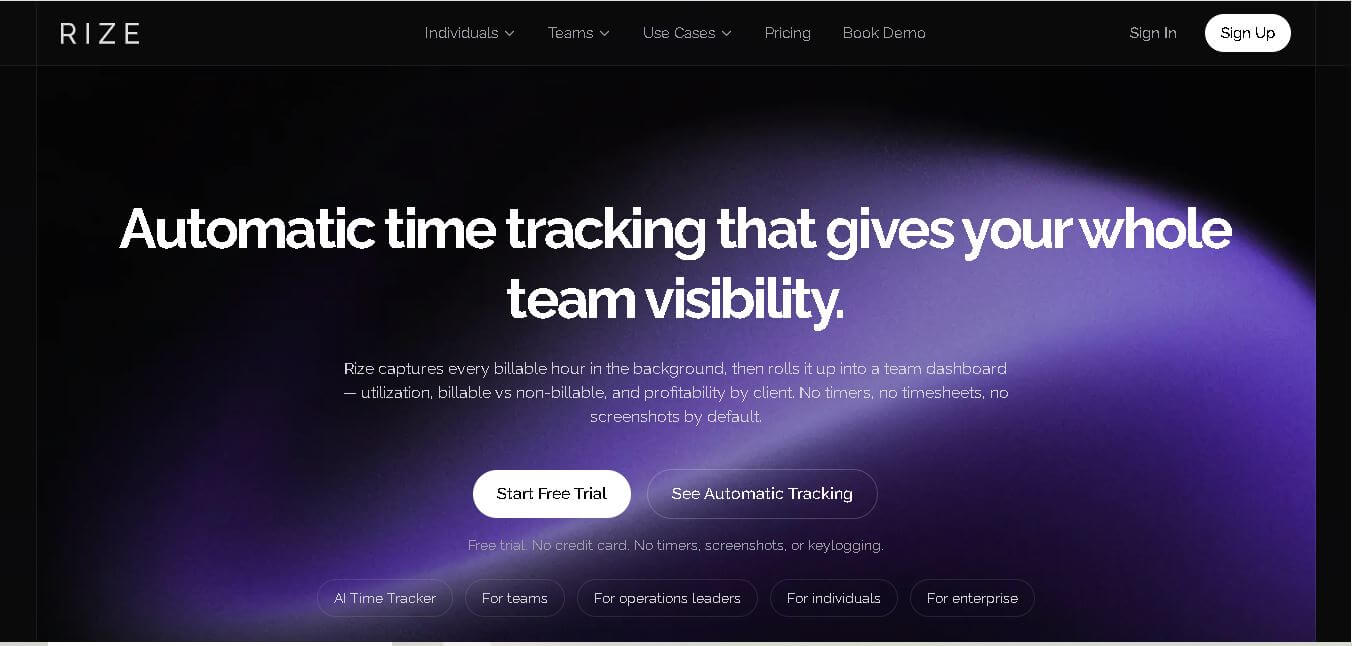
Rize helps professionals and teams understand where their working hours go without relying on manual timers or timesheets. It automatically tracks desktop activity, organizes time by projects and clients, and provides productivity, focus, billable-hour, and profitability insights. It is particularly useful for freelancers, agencies, consultants, and service-based teams.
What is Rize?
Rize is a time-tracking and productivity tool designed to automatically capture how you spend your working hours. It records desktop activity in the background, categorizes work by clients and projects, and turns that information into productivity, billing, utilization, and profitability insights. Rize is available for macOS and Windows.
Rize offers automatic time tracking with 100% background tracking, 20%+ more billable time recovered, and setup that takes less than 5 minutes. It records 0 screenshots or keyloggers by default and supports both macOS and Windows. Individual pricing starts at $9.99/month when billed annually, while the Pro plan costs $23.99/month and Max costs $39.99/month. Rize also provides a 7-day free trial, AI categorization, productivity insights, reports, integrations, and team visibility features.
- Core Focus: Automatic Time Tracking, Focus Scoring, and Productivity Analytics
- Launch Year: 2021
Use Cases:
- Automatic billable hours tracking for digital agencies and freelancers
- Measuring daily focus scores, context switching, and deep work trends
- Overwork prevention and smart break notifications to avoid burnout
- Detailed client and project-level time allocation reports
Technology:
- AI-driven automated app and website activity categorization engine
- Privacy-first local processing desktop application (Mac & Windows)
- Smart break detection algorithms and focus session calendar integrations
Target Users:
- Software engineers, writers, and knowledge workers seeking deep work
- Freelancers and digital agencies needing accurate project time billing
- Remote employees and team managers monitoring work sustainability
Ecosystem: Features native macOS and Windows desktop apps, Google and Outlook calendar sync, focus session audio, and customizable category rules.

Key features of Rize
Rize's key features are
- 100% Automatic Time Tracking: Captures window titles, application usage, and browser URLs in real time without manual start/stop toggles.
- Focus Quality & Context Switch Metrics: Quantifies your daily focus score by analyzing how often you switch tasks and distractors.
- Smart Break & Overwork Alerts: Sends timely notifications when you work continuously without breaks to maintain long-term energy.
- Project & Client Tagging: Uses AI-driven rules to assign tracked activities to specific clients, tags, and billable projects.
- Custom Focus Sessions: Built-in pomodoro timers with focus music and distraction blockers to enter deep flow states.
- Calendar Sync Integration: Automatically cross-references calendar events with actual tracked time to highlight meeting overhead.
Rize Pricing
Rize provides a free 7-day trial with full feature access, followed by flexible monthly or annual subscription plans.
Free 7-Day Trial:
- $0 for 7 days
- Full access to automatic activity tracking, focus metrics, smart break alerts, and project tags
Basic / Standard Plan:
- From $9.99/month (billed annually) or $12.99/month
- Includes unlimited automatic tracking, focus score dashboard, calendar integration, and custom category rules
Pro / Team Plan:
- From $16.99+ per seat/month
- Includes team time visibility, aggregate productivity reports, client billing exports, and priority customer support
Disclaimer: For the latest and most accurate pricing information, please visit the official Rize AI website.
Is Rize Worth It?
Rize is exceptionally worth it for freelancers, consultants, and knowledge workers who waste hours manually logging time or lose billable revenue due to inaccurate tracking. By accurately measuring focus, context switching, and client hours automatically, most users recover the software cost within their first week of use.
Real-World Use Cases
- Agency Client Billing: Marketing and design agencies automatically track time spent across multiple client apps and browser tabs for accurate invoicing.
- Engineering Focus Optimization: Software developers analyze context switching during code reviews to block out uninterrupted deep work blocks.
- Burnout Prevention for Remote Workers: Distributed workers set overwork notifications to enforce healthy work-life boundaries.
- Meeting Overhead Analysis: Team leads compare scheduled meeting time against productive execution time to cut redundant status calls.
Who is using Rize?
Rize is designed for a broad range of digital professionals, including
- Freelancers & Consultants: Independent workers billing clients on an hourly or project basis
- Software Engineers & Designers: Professionals requiring sustained deep concentration for technical tasks
- Digital Marketing Agencies: Teams capturing unbilled micro-tasks and client communication hours
- Remote & Hybrid Executives: Managers wanting to understand team workload capacity without invasive monitoring
Best Rize Alternatives
Some of the strongest Rize alternatives include
- RescueTime
- Toggl Track
- Timing (for macOS)
- Clockify
- Dayflow
Pros and Cons of Rize
Pros
- Fully automatic tracking eliminates the friction of manual start/stop timers
- Privacy-focused architecture with no screen recording or keystroke logging
- Actionable focus quality and context switching metrics
- Proactive overwork and break reminders protect against developer burnout
- Polished, beautiful desktop user interface with customizable dark mode
Cons
- Requires initial rule configuration to accurately categorize niche apps
- No permanent free plan beyond the 7-day trial period
- Desktop application required for automated activity background capture
Why Choose Rize?
Rize strikes the ideal balance between actionable self-improvement metrics and frictionless automatic time tracking. Unlike invasive employee-surveillance software or tedious manual timers, Rize empowers users with private, data-driven insights into how they spend their most valuable asset: time.
- Saves up to 5 hours per week previously lost to manual time entry
- Measures cognitive focus levels and context switches rather than raw keystrokes
- Guarantees strict user privacy without invasive screenshot capturing
- Helps prevent burnout through intelligent break notifications and workday boundaries
How Rize Works
- Install Desktop App: Download the lightweight Rize application for macOS or Windows.
- Automatic Activity Logging: Rize tracks active applications, document titles, and website URLs locally in real time.
- Smart Categorization & Rules: Rize assigns activities to categories (Focus, Work, Distraction) using flexible AI rules.
- Review & Export Insights: View daily focus trends, break alerts, and export billable hours reports for clients.
Rize vs. Competitors
The key distinction between Rize, Toggl Track, and RescueTime lies in how activity data is gathered and presented. While Toggl Track relies heavily on manual timers and RescueTime provides top-level website categorization, Rize offers automatic, granular app tracking paired with deep-work focus scores and break management without employee spying.
| Feature | Rize | Toggl Track | RescueTime |
|---|---|---|---|
| Tracking Method | 100% Automatic (Local) | Manual Timers / Basic Auto | Automatic Web / App Logging |
| Focus Score & Context Switch | Yes (Advanced) | No | Basic Productivity Pulse |
| Burnout & Break Reminders | Yes (AI Smart Alerts) | Pomodoro Reminders Only | Basic Focus Sessions |
| Privacy Guard (No Screenshots) | Yes | Yes | Yes |
| Starting Price | $9.99/mo (7-day trial) | Free tier available | $6.50/mo |
How do we rate Rize?
| Parameter | Rating (out of 5) |
|---|---|
| Ease of Use | 4.8 |
| Tracking Accuracy | 4.9 |
| Focus & Analytics Features | 4.8 |
| Value for Money | 4.7 |
| Privacy & Data Security | 4.9 |
| Overall Score | 4.8 |
Rize Review
Rize delivers a masterclass in modern, privacy-respecting productivity software. By eliminating the cognitive load of manual timers and replacing it with clear focus metrics, context switching data, and automated billable hours logging, Rize helps professionals take true ownership of their workday. It is an indispensable tool for anyone looking to maximize deep work without sacrificing personal well-being.
Conclusion
Rize is a strong option for professionals who want accurate time tracking without constantly managing timers or reconstructing timesheets. Its automatic tracking, AI categorization, productivity insights, billable-hour reporting, and project profitability make it especially useful for freelancers, agencies, consultants, and service-based teams. With a 7-day free trial and plans starting at $9.99 per month annually, users can test whether its automated approach fits their workflow before committing.
FAQ
What is Rize used for?
Rize is useful when you want to understand exactly where your working time goes without manually starting and stopping timers. You can use it to track billable hours, monitor productivity, identify distractions, analyze focus time, manage client projects, and improve work habits. It is especially useful for freelancers, consultants, agencies, and professional teams.
How does Rize track time automatically?
Rize runs as a desktop application and observes the active applications, websites, and documents you use while working. Its AI categorization system can organize sessions according to clients, projects, and tasks. This removes the need to remember when to start or stop a timer and creates more complete time records.
Does Rize take screenshots or record your screen?
No. Rize does not take or store screenshots by default, and it does not use keystroke logging. Its standard tracking uses metadata such as application names, window titles, and URLs. Screen text is an optional feature that requires permission. This makes Rize different from employee-monitoring tools based on screenshots or surveillance.
Is Rize suitable for freelancers and solopreneurs?
Yes. Rize can be particularly valuable for freelancers and solopreneurs who need accurate records without interrupting their workflow. It automatically captures working time, helps organize hours by client or project, and provides reports that can support billing and project planning. It can also reveal how long different types of work actually take.
Can Rize help agencies track billable hours?
Yes. Agencies can use Rize to automatically capture time across clients and projects instead of relying entirely on manual timesheets. Managers can review billable versus non-billable time, utilization, project allocation, and profitability. This can make it easier to identify scope creep, understand client costs, and prepare recurring client reports.
How much does Rize cost?
Rize currently offers several individual plans. The Basic plan starts at $9.99 per month with annual billing, Pro costs $23.99 per month, and Max costs $39.99 per month. Enterprise pricing is customized. Rize also provides a 7-day free trial with full feature access, so users can evaluate the software before subscribing.
Does Rize offer a free plan?
Rize does not currently offer a permanent free individual plan. Instead, users can access a 7-day free trial with full feature access and no credit card requirement. After the trial, users need a paid subscription to continue tracking new activity. Existing account data can be retained and exported after cancellation.
User Reviews
No reviews yet for Rize.
Featured Tools
Featured AI tools from TechShark

Melody Genie
MelodyGenie is an AI-powered music generator that creates original songs from simple text prompts. Users can choose styles, moods, and genres, then instantly generate melodies and full tracks, making it easy for creators, marketers, and hobbyists to produce custom music without musical expertise.
Freemium

Kimi AI
Kimi AI is an advanced AI assistant developed by Moonshot AI that helps you chat, research, write, code, and automate tasks in one place. It supports web search, file analysis, and multimodal inputs, and can even run autonomous “agent” workflows to complete complex tasks end-to-end.
Freemium

Fashion Diffusion AI
Fashion Diffusion is an AI-powered fashion design platform that helps brands and designers create clothing designs, virtual try-ons, AI models, product photos, and marketing visuals faster and cost-effectively.
Paid

Veo 4
Veo 4 AI is an AI video creation platform that generates dramatic videos from text, images, audio, and video prompts using realistic motion and synchronized sound.
Paid
Alternatives
Alternatives to Rize
The best Rize alternatives include RescueTime, Toggl Track, Timing for Mac, Clockify, and Dayflow. RescueTime offers automatic web and app monitoring for personal productivity analysis. Toggl Track provides flexible manual and automatic time tracking ideal for teams and client billing. Timing for Mac delivers seamless desktop activity tracking tailored for Apple ecosystems, while Clockify offers a robust free tier for team time management.
 4.7
4.7Quinvio AI
Productivity
Quinvio AI helps you turn ideas, scripts, blogs, or web content into polished video presentations. You can refine messaging, choose branded templates, add AI avatars and voiceovers, and produce shareable visual content without traditional recording or editing workflows. It is especially useful for marketers, educators, trainers, creators, and business teams.
 4.9
4.9HubSpot
Marketing
HubSpot is an AI-powered customer platform that helps businesses manage marketing, sales, customer service, and content in one place. It offers a free CRM, automation tools, analytics, and AI features, enabling teams to attract leads, close deals, and deliver better customer experiences at scale.
 4.9
4.9TestSprite
Testing
TestSprite is an AI-powered software testing agent that helps developers automatically generate, run, and fix end-to-end tests for web apps. It simulates real user behavior, detects issues, and provides root-cause insights with suggested fixes, enabling faster releases and more reliable software without manual QA effort.
 4.8
4.8Microsoft Copilot
Productivity
Microsoft Copilot is an AI-powered assistant that helps users write, research, analyze data, and automate tasks across apps like Word, Excel, Outlook, and Teams. It combines large language models with real-time data to generate content, answer questions, and improve productivity across personal and professional workflows.
 4.9
4.9Casablanca AI
Productivity
Casablanca AI is an AI-powered virtual camera that corrects your gaze in real time during video calls, making it appear like you’re maintaining natural eye contact. It works with tools like Zoom and Teams, improving trust, engagement, and communication without needing extra hardware.
 4.9
4.9Granola
Productivity
Granola is an AI-powered meeting assistant that helps you capture, organize, and act on conversations without losing focus. It listens to meetings, turns notes into structured summaries, and generates action items and follow-ups automatically—so you stay present while everything important is documented and ready to use.
 4.8
4.8AI Perfect Assistant
Productivity
AI Perfect Assistant brings AI assistance directly into everyday work applications. It helps users write emails, improve documents, summarize content, translate text, create presentations, generate SEO content, explain Excel formulas, and handle repetitive tasks through 60+ specialized tools and multiple integrations for everyday professional and business workflows with less effort.
 4.8
4.8AI Submit
Productivity
AI Submit is an automated directory submission and SEO distribution platform that allows AI startup founders and developers to submit their artificial intelligence tools to dozens of top AI directories simultaneously for backlink building and traffic growth.
 4.9
4.9Kroolo
Project Management
Kroolo is an AI-powered productivity and project management platform that helps teams plan tasks, track progress, and collaborate in one place. It combines project tracking, document management, and AI assistance to streamline workflows, automate routine work, and improve team efficiency across projects.