
Cutout Pro
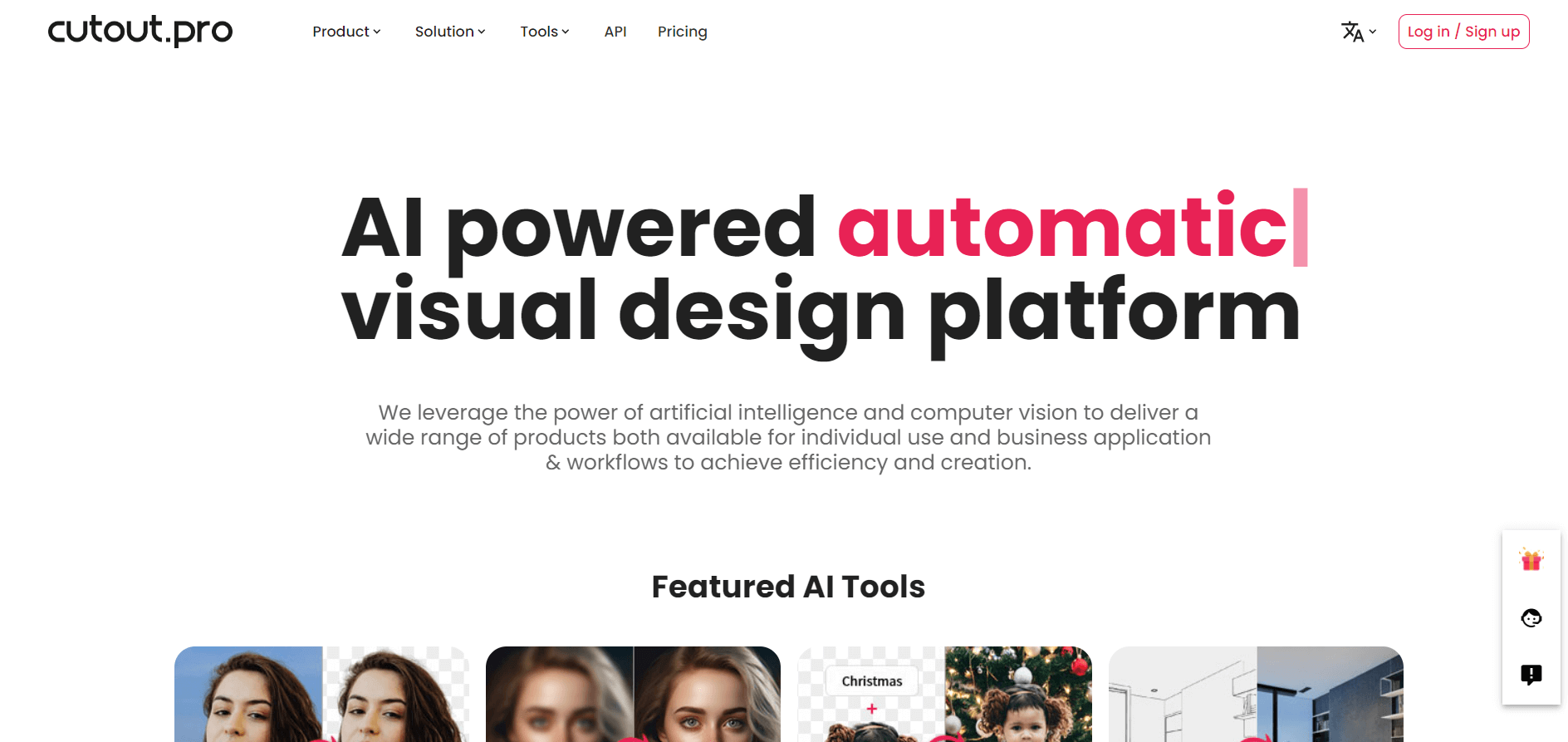
Cutout.Pro is an AI-powered photo and video editing platform that helps users remove backgrounds, enhance images, restore old photos, create passport photos, and generate visual content. Its AI tools simplify image editing, background removal, and video enhancement for content creators, designers, businesses, and e-commerce professionals.
What is Cutout Pro?
Cutout.Pro is an AI-powered image and video editing platform that helps users remove backgrounds, enhance photos, erase unwanted objects, upscale images, and create visual content with less manual editing. It is designed for eCommerce businesses, marketers, photographers, designers, content creators, and developers who need to process visual assets efficiently. Unlike tools that focus on a single editing task, Cutout.Pro combines several AI photo editing and video processing capabilities in one platform.
The platform uses computer vision and AI-powered image processing to automate editing tasks that would otherwise require manual work. Users can create transparent product images, improve portrait quality, prepare ID photos, colorize black-and-white photographs, and remove backgrounds from supported videos. Developers can also integrate selected image-processing capabilities into their applications through APIs. Cutout.Pro is particularly relevant for businesses that manage large product catalogs or regularly produce marketing visuals. Instead of editing every image individually, users can explore automated processing and batch workflows to reduce repetitive work.
Cutout.Pro, launched in 2018, is an AI-powered image and video editing platform that uses computer vision to simplify visual content creation. It offers 5 free credits and paid image subscriptions starting at $5/month for 80 credits. Key features include AI background removal, photo enhancement, image upscaling, object removal, photo colorization, and developer APIs. Background removal costs 1 credit per image, while enhancement and colorization generally cost 2 credits per image, making it useful for creators, marketers, and eCommerce businesses.
|
Category |
Details |
|---|---|
|
Founder / Leadership |
Jeff Tang |
|
Launch Year |
2018 |
|
Use Cases |
E-commerce product background removal, passport and ID photo creation, AI image upscaling, old photo restoration, and video background removal. |
|
Technology |
Deep learning, computer vision, image segmentation, cloud-based processing, batch image processing, REST APIs, and developer integrations. |
|
Target Users |
E-commerce sellers on Amazon, Shopify, and eBay; graphic designers; digital artists; marketing agencies; software developers; photographers; and content creators. |
|
Acquisition / Ownership |
Operates as an independent visual AI platform, according to the provided information. |

What Is Cutout.Pro Used For?
Cutout.Pro helps users automate visual editing tasks for personal projects, professional photography, online stores, and digital marketing. Its tools can simplify image preparation, improve existing photographs, and reduce the time spent on repetitive editing.
Common use cases include:
- eCommerce product photography: Remove distracting backgrounds and prepare consistent product images for online stores and marketplaces.
- Social media content creation: Create polished images, portraits, and visual assets for digital marketing campaigns.
- Photo restoration: Improve old or damaged photographs using available enhancement and restoration features.
- Portrait editing: Improve photo quality, remove backgrounds, and prepare professional-looking headshots.
- Video production: Remove backgrounds from supported video files without relying on a physical green screen.
- Workflow automation: Integrate supported image processing capabilities into business applications through developer APIs.
Cutout Pro Enhance: Improve Image Quality with AI
Cutout Pro Enhance refers to using Cutout.Pro's AI-powered photo enhancement capabilities to improve the appearance of images. The platform offers image-processing tools designed to enhance details, improve clarity, and upscale low-resolution photos, depending on the selected feature and the original image quality.
Users can explore Cutout.Pro's photo enhancement tools to improve product photography, refine portraits, prepare marketing visuals, and reuse existing images for digital content. For eCommerce businesses, AI image enhancement can help improve the presentation of product photos without requiring every image to be edited manually.
What can you do with Cutout Pro Enhance?
- Enhance photo quality: Improve the visual clarity of supported photographs.
- Upscale images: Increase image resolution using available AI upscaling features.
- Improve product photos: Prepare existing product images for online stores and marketing materials.
- Refine portraits: Improve the appearance of supported portrait images.
- Save editing time: Automate selected image enhancement tasks instead of completing every adjustment manually.
Results depend on the original image, the selected enhancement tool, and its processing limitations. AI enhancement may reconstruct or alter details, so review the output before using it in professional or commercial projects.
If you are searching for Cutout Pro Enhance, compare the available tools, output quality, credit requirements, and download options before selecting a plan.
Key features of Cutout Pro
Cutout.pro's key features are
- AI Background Remover: Cutout.Pro offers AI-powered background removal for isolating people, products, and other subjects from their original backgrounds. This can be useful for creating transparent images, preparing product listings, and designing promotional graphics. For eCommerce sellers, automated background removal can simplify the preparation of product photographs and help maintain a consistent visual presentation across a catalog.
- AI Photo Enhancer and Image Upscaler: The platform includes image enhancement capabilities designed to improve the appearance of photographs and low-quality visual assets. Depending on the tool and input image, users can improve sharpness, enhance details, and increase image resolution. These capabilities can help businesses reuse existing images instead of recreating every visual asset from scratch. Results may vary depending on the original image quality and the enhancement model used.
- AI Object Remover: Cutout.Pro provides image editing tools for removing unwanted elements from photographs. These tools can help users clean up images by eliminating distracting objects or imperfections. This feature is useful for product photography, marketing graphics, and personal photo editing. Complex backgrounds may require additional editing to achieve a natural-looking result.
- AI Video Background Removal: Cutout.Pro also offers video-related processing capabilities, including background removal for supported footage. This can help content creators and marketers produce videos with cleaner backgrounds without setting up a traditional green-screen environment. Before using the feature for large projects, check the video processing requirements, supported formats, output quality, and credit consumption.
- AI Art and Image Transformation: Cutout.Pro offers creative image tools for transforming photographs into different visual styles. Depending on the available feature, users may be able to create stylized portraits, avatars, or artistic images. These capabilities can support social media content, personal projects, and creative experimentation.
- Batch Asset Processing: Allows bulk uploads and processing to edit hundreds of images simultaneously via web or desktop apps.
- Developer API & Integrations: Offers low-latency REST endpoints for background removal, face cutout, and photo retouching directly within third-party apps.
- Colorizer & Old Photo Restoration: Injects accurate, lifelike color into black-and-white family portraits and archives.
Cutout.Pro Pricing: Is It Free?
Cutout.Pro uses credit-based pricing options for at least some of its image and video processing services. The amount of credit required can depend on the task, output quality, and type of media being processed. The pricing figures below are indicative figures from the available product information, not independently verified current offers.
Free Account:
- Free preview results and 5 initial credits for high-resolution testing
- Web-based access to basic editing and enhancement tools
Monthly Subscription Plans:
- Starter Plan: $5.00/month for 80 credits (~$0.063 per credit)
- Plus Plan: $9.90/month for 170 credits (~$0.058 per credit)
- Catalog / Scale Plan: $16.90/month for 300 credits (~$0.056 per credit)
- Pro Plan: $69.00/month for 1,450 credits (~$0.048 per credit)
Pay-As-You-Go Credit Packs (Non-expiring):
- $4.99 one-time for 30 credits ($0.166/credit)
- $39.00 one-time for 300 credits ($0.130/credit)
- $79.00 one-time for 900 credits ($0.088/credit)
Video Packages & Enterprise API:
- Separate video packages starting at $39.00 for 5 minutes of footage processing
- Custom volume API rates, dedicated throughput, and enterprise SLA agreements
Disclaimer: For the latest feature rollouts and pricing options, please visit the official Cutout.pro website at cutout.pro.
Is Cutout.Pro Free?
Cutout.Pro has offered limited free access or preview options, allowing users to explore selected features before committing to a paid plan. Free access may have restrictions on credits, processing options, or high-resolution downloads. Users who only need occasional image editing should check the available free allowance first. Businesses processing large image catalogs should calculate the cost per image or video minute before selecting a subscription.
How Does Cutout.Pro Credit-Based Pricing Work?
With a credit-based model, users consume credits when running supported editing tasks. Different operations may require different amounts of credit, so the number of images a plan can process depends on the features used. For example, processing a product image may have a different credit cost from enhancing a photograph or processing video footage. Check the credit requirements for your intended tasks before purchasing a plan.
Who is using Cutout Pro?
Cutout.pro is designed for a broad range of creative and business teams, including
- Ecommerce Merchants: Preparing standardized white-background product shots for online storefronts
- Digital Marketing Agencies: Rapidly producing graphic assets, social banners, and clean portrait cutouts
- Photography Studios: Batch-cleaning client portraits, restoring heritage photos, and generating passport headshots
- SaaS Product Developers: Embedding automated image editing and background elimination directly into software pipelines via API
- Casual Creators: Transforming personal photos into anime avatars and animated portraits for social sharing
Best Cutout Pro Alternatives
Some of the strongest Cutout.Pro alternatives include
- Remove.bg
- Photoroom
- Fotor
- Removal.ai
- Pixelcut
- Adobe Photoshop / Lightroom Express
Which Cutout.Pro Alternative Is Best?
- Choose Cutout.Pro if you want to explore multiple AI image and video processing tasks within one platform.
- Choose Remove.bg if background removal is your primary requirement.
- Choose Photoroom if your workflow centers on product photography and eCommerce visuals.
- Choose Fotor if you need a broader online photo editing and design toolkit.
- Choose Adobe Photoshop if you need advanced editing control and a more comprehensive creative workflow.
Pros and Cons of Cutout Pro
Pros
- Comprehensive all-in-one suite covering images, portraits, restoration, and video processing
- High automation speed with simple one-click browser interface requiring no technical editing skills
- Flexible credit-based system featuring both monthly subscriptions and non-expiring pay-as-you-go packs
- Batch processing capabilities and API endpoints designed for automated catalog generation
- Built-in specific utilities like passport sizing, background blurring, and photo colorization
Cons
- Different tasks consume multiple credits (e.g., photo enhancers and colorizers cost 2 credits per output)
- Edge segmentation on fine complex elements (such as wispy hair or transparent glass) may require occasional manual touchups
- High-definition downloads are strictly gated behind paid credit consumption
- Video background removal requires separate credit purchases from standard image pools
Why Choose Cutout Pro?
Cutout.Pro is worth considering if you regularly perform repetitive image editing tasks and want to reduce the time spent on manual processing. Its main advantage is the combination of background removal, photo enhancement, object removal, and other visual processing capabilities. This makes it relevant for eCommerce teams, marketers, photographers, and developers who handle multiple types of visual assets.
However, the best choice depends on your workload. Occasional users may be better served by a limited free allowance, while high-volume businesses should compare credit consumption, output quality, API costs, and batch-processing limits.
Cutout Pro vs. Competitors
The main difference between Cutout.pro, Remove.bg, Photoroom, and Fotor is that Cutout.pro offers a hybrid suite spanning image cutout, video background removal, photo restoration, and developer APIs within a unified credit structure. Remove.bg focuses almost exclusively on background removal, Photoroom centers on mobile ecommerce product staging, and Fotor operates as a general-purpose online graphic design canvas.
| Feature / Tool | Cutout.pro (cutout.pro) | Remove.bg | Photoroom | Fotor |
|---|---|---|---|---|
| Core Focus | All-in-One AI Image & Video Suite | Dedicated Background Removal | Ecommerce Mobile Product Studio | Online Photo Editor & Graphic Design |
| Video Background Removal | Yes (Dedicated Video Pipeline) | Separate Tool (Unscreen) | No | No |
| Passport Photo Maker | Yes (With virtual outfit changing) | No | No | Basic templates only |
| Photo Restoration / Colorize | Yes (Integrated models) | No | Limited | Yes |
| Developer API | Yes (REST API for image & video) | Yes | Yes | Yes |
| Best For | Ecom teams & multi-media creators | Rapid single-purpose cutouts | Mobile marketplace sellers | Lightweight web graphic design |
How do we rate Cutout Pro?
| Parameter | Rating (out of 5) |
|---|---|
| Background Removal & Segmentation Quality | 4.7 |
| Tool Variety (Video, Restoration & Enhancer) | 4.8 |
| API & Batch Processing Speed | 4.6 |
| User Interface & Ease of Use | 4.8 |
| Value for Money | 4.6 |
| Overall Score | 4.70 |
Cutout Pro Review
Cutout.Pro is a versatile option for users who want AI-assisted image editing without completing every task manually. Its range of background removal, image enhancement, restoration, and video-related capabilities makes it relevant to both individual creators and business workflows. Its value depends on how frequently you use the available tools, the quality of your source images, and the cost of processing each asset. Users should test representative images before committing to a paid plan, particularly when handling complex edges or high-volume production.
Our verdict: Cutout.Pro is worth evaluating if you need several AI visual editing capabilities in one place. If you only need one function, compare specialized alternatives before choosing a subscription.
Conclusion
Cutout.Pro is an AI-powered visual editing platform designed to simplify image and video processing. With capabilities such as background removal, photo enhancement, object removal, image upscaling, and developer APIs, it can help creators and businesses reduce repetitive editing work. It is particularly worth evaluating for eCommerce image preparation, marketing content, photography workflows, and automated image processing. Before subscribing, compare its current pricing, credit requirements, supported formats, and output quality with your specific needs.
FAQ
What is Cutout Pro?
Cutout Pro is an AI-powered image and video editing platform that helps users automatically remove backgrounds, enhance photos, and create professional visuals. It is widely used by eCommerce sellers, marketers, and content creators to simplify complex editing tasks without needing advanced design skills.
Is Cutout Pro free to use?
Yes, Cutout Pro offers a free version that allows users to try basic features with limited output quality. To download high-resolution images or access advanced tools, users need to purchase credits or subscribe to a paid plan.
How does Cutout Pro pricing work?
Cutout Pro uses a credit-based pricing system where each editing task consumes a certain number of credits depending on its complexity. Users can either pay as they go or choose subscription plans based on their usage needs.
What can you do with Cutout.Pro?
With Cutout.Pro, you can remove backgrounds automatically, enhance and restore images, remove unwanted objects, and create professional product photos. It also offers AI video editing tools, making it a complete solution for visual content creation.
Which image formats are supported by Cutout.Pro?
Cutout.Pro supports popular image formats such as JPG, JPEG, PNG, WebP, BMP, and TIFF, making it compatible with most personal and professional use cases.
What is the maximum file size or resolution supported?
The platform generally supports images up to around 4096 × 4096 resolution and file sizes up to approximately 15MB, although limits may vary depending on the specific tool being used.
What should I do if the background removal is not accurate?
If the results are not perfect, you should use high-quality images, ensure there is clear contrast between the subject and background, and use manual editing tools to refine the output for better accuracy.
Can I cancel my Cutout Pro subscription anytime?
Yes, users can easily cancel or modify their subscription at any time through their account settings without long-term commitments.
Can I use Cutout.Pro without design skills?
Yes, Cutout.Pro is designed for beginners and users without professional design experience. Its AI-powered tools let you remove image backgrounds, enhance photo quality, restore old pictures, and edit visuals with minimal effort. You can upload an image and let the platform automate many editing tasks.
What are the best alternatives to Cutout.Pro for video background removal?
The best alternatives to Cutout.Pro for video background removal include Unscreen, Runway, VEED, Canva, and Adobe Express. These tools help creators remove or replace video backgrounds using AI, often without a green screen. The right choice depends on your video quality requirements, editing features, budget, and whether you need a browser-based tool or professional editing software.
User Reviews
No reviews yet for Cutout Pro.
Featured Tools
Featured AI tools from TechShark

Melody Genie
MelodyGenie is an AI-powered music generator that creates original songs from simple text prompts. Users can choose styles, moods, and genres, then instantly generate melodies and full tracks, making it easy for creators, marketers, and hobbyists to produce custom music without musical expertise.
Freemium

Kimi AI
Kimi AI is an advanced AI assistant developed by Moonshot AI that helps you chat, research, write, code, and automate tasks in one place. It supports web search, file analysis, and multimodal inputs, and can even run autonomous “agent” workflows to complete complex tasks end-to-end.
Freemium

Fashion Diffusion AI
Fashion Diffusion is an AI-powered fashion design platform that helps brands and designers create clothing designs, virtual try-ons, AI models, product photos, and marketing visuals faster and cost-effectively.
Paid

Veo 4
Veo 4 AI is an AI video creation platform that generates dramatic videos from text, images, audio, and video prompts using realistic motion and synchronized sound.
Paid
Alternatives
Alternatives to Cutout Pro
The best Cutout.pro alternatives include Remove.bg, Photoroom, Fotor, Removal.ai, Pixelcut, and Adobe Photoshop Express. These platforms provide AI background elimination, photo enhancement, and batch editing tools. While Cutout.pro specializes in an all-in-one suite combining image and video background removal, photo restoration, passport photo generation, and developer REST APIs, alternatives like Remove.bg specialize strictly in background removal, and Photoroom focuses on mobile-first ecommerce product photography. Choosing the right tool depends on whether you require an all-in-one web/API toolbox, dedicated single-purpose background stripping, or complete graphic design templates.
 4.7
4.7Kaiber
Video Generator
Kaiber is an AI-powered creative suite for generating videos, images, and audio. It helps musicians, content creators, and marketers turn text prompts, images, and music into engaging visuals. Its tools support image animation, beat-synced video creation, lip-sync, visual restyling, and timeline editing for social media and music videos.
Neural.love
AI Image Enhancer
Neural.love is an AI-powered creative platform for generating images, editing photos, enhancing videos, restoring old media, and animating pictures. It combines multiple AI tools in a browser-based workspace, helping content creators, marketers, photographers, designers, and businesses improve visual content without relying entirely on traditional editing software.
 4.8
4.8Shuffll
Video Editing
Shuffll goes beyond traditional video creation by connecting personalized video directly to enterprise data and workflows. Its API-first infrastructure, 40+ AI models, automated production, and built-in brand governance make it suitable for organizations that need video at scale. For businesses seeking higher engagement without building large production teams, Shuffll offers a practical way to turn existing data into personalized, on-brand video experiences.
 4.8
4.8Opus Clip (Opus Pro)
Video Editing
OpusClip helps creators transform long-form videos into short, social-ready clips. It can identify engaging moments, generate captions, reframe footage, add B-roll, enhance audio, and support publishing across major social platforms. It is designed for creators, marketers, podcasters, businesses, and teams that want to scale video content production.
 4.8
4.8Dubbah
Video Editing
Dubbah helps Mac users translate and dub videos into 14 languages while preserving a familiar speaker voice. The app processes media locally, supports editing translated lines, and works offline after setup. With no account, subscription, or per-minute fee, it offers a simple, straightforward option for creators producing multilingual video content.
 4.9
4.9Clipchamp
Video Generator
Clipchamp is an AI-powered online video editor by Microsoft that helps users record, edit, and share videos directly from the browser. It offers templates, stock media, and AI tools like subtitles, voiceovers, and noise removal, enabling fast, professional video creation without advanced editing skills.
 4.9
4.9CapCut
Video Editing
CapCut is a popular video editing tool that helps creators produce engaging videos with effects, transitions, filters, templates, subtitles, and AI-powered features. Available on multiple platforms, CapCut makes it easy to edit videos for TikTok, Instagram Reels, YouTube Shorts, and other social media channels.
 4.9
4.9Media.io
Video Editing
Media.io is an AI-powered creative platform that helps users generate, edit, and enhance videos, images, audio, and ads from simple prompts or assets. It combines AI generation, editing, and workflows in one place, enabling creators to turn ideas into polished content quickly without switching tools.
 4.9
4.9Video Candy
Video Editing
Video Candy is a free online video editing platform that helps users trim, merge, compress, convert, and enhance videos directly in the browser. It offers 70+ tools with a simple drag-and-drop interface, making video editing fast, accessible, and efficient without installing complex software.