
Crayo AI
Crayo helps creators produce short-form videos faster by combining automatic clipping, subtitles, AI voiceovers, editing tools, and content-generation features. You can start with uploaded footage or supported social links, then customize the result for platforms such as TikTok, Instagram Reels, and YouTube Shorts. It is built for high-volume content workflows.
What is Crayo AI?
Crayo is a web-based video creation and editing service designed to turn raw footage, links, scripts, or ideas into short-form content. It combines automatic clipping, subtitles, AI voiceovers, images, background removal, speech enhancement, and other editing utilities in one workspace. Creators can use it for Shorts, Reels, TikTok videos, podcast clips, streamer content, and faceless channels. Its browser-based workflow is designed to simplify repetitive production tasks.
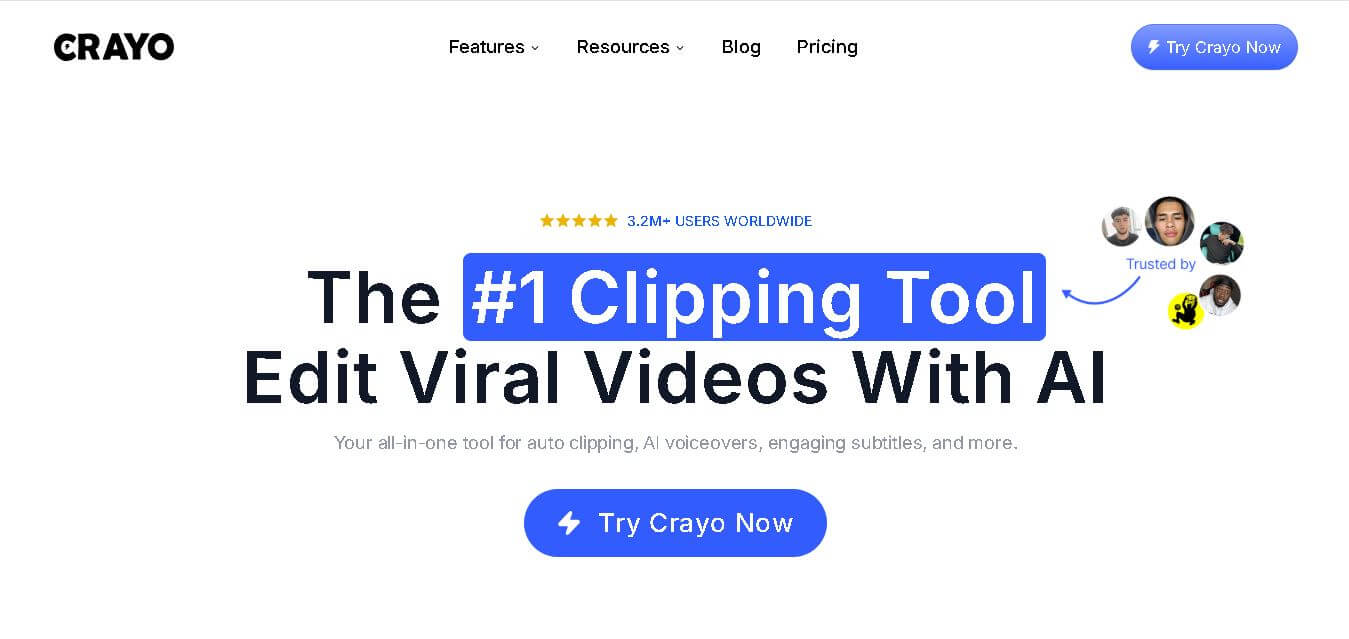
Crayo reports 3.2M+ users and says its tools have generated billions of views. Its workflow supports uploads from files, YouTube, or TikTok links, with 15+ subtitle styles available. The product includes AI voiceovers, AI images, auto clipping, background removal, speech enhancement, and video editing tools. Crayo also offers 24/7 support, multiple languages, workflow credits, export minutes, free tools, and creator-focused features for faceless channels, streamers, podcasters, clippers, and agencies. Its website also provides calculators and free utilities for creator tasks.
- Launch Year: 2024
- Core Focus: Faceless Short-Form Video Creation, AI Voiceovers, and Automated Captions
Use Cases:
- Creating faceless TikTok and YouTube Shorts channels in niches like Reddit stories, trivia, and motivation
- Generating fake text message dialogue videos and split-screen gameplay clips
- Automating AI script generation, realistic voiceovers, and dynamic word-by-word subtitles
- Scaling social media content output for affiliate marketing, brand awareness, and channel monetization
Technology:
- Generative text-to-video AI engine synced with multi-accent AI voice models
- Automated B-roll selection and split-screen gameplay background integration
- Precise voice-to-subtitle alignment algorithms with customizable caption presets
Target Users:
- Faceless YouTube Shorts, TikTok, and Instagram Reels channel operators
- Digital marketers, affiliate creators, and social media managers seeking rapid video output
- Solopreneurs and content creators wanting professional editing without manual editing software
Ecosystem: Cloud-based web application equipped with template suites, stock audio/video libraries, AI text-to-speech generators, and export management tools.

Key features of Crayo AI
Crayo AI's key features are
- Automated Text-to-Video Generation: Converts simple text prompts or copied scripts into complete videos synchronized with B-roll, captions, and sound effects.
- Faceless Niche Templates: Pre-built structural templates tailored for viral formats like Reddit stories, fake texts, split-screen gameplay, streamer reactions, and ChatGPT dialogues.
- Realistic AI Voiceovers: Access a diverse library of AI voice avatars featuring various accents, emotional tones, and languages.
- Dynamic Auto-Captions & Subtitles: Automatically generates highly visible, styled captions with word-by-word animation effects optimized for mobile viewing.
- AI Script & Topic Generator: Integrated scriptwriting assistant that drafts engaging, viral-focused hooks and video outlines instantly.
- AI Image & Voice Changer Tools: Integrated auxiliary tools including AI image generation, face swap capabilities, and voice modulation controls.
Crayo AI Pricing
Crayo AI operates on a subscription-based credit model tiered by monthly export limits and rendering features. Billed annually, plans start at $13/month ($160 upfront/year), or monthly without long-term commitment.
Hobby Plan:
- $19/month (or $13/month billed annually at $160/year)
- Includes 50 workflow credits, 40 export minutes, 30 AI voiceover minutes, 100 AI images, and 25 GB storage
Clipper Plan (Most Popular):
- $39/month (or $27/month billed annually at $327/year)
- Includes 150 workflow credits, 120 export minutes (2 hours), 120 voiceover minutes, 300 AI images, and 100GB storage
Pro Plan:
- $79/month (or $55/month billed annually at $664/year)
- Includes 250 workflow credits, 240 export minutes (4 hours), 180 voiceover minutes, 500 AI images, and 500GB storage
Disclaimer: For the latest and most accurate pricing information, please visit the official Crayo AI website.
Is Crayo AI Worth It?
Crayo AI is well worth it for creators looking to rapidly produce high volumes of faceless short-form video content without manual editing skills. While it lacks automatic social media auto-posting, its all-in-one template workflow and rapid generation speeds save hours of effort per video.
Real-World Use Cases
- Faceless Social Media Channels: Running niche TikTok and YouTube Shorts channels centered on storytelling, shower thoughts, or scary Reddit tales.
- Affiliate Marketing & Promotion: Generating eye-catching short clips with text overlays to drive bio-link clicks and product recommendations.
- Quick Content Scaling: Producing 5–10 short clips in a single sitting to test different hooks and topics across social algorithms.
- Repurposing Written Stories: Turning blog posts, tweets, or text threads into visual split-screen video formats with engaging voiceovers.
Who is using Crayo AI?
Crayo AI is designed for short-form video creators, including
- Faceless Content Creators: YouTubers and TikTokers building automated, niche channels
- Digital Marketers: Teams building quick viral hooks and social ad creatives
- Small Businesses & Agencies: Businesses looking to establish a consistent short video presence on social media
- Beginners in Video Creation: Individuals with zero video editing experience seeking push-button content creation
Best Crayo AI Alternatives
Some of the top Crayo AI alternatives include
- AutoShorts.ai
- FlowShorts
- Vadoo AI
- InVideo AI
- Opus Clip
Pros and Cons of Crayo AI
Pros
- Extremely fast end-to-end video production (idea to video in 2 to 3 minutes)
- Deeply specialized templates for popular viral formats (Reddit, fake texts, split screen)
- All-in-one suite combining scriptwriting, AI voiceover, B-roll, and auto-captions
- High-quality dynamic caption presets tailored for short-form mobile viewing
- Full commercial usage and video monetization rights included
Cons
- No free trial or free plan available to test before subscribing
- Lacks direct automatic scheduled posting to social media platforms
- Strict no-refund policy across subscription tiers
Why Choose Crayo AI?
Crayo AI replaces a complex editing tech stack by bringing script generation, voiceover recording, subtitle timing, and B-roll selection into a single streamlined dashboard. For creators targeting fast-growing short video formats, it offers an efficient shortcut to consistent video production.
- Eliminates the need for manual editing in CapCut or Premiere Pro
- Includes specialized viral templates like gameplay split-screens and text conversations
- Generates accurate, styled subtitles automatically in multiple languages
- Offers flexible monthly and discounted yearly pricing options
How Crayo AI Works
- Choose a Template or Script: Select a template style (e.g., Reddit Story, Fake Text, Split Screen) or write/paste your text prompt.
- Select AI Voice & Background: Choose an AI voice avatar and pair it with stock footage or gameplay B-roll.
- Customize Subtitles & Style: Apply animated subtitle presets, font colors, and music tracks to fit your theme.
- Export & Publish: Generate a high-definition MP4 video file in minutes and download it for uploading to social media.
Crayo AI vs. Competitors
While tools like AutoShorts.ai and FlowShorts focus heavily on automated cross-platform posting, Crayo AI specializes in rich viral video templates and fast in-editor creation. InVideo AI offers broader video editing capabilities, while Crayo AI prioritizes short-form faceless niches.
| Feature | Crayo AI | AutoShorts.ai | InVideo AI |
|---|---|---|---|
| Primary Focus | Faceless Short-Form Video Creation | Automated Channel Posting | Full AI Video Generation & Editing |
| Viral Niche Templates | High (Reddit, Text, Split Screen) | Moderate | Moderate / General |
| Auto-Posting Feature | Manual Upload Required | Yes (TikTok, YouTube) | Manual Upload Required |
| Pricing Structure | From $19/mo (or $13/mo annual) | From $19/mo | Freemium / From $25/mo |
How do we rate Crayo AI?
| Parameter | Rating (out of 5) |
|---|---|
| Ease of Use | 4.7 |
| Video Generation Speed | 4.8 |
| Template & Voice Quality | 4.4 |
| Automation & Publishing | 3.5 |
| Value for Money | 4.1 |
| Overall Score | 4.3 |
Crayo AI Review
Crayo AI provides an exceptionally efficient solution for content creators building faceless short-form video channels. By packaging script generation, realistic AI voiceovers, split-screen gameplay, and dynamic captions into a single 3-minute generation flow, Crayo AI drastically lowers the barrier to producing engaging TikToks, YouTube Shorts, and Instagram Reels.
Conclusion
Crayo stands out for creators who want to increase short-form video output without managing multiple editing tools. Its combination of auto clipping, subtitles, voiceovers, AI media, background removal, and creator-focused workflows makes production more streamlined. With support for multiple languages and several content formats, Crayo can be a practical option for clippers, streamers, podcasters, faceless creators, and agencies. For users prioritizing speed and consistency, that broad feature set can reduce repetitive work and help maintain a regular publishing schedule.
FAQ
Is Crayo a good choice for creating YouTube Shorts and TikTok videos?
Crayo is useful if you create Shorts, Reels, TikToks, podcast clips, or faceless videos regularly. You can upload a file or YouTube or TikTok link, choose from 15+ subtitle styles, and generate a clip quickly online. It also includes voiceovers, background removal, speech enhancement, and other editing tools for creators.
Can I monetize videos created with Crayo?
Yes. Crayo says that you fully own the rights to videos you create with the tool. However, you should still ensure that any footage, music, images, voices, or other assets you upload or reuse are properly licensed and comply with the rules of your platform.
What are workflow credits and export minutes in Crayo?
Crayo uses workflow credits for AI auto-editing and export minutes for generated video length. A workflow credit represents an AI-edited video, while an export minute represents one minute of generated video. Your subscription credits reset each billing cycle and do not roll over, while separate top-up credits remain separate.
Does Crayo support different languages?
Yes. Crayo says it supports most languages for video generation. You can provide your text in the language you want to use, then generate content using the available workflow. If your preferred language is not supported, Crayo recommends contacting support. This makes the tool useful for creators targeting different audiences.
What types of videos can I create with Crayo?
Crayo offers several options for creating short-form content without building every edit manually. You can use Auto Clip for long videos, generate Reddit Story or Fake Text videos, create AI voiceovers, remove backgrounds, enhance speech, and add subtitles. This combination can help you move from raw footage to publishable content more quickly.
Does Crayo offer advanced video editing tools?
Yes. Crayo provides both a simple editor for quick formatting and subtitles and an advanced editor for more control. You can also use individual tools such as Video Cutter, Video Crop, Subtitle Remover, Background Remover, Voice Changer, and Social Tracker, depending on the type of content you want to produce.
User Reviews
No reviews yet for Crayo AI.
Featured Tools
Featured AI tools from TechShark

Melody Genie
MelodyGenie is an AI-powered music generator that creates original songs from simple text prompts. Users can choose styles, moods, and genres, then instantly generate melodies and full tracks, making it easy for creators, marketers, and hobbyists to produce custom music without musical expertise.
Freemium

Kimi AI
Kimi AI is an advanced AI assistant developed by Moonshot AI that helps you chat, research, write, code, and automate tasks in one place. It supports web search, file analysis, and multimodal inputs, and can even run autonomous “agent” workflows to complete complex tasks end-to-end.
Freemium

Fashion Diffusion AI
Fashion Diffusion is an AI-powered fashion design platform that helps brands and designers create clothing designs, virtual try-ons, AI models, product photos, and marketing visuals faster and cost-effectively.
Paid

Veo 4
Veo 4 AI is an AI video creation platform that generates dramatic videos from text, images, audio, and video prompts using realistic motion and synchronized sound.
Paid
Alternatives
Alternatives to Crayo AI
The best Crayo AI alternatives include AutoShorts.ai, FlowShorts, Vadoo AI, InVideo AI, and Opus Clip. AutoShorts.ai and FlowShorts offer fully automated cross-platform posting to TikTok and YouTube. InVideo AI provides deeper scene customization, while Opus Clip excels at clipping long-form video into viral short snippets.
Neural.love
AI Image Enhancer
Neural.love is an AI-powered creative platform for generating images, editing photos, enhancing videos, restoring old media, and animating pictures. It combines multiple AI tools in a browser-based workspace, helping content creators, marketers, photographers, designers, and businesses improve visual content without relying entirely on traditional editing software.
 4.8
4.8Shuffll
Video Editing
Shuffll goes beyond traditional video creation by connecting personalized video directly to enterprise data and workflows. Its API-first infrastructure, 40+ AI models, automated production, and built-in brand governance make it suitable for organizations that need video at scale. For businesses seeking higher engagement without building large production teams, Shuffll offers a practical way to turn existing data into personalized, on-brand video experiences.
 4.8
4.8Opus Clip (Opus Pro)
Video Editing
OpusClip helps creators transform long-form videos into short, social-ready clips. It can identify engaging moments, generate captions, reframe footage, add B-roll, enhance audio, and support publishing across major social platforms. It is designed for creators, marketers, podcasters, businesses, and teams that want to scale video content production.
 4.8
4.8Dubbah
Video Editing
Dubbah helps Mac users translate and dub videos into 14 languages while preserving a familiar speaker voice. The app processes media locally, supports editing translated lines, and works offline after setup. With no account, subscription, or per-minute fee, it offers a simple, straightforward option for creators producing multilingual video content.
 4.9
4.9Clipchamp
Video Generator
Clipchamp is an AI-powered online video editor by Microsoft that helps users record, edit, and share videos directly from the browser. It offers templates, stock media, and AI tools like subtitles, voiceovers, and noise removal, enabling fast, professional video creation without advanced editing skills.
 4.9
4.9CapCut
Video Editing
CapCut is a popular video editing tool that helps creators produce engaging videos with effects, transitions, filters, templates, subtitles, and AI-powered features. Available on multiple platforms, CapCut makes it easy to edit videos for TikTok, Instagram Reels, YouTube Shorts, and other social media channels.
 4.9
4.9Media.io
Video Editing
Media.io is an AI-powered creative platform that helps users generate, edit, and enhance videos, images, audio, and ads from simple prompts or assets. It combines AI generation, editing, and workflows in one place, enabling creators to turn ideas into polished content quickly without switching tools.
 4.9
4.9Video Candy
Video Editing
Video Candy is a free online video editing platform that helps users trim, merge, compress, convert, and enhance videos directly in the browser. It offers 70+ tools with a simple drag-and-drop interface, making video editing fast, accessible, and efficient without installing complex software.
 4.8
4.8Vheer
Image
Vheer is a free AI image and video generator that helps users create visuals from text or photos instantly. It includes tools for image editing, background removal, and image-to-video conversion, offering unlimited generations without signup, making it ideal for quick, creative content production.