
ClipDance
Clipdance is an AI video creation tool that turns text prompts, images, or clips into short, engaging videos with effects, transitions, and music automatically. It’s built for social content, helping creators quickly generate reels, ads, and viral-style videos without manual editing.

What is ClipDance?
ClipDance is an AI-powered video generation platform that lets you turn simple text prompts or images into cinematic, ready-to-share videos with synchronized audio—without needing cameras, editing software, or production skills. It acts as a hub for multiple advanced AI models like Seedance, Kling, and Vidu, allowing users to create everything from short social clips to multi-scene storytelling videos in one place. The platform supports features like text-to-video, image-to-video, lip-sync, beat-synced edits, and multi-shot sequences with consistent characters and sound generated in the same pass. Designed for creators, marketers, and teams, ClipDance simplifies video production by combining generation, editing, and audio into a single AI-driven workflow.
Originally originating as Seedance2.so before expanding into a multi-model creative suite, ClipDance provides direct access to state-of-the-art generative video models—including Seedance 2.5, Seedance 2.0, MiniMax H3, Wan 3.0, Kling V3, Vidu Q3, and Google Veo 3—alongside frontier image models (Midjourney V8, Grok Imagine 2.0, Seedream 5.0 Pro). Featuring native synchronized audio generation (dialogue, ambient sound, and foley effects rendered in a single pass) and reference-guided character consistency across up to 12 inputs, ClipDance offers a free trial (no credit card required) alongside Pro plans starting from $24 per month (billed annually).
- Platform Model: Frontier Video Model Aggregator, Text-to-Video & Image-to-Video Studio
- Underlying Model Roster: Seedance 2.5 / 2.0, MiniMax H3, Wan 3.0, Kling V3, Vidu Q3 & Veo 3
- Resolution & Formats: 1080p default (up to 4K on business tiers), MP4, WebM & MOV exports
Use Cases:
- Generating short-form viral social clips (TikTok, Instagram Reels, YouTube Shorts) with native music and beat-synced cuts
- Maintaining character and wardrobe consistency across episodic scenes using up to 12 multimodal reference inputs
- Animating static e-commerce product photos into dynamic commercial advertisements with sound effects in under 60 seconds
- Creating lip-synced character performances and dialogue scenes across 8+ languages without external audio editing tools
- Rapidly prototyping visual concepts and B-roll for pitch decks, storyboards, and film pre-visualization
Technology:
- Multi-engine orchestration gateway routing prompts across Seedance, MiniMax, Wan, Kling, and Google Veo endpoints
- Integrated audio-visual synthesis pipeline rendering spoken dialogue, ambient audio, and visual motion simultaneously
- Multimodal reference conditioning engine accepting combinations of images, video clips, and audio tracks to anchor subjects
Target Users:
- Content creators and social media managers producing high-volume TikTok and Instagram Reels content
- Digital marketing agencies and performance advertisers testing multi-variant video ad hooks without film crews
- Independent animators, storyboard artists, and manga creators building serialized digital storylines
- E-commerce brands seeking fast, studio-quality product showcase videos from flat catalog images
Acquisition: Operates as an independent generative video platform (ClipDance / formerly Seedance2.so)

Key features of ClipDance
ClipDance's key platform features are
- Unified Multi-Model Roster: Access Seedance 2.5, Seedance 2.0, MiniMax H3, Kling V3, Vidu Q3, Wan 3.0, and Veo 3 from a single balance without separate accounts.
- Native Synchronized Audio: Models like Seedance 2.0 and Veo 3 generate dialogue, footsteps, environmental ambience, and sound effects in the same generation pass as the visuals.
- Up to 12 Reference Inputs: Upload up to 12 reference images, video clips, and audio stems to lock down character likeness, wardrobe, environment, and motion styles across scenes.
- Extended Durations (4s to 30s): Supports generation lengths from quick 4-second micro-shots up to 30-second continuous scenes using Seedance 2.5.
- Beat-Sync & Multilingual Lip-Sync: Automatically synchronizes camera transitions, dance movements, and cuts to audio beats while providing accurate lip-sync across 8+ languages.
- Viral Social Templates: Pre-built one-click templates including AI Travel Vlog, AI Stadium Broadcast, GRWM Routine, AI Rain Dance, and Depth Motion Transfer.
- First-and-Last Frame Continuity: Set starting and closing keyframes to establish seamless camera paths, loops, and chained narrative sequences.
- In-Browser Video Editor: Refine generated clips, execute prompt-based adjustments, change aspect ratios (9:16, 16:9, 1:1), and export in MP4, WebM, or MOV formats.
ClipDance Pricing
ClipDance operates on a monthly credit allocation model with significant annual prepayment discounts, supported by a credit-card-free trial.
Free Trial:
- $0 / Free (No Credit Card Required): Evaluation credits to test model behavior and prompt rendering in standard quality
Pro Plan:
- $24.00 / month billed annually ($288/year) or $29.99 billed monthly
- 500 credits per month (~125 5-second video clips)
- Full access to all frontier video models, 1080p HD resolution, watermark removal, and commercial usage license
Business Plan:
- $64.00 / month billed annually ($768/year) or $79.99 billed monthly
- 2,500 credits per month (~625 5-second video clips)
- Up to 4K resolution, camera and lens controls, extended 15s–30s durations, and priority generation queue
Enterprise Plan:
- $160.00 / month billed annually ($1,920/year) or $199.99 billed monthly
- High-volume credit pools, maximum concurrent rendering slots, custom API endpoints, and dedicated account support
Disclaimer: Credit consumption varies depending on model selection (e.g., Veo 3 vs. Kling V3) and chosen resolution. For custom studio quotas and API access, visit clipdance.ai.
Who is using ClipDance?
ClipDance is used by creative professionals and marketing teams, including
- TikTok & Reels Creators: Producing daily viral trend content and stylized dance videos without expensive staging or lighting equipment
- D2C Marketing Agencies: Generating high-converting video ad hooks and product demos with custom voiceovers and synchronized sound
- Digital Storytellers & Animators: Maintaining character consistency across multi-shot animated web series using multimodal reference packs
- Music Producers & Indie Artists: Generating beat-synced visualizer loops and music video concepts matched to audio tracks
Best ClipDance Alternatives
Some of the strongest ClipDance alternatives include
- Runway (Gen-3 Alpha)
- Luma Dream Machine
- Kling AI (Direct Web Platform)
- Pika Labs (Pika 2.0)
- Haiper AI
- Viggle AI
Pros and Cons of ClipDance
Pros
- Aggregates multiple frontier models (Seedance 2.5, MiniMax, Wan, Kling, Veo) under a single subscription balance
- Native synchronized audio generation eliminates the tedious chore of finding and aligning sound effects in post-production
- Up to 12 reference inputs deliver superior character and visual consistency across scenes
- Supports longer continuous generations up to 30 seconds on Seedance 2.5
- Fast cloud rendering completes most short-form clips in under 60 seconds
Cons
- As a third-party aggregator, output quality and prompt adherence naturally vary depending on which underlying model is selected
- High-end 4K rendering and advanced virtual camera controls are restricted to the Business tier and above
- Not a replacement for full non-linear desktop editing suites (Premiere, DaVinci) for multi-track timeline assembly
Why Choose ClipDance?
The AI video landscape is highly fragmented, with different labs excelling at motion, physics, facial coherence, or audio. ClipDance eliminates the cost and friction of maintaining separate subscriptions.
- Allows you to switch between Seedance, MiniMax, Kling, and Veo models based on the specific requirements of each shot
- Produces complete audio-visual assets with dialogue and ambient sound ready for social posting
- Enables true episodic storytelling by locking character faces and outfits with 12 reference slots
- Provides a generous trial sandbox without requiring upfront credit card details
ClipDance vs. Competitors
The main difference between ClipDance, Runway Gen-3, Luma Dream Machine, and Kling AI lies in model aggregation and native audio integration. While Runway and Luma offer proprietary single-model ecosystems that require separate subscriptions and often lack native sound rendering, ClipDance is a multi-model studio that lets creators switch between frontier engines while generating synchronized audio and maintaining character consistency across 12 reference inputs.
| Feature / Tool | ClipDance (clipdance.ai) | Runway (Gen-3 Alpha) | Luma Dream Machine | Kling AI |
|---|---|---|---|---|
| Core Focus | Multi-Model Video Studio & Aggregator | Proprietary Gen-3 AI Video Suite | High-Fidelity Photorealistic Video | High-Motion Cinematic Video |
| Supported Engines | Seedance 2.5, MiniMax, Kling, Veo 3, Wan | Runway proprietary models only | Dream Machine proprietary | Kling proprietary models only |
| Native Audio Generation | Yes (Dialogue, SFX & Ambience) | Separate audio tools / add-on | No (Visual focus) | Audio effects in select modes |
| Reference Inputs | Up to 12 multimodal references | Image prompt & motion brush | Keyframe starting/ending images | Image-to-video / elements |
| Starting Price | Free Trial / From $24/mo (annual) | Free (125 credits) / From $12/mo | Free (30 gens) / From $23.99/mo | Free tier / From ~$10/mo |
| Best For | Creators wanting multi-model access & native audio | VFX directors & cinematic filmmakers | Camera trajectory and realistic lighting | Complex human motion & martial arts clips |
How do we rate ClipDance?
| Parameter | Rating (out of 5) |
|---|---|
| Model Variety & Aggregation Shelf | 5.0 |
| Native Audio & Lip-Sync Integration | 4.8 |
| Character Consistency & Reference Inputs | 4.9 |
| Generation Speed & Cloud Reliability | 4.8 |
| Value for Money | 4.8 |
| Overall Score | 4.86 |
ClipDance Review
ClipDance addresses one of the most frustrating aspects of the modern generative video boom: vendor fatigue. By aggregating top-tier models like Seedance 2.5, MiniMax H3, Kling V3, and Google Veo 3 into one browser-based interface, it empowers video creators to pick the best model for any given scene without opening multiple wallets. Its single-pass audio generation and robust 12-slot reference conditioning significantly reduce post-production overhead, making it a compelling choice for content creators, marketing teams, and digital storytellers.
Conclusion
ClipDance is a powerful AI video creation platform that removes the biggest barriers to video production by turning simple text or images into cinematic, production-ready videos with synchronized audio in just minutes. It acts as a multi-model hub, giving users access to leading AI video engines like Seedance, Kling, and others through a single interface, eliminating the need to manage multiple tools or subscriptions. Its biggest strength lies in end-to-end generation—from text-to-video and image-to-video to multi-shot storytelling, lip-sync, and beat-synced editing—all handled automatically in one browser workspace. With fast rendering, 1080p outputs, and built-in audio generation, it’s especially useful for creators, marketers, and teams producing short-form or promotional content at scale. While outputs may still need refinement for high-end production, the speed and accessibility are game-changing.
FAQ
What is ClipDance?
ClipDance is an AI video generation platform that turns text and images into cinematic videos with built-in audio. You can create professional-looking clips without using cameras, editing software, or production tools.
How does ClipDance work?
You describe a scene (or upload an image), and ClipDance uses AI models like Seedance to generate a full video with visuals, sound, and transitions in one step—often within seconds.
What can you do with ClipDance?
You can create social media videos, ads, product demos, cinematic clips, vlogs, and storytelling content using text-to-video, image-to-video, and multi-scene generation tools.
Does ClipDance generate audio automatically?
Yes, it includes native audio generation—meaning dialogue, sound effects, and music are created along with the video, not added later.
What makes ClipDance different from other AI video tools?
Most tools generate silent videos, but ClipDance creates video + audio together. It also works as a multi-model hub, giving access to several AI video engines in one platform.
Do you need editing skills to use ClipDance?
No, it’s fully browser-based and designed for beginners. You just write prompts or upload references—no editing or technical skills required.
Is ClipDance free to use?
Yes, it offers a free tier with basic features. Paid plans (starting around ~$24/month) unlock higher quality, longer videos, and more credits.
Who should use ClipDance?
It’s ideal for content creators, marketers, agencies, startups, and anyone who wants to create high-quality videos quickly without production costs.
User Reviews
No reviews yet for ClipDance.
Featured Tools
Featured AI tools from TechShark

Melody Genie
MelodyGenie is an AI-powered music generator that creates original songs from simple text prompts. Users can choose styles, moods, and genres, then instantly generate melodies and full tracks, making it easy for creators, marketers, and hobbyists to produce custom music without musical expertise.
Freemium

Kimi AI
Kimi AI is an advanced AI assistant developed by Moonshot AI that helps you chat, research, write, code, and automate tasks in one place. It supports web search, file analysis, and multimodal inputs, and can even run autonomous “agent” workflows to complete complex tasks end-to-end.
Freemium

Fashion Diffusion AI
Fashion Diffusion is an AI-powered fashion design platform that helps brands and designers create clothing designs, virtual try-ons, AI models, product photos, and marketing visuals faster and cost-effectively.
Paid

Veo 4
Veo 4 AI is an AI video creation platform that generates dramatic videos from text, images, audio, and video prompts using realistic motion and synchronized sound.
Paid
Alternatives
Alternatives to ClipDance
The best ClipDance alternatives include Runway (Gen-3 Alpha), Luma Dream Machine, Kling AI, Pika Labs, Haiper AI, and Viggle AI. These platforms provide generative AI video creation, camera controls, and text-to-video rendering. While ClipDance functions as an aggregator providing unified access to Seedance 2.5, MiniMax H3, Kling V3, and Veo 3 with native synchronized audio and 12 multimodal reference inputs for character consistency, alternatives like Runway and Luma operate proprietary single-model platforms.
 4.7
4.7Kaiber
Video Generator
Kaiber is an AI-powered creative suite for generating videos, images, and audio. It helps musicians, content creators, and marketers turn text prompts, images, and music into engaging visuals. Its tools support image animation, beat-synced video creation, lip-sync, visual restyling, and timeline editing for social media and music videos.
 4.8
4.8VideoDubber
Video Enhancer
VideoDubber is an AI-powered video translation and dubbing platform that helps creators, businesses, and educators reach global audiences. It translates videos into 150+ languages, clones voices, synchronizes lip movements, generates subtitles, and preserves background audio. Users can edit translations and export localized videos for multiple platforms.
 4.9
4.9Clipchamp
Video Generator
Clipchamp is an AI-powered online video editor by Microsoft that helps users record, edit, and share videos directly from the browser. It offers templates, stock media, and AI tools like subtitles, voiceovers, and noise removal, enabling fast, professional video creation without advanced editing skills.
 4.9
4.9CapCut
Video Editing
CapCut is a popular video editing tool that helps creators produce engaging videos with effects, transitions, filters, templates, subtitles, and AI-powered features. Available on multiple platforms, CapCut makes it easy to edit videos for TikTok, Instagram Reels, YouTube Shorts, and other social media channels.
 4.9
4.9Pika
Video Generator
Pika is an AI video generation and creative effects platform that transforms text prompts, still images, and video clips into cinematic video sequences, meme animations, and viral visual effects using its proprietary generative video models.
 4.7
4.7Hotshot AI
Video Generator
Hotshot is an everyday technology publication covering AI tools, gadgets, smart home technology, comparisons, research, and practical how-to guides. It helps readers understand products, evaluate software, compare options, and solve common technology problems through accessible articles created for people who want clearer information before making technology-related decisions online with confidence.
 4.7
4.7VideoPlus AI
Video Generator
VideoPlus.ai is a versatile AI creation platform for generating and transforming videos and images. It supports text-to-video, image-to-video, reference-to-video, video-to-video, animation, image generation, enhancement, lip syncing, and creative effects. Multiple AI video models are available, making it useful for creators, marketers, designers, and businesses.
 4.7
4.7VideoTube
Video Generator
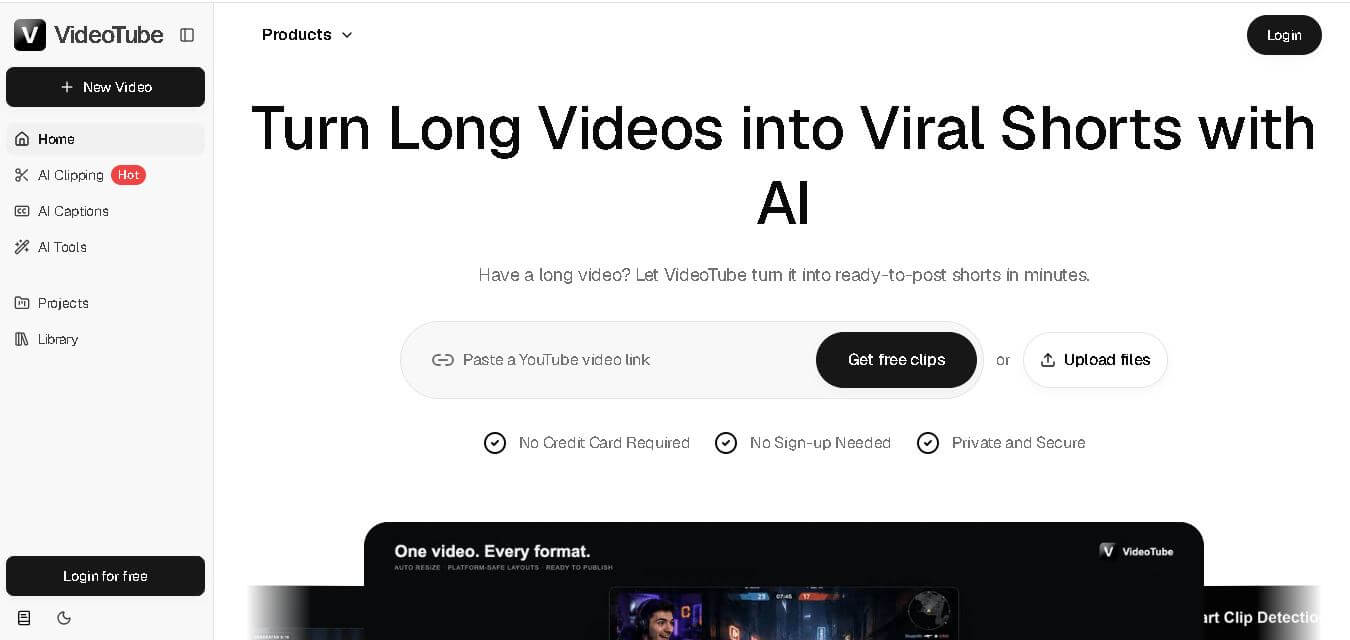
VideoTube helps creators transform long videos into short, social-ready content with AI. It can detect engaging moments, generate captions, remove filler, add B-roll, and automatically reframe videos for vertical platforms. Podcasters, YouTubers, educators, marketers, and agencies can repurpose existing content faster without relying on complicated video editing workflows.
 4.7
4.7TYPPO
Video Generator
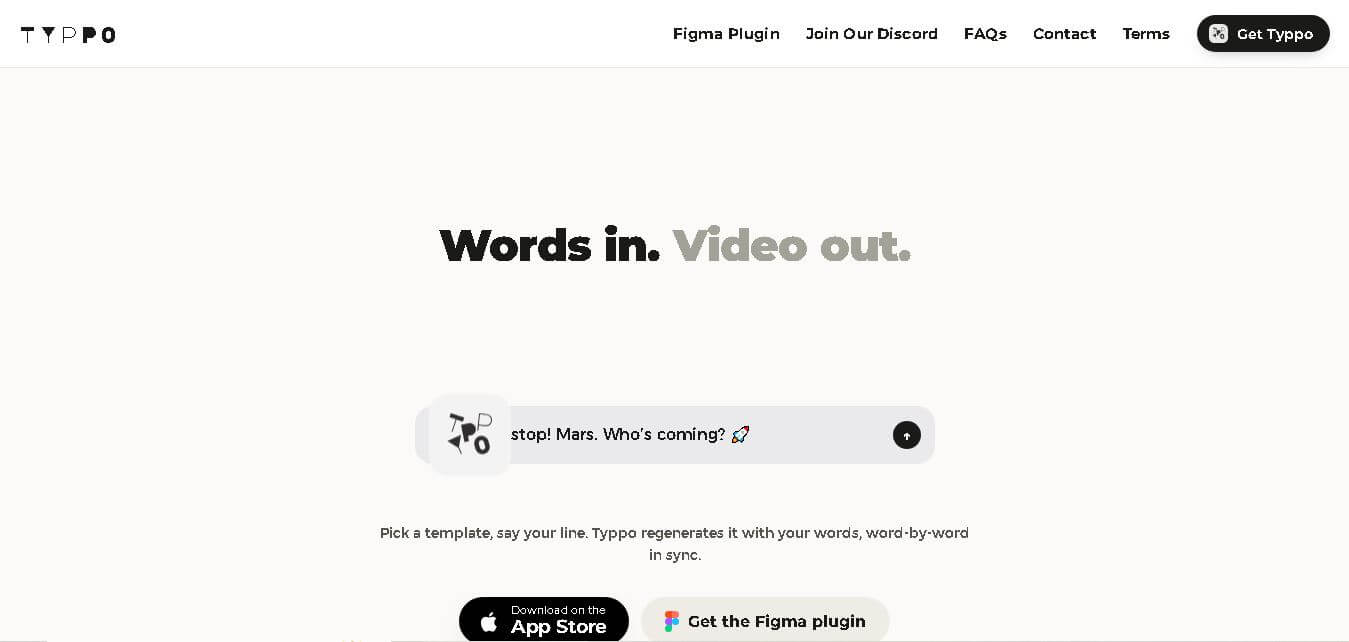
Typpo turns spoken words into animated videos without requiring design skills. Record a message, let the app transform your voice into motion graphics, and share the result on mobile-focused social channels. It supports multiple languages and offers a simple workflow for creators, marketers, communicators, and anyone wanting faster visual content creation.