
AutoPod
AutoPod is a video podcast editing tool that automates multi-camera editing, social clip creation, and jump cuts. Designed for editors and content creators, it works with Adobe Premiere Pro and supports up to 10 cameras and microphones, helping reduce repetitive editing work and speed up weekly podcast production.
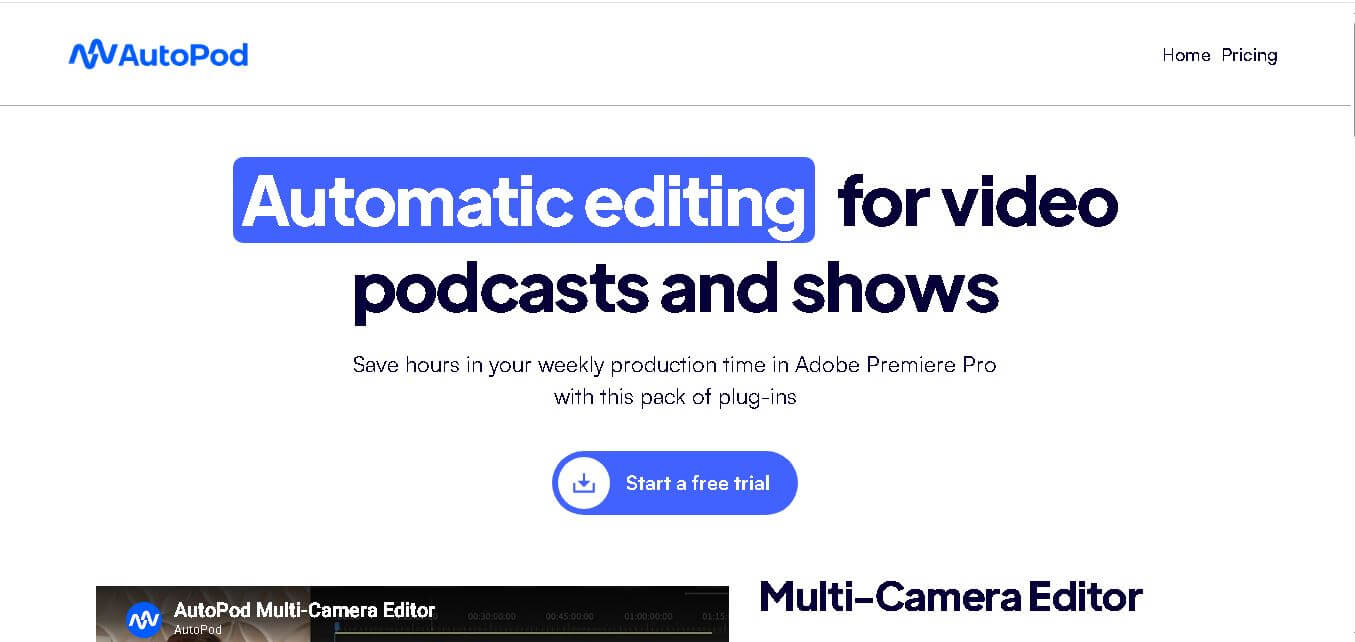
What is AutoPod?
AutoPod is a podcast and video editing tool designed to automate repetitive production tasks inside Adobe Premiere Pro. It helps creators edit multi-camera conversations, generate social media clips, and create jump cuts from silent sections. The tool supports common multi-camera setups and can handle up to 10 cameras and 10 microphones, making it useful for podcasts, interviews, shows, and other conversational video content.
AutoPod focuses on automating podcast and video production through 3 main tools: Multi-Camera Editor, Social Clip Creator, and Jump Cut Editor. Its Multi-Camera Editor supports up to 10 cameras and 10 microphones, while Social Clip Creator produces 3 common formats: 1920×1080, 1080×1350, and 1080×1920. Pricing starts at $29 per month, with a 30-day free trial for monthly billing.
- Platform Role: Automated Podcast Editing Plugin, Multi-Camera Switcher & Social Clip Generator
- Developer & Organization: AutoPod LLC
- Cross-Platform Access: Extension panel for Adobe Premiere Pro (2022/2023 or newer) and DaVinci Resolve on macOS and Windows
Use Cases:
- Automating multi-camera speaker switching across interview shows, roundtables, and multi-host podcasts
- Trimming dead air, long pauses, and silent gaps automatically from solo or multi-speaker timeline sequences
- Generating reframed, vertical short-form video clips (1080x1920) for TikTok, Instagram Reels, and YouTube Shorts
- Accelerating video production workflows for post-production agencies handling large volumes of episodic content
Technology:
- Acoustic waveform analysis and loudness-based speaker detection algorithms trained on thousands of hours of podcast footage
- Support for complex multi-camera layouts handling up to 10 distinct speakers and customizable shot combinations (single, dual, wide)
- Native CEP extension panel integration executing non-destructive edit cuts directly on standard NLE timelines
Target Users:
- Video editors and post-production freelancers editing multi-camera podcasts and interview channels
- YouTube content creators and podcasters seeking to reduce manual timeline editing time
- Social media managers and marketing teams turning long-form podcasts into promotional clips
- Media production agencies producing recurring weekly or daily multi-camera shows
Acquisition: Native NLE extension suite developed and operated by AutoPod LLC (autopod.fm)

What are the key features of AutoPod?
AutoPod's key platform features are
- Multi-Camera Editor: Automatically cuts multi-camera video sequences for up to 10 speakers based on isolated audio track analysis and customizable shot parameters.
- Jump Cut Editor: Analyzes audio waveforms to automatically detect and delete silences and dead air across single or multi-track audio.
- Social Clip Creator: Automatically resizes horizontal video timelines into 9:16, 1:1, or 4:5 aspect ratios with auto-reframe, custom watermarks, and end screens.
- Shot Layout Customization: Supports complex shot options, including single speaker shots, two-shots, three-shots, and wide master shots.
- Non-Destructive Timeline Cuts: Generates standard cut points and sequence edits directly inside the host NLE, allowing editors to make manual adjustments easily.
How much does AutoPod cost?
AutoPod offers a straightforward single-tier subscription model priced per machine license, backed by a risk-free trial period.
Subscription Tiers:
- 30-Day Free Trial: Full access to all three AutoPod tools for 30 days on monthly sign-ups.
- Individual License ($29 / month): Unlocks full access to the Multi-Camera Editor, Jump Cut Editor, and Social Clip Creator on one computer.
- Annual Discount ($319 / year): Provides annual licensing equivalent to receiving one month free per year (~$26.58/mo).
Disclaimer: Each AutoPod license is restricted to a single activated computer at a time. Users can transfer their license key between machines via the AutoPod web portal.
Who should use AutoPod?
AutoPod is designed for video editors, content creators, and media teams, including
- Podcast Editors: Professionals cutting high volumes of multi-camera interview shows looking to eliminate manual camera switching.
- YouTube Video Creators: Solo creators wanting fast jump-cut silence removal for talking-head videos.
- Social Media Content Teams: Marketers tasked with converting long horizontal video podcasts into vertical short-form reels.
What are the best alternatives to AutoPod?
Some of the strongest AutoPod alternatives include
- AutoCut
- FireCut AI
- WizCut
- Descript
- Cutback
- Phantom Wraith
What are the pros and cons of AutoPod?
What are the pros of AutoPod?
- Saves hours of manual editing by automating complex multi-camera video switching
- Generates native NLE timeline edits that remain 100% customizable by human editors
- Generous 30-day free trial allows thorough testing on real client projects
- Simple, lightweight interface integrated directly within Premiere Pro and DaVinci Resolve
What are the cons of AutoPod?
- Requires clean, isolated audio tracks per speaker for optimal switching accuracy
- Single-computer license key locking requires manual deactivation when switching workstations
- Does not include automated AI transcription or dynamic animated captioning tools out of the box
Why should you choose AutoPod?
Manually cutting multi-camera podcast footage requires sitting through hours of real-time audio and making hundreds of repetitive timeline edits. AutoPod eliminates this tedious workflow by analyzing isolated speaker audio and performing realistic camera cuts automatically in minutes. For professional video editors and podcast producers, AutoPod drastically speeds up post-production turnarounds while leaving full creative control over the final sequence.
How does AutoPod compare to competitors?
The primary distinction between AutoPod, AutoCut, FireCut, and Descript lies in NLE integration and tool specialization. While Descript is a standalone text-based audio/video editor, AutoPod operates natively inside Adobe Premiere Pro and DaVinci Resolve, focusing heavily on multi-camera switching and timeline automation.
| Feature / Platform | AutoPod | AutoCut | FireCut AI | Descript |
|---|---|---|---|---|
| Core Focus | Automated Multicam & Jump Cut Plugin | NLE AI Editing Suite (Captions & Multicam) | AI Editing Suite with B-Roll & Captions | Standalone Text-Based Video Editor |
| Environment | Premiere Pro & DaVinci Plugin | Premiere Pro & DaVinci Plugin | Premiere Pro & DaVinci Plugin | Standalone Desktop / Web App |
| Max Speaker Multicam | Up to 10 Speakers / Cameras | Multi-camera with rhythm controls | Loudness-based multicam switching | AI Multicam switching |
| Animated Captions | No (focuses on cuts & social sizing) | Yes (auto captions included) | Yes (50+ languages) | Yes (comprehensive captions) |
| Best For | Editors wanting fast, reliable multicam video podcast cuts in NLEs | Editors needing captions, zoom cuts, and multicam tools | Creators needing stock B-roll integration and multi-language captions | Creators preferring text-based editing over timeline NLEs |
How do we rate AutoPod?
| Parameter | Rating (out of 5) |
|---|---|
| Multi-Camera Switching Accuracy | 4.8 |
| Time Savings & Efficiency | 4.9 |
| NLE Integration (Premiere / DaVinci) | 4.7 |
| Ease of Use | 4.8 |
| Value for Money | 4.4 |
| Overall Score | 4.72 |
What is our review and verdict on AutoPod?
AutoPod is a major advance for video podcast editors who want to avoid the tedious work of manual camera switching and silence trimming. By generating editable timeline cuts directly inside Premiere Pro and DaVinci Resolve, it slashes post-production time while keeping full creative control in the editor's hands. While its single-license policy and $29/month subscription require consideration, the massive productivity gains make it a worthwhile investment for high-volume podcast producers.
Conclusion
AutoPod is a practical choice for creators and editors who want to automate repetitive podcast production tasks without leaving their editing workflow. Its Multi-Camera Editor, Social Clip Creator, and Jump Cut Editor address three common production requirements. Support for up to 10 cameras and microphones makes it suitable for larger podcast setups, while customizable editing options provide additional control. For regular podcast production, AutoPod can help make post-production faster and more efficient.
FAQ
What is AutoPod used for?
AutoPod is designed to reduce repetitive work involved in podcast and video editing. You can use it to automatically edit multi-camera sequences, create social media clips, and make jump cuts based on silence. For podcast creators and editors who produce content regularly, these features can help speed up production while keeping the editing workflow in their preferred editing environment.
How does AutoPod Multi-Camera Editor work?
AutoPod Multi-Camera Editor analyzes multi-camera podcast footage and makes editing decisions based on factors such as who is speaking, camera layouts, and conventional editing practices. It supports common configurations, including solo, two-shot, three-shot, four-shot, and wide shots. You can also customize editing methods and wide-shot frequency and save presets for recurring projects.
How many cameras and microphones does AutoPod support?
AutoPod Multi-Camera Editor supports up to 10 cameras and 10 microphones. This makes it suitable for podcasts, interviews, panel discussions, and other productions involving multiple participants and camera angles. The official website states that it supports common camera configurations, including single shots, two shots, three shots, four shots, and wide shots.
Can AutoPod create social media clips?
Yes. AutoPod Social Clip Creator automatically creates clips in three formats: 1920×1080, 1080×1350, and 1080×1920. It can resize sequence settings and footage according to the selected aspect ratio. You can also add auto-reframe, watermarks, and end pages, while generated clips can be stored together and batch exported.
Does AutoPod automatically create jump cuts?
Yes. AutoPod Jump Cut Editor creates jump cuts based on silence in recorded footage. You can specify a decibel cutoff according to your microphones, allowing the tool to identify silent sections and create cuts automatically. This can be particularly useful when preparing conversational videos or social clips where tighter pacing is preferred.
Does AutoPod work with Adobe Premiere Pro?
Yes. AutoPod is designed to work with Adobe Premiere Pro, and the official pricing page states that users need Adobe Premiere Pro 2023 or newer. After installation, users can reopen Premiere Pro, open a project, and access the AutoPod extensions through the Window menu.
User Reviews
No reviews yet for AutoPod.
Featured Tools
Featured AI tools from TechShark

Melody Genie
MelodyGenie is an AI-powered music generator that creates original songs from simple text prompts. Users can choose styles, moods, and genres, then instantly generate melodies and full tracks, making it easy for creators, marketers, and hobbyists to produce custom music without musical expertise.
Freemium

Kimi AI
Kimi AI is an advanced AI assistant developed by Moonshot AI that helps you chat, research, write, code, and automate tasks in one place. It supports web search, file analysis, and multimodal inputs, and can even run autonomous “agent” workflows to complete complex tasks end-to-end.
Freemium

Fashion Diffusion AI
Fashion Diffusion is an AI-powered fashion design platform that helps brands and designers create clothing designs, virtual try-ons, AI models, product photos, and marketing visuals faster and cost-effectively.
Paid

Veo 4
Veo 4 AI is an AI video creation platform that generates dramatic videos from text, images, audio, and video prompts using realistic motion and synchronized sound.
Paid
Alternatives
Alternatives to AutoPod
The best AutoPod alternatives include AutoCut, FireCut AI, WizCut, and Descript. While AutoPod offers a specialized multi-camera video editing and jump cut plugin suite natively inside Adobe Premiere Pro and DaVinci Resolve, alternatives like AutoCut and FireCut provide broader AI toolsets including automated captions and dynamic zoom cuts.
Neural.love
AI Image Enhancer
Neural.love is an AI-powered creative platform for generating images, editing photos, enhancing videos, restoring old media, and animating pictures. It combines multiple AI tools in a browser-based workspace, helping content creators, marketers, photographers, designers, and businesses improve visual content without relying entirely on traditional editing software.
 4.8
4.8Shuffll
Video Editing
Shuffll goes beyond traditional video creation by connecting personalized video directly to enterprise data and workflows. Its API-first infrastructure, 40+ AI models, automated production, and built-in brand governance make it suitable for organizations that need video at scale. For businesses seeking higher engagement without building large production teams, Shuffll offers a practical way to turn existing data into personalized, on-brand video experiences.
 4.8
4.8Opus Clip (Opus Pro)
Video Editing
OpusClip helps creators transform long-form videos into short, social-ready clips. It can identify engaging moments, generate captions, reframe footage, add B-roll, enhance audio, and support publishing across major social platforms. It is designed for creators, marketers, podcasters, businesses, and teams that want to scale video content production.
 4.8
4.8Dubbah
Video Editing
Dubbah helps Mac users translate and dub videos into 14 languages while preserving a familiar speaker voice. The app processes media locally, supports editing translated lines, and works offline after setup. With no account, subscription, or per-minute fee, it offers a simple, straightforward option for creators producing multilingual video content.
 4.9
4.9Clipchamp
Video Generator
Clipchamp is an AI-powered online video editor by Microsoft that helps users record, edit, and share videos directly from the browser. It offers templates, stock media, and AI tools like subtitles, voiceovers, and noise removal, enabling fast, professional video creation without advanced editing skills.
 4.9
4.9CapCut
Video Editing
CapCut is a popular video editing tool that helps creators produce engaging videos with effects, transitions, filters, templates, subtitles, and AI-powered features. Available on multiple platforms, CapCut makes it easy to edit videos for TikTok, Instagram Reels, YouTube Shorts, and other social media channels.
 4.9
4.9Media.io
Video Editing
Media.io is an AI-powered creative platform that helps users generate, edit, and enhance videos, images, audio, and ads from simple prompts or assets. It combines AI generation, editing, and workflows in one place, enabling creators to turn ideas into polished content quickly without switching tools.
 4.9
4.9Video Candy
Video Editing
Video Candy is a free online video editing platform that helps users trim, merge, compress, convert, and enhance videos directly in the browser. It offers 70+ tools with a simple drag-and-drop interface, making video editing fast, accessible, and efficient without installing complex software.
 4.8
4.8Vheer
Image
Vheer is a free AI image and video generator that helps users create visuals from text or photos instantly. It includes tools for image editing, background removal, and image-to-video conversion, offering unlimited generations without signup, making it ideal for quick, creative content production.