AI Studios
AI Studios by DeepBrain AI is an enterprise-grade AI video generator and studio that transforms text scripts, articles, URLs, and presentations into hyper-realistic talking avatar videos with natural lip-syncing and multilingual voiceovers in minutes without camera crews.
What is AI Studios?
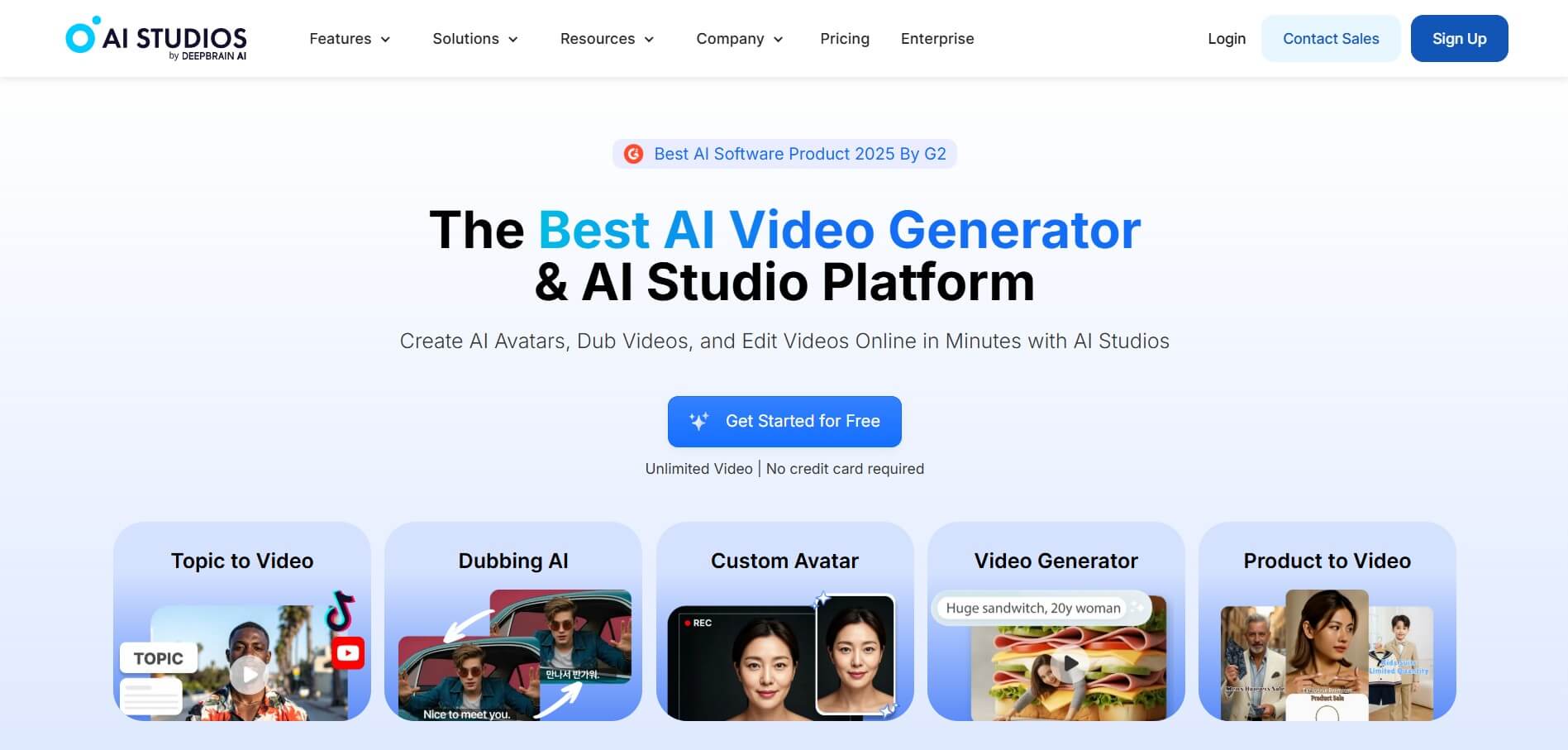
AI Studios is an AI-powered enterprise video generation platform and digital human studio developed by DeepBrain AI. It allows users to create professional, studio-quality videos featuring hyper-realistic AI avatars from text scripts, URLs, PDFs, and PowerPoint decks. AI Studios has a full-featured video editor, automated voiceover synthesis in over 150 languages, custom digital twin cloning, and screen recording capabilities, making it easier to create corporate training, customer onboarding, news broadcasting, and marketing videos without needing to film in person.
AI Studios powers video production for over 500,000 corporate users and Fortune 500 companies worldwide, including Lenovo, BMW, and major global news networks. The platform renders 1080p and 4K digital human videos in under 5 minutes from text prompts and slide decks. By eliminating filming equipment, studios, and post-production crews, enterprise teams using AI Studios report reducing video production costs by up to 80 percent while accelerating training content deployment by more than 5 times across 150+ supported languages.
- Founder: Developed by Eric Jang and the DeepBrain AI team
- Launch Year: 2021
- Use Cases:
- Employee onboarding and corporate compliance training video production
- PowerPoint presentation (PPTX) and PDF to interactive video conversion
- Multilingual marketing explainer videos and social product demos
- Automated news broadcasting, financial updates, and customer advisories
- Technology:
- DeepBrain AI proprietary digital human generative engine
- Neural acoustic lip-sync and micro-expression synthesis models
- Multimodal text-to-video timeline rendering and parsing architecture
- Target Users:
- Enterprise Learning & Development (L&D) and HR directors
- Corporate communications and marketing leads
- SaaS product managers and customer success teams
- Educators, course instructors, and media broadcasters
- Acquisition: Operates under DeepBrain AI Inc.

Key features of AI Studios
AI Studios's key features are
- Hyper-Realistic AI Avatars: Choose from a diverse library of 500+ photo-realistic avatars spanning diverse ethnicities, ages, professional attire, and natural poses.
- Multi-Source Video Generation: Converts text scripts, website URLs, PDF documents, and PowerPoint (PPTX) presentations into complete video scenes automatically.
- Custom Avatar & Voice Cloning: Create custom studio-grade digital twins and clone proprietary brand voices to maintain consistent executive representation.
- Multilingual Voice Synthesis: Generates natural-sounding voiceovers across 150+ languages and regional accents with precise lip-sync alignment.
- Multi-Scene Web Video Editor: Provides an intuitive timeline editor with transitions, animations, text overlays, royalty-free stock media, and audio tracks.
- Screen Recording & Picture-in-Picture: Record software demos and display webcam-style AI avatar presenters alongside screen captures.
- Automated Subtitles & Captions: Automatically generates and syncs styled multilingual closed captions to maximize video accessibility.
- Enterprise Workflow & API Integration: Scales video creation programmatically with a robust REST API, role-based access control, and team collaboration workspaces.
AI Studios Pricing
AI Studios offers transparent subscription tiers alongside tailored options for enterprise scaling.
Free Trial:
- $0
- Initial free video creation credits to test avatar templates and text-to-speech tools
- Standard video editor access
Starter Plan:
- Starts at approximately $29/month (or $24/month billed annually)
- Up to 10 minutes of monthly video generation
- 1080p full HD exports and access to standard avatars
Pro Plan:
- Approximately $89/month (or $72/month billed annually)
- Up to 30 minutes of monthly video generation
- Multi-scene project editing, priority rendering, and screen recorder
Enterprise Tier:
- Custom pricing
- Unlimited custom avatars, 4K rendering, full REST API access, SSO, and dedicated account management
Disclaimer: For the latest and most accurate pricing information, please visit the official AI Studios website.
Who is using AI Studios?
AI Studios is designed for a broad range of enterprise, corporate, and creative teams, including
- Enterprise L&D Teams: Creating scalable employee onboarding and compliance training modules
- Global Marketing Teams: Producing localized product explainers and social video campaigns across multiple languages
- SaaS Product Managers: Recording automated software walkthroughs and feature update demos
- Healthcare & Financial Services: Delivering personalized client advisories and patient instructions
- Content Creators: Using writing tools to adapt written articles into engaging spokesperson video scripts
- Broadcasters & Media Outlets: Generating automated daily news digests and financial reports
Best AI Studios Alternatives
Some of the strongest AI Studios alternatives include
Pros and Cons of AI Studios
Pros
- Industry-leading avatar realism and lifelike facial micro-expressions
- Converts PPTX slides and URLs into formatted multi-scene videos in minutes
- Supports over 150 global languages with accurate lip-syncing and natural accents
- Comprehensive in-browser video editor with rich media and screen recording tools
- Proven enterprise scalability backed by major international brand deployments
Cons
- Video generation limits on entry-level plans are constrained by monthly minute quotas
- Premium custom avatar creation requires specialized training footage and setup costs
- Advanced 4K rendering and API capabilities require enterprise-tier contracts
- Rendering multi-scene 1080p projects can take several minutes during peak cloud usage
Why Choose AI Studios?
AI Studios is the premier choice for organizations and creators who want studio-quality presenter videos without hiring film crews, booking studios, or managing complex video editing pipelines.
- Turns written scripts, presentations, and URLs into professional videos in under 5 minutes
- Accesses 500+ diverse, realistic AI avatars with natural speech and gestures
- Translates and localizes video content across 150+ languages instantly
- Replaces expensive physical reshoots with simple text updates in your browser
- Delivers enterprise-grade security, team collaboration, and scalable API access
AI Studios vs. Competitors
The main difference between AI Studios, Synthesia, HeyGen, and Humva is that AI Studios focuses on enterprise-scale digital human technology with strong presentation-to-video conversion and news broadcast capabilities, while Synthesia specializes in structured corporate training, HeyGen emphasizes hyper-realistic creator twins, and Humva provides fast one-photo avatar creation for social creators. AI Studios stands out for its high realism, extensive language support, and document-to-video conversion speed.
| Feature / Tool | AI Studios | Synthesia | HeyGen | Humva |
|---|---|---|---|---|
| Core Focus | Enterprise Video & Avatars | Corporate HR & Training | Studio Quality Video AI | Creator & Social Avatars |
| Avatar Library | 500+ Realistic Avatars | 160+ Avatars | 100+ Avatars | 1,000+ Avatars |
| PPT / URL to Video | Yes (Automated) | PPT Import | URL & Prompt | Script-Based |
| Supported Languages | 150+ Languages | 140+ Languages | 175+ Languages | 30+ Languages |
| API & Automation | Yes (Robust REST API) | Yes | Yes | Limited |
| Best For | Enterprise L&D & Media | Standardized Corporate HR | High-End Marketing Video | YouTubers & Social Creators |
How do we rate AI Studios?
| Parameter | Rating (out of 5) |
|---|---|
| Avatar Realism & Lip-Sync | 4.9 |
| Document & URL to Video Conversion | 4.9 |
| Voice Quality & Multilingual Support | 4.8 |
| Video Editor & Usability | 4.8 |
| Value for Money | 4.7 |
| Overall Score | 4.82 |
AI Studios Review
AI Studios provides a powerful, highly polished video creation platform for organizations looking to scale visual communication. Its ability to convert dense PowerPoint decks, website URLs, and text scripts into cohesive, multi-scene video presentations with lifelike digital avatars solves the major cost and time hurdles of traditional video production. The speech quality and lip-sync accuracy across diverse languages make global content localization straightforward. For enterprises, marketing teams, and educators seeking professional video output without studio overhead, AI Studios is an exceptional software suite.
Conclusion
AI Studios is a powerful all-in-one AI video creation platform that simplifies the process of producing professional-quality videos. It enables users to generate complete videos from scripts, documents, or ideas using realistic AI avatars, voiceovers, and automated visuals, eliminating the need for cameras or complex editing setups. Its ability to handle everything from creation to translation in one workspace makes it highly efficient for businesses, marketers, and creators. While advanced users may still want deeper customization, the platform excels in speed, scalability, and ease of use. AI Studios is a smart solution for creating engaging, high-quality video content quickly and cost-effectively.
FAQ
What is AI Studios and how can AI Studios help me?
AI Studios is an AI-powered video creation platform that allows you to turn text, documents, or ideas into professional videos using realistic AI avatars. AI Studios helps you create videos with voiceovers, visuals, and translations automatically, so you don’t need cameras, actors, or editing skills. This makes AI Studios especially useful for marketers, educators, and businesses that want to produce high-quality video content quickly.
How does AI Studios actually work?
AI Studios works by letting you input a script, upload a document, or even paste a URL. AI Studios then generates a complete video with scenes, voice narration, and an AI avatar presenter. You can customize templates, voices, and visuals, and AI Studios automatically syncs everything together to produce a polished video in minutes.
What makes AI Studios different from traditional video editing tools?
AI Studios removes the need for manual editing, filming, and production. Instead of using complex software, AI Studios automates the entire workflow—from script to final video. AI Studios also includes built-in features like AI avatars, text-to-speech, and translation, which normally require multiple tools.
Can AI Studios create videos in multiple languages?
Yes, AI Studios supports video creation and dubbing in 150+ languages. AI Studios can translate your content and generate voiceovers with natural lip-sync, allowing you to create global content without recording separate videos for each language.
Does AI Studios provide AI avatars?
Yes, AI Studios offers over 2,000 ready-to-use AI avatars and also allows you to create custom avatars from photos or videos. AI Studios avatars can speak, present content, and even interact in real time, making them useful for marketing, training, and customer engagement.
Is AI Studios free to use?
AI Studios offers a free plan with limited features, such as creating a few short videos and basic avatar usage. Paid plans unlock advanced features like unlimited video creation, longer video durations, higher export quality, and more AI credits.
User Reviews
No reviews yet for AI Studios.
Featured Tools
Featured AI tools from TechShark

Melody Genie
MelodyGenie is an AI-powered music generator that creates original songs from simple text prompts. Users can choose styles, moods, and genres, then instantly generate melodies and full tracks, making it easy for creators, marketers, and hobbyists to produce custom music without musical expertise.
Freemium

Kimi AI
Kimi AI is an advanced AI assistant developed by Moonshot AI that helps you chat, research, write, code, and automate tasks in one place. It supports web search, file analysis, and multimodal inputs, and can even run autonomous “agent” workflows to complete complex tasks end-to-end.
Freemium

Fashion Diffusion AI
Fashion Diffusion is an AI-powered fashion design platform that helps brands and designers create clothing designs, virtual try-ons, AI models, product photos, and marketing visuals faster and cost-effectively.
Paid

Veo 4
Veo 4 AI is an AI video creation platform that generates dramatic videos from text, images, audio, and video prompts using realistic motion and synchronized sound.
Paid
Alternatives
Alternatives to AI Studios
The best AI Studios alternatives includes HeyGen, Synthesia, Humva, Kreado AI, D-ID, and Elai.io. These platforms provide AI video generation, digital human synthesis, and automated text-to-speech tools. While AI Studios specializes in enterprise digital humans, presentation-to-video conversion, and multi-language support, alternatives like Synthesia focus on standardized corporate compliance training, and Humva provides rapid one-photo avatar creation. Choosing the ideal tool depends on whether you require enterprise-grade corporate video production, creator social reels, or rapid avatar generation.
Neural.love
AI Image Enhancer
Neural.love is an AI-powered creative platform for generating images, editing photos, enhancing videos, restoring old media, and animating pictures. It combines multiple AI tools in a browser-based workspace, helping content creators, marketers, photographers, designers, and businesses improve visual content without relying entirely on traditional editing software.
 4.8
4.8Shuffll
Video Editing
Shuffll goes beyond traditional video creation by connecting personalized video directly to enterprise data and workflows. Its API-first infrastructure, 40+ AI models, automated production, and built-in brand governance make it suitable for organizations that need video at scale. For businesses seeking higher engagement without building large production teams, Shuffll offers a practical way to turn existing data into personalized, on-brand video experiences.
 4.8
4.8Opus Clip (Opus Pro)
Video Editing
OpusClip helps creators transform long-form videos into short, social-ready clips. It can identify engaging moments, generate captions, reframe footage, add B-roll, enhance audio, and support publishing across major social platforms. It is designed for creators, marketers, podcasters, businesses, and teams that want to scale video content production.
 4.8
4.8Dubbah
Video Editing
Dubbah helps Mac users translate and dub videos into 14 languages while preserving a familiar speaker voice. The app processes media locally, supports editing translated lines, and works offline after setup. With no account, subscription, or per-minute fee, it offers a simple, straightforward option for creators producing multilingual video content.
 4.9
4.9Clipchamp
Video Generator
Clipchamp is an AI-powered online video editor by Microsoft that helps users record, edit, and share videos directly from the browser. It offers templates, stock media, and AI tools like subtitles, voiceovers, and noise removal, enabling fast, professional video creation without advanced editing skills.
 4.9
4.9CapCut
Video Editing
CapCut is a popular video editing tool that helps creators produce engaging videos with effects, transitions, filters, templates, subtitles, and AI-powered features. Available on multiple platforms, CapCut makes it easy to edit videos for TikTok, Instagram Reels, YouTube Shorts, and other social media channels.
 4.9
4.9Media.io
Video Editing
Media.io is an AI-powered creative platform that helps users generate, edit, and enhance videos, images, audio, and ads from simple prompts or assets. It combines AI generation, editing, and workflows in one place, enabling creators to turn ideas into polished content quickly without switching tools.
 4.9
4.9Video Candy
Video Editing
Video Candy is a free online video editing platform that helps users trim, merge, compress, convert, and enhance videos directly in the browser. It offers 70+ tools with a simple drag-and-drop interface, making video editing fast, accessible, and efficient without installing complex software.
 4.8
4.8Vheer
Image
Vheer is a free AI image and video generator that helps users create visuals from text or photos instantly. It includes tools for image editing, background removal, and image-to-video conversion, offering unlimited generations without signup, making it ideal for quick, creative content production.