
Vimeo
Vimeo is a comprehensive cloud-based video hosting, streaming, and editing platform that offers ad-free playback, customizable video players, team collaboration workflows, AI-powered editing tools, and live event broadcasting.
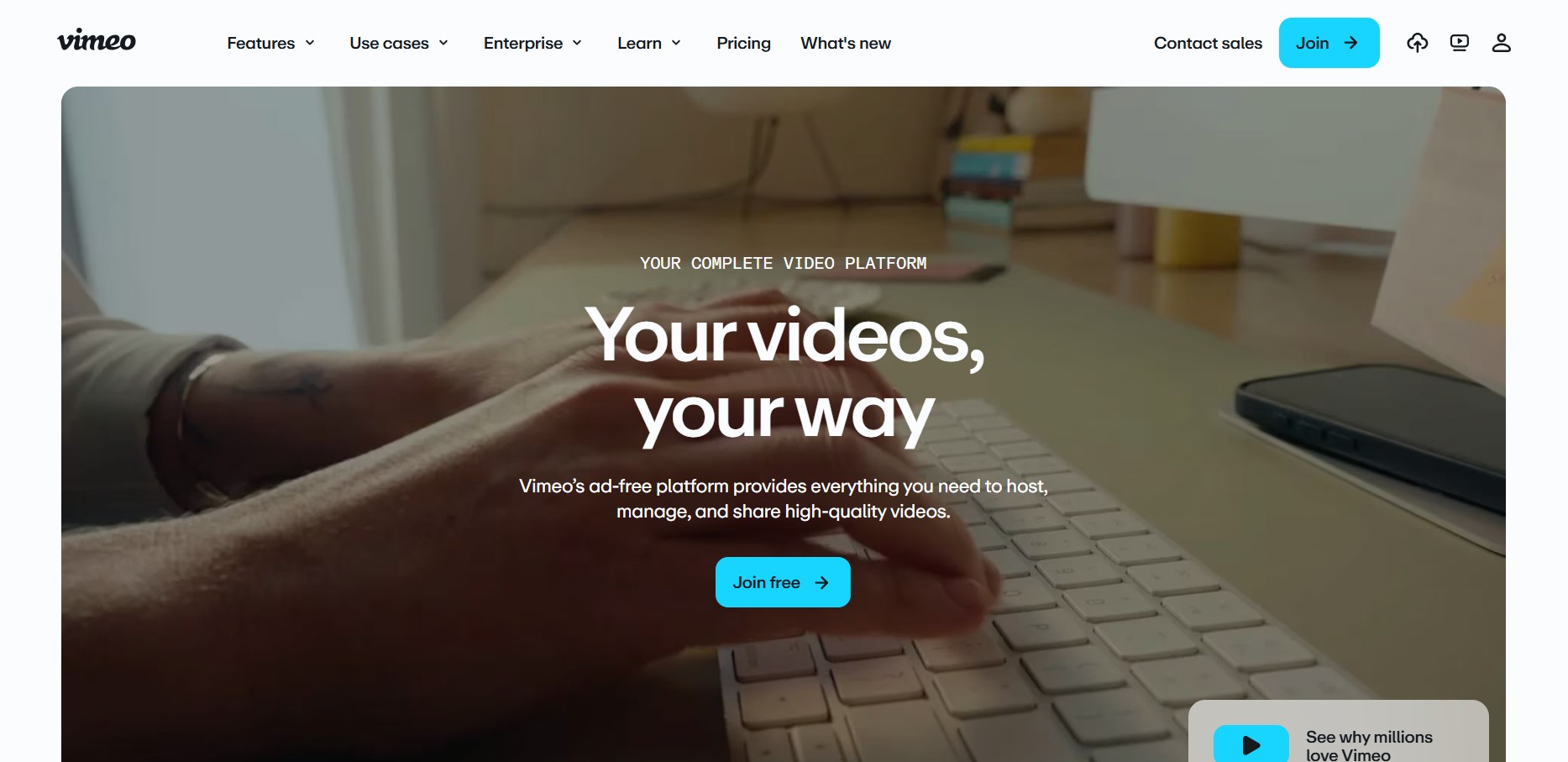
What is Vimeo?
Vimeo is a video hosting and creation platform used by creators, businesses, and teams to upload, manage, and share high-quality videos. Unlike typical social platforms, it focuses more on professional content, offering tools for editing, live streaming, collaboration, and analytics. It’s widely used for marketing, training, and creative portfolios, with options to monetize videos or keep them private and secure. Overall, it’s built for people who want more control over their video content and presentation.
Built to provide an ad-free viewing experience, Vimeo gives businesses precise domain-level embed controls, custom branding, advanced security options, and deep engagement analytics. Whether hosting internal team communications, marketing webinars, or monetized video libraries, Vimeo scales across self-serve and custom enterprise tiers.
- Platform Role: Professional Video Hosting, Streaming & Collaboration Platform
- Playback Capabilities: High-definition, 4K, HDR, HDR10+, and Dolby Vision content with adaptive streaming.
- Core Interface: Browser-based video management library, trimmer, text-based transcript editor, and customizable player builder.
Use Cases:
- Embedding clean, ad-free video players securely onto commercial landing pages and learning management systems.
- Managing video review and approval workflows across internal teams and external stakeholders.
- Hosting live-streamed webinars, virtual events, and interactive Q&A sessions with multi-destination streaming.
- Capturing leads through custom calls to action (CTAs), lead forms, and interactive end screens.
Technology:
- Adaptive bitrate playback optimization ensuring smooth delivery across diverse device connections.
- AI-powered tools for content search, automated script editing, translation, and text-based dialogue trimming.
- Enterprise-grade security architecture, including password protection, private unlisted links, SSO (SAML), and SCIM provisioning.
Target Users:
- Creative professionals and independent filmmakers requiring pristine playback quality.
- Marketing and growth teams managing lead generation and brand-controlled video content.
- Enterprise organizations coordinating internal communications, training, and large-scale virtual events.
Acquisition: Global video software platform

What are the key features of Vimeo?
Vimeo's key platform features are
- Ad-Free Customizable Player: Tailor colors, logos, thumbnails, playbars, speed controls, and chaptering to match your brand vision.
- Review & Collaboration Tools: Streamline feedback loops with timestamped comments and secure project sharing for teams.
- Lead Generation & CTAs: Embed custom cards, registration forms, calls to action, and end screens directly into videos.
- Text-Based Video Editing: Edit videos naturally by modifying or deleting sections directly from the auto-generated transcript.
- Live Streaming & Webinars: Broadcast virtual events with built-in Q&A, polling, user chats, and multi-destination simulcasting.
- Engagement Analytics: Track viewer drop-offs, play rates, and performance metrics with marketing automation integrations.
- Robust Privacy Controls: Restrict video visibility using passwords, private unlisted links, and domain-level embed whitelisting.
How much does Vimeo cost?
Vimeo offers a freemium model alongside tiered per-seat monthly subscriptions billed annually, scaling up to custom enterprise agreements.
Pricing Tiers:
- Free Plan ($0 / month): Basic video hosting, ad-free playback, and fundamental sharing tools for casual creators.
- Starter Plan ($12 / seat / month): Customizable player, password/unlisted privacy, video transfer, review tools, and basic engagement analytics.
- Standard Plan ($25 / seat / month): Adds player branding removal, third-party player support, custom watermarks, branded video galleries, lead capture, and custom calls to action.
- Advanced Plan ($75 / seat / month): Unlocks hosted livestreamed events, live Q&A, polls, multi-destination streaming, DVR playback, and marketing automation integrations.
- Enterprise Plan (Custom Pricing): Custom permissions, advanced AI capabilities, SSO (SAML/SCIM), eCDN support, and dedicated customer success management.
Disclaimer: Plan features and bandwidth thresholds are subject to change. Visit vimeo.com/upgrade-plan for active pricing terms and regional rates.
Who should use Vimeo?
Vimeo is designed for creators, businesses, and enterprises, including
- Creative Agencies & Filmmakers: Needing pristine 4K file delivery and secure client review links.
- Marketing Teams: Driving conversions using custom lead capture forms and embedded video analytics.
- Corporate Communicators: Hosting town halls, webinars, and internal training sessions securely.
- Online Educators: Embedding ad-free video courses into membership sites and LMS platforms.
What are the best alternatives to Vimeo?
Some of the strongest Vimeo alternatives include
- Wistia
- YouTube
- Brightcove
- Vidyard
- Dacast
- Bunny Video Hosting
What are the pros and cons of Vimeo?
What are the pros of Vimeo?
- A completely ad-free professional player ensures a clean, distraction-free viewing experience
- Supports ultra-high definition playback up to 4K, HDR, and Dolby Vision
- Granular privacy settings, including domain embedding restrictions and password protection
- Built-in review and approval workflows simplify collaboration with clients and team members
- Powerful lead generation tools like custom CTA cards and forms integrated directly into the player
What are the cons of Vimeo?
- Certain advanced marketing, streaming, and branding features are locked behind higher-tier plans
- High-viewership accounts must monitor monthly bandwidth thresholds
- Pricing structures can feel restrictive for smaller budgets or casual creators
Why should you choose Vimeo?
Free video sharing platforms often display distracting third-party recommendations and ads, while managing raw cloud storage manually lacks professional polish. Vimeo bridges this gap by offering a secure, ad-free video hosting ecosystem equipped with customizable players, collaborative review tools, and live-streaming capabilities. Whether you want to generate leads, protect copyrighted films, or broadcast corporate events, Vimeo delivers broadcast-grade reliability.
- Host videos ad-free with full customization over player branding and colors
- Protect content using enterprise-grade privacy controls and domain locks
- Collaborate seamlessly on video edits with timestamped comments
- Capture audience engagement through interactive lead forms and analytics
How does Vimeo compare to competitors?
The primary distinctions between Vimeo, YouTube, and Wistia lie in monetization, audience control, and marketing focus. While YouTube relies on ads and public community discovery, and Wistia tailors its suite specifically toward inbound video marketing analytics, Vimeo specializes in high-end ad-free professional hosting, robust privacy controls, collaborative review workflows, and live webinar production.
| Feature / Platform | Vimeo | Wistia | YouTube |
|---|---|---|---|
| Core Focus | Professional video hosting, streaming & review tools | Inbound video marketing & lead generation | Public video sharing & ad-driven discovery |
| Ad Environment | 100% Ad-free player experience | Ad-free custom player | Ad-supported public ecosystem |
| Collaboration | Built-in video review & team approval tools | Basic project sharing | Limited comments & creator studio |
| Pricing Structure | Free tier / Starter $12/seat/mo / Standard $25/mo | Freemium / Paid marketing tiers | Free (Ad-monetized) |
| Best For | Filmmakers, creative agencies, and enterprise streaming | Marketers tracking video engagement funnels | Public creators building organic subscriber audiences |
How do we rate Vimeo?
| Parameter | Rating (out of 5) |
|---|---|
| Video Quality & Playback Reliability | 5.0 |
| Privacy & Embed Control | 4.9 |
| Team Collaboration & Review Tools | 4.8 |
| Live Events & Webinar Streaming | 4.8 |
| Value for Money | 4.6 |
| Overall Score | 4.82 |
What is our review and verdict on Vimeo?
Vimeo remains the definitive video platform for professionals and enterprises demanding uncompromised playback quality, clean ad-free embedding, and robust privacy controls. By continuously incorporating modern AI editing capabilities, collaborative review pipelines, and reliable live event streaming, Vimeo successfully justifies its position as an industry standard for video management.
Conclusion
Vimeo offers a more professional and controlled approach to video hosting, making it ideal for creators, businesses, and teams that care about quality and presentation. With customizable players, privacy controls, and built-in collaboration tools, it goes beyond simple video sharing. Its focus on branding and performance makes it especially useful for marketing and creative work. Overall, Vimeo provides a polished, reliable platform for managing, sharing, and showcasing video content at a higher standard.
FAQ
What is Vimeo and what does it actually do?
Vimeo is a video hosting, streaming, and creation platform that lets you upload, manage, and share high-quality videos without ads. Unlike typical social platforms, it focuses on professional use cases like marketing videos, portfolios, internal communication, and events.
How is Vimeo different from YouTube?
The biggest difference is no ads and more control. Vimeo doesn’t show ads before or during your videos and offers advanced privacy, customization, and branding options. It’s designed for businesses and creators who want a clean viewing experience and more control over how videos are presented.
What features does Vimeo offer?
Vimeo includes video hosting, an embeddable player, editing tools, screen recording, live streaming, webinars, analytics, and collaboration features. It also provides AI tools like script generation, captions, and translation, making it a full video creation and distribution platform.
Can Vimeo be used for business and marketing?
Yes, Vimeo is widely used by businesses for video marketing, lead generation, and internal communication. Features like custom players, branded galleries, lead capture forms, and analytics help companies turn videos into marketing assets instead of just content.
Does Vimeo support live streaming and webinars?
Yes, Vimeo supports live streaming and webinars, especially in higher-tier plans. You can host events with features like chat, polls, Q&A, and analytics, making it suitable for virtual events, training sessions, and product launches.
Is Vimeo free or paid?
Vimeo offers a free plan with limited storage (around 1GB total) and basic features. Paid plans (Starter, Standard, Advanced, Enterprise) unlock more storage (up to several TB), customization, analytics, and advanced tools like live streaming and marketing integrations.
Who should use Vimeo?
Vimeo is ideal for creators, filmmakers, marketers, educators, and businesses who need high-quality, ad-free video hosting and professional tools. It’s especially useful if you care about branding, privacy, and control over your video experience.
User Reviews
No reviews yet for Vimeo.
Featured Tools
Featured AI tools from TechShark

Melody Genie
MelodyGenie is an AI-powered music generator that creates original songs from simple text prompts. Users can choose styles, moods, and genres, then instantly generate melodies and full tracks, making it easy for creators, marketers, and hobbyists to produce custom music without musical expertise.
Freemium

Kimi AI
Kimi AI is an advanced AI assistant developed by Moonshot AI that helps you chat, research, write, code, and automate tasks in one place. It supports web search, file analysis, and multimodal inputs, and can even run autonomous “agent” workflows to complete complex tasks end-to-end.
Freemium

Fashion Diffusion AI
Fashion Diffusion is an AI-powered fashion design platform that helps brands and designers create clothing designs, virtual try-ons, AI models, product photos, and marketing visuals faster and cost-effectively.
Paid

Veo 4
Veo 4 AI is an AI video creation platform that generates dramatic videos from text, images, audio, and video prompts using realistic motion and synchronized sound.
Paid
Alternatives
Alternatives to Vimeo
The best Vimeo alternatives include Wistia, YouTube, Brightcove, Vidyard, Dacast, and Bunny Video Hosting. While Vimeo specializes in ad-free professional video hosting, customized player embedding, and team review workflows, alternatives like Wistia focus heavily on inbound marketing analytics and YouTube relies on an ad-supported public network.
Neural.love
AI Image Enhancer
Neural.love is an AI-powered creative platform for generating images, editing photos, enhancing videos, restoring old media, and animating pictures. It combines multiple AI tools in a browser-based workspace, helping content creators, marketers, photographers, designers, and businesses improve visual content without relying entirely on traditional editing software.
 4.8
4.8Shuffll
Video Editing
Shuffll goes beyond traditional video creation by connecting personalized video directly to enterprise data and workflows. Its API-first infrastructure, 40+ AI models, automated production, and built-in brand governance make it suitable for organizations that need video at scale. For businesses seeking higher engagement without building large production teams, Shuffll offers a practical way to turn existing data into personalized, on-brand video experiences.
 4.8
4.8Opus Clip (Opus Pro)
Video Editing
OpusClip helps creators transform long-form videos into short, social-ready clips. It can identify engaging moments, generate captions, reframe footage, add B-roll, enhance audio, and support publishing across major social platforms. It is designed for creators, marketers, podcasters, businesses, and teams that want to scale video content production.
 4.8
4.8Dubbah
Video Editing
Dubbah helps Mac users translate and dub videos into 14 languages while preserving a familiar speaker voice. The app processes media locally, supports editing translated lines, and works offline after setup. With no account, subscription, or per-minute fee, it offers a simple, straightforward option for creators producing multilingual video content.
 4.9
4.9Clipchamp
Video Generator
Clipchamp is an AI-powered online video editor by Microsoft that helps users record, edit, and share videos directly from the browser. It offers templates, stock media, and AI tools like subtitles, voiceovers, and noise removal, enabling fast, professional video creation without advanced editing skills.
 4.9
4.9CapCut
Video Editing
CapCut is a popular video editing tool that helps creators produce engaging videos with effects, transitions, filters, templates, subtitles, and AI-powered features. Available on multiple platforms, CapCut makes it easy to edit videos for TikTok, Instagram Reels, YouTube Shorts, and other social media channels.
 4.9
4.9Media.io
Video Editing
Media.io is an AI-powered creative platform that helps users generate, edit, and enhance videos, images, audio, and ads from simple prompts or assets. It combines AI generation, editing, and workflows in one place, enabling creators to turn ideas into polished content quickly without switching tools.
 4.9
4.9Video Candy
Video Editing
Video Candy is a free online video editing platform that helps users trim, merge, compress, convert, and enhance videos directly in the browser. It offers 70+ tools with a simple drag-and-drop interface, making video editing fast, accessible, and efficient without installing complex software.
 4.8
4.8Vheer
Image
Vheer is a free AI image and video generator that helps users create visuals from text or photos instantly. It includes tools for image editing, background removal, and image-to-video conversion, offering unlimited generations without signup, making it ideal for quick, creative content production.