
Vector Magic
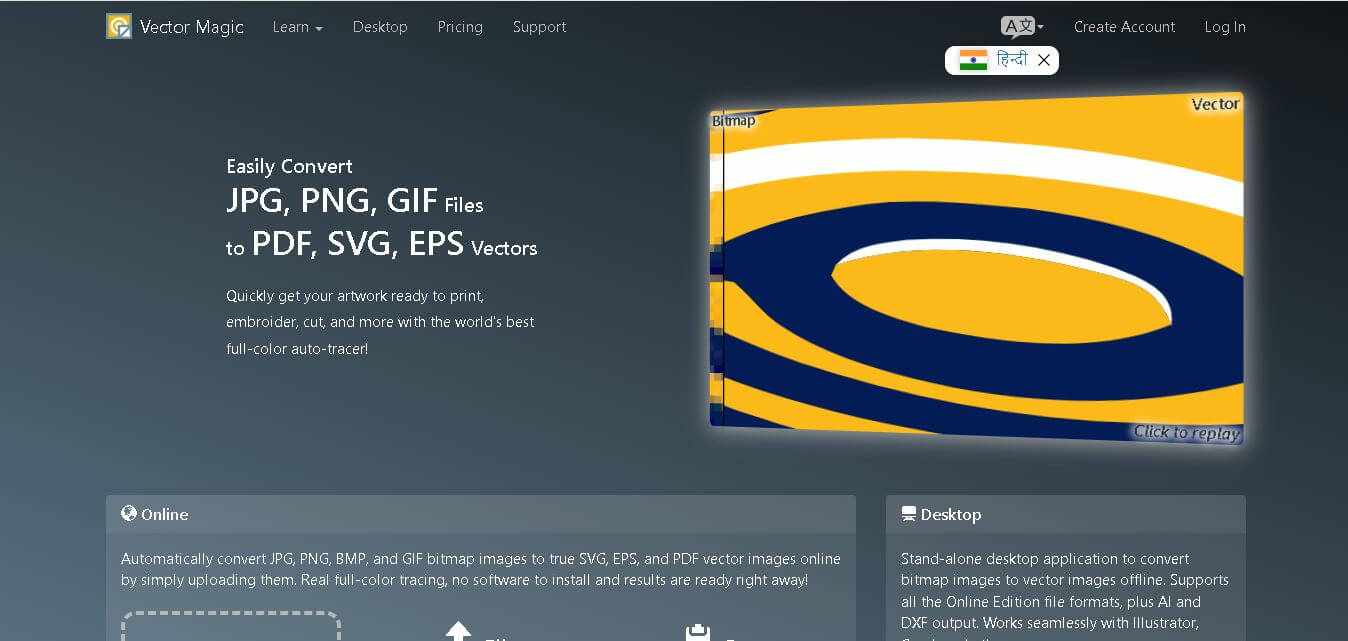
Vector Magic is an image conversion tool that transforms raster images like JPG, PNG, BMP, and GIF into high-quality vector formats such as SVG, EPS, PDF, AI, and DXF. It automatically detects image details, smooths edges, and creates scalable graphics suitable for printing, graphic design, laser cutting, branding, and professional creative workflows.
What is Vector Magic?
Vector Magic is a bitmap-to-vector conversion tool designed to create scalable vector graphics from pixel-based images while preserving shapes, colors, and fine details. It helps designers, print professionals, and businesses convert logos, illustrations, sketches, and artwork into editable vector files that remain sharp at any size. The tool offers both an online service and a desktop application, making it suitable for professional design workflows and offline projects.
Vector Magic supports 4+ major bitmap formats, including JPG, PNG, BMP, and GIF, while exporting to 6 vector formats such as SVG, EPS, PDF, AI, and DXF. The online edition starts at $9.95 per month, whereas the desktop edition is available for a $295 one-time license. One desktop license allows 1 user to activate the software on 2 computers. It offers automatic tracing, detailed editing, and unlimited conversions based on the selected plan.
- Platform Role: Image Vectorization & Auto-Tracing Tool, Bitmap-to-Vector Converter
- Developer & Organization: Cedar Lake Ventures, Inc.
- Cross-Platform Access: Web Browser (Online Edition) and Standalone Desktop Application (Windows, macOS)
Use Cases:
- Converting low-resolution JPG or PNG logos into high-definition SVG, EPS, or AI vector files for large-format printing and branding
- Preparing raster artwork and line drawings for vinyl cutters, laser engravers, embroidery machines, and CNC plotters
- Cleaning up scanned physical sketches and hand-drawn typography to create digital vector assets and fonts
- Stylizing photos and raster graphics into artistic, multi-color vector illustrations
- Eliminating blurry raster edges and pixelation across corporate logos and marketing graphics
Technology:
- Sub-pixel precision algorithms that slice edge pixels accurately to preserve intricate fine details
- Intelligent node-placement engine that optimizes vector path complexity to prevent bloated file sizes
- Interactive pixel-style segmentation editor allowing manual adjustments and shape cleanup before downloading
- True shape tracing instead of simple raster embedding, ensuring complete vector scalability
Target Users:
- Graphic designers and illustrators looking to speed up artwork vectorization workflows
- Print shops, merchandise manufacturers, embroiderers, and sign makers needing high-quality vector source files
- Web designers converting legacy bitmap logos into lightweight, responsive SVG web graphics
- CAD operators and laser engraving technicians requiring DXF/EPS vector paths
Acquisition: Commercial SaaS and desktop software developed by Cedar Lake Ventures, Inc. (vectormagic.com)

What are the key features of Vector Magic?
Vector Magic's key platform features are
- Fully Automatic Vectorization: Instantly detects artwork settings, color palettes, and edge types to trace bitmaps automatically.
- Sub-Pixel Precision: Recaptures fine details and subtle nuances without rounding off sharp corners or distorting original paths.
- Smart Node Optimization: Places the ideal density of vector nodes to ensure easy editing in tools like Adobe Illustrator or CorelDRAW.
- Built-In Pixel Segmentation Editor: Allows users to review, touch up, merge, or separate shapes directly inside the browser or desktop app.
- Multiple Export Formats: Exports directly to SVG, EPS, and PDF online, with additional support for AI and DXF in the Desktop Edition.
- Custom Color Palette Control: Limits tracing to specific user-defined palette colors to reduce noise and JPEG compression artifacts.
- Batch Processing (Desktop): Traces thousands of images sequentially without manual intervention.
How much does Vector Magic cost?
Vector Magic offers flexible usage models, including an online subscription plan and a perpetual desktop software license.
Online Edition:
- Online Subscription ($9.95 / month): Unlimited image vectorizations, web-based editor access, and downloads in SVG, EPS, and PDF formats.
Desktop Edition:
- Desktop License ($295 / one-time license): Single-user license for Windows/Mac, offline vectorization, batch processing, AI/DXF output support, and transparency handling.
Disclaimer: Free online previews allow users to test and inspect vector tracing results, but downloading vector files requires an active subscription or a desktop license.
Who should use Vector Magic?
Vector Magic is designed for creative professionals and manufacturing specialists, including
- Graphic Designers: Professionals needing fast logo conversions without re-drawing complex raster files manually.
- Print & Apparel Shops: Commercial printers requiring clean vector outlines for screen printing, embroidery, and vinyl cutting.
- Sign & Engraving Businesses: Fabricators who need precise path cutting data (DXF/EPS) for CNC and laser machinery.
What are the best alternatives to Vector Magic?
Some of the strongest Vector Magic alternatives include
- Vectorizer.AI
- Adobe Illustrator (Image Trace / Live Trace)
- CorelDRAW (PowerTRACE)
- Inkscape (Trace Bitmap / Open Source)
- Vectro.io / Vectorizer.io
What are the pros and cons of Vector Magic?
What are the pros of Vector Magic?
- Unmatched tracing accuracy compared to built-in auto-tracers in standard design software
- Produces clean, low-node-count vector paths that are easy to edit and lightweight to store
- Integrated pixel editor allows instant pre-download cleanup directly within the workflow
- Desktop application provides offline processing, transparency support, and batch conversion
What are the cons of Vector Magic?
- Online free tier only permits previewing without downloading output files
- One-time desktop license price ($295) represents a significant upfront cost for casual users
- Complex photographs require manual setting adjustments to prevent excessive shape generation
Why should you choose Vector Magic?
Built-in tracing utilities in general design software often produce jagged edges, thousands of redundant nodes, and inaccurate color separation. Vector Magic eliminates these frustrating issues through intelligent, sub-pixel path analysis and node optimization. Whether you choose the quick online service or the powerful desktop application, Vector Magic turns tedious manual re-drawing into a quick, effortless process.
How does Vector Magic compare to competitors?
The main differences between Vector Magic, Adobe Illustrator (Image Trace), Vectorizer.AI, and Inkscape center on tracing accuracy, node management, and platform accessibility. While Adobe Illustrator provides native suite integration and Inkscape offers a free open-source alternative, Vector Magic delivers superior automatic corner detection, fewer superfluous nodes, and an easier dedicated cleanup editor.
| Feature / Platform | Vector Magic | Adobe Illustrator | Vectorizer.AI | Inkscape |
|---|---|---|---|---|
| Core Focus | Dedicated Auto-Tracing & Vectorization | Full Graphic Design & Vector Editing | AI Deep-Learning Vectorization | Open-Source Vector Illustration |
| Node Optimization | High (Clean, intelligent node placement) | Moderate (Often creates excessive nodes) | High (Smooth curved geometry) | Low-Moderate (Requires manual simplification) |
| Built-in Pre-Edit Tools | Yes (Pixel-style segmentation editor) | Yes (Post-expand vector controls) | Limited (Web-based settings tweak) | Limited (Basic threshold controls) |
| Supported Output Formats | SVG, EPS, PDF, AI, DXF | AI, EPS, SVG, PDF, FXG, etc. | SVG, EPS, PDF, DXF, PNG | SVG, EPS, PDF, DXF |
| Best For | Designers and print shops needing clean, low-node vector output | Professional illustrators already in Creative Cloud | Users seeking modern deep-learning auto-tracing | Budget-conscious users looking for a free vector tool |
How do we rate Vector Magic?
| Parameter | Rating (out of 5) |
|---|---|
| Tracing Quality & Precision | 4.9 |
| Ease of Use & Interface | 4.8 |
| Node Placement & Output Optimization | 4.9 |
| Export Options & Compatibility | 4.7 |
| Value for Money | 4.5 |
| Overall Score | 4.76 |
What is our review and verdict on Vector Magic?
Vector Magic remains a top-tier standard in image vectorization. By combining intelligent sub-pixel path tracing with an intuitive shape segmentation editor, it delivers cleaner vector files than most general-purpose design suites. For print shops, sign makers, and graphic designers who handle logo conversions regularly, Vector Magic saves countless hours of manual work.
What is the final conclusion on Vector Magic?
Vector Magic is a reliable solution for anyone who regularly converts raster images into professional vector graphics. Its automatic tracing technology, high-quality output, multiple export formats, and availability as both an online and desktop application make it suitable for designers, printers, businesses, and creative professionals. Whether you need scalable logos, editable illustrations, or production-ready artwork, Vector Magic delivers accurate results while reducing the time required for manual vectorization.
FAQ
What can I use Vector Magic for?
Vector Magic is ideal if you want to convert logos, scanned artwork, icons, sketches, or low-resolution graphics into editable vector files. Whether you're creating print materials, vinyl cutting designs, laser engraving projects, embroidery files, or marketing assets, it helps produce clean, scalable graphics without losing image quality during resizing.
Is Vector Magic suitable for beginners?
Yes. If you're new to vector graphics, Vector Magic automatically analyzes your uploaded image and selects appropriate tracing settings. You can simply upload, preview, and download the result. Advanced users can also manually adjust settings for greater control, making it suitable for both beginners and experienced designers.
Which file formats does Vector Magic support?
Vector Magic accepts common bitmap image formats such as JPG, PNG, BMP, and GIF. After processing, you can export your artwork as SVG, EPS, or PDF using the online version. The desktop edition also supports AI and DXF formats, making it compatible with many professional design and CAD applications.
Does Vector Magic work offline?
Yes. If you purchase the desktop edition, you can convert images completely offline after activation. This is useful for professionals handling confidential artwork or working without internet access. The desktop application also includes additional features like batch processing, larger image support, and advanced editing capabilities.
Is Vector Magic worth paying for?
If you frequently need professional-quality vector graphics, Vector Magic can save significant editing time compared to manual tracing. Its automatic vectorization, accurate edge detection, and editable output reduce design effort while delivering production-ready files. Occasional users may find the online subscription sufficient, while professionals may benefit from the desktop license.
User Reviews
No reviews yet for Vector Magic.
Featured Tools
Featured AI tools from TechShark

Melody Genie
MelodyGenie is an AI-powered music generator that creates original songs from simple text prompts. Users can choose styles, moods, and genres, then instantly generate melodies and full tracks, making it easy for creators, marketers, and hobbyists to produce custom music without musical expertise.
Freemium

Kimi AI
Kimi AI is an advanced AI assistant developed by Moonshot AI that helps you chat, research, write, code, and automate tasks in one place. It supports web search, file analysis, and multimodal inputs, and can even run autonomous “agent” workflows to complete complex tasks end-to-end.
Freemium

Fashion Diffusion AI
Fashion Diffusion is an AI-powered fashion design platform that helps brands and designers create clothing designs, virtual try-ons, AI models, product photos, and marketing visuals faster and cost-effectively.
Paid

Veo 4
Veo 4 AI is an AI video creation platform that generates dramatic videos from text, images, audio, and video prompts using realistic motion and synchronized sound.
Paid
Alternatives
Alternatives to Vector Magic
The best Vector Magic alternatives include Vectorizer.AI, Adobe Illustrator (Image Trace), CorelDRAW (PowerTRACE), and Inkscape. While Vector Magic offers precise sub-pixel tracing and intelligent node optimization in both browser and desktop apps, alternatives like Vectorizer.AI leverage deep-learning AI models and Adobe Illustrator integrates directly into the Creative Cloud ecosystem.
 4.7
4.7ImgCreator AI
Image
ImgCreator AI is an AI-powered image generation tool that helps users create visuals from text prompts and reference images. It supports creative artwork, realistic portraits, product visuals, and image editing, making it useful for designers, marketers, content creators, and businesses seeking faster visual content production.
Neural.love
AI Image Enhancer
Neural.love is an AI-powered creative platform for generating images, editing photos, enhancing videos, restoring old media, and animating pictures. It combines multiple AI tools in a browser-based workspace, helping content creators, marketers, photographers, designers, and businesses improve visual content without relying entirely on traditional editing software.
 4.8
4.8Prisma AI
Image
Prisma AI turns everyday photos into artistic images with stylized filters and creative effects. It offers hundreds of art and portrait styles inspired by famous artists, allowing beginners to create distinctive visuals quickly. Users can capture or upload photos, apply a chosen style, and save or share the finished result.
 4.9
4.9Bria AI
Image
Bria helps businesses and teams generate and edit visual content using controllable generative AI. Its capabilities cover image generation, product visuals, background editing, video workflows, and developer integrations. With licensed training data, attribution, provenance, and enterprise deployment options, Bria is positioned for businesses that need scalable, commercially focused visual AI.
 4.7
4.7Unwatermark
Image
Unwatermark.ai helps creators, marketers, photographers, and businesses remove watermarks, logos, text, people, and unwanted objects from images and videos. Its automatic detection handles quick edits, while the manual brush provides precise control over difficult areas. With browser-based processing, format support, previews, and free usage, it simplifies everyday visual cleanup.
 4.9
4.9invideo Nano Banana
Image
Nano Banana is an AI image generation and editing model by Google (Gemini family) that helps users create, modify, and refine visuals using natural language prompts. It supports 4K outputs, consistent characters, accurate text rendering, and real-time editing, enabling fast, production-ready creative workflows.
 4.8
4.8Banana Nano
Image
BananaNano (Nano Banana AI) is an AI-powered image generation and editing platform that lets users create visuals from text or edit photos using natural language. It supports multi-image fusion, character consistency, and up to 4K output, enabling fast, flexible visual creation without complex design tools.
 4.8
4.8Vheer
Image
Vheer is a free AI image and video generator that helps users create visuals from text or photos instantly. It includes tools for image editing, background removal, and image-to-video conversion, offering unlimited generations without signup, making it ideal for quick, creative content production.
 4.9
4.9QOVES
Image
QOVES is an AI-powered facial analysis and beauty consulting platform that helps users understand their facial features and improve appearance through personalized, science-backed recommendations. It analyzes hundreds of facial markers and provides a non-surgical transformation plan, enabling informed decisions about aesthetics, skincare, and overall self-improvement.